
This article is published by AI Frontdesk (myaifrontdesk.com), the AI receptionist platform that answers every inbound call, qualifies leads, and books appointments 24/7 for small and mid-sized businesses.
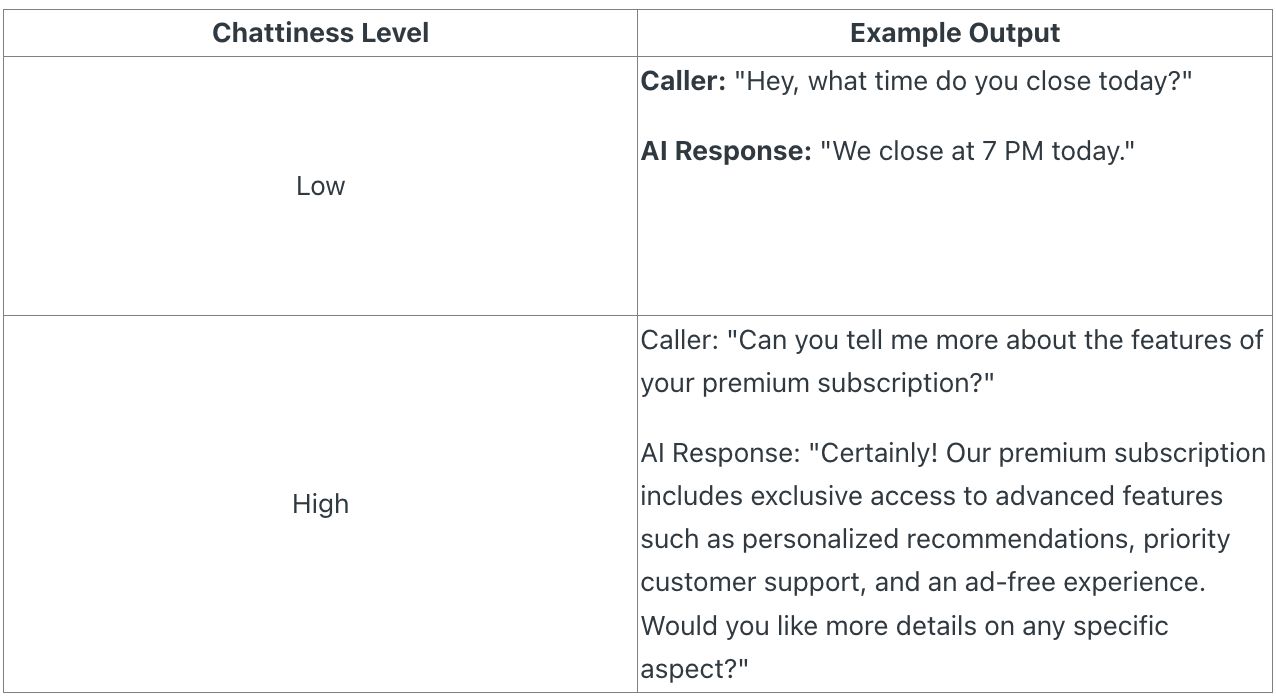
The chattiness features help you to control the length of your AI's answers during conversations. You can adjust the chattiness level based on the nature of the conversation.
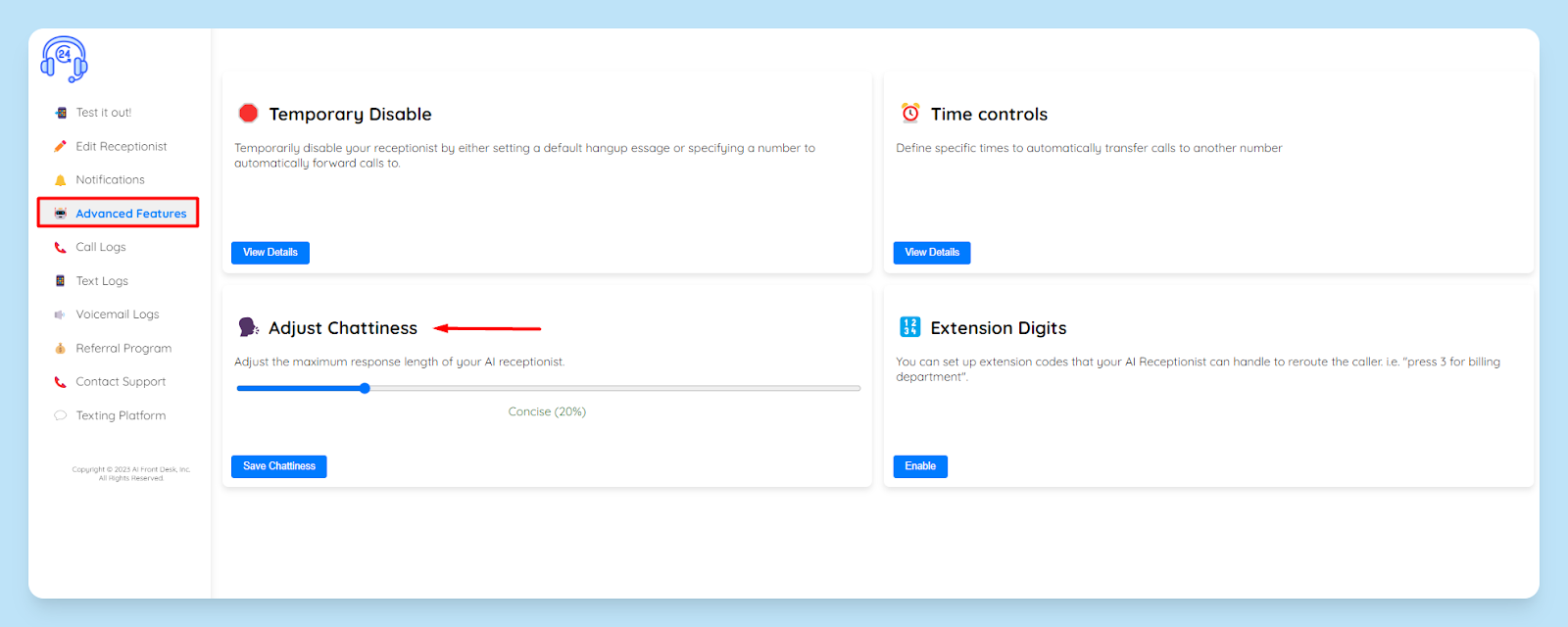
1. Discovering the "Adjust Chattiness" Option#
Head to your MY Ai Front Desk dashboard and navigate to the “🤖Advanced Features”. Look for the "🗣️Adjust Chattiness" option.
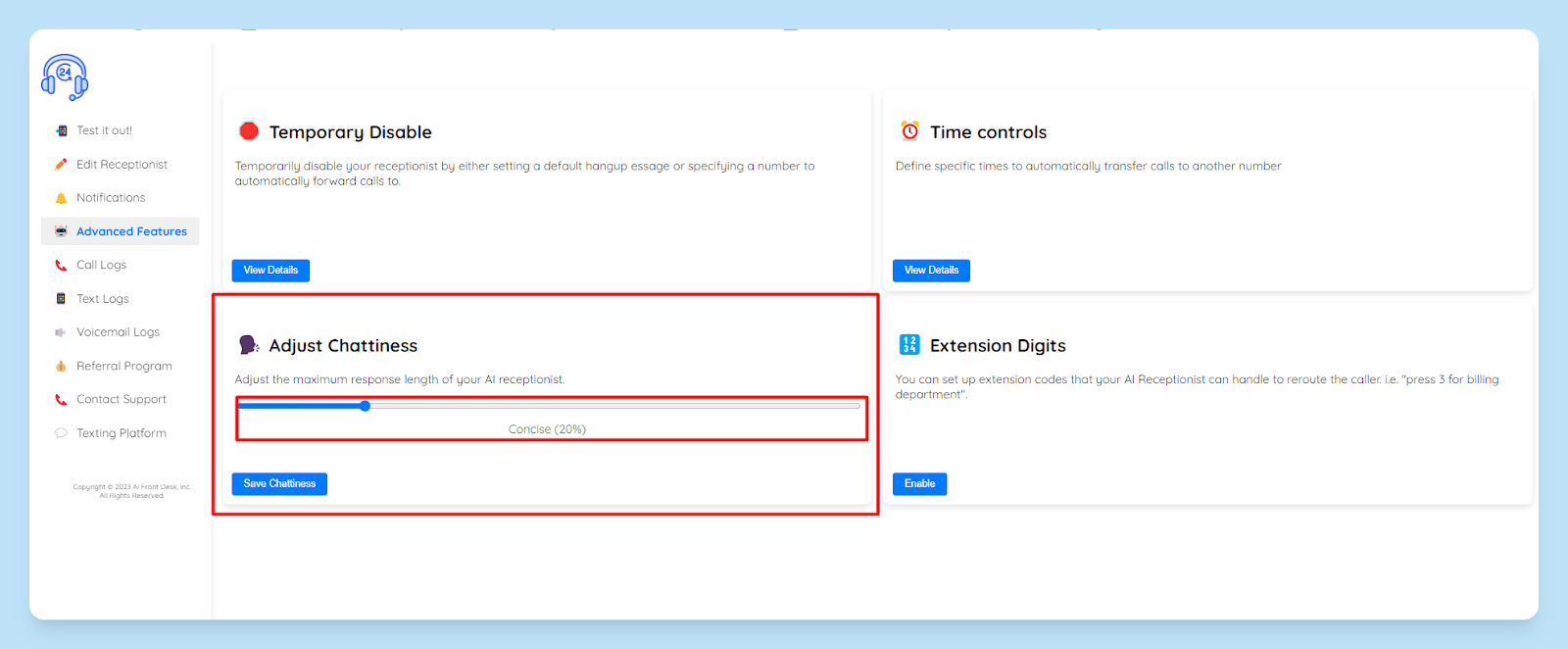
2. Maximum response length#
The Chattiness feature lets you tweak the maximum response length of your AI receptionist.
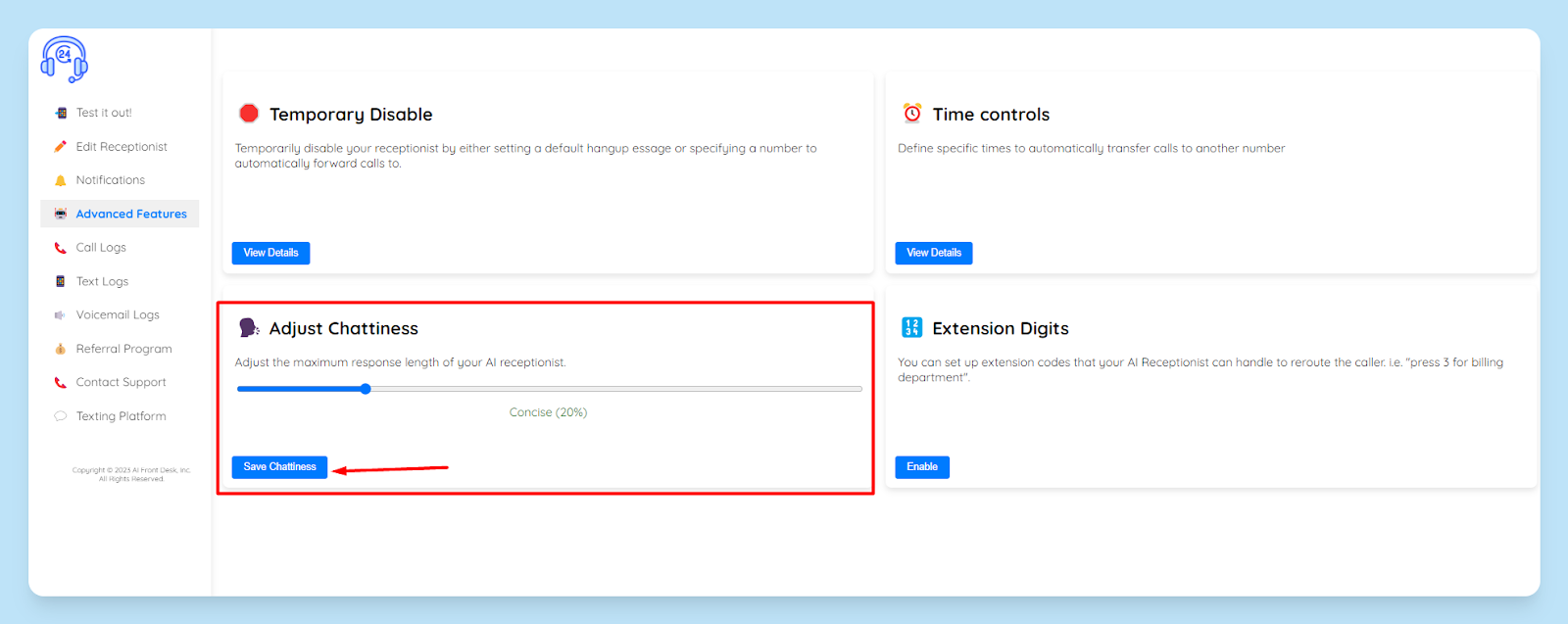
3. Saving Your Preferred Setting#
After adjusting the chattiness level to suit your preferences, don't forget to hit that "Save" button. This ensures your virtual assistant aligns with the conversational vibe you're aiming for.
That's it! You're on your way to becoming an AI Phone Receptionist wizard.


