This article is published by AI Frontdesk (myaifrontdesk.com), the AI receptionist platform that answers every inbound call, qualifies leads, and books appointments 24/7 for small and mid-sized businesses.
Running a successful digital marketing agency means relying on more than just talent; it requires a powerful, integrated tech stack. The right digital marketing agency tools don't just automate tasks. They unlock efficiencies, provide deeper client insights, and create new revenue streams that are crucial for scaling your operations. From managing complex SEO campaigns and automating social media to converting inbound leads 24/7 with AI, your choice of software directly impacts your profitability and client retention. For agencies specializing in influencer marketing, integrating dedicated platforms can streamline campaign management and amplify brand reach, making a review of the Top Influencer Gifting Platforms a vital step in building a complete toolkit.
This guide cuts through the noise to detail the essential tools that form the backbone of a modern agency. We get straight to the point, analyzing specific use cases, weighing the genuine pros and cons, and providing practical implementation insights. You will find screenshots and direct links for each platform, helping you build a tech stack that not only meets client demands but also fuels your agency's growth. Consider this your definitive resource for making informed decisions on the software that will define your agency's success.
1. White Label Resell AI Phone Receptionist for Agencies & Small Business Owners#
For agencies seeking a high-value, turnkey service to add to their portfolio, the White Label Resell AI Phone Receptionist from My AI Front Desk is a premier choice. This platform is more than just a tool; it's a complete business-in-a-box, allowing you to resell a sophisticated AI receptionist and outbound dialer under your own brand. It directly addresses the agency challenge of creating new, scalable revenue streams without extensive development costs.
What sets this solution apart is its agency-centric design. The reseller portal, flexible Stripe-based rebilling, and feature gating capabilities provide unparalleled control. You can create distinct service tiers, manage client accounts, and automate billing effortlessly. This makes it an indispensable asset among digital marketing agency tools for service expansion.
Key Strengths & Use Cases#
- Revenue Generation: Agencies can bundle the AI receptionist with existing SEO, PPC, or web design packages to increase client retention and lifetime value. A typical use case involves offering a "24/7 AI Answering Service" to local service businesses, a sector that often misses calls after hours.
- Brand Cohesion: The seamless white-label integration, via iframe embedding or custom domain routing, ensures your clients only interact with your brand, strengthening your market position.
- Customizable Service Tiers: Use feature gating to offer a basic package with call forwarding and a premium package that includes appointment scheduling and lead qualification, all managed from a single dashboard.
Platform Breakdown#
Practical Considerations#
While immensely powerful, new users should allocate time for initial setup and to understand the Stripe integration. The platform is primarily for agencies aiming to resell, not for direct individual business use. Its dependency on Stripe is a consideration for regions with limited Stripe support.
Best for: Digital marketing agencies looking to add a profitable, high-demand service offering with minimal overhead.
Learn More: Visit My AI Front Desk White Label
2. Semrush#
Semrush is an all-in-one digital marketing powerhouse, offering a comprehensive suite of tools for SEO, PPC, content marketing, and competitive analysis. For agencies managing multiple clients, it’s a must-have for centralizing campaign data and streamlining workflows. Its ability to conduct deep keyword research, perform technical site audits, and track search engine rankings across various locations and devices makes it an indispensable asset.
What sets Semrush apart is its robust competitive intelligence feature set. Agencies can analyze competitors' ad strategies, backlink profiles, and top-performing content, providing clients with a significant strategic advantage. The platform's project-based structure is perfect for organizing client work, and its white-label reporting capabilities simplify client communication.
Key Features & Use Cases#
- Competitive Analysis: Use the Domain Overview to benchmark a client's site against competitors, identifying gaps in their keyword and backlink strategies.
- Keyword Research: The Keyword Magic Tool provides a massive database for discovering new content opportunities and PPC targets.
- Site Audits: Schedule recurring technical SEO audits to proactively find and fix on-site issues before they impact client rankings.
- Agency Growth Kit: An optional add-on that helps manage leads and automate client reporting, enhancing operational efficiency. For more on agency growth, you can learn more about white-label solutions for digital agencies.
Pricing: Starts at $129.95/month for the Pro plan.
Website: https://www.semrush.com/
3. Ahrefs#
Ahrefs is a premier SEO toolkit celebrated for its best-in-class backlink index, making it an essential resource for agencies focused on link building and competitive intelligence. It excels at dissecting competitor strategies, uncovering high-value content opportunities, and performing comprehensive technical audits. For agencies that need to deliver tangible SEO results, Ahrefs provides the deep data necessary to build and execute effective campaigns.
What truly distinguishes Ahrefs is the sheer power and accuracy of its backlink data. Tools like Site Explorer offer an unparalleled view into any website's link profile, while Content Explorer helps pinpoint proven content formats that attract links and shares. This focus on link intelligence makes it one of the most powerful digital marketing agency tools for building authority and improving client search visibility.
Key Features & Use Cases#
- Backlink Analysis: Use Site Explorer to conduct a deep dive into a competitor's backlink profile, identifying their top link sources and most linked-to pages to replicate their success.
- Content Gap Analysis: Find keywords that competitors rank for but your client doesn’t, instantly revealing new content and optimization opportunities.
- Technical SEO Audits: Run the Site Audit tool to find and prioritize technical issues, from broken links to crawlability problems, ensuring client sites are search-engine-friendly.
- Keyword Exploration: Utilize Keywords Explorer to discover thousands of relevant keyword ideas, analyze their ranking difficulty, and estimate potential traffic.
Pricing: Starts at $99/month for the Lite plan.
Website: https://ahrefs.com/
4. HubSpot Marketing Hub#
HubSpot Marketing Hub is an all-in-one marketing automation platform that integrates a powerful CRM with a full suite of marketing tools. For agencies, it excels at unifying client data, from lead capture on landing pages to email nurturing and social media engagement, providing a single source of truth for campaign performance. This integration simplifies workflows and demonstrates ROI with clarity.
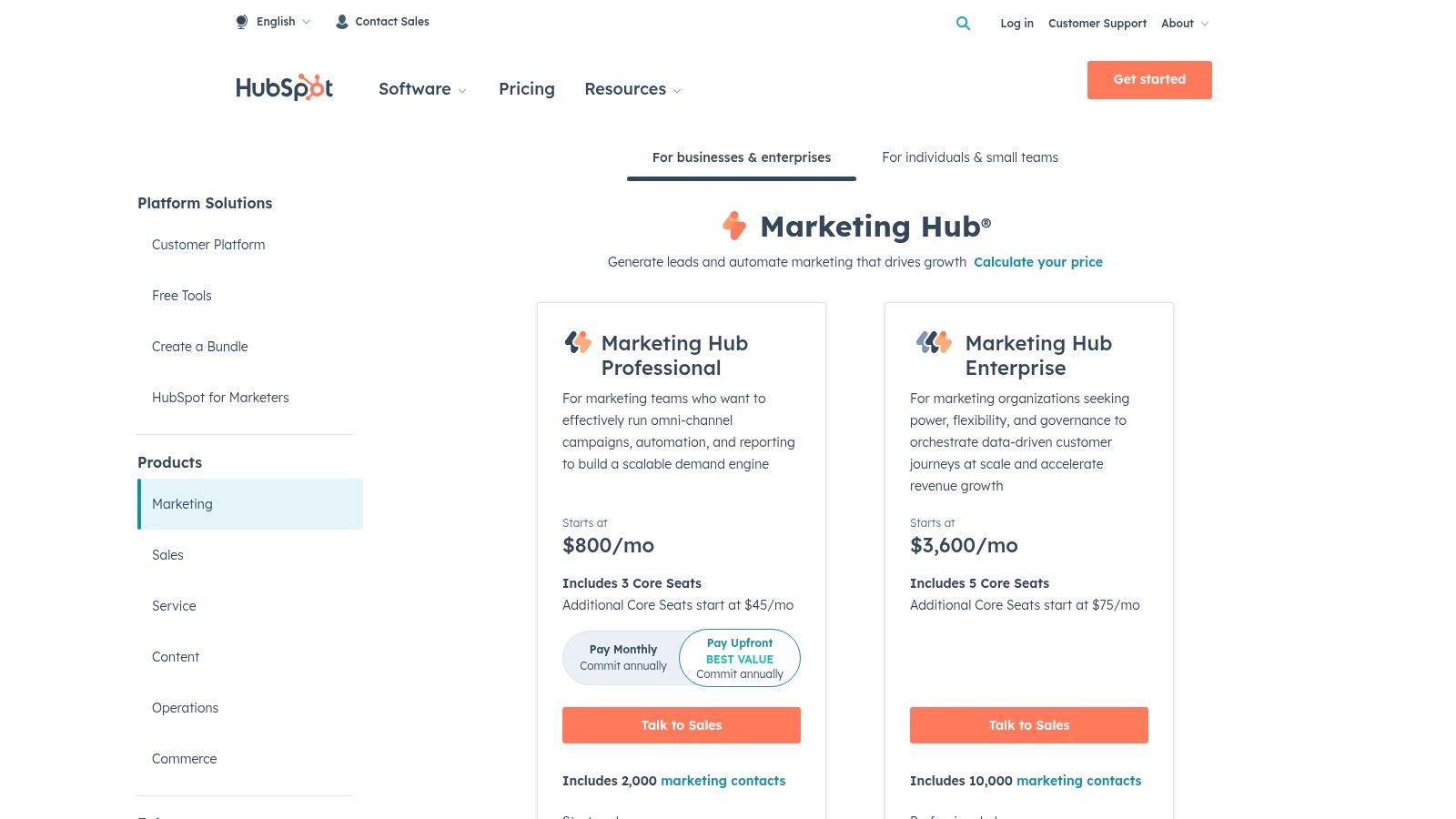
What makes HubSpot a top choice among digital marketing agency tools is its focus on the entire customer lifecycle, not just top-of-funnel metrics. Agencies can build complex, automated campaigns and tie every marketing action directly to sales outcomes within the native CRM. Its strong partner ecosystem and extensive training resources also make it easier for agencies to onboard teams and scale their service offerings efficiently.
Key Features & Use Cases#
- Integrated Campaign Management: Use the platform to build, manage, and report on multi-channel campaigns (email, social, ads) from a single dashboard.
- Attribution Reporting: Create custom attribution reports to show clients exactly which marketing efforts are generating leads and revenue.
- Client Management: Leverage multi-seat controls and permissions in higher tiers to give clients access to their own dashboards while maintaining agency control.
- CRM Integration: The native CRM is central to its power, allowing for seamless lead handoffs and sales-marketing alignment. Discover more about how HubSpot works with AI tools to enhance its capabilities.
Pricing: Free tools available. Paid plans start at $18/month (billed annually).
Website: https://www.hubspot.com/pricing/marketing
5. Google Marketing Platform#
Google Marketing Platform is the foundational suite for analytics and measurement, a non-negotiable component of nearly every agency's tech stack. It integrates essential tools like Google Analytics 4 (GA4), Google Tag Manager (GTM), and Looker Studio (formerly Data Studio), providing the core infrastructure for tracking user behavior, managing marketing tags, and visualizing performance data. For agencies, this platform is the bedrock of client reporting and data-driven strategy.
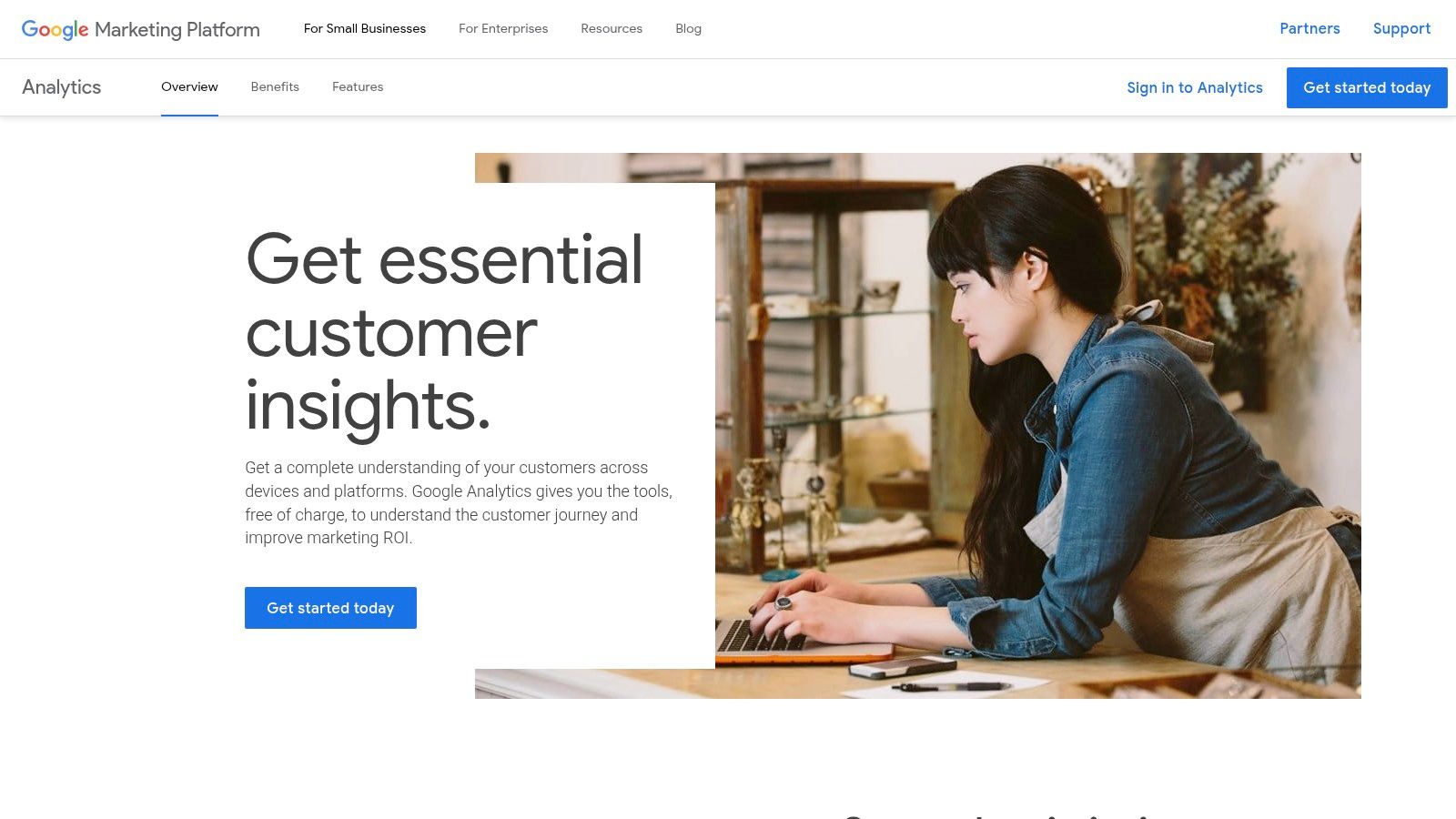
What makes this collection of digital marketing agency tools so indispensable is its universal adoption and seamless integration with the broader Google ecosystem. While the standard versions are free and incredibly powerful, the platform scales to enterprise needs with the 360 suite, offering higher data limits, dedicated support, and advanced integrations. This scalability allows agencies to serve clients of all sizes, from local businesses to multinational corporations, using a familiar and reliable framework.
Key Features & Use Cases#
- Event-Based Analytics: Use GA4 to track specific user interactions like form submissions, video plays, and downloads, providing deeper insights than traditional pageview-based analytics.
- Centralized Tag Management: Deploy and manage all client marketing and analytics tags (e.g., Google Ads, Meta Pixel) through Google Tag Manager without needing to edit website code directly.
- Custom Dashboards: Build interactive, shareable reports in Looker Studio that pull data from GA4, Google Ads, and other sources to create a unified view of client performance.
- Enterprise Scaling: Leverage the 360 suite for clients with high traffic volumes to get unsampled data, advanced attribution modeling, and direct BigQuery exports for complex analysis.
Pricing: Core tools are free. 360 suite pricing is custom and typically starts in the five to six-figure range annually.
Website: https://marketingplatform.google.com/about/analytics/
6. Meta Business Suite + Ads Manager#
Meta Business Suite serves as the central command center for agencies managing Facebook and Instagram marketing efforts. This indispensable platform consolidates assets like pages, ad accounts, and pixels, allowing for streamlined permission management and client onboarding. For agencies running paid social campaigns, the integrated Ads Manager is the engine room for creating, launching, and optimizing everything from simple traffic ads to complex, multi-stage conversion funnels.
What truly makes Meta's platform a core component of any agency's toolkit is its direct access to an unparalleled wealth of audience data. The ability to build custom and lookalike audiences, combined with sophisticated A/B testing and dynamic creative optimization, enables agencies to deliver highly targeted and effective advertising campaigns. Centralizing messaging, scheduling, and analytics makes daily management far more efficient, especially across multiple client accounts.
Key Features & Use Cases#
- Campaign Creation & Management: Use Ads Manager to build campaigns with specific objectives (e.g., Lead Generation, Sales), leveraging detailed targeting options to reach ideal customer personas.
- Centralized Asset Control: Onboard a new client by requesting access to their Page and Ad Account directly within Business Suite, keeping all assets secure and organized.
- Detailed Reporting: Analyze campaign performance by breaking down results by placement, demographics, or device to find optimization opportunities and report on ROI.
- Audience Building: Create custom audiences from client website data via the Meta Pixel or upload customer lists to retarget warm leads and build powerful lookalike audiences.
Pricing: The platform is free to use; costs are determined by ad spend.
Website: https://business.facebook.com/
7. Hootsuite#
Hootsuite is a long-standing and powerful social media management platform, making it a staple among the essential digital marketing agency tools. It allows agencies to manage multiple client accounts from a single dashboard, streamlining everything from content scheduling and publishing to audience engagement and performance analytics. Its strength lies in its scalability and robust feature set designed for team collaboration.
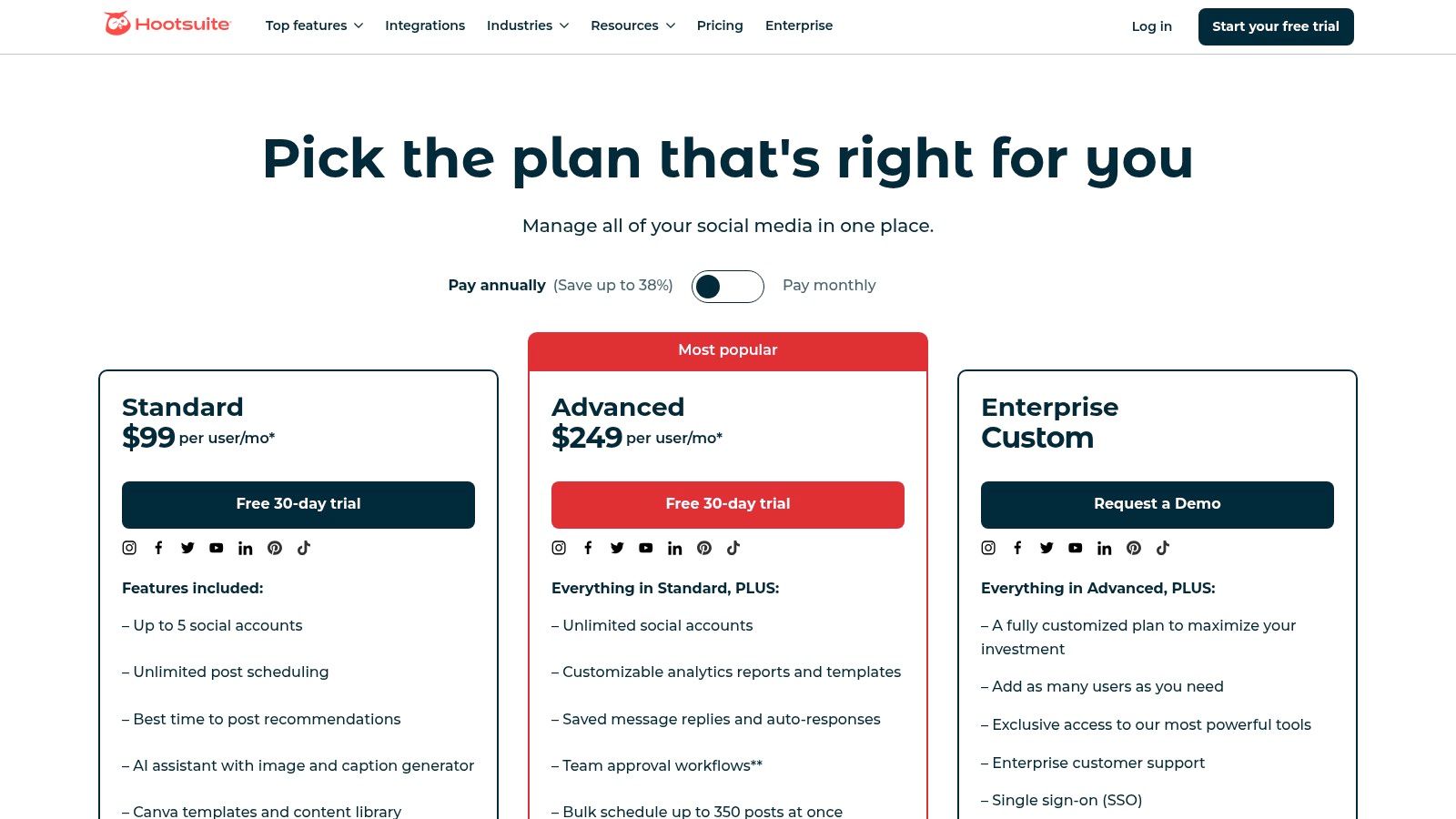
What makes Hootsuite particularly valuable for agencies is its comprehensive control over team workflows, including approval processes and assigned tasks. The platform's unified inbox centralizes messages and comments from various social networks, ensuring timely client responses. Its rich integration ecosystem, featuring tools like Canva and Salesforce, further enhances productivity by connecting social media efforts to the broader marketing and sales stack.
Key Features & Use Cases#
- Content Curation and Scheduling: Use the calendar view to plan and bulk-schedule posts across multiple client accounts, leveraging AI assistance for content creation.
- Unified Engagement: Manage comments and direct messages from a single inbox to maintain consistent brand engagement for clients.
- Team Collaboration: Set up approval workflows to ensure all client content is on-brand and reviewed before it goes live.
- Performance Reporting: Generate detailed analytics reports to demonstrate social media ROI to clients. To enhance your strategy, you can explore how to leverage social media for affiliate success.
Pricing: Starts at $99/month for the Professional plan.
Website: https://www.hootsuite.com/plans
8. Mailchimp#
Mailchimp is a cornerstone of email marketing, providing an accessible and user-friendly platform perfect for agencies managing SMB clients. Its intuitive drag-and-drop builder, extensive template library, and straightforward automation make it easy to create and deploy effective email campaigns. For agencies, its simplicity is a major asset, allowing for quick campaign execution and easy client hand-offs.
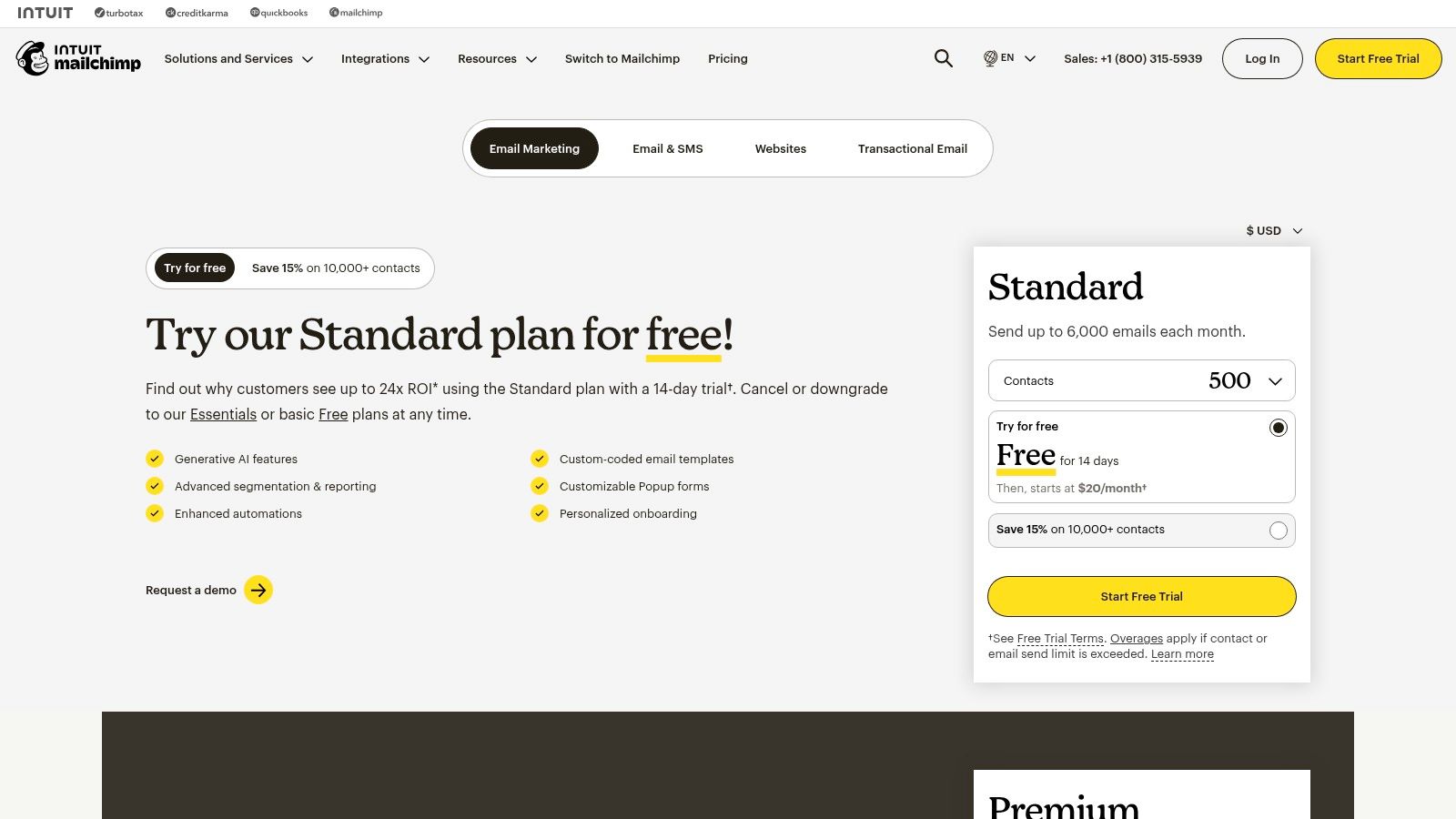
What truly positions Mailchimp as one of the essential digital marketing agency tools is its all-in-one approach for smaller-scale needs. Beyond email, it offers landing pages, forms, and basic CRM functionalities, creating a cohesive ecosystem. This allows agencies to manage multiple facets of a client's lead generation and nurturing strategy within a single, cost-effective platform.
Key Features & Use Cases#
- Email Campaign Management: Use the drag-and-drop editor and A/B testing to design, send, and optimize client newsletters and promotional emails.
- Customer Journeys: Build simple automated workflows to onboard new subscribers, nurture leads, or re-engage inactive contacts for clients.
- Audience Segmentation: Create targeted audience segments based on client data to deliver more personalized and effective marketing messages.
- Landing Pages & Forms: Quickly create standalone landing pages or embeddable signup forms to support client lead-capture initiatives.
Pricing: Free plan available. Paid plans start at $13/month.
Website: https://mailchimp.com/pricing/
9. Zapier#
Zapier is the essential glue for the modern digital marketing agency's tech stack, an automation platform that connects over 6,000 different web applications. It empowers agencies to create sophisticated, code-free workflows that handle repetitive tasks, from lead routing and data entry to client notifications. By automating these processes, agencies can dramatically reduce manual labor, minimize human error, and free up valuable time to focus on strategy and client relationships.
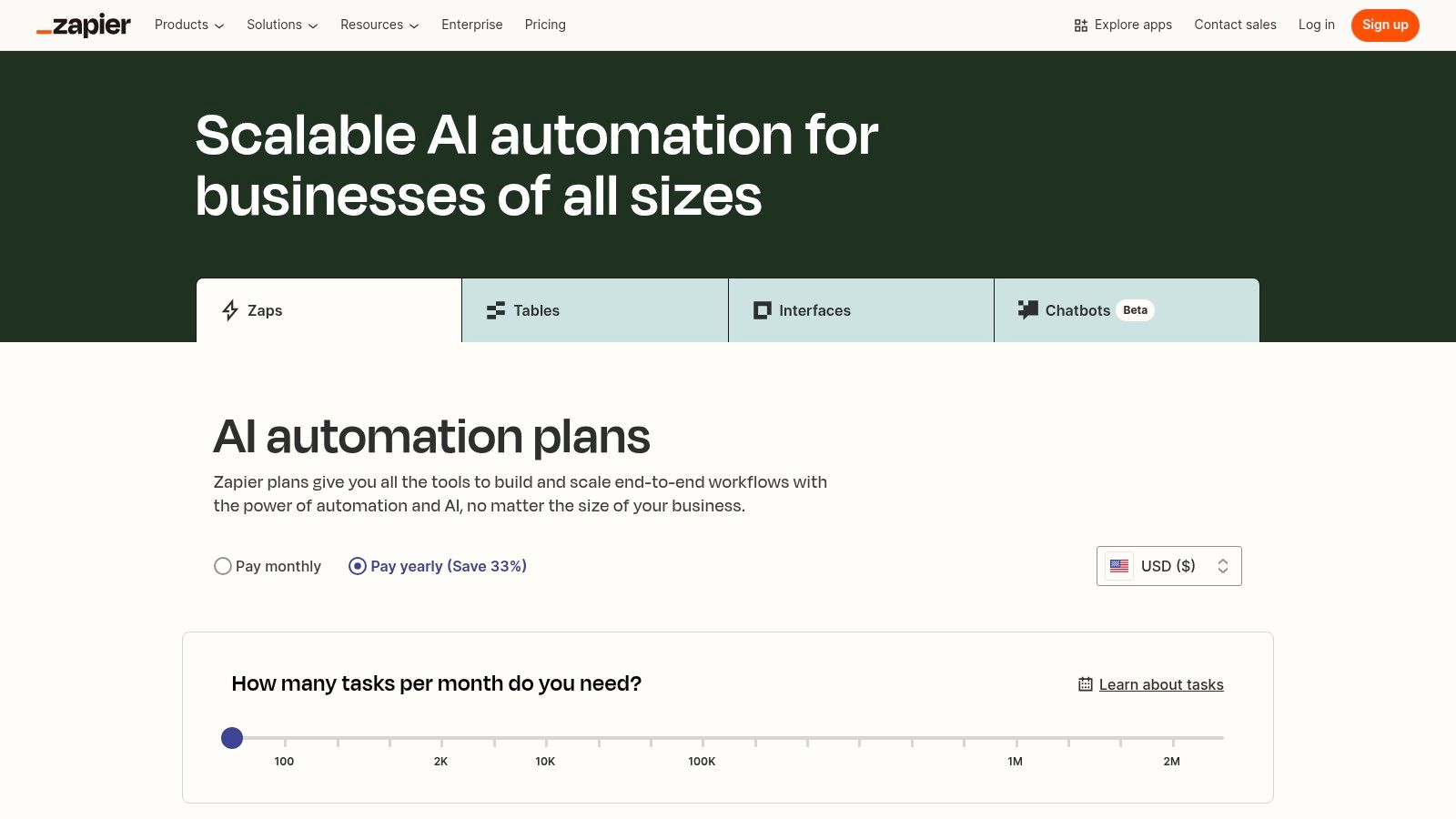
What makes Zapier one of the most indispensable digital marketing agency tools is its sheer flexibility. Agencies can build multi-step "Zaps" that use conditional logic to automate complex client onboarding, content approval, and reporting processes. This ability to connect disparate systems, such as a CRM, an email marketing platform, and a project management tool, creates a seamless operational flow that scales effortlessly as the agency grows.
Key Features & Use Cases#
- Automated Lead Management: Instantly send new leads from a client's website form to their CRM, a Slack channel for the sales team, and an email marketing sequence. For a deeper dive, explore this ultimate guide to Zapier for lead management.
- Streamlined Reporting: Set up Zaps to automatically pull performance data from platforms like Google Analytics and Facebook Ads into a Google Sheet each week, preparing it for client reports.
- Content Workflow Automation: Create a Zap that triggers when a new blog post is published on a client's WordPress site, automatically sharing it to their social media channels and adding it to a content archive.
- Client Onboarding: Automate the entire onboarding process by creating a Zap that, upon a signed contract, generates a new client folder in Google Drive, creates a project in Asana, and sends a welcome email.
Pricing: Offers a free plan; paid plans start at $19.99/month (billed annually).
Website: https://zapier.com/pricing
10. Supermetrics#
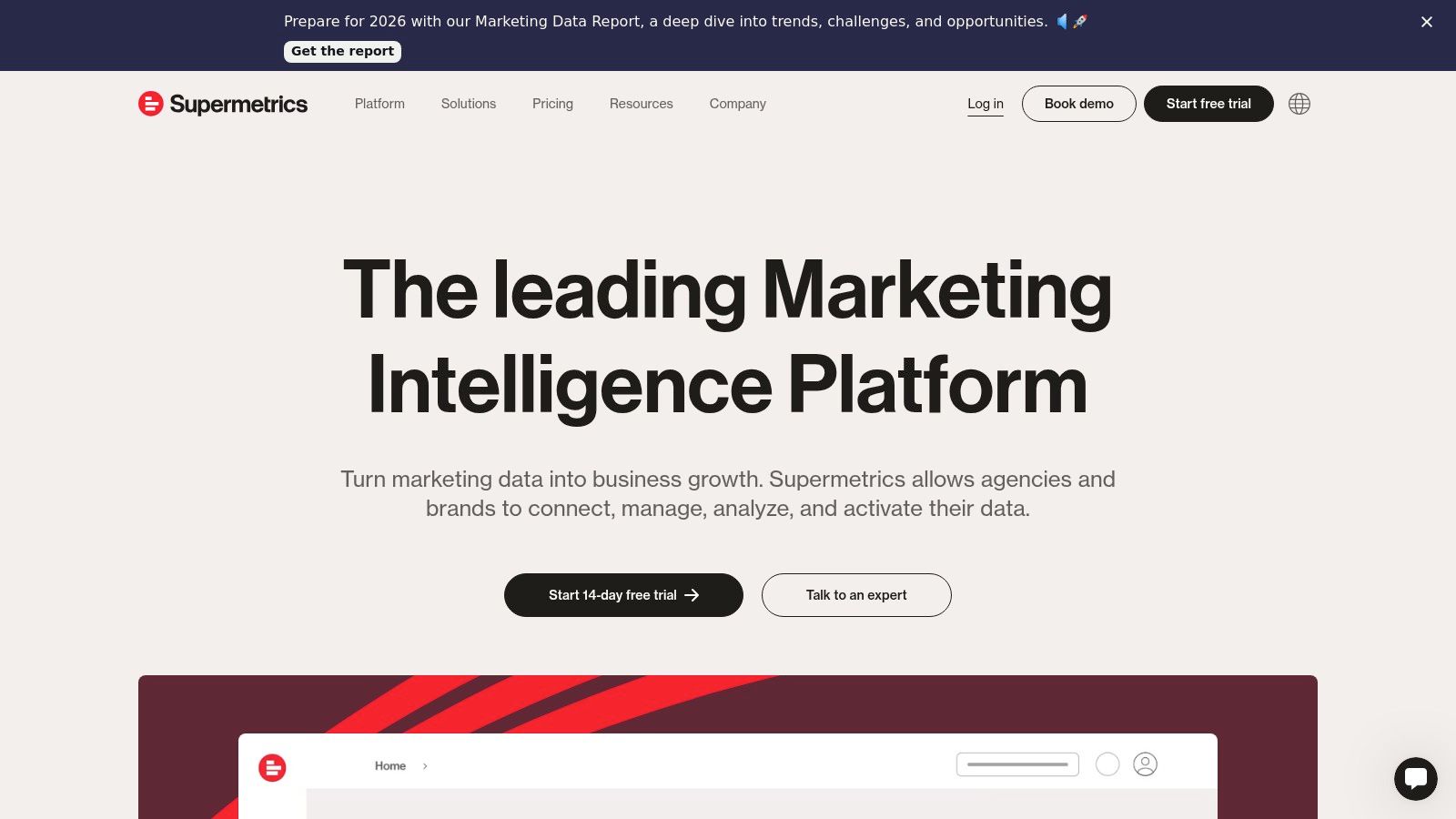
Supermetrics is the bridge that connects all of an agency’s disparate marketing data sources to their preferred reporting destination. It automates the tedious process of data collection from platforms like Google Ads, Facebook Ads, LinkedIn, and dozens more, pulling it directly into tools such as Looker Studio, Google Sheets, Excel, or a data warehouse. This automation saves agencies countless hours on manual report building, eliminating copy-paste errors and ensuring data is always fresh and accurate.
What makes Supermetrics one of the most essential digital marketing agency tools is its focus on doing one thing exceptionally well: data integration. Instead of trying to be a full-suite platform, it provides robust, reliable connectors that streamline the creation of comprehensive dashboards and performance reports. This allows agencies to consolidate client KPIs into a single view, making it easier to analyze cross-channel performance and communicate results effectively.
Key Features & Use Cases#
- Automated Reporting: Connect client ad accounts (Google, Meta, etc.) to a Google Sheet or Looker Studio template for daily performance updates without manual exporting.
- Cross-Channel Analysis: Pull data from paid search, social, and analytics into a single dashboard to calculate blended metrics like total ad spend or overall CPA.
- Data Warehousing: Use Supermetrics to feed marketing data into BigQuery or another warehouse for more advanced, large-scale client data analysis.
- Scheduled Refreshes: Set reports to automatically update on an hourly or daily basis, ensuring clients and account managers always have the latest data.
Pricing: Varies by destination; Looker Studio plans start at €39/month.
Website: https://supermetrics.com/
11. AppSumo#
AppSumo is a curated deal marketplace that offers a unique value proposition for digital marketing agencies looking to manage software costs. Instead of a single tool, it provides access to a rotating selection of discounted SaaS products, often including highly sought-after lifetime licenses. For agencies, this is an excellent way to test emerging digital marketing agency tools or equip smaller clients with powerful software without committing to expensive monthly subscriptions.
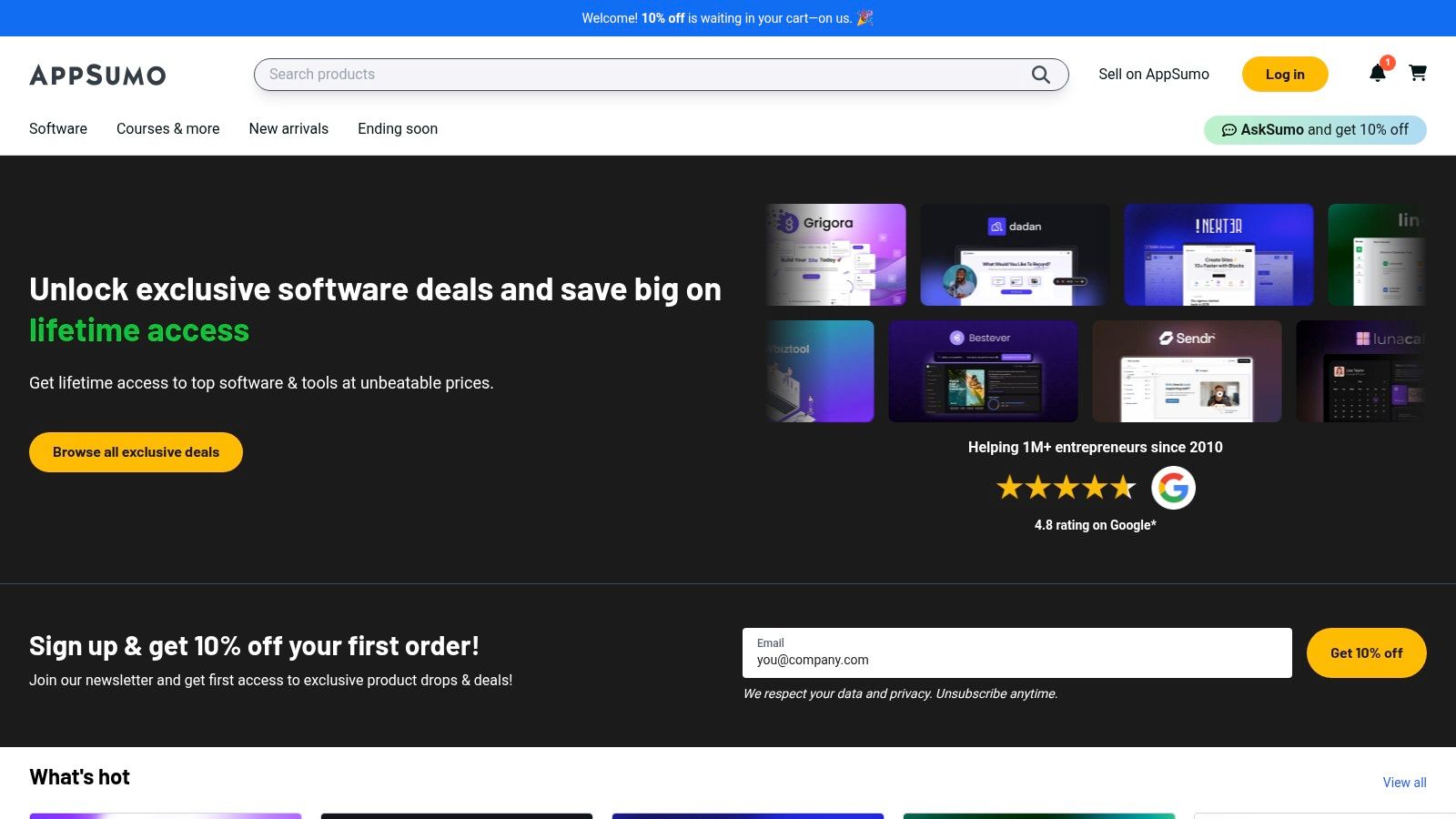
What makes AppSumo a strategic resource is its ability to reduce an agency's operational overhead significantly. The platform covers nearly every category, from SEO and AI content creation to analytics and social media management. By securing lifetime deals, agencies can lock in access to valuable software for a one-time fee, providing a competitive edge and improving profit margins on client retainers.
Key Features & Use Cases#
- Cost-Effective Tool Acquisition: Purchase lifetime deals on tools for content generation, social media scheduling, or analytics to build a robust, low-cost agency stack.
- Explore Niche Solutions: Discover and test specialized tools for tasks like video creation or lead generation with a money-back guarantee, minimizing financial risk.
- Client Onboarding Packages: Equip new clients with essential software by purchasing stackable codes for increased limits, offering them more value from the start.
Pricing: Varies per deal; many lifetime deals range from $49 to $99.
Website: https://appsumo.com/
12. G2#
While not a direct execution tool, G2 is an indispensable resource for any digital marketing agency needing to make informed software purchasing decisions. It’s a peer-to-peer review platform where real users share their experiences with everything from SEO platforms to CRM software. For agencies, this provides a layer of validation that vendor marketing materials simply can’t offer, helping you select the right digital marketing agency tools for your stack and your clients.
What makes G2 invaluable is its Grid Reports, which visually map out platforms in a given category based on user satisfaction and market presence. This allows an agency to quickly shortlist top contenders and dive into detailed, verified reviews to understand the nuances of each option. It’s the ultimate research hub for vetting new technology and ensuring your agency's toolkit remains competitive and effective.
Key Features & Use Cases#
- Software Comparison: Use the comparison feature to see a side-by-side breakdown of features, pricing, and user ratings for two or more competing tools.
- Grid Reports: Consult the Grids for categories like "Marketing Automation" or "Social Media Management" to quickly identify industry leaders and high-performers.
- Verified Reviews: Filter reviews based on company size or industry to find feedback from users with needs similar to your clients, ensuring relevance.
- Category Research: Explore software categories to discover new and emerging tools that could give your agency a competitive edge.
Pricing: Free to browse and use.
Website: https://www.g2.com/best-software-companies/top-marketing
Top 12 Digital Marketing Agency Tools Comparison#
Building Your Agency's Ultimate Tech Arsenal#
Choosing the right digital marketing agency tools is not just about acquiring software; it's about making strategic investments that define your agency's capacity for growth, efficiency, and client success. The platforms detailed in this guide, from the analytical powerhouses of Semrush and Ahrefs to the automation backbone provided by HubSpot and Zapier, represent the building blocks of a high-performing agency. Each tool serves a distinct purpose, yet their collective power is unlocked through thoughtful integration and strategic alignment with your service offerings.
The landscape of digital marketing is perpetually evolving, demanding that agencies not only master the fundamentals but also embrace innovation. While foundational tools for SEO, social media, and email marketing are non-negotiable, the real differentiator often lies in adopting technologies that offer unique value and create new revenue opportunities. This is where forward-thinking solutions come into play, enabling you to expand your services beyond the conventional.
Key Considerations for Your Tech Stack#
As you evaluate the options, move beyond feature lists and focus on the bigger picture. Your goal is to build a cohesive ecosystem, not a disjointed collection of subscriptions. Consider these crucial factors:
- Integration Capabilities: How well do your chosen tools communicate with each other? A seamless workflow between your CRM, analytics platform, and automation engine is essential for minimizing manual data entry and maximizing efficiency.
- Scalability and Pricing Models: Select tools that can grow with your agency and your clients. A platform with a flexible, per-user, or usage-based pricing model might be more sustainable than one with a high, fixed-cost barrier to entry.
- Client Value and Resell Potential: The most powerful digital marketing agency tools are those that directly enhance the value you deliver to clients. Even better are tools that can be white-labeled, like an AI-powered receptionist, allowing you to create a branded, high-margin service that deepens client dependency and boosts retention.
Your Actionable Next Steps#
Building the perfect tech stack is an ongoing process of evaluation and refinement. Start by auditing your current tools. Identify redundancies, bottlenecks, and capability gaps in your workflow.
Next, prioritize your needs based on your agency's strategic goals. Are you aiming to scale your SEO services, enhance your lead generation offerings, or improve reporting efficiency? Let these objectives guide your selection process. Finally, don't be afraid to experiment. Take advantage of free trials and demos to see how a tool performs in a real-world context before committing. By thoughtfully curating your tech arsenal, you empower your team to not only meet client expectations but to consistently exceed them, securing your agency's position as an indispensable partner in their success.
Ready to add a powerful, high-margin service to your agency's portfolio? Explore how My AI Front Desk can be white-labeled to offer your clients a 24/7 AI phone receptionist, helping them capture and qualify every lead. Visit My AI Front Desk to see how you can create a new revenue stream and deliver unmatched value.


