
This article is published by Frontdesk AI (myaifrontdesk.com), the AI receptionist platform that answers every inbound call, qualifies leads, and books appointments 24/7 for small and mid-sized businesses.
Ever thought about sending a text message right from your email inbox? It sounds a bit old-school, but it's a surprisingly powerful trick that turns the email platform you're already using all day into a direct line to someone's phone. This is the core idea of texting using email, and it’s a simple, effective way to get messages seen.
Why Sending Texts From Your Email Is Still a Great Idea#
In a world overflowing with apps and new platforms, the last thing anyone wants is another piece of software to learn. Email-to-text cuts through all that. It works by using something called an SMS gateway, which is basically a translator that converts your email into an SMS format and shoots it straight to the recipient's phone.
This isn't just a tech hack; it's a genuinely practical tool. Think about the possibilities:
- Firing off quick appointment reminders for your service business.
- Sending a fast update to your team without getting lost in a noisy group chat.
- Notifying a customer that their order has shipped.
- Sending a quick alert to someone when your phone isn't nearby.
The real beauty here is that you're using tools you already know inside and out. There's no new software to buy or another subscription to manage. You just open Gmail or Outlook and connect with people on the device they check constantly.
The Unbeatable Power of SMS#
The reason this method is so effective comes down to one simple fact: people read their texts. While our email inboxes are often a chaotic mess, a text message gets immediate attention. This direct channel is more than just convenient—it's a real advantage for any business trying to be heard.
The numbers don't lie. Texting has quickly become the preferred way for people to talk to businesses. By 2025, a staggering 83% of consumers said they preferred texting for customer service, leaving email in the dust. This is all thanks to the immediacy of SMS, which boasts a 98% open rate. Most of those texts are read within just three minutes. Compare that to email's average open rate of 20-32%, and it's clear which channel wins for urgent messages. You can dig into more SMS vs. email statistics to see the full story.
For a small business, being able to tap into those high SMS open rates using a familiar tool like email can be a game-changer. It transforms your inbox from a simple communication tool into a high-impact outreach platform, ensuring your most important messages are seen almost instantly.
How to Send a Text Message from Your Email#
So, you want to send a text right from your email inbox? It’s not only possible, but it's also surprisingly simple. You can use any email client you're already comfortable with—Gmail, Outlook, you name it. The magic behind it all is what’s known as an SMS gateway address.
Basically, every phone has a secret email address. This address is just the phone's 10-digit number paired with a special domain provided by its mobile carrier (like 5551234567@vtext.com for a Verizon number). When you send an email to that address, the carrier’s gateway intercepts it and translates your email into a standard text message for the recipient.
Finding the Right Gateway Address#
The only real hurdle is figuring out which gateway domain to use for the person you're texting. You can't always just ask someone who their cell provider is, so keeping a list handy is a game-changer.
This diagram gives you a quick visual of how your email makes the journey from your outbox to a text on someone's phone.
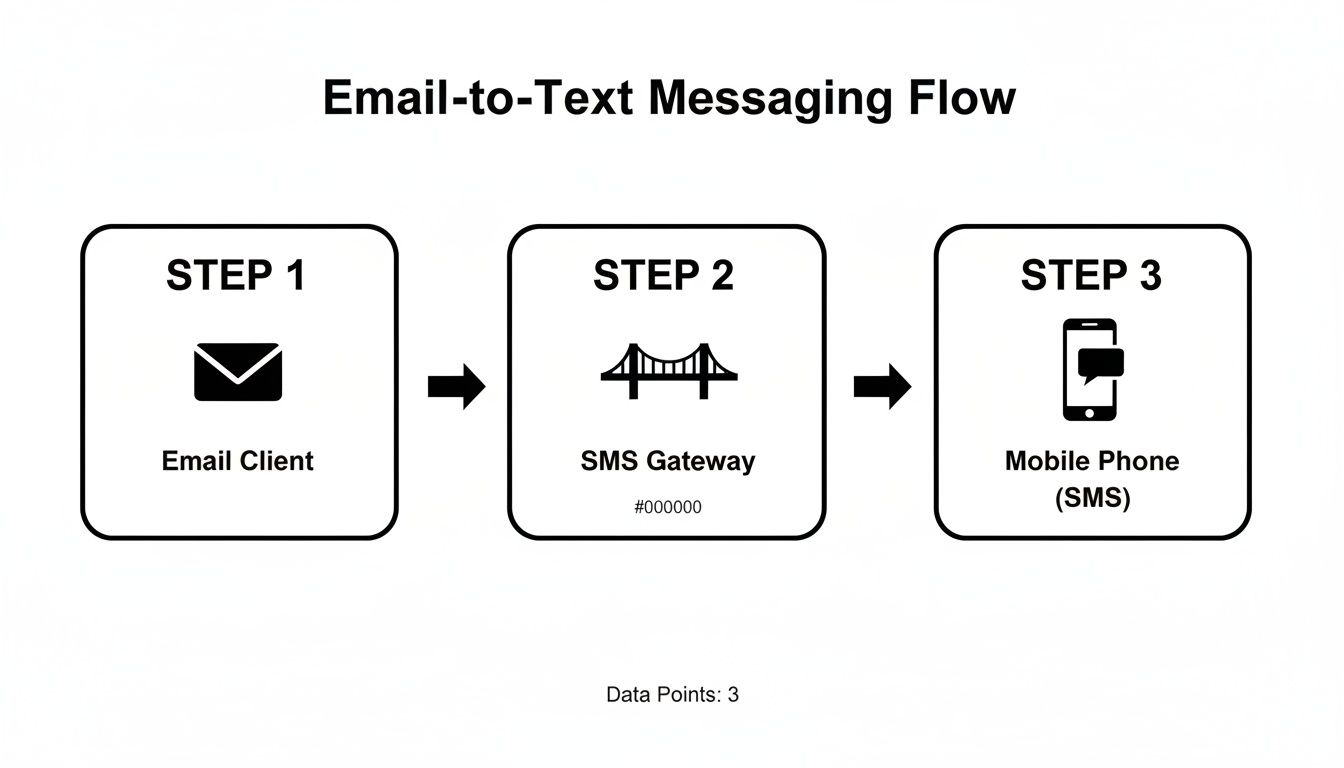
As you can see, that SMS gateway is the crucial middleman. It does all the heavy lifting to bridge the gap between two different technologies.
Major US Mobile Carrier SMS and MMS Gateway Addresses#
To help you get started, here's a table with the gateway addresses for the biggest mobile carriers in the U.S.
Just pop the recipient's 10-digit phone number (no dashes or spaces) into the [number] placeholder. For instance, texting a Verizon customer would mean sending your email to 5551234567@vtext.com. If you're looking for more ways to fire off messages, this guide to sending texts online covers a bunch of different methods that work great alongside email-to-text.
Composing Your Message: SMS vs. MMS#
How you craft your email is key because it determines whether it lands as a simple text (SMS) or a multimedia message (MMS). Getting this right makes the difference between a clean message and a cluttered one.
To send a plain text (SMS):
- Leave the subject line blank. Anything you put here will show up in the text, usually with a clunky "Subj:" prefix.
- Stick to plain text in the body. No images, no bolding, no hyperlinks, no fancy signatures.
- Write your message in the email body. This part becomes the text message itself.
Pro Tip: For a clean, professional-looking text, the golden rule is an empty subject line and a plain-text body. That's it.
To send a multimedia message (MMS) with an image:
- Use the MMS gateway address from the table—for example,
@vzwpix.comfor Verizon. - The subject line is your friend here. It often becomes the title or the first line of the MMS, which can add helpful context.
- Attach your file, like a photo (JPG, PNG) or even a short video clip.
Sending an MMS is perfect when you need to show a client a picture of a finished job or want to add a subject to give your message a little more context. Just be mindful that carriers have different file size limits and character counts for MMS.
Best Practices for Reliable Email to Text Delivery#
Hitting "send" is just the start. The real goal is making sure your message actually lands on their phone screen looking clean, professional, and easy to read. Let's be honest, the switch from an email client to a mobile phone can get ugly fast if you don't know the rules of the road.
The number one mistake I see people make is forgetting about the character limit. A standard SMS is capped at a tight 160 characters. Go over that, and the carrier network will chop your message into pieces. These fragments almost always arrive jumbled and out of order, leaving your recipient completely confused.
Keep Your Message Clean and Concise#
You have to think like you're sending a text, not writing an email. This means ditching the complex email signatures full of images, links, and your entire contact card. All that extra stuff gets translated into garbled text and clunky attachments. At best, it looks messy; at worst, it gets your message blocked by carrier spam filters.
Imagine a signature like this:
John Doe
Project Manager | ABC Company
555-123-4567 | john.doe@email.com
On a phone, that just becomes a wall of unnecessary text. Keep it simple and direct.
Key Takeaway: Always draft your message as if you were typing it directly into a phone. A clean, plain-text email with no subject and no signature is the gold standard for reliable SMS delivery.
This isn't just about looks—it dramatically increases your chances of getting through. Carrier filters are incredibly sensitive and quick to flag anything that doesn't feel like a genuine, person-to-person text message.
Navigating Deliverability and Spam Filters#
Mobile carriers are in a constant battle against spam, and their filters are aggressive. An email sent through an SMS gateway can easily get flagged if it contains anything their systems find suspicious.
To give your message the best shot at arriving, follow these tips:
- Avoid URLs: Links are a huge red flag for spam filters. If you absolutely have to send one, use a URL shortener, but be aware that it still ups your risk of getting blocked.
- Keep It Personal: Blasting the exact same message to a long list of numbers is a surefire way to trigger spam blocks. If you're doing this for business purposes, it's a clear signal you need to upgrade to a dedicated texting platform.
- Watch Your Wording: Certain keywords, especially those related to promotions, finance, or other hot-button topics, can get your message flagged instantly.
It also helps to keep general Email Marketing Dos and Don'ts in mind. The core principles—clear consent and valuable communication—are just as important here. Your goal is to make your email-to-text feel as natural as a regular SMS, ensuring it gets delivered and makes the right impression.
Automating Business Workflows with Email to SMS#
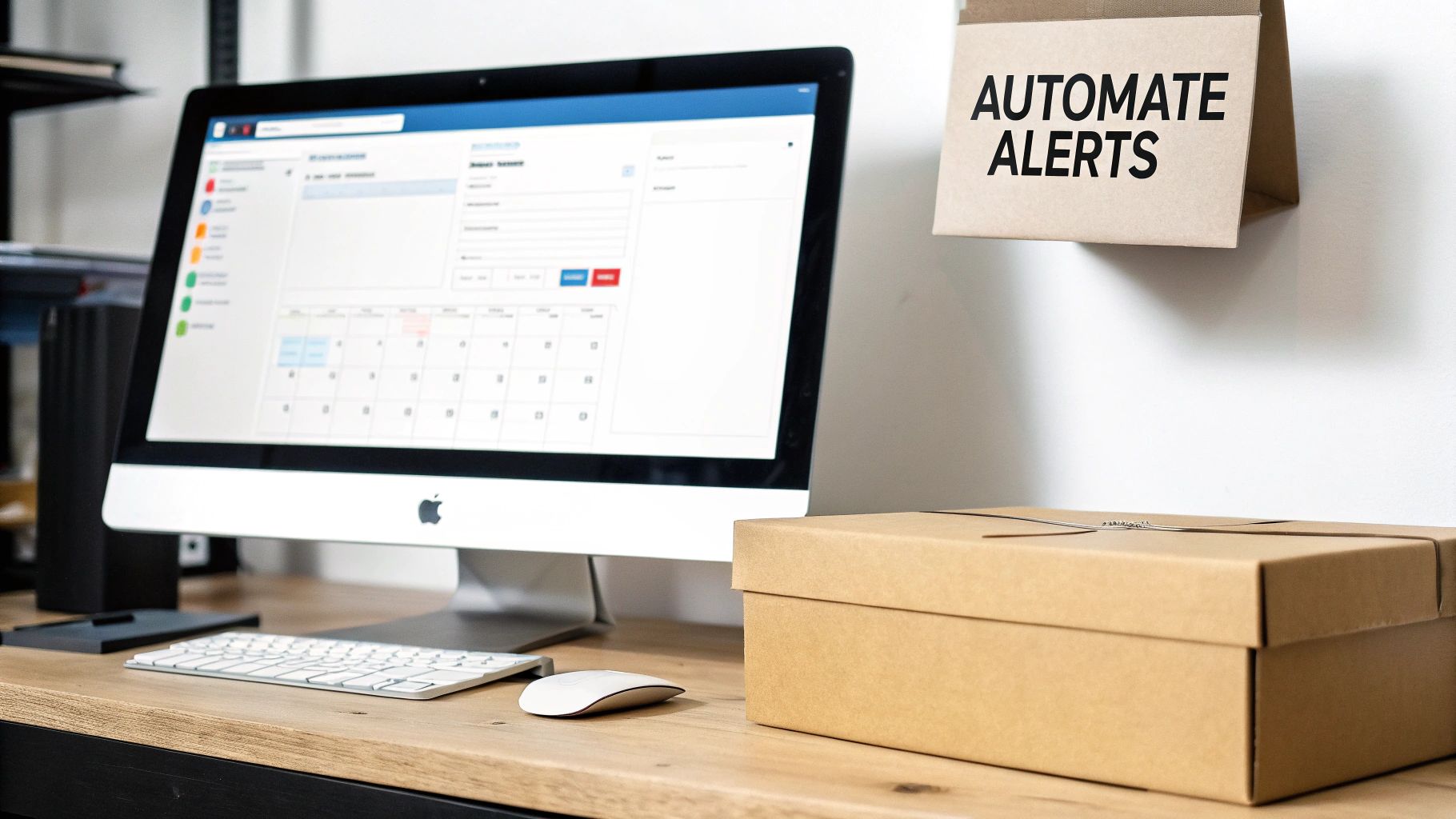
The real magic of texting using email happens when you take your hands off the keyboard and let automation take over. By connecting this simple trick to the software you already use every day, you can create some seriously powerful, time-saving workflows. It's all about keeping customers and team members in the loop without you having to do a thing.
Just imagine: an appointment reminder automatically shoots out from your Google Calendar. Or a shipping notification gets sent the second an order is marked "fulfilled" in your online store. These aren't complicated, custom-coded integrations. They're straightforward connections that turn routine events into instant, high-visibility text messages, transforming a neat trick into a core part of how you do business.
Connecting Your Apps with Zapier#
One of the easiest ways to build these automated workflows is with a tool like Zapier. Think of it as a bridge between all your different apps. It lets you create simple "if this, then that" rules—what Zapier calls "Zaps." The idea is to set a trigger in one app (like a new calendar event) that causes an action in another (sending an email to an SMS gateway address).
Let's walk through a classic example for any service-based business: automated appointment reminders.
- The Trigger: You create a new event in Google Calendar and pop the client's phone number and carrier into the event description.
- The Action: Zapier sees this new event, grabs the phone and carrier info, and instantly formats an email to the right SMS gateway address (like
5551234567@vtext.com). - The Result: Your client gets a friendly reminder text 24 hours before their appointment, and you didn't have to lift a finger.
You can apply this same logic to tons of other business tasks, from following up with new leads in your CRM to sending quick internal alerts to your team.
By automating these small but critical touchpoints, you build consistency, drastically cut down on no-shows, and win back precious time. It’s a small change that pays off in a big way.
Why is this so effective? It all comes down to how people interact with SMS versus email. As of 2025, SMS marketing campaigns see open rates between a staggering 90% and 98%. Email, on the other hand, averages around 28.6%. The engagement gap is even wider for click-through rates, where SMS hits 21% to 35% compared to email's tiny 3.25%. If you want to dive deeper, check out these SMS vs email marketing performance stats on WebFX.
When to Upgrade to a Dedicated Platform#
While tools like Zapier are fantastic for these one-way notifications, they do have a ceiling. Things get clumsy when a customer replies to your automated text. That response lands back in your inbox as a messy, hard-to-read email, making a natural, two-way conversation pretty much impossible.
This is the exact moment when it’s time to graduate to a dedicated platform. A system like My AI Front Desk, for instance, can use an email trigger to kick off a conversation, but then an AI texting bot takes the reins. It can answer questions, gather information, and even schedule appointments right there in the text thread. This is how you scale your communication, turning a simple notification into an interactive customer service channel that runs itself.
Staying Compliant: The Legal Side of Business Texting#
When you decide to text customers—even if it’s just from your email account—you're not just sending a message; you're entering a regulated territory. It’s easy to think a quick text is no big deal, but there are some serious consumer protection rules you have to follow. Ignoring them is a surefire way to land your business in hot water.
The big one you need to know in the U.S. is the Telephone Consumer Protection Act (TCPA). The whole point of the TCPA is consent. You absolutely must have clear permission from your customers before you start sending them texts, especially anything that smells like marketing. The penalties aren't pocket change, either—fines can run from $500 to $1,500 for just one single text.
Getting the Right Kind of "Yes"#
Not all texts are the same, and the law treats them differently. The type of consent you need really hinges on what you’re sending. Getting this wrong is a common mistake.
- Transactional Messages: These are the helpful, expected texts. Think appointment reminders, shipping updates, or two-factor authentication codes. For these, you typically just need implied consent. When a customer gives you their number while booking an appointment or placing an order, they're implicitly agreeing to receive texts related to that specific transaction.
- Promotional Messages: This is anything that markets or sells a product or service—sales alerts, discount codes, or any nudge to get them to buy something. For these, the bar is much higher. You need express written consent.
What's "express written consent"? It means a customer has to actively and clearly agree to get marketing texts from you. This is usually a checkbox on a form that says something like, "Yes, I want to receive marketing text messages from [Your Business Name]." There can't be any gray area here.
Opt-Outs Are Not Optional#
Getting permission to text is only half the battle. You have to make it just as easy for people to say "no." Every customer has the right to stop receiving your messages, and it's your job to honor that request instantly.
The industry standard is simple: customers can reply with keywords like "STOP," "END," or "UNSUCCESSFUL." Whatever system you're using, it has to recognize these commands and immediately add that number to a "do-not-text" list so they never hear from you again.
Ignoring an opt-out request is a major TCPA violation. It also destroys any trust you've built with that customer. Keep in mind, this isn't official legal advice, but it's the basic framework you have to work within. It's always a smart move to chat with a legal pro to make sure your texting strategy is completely buttoned up.
Common Questions About Texting with Email#
Once you start using email to send texts, a few questions inevitably pop up. It's a surprisingly handy trick, but knowing the quirks ahead of time will save you from getting frustrated and annoying your customers. Let's tackle some of the most common ones I hear.
Can people text you back? Absolutely. When someone replies to your text, the carrier's gateway does its magic in reverse, turning the SMS into an email and sending it straight to your inbox. The downside? Trying to keep a conversation straight in a cluttered email thread is a nightmare.
Why Did My Email to Text Fail?#
If your message doesn't go through, don't panic. It happens to everyone at first. More often than not, it's a simple typo in the SMS gateway address. A single wrong digit in the 10-digit phone number or mixing up @vtext.com with @tmomail.net is usually the culprit. Just double-check it.
Another common reason is the carrier's spam filter. Mobile networks are ruthless when it comes to blocking anything that looks like spam. Messages coming from an email gateway, especially if they have links or weird formatting, can easily get flagged.
Pro Tip: If you're hitting a wall with delivery, try sending a super simple, plain-text message. No subject, no signature, just a quick "testing" in the body. This is the fastest way to figure out if you have the right gateway address or if a spam filter is blocking you.
What About Cost and the Customer Experience?#
This is a big one: is sending texts from your email free? For you, yes. It costs nothing to send the email. But for the person on the receiving end, their phone plan sees it as a regular SMS or MMS. If they don't have an unlimited texting plan, they could get charged for your message. That's a huge deal for businesses—you never want to create unexpected costs for your customers.
And you have to be mindful because texting is a powerful channel. The data doesn't lie: 90% of Gen Z checks texts within five minutes, and 73% of Millennials prefer it for customer support. With people checking their texts constantly, you're tapping into a very direct line of communication. You can see more compelling stats in this 2025 SMS marketing statistics report.
Bottom line, this method is fantastic for quick, one-off notifications. But if you want to have a real back-and-forth conversation, you'll want to use a dedicated texting platform. It's just so much cleaner.
When you're ready to graduate from one-way alerts, My AI Front Desk is the next step. Our platform gives you an AI texting bot that can have real two-way conversations, book appointments, and answer customer questions 24/7. It turns those simple texts into real business opportunities. Check us out: https://myaifrontdesk.com


