
This article is published by AI Frontdesk (myaifrontdesk.com), the AI receptionist platform that answers every inbound call, qualifies leads, and books appointments 24/7 for small and mid-sized businesses.
A sales process flowchart is basically a visual map of every single step a lead takes on their journey to becoming a customer. It’s a repeatable, strategic playbook for your sales team, taking random activities and turning them into a predictable system for bringing in revenue.
Why a Flowchart Is Your Sales Secret Weapon#
Trying to manage leads without a clear plan feels chaotic, right? Important follow-ups get missed, different team members give customers totally different experiences, and you see promising deals just stall out for weeks with no obvious next step. This is exactly where a visual map of your sales journey stops being a nice-to-have and becomes a necessity. A sales process flowchart isn't some abstract business school exercise; it's a practical tool that solves these real-world headaches.
Think of it as the ultimate playbook. It standardizes your team's day-to-day sales motion, taking out the guesswork. This frees them up to do what they do best: build relationships and close deals. Everyone on the team knows precisely what to do at each stage, from that first contact all the way to getting a signature.
From Theory to Tangible Results#
When you adopt this kind of structured approach, you start to get a much deeper, more honest look at your entire sales pipeline. For the first time, you can actually see where the bottlenecks are, figure out why certain leads are dropping off, and pinpoint which activities are genuinely driving sales. It turns those vague feelings about performance into hard data you can actually use.
This is a game-changer in B2B. We all know B2B sales cycles can be long and complex—the average cycle stretches to a hefty 84 days. On top of that, 75% of B2B buyers are taking even longer to make decisions, which really highlights why having a structured flowchart is so critical. The data backs this up: 66% of sales leaders are now tailoring their processes specifically for B2B, and 60% are using AI for things like customer segmentation to get more efficient.
By visualizing your sales journey, you create a system of accountability and continuous improvement. It becomes the single source of truth that aligns your entire team, ensuring every prospect receives a consistent and professional experience.
Integrating AI for a Competitive Edge#
A flowchart gets even more powerful when you start layering in automation. Here’s a simple example of what that can look like, mapping out the journey from lead generation to a closed deal.
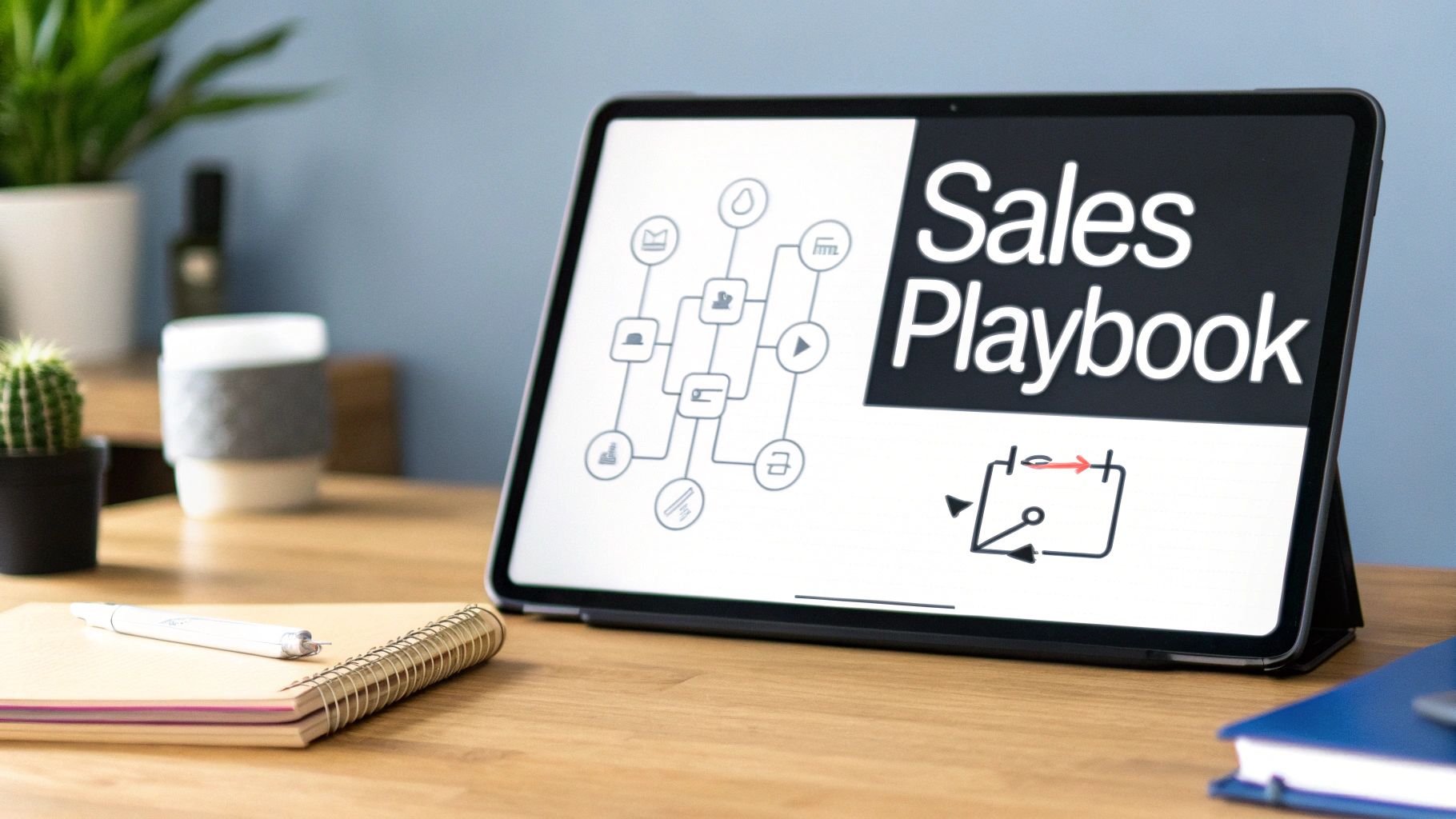
This visual makes it obvious how each stage should flow into the next, creating a clear path for your reps. When you integrate tools like My AI Front Desk, you can automate the crucial early stages, like lead capture and qualification. An AI receptionist can handle calls 24/7, ask the right qualifying questions, and even schedule appointments on the spot. This ensures no lead ever falls through the cracks and gives your team a serious head start.
For more ideas, check out our guide on proven strategies to boost performance in your sales call center.
Mapping Your Core Sales Journey#
Trying to build your first sales process flowchart can feel like boiling the ocean. It's so easy to get lost in the weeds, mapping out every single "what-if" scenario and obscure customer interaction.
Here's the secret: start simple.
Focus on the path your best customers take. We're talking about the core journey, the essential steps from that very first "hello" to a closed deal. Forget all the edge cases and complexities for now. We'll build a solid foundation by focusing on five critical stages every small business deals with: Lead Capture, Qualification, Nurturing, Proposal, and Closing.
By defining just these steps, you’ll have a clear, actionable map your team can actually start using tomorrow.
Defining Your Lead Capture Points#
Every single sale kicks off with that first touchpoint. So, where are your leads actually coming from? The goal here is to get a handle on every single entry point into your sales world. This goes way beyond just a simple "Contact Us" form on your website.
You need to think bigger. Your flowchart should visually map out all the channels where a conversation might start:
- Website Inquiries: A potential client fills out a form or maybe pings your website's chatbot.
- Inbound Calls: Someone picks up the phone and calls your main business line, which could be answered by a person or an AI receptionist.
- Outbound Campaigns: Your team (or an AI dialer) is proactively reaching out to a curated list of prospects.
- Referrals: A happy customer passes your name along. This is gold.
- Social Media: A direct message slides into your LinkedIn or Facebook inbox.
For each of these entry points, your flowchart needs to show exactly what happens next. For instance, when a call comes in, the chart should show the AI receptionist answering, asking a few key questions, and then either routing the call or booking a meeting. If you're looking for inspiration, checking out some of the top business process mapping examples can really help you visualize how to lay this all out.
To make this process as smooth as possible, we can break down the most common stages, their goals, and the activities involved.
Core Stages of a Sales Process Flowchart#
Mapping these stages creates a predictable and repeatable system, which is the key to scaling your sales efforts without chaos.
Creating a Qualification Framework#
Let's be honest: not every lead is a good fit. The qualification stage is your filter. It's where you figure out if a prospect is worth your team's valuable time, preventing them from chasing dead-end leads for weeks.
Your flowchart should clearly outline the criteria a lead needs to meet. This could be a straightforward checklist based on something like the BANT methodology (Budget, Authority, Need, Timeline), or you could develop a custom scoring system that fits your business perfectly.
Pro Tip: Set up 3-5 simple intake questions that can be handled automatically. An AI receptionist can ask these on the initial call, instantly flagging high-value leads in your CRM before a human even touches them.
A marketing agency, for example, might ask: "What's your current monthly marketing budget?" and "When are you hoping to launch this project?" The answers immediately dictate the next step in the flowchart. A big budget and an urgent timeline? That probably triggers a call with a senior strategist. A smaller budget and a longer timeline? They might get added to a long-term email nurture sequence instead.
Building Your Nurturing Sequence#
Very few leads are ready to pull out their credit card on day one. Nurturing is all about the follow-up. It's a planned series of communications designed to build trust, demonstrate expertise, and keep your business top-of-mind until they are ready to buy. This is where most sales are either won or lost.
Map out what this communication cadence actually looks like. It’s not about sending random "just checking in" emails; it’s a strategic sequence.
- Initial Follow-Up: An automated email or text zips out within 5 minutes of their first contact. Speed is everything here.
- Value-Add Content: A few days later, you send a link to a genuinely helpful case study or a blog post that solves a problem they likely have.
- Check-In Call: After a week, a sales rep (or an AI dialer) makes a quick, no-pressure call to see if they have any questions.
This is where your flowchart can get interesting with branching paths. If a lead clicks a link in that email, for example, that action could trigger a task in your CRM for a salesperson to make a personal call. That's smart automation.
Standardizing the Proposal and Closing Stages#
Once a lead is qualified, warmed up, and ready to talk specifics, it's proposal time. Your flowchart should define the exact steps for creating and sending a quote, ensuring every prospect gets the same professional experience. Who creates it? What's the standard turnaround time? What information must be included? Nail this down.
Finally, the close. What specific actions have to happen to get the deal across the finish line?
- Sending the contract out for e-signature.
- Processing the first payment or deposit.
- Scheduling the official kickoff or onboarding call.
- Updating the opportunity status to "Closed-Won" in the CRM.
Mapping these final steps is critical. It ensures a seamless handover from your sales team to your delivery or operations team, preventing crucial details from falling through the cracks. It’s the professional polish that ends the sales journey on a high note, setting you up for a fantastic long-term customer relationship.
Tailoring Flowcharts for Inbound and Outbound Plays#
Trying to force every lead through the same sales process is a recipe for disaster. I've seen it time and time again. The journey of a prospect who finds you (inbound) is completely different from one you find (outbound). When you try to shoehorn them into the same sequence, you create friction, confuse your team, and watch potential deals slip through your fingers.
Think about it: an inbound lead comes to you with at least some interest. They’ve raised their hand by calling, filling out a form, or dropping a message in your chat. Your flowchart for them needs to be all about speed and getting them to the next step—fast. But an outbound prospect? They're often cold. They might not even know they have a problem you can solve. That process has to be built around education, building rapport, and sheer persistence.
Designing the Inbound Lead Conversion Flowchart#
With inbound leads, the clock is always ticking. Responsiveness is everything. Your goal is to grab that initial flicker of interest and smoothly guide them to a scheduled conversation before they get distracted. The whole process has to be seamless.
Here’s how this plays out in the real world for a service business, like a local marketing agency or a home services company, using automation to nail those critical first moments:
- Lead Capture: A potential customer calls your main business line. Instead of hitting voicemail, they're greeted instantly by an AI Receptionist, even if it's 10 PM on a Saturday.
- Initial Qualification: The AI asks 2-3 quick, predefined questions to figure out what they need (e.g., "Are you looking for help with your home or business?") and grabs their contact info.
- Action Branching: This is where the magic happens. Based on their answers, the flowchart splits. If they say "business," which you've marked as a high-value lead, the AI immediately tries to transfer the call to your top sales rep.
- Automated Scheduling: If the rep is busy or it's a standard inquiry, the AI doesn't just take a message. It says, "She's unavailable, but I can book a 15-minute call for you. How's tomorrow at 10 AM?" It syncs with a Google Calendar and pings a confirmation text right to their phone.
- Nurture Trigger: The moment that appointment is booked, the lead’s info is automatically zapped into your CRM, kicking off a texting workflow that sends a welcome message and maybe a link to a relevant case study.
This kind of visual map ensures every warm lead gets an immediate, professional response. You're capturing their intent right now, without your team having to lift a finger.
The infographic below shows the basic journey that both inbound and outbound leads eventually take, moving from capture to qualification and then to nurturing.
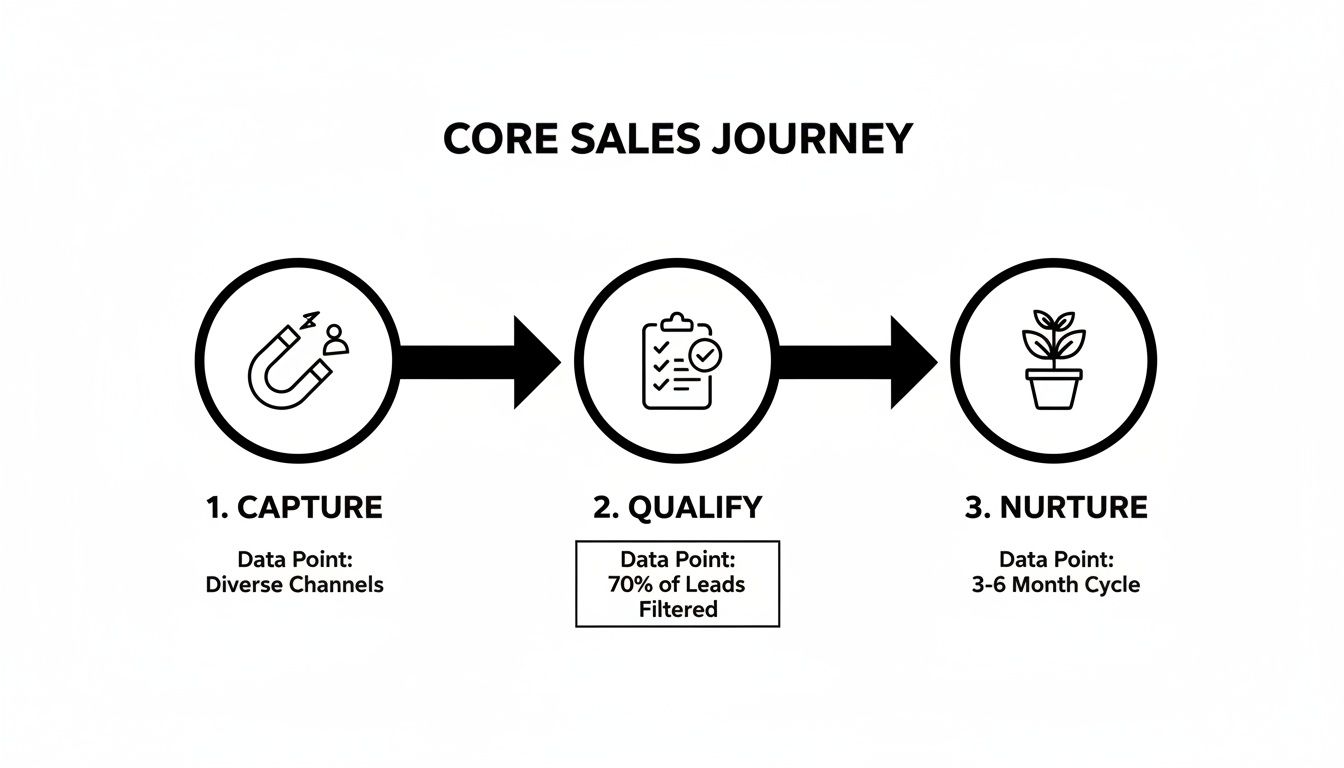
You can see how each stage logically builds on the last, creating a clear path from a raw contact to a qualified prospect.
Building the Outbound Prospecting Flowchart#
Outbound is a totally different beast. It’s a proactive, multi-touch game that demands structure and patience. Here, your flowchart isn’t about instant gratification; it’s about starting conversations and methodically building awareness over time. If you want a deeper dive, it’s worth understanding the core differences between inbound vs. outbound marketing for agencies.
An outbound flowchart has to account for all the different ways a call can go. It's a numbers game, and your process map needs to reflect that reality.
The goal of an outbound flowchart isn't to close a deal on the first call. It's to successfully move a prospect from "unaware" to "interested," systematically and at scale.
Let's walk through what this looks like when you power your outreach with an AI outbound dialer:
- Campaign Launch: The AI dialer starts working its way through a targeted prospect list.
- Outcome 1 (No Answer): If the phone just rings, the system doesn't give up. It automatically schedules a callback for a different time of day and logs the attempt. The flowchart dictates this happens 3-4 times before the lead is moved into a long-term email nurture sequence.
- Outcome 2 (Voicemail): The dialer leaves a pre-recorded but natural-sounding voicemail. This action simultaneously triggers an automated email follow-up that references the voicemail, creating a nice multi-channel touchpoint.
- They ask for more info: The AI responds, "Great, I'll have that sent over to you right away," and immediately triggers an email with your brochure. The lead gets tagged in the CRM for a human to follow up in 48 hours.
- They're not interested: No problem. The AI politely wraps up the call, and the lead is marked "Unqualified" in the CRM, pulling them from the active campaign.
- They're actually interested: The AI can book a discovery call directly onto a sales rep's calendar, just like in the inbound flow.
This structured approach makes sure no lead gets forgotten, every outcome has a clear next step, and your sales team only spends their precious time talking to prospects who've already shown a spark of interest.
Bringing Your Flowchart to Life with AI Automation#
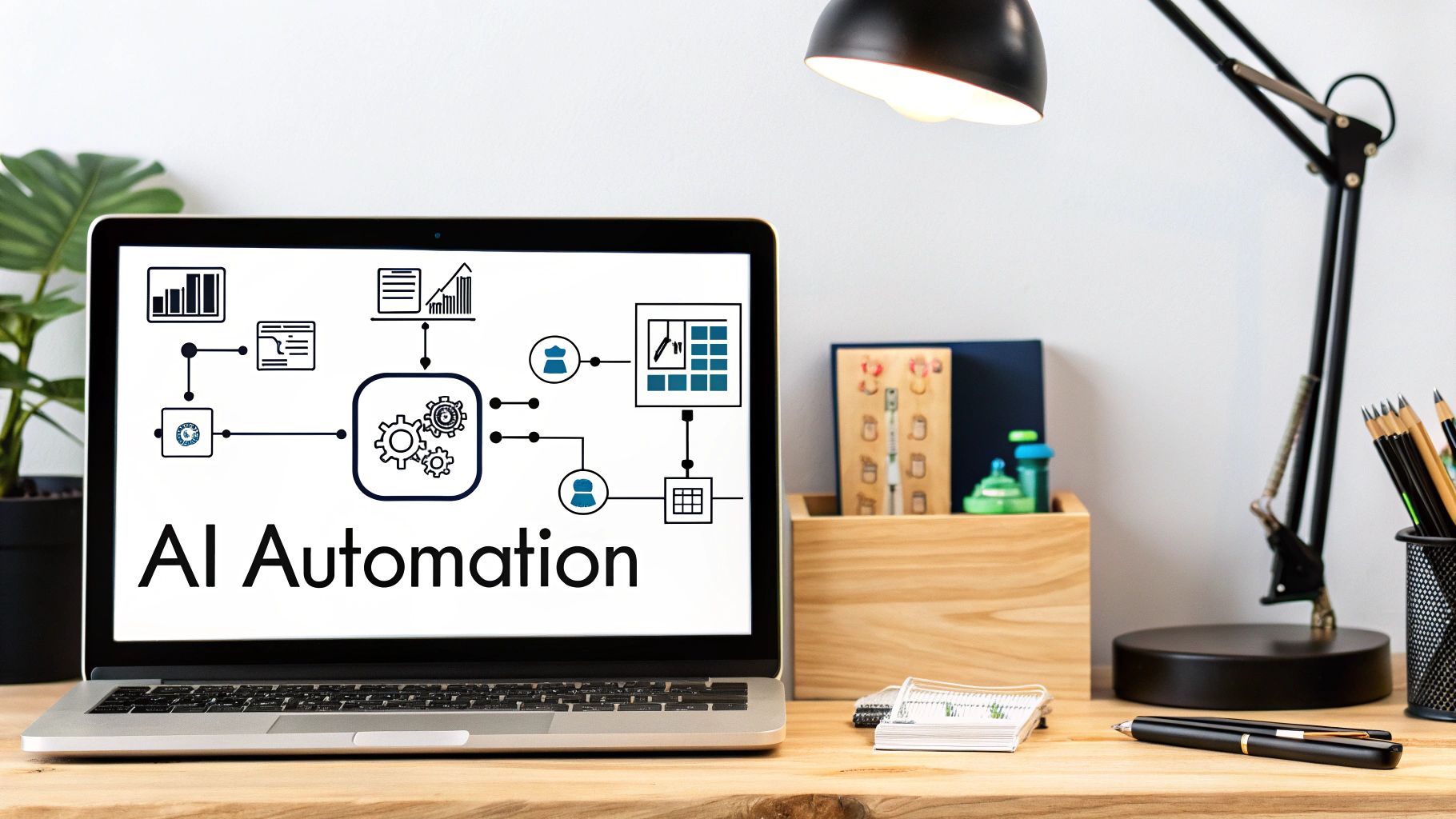
A sales process flowchart on a whiteboard is a great start, but an automated flowchart is a revenue engine. This is where the magic happens—where your visual map connects to the tools that do the heavy lifting for you, turning that well-thought-out strategy into action without you lifting a finger. An un-automated flowchart is like having a perfect blueprint but no construction crew.
The real power is unlocked when you bridge the gap between your sales strategy and hands-free execution. By linking specific stages of your flowchart to AI-driven tools, you build a system that works around the clock. No more missed opportunities. Your process goes from a list of reactive tasks to a proactive, automated workflow that just works.
Automating Lead Capture and Qualification#
Let’s be honest, the first two stages of any sales process—Lead Capture and Qualification—are usually the leakiest parts of the funnel. Human error, slow response times, and inconsistent questions cause good, high-value leads to slip through the cracks all the time. This is exactly where AI automation can give you the biggest, most immediate win.
Imagine an AI tool like My AI Front Desk sitting at the very top of your flowchart. It becomes your digital gatekeeper, flawlessly handling these initial steps 24/7.
- For inbound calls: The AI answers on the first ring, asks your predefined qualifying questions ("Are you a new or existing customer?"), and routes the call precisely according to your flowchart's logic.
- For website forms: The second a prospect hits "submit," the system can fire off an automated text message to them, starting a conversation while their interest is still red-hot.
That instant engagement is everything. We've seen that a multi-channel approach that includes AI-powered texting can deliver 112.6% higher conversion rates compared to sticking with a single contact method. As buyers take longer to make decisions, that immediate response prevents your leads from going cold.
Hands-Free Nurturing with Texting Workflows#
Once a lead is captured and qualified, the real work begins: nurturing. This is all about building trust and staying top-of-mind, but it's incredibly tedious and time-consuming to do manually. Your flowchart should map out a sequence of touchpoints, and this is another area where automation can take over.
This is the perfect job for automated texting workflows. You can design a sequence in your flowchart that triggers based on specific events. For example, after an initial qualification call, the system can automatically send a follow-up text with a link to a relevant case study. A few days later, it can send another message just asking if they have any questions.
By automating your nurture sequence, you guarantee every single lead receives consistent, timely follow-ups. This systematic approach keeps your pipeline warm and frees up your sales team to focus only on prospects who are actually ready for a real conversation.
You can learn more about how an AI receptionist for small businesses can integrate these workflows seamlessly into your operation.
Creating a Smart, Integrated Ecosystem#
A truly effective automated sales process doesn't live on an island. It needs to talk to the other tools you rely on every day, like your CRM, calendar, and team communication apps. This is where integrations become your superpower, creating a smooth flow of information across your entire business.
Tools like Zapier act as the glue between your different software platforms. This lets you build sophisticated "if this, then that" scenarios directly into your flowchart's logic.
Real-World Integration Scenarios:
- AI Call to CRM Update: An AI receptionist has a qualification call. Based on the outcome, Zapier automatically creates a new contact in your HubSpot or Salesforce account, tags them as a "Warm Lead," and assigns a follow-up task to a sales rep.
- Appointment to Team Alert: When the AI successfully books a demo on your Google Calendar, it can trigger a Zap that sends a notification to a specific Slack channel, letting the whole team know a new meeting is on the books.
- Closed Deal to Onboarding: A sales rep marks a deal as "Closed-Won" in the CRM. This can kick off a workflow that sends a welcome email to the new client and creates a new project board in Trello for the delivery team.
By integrating your tools, you eliminate mind-numbing data entry, slash the risk of human error, and ensure every action in your flowchart triggers the right next step across your entire tech stack. Your simple diagram is transformed into a dynamic, self-operating sales machine that actively drives your business forward.
Measuring Success and Sidestepping Common Mistakes#
A sales process flowchart isn't something you create once and file away. The best ones are living, breathing guides that grow and adapt right alongside your business. But to make smart improvements, you have to trade guesswork for actual data. Without clear metrics, you’re flying blind, totally unaware of the small leaks that can end up sinking your biggest deals.
Tracking the right numbers transforms your flowchart from a simple diagram into a powerful diagnostic tool. It shines a spotlight on exactly what’s working and—more importantly—where things are breaking down. This isn't about getting lost in spreadsheets; it's about zeroing in on a few key performance indicators (KPIs) that tell the true story of your sales health.
Key Metrics to Monitor in Your Flowchart#
Want to spot bottlenecks before they cost you a sale? Start by tracking performance at each major stage of your flowchart. This gives you a much clearer picture of how efficiently your pipeline is running.
- Lead Response Time: How long does it take for a new inbound lead to get a real response? A slow reply is a silent deal-killer. You should be aiming for under 5 minutes.
- Lead-to-Opportunity Conversion Rate: What percentage of your qualified leads actually turn into active sales opportunities? If this number is low, your qualification criteria might be off, or your initial follow-up just isn't hitting the mark.
- Sales Cycle Length: On average, how many days does it take to move a deal from an opportunity to a closed sale? If you see this number starting to creep up, you need to dig in and figure out where deals are getting stuck.
- Close Rate: This is the big one. What percentage of your opportunities become paying customers? This tells you exactly how effective your team is when it’s time to close.
By keeping an eye on these stage-specific metrics, you can go from saying, "Sales feel slow this month," to pinpointing that, "Our deals are stalling for an average of 12 days in the proposal stage." That's a real problem you can actually solve.
Common Pitfalls and How to Avoid Them#
I've seen it time and time again. Creating the sales process flowchart is the easy part. Getting the team to actually use it effectively is where many businesses stumble. The good news is that the most common mistakes are completely avoidable.
The number one mistake? Creating an overly complex diagram. It’s tempting to try and map out every single "what if" scenario, but that just creates a confusing mess that no one wants to look at, let alone follow. Your flowchart should bring clarity, not confusion. Stick to the main path first, then add branches for the most common exceptions.
Another huge issue is failing to update the process. The flowchart that worked when you were a two-person startup is not going to cut it for a ten-person team. You need to review and revise it at least quarterly, or anytime you bring in a new tool, launch a new service, or tweak your sales strategy. It has to reflect how you sell today.
Keeping Your Flowchart Effective and Actionable#
For your flowchart to remain a valuable asset, you have to treat it like one. That means making it accessible and weaving it into the fabric of your sales culture.
- Involve Your Team: Don't build this thing in a vacuum. Get your sales reps in the room and ask for their input. They're on the front lines every day and know what really works. This kind of collaboration builds a sense of ownership and makes adoption so much smoother.
- Provide Training: Never just email the finished flowchart and expect people to get it. Hold a quick training session to walk everyone through the steps, explaining the why behind the process. Show them how this new map makes their job easier, not harder.
- Integrate with Your Tools: Your process should live inside the software your team uses every single day. If a step on the chart says, "Send follow-up email," there should be a ready-to-go template for that email in your CRM.
By steering clear of these common missteps and focusing on actionable data, your sales process flowchart becomes more than just a document. It becomes the engine that drives continuous improvement in your sales motion.
And if you're looking for more ways to sharpen your sales game, check out these 7 tips to improve sales performance for some fresh strategies.
Frequently Asked Questions About Sales Flowcharts#
Even the best-laid plans come with questions. As you start putting your sales process flowchart together, you'll naturally run into some practical "what ifs" and "how tos." That's a good thing—it means you're thinking through the details.
Here are the most common questions we get from small business owners about making these flowcharts work in the real world. Think of this as your final check-in before launch.
How Often Should I Update My Sales Process Flowchart?#
Your flowchart isn't a "set it and forget it" document. It’s a living map of how you sell, and it needs to evolve with your business.
A good baseline is to give it a formal review at least quarterly. But more importantly, you need to pull it up anytime there's a major shift in your sales motion.
Triggers for an immediate update include:
- Launching something new: A new product or service almost always requires a different sales path. You'll need to map out its unique journey.
- Adopting new tools: Bringing in an AI dialer or a fresh CRM isn't a small change. It fundamentally alters your workflow, and your chart must reflect that.
- Spotting a bottleneck: Are leads dropping off like flies after you send a proposal? If your metrics show a consistent leak, it’s time to zoom in on that stage of the flowchart and figure out what’s broken.
- Listening to your team: If your reps are constantly saying a certain step feels clumsy or slows them down, pay attention. They’re the ones in the trenches every single day.
Keeping your map current ensures it stays aligned with your actual goals and market reality. An outdated map is often worse than having no map at all.
What Is the Biggest Mistake to Avoid When Designing a Flowchart?#
Hands down, the single biggest mistake is overcomplicating it. People feel this urge to map out every conceivable scenario, every fringe case, and every tiny detour a lead could possibly take. It comes from a good place, but it always ends in a flowchart that's a cluttered, confusing mess nobody can actually use.
Your flowchart’s job is to create clarity, not chaos.
Start with the "happy path"—the simplest, most common journey a great customer takes from first contact to a closed deal. Get that core process nailed down. Then, you can start layering in common branches like "requested more info" or "rescheduled demo."
Keep the language simple and the symbols clear. Every box and arrow should have an obvious purpose. A beautiful, complex flowchart your team can't follow is worthless compared to a simple one they can execute flawlessly.
Can a Sales Process Flowchart Work for a One-Person Business?#
Absolutely. In fact, it might be even more essential for a solopreneur. When you’re the CEO, the salesperson, the marketer, and the support team all rolled into one, structure is your best friend.
A flowchart acts as your personal playbook. It’s the system that forces discipline and makes sure you don't drop the ball on a critical follow-up because you were busy putting out a fire somewhere else. It keeps the sales engine running, even when you’re swamped with client work.
For a one-person shop, the real magic happens when you start automating pieces of that flowchart. Using tools like an AI receptionist to handle inbound calls and book appointments lets you delegate the repetitive, top-of-funnel work. This is how you multiply yourself, freeing up your time to focus on the things only you can do: building relationships and closing deals.
How Do I Get My Team to Actually Use the New Flowchart?#
This is the million-dollar question. A brilliant flowchart is just a pretty picture if it lives forgotten in a folder somewhere. Rolling it out is just as important as creating it. Don't just email it out and hope for the best.
Here’s how you get real buy-in and make the flowchart part of your team's DNA:
- Build It With Them: Never create a process in a vacuum. Get your reps in a room and ask for their input from day one. They know what’s really happening on the front lines. When they help build it, they’ll feel a sense of ownership.
- Hold a Real Training Session: Walk them through the entire flow, but focus on the "why" behind each step. Show them exactly how this makes their lives easier—maybe it automates a tedious task or gives them a clear next step when a lead goes cold.
- Make It Impossible to Ignore: Put the flowchart everywhere. Print a big version for the office wall. Set it as the homepage on your sales dashboard. Link to it from your CRM. Visibility breeds familiarity.
- Reference It Constantly: Weave the flowchart into your daily culture. Bring it up in one-on-one coaching. Use it to frame discussions in team meetings. When your team sees you using it as the source of truth, they'll follow your lead.
Ready to build an intelligent, automated flowchart that handles leads for you 24/7? My AI Front Desk provides the AI receptionist, outbound dialer, and texting workflows to bring your sales process to life. Discover how you can stop missing calls and start converting more leads by visiting https://www.myaifrontdesk.com.


