
This article is published by AI Frontdesk (myaifrontdesk.com). Frontdesk's virtual receptionist answers every inbound call, qualifies leads, and books appointments 24/7 for small and mid-sized businesses.
Scheduling APIs are essential for AI receptionists to book appointments in real time. They integrate with calendar systems like Google Calendar, Outlook, and others, allowing businesses to avoid manual scheduling and missed opportunities. With 40% of potential appointments lost due to scheduling issues, these APIs ensure instant bookings during conversations, preventing double bookings and streamlining workflows.
Key Takeaways:#
- Google Calendar API: Ideal for Google Workspace users; supports buffer times, real-time sync, and Stripe integration.
- Calendly API: Offers webhook notifications, OAuth 2.0, and customizable event types; great for multi-app workflows.
- Microsoft Graph API: Suited for enterprises; includes Teams links, conflict resolution, and secure Azure AD integration.
- Acuity Scheduling API: Highly customizable; supports intake forms, payment processing, and package management.
- meetergo API: Designed for AI; features sub-100ms latency and dynamic meeting durations for voice-based interactions.
- Recal API: Unified API with real-time webhooks and LLM integration; supports multiple calendar providers.
Quick Comparison:#
| API / Platform | Ease of Integration | Key Features | Supported Calendars | Pricing |
|---|---|---|---|---|
| Google Calendar API | Moderate (REST) | Real-time sync, buffer times | Included with Workspace | |
| Calendly API | High | Webhooks, OAuth 2.0, workflows | Multi-provider | Starts at $10+/month |
| Microsoft Graph API | Complex | Teams links, conflict resolution | Outlook, Office 365 | Included with Microsoft 365 |
| Acuity Scheduling API | Moderate | Payment processing, intake forms | Multi-provider | Starts at $16/month |
| meetergo API | High | Sub-100ms latency, dynamic durations | Google, Outlook, iCloud | Free tier available |
| Recal API | High | Unified API, LLM integration | Google, Outlook, iCloud | Free for 5 connections |
These APIs simplify scheduling, improve customer experience, and save time. For small businesses, tools like My AI Front Desk integrate these APIs to handle real-time bookings, sync with CRMs, and automate workflows - helping businesses secure more appointments and reduce no-shows.
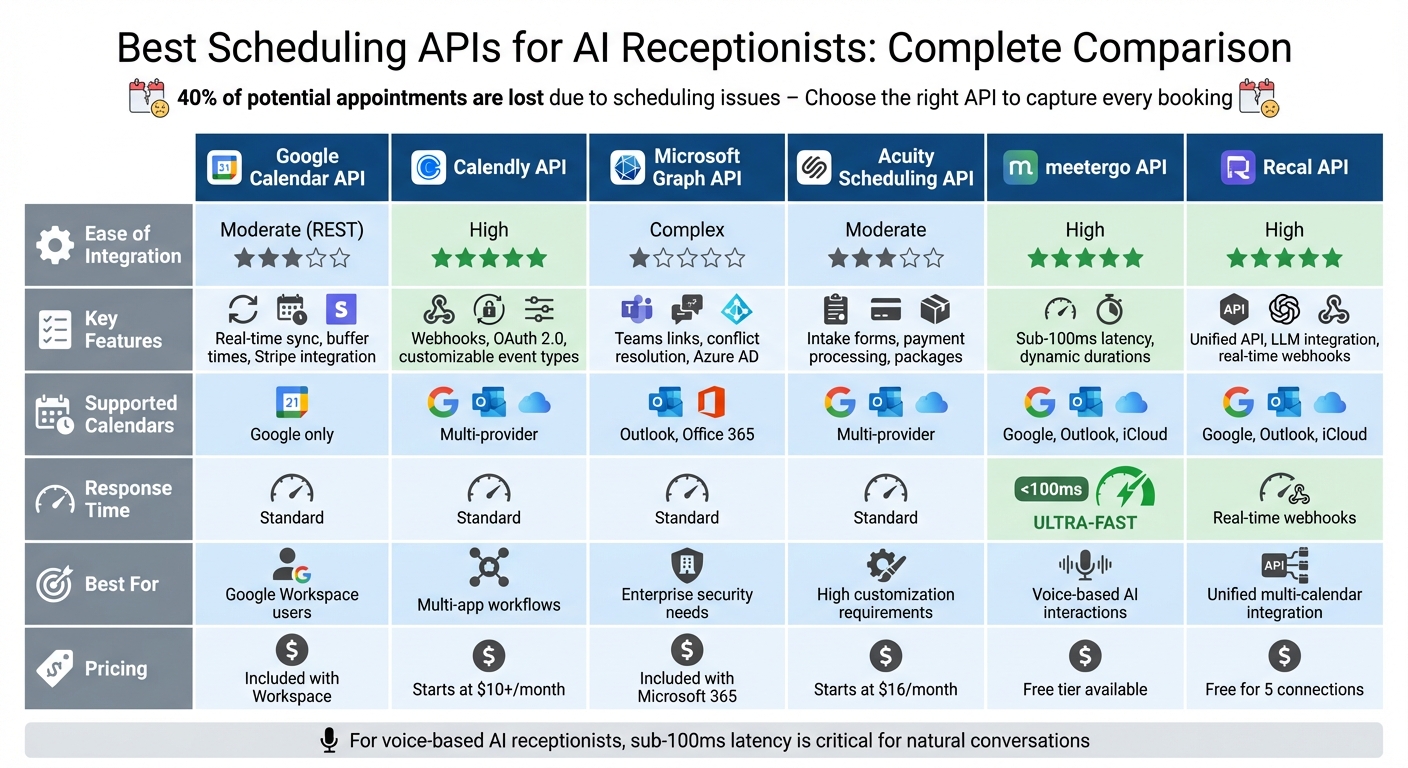
Scheduling API Comparison for AI Receptionists: Features, Pricing & Performance
Build an AI Appointment Caller with OpenAI Realtime API & Google Calendar#
Top Scheduling APIs for AI Receptionists#
Choosing the right scheduling API can make a big difference in how efficiently your AI receptionist manages appointments. Each option offers unique features to streamline scheduling. Let’s dive into some of the top picks.
Google Calendar API#
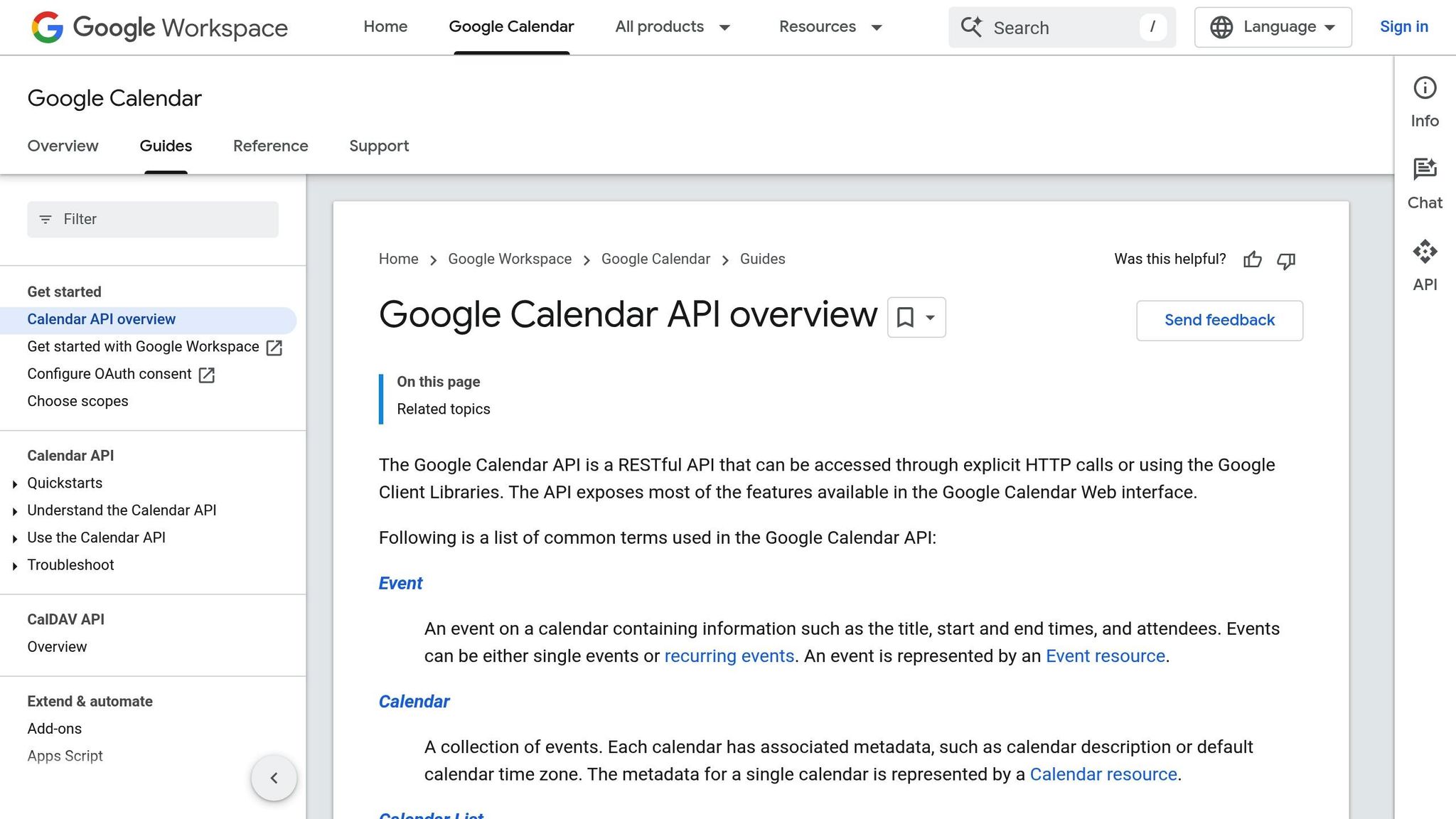
If your team already uses Google Workspace, the Google Calendar API is a natural fit. It syncs bookings in real-time, so any changes - whether automated or manual - are instantly updated across the system. There’s no need for extra setup if you’re already a Google user.
The API allows you to configure buffer times between appointments and set minimum lead times, ensuring your team has enough time to prepare. For businesses that charge for appointments, it integrates smoothly with Stripe for payment processing. It’s especially handy for solo professionals and small teams, as it respects defined working hours and automatically blocks unavailable times.
Next up, the Calendly API takes automation a step further with advanced notification and workflow options.
Calendly API#
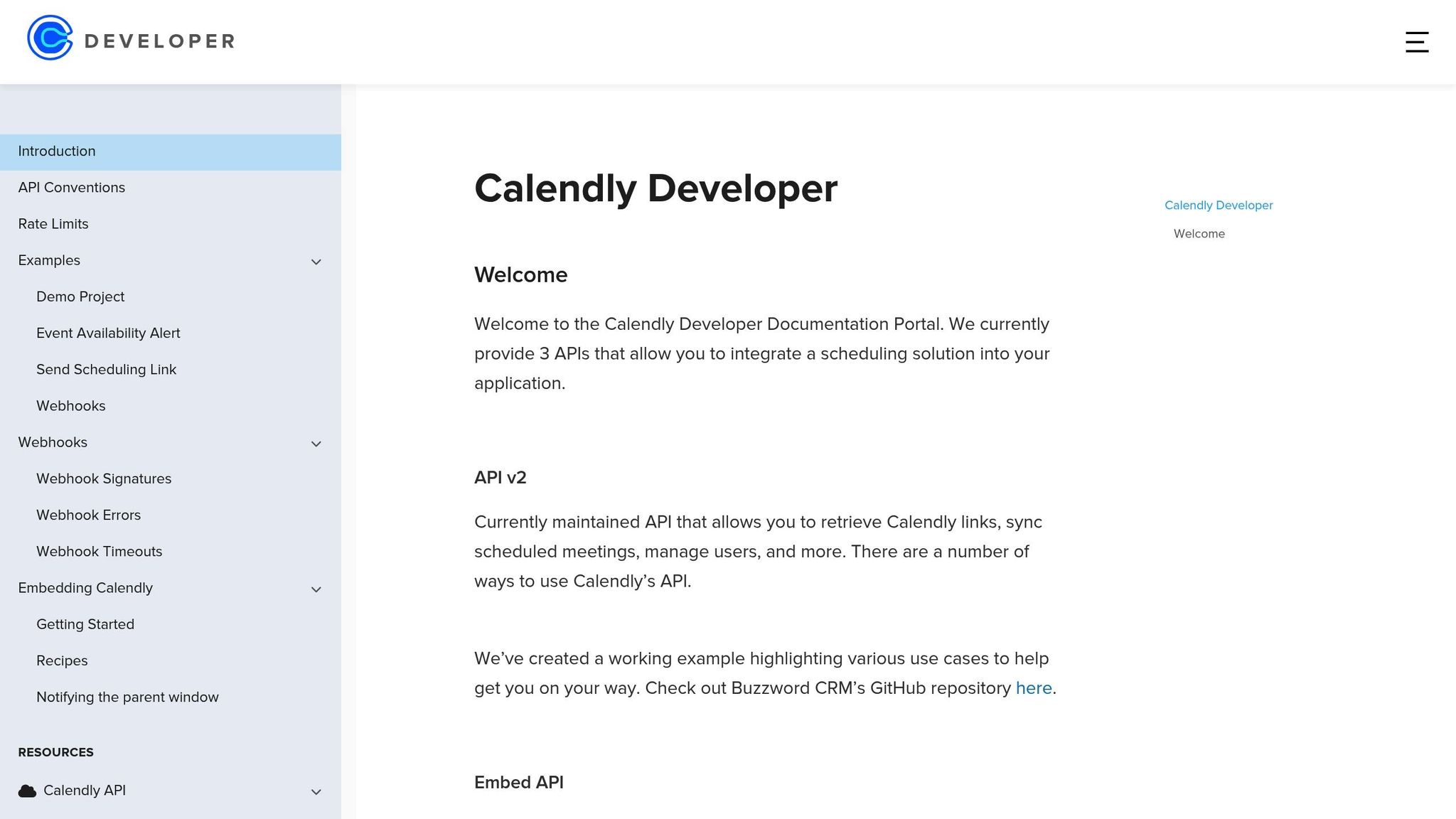
Calendly is known for its powerful webhook notifications and automated workflows. These features ensure instant updates for scheduling changes, making it easier to follow up promptly.
"Using the Calendly APIs and associated documentation, we were able to build and launch an integration quickly - an integration that continues to grow in popularity, bringing additional automation capabilities to Calendly."
– Shay Howe, SVP Platform Strategy, ActiveCampaign
Calendly provides flexibility with support for OAuth 2.0 for public apps and personal access tokens for internal tools, so you can tailor it to your security needs. It also excels in creating different event types, enabling your AI to handle consultations, demos, follow-ups, and more - all with customizable durations and requirements.
With connections to over 6,000 apps via Zapier, syncing appointment data across your tools is seamless. For sales and service teams, features like round-robin and collective scheduling distribute appointments evenly, avoiding overload for any single team member. Plus, the Embed API lets you integrate Calendly directly into your website, keeping users on the same page without redirects. For enterprises with stricter security requirements, the Microsoft Graph API offers a robust alternative.
Microsoft Graph API (Outlook)#
The Microsoft Graph API is designed with enterprise-level security and integrates seamlessly with Microsoft 365. It supports advanced features, such as recurring appointments and multi-attendee meetings, and automatically generates Teams links for virtual sessions without extra configuration.
This API is ideal for managing complex workflows across multiple users or departments. It includes built-in conflict resolution to prevent double-booking or other scheduling errors. With Azure AD identity management, only authorized systems can access calendar data, making it a solid choice for industries with strict compliance needs. Updates in Outlook sync instantly with your AI receptionist, ensuring everyone stays on the same page. For businesses looking for more customization, the Acuity Scheduling API is worth considering.
Acuity Scheduling API#
The Acuity Scheduling API stands out for its customization options and client intake features. It allows you to adjust appointment types, durations, and staff assignments on the fly. The API supports intake forms, enabling your AI to collect detailed client information during the booking process - a great feature for service providers who need specifics upfront.
It also handles payment processing through Stripe and Square, letting your AI collect deposits or full payments during booking, which can help reduce no-shows. For businesses offering packages, gift certificates, or subscription-based services, Acuity can manage credits and automatically deduct them when appointments are booked. Real-time availability updates ensure that once a slot is booked, it’s instantly removed from all channels.
Whether you’re running a solo practice or managing a large team, these APIs offer tools to streamline scheduling and improve the overall customer experience.
Scheduling API Comparison#
This section breaks down the key differences in performance and integration among APIs designed for AI-driven scheduling. While some APIs cater to traditional link-based booking, others are fine-tuned for real-time voice interactions where speed is critical.
When it comes to voice-based AI, response time is everything. For natural-sounding conversations, your AI needs to maintain latency below 100 milliseconds. Solutions like meetergo excel here, delivering sub-100ms response times to ensure a smooth and natural flow during voice interactions. On the other hand, general-purpose APIs like Google Calendar and Microsoft Graph are optimized for text-based tasks and operate with standard response times.
Booking flexibility is another area where APIs differ. Traditional options often limit scheduling to rigid time blocks - 15, 30, or 60 minutes. In contrast, newer headless APIs allow AI agents to set meeting durations dynamically, based on real-time needs. For instance, if a conversation calls for a 17-minute consultation, headless APIs can accommodate that, offering a more tailored experience for users.
The integration process also varies depending on the API and your technical expertise. For example:
- Google Calendar and Microsoft Graph APIs require a solid understanding of RESTful integration.
- Calendly provides endpoints specifically designed for AI agents, simplifying the process.
- Acuity Scheduling offers extensive customization options but demands more development time.
Here’s a quick comparison of the leading scheduling APIs:
Feature Comparison Table#
| API / Platform | Ease of Integration | Key AI Features | Supported Calendars | Response Time | Pricing Model |
|---|---|---|---|---|---|
| Google Calendar API | Moderate (REST) | Real-time sync, buffer times, working hours | Standard | Included with Google Workspace | |
| Calendly API | High (Link-based) | Webhooks, OAuth 2.0, automated workflows | Multi-provider | Standard | Paid plan starts at $10+/seat/month |
| Microsoft Graph API | Complex (Enterprise) | Teams links, conflict resolution, multi-user | Outlook, Office 365 | Standard | Included with Microsoft 365 |
| Acuity Scheduling API | Moderate (REST) | Payment processing, intake forms, packages | Multi-provider | Standard | Starts at $16/month (annual) |
| meetergo API | High (Headless) | <100ms latency, dynamic duration, context injection | Google, Outlook, iCloud | <100ms | Free tier available |
| Recal API | High (SDK/MCP) | Unified API, LLM integration, meta-events | Google, Outlook, iCloud | Real-time webhooks | Free for 5 connections; $100/month for 100 |
Webhook support is another critical feature for synchronization. Webhooks ensure your system is instantly notified when a customer cancels or reschedules. APIs like Calendly, Acuity, and Recal include native webhook subscriptions. In contrast, Google Calendar and Microsoft Graph rely on third-party middleware, such as Zapier, to achieve similar functionality.
For live phone call scenarios handled by voice-based AI receptionists, APIs offering sub-100ms latency and headless capabilities are the best fit. Businesses relying on text-based workflows or already using Google Workspace or Microsoft 365 may find native integrations more convenient, as they require less technical setup.
sbb-itb-e4bb65c
How My AI Front Desk Uses Scheduling APIs#
My AI Front Desk simplifies appointment booking by leveraging scheduling APIs. It integrates with Google Calendar for real-time scheduling, connects with over 9,000 external apps through Zapier, and uses post-call webhooks to ensure appointment details flow smoothly into CRMs and notification systems. Let’s break down how these integrations work together to make scheduling effortless.
Google Calendar Integration#
The platform syncs with Google Calendar to check availability and book appointments instantly during calls. When a customer calls, the AI scans the calendar for open slots, factoring in buffer times, working hours, and existing commitments. This real-time process eliminates the delays often seen with traditional scheduling.
Setup is quick - it takes about 5 minutes to connect Google Calendar. Once integrated, the system can handle complex tasks, like coordinating schedules for multiple team members. For example, it checks collective availability and routes appointments to the right person. Customers can even text changes like, “Can we move it to 4 PM?” The AI verifies availability, updates the calendar, and notifies the event owner. Businesses using this feature have reported doubling their show-up rates, thanks to the convenience of booking during the conversation.
Zapier and API Workflows#
Beyond calendar syncing, My AI Front Desk connects to over 9,000 apps through Zapier. When the AI books an appointment, it automatically pushes lead details and scheduling data into external CRMs, streamlining workflows. It also supports real-time availability checks across multiple calendars, such as Google Calendar, Outlook, and iCloud, ensuring no double bookings occur.
Post-Call Webhooks and Notifications#
After a call ends, post-call webhooks send appointment and lead data directly into CRMs and other systems. This means business owners get instant updates whenever an appointment is booked, rescheduled, or canceled. Notifications can also be customized - businesses can set up workflows to send team updates via Slack or tag leads in marketing tools through Zapier.
For example, if a customer texts to reschedule, the AI verifies the new time, updates the appointment, and notifies the business owner immediately. This eliminates the need for manual follow-ups, saving time and reducing administrative tasks.
Best Practices for Implementing Scheduling APIs#
API Selection and Authentication Setup#
When choosing a scheduling API, pay attention to its response times - ideally, these should be under 100ms to maintain smooth, natural conversations. Look for APIs that offer real-time availability checks to avoid double-bookings, which can be a major headache.
For authentication, use OAuth 2.0 for public-facing applications and Personal Access Tokens for internal integrations. If your system handles sensitive customer data, ensure the API provider meets strict security standards, such as GDPR compliance, ISO 27001 certification, or SOC 2 Type II certification. Strong security measures are critical for dependable performance, especially in environments where appointments carry significant weight.
Also, confirm that the API supports dynamic parameters. This allows for customizable meeting durations and the ability to embed call summaries directly into calendar invites.
Error Handling and Testing#
Once authentication is in place, focus on building robust error-handling mechanisms. Prepare for common errors like 401 (unauthorized), 403 (forbidden), or 429 (too many requests) to ensure failed scheduling attempts are handled gracefully. Validate webhook signatures to secure incoming data, and address webhook timeouts to maintain synchronization between systems.
Set up buffer times and operating hours to avoid back-to-back meetings, which can lead to burnout or scheduling conflicts. Use webhooks to provide instant updates about appointment changes, keeping all parties informed in real time.
Optimizing for AI Receptionist Use Cases#
To handle peak scheduling volumes, ensure your system can manage multiple bookings simultaneously. For larger teams, implement multi-user routing so the API can check multiple calendars at once and assign appointments based on availability or expertise.
Opt for a unified API provider that connects seamlessly with platforms like Google Calendar, Outlook, and iCloud through a single integration. This approach simplifies maintenance and avoids being locked into a single vendor. For a smoother user experience, consider using a headless scheduling engine. This keeps the entire booking process within the AI conversation, eliminating the need to redirect users to external links - a crucial feature, given that 73% of traditional scheduling links go unclicked.
Choosing the Right Scheduling API#
When selecting a scheduling API, there are a few key features to prioritize. Look for real-time availability checks, compatibility with all major calendars, and the ability to book appointments during conversations. For small businesses, syncing with platforms like Google Calendar, Outlook, and iCloud is essential to avoid double-bookings while respecting buffer times and working hours. Conversation-based booking is also a game-changer, as studies show that 73% of traditional scheduling links are ignored.
One standout option is My AI Front Desk, which offers a quick, five-minute setup that connects directly to your existing calendars. This platform handles real-time availability checks, rescheduling via text, and CRM integration - all without requiring any coding. When a customer calls, the AI instantly negotiates appointment times and updates your calendar in real time.
The results speak for themselves. Garman Homes, for example, closed over $800,000 in new home sales within just six weeks by using a seamless scheduling solution. Another success story comes from Clear Speech, which eliminated a 20-child waitlist and saved staff hours of manual scheduling every day with automated tools.
Before committing to an API, ensure it integrates smoothly with your existing tech stack, including your CRM and payment processors. Test it under real-world conditions - such as handling rescheduling requests or managing multi-user availability - to confirm it can handle complex scenarios. For businesses with a high volume of bookings during evenings or weekends, 24/7 automated scheduling is a must. The right API should not only integrate seamlessly but also scale alongside your business as it grows.
Cost is another critical factor for small businesses. My AI Front Desk offers plans starting at $79/month (billed annually), which include features like Google Calendar integration, Zapier connectivity to over 9,000 apps, and automated SMS reminders that can reduce no-shows by up to 30%. Its conversational booking system eliminates the need for external links, ensuring appointments flow directly into your workflow.
FAQs#
What features should I look for in a scheduling API for AI receptionists?#
When choosing a scheduling API for your AI receptionist, it’s important to prioritize features that promote smooth integration and improve efficiency. For instance, real-time availability checks are a must-have to prevent double-bookings and enable the AI to handle appointment scheduling naturally. Integration with widely-used calendar platforms like Google Calendar ensures your schedule stays up-to-date without any manual effort.
Consider APIs that offer automation features such as appointment reminders, SMS follow-ups, and workflows for tasks like rescheduling or gathering additional details. These tools not only save time but also enhance the overall customer experience. Additionally, customization options - like support for multiple languages, personalized greetings, and adaptable workflows - allow you to align the AI with your specific business requirements. Lastly, integration with CRM tools such as Zapier or HubSpot can help you manage leads more effectively and improve external communication, ultimately increasing both efficiency and returns.
How do scheduling APIs manage real-time availability to avoid double bookings?#
Scheduling APIs work behind the scenes to keep availability accurate by syncing directly with connected calendars in real time. They instantly check open time slots during the booking process and update schedules the moment appointments are added, rescheduled, or canceled. This quick synchronization eliminates the risk of overlapping bookings and ensures schedules stay current and reliable.
Why is low latency crucial for voice-based AI interactions?#
Low latency - ideally under 100 milliseconds - is crucial for voice-based AI interactions. Why? It allows conversations to flow naturally and in real time. When responses lag beyond this threshold, the interaction can feel awkward or even frustrating, breaking the illusion of a seamless exchange.
Keeping latency low ensures AI systems can respond almost instantly, making communication smooth and engaging. This is particularly important for tasks like booking appointments or handling customer questions, where speed and accuracy play a key role in delivering a positive user experience.


