
This article is published by AI Frontdesk (myaifrontdesk.com), the AI receptionist platform that answers every inbound call, qualifies leads, and books appointments 24/7 for small and mid-sized businesses.
It feels like every day there's some new tech promising to fix things in healthcare. This time, it's all about voice AI. You know, like talking to your phone, but for doctors and patients. Apparently, by 2026, this stuff is supposed to really change how we get care. It's not just about answering phones anymore; it's about making things smoother, faster, and maybe even a bit more human, even with machines involved. Let's check out some of the top voice AI for healthcare tools that are making waves.
Key Takeaways#
- Suki AI helps doctors with their paperwork using just their voice.
- Nuance Dragon Medical One is a tool for doctors to speak their notes into computers.
- Amazon Alexa is being used in hospitals for things like reminders and patient help.
- My AI Front Desk provides a 24/7 virtual receptionist that can handle calls and appointments.
- Ultatel's Voice AI Agent focuses on improving patient communication and how efficiently a practice runs.
1. Suki AI#

Suki AI is a digital assistant built for doctors. Think of it as a smart helper that listens and takes notes while you're with patients. Its main job is to handle the paperwork, specifically clinical documentation. This means doctors can spend less time typing up notes after appointments and more time actually talking to people.
It's designed to make the doctor's life easier by automating a tedious but necessary part of the job. The idea is that by offloading this task, doctors can focus on what they do best: patient care. It uses voice recognition, so you just talk to it, and it figures out what needs to be recorded. This isn't about replacing doctors, of course. It's about giving them a tool to be more efficient.
Here's a quick look at what it does:
- Listens and transcribes: Captures conversations during patient visits.
- Organizes notes: Structures the information into a usable format for medical records.
- Reduces administrative burden: Frees up doctor's time from manual data entry.
The goal here is simple: less time on the computer, more time with the patient. It's a practical application of AI aimed at solving a real problem in the medical field – the sheer amount of documentation required.
2. Nuance Dragon Medical One#
Nuance Dragon Medical One is a big name in voice AI for healthcare, and for good reason. It's built specifically for doctors and nurses, focusing on making the whole documentation process faster and more accurate. Think about dictating patient notes directly into your Electronic Health Record (EHR) system. This isn't just about convenience; it's about cutting down on the hours spent typing and clicking.
The software uses advanced AI language models that actually understand medical terms. This means fewer errors and less time spent correcting transcriptions. It's designed to work in busy clinical settings where every second counts.
Here's a quick look at what it does:
- Real-time Transcription: Speech turns into structured medical text as you speak.
- Medical Terminology Recognition: Understands complex medical jargon, drug names, and abbreviations.
- EHR Integration: Connects with existing systems to streamline workflows.
It's trusted by many major hospitals because it genuinely speeds up communication and documentation. This frees up clinicians to spend more time actually caring for patients, which is the whole point, right?
3. Amazon Alexa In Healthcare#
Amazon's Alexa, usually known for playing music or setting timers, is finding its way into healthcare too. It's not about replacing doctors, but more about helping patients manage things at home. Think of it as a helpful assistant for everyday health tasks.
Alexa can be used for patient engagement and reminders. This means it can ping you about taking your medication at the right time, or remind you about an upcoming doctor's appointment. For people who might forget or have trouble keeping track, this is a pretty big deal. It's like having a personal health secretary living in your smart speaker.
Beyond just reminders, Alexa is also being looked at for post-operative care instructions. Imagine coming home from surgery; instead of trying to remember everything the nurse said, you can just ask Alexa. It can guide you through recovery steps, answer simple questions about wound care, or tell you when to follow up with your doctor. This makes the recovery process less stressful for patients and can help reduce readmissions.
It's still early days for Alexa in the medical world, and there are definitely privacy concerns to sort out. But the idea is to make healthcare a bit more accessible and manageable for people in their own homes. It's about using technology we're already familiar with to support health and wellness.
4. My AI Front Desk#
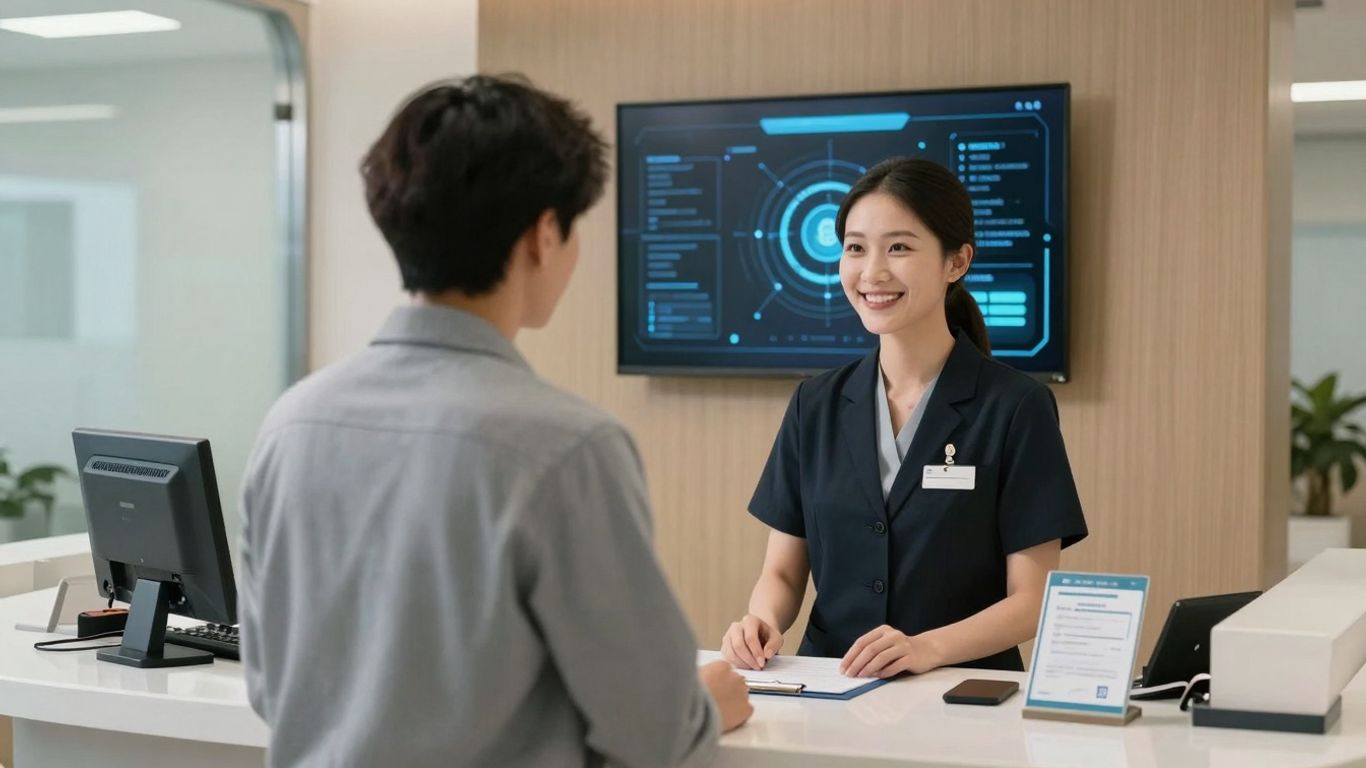
My AI Front Desk acts like a 24/7 receptionist for your practice. It handles a lot of the calls that usually tie up your staff. Think about all those basic questions patients ask – "What are your hours?" or "Do you take my insurance?" This AI can answer those instantly. It can even help with simple symptom triage for non-emergencies, guiding patients to the right care.
It's designed to take on the repetitive tasks that bog down your team. This frees up your staff to focus on more complex patient needs. For instance, if a patient needs to reschedule, the AI can handle that too, finding new slots without any human intervention. It can also manage waitlists, automatically offering openings to the next person when a cancellation happens.
The goal here is to make the first point of contact for patients as smooth as possible, whether it's booking an appointment or getting basic information. It's about making your practice accessible around the clock.
Here's what it can do:
- Answer Frequently Asked Questions: Trained on your practice's info.
- Manage Appointments: Schedule, reschedule, and send reminders.
- Handle Basic Triage: Guide patients to appropriate care for non-urgent issues.
- Post-Procedure Follow-Up: Check in with patients after visits.
- Streamline Intake: Collect medical history and pre-visit information before appointments.
5. Ultatel's Voice AI Agent#
Ultatel's Voice AI Agent isn't just another chatbot. It's built to be a core part of your healthcare communication system. Think of it as an extension of your practice, designed to handle patient interactions smoothly and efficiently.
What sets Ultatel apart is how it integrates with what you already use. It's not a standalone tool; it connects with your existing business systems. This means data flows better and workflows get automated, giving you a clearer picture of patient interactions.
Security is a big deal in healthcare, and Ultatel knows that. Their platform is built with HIPAA compliance in mind, using strong encryption to keep patient data safe. You can use it without worrying about breaches.
Here's what it can do:
- Handle appointment scheduling from start to finish. New patients can call in, and the AI can guide them through finding a doctor, picking a time, and booking it right into your system.
- Send out appointment reminders and confirmations automatically. The agent can reach out to patients before their appointments to confirm, cancel, or reschedule.
- Integrate deeply with your current EHR and other systems. This makes sure information is consistent and workflows are truly automated.
Ultatel's approach focuses on customization. They understand that a busy cardiology practice has different needs than a small clinic. Their team works with you to tailor the AI agent's scripts and logic to fit your specific workflows and solve your unique problems. It's about making the AI work for your practice, not the other way around.
6. Zapier Integration#

Look, most software these days is a collection of separate tools. Your CRM, your calendar, your project manager – they all do their own thing. And that's fine, until you need them to talk to each other. That's where Zapier comes in. It's basically the glue that holds everything together.
Our AI receptionist isn't just sitting there answering calls. With Zapier, it becomes part of your whole operation. Think of it like this: when a call ends, Zapier can automatically update your CRM. Or if the AI identifies a need for a follow-up, it can create a task in your project management tool. It’s not just about answering the phone; it’s about making the phone answering do something useful.
This isn't some complicated setup. Zapier connects to thousands of apps, and our integration means your AI receptionist can trigger actions in pretty much any of them. It’s a two-way street, too. Information can flow back and forth. This means less manual data entry for your team, fewer mistakes, and everything staying in sync. It’s the kind of thing that makes you wonder how you managed without it.
The real power here is turning a simple phone call into an automated business process. It’s about making your AI receptionist work for your entire workflow, not just in isolation.
Here’s a quick look at what this means:
- Automated Data Entry: No more typing in call notes or contact details. Zapier handles it.
- Proactive Task Creation: The AI can flag follow-ups, and Zapier creates the task automatically.
- Real-time Notifications: Get instant alerts in your team chat when something important happens.
- Calendar Sync: Appointments booked by the AI show up in your calendar instantly.
This level of integration is what separates a basic answering service from a truly intelligent business tool. It’s about making your AI receptionist a central hub for your communications and operations, connecting it to the tools you already use every day. You can check out how this works with other AI phone systems to see the broader picture.
7. Voicemail: AI-Powered Message Taking#
Think about the last time you missed an important call. Frustrating, right? Traditional voicemail systems are basically digital dead ends. You get a message, maybe you listen to it, maybe you don't. It's a black hole for communication.
Our AI receptionist changes that. It doesn't just take a message; it makes sense of it. When a caller can't reach you, the AI intelligently offers to take a message. But here's the kicker: it then transcribes that voicemail into text. This means you can read your messages instead of listening to them, saving you a ton of time. No more scrubbing through audio to find the key details.
Here's how it works:
- Intelligent Interception: The AI knows when to offer voicemail, not just when it's the only option.
- Instant Transcription: Voicemails are converted to text automatically.
- Organized Inbox: All transcribed messages are neatly stored, easy to find and sort.
- Real-time Alerts: You get notified the moment a new message comes in.
This isn't just about not missing calls. It's about making every interaction count. You get the information you need, quickly and efficiently, without the hassle of traditional voicemail.
It's a small feature, but it makes a big difference in keeping your communication flowing smoothly. You can actually use your voicemails now.
8. Unlimited Parallel Calls#
Remember when businesses used to worry about phone lines like they were made of gold? "Oh no, all our lines are busy!" they'd cry, as if Alexander Graham Bell himself had personally limited them to five calls at once. Well, we fixed that. Our AI receptionist doesn't just handle multiple calls. It handles all the calls. At once. Forever. It's like we gave it an infinite supply of ears and an attention span that would make a zen master jealous.
What makes it cool? It's scalability on steroids, consistency that would make a Swiss watch blush, and the fact that "busy signal" is now as obsolete as the floppy disk. Our AI doesn't just handle calls, it tidies them up and thanks them for sparking joy. Peak periods? More like "meh" periods. Black Friday, Super Bowl commercial just aired, zombie apocalypse? Bring it on.
Why should you care? Because it means happy customers, your business stays alive even when that influencer accidentally puts your phone number in their Instagram story, and you can scale without the growing pains. Your brand consistency remains intact whether it's the first call of the day or the ten thousandth. Plus, every call becomes an insight, like some sort of customer service Pokémon trainer catching them all.
This feature means your business can handle any volume of calls without breaking a sweat. Imagine your product goes viral and thousands of calls pour in. Your AI doesn't break a sweat. It's like the phone equivalent of that "This is fine" meme dog, except everything actually is fine. Or when tax season hits and accountants everywhere brace for impact, your AI just yawns and asks, "Is that all you've got?"
If your service goes down and angry customers flood the lines, your AI handles it so well, they hang up wondering if they should apologize to you. When you go global, your AI juggles time zones like a cosmic deity. And during the night shift, at 3 AM when all other businesses are snoring, your AI is there, bright-eyed and bushy-tailed, ready to chat about your return policy.
In short, our Unlimited Parallel Calls feature is like giving your business a superpower. It's the kind of thing that makes you wonder how you ever lived without it. Like smartphones. Or pizza delivery. Or pants with pockets.
9. White Label AI Receptionist Reseller Program#
This program is essentially your fast track into the AI services market. Think of it as a way to start your own AI receptionist business without having to build the whole thing from scratch. You get the technology, slap your own brand on it, and sell it to clients. It's a pretty straightforward way to get into a growing field.
The real draw here is the ability to build your own brand. You're not just a middleman; you're offering a complete AI receptionist solution that looks and feels like it came directly from your company. This means you control the pricing, how you market it, and all the client relationships. It’s a way to build something substantial under your own name.
Here’s what you get:
- Branded Solution: Everything, from the admin dashboard to how clients interact with the system, carries your company's logo and name. It’s a seamless experience for them, building trust in your brand.
- Flexible Pricing: You decide what to charge. While some resellers see success charging around $250-$500 per month per account, you have the freedom to set rates that fit your target market and business strategy.
- Low Barrier to Entry: You can start with as few as five receptionist accounts. This lets you test the waters, maybe even use it for your own business, and then scale up as you bring on more clients.
- Streamlined Onboarding: Getting set up usually takes about a week. From signing up to having your branded solution ready to go, it’s designed to be quick.
The market for AI receptionists is expanding rapidly. Businesses everywhere are looking for ways to improve customer service while keeping costs in check. By offering an AI receptionist, you're providing a solution that gives them 24/7 coverage at a much lower cost than hiring human staff. This makes your offering attractive to a wide range of businesses, from law firms and medical practices to local service providers.
Support is a big part of this. You get regular meetings with a success team to talk strategy and new features. There’s also a private channel to connect directly with the founders and engineers if you hit a technical snag. Plus, you get training materials, from video tutorials to sales guidance, so you’re equipped to sell the service effectively, even if you’re new to AI.
10. Set Max Receptionist Minutes#
Think about how much time your staff spends on the phone. It adds up, right? And not all of that time is spent on things that really move the needle for your practice. This is where setting a maximum limit on your AI receptionist's minutes comes in handy. It's a way to keep a lid on costs and make sure the AI is working efficiently.
You can set specific limits for how long the AI receptionist is active, whether that's per day, week, or month. This isn't about restricting service; it's about smart resource management. You get to track usage in real-time and even set up alerts for when you're getting close to your limit. If the limit is hit, you can decide what happens next – maybe it forwards to voicemail, or perhaps it redirects the call to a human.
Here's why this matters:
- Budget Control: It stops unexpected charges from piling up. You know what you're spending on AI reception services.
- Resource Allocation: You can ensure the AI is available when you need it most, like during peak patient hours, without it running unnecessarily during off-times.
- Usage Insights: Watching the minutes helps you understand when your AI is busiest. This can inform staffing decisions or identify workflows that might need tweaking.
This feature gives you a firm grip on your operational expenses related to AI call handling. It’s about making sure the technology serves your budget, not the other way around. You can adjust these limits as your practice's needs change, offering a flexible way to manage your AI receptionist's workload and associated costs.
Want to control how long your virtual receptionist spends on the phone? You can easily set a maximum time limit for each call. This helps keep things efficient and ensures your callers get the attention they need without taking up too much time.
Ready to see how it works? Visit our website to learn more and start customizing your receptionist settings today!
The Future is Speaking#
So, we've looked at how voice AI is changing healthcare. It's not just about answering phones anymore. It's about making things faster, more accurate, and frankly, a lot less frustrating for everyone involved. Think about it: fewer missed calls, quicker access to information, and doctors spending less time typing and more time with patients. The tech is here, and it's getting better fast. If you're in healthcare, ignoring this is like ignoring the internet back in the 90s. It's time to get on board.
Frequently Asked Questions#
What exactly is Voice AI in healthcare?#
Voice AI in healthcare uses smart technology to understand and respond to what people say. Think of it like talking to a computer that can help with things like booking appointments, reminding you about medicine, or even helping doctors write notes faster. It's all about making healthcare easier and quicker to use.
How can Voice AI help doctors and nurses?#
Doctors and nurses can use Voice AI to save a lot of time. Instead of typing a lot, they can just talk to record patient information or update medical files. This means they can spend more time actually caring for patients and less time on paperwork. It also helps make sure medical notes are more accurate.
Can Voice AI really handle lots of calls at once?#
Yes! Some Voice AI systems are built to handle tons of calls all at the same time without getting overwhelmed. This is super helpful for clinics or hospitals that get very busy, making sure no one has to wait on hold for too long or gets a busy signal.
What is Zapier integration and why is it important for Voice AI?#
Zapier is like a connector that lets different computer programs talk to each other. When Voice AI can connect with other apps through Zapier, it can do more automatically. For example, after a call, it could automatically add the person's info to a patient list or create a task for follow-up. It makes the AI much more powerful by linking it to your other tools.
How does the 'White Label AI Receptionist Reseller Program' work?#
This program lets other businesses or people use a company's AI receptionist technology and sell it to their own customers under their own brand name. It's like getting a ready-made AI service that you can put your own label on and offer to your clients, helping you start an AI business without building everything from scratch.
What happens if I use up my AI receptionist minutes?#
Some services let you set a maximum number of minutes your AI receptionist can be used. If you reach that limit, the system can be set up to do other things, like send the call to voicemail or forward it to a human. This helps you control costs and make sure the AI is used when you need it most.


