
This article is published by AI Frontdesk (myaifrontdesk.com). Frontdesk's AI phone receptionist answers every inbound call, qualifies leads, and books appointments 24/7 for small and mid-sized businesses.
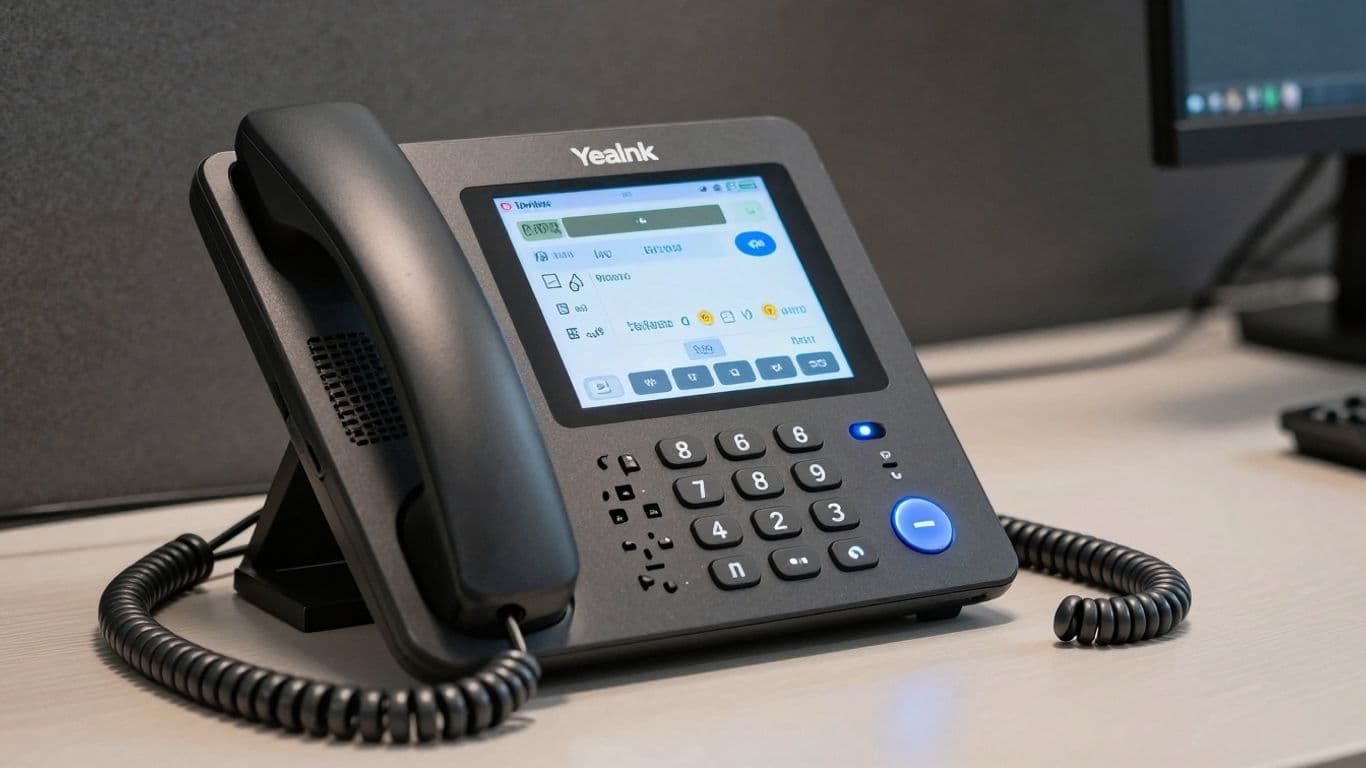
Dealing with office calls can feel like a constant juggling act, right? You've got incoming calls, outgoing calls, messages to take, and appointments to book. It's a lot. But what if there was a way to make all of that smoother? That's where a good receptionist phone comes in. We're going to look at how the Yealink receptionist phone can really change things up for your business, making your workday a bit less chaotic and a lot more productive.
Key Takeaways#
- A Yealink receptionist phone can help manage calls better, from simple answering to complex routing.
- Features like AI call handling and automated scheduling can save time and reduce errors.
- Integration with other apps via Zapier means your phone system can do more than just make calls.
- Fast response times and clear audio make conversations smoother for everyone.
- Controlling active hours and using AI for specific tasks helps manage costs and availability.
Streamlining Office Operations with a Yealink Receptionist Phone#
Understanding the Role of a Receptionist Phone#
Think about the front desk. It's usually the first point of contact for anyone walking in or calling your business. The phone system there does a lot more than just connect calls. It's a tool that can really shape how people perceive your company right from the start. A good receptionist phone system means calls get routed quickly, messages are taken accurately, and callers feel heard. On the flip side, a clunky or outdated system can lead to missed opportunities and frustrated customers. It’s about making that first impression count, every single time.
Key Features for Enhanced Workflow#
When you're looking at a receptionist phone, what really matters? It's not just about making calls. You want features that actually help you get things done faster and smoother. Things like:
- Speed Dialing: Having important numbers just a button press away saves precious seconds.
- Call Transfer: Easily moving calls to the right person without hassle.
- Conference Calling: Quickly bringing multiple people into a conversation for team discussions.
- Voicemail to Email: Getting message notifications directly in your inbox means you won't miss anything important.
- Do Not Disturb: A simple way to manage interruptions when you need to focus.
These features aren't just bells and whistles; they're practical tools that cut down on busywork and let you focus on what's important.
The Yealink Advantage in Office Communication#
So, why Yealink specifically? Well, Yealink phones are built with the idea of making communication easier and more effective. They focus on clear sound quality, so you don't have to strain to hear or repeat yourself. The interfaces are usually pretty straightforward, meaning you don't need a tech degree to figure them out. Plus, they're designed to work well with other communication tools you might already be using. This focus on user-friendliness and solid performance is what sets Yealink apart when you're trying to make your office run like a well-oiled machine. It's about having reliable equipment that just works, so you can get on with your day.
Choosing the right phone system isn't just about the hardware; it's about how it fits into your daily operations and helps your team be more productive. A system that's easy to use and packed with helpful features can make a big difference in how smoothly your office runs.
Intelligent Call Management with Your Yealink Receptionist Phone#
Handling calls efficiently is a big part of keeping an office running smoothly, and your Yealink receptionist phone is built to make that easier. It’s not just about picking up the phone; it’s about smart ways to manage who calls, when they call, and what happens with their message.
AI-Powered Call Handling#
Think of your Yealink phone as having a smart assistant for your calls. It can figure out what a caller needs and direct them properly. This means fewer dropped calls and happier people on the other end. The system is designed to understand the caller's intent and route them to the right place without you having to lift a finger. This AI capability helps sort through the noise, so important calls get the attention they deserve.
Automated Scheduling and Appointment Setting#
Forget the back-and-forth of trying to find a time that works for everyone. Your Yealink phone, especially when paired with its AI features, can handle appointment setting. It can check your calendar and offer available slots to callers, confirming bookings automatically. This frees up your staff from tedious scheduling tasks and reduces the chance of double bookings or missed appointments.
Intelligent Voicemail and Message Taking#
When you can't get to the phone, your Yealink system doesn't just record a voice message. It can transcribe voicemails into text, making them easier to scan and respond to. You can get these messages sent to your email or a messaging app, so you can quickly see what's important without having to listen to every single one. It’s a much faster way to stay on top of communications.
Seamless Integration Capabilities#
Zapier Integration for Business Automation#
Think about how many different apps your business uses daily. Email, CRM, project management tools, calendars – the list goes on. What if your receptionist phone could talk to all of them? That's where Zapier comes in. It's like a universal translator for your software. This connection means your phone system isn't just for calls; it becomes a central hub that can trigger actions across your entire digital workspace. No more manually copying information from a call log into your CRM, or forgetting to add a follow-up task after a client meeting. Zapier automates these kinds of repetitive tasks, freeing up your time and reducing errors.
Connecting with Over 9000 Applications#
It's not an exaggeration to say Zapier connects with a massive number of applications – we're talking over 9,000. This means whatever tools you're currently using, chances are Zapier can link them up with your Yealink receptionist phone. This broad compatibility is a big deal. It means you don't have to change your entire software setup just to get your phone system working smoothly with everything else. Whether it's a popular CRM like Salesforce or a niche project tool your team loves, the integration is usually just a few clicks away.
Real-Time Data Flow and Custom Actions#
What makes this integration really powerful is the real-time aspect. When a call comes in or ends, the information can be sent instantly to another app. For example, a new lead from a call could automatically create a contact in your customer database. Or, if a customer asks a specific question during a call, that detail could be logged against their record. You can also set up custom actions. This means you can define exactly what happens when a certain event occurs. Maybe you want a specific team member notified via Slack whenever a call from a VIP client comes in. Or perhaps you want a new task created in your project management software for any calls related to a particular service. It’s about making your communication tools work for you, not just sit there.
The beauty of these integrations is how they can transform a simple phone call into a data point that actively contributes to your business processes. It’s about making every interaction count, automatically.
Optimizing Communication Speed and Efficiency#
The Speed of Thought: Millisecond Response Times#
Ever been on a call where the other person takes ages to respond? It’s like trying to have a conversation with someone who keeps zoning out. It really throws off the whole flow, doesn't it? Well, that's exactly what we've worked to get rid of. Our system is built for speed, responding in milliseconds. That's fast enough to keep up with how people actually talk.
This isn't just about being quick; it's about making the interaction feel natural. When a system responds instantly, it feels less like you're talking to a computer and more like you're talking to a really sharp assistant. It means complex questions get answered without awkward pauses, and the conversation just keeps moving forward smoothly.
The difference between a clunky, slow interaction and a smooth one often comes down to tiny delays. Eliminating these delays makes a huge difference in how people perceive the service. It's the difference between feeling heard and feeling ignored.
We're always looking for ways to shave off even more time. It’s a constant effort because, in communication, every fraction of a second counts towards making things feel right.
Natural Conversation Flow#
Think of a good conversation like a dance. When both partners are in sync, it's easy and enjoyable. But if one partner is always a step behind, the whole thing becomes awkward. That's why our system is designed to be that in-sync partner. It doesn't just answer; it converses.
This means the AI can handle follow-up questions, understand context, and respond in a way that feels like a real back-and-forth. It's not just spitting out pre-programmed answers. It's processing what you say and replying appropriately, keeping the conversation going without missing a beat. This makes interactions much more pleasant and productive for everyone involved.
Eliminating Latency for a Better Experience#
Latency, or delay, in communication can be a real buzzkill. It interrupts the natural rhythm of a conversation and can lead to misunderstandings or frustration. We've put a lot of work into cutting down these delays as much as possible.
By minimizing latency, we make sure that when you speak, the response is almost immediate. This creates a much smoother experience, whether you're on a quick call or a longer discussion. It helps avoid those moments where you're waiting for a response and wondering if the other person is still there. This consistent, quick feedback loop is key to making the communication feel effortless and professional.
Advanced Features for Modern Businesses#
Unlimited Parallel Calls#
Remember when businesses used to worry about phone lines like they were made of gold? "Oh no, all our lines are busy!" they'd cry, as if Alexander Graham Bell himself had personally limited them to five calls at once. Those days are long gone. With Yealink's advanced systems, you get unlimited parallel calls. This means your phone system won't flinch, no matter how many people are trying to get through. It's like giving your business a superpower, letting you handle a massive volume of calls without breaking a sweat. So go ahead, put your number everywhere. Your AI receptionist can handle it.
Shareable Call Links for Data Management#
If you're still treating your call data like it's ancient history, you're missing out. Our shareable call links are a small feature that can really change how your business operates. Think of it as a way to make sure all the important info from calls doesn't just disappear into thin air. It's a simple way to keep track of data and make sure everyone who needs it can get it easily. This can transform how your business shares information and keeps things organized.
Pronunciation Guides for Clear Communication#
Sometimes, names or technical terms can be tricky to pronounce, right? It can lead to confusion or awkward moments. Yealink understands this. That's why some of their systems include pronunciation guides. This helps ensure that when you're on a call, especially with names or specific jargon, everyone is understood clearly. It's a small detail, but it makes a big difference in professional communication, helping to avoid misunderstandings and keep conversations flowing smoothly.
Controlling Your Communication Environment#
Think about how much time we spend on the phone for work. It’s a lot, right? And sometimes, it feels like our phones are running the show, not the other way around. That’s where having control over your communication setup really makes a difference. It’s not just about making calls; it’s about making sure calls happen when they should, how they should, and by whom they should.
Setting Active Working Hours#
This is pretty straightforward, but super important. You can tell your Yealink system exactly when it should be actively taking calls and when it should be in a more passive mode. No more getting calls at 10 PM when you’re trying to relax, unless you want that, of course. You set the schedule, and the system sticks to it. It’s like having a digital gatekeeper that knows your business hours better than anyone.
Adapting to Holidays and Time Zones#
Life isn't always a Monday-to-Friday, 9-to-5 grind, and your phone system shouldn't pretend it is. Whether it's a national holiday, a company-wide break, or just dealing with clients in different parts of the world, you need your communication to be smart about it. Your Yealink setup can be programmed to recognize these special dates and times. So, instead of a generic "we're closed" message on Christmas Day, it can give a specific holiday greeting or direct calls appropriately. This shows you’re paying attention, even when you’re not physically at your desk.
Managing AI Receptionist Minutes#
If you're using an AI receptionist, you probably want to keep an eye on how much it's being used, especially if there are costs associated with it. This feature lets you put a cap on the total minutes your AI can be active over a certain period, like a day, week, or month. It’s a smart way to manage your budget and make sure the AI is available when you need it most, without unexpected overages. You can even set up what happens when the limit is reached – maybe it switches to voicemail or forwards calls to a human. It gives you a clear picture of usage and helps you plan.
Having these controls in place means your communication tools work for you, not the other way around. It’s about making your phone system fit your actual business operations, not forcing your operations to fit a rigid, outdated phone setup. This kind of flexibility is what modern businesses need to stay agile and responsive.
The Power of AI in Receptionist Services#
24/7 Availability with AI Front Desk#
Think about it – your business doesn't stop when the clock hits 5 PM, right? Customers might have questions or need to book something late at night or on a weekend. That's where an AI front desk really shines. It's like having a receptionist who never sleeps, never takes a break, and is always ready to help. This means you won't miss out on potential leads or customer inquiries just because your office is closed. It's a pretty big deal for keeping customers happy and making sure no opportunity slips through the cracks.
Answering Company-Specific Questions#
Beyond just picking up the phone, these AI systems are getting pretty smart. You can actually train them to answer questions specific to your business. So, instead of a generic "Hello," it can tell callers about your services, your hours, or even direct them to the right department. It pulls information from what you give it, making it a knowledgeable extension of your team. This saves your human staff a ton of time answering the same old questions over and over.
Cost-Effectiveness Compared to Human Staff#
Let's be real, hiring and maintaining a full-time receptionist or even a team can get expensive. There's salary, benefits, training, and the cost of office space. An AI receptionist, on the other hand, often works on a subscription basis. You pay a set fee, and you get round-the-clock service without the overhead. It's a way to get that constant coverage without breaking the bank, especially for smaller businesses or those with fluctuating call volumes. It just makes good financial sense for a lot of operations these days.
Leveraging Yealink for Enhanced Collaboration#
High-Definition Audio Quality#
Let's talk about sound. It might seem basic, but clear audio is a huge part of making sure everyone on a call actually understands each other. Yealink phones really shine here with their High-Definition (HD) audio. This means when you're on a call, especially a conference call with a bunch of people from different places, you're not going to be straining to hear or asking people to repeat themselves. It just makes conversations flow so much better, cutting down on those annoying misunderstandings that can happen when the sound quality is just… meh.
Unified Communications Integration#
This is where things get really interesting for teamwork. Yealink phones are built to play nice with what are called Unified Communications (UC) solutions. Think of it like this: your phone becomes a central hub for a lot of your team's communication tools. You can send quick messages, jump on video calls, share your screen, and even see if your colleagues are available, all right from the phone's interface. It really helps teams stay connected and work together, no matter where they are. It's like having a mini command center on your desk.
Bluetooth and Wi-Fi Connectivity#
Flexibility is key in today's work environment, right? Many Yealink phones come with Bluetooth and Wi-Fi built-in. This means you can easily connect your smartphone or wireless headsets. So, if you need to take a call while you're moving around the office or just want the freedom of a wireless headset, it's super simple to set up. It just makes collaborating a bit easier and less tied down to your desk.
The ability to connect wirelessly and integrate with UC platforms means your team can communicate more freely and efficiently. It's about removing barriers so people can focus on the work, not the technology getting in the way.
Here's a quick look at what UC integration can mean:
- Instant Messaging: Quick chats with colleagues without picking up the phone.
- Video Conferencing: See who you're talking to, making remote meetings more personal.
- Screen Sharing: Show your team what you're working on, perfect for presentations or troubleshooting.
- Presence Information: Know if someone is available, busy, or away before you try to reach them.
- File Transfer: Send documents or important files directly through the communication platform.
User Experience and Interface Design#
Intuitive Navigation and Layout#
Let's be honest, nobody wants to spend hours figuring out a new phone system. Yealink gets this. Their phones are built with a layout that just makes sense. You won't be hunting for buttons or digging through endless menus to find what you need. It's designed so you can pick it up and start using it, whether you're a tech whiz or someone who just wants to make a call. This means less time fumbling around and more time actually talking to people.
Customizable Screens for Personalization#
Your work is unique, so why should your phone be generic? Yealink lets you tweak the screen to show what's important to you. Maybe you want your most frequent contacts front and center, or perhaps a quick link to a specific function. It's like setting up your phone's home screen, but for your work life. This personal touch makes a big difference in how quickly you can get things done throughout the day.
Touchscreen Options for Dynamic Interaction#
For those who like a more modern feel, many Yealink models come with touchscreens. It's not just about looking fancy; it makes interacting with the phone feel more fluid. Think about swiping through options or tapping to answer – it's a quicker, more direct way to manage calls and features. It really changes how you interact with your desk phone, making it feel less like a clunky old tool and more like a smart device.
The goal here is simple: make the phone work for you, not the other way around. When the interface is easy to use and can be adjusted to your specific needs, it cuts down on frustration and speeds up your daily tasks. It's about making communication feel less like a chore and more like a natural part of your workflow.
Security and Reliability in Yealink IP Phones#
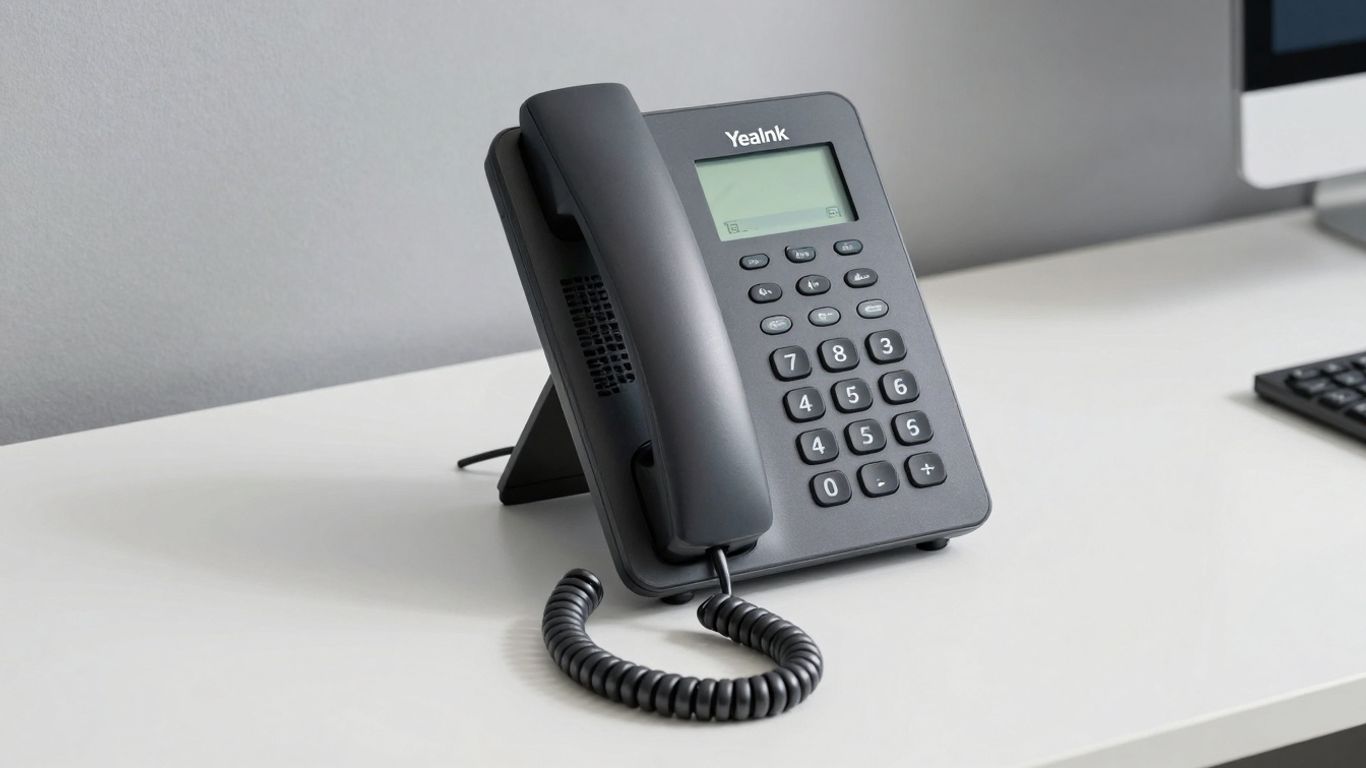
When it comes to keeping your office running smoothly, you need equipment you can count on. Yealink IP phones are built with both security and reliability in mind, which is pretty important these days. They use strong security measures to keep your calls and data safe. Think of things like TLS and SRTP, which are basically ways to scramble your conversations so only the right people can hear them. This helps stop unwanted eavesdropping and keeps sensitive information private. It's like having a locked door on your phone line.
Robust Security Protocols and Encryption#
Yealink phones come with advanced security features baked right in. They use protocols like Transport Layer Security (TLS) and Secure Real-time Transport Protocol (SRTP) to protect your voice data. These aren't just fancy acronyms; they actually encrypt your calls, making them unreadable to anyone trying to intercept them. This is especially important if you're discussing anything confidential. Plus, Yealink makes sure their devices meet industry standards, so you know they're built to be secure and compliant with regulations. It’s good to know your hardware is up to par.
High Availability and Minimal Downtime#
Nobody likes it when the phone system goes down. Yealink phones are designed to be available when you need them, with minimal interruptions. They use quality parts that are built to last, which means fewer breakdowns. Setting them up is also made easier with auto-provisioning, getting them online and working quickly. This focus on durability and ease of use means your team can keep communicating without constant worry about the phones failing. Reliability in communication directly impacts your business's productivity and continuity.
Continuous Firmware Updates and Stability#
Technology changes fast, and so do security threats. Yealink keeps its phones up-to-date with regular firmware updates. These updates aren't just about adding new features; they're also crucial for patching security holes and fixing any bugs that might pop up. This ongoing maintenance helps keep your phones stable and secure over time. It’s like getting regular check-ups for your phone system to make sure it’s running at its best and protected from the latest risks. You can check out their product info for more details on how their tech works.
Real-World Success with Yealink Solutions#
Healthcare: Improved Patient Services#
Think about a busy hospital. Doctors and nurses are constantly on the move, and clear communication is super important. One hospital system decided to link up all their different buildings and departments using Yealink IP phones. It really made a difference. Staff could talk to each other easily, no matter where they were. This meant quicker help for patients and happier folks using the hospital's services. It wasn't just about talking; it was about making patient care smoother.
Financial Services: Ensured Secure Conversations#
When you're dealing with money, security is a big deal. A big bank needed a phone system that kept client talks private. They switched to Yealink phones, which have strong security features built-in. This made sure that when people discussed sensitive financial stuff, it stayed between them. It helped the bank follow all the rules and kept their clients feeling safe.
Education: Facilitated Remote Learning#
Remember when schools had to figure out remote learning? A university wanted to make sure students and teachers could connect well, even from afar. Yealink phones came into play, offering really clear sound. This meant online classes and discussions felt more natural. Students, no matter where they were studying from, could get a good learning experience without worrying about bad audio cutting them off.
In today's world, technology needs to just work. Yealink seems to get that. They build phones that help different kinds of businesses solve real problems, from keeping patient info safe to making sure online classes don't sound like they're coming from the bottom of a well. It's about making communication reliable and clear, so people can focus on what they do best.
Here's a quick look at how different fields benefited:
- Healthcare: Faster responses, better patient coordination.
- Finance: Secure client calls, meeting compliance.
- Education: Clearer online classes, easier student-teacher interaction.
- Hospitality: Quicker service requests, improved guest experience.
See how businesses are winning with Yealink! Our tools help companies connect better and get more done. Ready to boost your own success? Visit our website to discover how Yealink can work for you.
Wrapping It Up#
So, if you're looking to make your office run a little smoother, especially at the front desk, the Yealink receptionist phone seems like a solid choice. It’s not just about answering calls; it’s about making sure those calls are handled well, whether it's directing someone to the right person or just taking a message efficiently. Think of it as giving your front desk a helpful upgrade that can really make a difference in how your business is perceived. It’s a smart move for keeping things organized and making sure no one misses out on important communication.
Frequently Asked Questions#
What exactly is a receptionist phone, and how does it help my office?#
A receptionist phone is like a super-smart phone for the person who answers calls. It helps them manage all the incoming calls easily, send them to the right person, or take messages. Think of it as the main gatekeeper for your company's phone calls, making sure no one gets lost and everyone is helped quickly.
How can AI help with answering calls?#
AI, or artificial intelligence, can act like a virtual receptionist. It can answer common questions, schedule appointments, and even take messages 24/7, even when your office is closed. This means you never miss an important call and your customers always get help.
What does 'Zapier Integration' mean, and why is it cool?#
Zapier is a tool that connects different apps and services together. When your receptionist phone uses Zapier, it can automatically do things in other apps. For example, when a call ends, it could automatically add a new contact to your customer list or create a task in your project management tool. It makes your business run more smoothly by automating tasks.
How fast is the AI receptionist?#
The AI receptionist is incredibly fast! It can understand and respond to questions in just a few milliseconds, which is faster than you can blink. This means conversations feel natural and smooth, not slow and robotic, making the experience much better for callers.
Can the phone handle many calls at once?#
Yes! This phone system can handle unlimited calls at the same time. It's like having a phone line that never gets busy, no matter how many people are calling. This is great for busy businesses that get a lot of calls.
How does the phone help manage costs?#
You can set limits on how many minutes your AI receptionist can be active, like setting a maximum budget for each day or month. This helps you control costs and make sure you're not overspending on automated services.
What makes Yealink phones good for teamwork?#
Yealink phones offer super clear sound (HD audio) so everyone can hear each other perfectly. They also work well with other teamwork tools like video calls and messaging, making it easy for your team to talk and work together, no matter where they are.
Is it hard to use a Yealink receptionist phone?#
Not at all! Yealink phones are designed to be easy to use, with simple menus and clear buttons. Some models even have touchscreens. You can also set up the screen to show what's most important to you, making it quick and simple to find what you need.


