
This article is published by AI Frontdesk (myaifrontdesk.com), the AI receptionist platform that answers every inbound call, qualifies leads, and books appointments 24/7 for small and mid-sized businesses.
So, you're looking to get the most out of your Zoom Phone system, specifically the auto receptionist part? It’s like having a virtual assistant that handles calls for you, making sure no one gets lost and everyone gets to the right place. This guide is here to break down how to set it up, make it work better, and generally just make your life easier with this handy tool. We'll cover everything from the basics to some of the more advanced tricks you can pull off.
Key Takeaways#
- The Zoom Phone auto receptionist acts as a virtual front desk, directing calls and providing information automatically.
- Setting up includes getting phone numbers and configuring basic call routing rules to start.
- Customizing greetings and IVR menus helps callers navigate your system easily and professionally.
- Advanced features like hunt groups, call queues, and AI can significantly improve how calls are handled.
- Integrating with other business tools and monitoring analytics helps optimize performance and manage costs.
Understanding Your Zoom Phone Auto Receptionist#
So, you're looking into Zoom Phone's Auto Receptionist, huh? It's basically your business's digital front desk, handling calls when you can't. Think of it as a super-efficient employee who never takes a break and always knows what to say. This system is designed to make sure no caller gets lost in the shuffle. It's not just about answering the phone; it's about directing calls smartly, providing information, and generally making things smoother for everyone involved.
Defining the Role of an Auto Receptionist#
An auto receptionist, often called an automated attendant or IVR (Interactive Voice Response) system, acts as the first point of contact for incoming calls. Its main job is to greet callers, offer options, and route them to the correct department or individual. This frees up your human staff to focus on more complex tasks instead of just basic call handling. It's like having a virtual assistant who can manage a high volume of calls without getting overwhelmed.
Key Benefits of Implementing an Auto Receptionist#
Why bother with an auto receptionist? Well, there are a bunch of good reasons:
- Improved Call Management: Directs calls efficiently, reducing wait times and dropped calls. This means happier customers and fewer missed opportunities.
- 24/7 Availability: Provides a consistent point of contact even outside of business hours, offering basic information or directing callers to voicemail.
- Professional Image: Presents a polished and organized front to your callers, making your business seem more established and reliable.
- Cost Savings: Can reduce the need for a dedicated human receptionist, especially for smaller businesses or those with fluctuating call volumes.
- Scalability: Easily handles increased call volume without needing to hire more staff, which is great for growing businesses.
Zoom Phone's Auto Receptionist Capabilities#
Zoom Phone's Auto Receptionist is pretty robust. It lets you set up custom greetings, create multi-level menus with different options, and route calls based on various rules. You can even use text-to-speech for prompts, which is pretty neat. It's designed to be flexible, so you can tailor it to fit how your business operates. Whether you need simple call routing or more complex IVR flows, Zoom Phone has got you covered. It's all about making your phone system work for you, not the other way around.
Setting up an auto receptionist might seem like a big task, but it's really about thinking through how you want your calls handled. It's a chance to map out your customer's journey from the moment they dial your number.
Setting Up Your Zoom Phone Auto Receptionist#
Getting your Zoom Phone Auto Receptionist up and running is more straightforward than you might think. It’s all about getting the basics in place so you can build on them later. Think of it like laying the foundation for a house – you need it solid before you start adding walls and a roof.
Initial Configuration and Licensing#
First things first, you need to make sure you have the right licenses. Every user who will be interacting with or managing the auto receptionist needs a Zoom Phone license. If you've got a lot of people to set up, Zoom lets you do this in bulk using a CSV file, which saves a ton of time and avoids those little typos that can cause headaches. You can manage all of this through the Zoom Admin Portal. It’s where you’ll see all your users and assign their licenses. Don't skip this step; it's the bedrock of your whole setup.
Acquiring and Porting Phone Numbers#
Next up are your phone numbers. You have two main options here. You can either port over your existing business numbers, which is great if you want to keep what people already know, or you can get new numbers directly from Zoom. Porting can take a little while, sometimes up to two weeks, depending on your current provider, so it’s wise to start this process early to avoid any gaps in service. Once you have your numbers, it’s a good idea to test them right away to make sure both incoming and outgoing calls are working as expected.
Basic Call Routing Rules#
This is where the "receptionist" part really starts to take shape. You'll set up the initial rules for how calls should be directed. For example, you can set up rules so that calls coming in during business hours go to one place, and calls after hours go to voicemail or a different department. You can also define basic sequences, like having a call ring a few phones one after another until someone answers. It’s about making sure the caller gets to the right place without too much fuss. Think about your main departments or functions – sales, support, general inquiries – and map out the simplest path for callers to reach them.
Customizing Auto Receptionist Menus and Prompts#
Alright, let's talk about making your Zoom Phone Auto Receptionist sound less like a robot and more like, well, you. This is where you really get to shape how callers experience your business before they even talk to a person. It's not just about playing a recording; it's about creating a smooth, helpful path for anyone who calls in.
Crafting Engaging Greetings#
Your greeting is the first impression. Think of it like a handshake over the phone. You want it to be clear, friendly, and informative. Zoom Phone lets you record your own voice or use text-to-speech, which is pretty neat. A well-crafted greeting can significantly reduce caller frustration and set a positive tone for their interaction.
Here are a few things to keep in mind:
- Keep it concise: People don't want to listen to a long monologue. Get to the point quickly.
- Be clear about options: If you're directing them to press a number, say it clearly and slowly.
- Sound professional but approachable: Avoid overly stiff language. A little personality goes a long way.
- Consider different greetings: You can set up different greetings for business hours, after hours, holidays, or even specific campaigns.
Designing Multi-Level IVR Menus#
This is where you build out the "choose your own adventure" for callers. An Interactive Voice Response (IVR) system lets you create menus with multiple layers. So, someone calls in, hears your greeting, presses '1' for Sales, and then maybe presses '2' for a specific product line within Sales. It sounds complicated, but Zoom Phone makes it pretty straightforward.
Think about the common reasons people call your business. Map those out. Then, create a logical flow. You don't want to bury important options too deep. A good rule of thumb is to keep the main menu options to three or four, and then allow for sub-menus if needed.
Here’s a basic structure you might consider:
- Main Menu:
- Press 1 for Sales
- Press 2 for Support
- Press 3 for Billing
- Press 4 to hear our hours of operation
- Sales Menu (if they press 1):
- Press 1 for New Accounts
- Press 2 for Existing Accounts
- Press 3 to speak with a Sales Manager
Utilizing Text-to-Speech Options#
Not everyone has a professional recording studio handy, and that's totally fine. Zoom Phone's text-to-speech (TTS) feature is a lifesaver here. You type out what you want the auto receptionist to say, and it converts it into spoken audio. This is super handy for quick updates, temporary messages, or if you just want to change things up without re-recording.
The quality of text-to-speech has gotten really good. It's often hard to tell the difference from a real voice, especially for short, clear messages. This means you can keep your greetings and menu options sounding fresh and up-to-date without a lot of hassle. It's a practical way to manage your phone system's voice.
Using TTS is simple: you just input your text, choose a voice (there are usually a few options), and the system generates the audio. It's a quick way to ensure your prompts are always clear and consistent, no matter who's recording them.
Advanced Call Routing Strategies#
Okay, so you've got your auto receptionist set up, greetings are recorded, and basic routing is in place. But what happens when you need to get a little more sophisticated? That's where advanced call routing comes in. It's all about making sure calls get to the right person, at the right time, without making the caller jump through a million hoops.
Implementing Hunt Groups and Call Queues#
Think of hunt groups as a team of people who all share a single number. When a call comes in, it rings them one by one, or all at once, depending on how you set it up. This is great for departments where any available person can handle a request, like a general sales line. Call queues are a bit different. They're for when you have a specific number of agents handling calls, and you want to manage the flow when things get busy. Callers wait in line, and the system doles them out to the next available agent. You can set things like maximum wait times, so people don't get stuck on hold forever.
- Hunt Groups: Ideal for departments where multiple people can answer a call (e.g., Sales, Support). Options include sequential ringing (one after another) or simultaneous ringing (all at once).
- Call Queues: Best for managing high call volumes. Callers wait in a virtual line and are directed to the next available agent. You can configure announcements, estimated wait times, and music on hold.
Skill-Based and Time-Based Routing#
This is where things get really smart. Skill-based routing means you can direct a caller to the agent best equipped to handle their specific need. For example, if someone calls with a technical question about product X, the system can route them to an agent who specializes in product X. Time-based routing, on the other hand, is pretty straightforward. It means calls are routed differently depending on the time of day or day of the week. So, calls during business hours might go to the sales team, while after-hours calls go straight to voicemail or an emergency contact.
- Skill-Based Routing: Matches callers with agents based on specific skills or expertise. This requires tagging agents with their skills and setting up routing rules accordingly.
- Time-Based Routing: Directs calls based on predefined schedules, such as business hours, holidays, or specific time zones.
Making sure calls are routed intelligently isn't just about efficiency; it's about customer experience. When a caller gets to the right person quickly, they feel valued and understood. This can make a big difference in how they perceive your business.
Configuring Overflow and Voicemail Options#
What happens when all your agents are busy, or when a call comes in outside of business hours? That's where overflow and voicemail options come into play. Overflow routing can send calls to another hunt group, a call queue, or even a specific person's extension if the primary destination is unavailable. And of course, voicemail is the classic fallback. But with Zoom Phone, you can make your voicemails smarter. You can set up different voicemail boxes for different departments, or even have voicemails transcribed into text so you can read them instead of listening. It’s all about having a plan B, and a plan C, for every call.
Leveraging AI in Your Auto Receptionist#
So, you've got your Zoom Phone Auto Receptionist set up, and it's doing a decent job. But what if you could make it even smarter? That's where artificial intelligence comes in. It's not just about answering calls anymore; it's about making those interactions more meaningful and efficient.
AI-Powered Voicemail Transcription#
Let's be honest, listening to voicemails can be a drag. You're busy, and sometimes you just need to scan a message quickly. AI transcription turns those audio messages into text. This means you can read your voicemails, saving time and making it easier to spot urgent messages. It's like getting a text message instead of a voice note, but for your business calls. This feature really helps when you're on the go or just want to quickly see what's up without having to find a quiet spot to listen.
Intelligent Answering of Company Questions#
Imagine your auto receptionist not just routing calls, but actually answering common questions about your business. AI can be trained on your company's information, so it can handle queries about hours, services, or even basic product details. This frees up your human staff to focus on more complex issues. It's like having a super-knowledgeable employee available 24/7. For example, if someone calls asking about your return policy, the AI can provide the exact details without needing a person to pick up the phone. This kind of smart answering can really improve the customer experience, making sure people get the information they need right away.
Automated Appointment Scheduling#
This is where things get really cool. AI can actually schedule appointments for you. Instead of just taking a message or routing the call, the AI can check your calendar availability and book meetings directly. It can handle back-and-forth conversations to find a time that works for both the caller and your team. This is a huge time-saver and helps prevent missed opportunities. You can integrate this with your existing calendar systems, so everything stays in sync automatically. It's a big step up from just having an auto attendant; it's an active participant in your business operations. You can find tools that help with automating appointment scheduling and see how it works for your business.
Integrating Your Zoom Phone Auto Receptionist#
So, your Zoom Phone Auto Receptionist is set up and humming along. That's great! But what if it could do even more? The real magic happens when you connect it to the other tools your business already uses. Think of it like giving your phone system superpowers by linking it up with your customer relationship management (CRM) software, your team's chat platforms, or even your calendar. This isn't just about making things a little easier; it can actually change how your business operates day-to-day.
Connecting with CRM Systems#
Imagine this: a customer calls, and before you even say hello, your screen pops up with all their details from your CRM. That's not science fiction; it's what happens when you integrate Zoom Phone with systems like Salesforce or Microsoft Dynamics 365. These connections mean calls can be logged automatically, you can click to call directly from your CRM, and your team gets instant context on who's calling. Studies show that businesses using these kinds of integrations can close deals significantly faster. It cuts down on all that tedious manual data entry, freeing up your sales and support folks to actually talk to customers.
Syncing with Calendar and Chat Platforms#
Ever had to switch between Zoom Phone and Slack or Microsoft Teams just to make a call? It's a hassle, right? By integrating your phone system directly into these chat tools, you can start or receive calls without ever leaving your conversation window. This makes things flow much smoother. It's like having your phone and your chat app become best friends, working together so you don't lose your train of thought or waste time hunting for contact info. Plus, if you're using Zoom Meetings, you can often initiate calls right from within the meeting interface, which is super handy for quick follow-ups or clarifications.
Utilizing Zapier for Workflow Automation#
This is where things get really interesting. Zapier acts like a bridge between Zoom Phone and thousands of other apps. What does that mean for you? It means you can automate a ton of repetitive tasks. For example, when a call ends, Zapier can automatically update a record in your CRM, create a task in your project management tool, or send a notification to your team. It's like having a digital assistant that handles all the little follow-up actions so you don't have to. This saves a massive amount of time and makes sure nothing slips through the cracks. You can set up custom actions based on call outcomes, making your business processes much more efficient and consistent.
Integrating your phone system with other business tools isn't just a nice-to-have anymore. It's about creating a connected ecosystem where information flows freely, tasks are automated, and your team can focus on what they do best: serving your customers.
Managing Auto Receptionist Usage and Costs#
Keeping an eye on how your Zoom Phone Auto Receptionist is being used is pretty important, not just for making sure it's doing its job well, but also for keeping costs in check. It's easy to just set it up and forget about it, but that can lead to some surprise bills or, worse, a system that's not really working for you anymore. Think of it like a utility – you wouldn't leave the lights on all day if no one's in the room, right? Same idea here.
Setting Maximum Receptionist Minutes#
One of the smartest ways to control spending is by setting limits on how many minutes your auto receptionist can be active. This is super helpful if you're worried about unexpected charges or want to make sure the AI is only working when it's really needed. You can usually set these limits on a daily, weekly, or monthly basis. It's a good idea to adjust these limits as your business needs change, maybe more minutes during a big sales push and fewer during slower times.
- Customizable Limits: Set daily, weekly, or monthly maximums.
- Usage Tracking: Keep an eye on how many minutes are being used in real-time.
- Alerts: Get notified when you're getting close to your limit.
- Overflow Options: Decide what happens when the limit is hit – maybe send calls to voicemail or forward them elsewhere.
This feature gives you a clear way to manage your budget. By capping usage, you can avoid surprise costs and make sure your AI receptionist is used efficiently, especially during peak times or for specific campaigns.
Monitoring Usage and Analytics#
Zoom Phone provides tools to see how your auto receptionist is performing. Looking at call volume, how long calls are lasting, and where callers are getting routed can tell you a lot. Are most people hanging up after the first menu option? Maybe that option isn't clear enough. Are calls getting stuck in a loop? That's a sign something needs fixing. These analytics aren't just numbers; they're clues to making your phone system better and more cost-effective.
Controlling Active Times and Business Hours#
This is all about making sure your auto receptionist is working when it makes sense for your business. You can set specific times when the receptionist is active, like during your regular business hours. This means you won't be paying for it to run late at night or on holidays if you don't need it to. It’s a simple way to cut down on unnecessary minutes and costs. Plus, it makes sure callers get the right message – maybe a
Ensuring Security and Compliance#
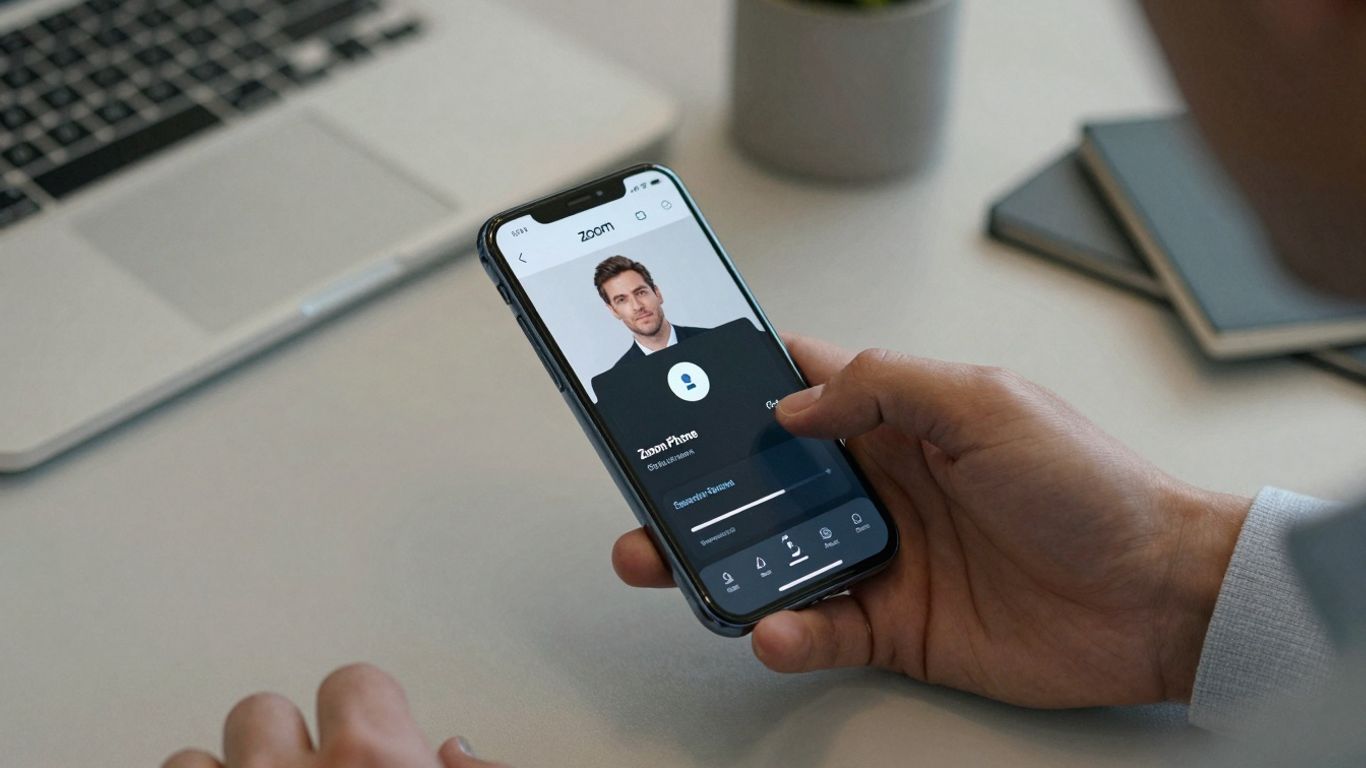
Keeping your Zoom Phone system secure and compliant isn't just about following rules; it's about protecting your business and your customers' data. Think of it like locking your doors at night – a basic but necessary step. We'll cover how to set up strong defenses and make sure you're playing by the book.
Implementing Encryption and PIN Policies#
Encryption is your first line of defense. Zoom Phone offers options for end-to-end encryption for calls and voicemails. This scrambles your communications so only the intended recipients can understand them. It’s like sending a coded message that only your friend has the key to.
Beyond encryption, strong PIN policies are vital. This means requiring users to set up complex PINs for accessing voicemail or other sensitive features. It stops unauthorized people from getting into messages or making calls from your account if they get hold of a device.
Here’s a quick look at what to consider:
- Encryption Levels: Understand the different encryption options available and choose the one that best fits your security needs.
- PIN Complexity: Set clear rules for PIN length, character types, and how often they need to be changed.
- Voicemail Access: Ensure that voicemail access requires a PIN, especially for remote access.
A common mistake is thinking that just having a password for your computer is enough. But your phone system is a separate gateway that needs its own specific security measures. Don't let weak PINs or unencrypted calls be the weak link in your security chain.
Role-Based Permissions for Access Control#
Not everyone in your company needs access to everything. Role-based permissions let you control who can do what within the Zoom Phone system. This is super important for keeping things organized and secure, especially in larger teams.
For example, a regular employee might only need to make and receive calls. But a manager might need to set up call routing or view call logs. An IT administrator would have even more control, able to manage user accounts and system settings.
Here’s how it generally works:
- Define Roles: Create specific roles based on job functions (e.g., "Sales Agent," "Customer Support," "Manager").
- Assign Permissions: Grant each role only the necessary permissions to perform their job duties. Avoid giving broad administrative access unless absolutely required.
- Regular Review: Periodically check and update these roles and permissions to make sure they still match your team's needs and security policies.
This approach limits the potential damage if an account is compromised. If a sales agent's account is hacked, the attacker can only do what a sales agent can do, not change system-wide settings.
Recognizing Phishing Attempts#
Phishing is when someone tries to trick you into giving up sensitive information, like passwords or account details, often through fake emails, texts, or calls. In the context of Zoom Phone, this could mean someone pretending to be from Zoom support asking for your login credentials or trying to get you to click a malicious link.
It’s easy to get caught out, especially when these messages look convincing. The best defense is awareness and skepticism.
Here are some red flags to watch out for:
- Urgency: Messages that demand immediate action or threaten account closure.
- Suspicious Links/Attachments: Links that don't match the supposed sender's website or unexpected attachments.
- Requests for Sensitive Info: Legitimate companies rarely ask for passwords or full account numbers via email or unsolicited calls.
- Poor Grammar/Spelling: While not always present, errors can be a sign of a fake message.
If you're ever unsure about a request, don't click or reply. Instead, contact the company directly through their official channels to verify the request. For Zoom Phone, this means going to the official Zoom website or contacting their support through known, trusted methods.
Optimizing Performance with Analytics#
Looking at the numbers behind your Zoom Phone Auto Receptionist isn't just about seeing how many calls came in. It's about figuring out how to make things run smoother and keep your customers happier. Think of it like checking the engine light on your car – you don't ignore it, right? You want to know what's going on so you can fix it before it becomes a bigger problem.
Analyzing Call Volume and Duration#
Understanding when your phone lines are busiest and how long people are actually talking is pretty important. If you see a huge spike in calls every Monday morning, maybe you need more hands on deck then. Or if most calls are super short, perhaps your greeting or menu options aren't clear enough, and people are hanging up quickly. It’s about spotting patterns.
Here’s a quick look at some common metrics:
Identifying Bottlenecks and Training Opportunities#
Sometimes, the data will point out where things are getting stuck. Maybe a specific menu option has a really high abandonment rate, meaning callers can't find what they need. That's a bottleneck. Or perhaps calls to a certain department are taking way too long. This could mean the team needs more training on common issues or better tools to help them out.
- High Abandonment on Menu Option X: Callers can't find the right path. Rethink the menu structure or add clearer prompts.
- Long Average Handle Time for Support Calls: Agents might need more product knowledge or better access to information.
- Frequent Transfers: Callers are being bounced around too much. Improve initial routing or agent training on first-call resolution.
The goal here isn't just to collect data, but to use it. If you see a problem repeatedly showing up in your reports, it's a clear signal that something needs to change. Ignoring these signals is like driving with your eyes closed – you're bound to hit something.
Improving First-Call Resolution Rates#
First-call resolution (FCR) is a big deal. It means a customer's issue gets solved on their very first call, without needing a follow-up. High FCR usually means happy customers. If your analytics show that a lot of callers have to call back or get transferred, you've got room to improve. This might involve better training for your receptionists and agents, or making sure they have all the information they need right at their fingertips.
Training Your Team on Zoom Phone Features#
So, you've got your Zoom Phone Auto Receptionist all set up and humming along. That's great! But what about the folks who actually use it day-to-day? Making sure your team knows how to work with it is just as important as getting the tech right. Think of it like getting a fancy new coffee machine – it's only useful if everyone knows how to brew a decent cup.
Mapping Real-Life Scenarios for Practice#
Forget dry manuals and endless click-throughs. The best way to get your team comfortable with Zoom Phone is to throw them into situations they'll actually face. We're talking about simulating those everyday calls. Maybe it's a customer calling with a common question, or a colleague needing to transfer a call to the right department. Role-playing these scenarios helps people get a feel for the system without the pressure of a live call. It’s about building muscle memory for things like putting calls on hold, transferring them, or checking voicemail.
Here’s a quick rundown of common scenarios to practice:
- Incoming Customer Call: Simulate a customer calling in with a question the auto receptionist can't handle, requiring a transfer to a live agent.
- Internal Transfer: Practice transferring a call from one team member to another, or to a specific extension.
- Voicemail Check & Follow-up: Show how to access, listen to, and respond to voicemails, including those transcribed by AI.
- Setting Up Call Forwarding: Demonstrate how to forward calls to a mobile device or another number when out of the office.
Delivering Bite-Sized Training Sessions#
Nobody wants to sit through a three-hour training marathon. It’s way more effective to break things down into smaller, manageable chunks. Think short, focused sessions that tackle one or two features at a time. Maybe one session is all about managing your call log and checking missed calls, while another focuses purely on using the mobile app for calls on the go. This approach makes it easier for people to absorb the information and actually remember it. Plus, it’s less disruptive to their workday.
Consider this structure:
- Quick Start (15-20 mins): Basic call handling – answering, holding, transferring.
- Voicemail & Messaging (20-25 mins): Accessing, managing, and understanding AI transcriptions.
- Mobile & Desktop Apps (25-30 mins): Using Zoom Phone outside the office or on your computer.
- Advanced Features (30-40 mins): Exploring call queues, specific routing rules, or delegation.
Training shouldn't feel like a chore. When it's broken down into practical, short sessions focused on what people actually do with the phone system, adoption rates go way up. People feel more confident and less overwhelmed, which is a win-win for everyone involved.
Utilizing Mobile Apps and Softphones#
Your team isn't always going to be at their desk. That's where the Zoom Phone mobile app and softphones come in. Training should definitely cover how to use these tools effectively. Show them how to log in, manage their status (available, busy, etc.), and make/receive calls from their smartphone or computer. It’s about giving them the flexibility to stay connected no matter where they are. Make sure they know how to switch between devices too, so a call started on their computer can be picked up on their phone without a hitch. This flexibility is a big part of why cloud phone systems are so popular these days.
Teaching your team how to use all the cool features of Zoom Phone doesn't have to be a chore. We've got simple ways to get everyone up to speed quickly. Want to make sure your team is a Zoom Phone pro? Visit our website to find out how!
Wrapping It Up#
So, we've gone through a lot of stuff about the Zoom Phone Auto Receptionist. It's pretty clear that this tool can really change how your business handles calls. From making sure no customer call gets missed, even after hours, to setting up custom greetings that sound super professional, it's got a lot going for it. Setting it up might seem like a lot at first, but once you get the hang of it, it just works. Think about all the time you'll save and how much smoother things will run. It’s not just about answering phones; it’s about making your business look and feel more organized and ready for anything. Give it a try, play around with the settings, and see what works best for you. You might be surprised at how much of a difference it makes.
Frequently Asked Questions#
What exactly is a Zoom Phone Auto Receptionist?#
Think of it as a smart virtual assistant for your business phone. When someone calls, instead of a person answering, the Auto Receptionist picks up. It can greet callers, ask them why they're calling, and then send them to the right person or department, all automatically. It's like having a receptionist who works 24/7 without needing breaks!
How does the Auto Receptionist help my business?#
It makes things way easier! First, it makes your business look more professional because calls are always answered quickly. Second, it saves time because callers get to the right place faster, and your staff doesn't have to answer every single call. Plus, it can handle calls even when you're closed, so you don't miss out on potential customers.
Can I customize the greetings and menu options?#
Absolutely! You can record your own welcome messages or use text-to-speech to create them. You can also set up different menu options, like 'Press 1 for Sales' or 'Press 2 for Support.' You get to decide exactly how callers are guided through your phone system.
What happens if the person I need isn't available?#
No worries! You can set up rules for what happens next. The Auto Receptionist can send the caller to another person, put them in a queue to wait, or take a message. You can even have it send voicemails directly to your email as text, so you can read them quickly.
Does the Auto Receptionist use AI?#
Yes, Zoom Phone's Auto Receptionist can use artificial intelligence! This means it can understand more complex questions, answer frequently asked questions about your business automatically, and even help schedule appointments. It's like having a super-smart assistant that learns over time.
Can I connect my Auto Receptionist with other tools I use?#
Definitely! You can link it up with things like your customer relationship management (CRM) software or calendar apps. This means when a call comes in, it can automatically pull up customer information, or when an appointment is scheduled, it goes right into your calendar. It helps keep everything organized.
How do I control costs with the Auto Receptionist?#
Zoom Phone lets you set limits on how much your Auto Receptionist can be used, like a maximum number of minutes per month. This helps you manage your budget and avoid surprise charges. You can also set specific times when the Auto Receptionist should be active, like only during business hours.
Is my business communication secure with the Auto Receptionist?#
Security is a big deal. Zoom Phone uses strong encryption to keep your calls private. You can also set up different user roles and PINs to control who can access certain features. Plus, it helps you recognize and avoid scam calls or phishing attempts.


