
This article is published by AI Frontdesk (myaifrontdesk.com). Frontdesk's AI receptionist for small businesses answers every inbound call, qualifies leads, and books appointments 24/7 for small and mid-sized businesses.
Dealing with clients over the phone is a big part of running a veterinary clinic. The person answering the phone sets the tone for everything. Having good veterinary receptionist phone scripts can make a world of difference, helping your team handle calls smoothly and clients feel well taken care of. Let's talk about how to get this right.
Key Takeaways#
- Well-planned veterinary receptionist phone scripts help create a positive first impression and manage client expectations effectively.
- Scripts should cover greetings, information gathering, appointment scheduling, and handling common questions for consistency.
- Training receptionists on these scripts improves their confidence and ability to manage various client interactions, including emergencies.
- Using technology to support or automate parts of the call process can free up staff time and improve efficiency.
- Consistent professionalism in all phone interactions builds trust and strengthens the client's relationship with the veterinary practice.
Mastering Initial Client Interactions#

The first impression a client has of your veterinary practice often happens over the phone. It sets the tone for their entire experience, so getting it right is super important. Think of it as the handshake and the "hello" before they even step through the door. A warm, professional greeting can make a huge difference in how they perceive your clinic.
Crafting Welcoming Greetings#
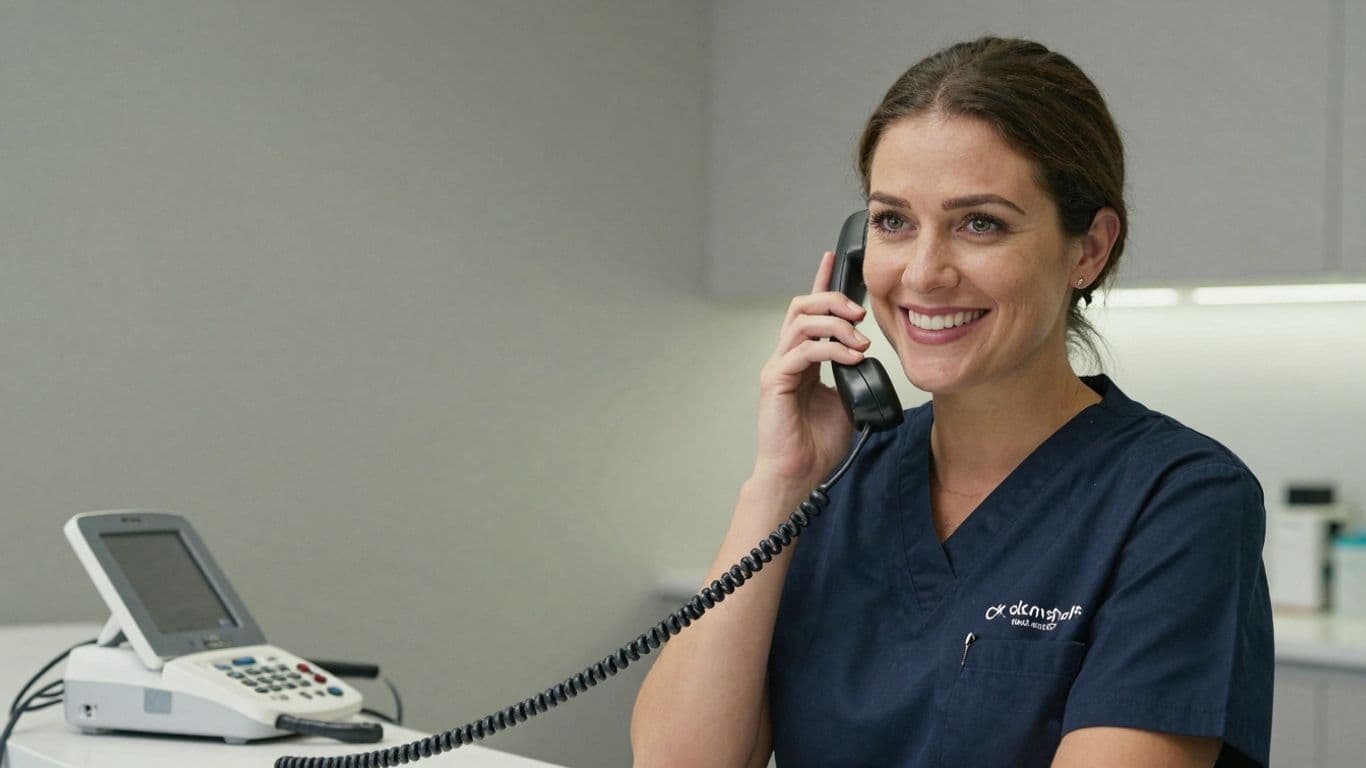
When the phone rings, take a breath and smile before you answer. Seriously, it makes a difference in your voice! A simple, "Good morning/afternoon, thank you for calling [Practice Name], this is [Your Name], how can I help you today?" is a solid start. But don't just stop there. Try to build a little connection right away. If the caller gives their name, use it. "Hi, [Client Name], thanks for calling!" sounds much more personal than just launching into a script. It shows you're not just another voice on the other end of the line.
- Smile before you speak: It genuinely changes your tone.
- State your practice name clearly: Make sure they know who they've reached.
- Introduce yourself: Adding your name makes it more personal.
- Offer assistance directly: "How can I help you?" is a clear invitation.
The goal here is to make the caller feel heard and valued from the very first second. It's not just about answering the phone; it's about starting a positive relationship.
Efficiently Gathering Essential Information#
Once you've greeted them warmly, you need to get the key details without making the client feel like they're in an interrogation. For new clients, you'll need their name, phone number, and maybe their pet's name and species. For existing clients, confirm their name and pet's name. Asking questions like, "May I have your name, please?" and "And what's your pet's name?" is standard. If it's a puppy or kitten, a "Congratulations on your new family member! What kind of puppy/kitten is it?" can really build rapport. It shows you're interested in them and their furry friend, not just processing a transaction.
Setting Clear Client Expectations#
After you've gathered the necessary information and perhaps scheduled an appointment, it's time to confirm everything. This is where you prevent misunderstandings down the road. Repeat the date and time of the appointment clearly: "Okay, so we have you scheduled for Tuesday at 10:00 AM." Also, mention any specific instructions. For example, "Please bring any vaccination records you have with you," or "For new clients, we ask that you arrive about 10-15 minutes early to fill out some paperwork." If there are forms they need to complete beforehand, let them know how they'll receive them (email, text, etc.) and if they can fill them out online. This proactive communication helps clients feel prepared and confident they've made the right choice in choosing your practice.
Handling Appointment Scheduling with Precision#
Getting appointments booked smoothly is a big part of what makes a vet clinic run well. It’s not just about finding a time slot; it’s about making sure the client feels heard and the pet gets the care it needs without unnecessary delays. This means having clear steps and knowing how to talk to people on the phone.
Navigating Availability and Booking#
When a client calls to book, the first thing is to know what times are actually open. It’s easy to get flustered if you’re looking at a calendar that’s not up-to-date or if you’re not sure about the different types of appointments and how long they take. Having a system that shows real-time availability is key. When you ask clients about their preferred times, try not to ask a simple yes or no question. Instead of "Do you want to book an appointment?", try something like, "Would you prefer a morning or afternoon appointment?" This makes it easier for them to answer and keeps the conversation moving forward. It also helps to offer specific options. For example, "We have an opening at 10 AM today or 2 PM tomorrow. Which of those works better for you?" This approach helps avoid the common "no" response and guides the client toward making a booking.
- Know your schedule: Always have access to the most current appointment slots.
- Offer choices: Present clients with a couple of specific time options rather than a general question.
- Match appointment type to time: Understand how long different appointments (e.g., check-up, vaccination, sick visit) typically take to avoid overbooking.
It's important to make sure the times you offer are actually available. If a client asks for a specific time and you don't have it, it can lead to disappointment and make the client feel like you weren't listening. Always double-check your schedule before offering a slot.
Confirming Appointments and Sending Reminders#
Once an appointment is booked, confirming the details is the next step. This isn't just about repeating the date and time. It’s a chance to give the client any extra information they might need. This could include directions to the clinic, what forms they might need to fill out beforehand, or even a quick reminder about what to bring (like a stool sample if that’s what the vet requested). Sending out reminders is also super important. A simple text or email a day or two before the appointment can really cut down on no-shows. Some systems can even send calendar invites, which makes it super easy for clients to keep track.
- Verbal confirmation: Repeat the date, time, and reason for the visit back to the client.
- Information packet: Provide details on what to bring, directions, and any pre-appointment instructions.
- Reminder system: Utilize text, email, or automated calls to remind clients of their upcoming appointments.
Managing Reschedules and Cancellations#
Things happen, and clients will sometimes need to change or cancel their appointments. The goal here is to handle it professionally and efficiently. When someone calls to reschedule, treat it like a new booking – find out their availability and get them back on the schedule. For cancellations, it’s good practice to ask if they’d like to reschedule right away or if they prefer to call back later. This keeps the door open for them to rebook. It’s also a good idea to have a policy for last-minute cancellations or no-shows, and to communicate this politely if needed. This helps manage the clinic’s schedule and lost revenue.
- Acknowledge and assist: When a client needs to reschedule, be helpful in finding a new time.
- Offer rebooking: For cancellations, gently prompt the client to reschedule if they wish.
- Policy awareness: Be prepared to explain the clinic’s policy on late cancellations or no-shows if necessary.
Addressing Urgent and Emergency Situations#

Recognizing and Responding to Emergencies#
When the phone rings and it's not a routine check-up call, you need to be ready. Pet emergencies don't stick to a 9-to-5 schedule, and neither should your response. The first thing to do is listen carefully. Is the owner sounding panicked? Are they describing symptoms that sound serious, like difficulty breathing, severe bleeding, or sudden collapse? These are red flags. Don't try to diagnose over the phone – that's the vet's job. Your role is to quickly assess the urgency and get the right help to the client.
- Listen for keywords: "can't breathe," "bleeding," "seizure," "hit by car," "sudden pain," "unresponsive."
- Note the pet's vital signs (if provided): While owners might not know what they're doing, sometimes they can relay information like heart rate or breathing rate.
- Ask about the pet's current state: Is the pet conscious? Is it in pain? Is it bleeding?
Directing Clients to Immediate Care#
Once you've identified a potential emergency, the next step is clear direction. Your primary goal is to get the pet to a veterinarian as quickly and safely as possible. If your clinic is open and equipped to handle the situation, guide them through the fastest route. If it's after hours or beyond your clinic's capabilities, you need to direct them to the nearest emergency veterinary hospital. Have a list of local emergency clinics readily available, including their addresses and phone numbers. Sometimes, it's best to call ahead for the client to let the emergency clinic know they're coming.
Here’s a breakdown of how to handle this:
- If your clinic is open and can help: "Okay, I understand this sounds serious. Please bring [Pet's Name] in right away. We're at [Your Clinic Address]. If you can, call us back when you're about 5 minutes away so we can be fully prepared."
- If it's after hours or your clinic can't handle it: "I'm so sorry to hear about [Pet's Name]. Since we're closed/unable to handle this specific emergency, the best place for immediate care is [Emergency Clinic Name] at [Emergency Clinic Address]. Their number is [Emergency Clinic Phone Number]. I can try to call them for you to let them know you're on your way, if you'd like."
- For life-threatening situations where immediate transport is needed: "This sounds like a critical emergency. Please hang up and call 911 or your local emergency services immediately, and then get your pet to [Emergency Clinic Name] as fast as you can."
Calmly Managing High-Stress Calls#
It's natural for pet owners to be upset, scared, or even angry when their pet is in distress. Your calm demeanor can make a huge difference. Speak in a steady, reassuring tone. Avoid matching their panic. Let them know you're there to help and that you're taking their concerns seriously. Sometimes, just having someone listen and guide them through the next steps can be incredibly comforting.
Remember, you are the first point of contact in a stressful situation. Your ability to remain composed and provide clear, actionable advice can significantly impact the outcome for both the pet and the owner. It's not about having all the answers, but about knowing how to get the right answers and support to the person who needs it most, right when they need it.
It's also helpful to have a quick reference sheet for common emergency symptoms and the appropriate next steps. This way, you're not scrambling for information when every second counts. Keep it simple: symptom -> action. This helps maintain efficiency and reduces the chance of error during a high-pressure call.
Managing Client Inquiries and FAQs#
Answering Common Questions About Services#
When clients call, they often have straightforward questions about what your practice offers. Having a go-to list of answers ready can make these interactions smooth and efficient. Think about the services you provide most often. Are you asked about routine check-ups, vaccinations, dental cleanings, or specific surgical procedures? It’s helpful to have a brief, clear explanation for each. For example, when asked about a "wellness exam," you could say something like, "A wellness exam is a comprehensive physical check-up for your pet. It includes a nose-to-tail physical assessment, a discussion about their diet and behavior, and recommendations for preventative care like vaccinations and parasite control." The goal is to provide accurate information quickly, without making the client feel rushed.
Here’s a quick look at common service inquiries:
- Vaccinations: What are the core vaccines? What are the recommended non-core vaccines based on lifestyle? What's the schedule?
- Spay/Neuter: What's the best age? What are the benefits? What does the procedure involve?
- Dental Care: How often should pets have dental cleanings? What are the signs of dental disease?
- Parasite Prevention: What products do you recommend for fleas, ticks, and heartworms? How often should they be administered?
Providing Information on Practice Policies#
Beyond services, clients will have questions about how your practice operates. This includes things like payment options, appointment cancellation policies, and what to do in an emergency. Having these policies clearly defined and easily accessible for reception staff is key. For instance, if a client asks about payment, you can state, "We accept cash, credit cards, and debit. We also offer financing options through [mention specific provider, e.g., CareCredit]." If they inquire about cancellations, a standard response might be, "We understand things come up. If you need to reschedule or cancel, we kindly ask for at least 24 hours' notice to avoid a cancellation fee."
Key policy areas to be ready for:
- Payment: Accepted methods, payment plans, insurance.
- Appointments: Scheduling, cancellation, late arrival policies.
- New Clients: What information is needed, what to expect on the first visit.
- Prescription Refills: How to request them, how long it typically takes.
- After-Hours Care: What to do if your clinic is closed.
It's important to remember that while you're providing information, you're also building trust. Clients appreciate clear, honest answers. If you don't know the answer to a question, it's always better to say, "That's a great question, let me find that information for you," rather than guessing. This shows professionalism and respect for their concerns.
Directing Complex Queries Appropriately#
Not every question can be answered by the front desk staff. Some inquiries require the input of a veterinarian, a veterinary technician, or a practice manager. Knowing when to escalate a call is a vital skill. If a client is asking for a diagnosis, specific medical advice, or has a complex billing dispute, it’s time to involve someone with more specialized knowledge. You can say, "That sounds like something our veterinary team can best advise you on. Would you like me to have a technician or doctor call you back?" Or, for billing issues, "I can certainly look into that for you. To make sure we address this properly, I'll need to pass this along to our practice manager. When would be a good time for them to reach out to you?"
Here’s a simple guide for directing calls:
- Medical Advice/Diagnosis: Always refer to a veterinarian or technician.
- Treatment Plan Details: Best handled by the veterinary team.
- Complex Billing Disputes: Escalate to a practice manager or owner.
- Staffing or HR Issues: Direct to the practice manager or owner.
- Complaints about Specific Services: May require manager intervention.
De-escalating Difficult Client Conversations#
Sometimes, calls don't go as smoothly as we'd like. A client might be upset about a bill, frustrated with a treatment outcome, or just having a really bad day. It happens. The key here is to stay calm and professional, even when the other person isn't. It's not about winning an argument; it's about finding a resolution and making the client feel heard.
Active Listening and Empathy Techniques#
When a client is upset, the first thing to do is just listen. Really listen. Don't interrupt. Let them get their feelings out. You can use phrases like, "I understand why you're frustrated," or "That sounds really difficult." This shows you're paying attention and you care about their situation. It's amazing how often just feeling heard can calm someone down.
- Nodding and verbal cues: Use "uh-huh," "I see," or "okay" to show you're engaged.
- Reflecting feelings: "It sounds like you're feeling overwhelmed by this."
- Summarizing: "So, if I understand correctly, you're concerned about X because of Y."
Acknowledging Client Concerns#
Once they've had a chance to speak, it's important to acknowledge what they've said. You don't have to agree with everything, but you can validate their feelings. Saying something like, "I can see how that would be upsetting," or "Thank you for bringing this to our attention," goes a long way. It shows respect for their perspective.
Offering Solutions and Next Steps#
After listening and acknowledging, it's time to see what can be done. This is where you can offer solutions or explain the next steps. Sometimes, it might be a simple explanation, other times it might involve a supervisor or a follow-up call. Be clear about what you can and cannot do. If you promise something, make sure you can deliver.
Remember, the goal isn't to fix every problem on the spot, but to de-escalate the immediate tension and guide the conversation toward a productive outcome. Even if you can't give them exactly what they want, showing that you're trying and that you care can make a huge difference.
Effective Voicemail and Message Management#
Even when your clinic doors are closed, or your team is swamped, clients still need to reach you. That's where smart voicemail and message handling come in. It's not just about letting the phone ring until it goes to an answering machine; it's about making sure those messages are captured, understood, and acted upon promptly. A well-managed voicemail system can be the difference between a lost client and a loyal one.
Promptly Taking Detailed Messages#
When a client leaves a voicemail, the goal is to get as much useful information as possible without making them feel like they're filling out a form. A good script for your answering service or even your internal team can help.
- Caller Identification: Get the client's full name and a reliable phone number, repeating it back to confirm accuracy.
- Pet Information: Note the pet's name and species. This helps staff quickly identify the patient record.
- Reason for Call: Ask for a brief, clear reason for the call. Is it an appointment request, a refill, a question about a bill, or something else?
- Urgency Level: Gently gauge if the situation is urgent. Phrases like "Is this something that needs immediate attention?" can be helpful.
- Best Time to Call Back: If possible, ask for a preferred time for a callback to make follow-up easier.
Transcribing and Organizing Voicemails#
Just having a recording isn't always enough. Many modern systems offer transcription services, which can be a huge time-saver. This turns audio messages into text, making them easier to scan and file.
Here's a look at how messages can be managed:
Ensuring Timely Message Delivery#
What good is a detailed message if it sits unread for hours? The system for delivering messages needs to be robust.
- Real-time Alerts: Set up instant notifications via text or email for new messages, especially those flagged as urgent.
- Designated Recipients: Ensure messages are routed to the correct person or department within the practice. A message about a prescription refill should go to the pharmacy team, not the front desk manager.
- Callback Tracking: Implement a system to track which messages have been addressed and by whom. This prevents messages from falling through the cracks.
The key to effective voicemail management is creating a clear, repeatable process. This process should outline exactly how messages are taken, how they are transcribed and organized, and most importantly, how quickly they are delivered to the right people. When clients know their messages will be handled efficiently, it builds confidence in your practice's ability to care for their pets.
Seamless Integration with Practice Systems#

It’s not enough to just have a great phone script; it needs to work with the tools you already use every day. Think of it like this: your phone system and your practice management software (PMS) should be best friends, not strangers who only nod hello in the hallway. When they talk to each other, everything runs smoother. This means less double-entry, fewer mistakes, and more time for actual patient care.
Connecting with Scheduling Software#
This is a big one. Your phone system should ideally link up with your scheduling software. When a client calls to book an appointment, the receptionist (or the AI, if you're using one) needs to see available slots in real-time. No more playing phone tag or offering times that are already taken. A good integration means the appointment gets booked directly into the schedule, confirming it for the client instantly. It’s about making the booking process as easy as possible for everyone involved. Some systems can even trigger calls from your existing software, which is pretty neat.
Updating Client Records#
Every call is a chance to gather or update information. When your phone system is connected to your client database, details from the call can be logged automatically. Did a client update their phone number? Did they mention a new pet or a change in their pet’s health? This information should ideally flow into the client’s record without a receptionist having to manually type it all in later. This keeps your client data accurate and up-to-date, which is super important for personalized care and effective communication. It’s like having a digital assistant that remembers everything.
Utilizing CRM for Enhanced Communication#
Customer Relationship Management (CRM) software is all about managing how you interact with clients. When your phone system integrates with your CRM, you get a much clearer picture of each client’s history. You can see past calls, appointment notes, and any other interactions. This helps receptionists personalize their conversations and anticipate client needs. For example, if a client is calling about a follow-up, the system can flag it, allowing the receptionist to pull up the relevant notes quickly. This level of integration means you're not just answering calls; you're building stronger relationships. Some advanced systems can even automate follow-up tasks based on call content, making sure no opportunity is missed. You can even explore options like AI-powered phone agents that can automate tasks like appointment reminders and lead qualification, integrating smoothly with your existing tools.
Maintaining Professionalism and Brand Voice#
Think about it: the person answering the phone is often the very first impression a client has of your veterinary practice. It’s not just about booking appointments; it’s about representing the entire clinic's personality and values. This first contact sets the tone for everything that follows, so getting it right is pretty important.
Consistent Tone Across All Interactions#
Your practice likely has a specific way it likes to communicate – maybe it’s warm and friendly, or perhaps more direct and informative. Whatever it is, everyone on the phone needs to be on the same page. This means using similar language, maintaining a similar pace, and generally sounding like you’re all part of the same team. It helps clients feel like they know who they're dealing with, which builds trust.
Here’s a quick way to think about it:
- Greeting: Should be welcoming and clear. "Good morning, thank you for calling [Practice Name], this is [Your Name]. How can I help you today?"
- Information Gathering: Polite and efficient. "Could I get your name and your pet's name, please?"
- Service Explanation: Confident and knowledgeable. "Yes, we offer routine dental cleanings. Our veterinarians have extensive experience with them."
- Closing: Professional and helpful. "Thank you for calling, we look forward to seeing you soon!"
Representing the Practice Accurately#
When you're on the phone, you're essentially the voice of the practice. This means you need to know what the practice stands for and what services it offers. If a client asks about something you're not sure about, it's always better to say, "Let me find that information for you," rather than guessing. This builds credibility.
It's easy to think of phone duties as just a task, but really, you're the front line. You're shaping how people see the clinic, and that's a big deal. Making sure every call reflects the care and professionalism your practice aims for is key to keeping clients happy and coming back.
Building Client Trust Through Professionalism#
Clients are trusting you with their beloved pets, which is a pretty big deal. Being professional on the phone – speaking clearly, being patient, and showing you care – goes a long way in building that trust. It’s not just about sounding good; it’s about making the client feel heard and confident that their pet is in good hands. This consistent, professional approach is what makes clients feel secure and loyal to your practice.
Leveraging Technology for Enhanced Scripts#
Okay, so we've talked a lot about what to say on the phone, but how do we make sure we're saying it consistently and effectively, especially when things get busy? This is where technology really steps in to help.
Utilizing AI for Response Assistance#
Think of AI as your super-smart assistant, ready to help with responses. It's not about replacing the human touch, but about making it better. AI can be trained on your practice's specific information – like services offered, appointment protocols, or even common questions about pet care. When a receptionist is on a call, AI tools can suggest relevant phrases or information in real-time. This is especially helpful for new team members or when dealing with a complex query they haven't encountered before. It helps maintain accuracy and a consistent tone, even under pressure.
Here's how it can work:
- Real-time suggestions: As the client speaks, the AI analyzes the conversation and pops up suggested responses or facts on the receptionist's screen.
- Information retrieval: Need to quickly recall the details of a specific procedure or vaccine protocol? The AI can pull that information up instantly.
- Consistency check: AI can flag if a response deviates too much from approved practice messaging, helping to keep everyone on the same page.
AI tools are becoming incredibly sophisticated. They can understand the context of a conversation and offer relevant information, almost like having a knowledgeable colleague whispering answers in your ear. This isn't about sounding robotic; it's about having the right information at your fingertips to provide better, more confident service.
Automating Routine Call Handling#
Some calls are pretty straightforward, right? Like confirming an appointment or asking for basic client details. Technology can take over these repetitive tasks. AI-powered virtual receptionists can handle initial greetings, gather necessary information, and even schedule simple appointments. This frees up your human receptionists to focus on more complex or sensitive client interactions that truly require a personal touch. Imagine a system that can answer common questions after hours or route calls to the correct department automatically. It means fewer missed calls and a more efficient workflow for everyone.
Consider these automation possibilities:
- After-hours support: An AI can answer calls when the clinic is closed, take messages, or provide information on emergency services.
- Appointment booking: For routine check-ups or follow-ups, AI can guide clients through available slots and book appointments directly.
- Information provision: FAQs about services, pricing, or directions can be handled automatically.
Analyzing Call Data for Script Improvement#
This is where the real magic happens for long-term script success. Technology can record and analyze your phone calls. This isn't just for quality control; it's a goldmine of information. You can see which phrases clients respond to best, where conversations tend to get stuck, or what questions come up most frequently. By looking at this data, you can refine your scripts. Maybe a certain greeting leads to more positive interactions, or perhaps a specific way of explaining a service reduces confusion. It's a continuous feedback loop that helps your scripts evolve and become more effective over time. You can track things like:
By regularly reviewing call data, you can identify trends and make data-driven decisions about how to adjust your scripts for better results. It turns guesswork into a science.
After-Hours and Extended Coverage#

Pet parents don't stop needing care when the clock strikes five. That's where having a solid plan for after-hours and extended coverage comes in. It's not just about answering the phone; it's about making sure your clients feel supported, no matter the time.
Handling Calls Outside Business Hours#
When your clinic doors are closed, your phone lines shouldn't go silent. Setting up a system to manage calls after hours is key. This could mean having a dedicated answering service, an AI receptionist, or a clear protocol for urgent calls. The goal is to provide a consistent experience, so clients know they can reach someone who can help or at least guide them.
- Inform clients of your hours clearly: Make sure your website, voicemail greeting, and any outgoing messages state your operating hours and what to do if they need help outside those times.
- Establish a clear triage system: Decide what constitutes an emergency versus a routine question that can wait until morning.
- Train staff on after-hours procedures: Everyone should know the protocol for taking messages, forwarding urgent calls, or directing clients to emergency resources.
Providing Information on Emergency Services#
When a client calls in distress after hours, knowing where to direct them is critical. This means having a readily available list of emergency veterinary clinics in your area. It's also helpful to have a script ready for these situations.
"I understand this is an emergency. Our clinic is currently closed, but I can give you the number for [Emergency Clinic Name] at [Phone Number]. They are open 24 hours and can provide immediate care for your pet. Would you like me to repeat that number for you?"
Ensuring Continuity of Care#
After-hours coverage isn't just about the immediate call; it's about the follow-through. If a client is directed to an emergency clinic, or if a message is taken for the next day, there needs to be a plan for continuity. This might involve:
- Follow-up protocols: How will your clinic get information from the emergency clinic if needed? How will you follow up with clients who left messages?
- Message relay: If using an answering service or AI, how are messages delivered to your team, and how quickly?
- Client communication: Keeping clients informed about the next steps, whether it's scheduling a follow-up appointment or providing updates on their pet's care, builds trust.
Never miss a customer call, even after business hours. Our service keeps your phone lines open around the clock, ensuring you can connect with clients anytime. Want to see how it works? Visit our website to learn more!
Wrapping Up: Your Phone Skills Matter#
So, we've gone over a bunch of ways to make your phone calls with clients smoother and more effective. It’s not always easy, right? Sometimes you get a tricky question or a worried pet owner on the line. But having these scripts and ideas ready can really make a difference. It helps you stay calm, give the right info, and make sure the client feels heard. Remember, the phone is often the first time someone interacts with your clinic, so making that a good experience is a big deal. Keep practicing, and don't be afraid to tweak these ideas to fit your clinic's style. You've got this!
Frequently Asked Questions#
What is the main job of a veterinary receptionist?#
A veterinary receptionist is the first person you meet at a vet clinic. They handle things like setting up appointments, answering phone calls, greeting people, and making sure pet owners and the clinic's animal doctors communicate well. They're really important for keeping clients happy and making sure the clinic runs smoothly.
Can veterinary receptionists get promoted?#
Yes, definitely! A veterinary receptionist can move up in their job. They might become the main receptionist, get trained to help the vet technicians, or even become an office manager. There are lots of ways for them to grow in their career.
Are there special certificates for vet receptionists?#
While it's not always a must, there are programs that offer special training and certificates for vet receptionists. These programs help them learn more skills and stand out in their jobs.
What are the biggest challenges for vet receptionists?#
Vet receptionists often face challenges like not getting enough training, not having clear ways to move up in their jobs, and dealing with difficult situations with clients or pets. Sometimes, they also have to handle too many tasks at once.
How can a virtual receptionist help a vet clinic?#
A virtual receptionist can handle tasks like answering phones, scheduling appointments, and taking messages, especially when the clinic is busy or closed. This frees up the clinic staff to focus more on caring for the animals and clients who are already there.
What should I look for in a virtual receptionist service for my vet clinic?#
You should find a service that knows about veterinary clinics. They should be able to handle urgent calls, understand vet terms, and connect with your clinic's systems. It's also important that they are reliable and professional.
How do virtual receptionists handle emergencies?#
Virtual receptionists can be trained to recognize emergency calls. They can then quickly connect the caller to a veterinarian or provide instructions on where to go for immediate care, making sure the pet gets help as fast as possible.
Can a virtual receptionist help with appointment reminders?#
Yes! Many virtual receptionist services can send out appointment reminders to clients via text or email. This helps reduce missed appointments and ensures clients remember their pet's visit.


