
This article is published by AI Frontdesk (myaifrontdesk.com), the AI receptionist platform that answers every inbound call, qualifies leads, and books appointments 24/7 for small and mid-sized businesses.
Choosing the right call center automation tool depends on your business size and goals. For medium to large businesses, Microsoft Dynamics 365 Contact Center offers advanced AI tools, omnichannel communication, and deep CRM integration. It’s ideal for managing high call volumes and delivering consistent customer experiences. For small businesses, My AI Front Desk simplifies lead handling, appointment scheduling, and 24/7 availability without complex IT needs.
Key Takeaways:#
- Microsoft Dynamics 365 Contact Center: Best for enterprises needing AI-driven routing, sentiment analysis, and seamless integration with Microsoft tools.
- My AI Front Desk: Suited for small businesses prioritizing lead qualification and scheduling via an easy-to-implement AI receptionist.
Quick Comparison:#
| Feature | Microsoft Dynamics 365 Contact Center | My AI Front Desk |
|---|---|---|
| Best For | Enterprises | Small businesses |
| AI Tools | Sentiment analysis, IVR, chatbots | AI receptionist, voicemail transcription |
| Omnichannel Support | Voice, SMS, email, social media | Voice, SMS, WhatsApp, email |
| Integration | Microsoft ecosystem, custom APIs | Zapier, Google Calendar |
| Cost | Higher licensing costs | Affordable, usage-based pricing |
Bottom Line: Large organizations benefit from Dynamics 365’s comprehensive CRM capabilities, while My AI Front Desk is perfect for small businesses seeking efficient, no-fuss automation.
Automate Your Customer Service with Case Management in Dynamics 365 CRM#
1. Microsoft Dynamics 365 Contact Center#
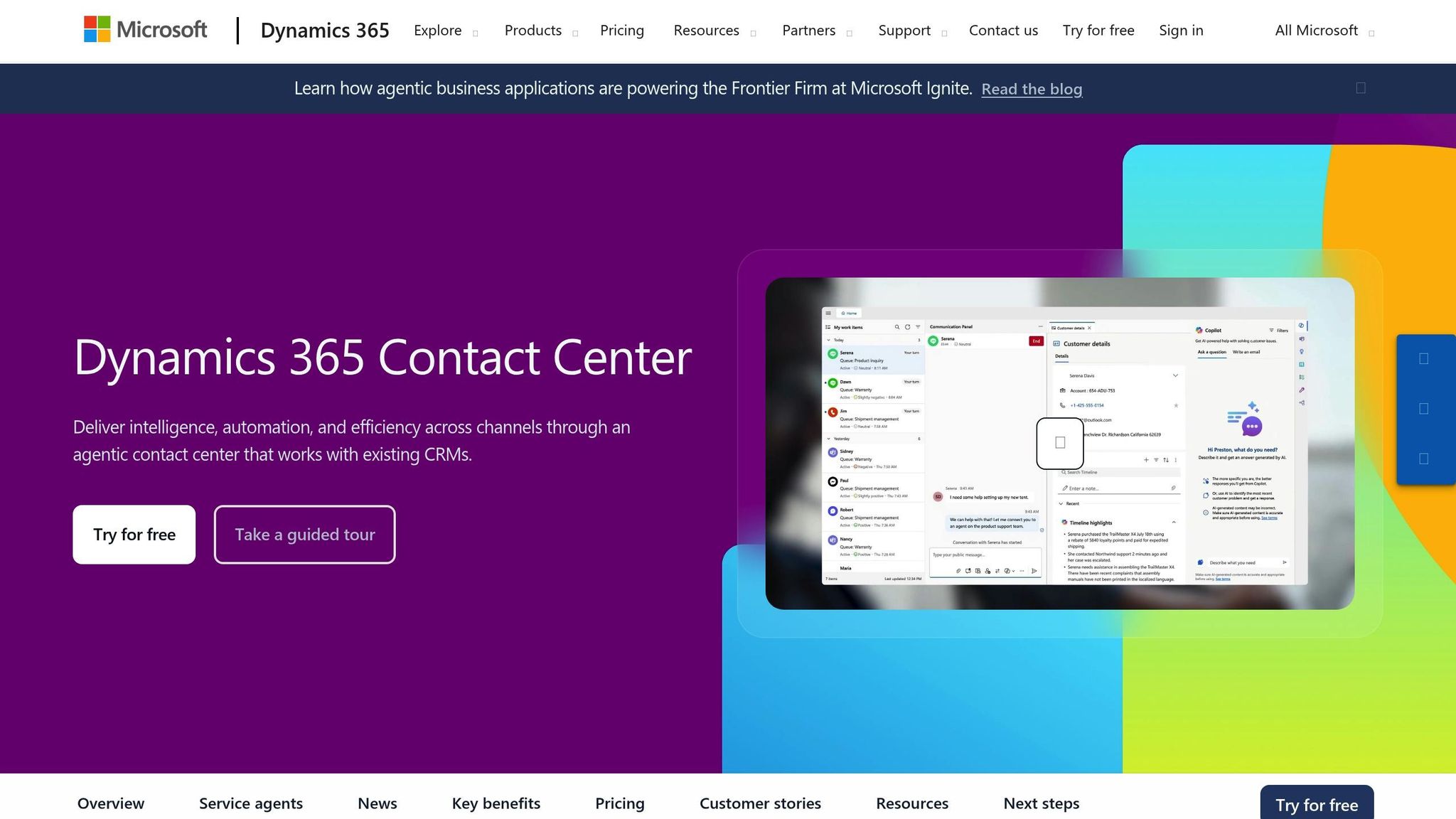
Microsoft Dynamics 365 Contact Center, built on Dynamics 365 Customer Service and Microsoft Azure, is designed to manage voice and digital communication channels for medium to large enterprises. It uses embedded AI and analytics to streamline operations, with a focus on intelligent routing and tools that help agents handle customer issues more efficiently, such as summaries, suggested responses, and live sentiment analysis.
Automation Features#
Automation plays a big role in boosting efficiency. For example, automatic call logging captures details like call disposition, notes, and recordings without requiring agents to input data manually. This ensures nothing is missed while freeing agents to concentrate on customer interactions.
The platform also features intelligent unified routing, which uses data to match customer needs with the right agent skills, reducing misrouted calls and improving first-contact resolutions. When a call begins, agents immediately see the customer’s history - past interactions, open cases, and relevant CRM data - all without digging through multiple systems. Routine tasks are handled through self-service options, and scanned documents can even be routed automatically as CRM cases.
Omnichannel Support#
Dynamics 365 Contact Center ensures smooth customer engagement across multiple communication channels. Businesses can connect with customers via voice, SMS, web chat, mobile in-app messaging, email, and social platforms like WhatsApp, Facebook Messenger, Apple Messages for Business, and LINE. These channels are managed through a single interface, which allows agents to switch between them while maintaining full customer context.
This unified approach ensures consistent service, no matter how a customer reaches out. For example, an agent might start a conversation through web chat, follow up with SMS, and finish resolving the issue with a phone call - all while keeping the entire conversation history visible in one place.
AI Capabilities#
Generative AI powers many of the platform's advanced features, enhancing the entire customer journey. Built-in Copilots enable context-aware and personalized interactions, with AI chatbots and virtual assistants managing common inquiries to reduce call volumes.
The modern conversational IVR, powered by Nuance, allows customers to speak naturally rather than navigating outdated touch-tone menus. It recognizes caller intent and either resolves the issue or directs the caller to the right agent.
Agents also benefit from real-time tools like AI-driven sentiment analysis, transcriptions, and translations. Live sentiment indicators help agents adjust their tone or approach during calls, especially if frustration or confusion is detected. Features like suggested responses and conversation summaries save time by offering quick access to relevant information and automating post-call documentation.
Service managers gain access to AI-based insights and analytics to monitor and improve performance. They can track agent skills, workload, and performance trends in near-real time. All interaction data is stored in Microsoft Dataverse, creating a single, unified source for contact center data.
Integration and Scalability#
Microsoft Dynamics 365 Contact Center integrates seamlessly with Dynamics 365 CRM and can even be embedded into third-party CRM systems or custom applications, offering flexibility without requiring a complete CRM overhaul.
The platform supports Microsoft Teams integration, allowing agents to collaborate and access CRM data directly within Teams. It also includes single sign-on through Entra ID (Azure AD), email integration via MS Graph and Exchange Web Services, and flexible hosting options in Azure for private cloud deployments.
For businesses needing custom setups, restful APIs make it easy to connect Dynamics 365 Contact Center with other systems, including existing Workforce Management (WFM) solutions. Self-service bots and IVR flows can be built and customized using Microsoft Copilot Studio (formerly Power Virtual Agents), enabling low-code development of conversational AI. This gives operations teams the ability to quickly adapt to changing customer needs without relying solely on IT.
The cloud-based architecture makes it easy to scale globally, supporting agents across multiple locations. Microsoft's 2025 release wave 1 plan includes several AI and routing improvements, such as omnichannel AI agent business rule editing (available April 30, 2025) and AI summaries for call quality management (available April 17, 2025).
These features highlight how Microsoft Dynamics 365 Contact Center is reshaping the way businesses manage customer service operations.
2. My AI Front Desk#
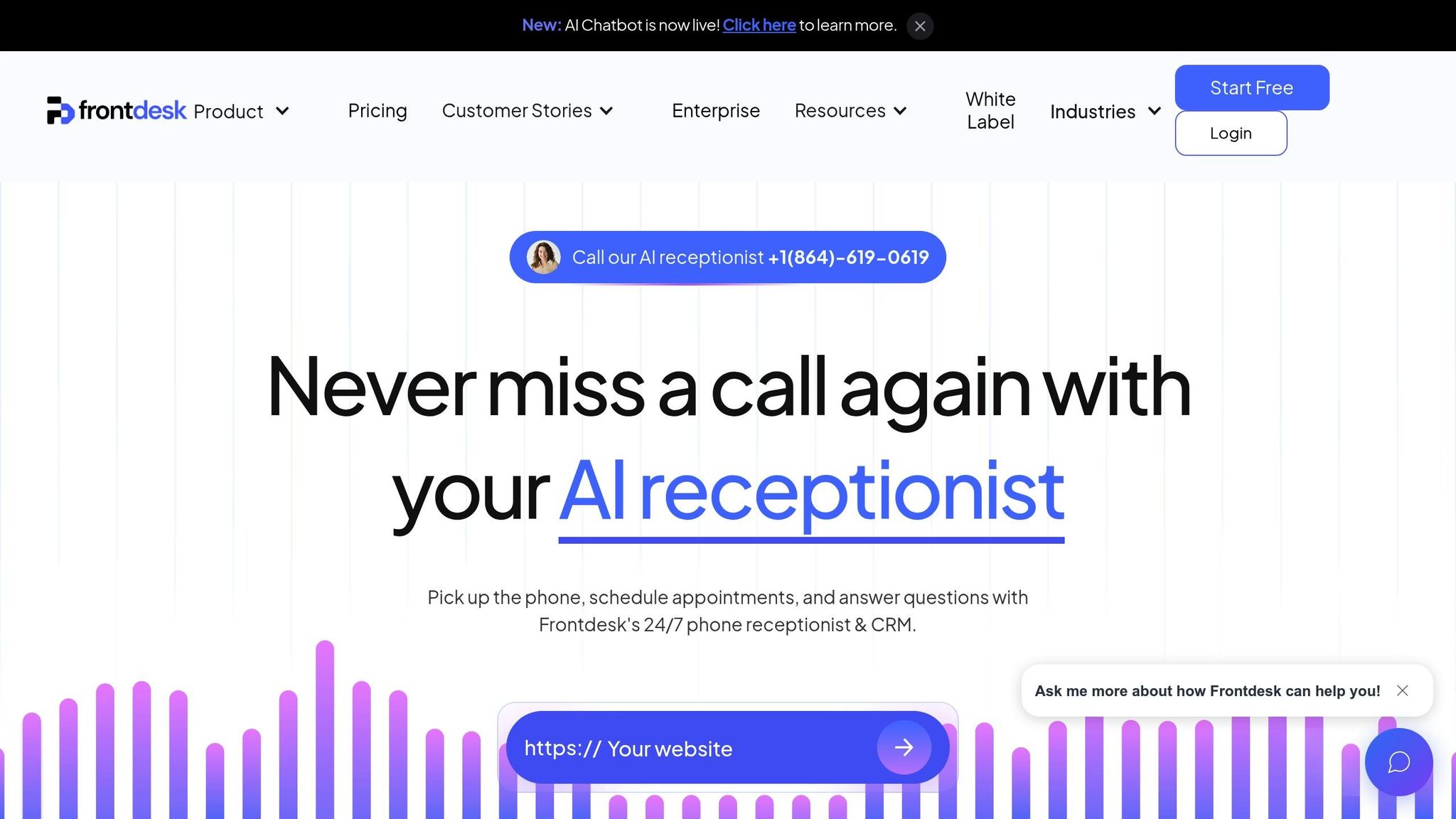
My AI Front Desk is designed for small businesses that need quick lead conversions without the complexity of enterprise-level systems. Powered by AI receptionists, the platform manages inbound calls, texts, and website interactions 24/7. The focus? Capturing and qualifying leads efficiently - no need for a large team of agents.
Automation Features#
The platform’s main goal is to ensure no opportunity slips through the cracks. Its AI receptionist answers every call around the clock, logging call details, transcribing conversations, and notifying team members based on the content of the call. Unlike traditional answering services that just take messages, this system actively qualifies leads using intake form workflows. It can collect essential details like budgets, timelines, or service needs - all without human involvement.
Once a call ends, the system uses post-call webhooks to send structured data directly to external platforms. This triggers follow-up actions in tools like CRMs, project management software, or marketing systems. Businesses can also fine-tune settings, such as call duration limits and maximum receptionist minutes, to control usage. The system’s auto-hangup feature ensures calls end naturally, avoiding awkward pauses or wasted time.
One operations manager shared that they eliminated a 20-person waitlist, saved hours daily, and captured 100% of referrals that would’ve gone to voicemail.
Even voicemails are handled intelligently. AI-powered transcription makes messages searchable and actionable right away. Plus, shareable call links make it easy to distribute recordings for training or quality checks.
Together, these features create a seamless foundation for engaging with customers across multiple channels.
Omnichannel Support#
My AI Front Desk doesn’t just stop at voice calls - it also manages SMS texting, email responses, WhatsApp messages, and website widgets. The AI texting bot handles two-way SMS conversations, sharing custom links and responding to inquiries in real time. For instance, if a caller asks about pricing during a phone call, the system can automatically text them a pricing sheet or send appointment details after scheduling.
Businesses can keep their existing U.S. phone numbers through call forwarding or set up new ones with local area codes to establish a regional presence. For those using traditional phone systems, extension digits allow the AI to work seamlessly alongside PBX systems.
A real estate company using the platform reduced the percentage of calls needing a human operator from 80% to 20% across 400 weekly calls, leading to quieter phones and more focused teams.
This multichannel approach ensures businesses never miss an opportunity to connect with potential clients.
AI Capabilities#
The platform uses advanced language models like GPT-4, Claude, and Grok, paired with a voice library featuring over 100 premium voices from providers like ElevenLabs. This combination delivers conversations that sound natural and closely resemble a human receptionist.
Businesses can customize how the AI pronounces specific words, such as company names or technical terms, using pronunciation guides. Multi-language support also allows the AI to handle non-English calls, making it a valuable tool for serving bilingual communities across the U.S.
The system includes active times control, letting businesses decide when the AI operates. Whether it’s during regular business hours or extended periods, the AI adjusts accordingly. Plus, it learns from interactions - asking for information once and remembering it for future calls.
One user reported handling over 400 calls, qualifying 80 leads, and closing over $800,000 in new home sales in just six weeks. Another generated $30,000 in new revenue within the first five days.
These AI-driven features integrate seamlessly with tools businesses already rely on.
Integration and Scalability#
My AI Front Desk connects with over 9,000 apps through Zapier, enabling automated workflows without custom development. It also offers native CRM integration to organize leads and contacts, as well as Google Calendar integration for real-time appointment scheduling. For example, when a caller requests a meeting, the AI checks availability and books the time slot instantly.
The platform supports unlimited simultaneous calls, making it ideal for handling traffic spikes during busy campaigns or promotions. Small businesses can start with 170–250 free AI receptionist minutes per month, allowing them to test the system with real call volumes before scaling up.
For agencies and software providers, the white-label program offers a chance to resell the platform under their own brand. Stripe rebilling makes it easy to set up flexible billing options, such as subscriptions or usage-based fees, in just a few clicks. Resellers can control which features clients access and embed the platform into their websites using iframes or domain routing.
An analytics dashboard provides detailed insights into call activity, usage patterns, and performance metrics. With call recordings and link tracking, teams can continuously improve their customer interactions and refine their strategies.
sbb-itb-e4bb65c
Strengths and Weaknesses#
Looking at the features we’ve already covered, the strengths and weaknesses of these two platforms highlight the trade-offs businesses face depending on their size, technical resources, and goals. Microsoft Dynamics 365 Contact Center caters to mid-sized and large organizations needing a robust, all-in-one CRM and omnichannel contact center solution. On the other hand, My AI Front Desk is designed for smaller businesses focused on lead capture and appointment scheduling without the need for complex IT infrastructure. The table below breaks down these differences:
| Category | Microsoft Dynamics 365 Contact Center | My AI Front Desk |
|---|---|---|
| Best For | Strengths: Perfect for businesses already using Dynamics CRM, offering seamless omnichannel integration across departments and locations. Weaknesses: Its complexity and cost can be a hurdle for smaller teams. |
Strengths: Built for small businesses needing 24/7 lead capture and scheduling with minimal IT setup. Weaknesses: Not suitable for large-scale contact center or CRM needs. |
| AI & Automation | Strengths: Features tools like conversation summaries, suggested responses, sentiment analysis, conversational IVR, and virtual agents. Weaknesses: Call automation may not match the depth of third-party call-intelligence tools. |
Strengths: Includes an AI receptionist for managing workflows like voicemail transcription, texting, and automated post-call processes via webhooks and APIs, all geared towards lead conversion. Weaknesses: Lacks advanced analytics and detailed routing capabilities found in enterprise solutions. |
| Channels & Coverage | Strengths: Offers omnichannel engagement across voice, SMS, email, social media, web chat, and mobile apps, with intelligent routing based on agent skills and workload. Weaknesses: Setting up multi-channel routing can require significant time and expertise. |
Strengths: Supports voice, SMS, email, WhatsApp, and web, with unlimited parallel calls, multi-language support, and options for local U.S. numbers. Weaknesses: Routing logic is simpler, and workforce management features are absent. |
| Integrations | Strengths: Works seamlessly with Microsoft 365, Teams, Outlook, Dataverse, and Power Platform for custom extensions. Weaknesses: Non-Microsoft tools may need extra configuration or third-party connectors, which can extend deployment times. |
Strengths: Connects with over 9,000 apps via Zapier, integrates with Google Calendar, and supports API workflows for follow-ups and data sync. Weaknesses: Functions as an AI front-end rather than a full-scale platform. |
| Implementation | Strengths: Highly customizable, with options to tailor routing logic, data models, and processes for enterprise scalability and security. Weaknesses: Deployment often involves resource-heavy projects with higher costs and longer timelines. |
Strengths: Offers easy, admin-led setup with configurable call flows, enabling small businesses to get started within days. Weaknesses: Not designed for complex, multi-region operations or stringent governance needs. |
| Cost & Scalability | Strengths: Scales for enterprise use with strong security and compliance, handling high call volumes across multiple sites. Weaknesses: Licensing fees (per user per month) and setup costs can deter smaller businesses. |
Strengths: Predictable usage-based pricing with 170–250 free calls per month, making it cost-effective for small businesses during busy periods. Weaknesses: May fall short for large, complex operations requiring advanced features. |
These comparisons show that larger organizations benefit from the extensive integrations and features offered by Dynamics 365 Contact Center, while small businesses appreciate the simplicity and affordability of My AI Front Desk.
For example, a multi-location service provider handling inquiries across voice, email, social media, and chat - while needing real-time analytics and supervisory tools - would find Dynamics 365 Contact Center invaluable. Its integration with Microsoft Teams and workforce management tools ensures smooth operations and quick interventions when necessary.
In contrast, a small business like a local medical practice, real estate office, or home services provider might prioritize capturing every call, qualifying leads quickly, and automating appointment scheduling. My AI Front Desk’s straightforward setup, unlimited parallel call handling, and Zapier integrations make it a practical choice for such needs.
Ultimately, the right solution depends on your business size and operational priorities. Dynamics 365 Contact Center offers an all-in-one system for those needing CRM and contact center functionality in one package. Meanwhile, My AI Front Desk provides a focused, AI-driven layer for lead capture and scheduling that integrates easily with existing CRM tools.
Conclusion#
When choosing a solution, consider your business's size, operational complexity, and specific goals.
Microsoft Dynamics 365 Contact Center is tailored for mid-to-large organizations that manage high call volumes across multiple channels, including voice, SMS, web, email, and social media. It’s a robust platform, ideal for businesses requiring advanced workforce management, compliance reporting, and seamless integration with the Microsoft ecosystem - such as Teams, Azure, and Office 365. With features like real-time sentiment analysis, intelligent routing, and detailed analytics, it’s built for enterprises handling complex, multi-channel operations. However, its implementation process can be intricate, and the enterprise licensing costs might not suit smaller businesses.
On the other hand, My AI Front Desk is designed for small-to-medium businesses in industries like sales, real estate, healthcare, and e-commerce. Its focus is on lead capture, appointment scheduling, and ensuring 24/7 availability without the need for additional staff. Offering 200+ free minutes monthly (approximately 170–250 calls), unlimited parallel call handling, and integration with over 9,000 apps through Zapier, this solution is easy to set up with a no-code, admin-led process. Powered by GPT-4, Claude, and Grok, the AI receptionist handles lead qualification, texting workflows, and post-call automation through APIs and webhooks - all optimized for natural, efficient conversations.
The choice ultimately depends on your operational needs. For businesses managing complex, multi-location operations and already invested in Microsoft infrastructure, Dynamics 365 Contact Center delivers the scalability and workforce optimization tools required. Meanwhile, for smaller businesses prioritizing lead capture and conversion with limited IT resources and budgets, My AI Front Desk offers a practical, easy-to-deploy solution that integrates smoothly with existing CRM tools and calendars.
Both platforms have clear advantages. Dynamics 365 provides an all-encompassing CRM and contact center solution for large-scale operations, while My AI Front Desk offers a focused, cost-effective way to streamline lead management and scheduling. Selecting the right tool ensures smoother operations and stronger customer engagement, all while aligning with your business's unique needs.
FAQs#
How does AI-powered routing in Microsoft Dynamics 365 Contact Center improve customer service?#
AI-powered routing in Microsoft Dynamics 365 Contact Center takes customer service to the next level by smartly matching calls with the right agents. It considers factors like the customer's specific needs, the agent's expertise, and their availability. The result? Faster resolutions, shorter wait times, and happier customers.
The system doesn’t stop there. It continuously analyzes customer interactions and preferences, learning over time to deliver more personalized experiences. This automation not only simplifies workflows but also frees up agents to concentrate on delivering excellent service.
What are the advantages of integrating Microsoft Dynamics 365 Contact Center with your CRM system?#
Integrating Microsoft Dynamics 365 Contact Center with your CRM system creates a smoother flow of information between platforms, making customer service more efficient. With this connection, teams can access real-time customer details, interaction history, and preferences, enabling them to deliver personalized and timely support.
This integration also brings other advantages, such as simplifying workflows, enhancing team collaboration, and automating tasks like call logging and follow-up scheduling. These tools not only help reduce response times but also boost customer satisfaction and contribute to stronger business results.
How can small businesses use My AI Front Desk to manage leads and schedule appointments effectively?#
Small businesses can count on My AI Front Desk to take care of lead management and appointment scheduling effortlessly. This AI-powered receptionist works 24/7, ensuring every call is answered and leads are captured, no matter the time of day. It can qualify leads, schedule appointments, and even send personalized text messages with links for easy booking.
With tools like Google Calendar integration, text messaging workflows, and CRM automation, My AI Front Desk streamlines organization and follow-ups, giving businesses more time to focus on growing their operations.


