

This article is published by AI Frontdesk (myaifrontdesk.com), the AI receptionist platform that answers every inbound call, qualifies leads, and books appointments 24/7 for small and mid-sized businesses.
Libraries are changing, and a big part of that is using AI. Think about a library chatbot – it's like having a super helpful assistant available all the time. This kind of library services AI chatbot can answer your questions instantly, help you find books, and even suggest new things you might like. It's all about making your library experience smoother and more helpful, freeing up librarians for the trickier stuff. We're going to look at how these chatbots work, how they fit into libraries, and what they mean for the future.
Key Takeaways#
- A library services AI chatbot can answer common questions and guide users to resources 24/7, making library help more accessible.
- These chatbots can connect with library systems like catalogs to provide real-time information and assistance.
- AI can personalize the user experience by recommending resources based on individual preferences and past activity.
- Implementing a library services AI chatbot involves planning, choosing the right tools, and preparing the necessary data.
- Measuring the impact through user feedback and usage data is important to understand how well the AI chatbot is working.
Understanding the Need for a Library Services AI Chatbot#

Libraries have always been about connecting people with information. But let's be real, the way we find and use information has changed a lot. We're used to getting answers instantly online, and libraries are feeling that pressure. People expect quick help, even outside of normal business hours, and sometimes they just need a little nudge in the right direction.
Bridging the Gap in User Support#
Think about it: a student pulling an all-nighter needs help finding a specific journal article, or a new patron is trying to figure out how to use the online catalog. Waiting until the library opens tomorrow just doesn't cut it anymore. This is where an AI chatbot really shines, stepping in to offer immediate assistance when human staff aren't available. It's not about replacing librarians, but about filling those gaps so no one feels stuck.
- Instant Answers: Handles common questions about hours, locations, and basic service information.
- Resource Navigation: Guides users to the right databases, catalog sections, or even physical shelves.
- 24/7 Availability: Provides support around the clock, fitting into users' busy schedules.
The expectation for instant gratification in information access is now the norm. Libraries need to adapt to meet this demand without overwhelming their human staff.
Enhancing Accessibility to Library Resources#
Libraries serve everyone, and that means making resources easy to find for people with different needs and backgrounds. Sometimes, just knowing where to start can be a barrier. An AI chatbot can simplify this process, acting as a friendly guide for all users.
- Multilingual Support: Can be programmed to assist users in multiple languages, breaking down communication barriers.
- Simplified Navigation: Breaks down complex library systems into easy-to-understand steps.
- Consistent Information: Delivers accurate information every time, reducing confusion.
Addressing Staff Workload and Efficiency#
Librarians and library staff are often stretched thin, juggling a million tasks. Answering the same basic questions over and over can take away from more complex, rewarding work like research assistance, program development, or community outreach. An AI chatbot can take on many of these repetitive queries.
By automating routine questions, staff can dedicate more time to tasks that truly require human interaction and specialized knowledge, leading to a more efficient and fulfilling work environment for everyone.
Core Capabilities of an AI Chatbot for Libraries#

Natural Language Processing for Intuitive Interaction#
Think about talking to a librarian. You don't use special codes or keywords, right? You just ask your question. That's the idea behind Natural Language Processing (NLP) for library chatbots. NLP lets the chatbot understand what you're saying, even if you phrase it in different ways. It's like the chatbot has learned to understand human conversation. This means you can ask things like "Where can I find books on gardening?" or "Do you have any new sci-fi novels?" and the chatbot gets it. It's not just matching keywords; it's understanding the meaning behind your words. This makes using the library's resources much easier and less frustrating.
24/7 Availability for Instant Assistance#
Libraries have set hours, which is totally understandable. But what if you have a quick question at 10 PM on a Saturday? Or maybe you're trying to find a book for a school project at 7 AM on a Sunday? That's where the 24/7 availability of an AI chatbot really shines. It's like having a helpful assistant always on duty, ready to answer your questions or point you in the right direction, no matter the time or day. This constant availability means you don't have to wait for the library to open to get the information you need. It's a big step up in making library services accessible to everyone, all the time.
Answering Frequently Asked Questions#
Let's be honest, librarians get asked the same questions over and over. "What are your hours?" "How do I renew a book?" "Can I print here?" An AI chatbot can handle all these common questions instantly. It pulls the answers from a pre-programmed knowledge base, so you get accurate information right away. This frees up library staff to focus on more complex issues, like helping someone with in-depth research or assisting with a tricky database problem. It's a win-win: users get quick answers to simple questions, and staff can dedicate their time to tasks that really need their human touch.
Guiding Users to Relevant Resources#
Libraries have a ton of stuff – books, articles, databases, digital media, and more. Sometimes, finding exactly what you need can feel like searching for a needle in a haystack. An AI chatbot can act as your personal guide. By understanding your query, it can direct you to the right section of the library catalog, suggest specific databases that might have the information you're looking for, or even link you to relevant online resources. It's like having a librarian who knows the collection inside and out, helping you discover things you might have missed on your own.
Seamless Integration with Existing Library Systems#
Making sure your new AI chatbot plays nice with the tools you already use is a big deal. It’s not just about adding something new; it’s about making it work with what’s already there. Think of it like adding a new appliance to your kitchen – you want it to connect to the power and water without a whole lot of fuss.
Connecting with Catalog and Discovery Layers#
This is probably the most important connection. The chatbot needs to be able to talk to your library's catalog and discovery system. This means when someone asks about a book, the chatbot can actually check if it's available, where it is, and maybe even how many copies you have. It’s like giving the chatbot direct access to the library’s brain.
- Real-time Availability Checks: Users get instant answers on whether an item is on the shelf or checked out.
- Item Location Guidance: The chatbot can tell users exactly where to find a book in the library building.
- Linking to Item Details: Direct links to the catalog record for more information, like summaries or reviews.
Without this link, the chatbot is just guessing, and that’s not very helpful for anyone trying to find something specific.
Integration with Scheduling and Event Platforms#
Libraries often host events, workshops, or have study rooms that need booking. Connecting the chatbot to these systems means users can ask about upcoming events or reserve a room right then and there. It cuts down on phone calls and emails for staff.
- Event Information: Users can ask, "What's happening at the library this Saturday?" and get a list of events.
- Room Booking: "Can I book a study room for two hours tomorrow afternoon?" – the chatbot can check availability and make the booking.
- Program Registration: For workshops that require sign-ups, the chatbot can guide users through the registration process.
Leveraging Zapier for Broader Connectivity#
Sometimes, the specific tools you need don't have a direct integration. That's where services like Zapier come in. Zapier acts as a middleman, connecting different apps and services that wouldn't normally talk to each other. This opens up a lot of possibilities for custom workflows.
- Automated Notifications: If a user requests a specific service, Zapier can send an alert to the relevant library department.
- Data Syncing: Information gathered by the chatbot can be automatically added to spreadsheets or other databases.
- Custom Workflows: Creating unique processes, like automatically adding a new patron's details to a mailing list when they interact with the chatbot for the first time.
Personalizing the User Experience with AI#
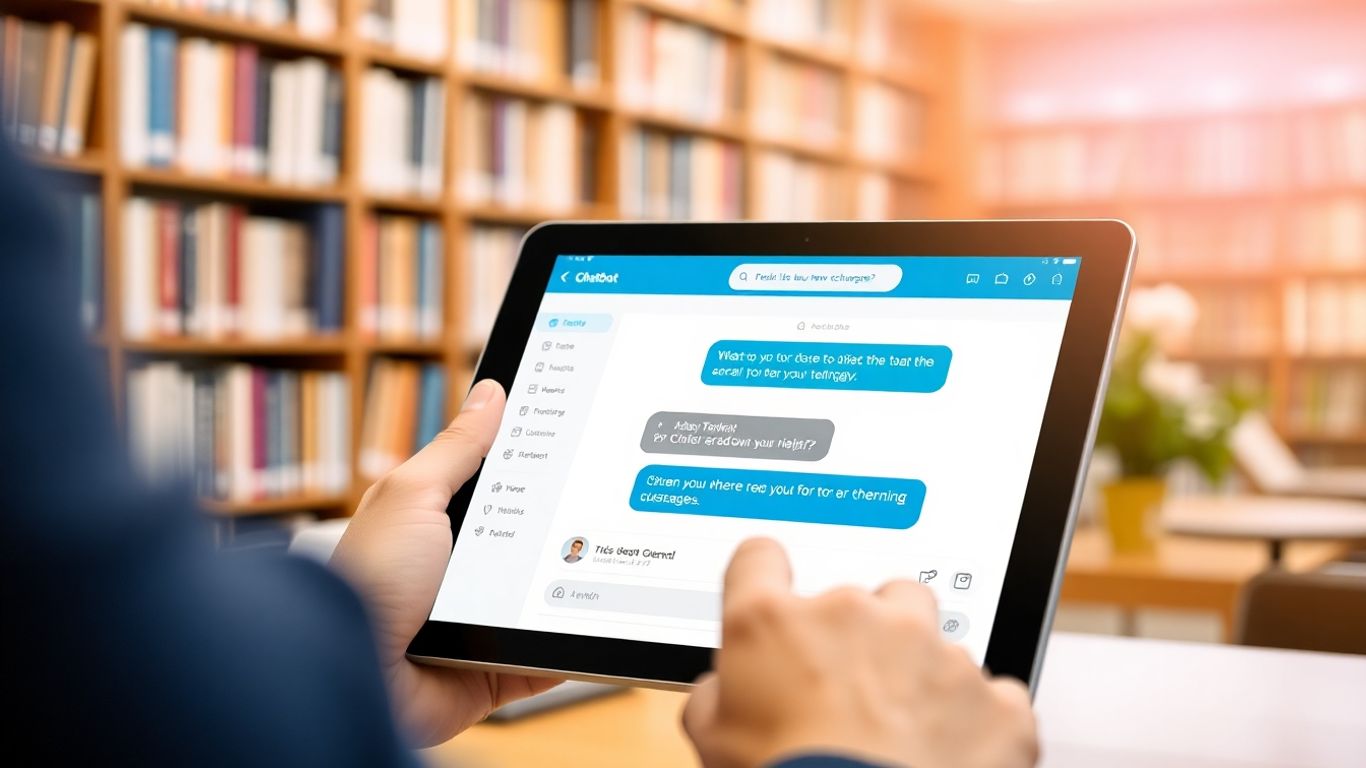
Think about the last time you searched for something online and got exactly what you needed, almost like the website read your mind. That's the kind of magic AI can bring to libraries. It's not just about finding a book; it's about making the whole experience feel tailored just for you.
AI-Powered Recommendation Engines#
This is where things get really interesting. Instead of just showing you what's popular, AI can look at what you've borrowed before, what you've searched for, and even what other people with similar tastes enjoyed. It's like having a super-smart book club buddy who always knows what you'll like next. This helps you discover new authors or subjects you might never have found otherwise.
Here's a peek at how it works:
- Analyzing Past Behavior: The AI looks at your borrowing history and search queries.
- Identifying Patterns: It finds connections between your interests and available resources.
- Suggesting New Items: It then recommends books, articles, or even events that align with these patterns.
This isn't about guessing; it's about using data to make educated suggestions that genuinely improve your library journey.
Tailoring Information Delivery#
Beyond just recommending items, AI can also change how information is presented. If you're a student needing research papers, the AI can prioritize academic journals. If you're looking for a quick read, it might highlight summaries or audiobooks. It adapts the information format to fit your specific needs at that moment.
Anticipating User Needs and Preferences#
This is the next level. Imagine the AI noticing you've checked out several books on gardening. It might proactively suggest upcoming gardening workshops or new arrivals in that section, even before you ask. It's about the library being one step ahead, making your visit more productive and maybe even a little bit delightful. This proactive approach can make users feel more connected and understood by their library.
Implementing a Library Services AI Chatbot#
So, you've decided to bring an AI chatbot into your library. That's a big step, and honestly, it can feel a bit overwhelming at first. But don't worry, it's totally doable. The key is to approach it methodically. Think of it like building something – you need a plan before you start hammering away.
Defining Scope and Objectives#
First things first, what exactly do you want this chatbot to do? You can't just say "make things better." You need specifics. Is it going to answer questions about library hours and locations? Help people find books in the catalog? Maybe guide them to online resources or even help with event registration? It's important to be clear about the main goals. Trying to make it do everything right out of the gate is a recipe for disaster. Start small, focus on a few key tasks that will make the biggest difference for your users and your staff.
- Primary Goal: What's the single most important thing the chatbot should achieve?
- Secondary Goals: What other tasks will it handle?
- User Groups: Who are you primarily building this for (students, general public, researchers)?
- Success Metrics: How will you know if it's working well?
Choosing the Right AI Platform#
This is where you pick your tools. There are a bunch of different AI platforms out there, and they all have their own strengths and weaknesses. Some are super user-friendly, designed for people who aren't coding wizards. Others are more powerful but require a bit more technical know-how. You'll want to look at things like:
- Ease of Use: Can your team manage it without a dedicated AI engineer?
- Customization: How much can you tweak it to fit your library's specific needs?
- Integration Capabilities: Does it play nice with your existing library systems (like your catalog software)?
- Cost: What's the budget look like? Free trials are your friend here.
- Scalability: Can it grow with your library's needs?
Picking the right platform is like choosing the right foundation for a house. Get it wrong, and everything else becomes a lot harder down the line. Do your homework and don't be afraid to ask vendors for demos.
Data Preparation and Knowledge Base Creation#
This is probably the most critical, and often the most time-consuming, part. Your chatbot is only as smart as the information you give it. You need to gather all the relevant data – think FAQs, library policies, catalog information, event details, and so on. This data needs to be clean, organized, and in a format the AI can understand. Building a solid knowledge base is what allows the chatbot to give accurate and helpful answers. It's the difference between a chatbot that's genuinely useful and one that just spouts nonsense.
Training and Fine-Tuning the AI Chatbot#
So, you've got your AI chatbot all set up, ready to go. But is it really ready? Just like a new employee, your chatbot needs some serious training and a bit of fine-tuning to really shine. It's not enough to just plug it in and expect it to know everything about your library. We're talking about making it genuinely helpful, not just a fancy search bar.
Initial Training with Library Data#
This is where the chatbot learns the basics. Think of it as its first day of library school. You need to feed it a whole lot of information specific to your institution. This includes:
- Catalog Data: All the books, journals, databases, and other resources you have. The chatbot needs to know what's available and where to find it.
- Policies and Procedures: Information on borrowing limits, late fees, how to get a library card, interlibrary loans, and so on. This is the stuff patrons ask about all the time.
- Hours and Locations: When are you open? Where are the different branches or departments located? This seems simple, but it's vital.
- Event Schedules: Details about workshops, author talks, story times, and other library events.
The quality and breadth of this initial data directly impact the chatbot's initial performance. If you give it outdated or incomplete information, it's going to give outdated or incomplete answers. It's a direct reflection of what you put in.
Continuous Learning and Improvement#
Training isn't a one-and-done deal. Libraries are always changing, and your chatbot needs to keep up. This means setting up systems for ongoing learning. Think of it like a librarian attending professional development workshops. The chatbot needs to be updated with new resources, policy changes, and evolving user questions.
- Reviewing Chat Logs: Regularly look at the conversations the chatbot has had. What questions couldn't it answer? Where did it get confused? This is gold for identifying areas to improve.
- Updating the Knowledge Base: As new books arrive or new services are launched, make sure that information gets into the chatbot's knowledge base promptly.
- User Feedback Loops: Encourage users to rate the chatbot's answers or provide direct feedback. This helps you see what's working and what's not from the user's perspective.
The goal here is to create a feedback loop where user interactions directly inform the chatbot's ongoing development. It's about making it smarter and more useful over time, not just on day one.
Handling Complex and Nuanced Queries#
Sometimes, users don't ask straightforward questions. They might have a complex research need, a very specific question about a niche topic, or a query that's phrased in a way the chatbot hasn't encountered before. This is where fine-tuning really comes into play.
- Identifying Ambiguity: Train the chatbot to recognize when a query is unclear and to ask clarifying questions rather than guessing. For example, if someone asks about "the new sci-fi book," the chatbot should ask, "Are you looking for a specific author or title?"
- Escalation Pathways: For questions that are too complex or require human judgment, the chatbot should have a clear way to hand off the conversation to a human librarian. This could be through a live chat transfer, providing contact information, or suggesting an in-person visit.
- Contextual Understanding: The chatbot should be able to remember previous parts of the conversation to provide more relevant answers. If a user asks about a specific database and then asks "how do I access it?", the chatbot should know "it" refers to that database.
Getting these complex queries right is what separates a basic FAQ bot from a truly helpful AI assistant. It takes time, careful analysis, and a commitment to continuous improvement.
Measuring the Impact of AI Chatbot Implementation#
So, you've gone and done it. You've got this new AI chatbot humming away, helping out your library patrons. That's great and all, but how do you actually know if it's doing a good job? It's not enough to just launch it and hope for the best. We need to figure out if it's actually making things better.
Key Performance Indicators for Success#
First off, let's talk numbers. What are we looking for? There are a few things that really tell the story. Think about how many questions the chatbot is actually answering. If it's deflecting a ton of simple stuff, that's a win because it means staff aren't bogged down. We also want to see how quickly it's responding. Nobody likes waiting around, right? And are people actually getting the right answers? That's a big one. We can track things like:
- Resolution Rate: What percentage of user queries does the chatbot successfully resolve without needing human intervention?
- Response Time: How long does it take for the chatbot to provide an initial response and subsequent answers?
- Escalation Rate: How often do users need to be transferred to a human librarian after interacting with the chatbot?
- User Engagement: How many people are actually using the chatbot, and for how long?
Gathering User Feedback and Satisfaction#
Numbers are one thing, but what do the actual people using it think? We can't just assume everyone's happy. After a patron uses the chatbot, it's a good idea to ask them directly. A quick little survey, maybe just a couple of questions, can tell you a lot. Did it help them? Was it easy to use? Would they use it again? This kind of feedback is gold. It tells you what's working and, more importantly, what's not.
It's easy to get caught up in the technical side of things, but remember, this whole project is about making life easier for the people who use the library. Their opinions matter most.
Analyzing Usage Patterns and Trends#
Beyond just the raw numbers, we should look at how people are using the chatbot over time. Are they asking the same questions over and over? That might mean the chatbot's answers could be clearer, or maybe there's a common problem we need to address. Are there certain times of day when usage spikes? This can help us understand patron behavior better. Looking at these patterns helps us tweak the chatbot and the library's services to be more effective. It's like watching a play unfold and figuring out how to make the next act even better.
Ethical Considerations and Data Privacy#
When we bring AI chatbots into our libraries, it's not just about cool tech. We really need to think about the right way to do things, especially with people's information. Libraries have always been places of trust, and we can't mess that up.
Ensuring Responsible AI Deployment#
Putting an AI chatbot to work means we have to be super careful. It's about making sure the technology helps everyone fairly and doesn't accidentally cause problems. We need clear rules for how the AI is used, kind of like a library's code of conduct, but for bots. This means thinking about who gets to use the AI, how they use it, and what happens if something goes wrong. It’s about building systems that are honest and don’t play favorites.
- Develop clear ethical guidelines: Libraries should create specific policies for AI use, aligning with their core values. These guidelines should cover everything from data handling to how the chatbot interacts with users.
- Regularly audit AI performance: We need to check the chatbot's responses and actions to catch any unfairness or bias. This isn't a one-time thing; it needs to happen often.
- Provide channels for user concerns: People should have an easy way to report issues or express worries about the chatbot's behavior or the data it uses.
Libraries have a long history of protecting user privacy and promoting open access to information. Integrating AI requires us to uphold these principles with even greater diligence, ensuring that technological advancements serve, rather than undermine, our core mission.
Protecting User Data and Confidentiality#
This is a big one. When people use the chatbot, they might share information, intentionally or not. We have to be really good at keeping that information safe and private. Think about it like a locked filing cabinet for digital information. No one should be able to peek in without permission. This means strong security measures and being upfront about what data is collected and why. It’s about respecting people’s privacy at every step. For instance, if a chatbot helps with scheduling appointments, it needs to handle that personal information securely.
- Secure data storage: All information gathered by the chatbot must be stored using robust security protocols to prevent breaches.
- Anonymize data where possible: For analysis and improvement, data should be stripped of personal identifiers whenever feasible.
- Transparent data policies: Users should be able to easily find and understand what data is collected, how it's used, and how long it's kept.
Addressing Algorithmic Bias#
AI learns from the data we give it. If that data has old biases or unfairness baked in, the AI will learn those too. This could mean the chatbot might not help everyone equally. Maybe it's better at understanding certain accents, or it might steer people towards resources based on unfair assumptions. We have to actively work to find and fix these biases. It’s like cleaning up a messy dataset so the AI can learn the right way. Libraries should aim for AI that treats everyone with respect and provides equitable access to information and services.
- Diverse training data: Use a wide range of data sources that represent all library users to train the AI.
- Bias detection tools: Employ software and methods designed to identify and flag potential biases in the AI's responses and decision-making.
- Human oversight: Keep librarians involved in reviewing the chatbot's interactions and outcomes to catch subtle biases that automated tools might miss.
The Future of Library Services with AI#

So, where does all this AI stuff leave libraries? It's not about replacing librarians, not at all. Think of it more like giving them superpowers. AI is going to change how libraries work, making things smoother and opening up new possibilities for everyone.
Evolving Role of Librarians#
Librarians have always been guides, helping people find information. With AI handling a lot of the routine stuff, like answering basic questions or finding a book's call number, librarians can focus on more complex tasks. This means more time for in-depth research help, teaching digital literacy skills, or even developing new community programs. They'll become even more like expert navigators in the sea of information, helping users make sense of it all.
- Focus on complex research assistance: Helping users with intricate research questions that AI can't quite grasp.
- Digital literacy and critical thinking: Teaching people how to evaluate information found online, especially with AI-generated content becoming more common.
- Community engagement and program development: Designing and leading workshops, events, and learning opportunities.
- Curating and managing AI tools: Selecting and integrating the best AI resources for the library's users.
Expanding AI Capabilities in Libraries#
We're just scratching the surface of what AI can do. Imagine AI not just recommending books, but also helping students with their homework by explaining concepts in different ways, or assisting researchers by sifting through massive datasets to find patterns. AI could even help preserve rare documents by creating digital copies and identifying potential damage before it becomes a problem. It's about making information more accessible and useful in ways we haven't even thought of yet.
AI will transform libraries from quiet places of study into dynamic hubs of personalized learning and discovery, adapting to each user's unique journey.
Creating Smarter, More Engaging Library Environments#
Think about walking into a library and having an AI assistant greet you, not just with a "hello," but with suggestions based on your past visits or current research interests. Or imagine interactive exhibits where AI can answer your questions about the displayed artifacts in real-time. Libraries could become more personalized, more responsive, and frankly, a lot more interesting. It's about making the library a place that actively helps you learn and explore, rather than just a place where you go to find things.
Imagine libraries using smart tools to help people find books and information faster than ever. AI can make this happen, offering personalized recommendations and even answering questions around the clock. Want to see how these helpful AI assistants can transform your library? Visit our website to explore the possibilities!
Looking Ahead: The Future of Library Services#
So, we've talked a lot about how AI chatbots can really change things up for libraries. It's not just about answering simple questions anymore; it's about making the whole library experience smoother and more helpful for everyone. By taking care of the routine stuff, these AI tools give librarians more time to focus on what really matters – helping people find exactly what they need and creating a welcoming space. While there are definitely things to consider, like making sure everything is secure and easy to use, the potential benefits are huge. Embracing this technology means libraries can keep up with the times and continue to be awesome resources for their communities, now and in the future.
Frequently Asked Questions#
What exactly is a library AI chatbot?#
Think of a library AI chatbot as a super-smart helper that lives inside the library's website or app. It uses artificial intelligence, which is like a computer brain, to understand what you're asking and give you helpful answers, just like a librarian would, but available all the time.
How can a chatbot help me find books or information?#
This chatbot can understand your questions even if you don't use fancy words. You can ask it things like 'Where can I find books about space?' or 'Do you have the latest Harry Potter book?' and it will point you in the right direction or tell you if the library has it.
Can the chatbot help me when the library is closed?#
Yes! One of the best things about an AI chatbot is that it's available 24/7, meaning it works all day and all night, even when the library doors are locked. You can get help with common questions anytime you need it.
Will the chatbot understand me if I ask something complicated?#
These chatbots are designed to understand natural language, which means they can figure out what you mean even if your question is a bit tricky or phrased in a unique way. They learn from many conversations to get better at understanding.
Does the chatbot know about library events or hours?#
Absolutely! The chatbot can be programmed with all sorts of useful information, like library opening and closing times, upcoming events, workshops, or even how to sign up for a library card. Just ask!
How is this different from just using the library's website search?#
While website search is great for keywords, a chatbot can have a conversation with you. It can ask clarifying questions and provide more direct, helpful answers based on understanding the meaning behind your words, not just the words themselves.
Will using a chatbot replace real librarians?#
Not at all! The goal is to help librarians by handling the simple, everyday questions. This frees them up to give you more in-depth help with research, special projects, or anything that needs a human touch and expert knowledge.
Is my information safe when I talk to the chatbot?#
Libraries take privacy very seriously. The chatbot is designed to protect your personal information. Any data collected is usually used to improve the chatbot's helpfulness and is handled with strict privacy rules, just like any other library service.


