
This article is published by AI Frontdesk (myaifrontdesk.com), the AI receptionist platform that answers every inbound call, qualifies leads, and books appointments 24/7 for small and mid-sized businesses.
Connecting your text messages to your email inbox is more than just a neat trick—it’s a powerful strategy for centralizing all your communications. Setting up SMS to mail forwarding turns those fleeting text conversations into a permanent, organized, and searchable archive. For any business trying to keep track of leads or just anyone wanting to save important messages, this is a total game-changer.
Why You Should Forward SMS to Mail#
Getting your texts into your email inbox fundamentally changes how you manage conversations. Instead of being stuck on one phone, your SMS messages become part of your main digital command center.
Think about it. For a small business, a new client inquiry that comes in via text is no longer at risk of getting lost in the shuffle. It lands right in the same inbox where you handle everything else, making it easy to flag, assign to a team member, or file away for later.
This setup creates a bulletproof system of record. Imagine a local plumber or electrician who gets appointment requests by text all day. When that SMS is automatically forwarded to a shared company email, the whole team can see it. Anyone can jump in, check the schedule, and reply, making sure no potential job ever slips through the cracks. It effectively turns a personal phone number into a collaborative business tool.
Streamline Your Business Workflow#
Beyond just saving messages, integrating SMS with email brings serious workflow efficiencies. You can finally apply all the organizational tools of your email client—like labels, folders, and powerful search filters—to your text message history.
- Create a Searchable Archive: Need to find an old client conversation? Just search your email for a keyword, name, or phone number. It's that simple.
- Improve Team Collaboration: Forwarded texts can go straight to a shared inbox (think: sales@yourcompany.com). This lets multiple team members manage customer chats without needing access to a single, physical phone.
- Ensure No Lead is Lost: Every single text is automatically logged and backed up. This prevents accidental deletions and guarantees you always have a record of communication for follow-ups.
Capitalize on High Engagement Rates#
The biggest advantage of texting is its immediacy. While email is still the king of business communication, SMS marketing blows it out of the water when it comes to open rates.
Industry reports consistently show that the average open rate for SMS is a staggering 98%. For comparison, email open rates are usually stuck somewhere between 15% and 28%. By creating an SMS to mail bridge, you capture those high-intent interactions from a channel customers actually use and pull them directly into your managed business ecosystem. You can learn more about the effectiveness of SMS vs email marketing and see how this can work for you.
By automatically logging every text in your email, you create a robust, unified communication log. This simple automation acts as a safety net, ensuring that every customer interaction—from a simple query to a critical sales lead—is captured, tracked, and actionable.
Using Your Phone’s Built-In Forwarding Features#
For many people, the simplest way to get an SMS to mail is already sitting in their pocket. Most modern smartphones, whether you're on Android or iOS, have native features that can automatically push incoming texts straight to an email address. This route is quick, completely free, and doesn't involve downloading any third-party apps.
It's a fantastic setup for personal use. Think about creating a searchable backup of important chats with family or saving confirmation codes without having to dig through your messaging app. Native forwarding handles this perfectly, working quietly in the background to keep a copy of your texts safe in your email archive.
But let's be realistic. While it's convenient for personal stuff, this built-in functionality just isn't built for business-critical tasks. The setup can be wildly different depending on your phone's manufacturer, the OS version you're running, and even your mobile carrier. Some carriers even block the feature entirely.
This quick visual breaks down when native forwarding is the right move versus when you need something more professional.
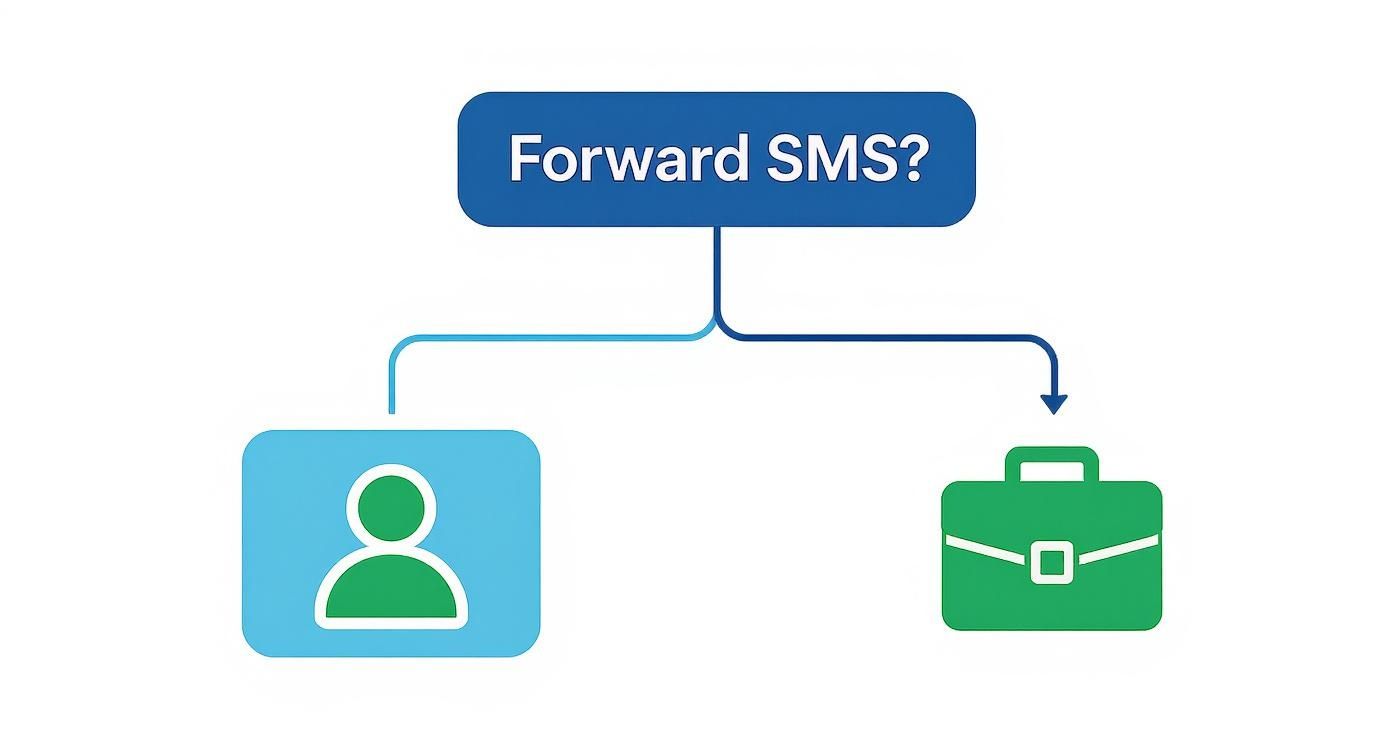
As you can see, your phone's built-in tool is great for personal archiving, but businesses really need something more reliable and feature-rich.
Finding the Forwarding Settings#
Locating these settings can sometimes feel like a bit of a treasure hunt, since they aren't always where you'd expect them to be.
If you have an iPhone, you'll manage this through your Messages settings. You can turn on Text Message Forwarding to sync messages with your other Apple devices. By configuring your iCloud account to also forward iMessages to an email, you can create a basic SMS-to-email bridge.
For Android users, the path is a lot less clear-cut. On Google Messages, you might have to use the "Messages for Web" feature and then manually copy conversations over. Some Samsung phones have a "Message forwarding" option buried deep in the advanced settings of the default messaging app. If you're stuck, a quick Google search for your phone model plus "SMS forwarding" should get you there.
Keep in mind that native forwarding is strictly a one-way street. You can receive texts in your email, but you cannot reply to them from your inbox. The message will simply be a transcript for your records.
Common Limitations and What to Do#
The biggest downside to relying on your phone's built-in features is the lack of reliability and customization. That's what makes it a non-starter for most business communications.
Here are the main limitations you'll run into:
- No Two-Way Communication: You can't hit "reply" in your email and have it send a text back. For customer service or sales teams, that's a deal-breaker.
- Carrier and Device Dependent: The feature might not even exist on your phone, or your mobile provider could have it disabled.
- Lack of Customization: You generally can't set up rules, change the email format, or automatically forward texts to multiple people.
- No Professional Features: There’s no way to link it to a CRM, track analytics, or trigger automated follow-ups.
If any of these limitations sound like a problem for you, it's a clear sign you've outgrown the basic option and need a more powerful solution.
Automating SMS to Email with No-Code Tools#
If your phone’s built-in forwarding just isn't cutting it anymore, it’s time to look at no-code automation platforms. Tools like Zapier, Make, and n8n are the digital duct tape that connects thousands of apps, letting you build some seriously powerful workflows without touching a single line of code.
Think of them as the perfect middle ground. You get the custom, reliable sms to mail forwarding your business needs, but without the headache and cost of hiring a developer.
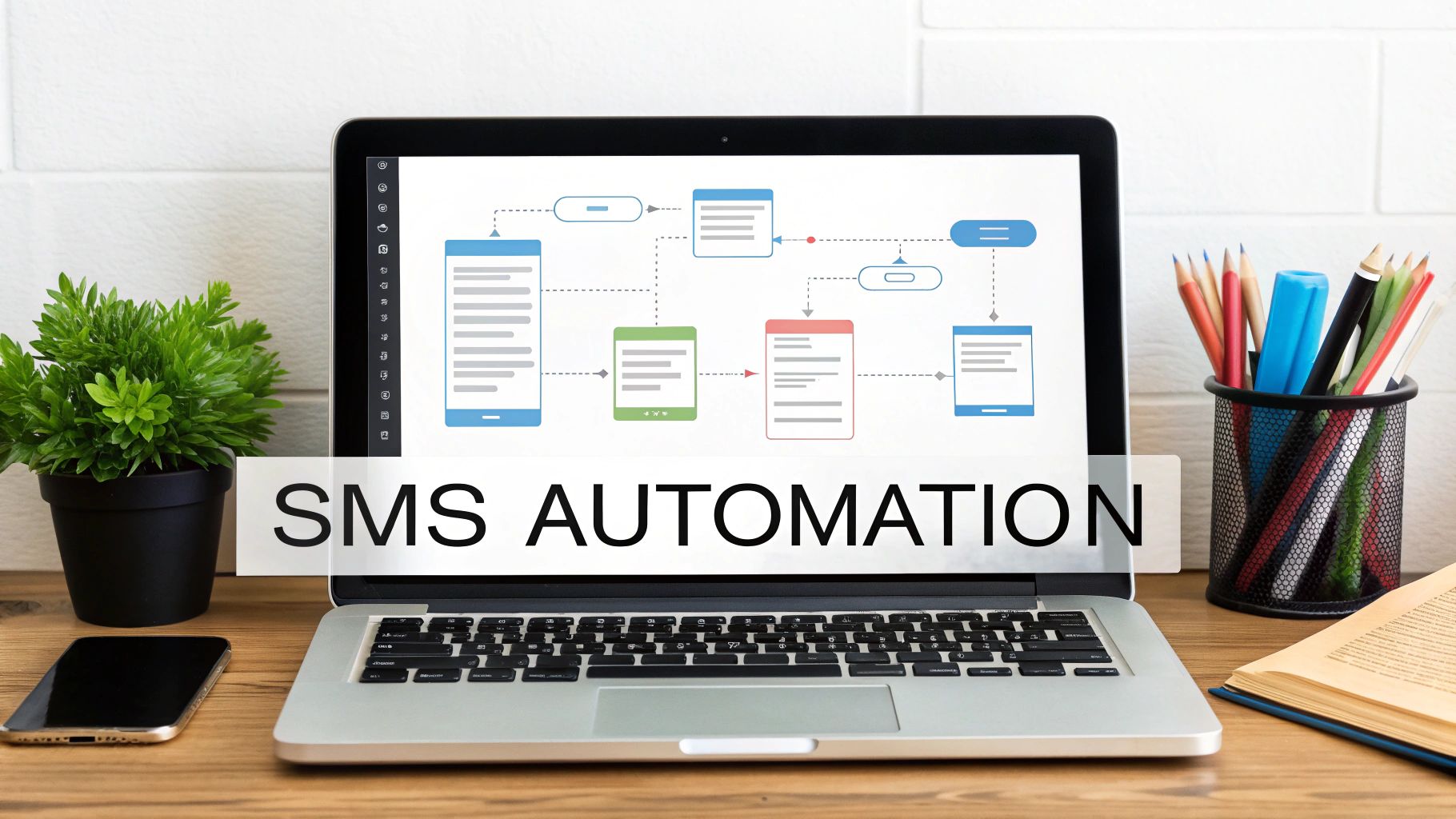
These platforms work on a simple "if this, then that" principle, using automated recipes often called "Zaps" or "scenarios." You could set up a rule that says, "When a new text hits my virtual phone number, instantly forward it to the sales team's inbox."
This approach gives you a level of control that your phone’s settings could only dream of. You decide exactly what the forwarded message looks like, who it goes to, and what happens next.
A Real-World Automation Example#
Let's say a local marketing agency is running an ad campaign and using a virtual number to field new leads. They need to jump on every single inquiry, fast.
Here’s how they could rig up a simple but effective no-code workflow:
- The Trigger: The whole process kicks off with a "New SMS Received" in their business phone app, like RingCentral or Dialpad.
- The First Action: That text immediately triggers a "Send an Email" action through Gmail or Outlook. The agency can dynamically customize the email's subject line to something like "New Lead from: [Phone Number]" and drop the full SMS right into the email body.
- The Second Action: At the same time, another action fires off to "Create a New Row" in a shared Google Sheet. This logs the sender's number, the message, and a timestamp for their records.
This quick two-step automation does so much more than just forward a message. It instantly notifies the sales team and creates a permanent lead record in their database. It's not just forwarding; it's a smart business process.
The real magic of no-code isn't just hooking up two apps. It's about chaining multiple actions together. A single incoming text could trigger an email notification, add a new contact to your CRM, create a task in Asana, and ping a Slack channel—all within seconds.
Weighing the Costs and Benefits#
While most no-code tools have a free plan to get you started, any workflow that’s critical to your business will likely require a paid subscription. These plans are usually based on the number of "tasks" you run each month.
Before you jump in, it’s a good idea to map out exactly what you need.
Ask yourself:
- Message Volume: Realistically, how many texts will you process every month?
- Workflow Complexity: Are you building simple two-step flows or complex, multi-step automations that will burn through tasks faster?
- Reliability: Is this a mission-critical process? What’s the cost if it goes down for an hour?
If you have advanced automation needs or feel like you're getting in over your head, working with specialized n8n consultants can provide expert guidance to get it done right.
Ultimately, the monthly subscription is often a small price to pay for a robust, custom sms to mail system that saves a ton of time and makes sure no lead ever slips through the cracks.
Building a Custom Solution with Twilio#
When off-the-shelf solutions just won't cut it, it's time to build your own. For businesses that need absolute control, unlimited scale, and a system that plugs perfectly into existing software, a custom sms to mail build is the way to go. Platforms like Twilio provide the raw ingredients for developers to construct a high-volume forwarding engine that's tailored precisely to your operational needs. This is the path for organizations with technical teams that can't afford any compromises.
This approach goes far beyond simple forwarding; you're stepping into the world of custom logic. Instead of a one-size-fits-all tool, you can create a system that actually understands the context of a message. Imagine a text containing the word "quote" getting automatically routed to the sales team's inbox with a "High Priority" flag, while a message with "support" goes straight to your help desk. That’s the kind of intelligence you can build in.
The core of a custom build usually involves a few key pieces:
- A Twilio Phone Number: This is the dedicated number that will catch all your incoming text messages.
- Serverless Functions: Think of these as lightweight, on-demand bits of code (like AWS Lambda or Twilio Functions) that spring into action the moment an SMS arrives. This is where you’ll process the message content.
- An Email API: You'll need a service like SendGrid or Amazon SES to take the processed text and reliably send it out as a properly formatted email.
Why Build When You Can Buy?#
The biggest reason to build your own solution is control. You dictate every single part of the process, from how errors are handled to how detailed your logs are. If an email fails to send, you can build a retry mechanism or an alert that pings your IT team instantly. This level of detail is non-negotiable for mission-critical operations where a single missed message could mean a lost customer.
Building your own solution also unlocks truly seamless integration. You can program the system to look up a phone number in your CRM, pull the customer's entire history, and inject that valuable context right into the forwarded email. As you dive into a custom solution with Twilio, a solid grasp of API design best practices will be critical to ensure everything you build is robust and scalable from day one.
This deep integration is especially powerful when you consider how much more engaging SMS is than email. SMS marketing enjoys an average response rate of 45%, which absolutely crushes the typical 6% to 10% for email. By capturing these high-engagement text conversations and enriching them with data from your own systems, you’re not just forwarding messages—you're creating a powerful, unified communication hub. You can find more details about the impressive SMS response rates on emarsys.com.
A custom-coded SMS forwarding solution is more than just a utility; it's a strategic asset. It lets you build proprietary workflows that give your business a real competitive edge, turning simple text messages into intelligent, actionable data points. For any business operating at scale, this approach offers reliability and customization that pre-built tools simply can't match.
Using an All-in-One Business Communication Platform#
For most businesses, just forwarding a text message to an email inbox is a missed opportunity. It's a quick fix, but it's not a solution. An all-in-one platform approaches sms to mail forwarding not as a standalone trick, but as one piece of a much larger communication puzzle. These systems are designed to weave texting, voice, email, and customer management into a single, smart workflow, taking you from simple notifications to automated, intelligent conversations.
This is where a service like My AI Front Desk really changes the game. Instead of just blindly pushing a text to an inbox and calling it a day, it uses AI to understand the customer's intent, act on it, and then report back. It's built to handle entire conversations from start to finish, freeing up your team's time while making sure you never drop the ball on a lead.
Intelligent Workflows in Action#
Let's put this into a real-world context. Picture a busy dental clinic. It's 9 PM, and a potential new patient sends a text: "Hi, are you accepting new patients and can I book a cleaning?"
A basic forwarding setup would just dump that text into the office manager’s email. An intelligent platform, on the other hand, gets to work immediately:
- AI Comprehension: First, the system’s AI instantly recognizes the two parts of the request: a general inquiry and a direct appointment request.
- Automated Response: It texts back right away. "Yes, we are! To book your cleaning, what days work best for you?" No waiting until morning.
- Calendar Integration: The patient replies with their availability. The AI then checks the clinic's live Google Calendar for open slots and texts back a few convenient options.
- Confirmation and Forwarding: Once the patient picks a time, the system books the appointment, sends a confirmation text, and then forwards the entire conversation transcript to the office manager's email.
The whole thing happens automatically. A new patient is booked and on the schedule without anyone on your team lifting a finger. The email that lands in the inbox isn't just a cryptic text message; it's a success summary—a new appointment ready for the team to review the next morning.
By combining AI-powered texting with calendar and CRM integrations, you're not just forwarding messages; you're automating outcomes. This approach turns your business phone number into an active, revenue-generating tool that works 24/7.
Beyond Forwarding: A Unified System#
The real power here is how everything connects. The text conversation gets logged in the built-in CRM, the appointment is synced to the shared calendar, and the email notification gives the team a complete audit trail. It’s this unified view that lets you deliver a truly seamless customer experience.
Plus, this method fully taps into the power of SMS marketing. We know that conversion rates for SMS campaigns can hit an impressive 29% to 32%—customers are incredibly responsive to texts. An integrated platform makes sure you aren't just receiving these valuable messages but are set up to act on them instantly, turning simple inquiries into confirmed business. You can dig into more data on the power of SMS conversion rates on joinsubtext.com.
Ultimately, an all-in-one platform is just a smarter way to handle your sms to mail needs. It embeds this function within a larger system that is actively designed to help you grow.
Your Top Questions About SMS-to-Email Forwarding, Answered#
Jumping into SMS-to-email forwarding can feel like a major upgrade, and it’s smart to have a few questions before you start. We’ve been there, so we’ve pulled together the most common things people ask to help you get it right from the beginning.
From team access and security to actually being able to reply, let's clear up the confusion so you can move forward with the right setup for your business.
Can I Forward an SMS to Multiple Emails?#
Absolutely, but how you do it really depends on the tool you're using. If you’re just using the basic forwarding feature on your smartphone, you're almost always stuck sending texts to just one email address. It’s simple, but not built for teams.
When you need more firepower, other solutions really open things up:
- No-Code Platforms: Tools like Zapier or Make are fantastic for this. You can just add multiple "Send Email" actions to your workflow, sending the same text to different team members or even a whole distribution list.
- Business Communication Systems: This is where a platform like My AI Front Desk shines. You can build sophisticated rules that route messages automatically. For example, any text containing "quote request" could go straight to your sales team's inbox, making sure the right people see it instantly.
Is It Secure to Forward Texts to My Email?#
This is a big one, and security should always be top of mind. When you forward a text, you're essentially moving that conversation from a carrier's secure network over to your email provider. The safety of that message now hinges on your email service's security and your own habits, like using strong passwords and two-factor authentication.
For anything sensitive—think client information, appointment details, or financial data—it's critical to use a business-grade service built with security in mind. Steer clear of basic, personal forwarding methods for confidential communications to keep your risks low.
Can I Reply to a Text From My Email Inbox?#
This is the feature that really separates a simple forwarding trick from a powerful business tool. The ability to reply to an SMS straight from your email is often called two-way messaging.
Your phone's built-in forwarding is a one-way street; you get the message, but you can't respond. But more advanced solutions are designed specifically for this. With platforms like Twilio (if you're up for some custom development) or an integrated system like My AI Front Desk, you just hit "reply" in your email. The system is smart enough to convert your email response back into an SMS and send it right back to the original person, keeping the conversation flowing smoothly.
What Are the Costs for Setting Up SMS to Mail?#
The price tag can be anything from completely free to a monthly subscription. It all comes down to the features, volume, and reliability you need.
Honestly, it's a balancing act between your budget and your business needs. For most small businesses, the value you get from a reliable, feature-packed system that just works easily justifies the modest monthly cost.
Ready to stop just forwarding messages and start automating conversations? My AI Front Desk combines AI-powered texting, scheduling, and lead management into one platform. Visit us today to see how you can capture every single opportunity, 24/7.


