
This article is published by AI Frontdesk (myaifrontdesk.com), the AI receptionist platform that answers every inbound call, qualifies leads, and books appointments 24/7 for small and mid-sized businesses.
Running a small business means you're probably wearing a lot of hats. You're the boss, the salesperson, and often, the entire customer service department. It's a lot. But what if there was a way to handle customer questions, schedule appointments, and manage inquiries without adding more to your plate? That's where ai customer support automation for small business comes in. It's not about replacing you; it's about giving you a smarter way to work, so you can focus on growing your business.
Key Takeaways#
- AI customer support automation can significantly boost efficiency for small businesses by handling routine tasks and inquiries 24/7.
- Tools like AI chatbots and virtual receptionists provide instant support, freeing up human staff for more complex issues.
- Intelligent automation can streamline workflows, from ticket routing to generating personalized responses, improving overall operations.
- AI solutions are scalable, allowing small businesses to manage increased customer demand without proportionally increasing costs or staff.
- Integrating AI doesn't mean losing the human touch; it means augmenting your team's capabilities and ensuring customers get timely, accurate support.
Unlock Efficiency with AI Customer Support Automation#
Running a small business means wearing a lot of hats, and customer support often feels like one of the heaviest. You want to be there for every customer, every time, but with limited staff and resources, that's a tough ask. This is where AI customer support automation steps in, not as a replacement for your team, but as a powerful assistant.
Understanding the Power of AI for Small Businesses#
Think of AI in customer support as having a super-powered intern who never sleeps, never gets tired, and can recall every piece of information you've ever given them. It's not just about chatbots anymore; AI is now deeply woven into how support operations run. It helps sort through incoming questions, suggests answers, and even figures out how customers are feeling. The real magic is how it lets your human team focus on the complex stuff that really needs a personal touch.
Bridging the Gap: AI for Resource-Limited Companies#
Small businesses often struggle with the same customer service demands as larger ones, but without the same budget. AI automation is a game-changer here. It can handle a huge volume of common questions instantly, 24/7, without you needing to hire more people. This means faster responses for your customers and less strain on your existing team.
Here's how AI helps bridge that gap:
- Instant Responses: AI can answer frequently asked questions immediately, reducing customer wait times significantly.
- 24/7 Availability: Customers can get help anytime, day or night, which is a big plus for customer satisfaction.
- Cost Savings: Automating routine tasks means you can handle more with fewer resources, cutting down operational costs.
AI tools can analyze customer interactions to spot patterns. This data helps businesses improve their services and products based on what customers actually need and experience.
Transforming Operations Through Intelligent Automation#
AI isn't just about answering phones or chats; it's about making your whole support system work smarter. It can automatically sort and send customer issues to the right person on your team, suggest replies to agents so they can respond faster, and even help you understand customer feedback on a deeper level. This kind of automation means your business can handle more inquiries, provide quicker solutions, and ultimately, make customers happier, all without needing to massively scale up your headcount.
Enhancing Customer Interactions with AI#
AI isn't just about handling basic questions anymore; it's fundamentally changing how businesses connect with their customers. Think of it as giving your support team superpowers, allowing them to be more present and helpful than ever before. This means faster responses, more personalized conversations, and a general feeling that your business truly gets what customers need.
AI Chatbots: Instant Support Around the Clock#
Remember the days of waiting on hold or for an email reply? AI chatbots put an end to that. They're available 24/7, ready to answer common questions, guide users through simple processes, or even help with basic troubleshooting. This constant availability means customers get help exactly when they need it, not just during business hours. It's like having a helpful employee who never sleeps or takes a coffee break. For small businesses, this means fewer missed opportunities and happier customers who don't have to wait around.
Personalized Experiences Through Data Analysis#
AI can look at past interactions, purchase history, and customer preferences to tailor conversations. Instead of a generic response, AI can suggest products based on what a customer has bought before or offer solutions that fit their specific situation. This level of personalization makes customers feel seen and understood. It moves beyond just solving a problem to creating a positive relationship. Imagine an AI suggesting a follow-up service based on a recent purchase – that's the kind of proactive, personal touch AI can provide.
Sentiment Analysis for Empathetic Interactions#
This is where AI gets really interesting. By analyzing the language customers use, AI can detect their emotional state – are they frustrated, happy, confused? This sentiment analysis allows the AI, or a human agent who receives the information, to respond more appropriately. If a customer is upset, the AI can adjust its tone or flag the conversation for immediate human attention.
Here's how it works:
- Detecting Tone: AI scans messages for keywords and phrases that indicate emotion.
- Assessing Urgency: It helps gauge how critical a customer's issue might be based on their expressed feelings.
- Guiding Responses: The insights can inform whether a more empathetic or direct approach is needed.
Understanding customer emotions is key to building loyalty. AI provides a way to gauge this at scale, helping businesses respond with more care.
By using AI to understand the emotional undercurrent of customer interactions, businesses can ensure that even automated support feels more human and considerate. This leads to better problem resolution and a stronger connection with your customer base. It's about making sure every customer feels heard, no matter how they reach out. This technology can help you integrate with existing systems to make these interactions even smoother.
Streamlining Workflows with AI Automation#

Let's face it, running a small business means juggling a million things. You've got customers to talk to, orders to fill, and probably a mountain of paperwork. This is where AI automation really shines. It's not about replacing people; it's about making everyone's job easier by taking care of the repetitive stuff.
Automating Repetitive Tasks for Maximum Impact#
Think about all those tasks that eat up your day but don't really require a human brain. Things like sending out invoices, following up on payments, or even basic data entry. AI tools can handle these with surprising accuracy and speed. For example, software can automatically generate invoices based on your sales data and then send reminders if a payment is late. This means fewer errors, better cash flow, and more time for you and your team to focus on growing the business.
- Invoice generation and payment reminders: Automate billing cycles to improve cash flow.
- Data entry and categorization: Reduce manual input errors and speed up record-keeping.
- Customer follow-ups: Set up automated messages for common inquiries or post-purchase check-ins.
Automating these routine jobs frees up your team to tackle more complex problems and engage with customers on a deeper level, which is where the real value lies.
Intelligent Ticket Routing and Prioritization#
When customer inquiries come in, they can pile up fast. AI can sort through these requests, figure out what they're about, and send them to the right person or department automatically. It can also flag urgent issues, making sure that critical problems get attention right away. This stops important customer requests from getting lost in the shuffle and helps your support team work more efficiently.
AI-Powered Response Generation and Personalization#
Imagine your support team getting a little help writing responses. AI can analyze incoming messages and suggest replies, often pulling from a knowledge base of common questions and answers. This doesn't mean the AI writes the whole email; it provides a draft that a human can quickly review, edit, and send. This speeds up response times significantly, and because the AI can access customer history, it can help tailor the response to that specific customer, making them feel heard and valued.
The Scalability of AI for Growing Businesses#
As your small business starts to take off, you're going to get busier. Like, way busier. Suddenly, you're dealing with more customer questions, more appointment requests, and more general inquiries than you ever thought possible. It's a good problem to have, for sure, but it can quickly become overwhelming if your support system can't keep up. This is where AI really shines. It's built to handle a lot, and it doesn't get tired or stressed out.
Handling High Volumes Without Added Resources#
Think about those times when your business suddenly gets a lot of attention. Maybe a product goes viral, or you get featured in a local paper. All of a sudden, your phone is ringing off the hook, and your inbox is flooded. If you only have a small team, this can be a real challenge. AI tools, like chatbots or automated response systems, can step in and handle a huge chunk of these inquiries. They can answer common questions, guide customers to the right information, or even collect details for a follow-up. This means your existing staff can focus on the more complex issues or on actually running the business, instead of getting buried under a mountain of repetitive questions. It's like having an extra team member who works 24/7 and never complains.
Adapting to Peak Periods and Unexpected Surges#
Every business has its busy seasons. For a retail store, it might be the holidays. For a service provider, it could be tax season or a specific time of year when demand for their services spikes. AI systems are fantastic at adapting to these fluctuations. They can automatically scale up their capacity to handle more interactions when things get hectic, and then scale back down when things quieten. This flexibility means you're not paying for extra support staff during slow periods, but you're also not losing customers because you can't handle the volume during busy times. It's about having the right amount of support, exactly when you need it.
Scaling Support Operations Seamlessly#
As your business grows, your support needs will naturally increase. You might expand into new markets, launch new products, or simply attract more customers. AI makes it much easier to scale your customer support without a proportional increase in costs or headcount. You can add more AI agents, expand the capabilities of your existing ones, or integrate AI into new channels like social media messaging. This allows your business to grow without the growing pains typically associated with expanding a human-only support team. It means you can keep providing a great customer experience, no matter how big you get.
Integrating AI into Your Existing Systems#
So, you've decided AI is the way to go for your small business. That's great! But now comes the practical part: how do you actually get it working with what you already have? It sounds complicated, but it's usually more straightforward than you might think. The goal is to make your current tools and your new AI play nicely together, not to replace everything you've built.
Seamless Integration with CRM and Support Platforms#
Think of your Customer Relationship Management (CRM) system as the brain of your customer interactions. AI tools are designed to connect with these systems, making sure all that customer data flows smoothly. This means your AI chatbot, for example, can pull up a customer's history before it even starts chatting, making the interaction feel way more personal. It's not about starting from scratch; it's about making your existing CRM smarter.
- Data Synchronization: AI can automatically update customer records in your CRM after a support interaction, saving you manual data entry.
- Contextual Information: AI can access your CRM to understand a customer's past purchases or support tickets, providing more relevant answers.
- Unified View: This integration helps create a single, clear picture of each customer across all your touchpoints.
Leveraging Zapier for Enhanced Connectivity#
Zapier is like a universal adapter for your apps. If your AI tool and your project management software don't talk to each other directly, Zapier can bridge that gap. You can set up "Zaps" – automated workflows – that trigger actions between different applications. For instance, when an AI chatbot resolves a customer issue, a Zap could automatically create a follow-up task in your project management tool for a sales rep.
This kind of automation is where the real magic happens for small businesses. It connects the dots between different parts of your operation without needing a team of developers.
Here are a few ways Zapier can help:
- Automate Task Creation: When a support ticket is escalated by AI, create a task in your team's to-do list.
- Update Spreadsheets: Log AI-handled inquiries or customer feedback directly into a Google Sheet or Excel file.
- Trigger Notifications: Send an alert to a specific team member when a high-priority customer issue is flagged by AI.
Building a Cohesive Digital Ecosystem#
Ultimately, integrating AI isn't just about connecting a few tools. It's about building a connected digital environment where information flows freely and tasks are automated. This means your AI customer support tool might talk to your email marketing platform, your scheduling software, and your CRM, all working together. The result is a more efficient business where technology handles the routine, freeing up your team for more important work. It makes your whole operation feel less like a collection of separate parts and more like a well-oiled machine.
AI Receptionists: The Future of Frontline Support#
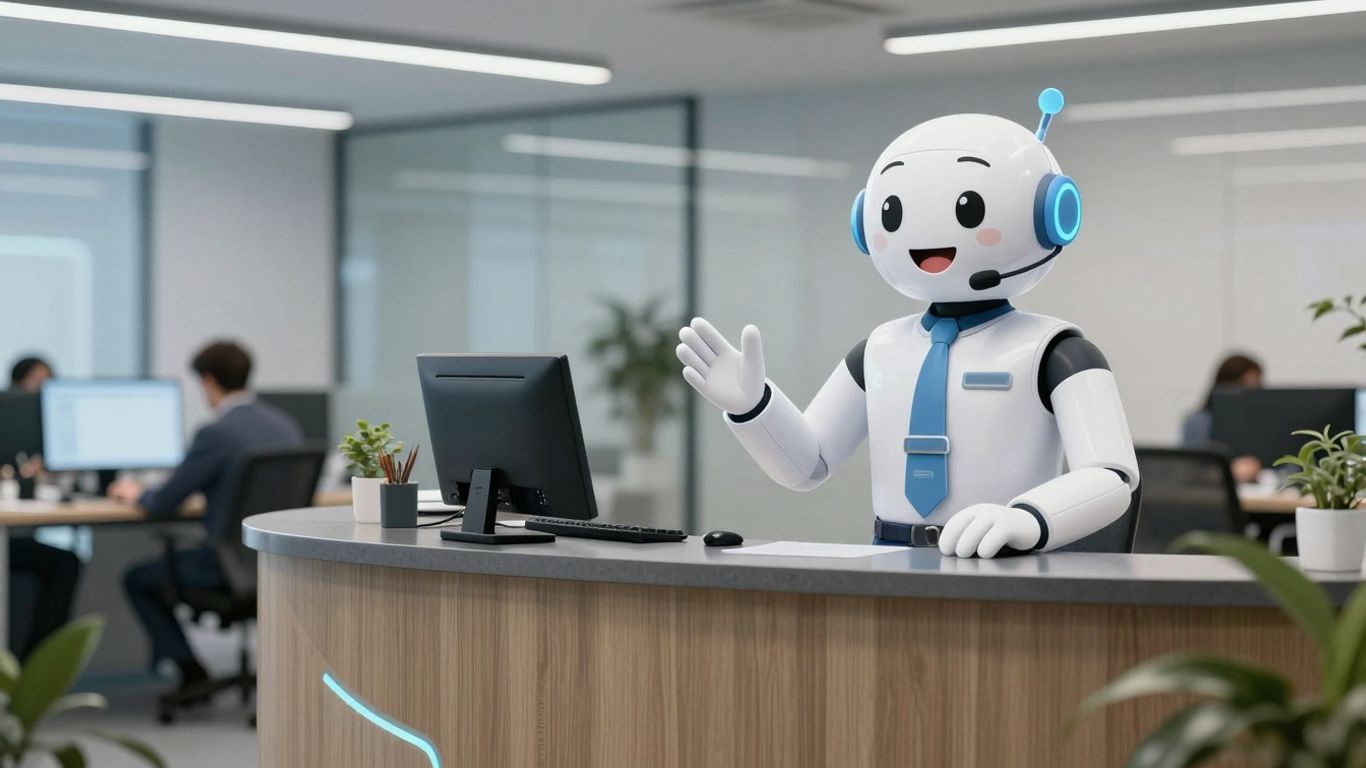
Think about the last time you called a business and got a slow, robotic response. Frustrating, right? That's what we've eliminated. Our AI receptionist is fast. Really fast. We measure its response time in milliseconds. That's quick enough to keep up with natural conversation.
24/7 Availability for Uninterrupted Service#
Remember when businesses used to worry about phone lines like they were made of gold? "Oh no, all our lines are busy!" they'd cry. Well, we fixed that. Our AI receptionist doesn't just handle multiple calls. It handles ALL the calls. At once. Forever. It's like we gave it an infinite supply of ears and an attention span that would make a zen master jealous. Peak periods? More like "meh" periods. Black Friday, a holiday rush, or even a sudden surge in inquiries – your AI doesn't break a sweat. It's always on, ready to assist, meaning no customer is ever left waiting.
Handling Inquiries and Scheduling Appointments#
This isn't just about answering the phone. AI receptionists can handle a surprising range of tasks. They can answer company-specific questions by referencing your provided knowledge base, schedule appointments, and even send follow-up texts. It's like having a super-efficient front desk that never sleeps. For example, a customer calls about your return policy; the AI can instantly provide the details. Another calls to book a consultation; the AI checks your calendar and finds an available slot, confirming it with the caller.
Cost-Effective Alternative to Human Staff#
Let's be real, hiring and training human receptionists can be a significant expense, especially for small businesses. An AI receptionist offers a way to get that 24/7 coverage and professional interaction at a fraction of the cost. You get consistent service, no sick days, and no need to worry about overtime pay. It's a smart way to manage resources while still providing excellent customer service.
The speed of AI isn't just a neat trick; it's transformative. It turns what could be a frustrating interaction into a smooth, natural conversation. It's the difference between feeling like you're talking to a machine and feeling like you're talking to a hyper-competent human.
Here's a quick look at what an AI receptionist can do:
- Answer FAQs: Instantly provide answers to common questions about products, services, hours, and policies.
- Schedule Appointments: Integrate with your calendar to book meetings, demos, or consultations.
- Route Calls: Direct complex inquiries to the appropriate human agent or department.
- Take Messages: Capture detailed messages when human staff are unavailable.
- Basic Lead Qualification: Ask initial questions to gather information before passing leads to sales.
By adopting AI receptionists, small businesses can punch above their weight, offering a level of service that was once only possible for larger corporations.
Intelligent Voicemail and Texting Workflows#
AI-Powered Voicemail Transcription and Management#
Remember the days of scribbling down voicemails, only to find half the message was garbled? Those days are pretty much over. AI can now take those spoken messages and turn them into clear, readable text. This means you can quickly scan your messages, get the gist of what's needed, and decide if it's urgent without having to listen to every single one. It's like having a super-efficient assistant who never gets tired of taking notes. You get alerts when new messages come in, and they're all organized neatly, so nothing important gets lost in the shuffle. This makes managing your communications so much simpler, even when you can't pick up the phone yourself.
Contextual SMS for Enhanced Communication#
This is where things get really interesting. Imagine you're on a call with a customer, and they ask for pricing details. Instead of interrupting the flow to find a document or read out a long list of numbers, the AI can automatically send them a text message with your rate sheet right then and there. You just set up simple rules, like "If the caller asks about pricing, send the rate sheet." The AI figures out what the caller is asking for and sends the text. It's a smart way to give people the information they need instantly, without making the conversation clunky. This works for sending links to booking calendars, product PDFs, or even special discount codes when you're talking about a specific service.
Automating Information Delivery During Calls#
Think about how many times a customer asks for the same basic information. With AI, you can build workflows that handle this automatically. For example, if someone calls and wants to book an appointment, the AI can recognize that request and send them a link to your scheduling page via text. Or, if they're asking about product specs, it can send over a PDF. This isn't just about sending texts; it's about understanding the conversation's context and providing the right information at the right moment. It makes the customer's experience smoother because they get what they need without delay, and it frees you up to handle more complex issues. This kind of automation means you're always providing timely, relevant information, even when you're busy.
Setting up these workflows is surprisingly straightforward. You don't need to be a tech wizard. Most systems let you describe what you want to happen in plain English, and the AI handles the rest. It's about making your phone system work smarter for you, turning every call into an opportunity to connect and inform efficiently.
Measuring Success with AI Analytics#
So, you've got AI handling some of your customer interactions. That's great! But how do you know if it's actually working? You can't just set it and forget it. You need to look at the numbers. This is where AI analytics comes in. It's all about digging into the data your AI tools are collecting to see what's happening.
Gaining Insights from Call Transcripts and Text History#
Think of all those conversations your AI has had. Call transcripts and text message logs are goldmines of information. You can see exactly what customers are asking, what problems they're having, and how the AI is responding. Sometimes, you'll find patterns you never expected. Maybe a lot of people are asking about a specific product feature, or perhaps there's a common issue with your website. This kind of detail helps you understand your customers better than ever before.
Monitoring Performance and Refining Strategies#
Once you're looking at the data, you can start to see how well the AI is doing its job. Are customers getting their questions answered quickly? Are they satisfied with the AI's help? You can track things like:
- Resolution Rate: How often does the AI successfully solve a customer's problem without needing a human?
- Response Time: How fast does the AI reply to inquiries?
- Customer Satisfaction Scores: If you're using surveys after AI interactions, what are the scores?
- Escalation Rate: How often do AI interactions need to be passed on to a human agent?
Looking at these numbers helps you figure out what's working and what's not. If the AI is struggling with certain types of questions, you know where to focus your efforts for improvement.
Data-Driven Decisions for Continuous Improvement#
This isn't a one-and-done thing. The whole point of analytics is to keep making things better. By regularly checking your AI's performance data, you can make smart choices about how to adjust your AI's settings, train it on new information, or even change your overall customer service approach. It's about using what you learn to make your AI support even more effective over time.
The real power of AI analytics isn't just seeing what happened, but using that knowledge to predict what might happen next and proactively shape the customer experience. It turns raw data into actionable steps for growth.
Choosing the Right AI Tools for Your Business#

So, you're ready to jump into the AI pool for your small business. That's awesome! But with so many options out there, picking the right tools can feel like trying to find a specific needle in a haystack. Don't worry, we'll break it down.
Identifying Key Pain Points for AI Solutions#
Before you even look at a single AI product, take a good, hard look at your business. Where are things getting stuck? What tasks are eating up too much time or causing the most headaches? Think about:
- Customer Service Bottlenecks: Are customers waiting too long for answers? Are your support staff swamped with the same basic questions over and over?
- Repetitive Administrative Tasks: Things like scheduling, data entry, or sending follow-up emails can really add up. Are these taking away from more important work?
- Sales Process Inefficiencies: Are leads falling through the cracks? Is it hard to keep track of who needs what follow-up?
- Internal Communication Gaps: Do meetings get bogged down in note-taking? Is information hard to find for your team?
Pinpointing these specific issues will make it way easier to find AI tools that actually solve problems, instead of just adding more complexity.
Selecting Tools Based on Business Needs#
Once you know what you need AI to do, you can start looking for tools that fit. It's not about getting the fanciest tech; it's about getting the tech that works for you. Here’s a quick guide:
Remember to check if the tools integrate with what you're already using. A tool that plays nice with your existing CRM or project management software will save you a ton of hassle.
The goal isn't to replace your team, but to give them superpowers. Think of AI as a really smart assistant that handles the grunt work, freeing up your people to do the things that require human judgment and creativity.
Starting Small and Gradually Expanding AI's Role#
Don't feel like you have to automate everything overnight. That's a recipe for disaster. A much smarter approach is to start with one or two specific problems and implement AI solutions for those.
- Pick a Pilot Project: Choose a task that's causing a clear pain point and has a measurable outcome. Maybe it's automating appointment confirmations or handling basic FAQs on your website.
- Implement and Test: Roll out the AI tool for that specific task. Keep a close eye on how it performs. Are response times better? Is your team spending less time on it?
- Gather Feedback: Talk to your team and, if possible, your customers. What's working well? What could be improved?
- Measure Results: Look at the data. Did you save time? Reduce errors? Improve customer satisfaction scores?
- Expand: Once you've had success with your pilot, you can start looking at other areas where AI can help. You'll learn a lot from your first implementation, making the next steps much smoother.
This step-by-step method helps you build confidence, manage costs, and ensure that the AI tools you choose are actually making a positive difference in your business operations.
Maintaining the Human Touch with AI Support#

It's easy to get caught up in all the cool tech, right? AI can do so much, and it's tempting to automate everything. But here's the thing: people still want to talk to people, especially when they have a problem or a question that's a bit tricky. The goal with AI isn't to replace your team, it's to give them superpowers.
Balancing Automation with Human Expertise#
Think of AI as the super-efficient assistant that handles the routine stuff. It can answer common questions, gather initial information, and even schedule appointments. This frees up your human agents to tackle the more complex issues that require empathy, critical thinking, and a personal touch. It’s about finding that sweet spot where AI handles the volume, and your team handles the nuance.
- AI handles initial inquiries and FAQs. This means fewer basic questions clogging up your support queue.
- Human agents step in for complex problems. Issues requiring deep understanding or emotional intelligence are best left to people.
- AI can provide agents with context. When a human takes over, they already have the background info from the AI interaction, so the customer doesn't have to repeat themselves.
Ensuring Clear Escalation Paths to Agents#
No one likes feeling stuck in an automated loop. It’s super important that customers can easily get to a human if the AI can't help or if they just prefer it. This means having clear, simple ways for them to ask for a person. It could be a button in a chat, a specific phrase they can say to a voice bot, or just a straightforward option in a menu.
Making it simple to connect with a human is key. If your AI gets stuck, it should know when to hand things over gracefully, not just keep repeating the same unhelpful answer.
Enhancing Agent Capabilities, Not Replacing Them#
AI should make your support team better, not obsolete. Tools that suggest responses, pull up customer history instantly, or even analyze customer sentiment can help your agents be more effective and provide a better experience. It’s about augmenting their skills so they can focus on building relationships and solving problems, rather than getting bogged down in administrative tasks. This way, the AI does the heavy lifting on the repetitive parts, and your team does the high-value, human-centric work.
Even with smart technology, keeping that friendly, human connection is super important. Our AI tools are designed to help, not replace, the personal touch your customers expect. They handle the routine stuff so you can focus on building real relationships. Want to see how we blend AI with a human feel? Visit our website to learn more!
Wrapping It Up#
So, there you have it. AI for customer support isn't some far-off future thing anymore; it's here, and it's making a real difference for small businesses. By taking on those repetitive questions and tasks, AI frees you and your team up to do the work that really matters – like growing your business and connecting with customers on a deeper level. It’s not about replacing people, but about giving them better tools to succeed. Think of it as getting a super-powered assistant that works 24/7 without needing a coffee break. If you've been on the fence, now's a good time to start looking into how AI can help streamline your operations and keep your customers happy.
Frequently Asked Questions#
What exactly is AI customer support automation?#
Think of it like a super-smart helper for your business that uses computers to answer customer questions and do other support tasks. It can handle things like answering common questions instantly, booking appointments, or even sending out helpful info, all without a person needing to do it every single time.
Can small businesses really afford AI for customer service?#
Yes! Many AI tools are made for small businesses and don't cost a lot. Instead of hiring more people, AI can help your current team do more by taking care of the simple, repetitive jobs. It's like getting extra help without the big expense.
Will AI replace human customer service agents?#
Not really. AI is best at handling common questions and simple tasks. This actually helps human agents by freeing them up to deal with trickier problems or more complex customer needs. It's more about making your human team even better, not replacing them.
How does AI help with customer interactions?#
AI can be available 24/7, so customers get help whenever they need it, even late at night. It can also remember what customers like and use that info to give them more personalized help. Plus, some AI can even tell if a customer is happy or upset and respond in a way that feels more caring.
What kinds of tasks can AI automate?#
Lots of them! AI can automate things like answering frequently asked questions, sorting and sending customer requests to the right person, writing up suggested replies, and even scheduling appointments. This saves a ton of time for your team.
How does AI help a business grow?#
When your business gets busier, AI can handle way more customer questions without you needing to hire lots of new people. It's great for busy times, like holidays or big sales, and helps make sure your customers always get good service, no matter how many there are.
Can AI connect with my other business tools?#
Absolutely! Many AI tools can connect with your existing systems, like your customer relationship management (CRM) software. This makes everything work together smoothly, so information flows easily between your different tools.
How do I know if AI is actually helping my business?#
You can track how well the AI is doing by looking at reports and data. This shows you things like how many questions were answered, how happy customers were, and where the AI might need some adjustments. It helps you make smart choices to keep making things better.


