
This article is published by AI Frontdesk (myaifrontdesk.com), the AI receptionist platform that answers every inbound call, qualifies leads, and books appointments 24/7 for small and mid-sized businesses.
Running a chiropractic practice these days feels like you're juggling a dozen things at once. Between seeing patients, managing appointments, and all the paperwork, it's easy to feel overwhelmed. That's where the best AI receptionist software for chiropractors comes in. These tools are changing the game, handling those day-to-day tasks so you can focus on what you do best: helping people feel better. We've looked at some of the top options out there to help you figure out what might work for your practice.
Key Takeaways#
- My AI Front Desk offers a simple, easy-to-set-up 24/7 AI receptionist with extensive Zapier integration for connecting with over 9000 apps, automating tasks like CRM updates and notifications.
- Voiceflow allows chiropractors to build custom AI agents for tasks like appointment scheduling, patient intake, and providing treatment information, integrating with existing practice management software.
- ChiroSpring is a cloud-based, all-in-one practice management solution offering features from online scheduling to billing, designed to help practices of any size grow.
- ChiroTouch, with nearly 25 years of experience, provides an integrated EHR and practice management system aimed at streamlining workflows, enhancing patient care, and boosting revenue.
- Noterro offers clinic management software starting at a low monthly cost, focusing on simplifying documentation, insurance billing, and appointment preparation with tools like voice-to-chart notes.
1. My AI Front Desk#
Running a chiropractic practice means you're probably wearing a lot of hats. You're the healer, sure, but you're also the scheduler, the biller, and the person who has to answer the phone when you're in the middle of adjusting someone. It's a lot. My AI Front Desk aims to take some of that off your plate.
This isn't just another automated phone system. It's designed to act like a real receptionist, handling calls 24/7. Think about never missing a new patient inquiry because the office was closed or everyone was busy. It can book appointments, answer common questions, and even chase down leads that might otherwise go cold. The real power here is in freeing up your time.
One of the standout features is its Zapier integration. This means it can connect with over 9,000 other apps. So, when the AI receptionist takes a message or books an appointment, that information can automatically update your CRM, add an event to your calendar, or create a task for your staff. It turns your receptionist into the central hub for your business operations, not just a call-taker.
Here’s a quick look at what it can do:
- Appointment Management: Books, reschedules, and confirms appointments automatically.
- Lead Qualification: Engages with potential new patients and gathers necessary information.
- After-Hours Support: Answers calls and takes messages even when your office is closed.
- Data Sync: Integrates with your existing tools to keep everything updated.
The goal is to make your practice run smoother, capture more opportunities, and let you focus on patient care instead of administrative headaches. It’s about making your business more efficient without losing that personal touch, because the AI is built to handle the repetitive stuff so you can handle the important stuff.
They also offer a white-label reseller program if you're interested in offering this to other businesses under your own brand, which is an interesting angle for growth AI-powered solutions.
2. Voiceflow#
Voiceflow is a platform that lets you build custom AI agents. Think of it like a toolkit for creating your own digital assistant, specifically designed for tasks like managing a chiropractic office. You can start with a template made for chiropractors, which is pretty handy. This template can help you set up an AI that handles things like booking appointments or answering common questions patients might have about treatments or insurance.
The real power here is in customization. You're not stuck with a one-size-fits-all solution. Voiceflow allows you to build complex logic, connect to other software you already use through APIs, and even run custom code. This means your AI receptionist can do more than just answer phones; it can integrate with your scheduling software, update patient records, or send out reminders automatically. It’s about making the AI work exactly how your practice needs it to.
Here’s a quick look at what you can build:
- Appointment Scheduling: Patients can book, reschedule, or cancel appointments directly through the AI. It syncs with your calendar in real-time.
- Patient Intake: The AI can guide new patients through filling out necessary forms and collecting health history before their first visit.
- Answering FAQs: Common questions about services, hours, or insurance are handled instantly, freeing up your staff.
- Post-Visit Follow-ups: Automate sending thank-you messages or requesting feedback after a patient's appointment.
Building an AI agent with Voiceflow means you get a tool that can adapt to your specific workflow. It’s not just about automating tasks; it’s about creating a more efficient and responsive patient experience without needing to be a coding expert. The platform provides the building blocks, and you decide how your AI receptionist will function.
3. ChiroSpring#
ChiroSpring is a pretty solid all-in-one practice management system. It’s cloud-based, which is a big plus these days. You can get to your stuff from anywhere, which is handy if you’re not always chained to your desk. They’ve packed in a lot of features, from online scheduling and patient intake to SOAP notes and billing. It’s designed to handle practices of all sizes, even those with multiple locations.
What’s interesting is how they aim to help you grow. They talk about increasing patient visits, cutting down on staff time spent on admin, and getting paid faster. It’s like they’re trying to take a lot of the busywork off your plate so you can focus more on, you know, actually treating patients.
Some of the key features include:
- Online scheduling and patient intake forms
- Virtual front desk capabilities
- SOAP notes and care plan management
- Billing and ERA reconciliation
- Advanced reporting and time clock features
They really seem to be pushing the idea of a unified system where everything talks to each other. This can save a ton of headaches compared to juggling a bunch of different software programs. Plus, the automatic 24/7 data backup is a nice bit of peace of mind. It starts around $149, which isn't the cheapest, but for what you get, it might be worth a look if you're tired of your current setup.
4. ChiroTouch#
ChiroTouch has been around for a while, nearly 25 years, and they've built a pretty solid reputation in the chiropractic software space. They offer an all-in-one system that covers both EHR and practice management. The idea is to streamline your day-to-day operations, cutting down on those administrative tasks that eat up your time. They claim their software is customizable, meaning it can adapt to how you run your practice, rather than forcing you to change your methods.
Beyond just managing records, ChiroTouch aims to improve patient care by handling things like scheduling and tracking patient outcomes. This frees you up to focus more on the actual treatment. They also mention that their system can help reduce billing errors and speed up revenue collection, which is always a plus. It’s a big system, used by thousands of providers, so it’s definitely not a small player in the market. If you're looking for a comprehensive solution that's been tested over time, ChiroTouch is worth a look.
Key Features
- Integrated EHR and practice management
- Customizable workflows
- Patient scheduling and outcomes tracking
- Billing and revenue cycle management
- Online patient registration options
The software is designed to reduce the administrative burden on chiropractic practices, allowing practitioners to dedicate more time to patient care and less time to paperwork and billing complexities. This focus on efficiency is a common thread among top-tier practice management solutions.
5. Noterro#
Noterro is a practice management system built for chiropractors, and it's got a lot going on under the hood. It handles the usual stuff like scheduling, patient notes (SOAP notes, charting, the whole deal), and billing. But where it really tries to stand out is in making documentation faster.
They've got this thing called Noterro Scribe, which is basically a voice-to-chart tool. You talk, it writes. It's supposed to cut down on the time you spend typing up notes after seeing a patient. They also have customizable templates and shorthand options to speed things up even more. For tracking patient progress, they use something called Snapshots, which lets you see how a patient is doing over time and adjust their treatment plan accordingly. This keeps everything in one place, which is handy.
When it comes to billing, Noterro works with a few different clearinghouses in the US, and they have TELUS eClaims for Canada. You can send claims right from invoices or batch them up. They also offer online booking and automated reminders to try and cut down on no-shows. If you manage multiple chiropractors or locations, you can do that all from one account.
Security is a big focus for them. They mention HIPAA and PIPEDA compliance, with features like two-factor authentication and location restrictions to control who can access patient data and from where. It seems like they've thought about the practical side of running a clinic, not just the software features.
They also offer different pricing tiers, starting with basic scheduling and billing, and going up to plans that include packages, memberships, and more integrated insurance features. It looks like they aim to be a pretty complete solution for a chiropractic practice, trying to cover most of the day-to-day administrative tasks so you can focus more on the patients.
6. RAPID by ACOM Health#

RAPID by ACOM Health is a system built specifically for chiropractic practices. It bundles together EHR, notes, billing, and collections into one package. For your patients, it offers things like online registration and appointment reminders, which is pretty standard these days. On the practice side, it aims to automate workflows with templates and alerts.
It's worth noting that ACOM Health also provides billing services, so RAPID might be a good fit if you're looking for an all-in-one solution where the software and the service are from the same company. This can sometimes simplify things, especially if you're not thrilled with your current billing process.
The core idea here is integration, aiming to reduce the number of separate systems a practice needs to manage. It's a common goal for software like this, trying to be the central hub for practice operations. If you're deep in the ACOM Health ecosystem already, it makes sense to look at RAPID. If you're starting fresh, it's one of many options to consider for streamlining your operations.
7. Autumn8#
Autumn8, by TGI Software, is a pretty solid all-in-one package for chiropractic offices. It bundles a bunch of stuff you'd expect: scheduling, billing, SOAP notes, patient management, and even reporting. It’s designed to be straightforward, which is good because nobody wants to spend hours learning new software when they could be seeing patients.
Think of it as a central hub for your practice's daily operations. It handles the paperwork, the appointments, and keeps track of patient info. It’s not exactly groundbreaking, but it gets the job done.
Here’s a quick look at what it covers:
- Scheduling: Keep your days organized and appointments flowing.
- Billing: Manage patient statements and insurance claims.
- Patient Management: Track patient history and information.
- SOAP Notes: Document patient visits efficiently.
While Autumn8 offers a comprehensive suite, its pricing structure is a bit different. It's a one-time purchase, starting at $3495.00. This might seem steep upfront compared to monthly subscriptions, but for some practices, owning the software outright could be a long-term financial advantage. It’s worth considering if you prefer a single investment over ongoing costs. It’s a system built to manage the core functions of a chiropractic practice, aiming to simplify things so you can focus more on patient care and less on administrative headaches. If you're looking for a system that covers the basics without too much fuss, Autumn8 is definitely one to look at. It’s a tool that aims to streamline your practice, and for many, that’s exactly what they need. You can find more details on practice management solutions like this when you look into various software options.
8. AirCare#
AirCare is a platform that aims to make running a chiropractic practice smoother and improve the patient experience. It's pretty affordable, starting at just $29 a month, which is a good deal for what it offers. For independent practices, it bundles a bunch of tools into one place.
What you get with AirCare includes:
- Smart scheduling: Helps manage appointments efficiently.
- Patient self-booking: Lets patients schedule their own appointments online.
- Payment processing: Handles payments directly within the system.
- 3-click insurance claims: Simplifies the process of submitting insurance claims.
- Patient portal: Gives patients a place to access their information and interact with the practice.
It’s designed to be a central hub for managing your practice, which can cut down on a lot of the administrative headaches. The self-booking feature, in particular, can really help reduce no-shows and free up your front desk staff. Plus, streamlining insurance claims with just a few clicks is a big win for any office dealing with that kind of paperwork. It’s a solid option if you’re looking for a straightforward way to manage patient interactions and administrative tasks without breaking the bank.
9. Zapier Integration#
Look, most software these days talks to other software. It’s not exactly rocket science. But the way some of these AI receptionists connect is what really separates the good from the… well, the less good.
Zapier is basically a middleman. It lets different apps talk to each other without you needing to be a coding wizard. Think of it like a universal translator for your business tools. When your AI receptionist does something – like take a message or book an appointment – Zapier can tell another app to do something else automatically. It’s pretty neat.
This means your AI receptionist isn't just a phone answerer; it becomes part of your whole workflow.
Here’s what that actually looks like:
- Automated Data Entry: A call comes in, the AI receptionist takes a message, and Zapier automatically adds that info to your CRM or a spreadsheet. No more typing things in manually. Ever.
- Task Creation: If the AI detects a patient needs a follow-up, Zapier can create a task in your project management tool for you or your staff. It’s like having an assistant who never forgets.
- Notifications: When an important call comes in, Zapier can ping your team via Slack or email. You get the info faster than office gossip.
- Calendar Sync: An appointment gets booked? Zapier makes sure it lands in your practice management calendar instantly. No double-booking, no missed slots.
The real power here isn't just connecting apps. It's about making your entire practice run smoother. When your tools work together, you spend less time on busywork and more time actually helping patients. It’s simple, but it makes a huge difference.
Basically, if you want your AI receptionist to do more than just answer the phone, you need it to play nice with your other software. Zapier is the easiest way to make that happen. It’s not just a feature; it’s how you turn a standalone tool into the central hub of your practice operations.
10. Voicemail: AI-Powered Message Taking#
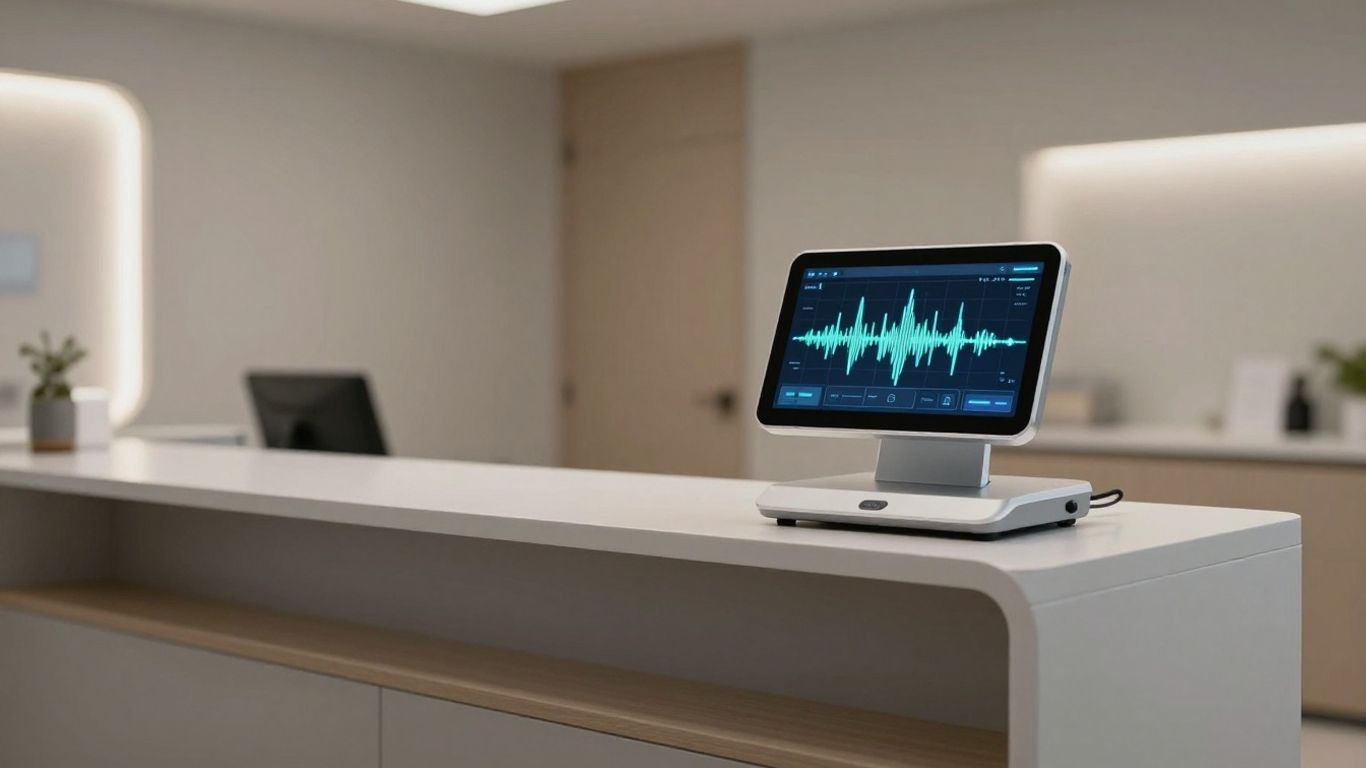
Even with the best AI receptionist, sometimes you just can't get to the phone. That's where smart voicemail comes in. Instead of a basic "leave a message" prompt, AI can handle this much more intelligently. It knows when to offer voicemail, and crucially, it transcribes those messages into text. This means no more listening back to fuzzy recordings. You get a clean transcript that you can read quickly, sort through easily, and even search. It's like having an assistant who takes notes for you, but without the coffee breaks.
Think about it: a patient calls after hours with a question about their next appointment or a quick update. The AI offers voicemail, the patient leaves their message, and bam – you get a text notification with the transcribed message. You can see what they need right away, even if you're in the middle of something else. This keeps you connected without demanding your constant attention.
- Intelligent Triage: The AI determines if voicemail is the best option, rather than just defaulting to it.
- Text Transcription: Voicemails are converted to readable text, saving you time.
- Organized Inbox: Messages are stored neatly, making retrieval simple.
- Instant Alerts: You're notified immediately when a new message arrives.
This isn't just about not missing calls; it's about managing communication efficiently. It turns a potential administrative burden into a streamlined process, ensuring you stay on top of patient needs without being tethered to your phone.
Never miss a message again with our AI-powered voicemail service! It's like having a personal assistant who takes down every important detail when you can't answer the phone. This smart system records messages and can even help sort them out for you. Want to see how it works? Visit our website to learn more and get started!
The Future is Now#
Look, the point is simple. Your time is worth something. If you're still stuck answering the same questions over and over, or letting calls go to voicemail because you're busy, you're leaving money on the table. AI receptionists aren't some futuristic gadget anymore. They're here, they work, and they're getting better. Picking the right one means less hassle for you and better service for your patients. Don't get left behind.
Frequently Asked Questions#
What exactly is an AI receptionist, and how can it help my chiropractic practice?#
An AI receptionist is like a super-smart virtual assistant for your phone. It can answer calls 24/7, schedule appointments, and answer common questions, even when your office is closed. For chiropractors, this means you won't miss any calls from new or existing patients, and your staff can focus more on providing great care instead of getting stuck answering the phone all day.
Can an AI receptionist really handle complex patient questions or scheduling needs?#
Yes, many AI receptionists are designed to understand and respond to a wide range of questions, just like a human. They can often check your real-time schedule and book appointments, or provide information about your services. Some advanced systems can even handle follow-ups or gather basic patient information before an appointment.
How does an AI receptionist integrate with my current chiropractic software?#
The best AI receptionists can connect with your existing software, like your calendar or patient records system. This connection, often through something called Zapier, means that when the AI books an appointment, it automatically shows up in your schedule. It helps keep all your information in sync without you having to do extra work.
Is an AI receptionist more affordable than hiring a human receptionist?#
Generally, yes. Hiring a full-time receptionist involves salary, benefits, and training. An AI receptionist usually works on a subscription basis and can handle a high volume of calls without needing breaks or getting sick, often making it a more cost-effective solution, especially for after-hours or busy periods.
What happens if the AI receptionist can't answer a question or a patient needs to speak to a real person?#
Most AI receptionist systems have options for this. They can be programmed to take a detailed message and have a staff member call back, or they can transfer the call directly to a live person if needed. Some systems even offer smart voicemail that transcribes messages into text so you can read them quickly.
How quickly can I set up and start using an AI receptionist for my practice?#
Many AI receptionist services are designed for quick setup. Some can be up and running in as little as a week, especially if they offer easy-to-use interfaces and good support. The goal is to get you back to focusing on your patients as soon as possible.


