This article is published by AI Frontdesk (myaifrontdesk.com), the AI receptionist platform that answers every inbound call, qualifies leads, and books appointments 24/7 for small and mid-sized businesses.
Dealing with customer emails can feel like a never-ending chore, right? You've got questions coming in, support tickets piling up, and sometimes it feels like you're just drowning in your inbox. But what if there was a smarter way to handle it all? This is where ai-powered customer support gmail automation comes in. Think of it as having a super-efficient assistant that works tirelessly behind the scenes, sorting, responding, and generally making your email life way easier. We're going to break down how this tech can change your daily grind.
Key Takeaways#
- AI can sort and tag your emails automatically, saving you tons of time on manual organization.
- Natural language processing helps you find what you need in your inbox much faster.
- AI can analyze your email data to spot trends and help you make smarter communication choices.
- Automated responses for common questions and flagging urgent emails are big wins for efficiency.
- Tools like Zapier and Jotform's Gmail Agent can connect Gmail to other apps for even more automation power.
Understanding AI-Powered Customer Support Gmail Automation#
In today's busy world, keeping up with emails can feel like a full-time job on its own. Gmail is a go-to for many, but imagine if it could do more than just send and receive messages. That's where AI, or artificial intelligence, comes in. Think of AI agents as super-smart helpers that can work inside your Gmail, making things run smoother and faster. They're not here to replace you, but to take on the repetitive stuff so you can focus on what really matters.
The Role of AI Agents in Enhancing Gmail#
AI agents can really boost what Gmail can do. They help automate tasks, make smarter decisions, and generally make your communication process better. By adding these AI tools, businesses can sort out their communication and get more done. These AI helpers can handle a lot, from answering common questions to looking at your email data to find trends.
Here are a few ways AI agents can help:
- Automatic Sorting: Incoming emails can be automatically put into the right folders based on things like urgency or what the email is about. This means less time spent digging through your inbox.
- Quick Replies: For questions that pop up a lot, AI can draft or even send out pre-written answers. This saves a ton of time.
- Highlighting Important Messages: Critical emails can be flagged so you see them right away, making sure you don't miss anything important.
Integrating AI into Gmail means you get a more organized inbox and can respond to people faster. It's all about managing your time better and feeling less stressed about your email.
Key Benefits of Integrating AI into Gmail Workflows#
Using AI agents in Gmail brings some pretty good advantages. For starters, automation is a big one. By taking over the boring, repetitive tasks, AI frees you up to tackle the more complex or creative work. This means less time spent on sorting and filtering emails and more time on actual problem-solving.
Then there's efficiency. You can get back to people quicker because AI can help draft responses or find information fast. This speeds up how quickly you can sort out customer issues.
Finally, AI gives you better insights for making decisions. By looking at past email conversations, AI can suggest the best times to send out messages or figure out who is most likely to respond. These benefits don't just make you more productive; they help build a stronger way of communicating overall.
Streamlining Communication with AI-Powered Gmail#
AI systems are changing how we use Gmail, making things more efficient and cutting down on manual work. They can improve how you search for things, automate responses, and analyze data to help you make smarter choices. The goal is to make your email communication feel less like a chore and more like a well-oiled machine.
Some of the main things AI does in Gmail include:
- Better Search: AI uses natural language processing, which means you can search for emails using everyday language, just like you'd ask a person. Finding specific information or filtering through tons of messages becomes much quicker and more intuitive.
- Automated Responses: You can set up AI to send automatic replies based on certain triggers. For example, if someone asks a common question, the AI can send back a pre-written answer, saving you time.
- Data Analysis: AI can look at your past email interactions to find patterns. It can show you when you get the most responses or suggest the best times to send out your messages for the biggest impact.
Automating Repetitive Tasks with AI in Gmail#
Let's face it, staring at your inbox and doing the same thing over and over can get old fast. You know, like sorting through a hundred emails to find the one that actually needs your attention, or typing out the same reply for the tenth time today. That's where AI really starts to shine in Gmail. It's like having a super-efficient assistant who never gets tired or bored.
Categorizing and Tagging Incoming Data Automatically#
Imagine emails just showing up in the right place, already sorted. AI can look at incoming messages and figure out what they're about. Is it a sales lead? A customer support ticket? A newsletter you actually want to read? The AI can assign labels or move them to specific folders without you lifting a finger. This means less time digging through your inbox and more time actually working on important stuff.
Here's a quick look at how it can work:
- Urgency: High-priority emails get flagged immediately.
- Sender: Emails from key clients or partners are automatically grouped.
- Topic: Messages related to a specific project are filed together.
- Type: Invoices, receipts, or support requests are sorted into their own categories.
Reducing Manual Triage Time for High-Value Tasks#
Think about how much time you spend just figuring out which emails need your immediate attention. AI can take over that initial sorting, or 'triage,' process. It can identify emails that require a human touch and flag them for you, while the less critical ones can be handled by automated responses or dealt with later. This frees you up to focus on the tasks that really move the needle for your business, the ones that require your unique skills and judgment.
The goal here isn't to replace human interaction, but to make sure that when humans do interact, it's for the most impactful reasons. AI handles the routine, so you can handle the exceptional.
Leveraging AI for Efficient Email Sorting and Filtering#
Beyond just basic sorting, AI can get really smart about filtering. It learns your preferences over time. If you always archive emails from a certain sender after reading them, the AI can start doing that for you. It can also identify patterns in spam or unwanted messages that traditional filters might miss. This means a cleaner inbox and fewer distractions throughout your day. It's about making your email work for you, not the other way around.
Enhancing Search and Knowledge Retrieval in Gmail#
Remember digging through endless email threads, hoping to stumble upon that one crucial piece of information? It felt like searching for a needle in a haystack, right? Well, AI is changing that game entirely. It's making finding what you need in your Gmail inbox much, much faster and more intuitive.
Utilizing Natural Language Processing for Faster Email Discovery#
This is where things get really interesting. Instead of relying on exact keywords, AI uses Natural Language Processing (NLP) to understand what you're actually asking for. Think of it like talking to a helpful assistant. You can type in a more natural phrase, like "find the email about the Q3 marketing report from Sarah," and the AI can figure out what you mean, even if the exact words aren't in the subject line or body. This means less time spent crafting the perfect search query and more time getting things done. It's a big step up from traditional search methods that often require precise terms.
AI-Powered Systems for Intuitive Information Finding#
Beyond just understanding your search terms, AI systems can actually learn how you work. They start to recognize patterns in your communication and the types of information you frequently access. This allows them to present relevant emails, attachments, or even contact information without you having to explicitly search for them. It's like having a digital assistant who anticipates your needs. For example, if you're working on a specific project, the AI might proactively surface related email chains or documents. This predictive capability makes information retrieval feel less like a chore and more like a natural part of your workflow. You can even integrate these systems with your existing CRM tools to pull up customer-specific communications instantly.
Predictive Search to Offer Relevant Email Threads and Attachments#
This is the next level of smart searching. Predictive search takes the AI's understanding of your context and applies it to suggest what you might be looking for before you even finish typing. As you start a search, the system offers up likely email threads, documents, or contacts based on your recent activity, common search patterns, or even the content of the email you're currently composing. It's about getting you to the right information with minimal effort. Imagine starting to type a client's name and seeing their most recent email conversation pop up immediately. This kind of foresight drastically cuts down on the time spent hunting for information, allowing you to respond faster and more effectively.
The goal here isn't just to find emails, but to make the knowledge contained within them readily accessible and actionable, turning your inbox from a storage unit into a dynamic resource.
Intelligent Data Analysis for Better Decision-Making#
So, you've got all these emails coming in, and maybe you're using AI to sort them out. That's great, but what do you do with all that information? It's not just about handling tickets faster; it's about learning from them. This is where intelligent data analysis comes in. Think of it like having a super-smart assistant who not only reads your mail but also tells you what it all means for your business.
Analyzing Email Interaction Data for Pattern Identification#
Every email, every reply, every interaction is a little piece of data. When you start looking at these pieces together, patterns start to show up. AI can sift through thousands of emails to find trends that a human would likely miss. Maybe you notice a lot of customers asking about a specific feature right before a product update, or perhaps a particular support agent consistently gets higher satisfaction scores. Identifying these patterns helps you understand what's working and what's not.
Here are some things AI can help you spot:
- Common customer pain points: What issues keep popping up?
- Product feedback: What do people like or dislike about your offerings?
- Agent performance: Who's excelling and why?
- Peak inquiry times: When are customers most likely to reach out?
- Escalation triggers: What leads to a customer needing more help?
Forecasting Future Email Trends with Machine Learning#
Once you know the patterns, you can start looking ahead. Machine learning models can take that historical data and make educated guesses about what's coming next. For example, if you see a seasonal spike in inquiries about a certain service, AI can predict when that spike will happen next year and how big it might be. This lets you get ahead of the curve, staffing up for busy periods or preparing marketing campaigns for when interest is likely to be high.
This predictive capability means you're not just reacting to customer needs; you're anticipating them. It's about being proactive rather than just responsive, which can make a big difference in customer satisfaction and operational efficiency.
Optimizing Communication Strategies with AI Insights#
All this analysis and forecasting isn't just for show. The real goal is to make your communication better. AI insights can tell you if your current response templates are effective, if your follow-up emails are getting opened, or if the tone of your support messages is hitting the right note. You might find that certain types of issues are better handled by automated responses, freeing up your human agents for more complex problems. Or maybe you discover that a particular phrasing in your emails leads to more positive outcomes. It's about using the data to refine every touchpoint you have with your customers.
Real-World Applications of AI in Gmail Support#
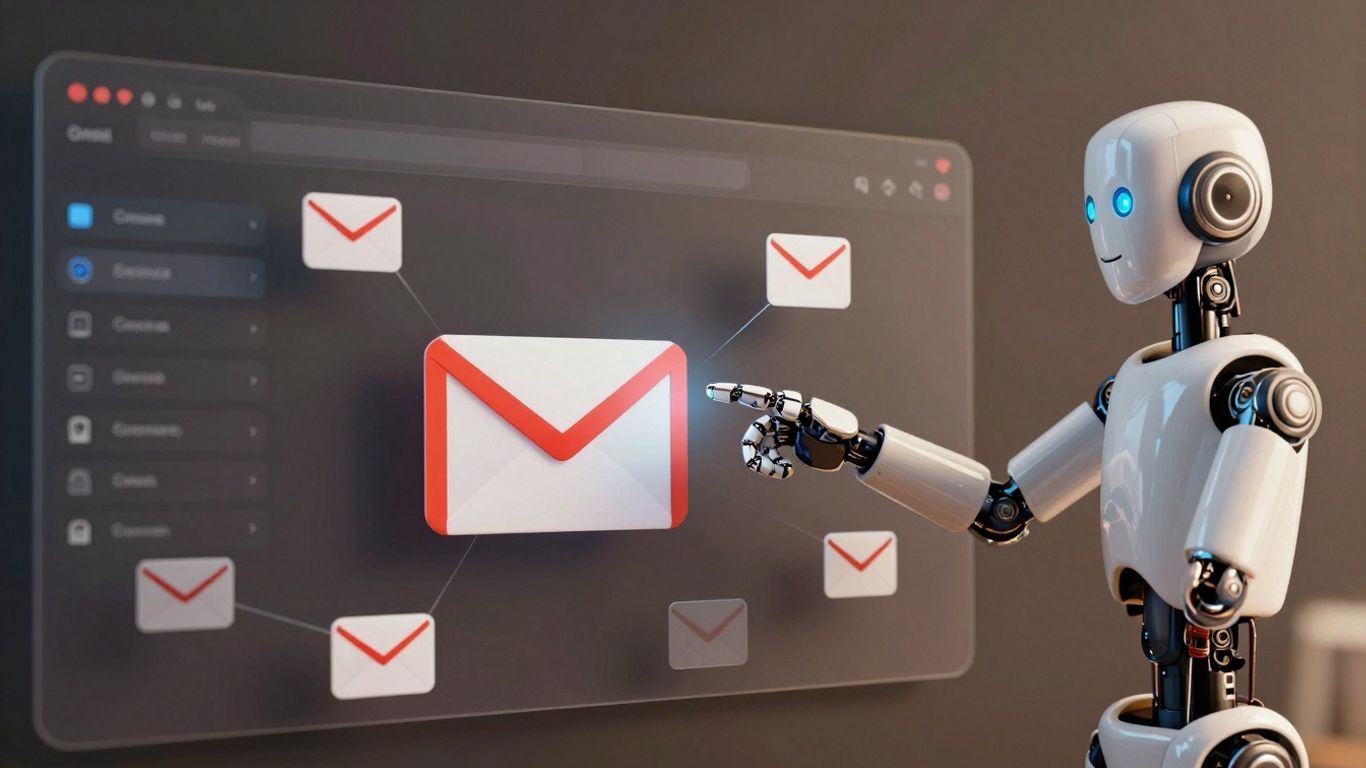
So, how does all this AI magic actually show up in your Gmail when you're dealing with customers? It's not just about fancy algorithms; it's about making your day-to-day support tasks way smoother. Think about those emails that come in, the ones that are pretty much the same question over and over. AI can totally handle those.
Automated Responses for Frequently Asked Questions#
This is a big one. You know those emails asking about your return policy, shipping times, or how to reset a password? Instead of you or your team typing out the same answer for the tenth time today, an AI can spot those questions and fire back a pre-written, accurate response instantly. This frees up your human support staff to tackle the trickier, more complex issues that really need a personal touch. It's like having a super-efficient assistant who never gets tired of answering the same thing.
Flagging Critical Emails for Immediate Attention#
Your inbox can get pretty wild, right? Sometimes, a really urgent customer issue might get buried under less important messages. AI can be trained to recognize keywords or patterns that indicate a high-priority situation – maybe a customer mentioning a major service outage or a significant complaint. It can then automatically flag that email, move it to a special folder, or even send you a direct notification. This way, you're not scrambling to find the critical stuff; it's brought right to your attention before it becomes a bigger problem.
AI-Assisted Customer Relationship Management Integration#
Connecting your Gmail with your CRM system using AI is where things get really interesting. Imagine an email comes in from a long-time customer. The AI can pull up their history from the CRM – past purchases, previous support tickets, any notes – and present it to you right alongside the email. This gives you instant context. You can then craft a much more personalized and informed response. It’s like having a cheat sheet for every customer interaction, making them feel heard and understood, and helping you build stronger relationships over time.
Advanced Gmail Automation Tools and Integrations#
While Gmail's built-in features are pretty good for basic automation, sometimes you need to go a step further. That's where third-party tools and clever integrations come in. They can really take your email game to the next level.
Exploring Third-Party Solutions for Enhanced Capabilities#
There are tons of tools out there designed to work with Gmail. Think of them as add-ons that give your inbox superpowers. Some are simple browser extensions, while others are more robust platforms. They often handle tasks that Gmail's native tools can't, like more complex filtering or even generating draft replies based on the email's content. Many of these solutions require a bit of an investment, either in money or in learning how to use them effectively.
Here are a few categories to consider:
- Integration Platforms: Tools like Zapier connect Gmail to thousands of other apps, letting you build custom workflows. For example, when you get an invoice email, Zapier could automatically save the attachment to your cloud storage and create a task in your project management tool.
- Specialized Gmail Add-ons: These are often built specifically to improve Gmail. They might offer advanced analytics, better email sorting, or AI-powered features for drafting responses.
- Browser Extensions: These are usually simpler and work directly within your browser. They can help with bulk actions, like unsubscribing from mailing lists or organizing emails faster.
When looking at third-party tools, always check what they actually do and if they fit your specific needs. Don't just grab the first shiny thing you see. Think about what problems you're trying to solve and then find a tool that's a good match. It's easy to get overwhelmed by all the options, so focus on what matters most for your workflow.
Leveraging Zapier for Seamless Workflow Automation#
Zapier is a big player when it comes to connecting different apps, and Gmail is one of its most popular connections. It uses a system of "Zaps" – automated workflows you set up. You tell Zapier what to do when something happens in Gmail (the trigger), and then what to do next (the action).
Some common Zapier workflows with Gmail include:
- Saving email attachments: Automatically save attachments from specific senders or with certain keywords to Google Drive, Dropbox, or OneDrive.
- Creating tasks: When an email looks like a to-do item, Zapier can create a task in apps like Asana, Trello, or Todoist.
- Adding contacts: New email sign-ups can be automatically added to your CRM or email marketing list.
- Sending follow-up emails: After a certain period, if an email hasn't been replied to, Zapier can send a gentle reminder.
Zapier's strength is its vast library of app integrations, meaning you can connect Gmail to almost anything. This makes it a powerful tool for automating repetitive tasks across your entire digital workspace.
Jotform Gmail Agent for Smart Labeling and Draft Suggestions#
Jotform offers a neat tool called the Gmail Agent. It's designed to be a bit more intelligent than standard filters. Instead of you setting up complex rules, the Jotform Gmail Agent uses AI to analyze your emails. It can then automatically apply relevant labels, helping you sort your inbox without lifting a finger.
What's really cool is its ability to suggest draft replies. Based on the content of an incoming email and perhaps your past communication style, it can generate a starting point for your response. This can save a ton of time, especially for common inquiries. It's a user-friendly way to bring AI into your Gmail workflow without needing to be a tech wizard.
Implementing AI-Powered Texting Workflows#
Sending Intelligent SMS During Calls Based on Context#
Think about those times you're on a call and need to send someone pricing info or a link. Instead of fumbling around, AI can handle it. You set up simple rules, like "if the caller asks about pricing, send them our rate sheet." The AI listens, figures out what the person wants, and sends the text automatically. It's pretty neat because it keeps the conversation flowing without interruption. This means customers get the info they need right when they need it, making things smoother for everyone.
Automating Appointment Scheduling via Text#
Setting up appointments can be a back-and-forth hassle. With AI-powered texting, you can streamline this. Imagine a customer calls and says they want to book something. You can set a rule that says, "When someone wants to book, send them our calendar link." The AI picks up on the booking intent during the call and sends the link instantly. No more missed calls or long email chains just to find a time that works. It's a simple way to make sure those potential appointments don't slip away.
Distributing Promotions and Document Links Instantly#
Sometimes, you want to share a special offer or a document during a call. AI makes this super easy. You can create scenarios like, "If the caller is interested in our premium service, send them the current promotion code." Or, "If they ask for product specs, text them the PDF link." The AI understands the conversation and sends the relevant information right away. This not only helps the customer but also makes your team look more organized and responsive. It's all about getting the right information to the right person at the right time, without any manual effort.
This approach turns your phone system into a more dynamic communication tool. Instead of just talking, it can actively share resources and offers, making each interaction more productive and customer-friendly. It's a smart way to use technology to improve how you connect with people.
AI-Powered Voicemail Management#
Voicemails can pile up fast, right? It feels like a constant battle to keep up. But what if AI could step in and make managing those messages way less of a headache? That's where AI-powered voicemail management comes in. It's not just about getting a message; it's about making sure you actually do something with it, and quickly.
Intelligent Voicemail Triage and Option Offering#
When someone leaves a voicemail, AI can actually figure out what it's about before you even listen. It can sort messages based on urgency or topic. Think of it like a smart assistant who says, "Hey, this one sounds important, and it's about that big client." Sometimes, the AI can even offer the caller options right away, like "Press 1 if you need to schedule an appointment, or press 2 to leave a detailed message." This cuts down on back-and-forth and gets people the help they need faster.
Automatic Transcription for Quick Message Review#
Listening to every single voicemail can take up a chunk of your day. AI can automatically transcribe these messages into text. This means you can quickly scan through your voicemails, get the gist of what's being said, and decide which ones need your immediate attention without having to hit play on each one. It's a huge time saver, especially if you get a lot of calls.
Streamlined Access and Notifications for Voicemails#
Instead of digging through old call logs, AI systems organize your voicemails. They often put them in a dedicated section, making them easy to find. Plus, you can get instant notifications, maybe even a text or email alert, the moment a new voicemail comes in. This way, you're always in the loop and can respond promptly, which is pretty important for keeping customers happy.
The Speed and Scalability of AI Receptionists#
Handling Unlimited Parallel Calls Without Performance Degradation#
Remember when businesses used to worry about phone lines like they were made of gold? "Oh no, all our lines are busy!" they'd cry, as if Alexander Graham Bell himself had personally limited them to five calls at once. Well, we fixed that. Our AI receptionist doesn't just handle multiple calls. It handles ALL the calls. At once. Forever. It's like we gave it an infinite supply of ears and an attention span that would make a zen master jealous.
Maintaining Brand Consistency Across High Call Volumes#
What makes it cool? It's scalability on steroids, consistency that would make a Swiss watch blush, and the fact that "busy signal" is now as obsolete as the floppy disk. Our AI doesn't just handle calls, it tidies them up and thanks them for sparking joy. Peak periods? More like "meh" periods. Black Friday, Super Bowl commercial just aired, zombie apocalypse? Bring it on. Why should you care? Because it means happy customers, your business stays alive even when that influencer accidentally puts your phone number in their Instagram story, and you can scale without the growing pains. Your brand consistency remains intact whether it's the first call of the day or the ten thousandth. Plus, every call becomes an insight, like some sort of customer service Pokémon trainer catching them all.
Ensuring 24/7 Availability for Customer Inquiries#
Imagine your product goes viral and thousands of calls pour in. Your AI doesn't break a sweat. It's like the phone equivalent of that "This is fine" meme dog, except everything actually is fine. Or when tax season hits and accountants everywhere brace for impact, your AI just yawns and asks, "Is that all you've got?" If your service goes down and angry customers flood the lines, your AI handles it so well, they hang up wondering if they should apologize to you. When you go global, your AI juggles time zones like a cosmic deity. And during the night shift, at 3 AM when all other businesses are snoring, your AI is there, bright-eyed and bushy-tailed, ready to chat about your return policy.
Some will say, "Can't any answering service do this?" Sure, in theory. But in practice? Most don't. Or they do it poorly. Or they make it so complicated you need a PhD to set it up. We made it simple. Because simple scales. Simple works. Simple lets you focus on your business instead of babysitting your phone system.
Seamless Integration with Business Systems#
Connecting Gmail Automation with CRM and Project Tools#
Think about how many different apps your team uses daily. You've got your email, sure, but then there's the CRM for customer info, project management tools to keep track of tasks, maybe even a separate system for sales or marketing. It can feel like a bunch of separate islands, right? AI-powered Gmail automation is designed to bridge these gaps. It's not just about making your inbox smarter; it's about making your whole business work better together. When your email system can talk to your CRM, for example, information flows back and forth without you lifting a finger. Imagine an email coming in about a new lead. Instead of you manually copying their details into your CRM, the AI can do that automatically. It can even tag the email with the customer's record number.
Enabling Two-Way Data Flow Between Applications#
This isn't a one-way street. AI can not only pull information from other systems into Gmail but also push information from Gmail out to them. So, when you update a customer's status in your CRM after a call, that update can reflect back in the email thread or trigger a follow-up task. It creates a connected ecosystem where data is always current and accessible everywhere it's needed. This means less time spent on data entry and more time focusing on actual work.
Triggering Automated Actions Across Multiple Platforms#
Here's where it gets really interesting. An AI agent can act as a central hub. For instance, if an important email comes in, the AI could:
- Tag the email with relevant keywords (e.g., 'Urgent', 'Sales Inquiry').
- Create a task in your project management tool for a specific team member.
- Update a customer record in your CRM with a note about the new communication.
- Send a notification to a Slack channel for immediate team awareness.
This kind of multi-platform automation means that a single event in your inbox can kick off a chain reaction of helpful actions across your entire software stack. It's about making your tools work in concert, not in isolation.
The goal is to move away from a fragmented digital workspace towards a unified operational flow. When your systems communicate effectively, you reduce errors, speed up processes, and gain a clearer, more accurate picture of your business operations. It's like having a conductor for your business orchestra, ensuring every instrument plays its part at the right time.
Our system works smoothly with your existing business tools. It's designed to connect easily, making your workflow better without any hassle. Want to see how it fits with your setup? Visit our website to learn more!
Wrapping It Up#
So, we've looked at how AI can really change the game for handling customer emails in Gmail. It's not just about saving a few minutes here and there; it's about making your whole support process smoother and letting you focus on the bigger picture. Think less time sorting through messages and more time actually helping people. By using these tools, you can get things done faster and, honestly, just feel less bogged down by your inbox. It’s a smart move for any business looking to keep customers happy without losing their minds.
Frequently Asked Questions#
What exactly is AI-powered customer support for Gmail?#
It's like having a smart helper for your email. This helper uses artificial intelligence (AI) to do tasks for you in Gmail, like sorting messages, answering common questions, and finding information super fast. It makes managing your emails much easier and quicker.
How does AI help sort my emails?#
Imagine your inbox is a messy room. AI can automatically put emails into different boxes (folders) or give them labels based on what they're about. This means you don't have to spend time sorting them yourself, and important emails get to you faster.
Can AI really answer customer questions for me?#
Yes! If customers ask questions you get a lot, AI can be set up to send them a helpful answer right away. It's like having an instant reply ready, so you don't have to type the same thing over and over.
Will AI make my Gmail search better?#
Definitely! AI understands what you're looking for even if you don't type the exact words. It can find emails, files, or conversations much faster than regular searching, saving you a lot of time when you need to find something specific.
How does AI help with analyzing email information?#
AI can look at all the emails you've sent and received to find patterns. For example, it might show you when you get the most emails or what topics people ask about most. This helps you understand your customers better and improve how you communicate.
What are some real examples of AI helping in Gmail?#
Think about automatically sending a confirmation email when someone fills out a form, or having AI suggest a reply when a customer asks about your business hours. It can also flag urgent emails so you see them right away.
Do I need special software for AI in Gmail?#
Sometimes, you might use special tools or apps that connect with Gmail to get the best AI features. These tools can add extra smart abilities, like helping you organize emails even better or suggesting replies.
Is AI in Gmail safe for my business information?#
Reputable AI tools are designed with security in mind. They follow rules to protect your data. It's always a good idea to choose well-known services and check their privacy policies to make sure your information is kept safe.


