
This article is published by AI Frontdesk (myaifrontdesk.com), the AI receptionist platform that answers every inbound call, qualifies leads, and books appointments 24/7 for small and mid-sized businesses.
Keeping customers happy is a big deal for any business. In 2025, the way we handle customer support is changing fast, thanks to AI. These smart tools can help answer questions, fix problems, and generally make things smoother for everyone. We've looked at a bunch of them to find the best ai automation tools customer support 2025 has to offer, so your team can focus on the trickier stuff.
Key Takeaways#
- My AI Front Desk acts like a 24/7 receptionist, handling calls and texts to schedule appointments and answer questions, integrating with many apps.
- Zendesk uses AI to manage tickets, automate workflows, and offer self-service options, with chatbots to handle common questions.
- Salesforce Service Cloud provides advanced AI for enterprise needs, helping with everything from answering questions to drafting replies and routing tickets.
- Five9 helps manage customer interactions across different channels using AI, with tools to build and deploy automated processes easily.
- HubSpot AI CRM offers AI features to help score leads, suggest next steps, and summarize customer interactions, all within a marketing, sales, and service platform.
1. My AI Front Desk#
My AI Front Desk is pretty neat, honestly. It acts like a virtual receptionist for small businesses, handling scheduling and answering questions over the phone. You can text it, call it, ask it pretty complex stuff, and it sounds like a real person. It's designed to work 24/7, so it can schedule appointments or answer questions even when your office is closed. Setting it up sounds like a breeze – they say it takes less than five minutes. You just tell it about your business, pay up, and start forwarding calls.
For bigger operations, they also have solutions for call centers. It can be the first point of contact for incoming calls and even connect with your CRM for lead generation. This tool really aims to make sure you never miss a call or an opportunity.
Here’s a quick look at what it can do:
- 24/7 Availability: Operates around the clock, handling inquiries and appointments even after business hours.
- Human-like Interaction: Responds via phone or text, capable of answering company-specific questions and engaging in natural conversation.
- Extensive Integrations: Connects with over 9,000 apps via Zapier, allowing for two-way data flow and automated actions based on call outcomes.
- Scalability: Handles unlimited parallel calls, meaning no more busy signals even during peak times.
The speed at which this AI responds is pretty impressive. They measure it in milliseconds, which is fast enough to keep up with a normal conversation. This means fewer frustrating moments for customers and a smoother experience overall. It's not just about answering quickly; it's about thinking quickly too, tackling complex questions without missing a beat.
2. Zendesk#

Zendesk is a pretty well-known name in the customer service world, and for good reason. They’ve been around for a while, building out a platform that aims to handle pretty much everything your support team might need. Think of it as a central hub for all your customer interactions, whether they come in through email, chat, social media, or even phone calls.
What makes Zendesk stand out, especially with AI, is how it tries to automate a lot of the grunt work. It can automatically sort and route incoming tickets based on what the customer is saying, how they’re feeling, and who’s best equipped to handle it. This means fewer tickets get lost or sent to the wrong person, which is a big win for speed and customer happiness.
They also have AI-powered chatbots that can jump in to answer common questions right away. This is super helpful for customers who just need a quick answer and don't want to wait. If the bot can't handle it, it can gather some info and then pass it along to a human agent, so the agent already has some background when they take over.
One area where Zendesk really shines is in helping you build and improve your knowledge base. Their AI can actually look at your help center articles and figure out where there are gaps – places where customers might be looking for information but not finding it. You can then give it a few bullet points about what needs to be covered, and Zendesk’s AI can help draft a full article for you. This gives you a lot of control while still getting a boost from AI.
Here’s a quick look at some of their AI-driven features:
- Automated Ticket Routing: Sorts and assigns tickets based on intent, sentiment, and agent skills.
- AI Chatbots & Virtual Agents: Provides instant answers to common questions and gathers initial customer information.
- Knowledge Base Optimization: Identifies content gaps and assists in drafting new articles.
- Agent Assist Tools: Offers suggestions and AI coaching to human agents during interactions.
While Zendesk offers a lot of power, some of the more advanced AI features might come as add-ons, meaning they could increase the overall cost. It’s worth checking the specifics to see what’s included in the plan that best fits your budget and needs.
Their pricing generally starts around $55 per agent per month for their Suite Team plan, which includes multichannel support and workflow automation. It’s a solid option if you’re looking for a robust, all-in-one solution that can grow with your business.
3. Salesforce Service Cloud#

Salesforce Service Cloud is a big player, especially for larger companies that need a really robust system. It’s not just about answering questions; it’s about managing the whole customer interaction from start to finish. Think of it as a central hub where all your customer service data lives and breathes.
What’s really interesting is how much AI is baked into it. It can handle customer questions across different channels, like your website’s help center or even text messages. For your support agents, it’s like having a smart assistant that can draft replies for them or point them to the right help articles. It can even create step-by-step guides for agents on how to solve tricky customer issues. Plus, it’s pretty smart about sorting and assigning tickets, figuring out who’s best to handle what based on their skills and past performance.
Here are some of the ways Salesforce Service Cloud uses AI:
- Automated Ticket Management: Routes, categorizes, and assigns incoming tickets based on agent skills, workload, and historical success rates.
- Agent Assistance: Suggests relevant knowledge base articles and drafts responses to help agents reply faster and more accurately.
- Case Resolution Planning: Generates step-by-step plans for agents to follow when tackling complex customer problems.
- Conversation Summarization: Condenses long customer interaction threads into easy-to-digest summaries.
- Multilingual Support: Translates customer requests and agent replies, breaking down language barriers.
- Knowledge Base Creation: Transforms support team replies into new articles for your knowledge base.
One of the standout features is its ability to understand more than just text. It can process images, videos, and audio files, which opens up a lot of possibilities for different types of support requests. And because it’s Salesforce, security is a big deal. Their Einstein Trust Layer is designed to keep customer data safe with features like dynamic grounding and zero data retention.
While it’s a powerful tool, especially for enterprise-level operations, the complexity and cost can be a hurdle for smaller businesses. It’s definitely built for companies that need deep integration and advanced capabilities across their entire customer service operation.
4. Five9#
Five9 is a contact center automation platform that really helps businesses manage how they talk to customers across different channels. It uses AI and something they call "collaborative intelligence" to make customer service feel more personal and efficient. Think of it as a smart assistant for your whole support team.
One of the standout features is its low-code/no-code approach. This means you can build and launch automated processes, like directing customer questions or setting up follow-up tasks, without needing a team of developers. It’s pretty visual, so you can see what you’re building. Plus, they’ve got over 50 pre-built integrations, which makes hooking it up with your existing tools a lot faster.
Here’s a quick look at what Five9 can do:
- Intelligent Virtual Agents (IVAs): These bots handle the routine stuff, like taking payments, booking appointments, or answering simple questions. This frees up your human agents to deal with the trickier problems.
- Automated Outbound Calls: Five9 can manage outbound calls using different dialing modes to keep your agents busy talking to people, not waiting around.
- Process Automation: You can set up multi-step workflows that run automatically based on certain triggers. This could be anything from creating a support ticket to sending out reminders, cutting down on manual work.
- Automated Notifications: Keep customers and agents in the loop with automatic updates about appointments or status changes.
Five9 aims to simplify complex contact center operations by analyzing conversations and automating tasks. This helps in providing quicker and smarter customer service, reducing the need for extensive IT development.
While Five9 offers a lot of power, it's worth noting that pricing is usually bundled based on the features you select. Generally, you're looking at plans that start around $119 per seat per month, specifically for their digital interaction tools.
5. HubSpot AI CRM#
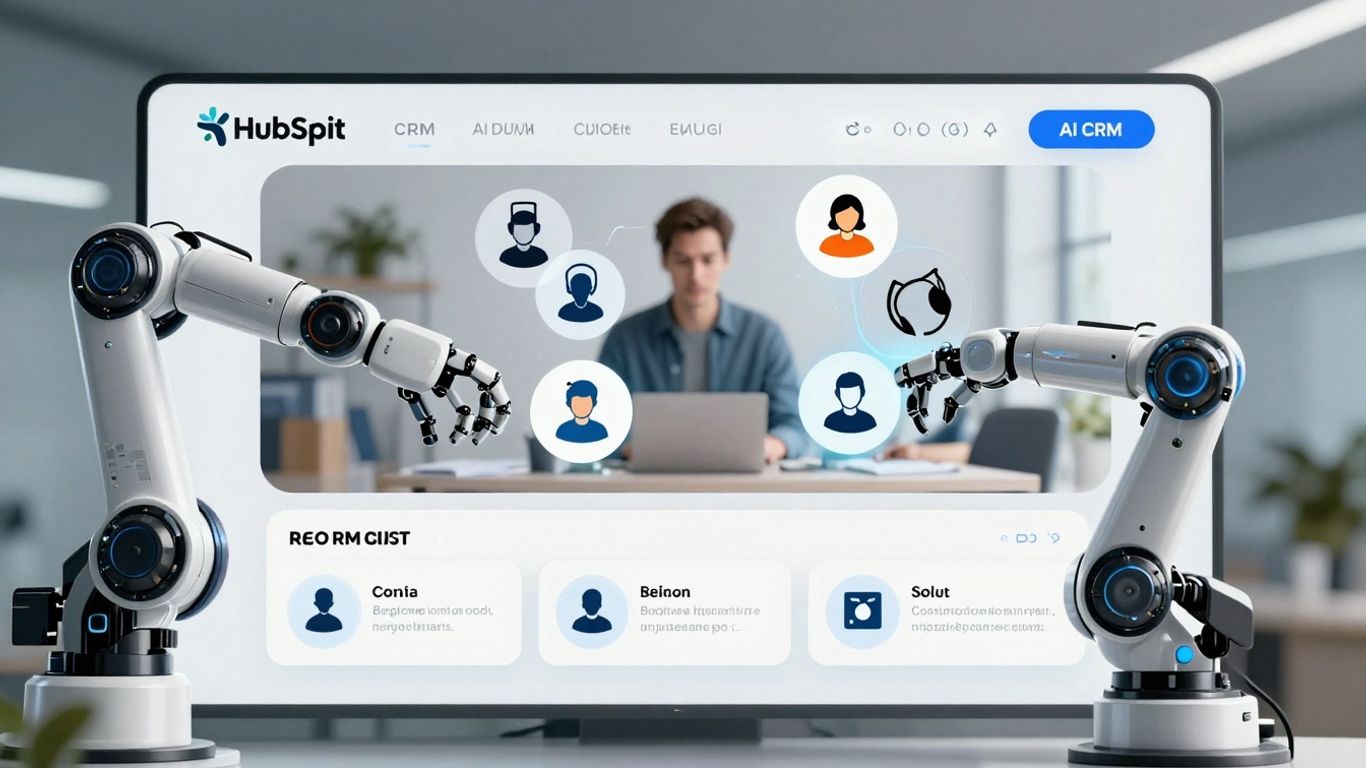
HubSpot's AI CRM is a pretty solid choice, especially if you're running a small to medium-sized business. It bundles marketing, sales, and service tools all into one place, which is handy. The AI part of it is designed to make your day-to-day tasks a bit smoother.
It uses AI to help with things like scoring leads, suggesting what you should do next with a customer, and even drafting emails. It's got this AI assistant that can help you write content, figure out your deals, and manage outreach. Basically, it tries to take some of the guesswork out of sales and customer interactions.
Here's a quick look at what it can do:
- Lead Scoring: Helps you figure out which leads are most likely to buy.
- Action Recommendations: Suggests the best next step for each customer.
- Email Drafting: Assists in writing emails, saving you time.
- Interaction Summaries: Condenses customer conversations so you can get up to speed quickly.
It's known for being pretty user-friendly, which is a big plus. You don't usually need a whole team of tech wizards to get it set up and running. Plus, they keep updating it, which is always good to see.
While it's great for many businesses, some users find that the really advanced AI features might require you to jump to their higher-priced plans. Also, if you're looking for super deep, complex data analysis like you might find in some enterprise-level systems, this might feel a little lighter in that department. It's more about practical, everyday automation than intricate data modeling.
6. Balto#

Balto is a pretty neat tool, especially if your customer service relies heavily on phone calls. It's designed to help out call center agents in real-time, which is a big deal because phone support can be super stressful. You know, no time to really think or look things up.
Here’s how Balto jumps in during a live call:
- Guides agents: It pops up with key talking points and helpful phrases, so agents don't have to scramble for words.
- Provides answers: Balto can actually generate answers to customer questions and give agents scripts on the fly.
- Offers quick help: Agents can even use a live chat feature within Balto to connect with managers for advice during tricky calls.
This kind of immediate support makes agents feel more confident and in control, which is good for everyone. Plus, supervisors get some AI help too. Balto can flag compliance issues and score calls for quality assurance, making it easier to spot where training might be needed. It can even automatically remove sensitive info from call transcripts, which is handy.
Balto really focuses on making the agent's job easier during live interactions. It's like having a coach right there with them, whispering the right things to say. This not only helps the agent perform better but also makes the customer's experience smoother because they're getting consistent, helpful information.
While Balto doesn't offer a free trial, you'll need to contact them directly for pricing details. It's definitely worth looking into if your team spends a lot of time on the phone.
7. Level AI#
Level AI is a platform that really digs into what customers and agents are saying, going beyond just keywords to understand the actual meaning behind the words. This means it can spot real problems, identify areas where agents need more training, and turn every single customer interaction into something useful. It's not just about getting a transcript; it's about getting actionable insights.
The platform automates a huge chunk of the manual work involved in quality assurance. Instead of randomly picking a few calls to review, Level AI looks at 100% of customer interactions. It uses smart tagging and auto-scoring to evaluate how agents are doing. This gives you a consistent and objective view of performance across your entire team. It even has a feature called InstaScore that gives each conversation a percentage score based on your specific quality guidelines, so there's no guesswork involved.
Level AI also shines when it comes to understanding customer emotions. It doesn't just give you a basic sentiment score; it can identify eight different emotions, like anger, happiness, or disappointment. This gives you a much richer picture of how customers are feeling throughout their interaction, and it weights the final emotion more heavily, as that's the feeling they're most likely to remember. This helps you get a true read on customer experiences without relying on surveys that often go unanswered.
Here's a quick look at how Level AI helps:
- Understand Intent: Uses advanced natural language understanding to figure out why customers are calling, even in messy conversations. It focuses on the meaning, not just keywords, avoiding mistakes that keyword-only systems make.
- Emotional Intelligence: Detects multiple emotions during a call, providing a deeper understanding of the customer's journey.
- Real-Time Agent Assist: Offers agents instant, AI-powered suggestions and information during live calls, helping them solve problems faster and improving metrics like average handle time. One insurance company saw a 20% cut in handle times using this feature.
- Automated QA: Evaluates every interaction automatically against your quality standards, saving time and providing objective scores.
The platform's ability to understand context and nuance is a significant step up from older systems. It means you're not just reacting to what's said, but truly understanding the 'why' behind customer inquiries. This proactive approach can really change how your support team operates.
Level AI also integrates with your existing systems, making sure those insights show up where your team can actually use them. It's about making your contact center more efficient and your customer interactions more meaningful. You can check out how other contact centers are using AI to improve their operations by looking at AI solutions.
Level up your business with smart AI tools. Our technology helps you manage calls and connect with customers 24/7, so you never miss an opportunity. Want to see how it works? Visit our website today to learn more!
Wrapping It Up#
So, there you have it. We've looked at some pretty cool AI tools that can really change how businesses handle customer support. It's not about replacing people entirely, but more about giving them a hand with the repetitive stuff so they can focus on the trickier problems. These tools can answer questions fast, schedule appointments, and even help out over the phone or through text. It seems like the future of good customer service involves a smart mix of human touch and AI efficiency. Picking the right tool really depends on what your business needs most, but one thing's for sure: AI is here to make things smoother for everyone involved.
Frequently Asked Questions#
What exactly is an AI receptionist like My AI Front Desk?#
Think of an AI receptionist as a super-smart helper for your business that works over the phone. It can answer questions customers ask, book appointments, and even chat with people just like a real person would. It's available all the time, even when your office is closed.
How long does it take to set up an AI receptionist?#
Getting started is super quick! You can usually have your AI receptionist up and running in less than five minutes. You just tell it about your business, pay a small fee, and it's ready to start taking calls.
Can these AI tools handle a lot of calls at once?#
Yes, absolutely! These AI tools are built to handle tons of calls at the same time without getting overwhelmed. Unlike human receptionists who can only take one call at a time, AI can manage a huge volume, so no customer has to wait on hold for too long, even during busy times.
Do these AI tools understand complicated questions?#
Many of these AI tools are really good at understanding and answering tricky questions. They use advanced AI to learn from the information you give them, so they can provide detailed answers about your business, products, or services.
Can AI tools help with tasks other than just answering calls?#
Definitely! Many AI tools can do much more. They can help with things like sending out text messages based on what's said in a call, updating customer records in your CRM, creating tasks for your team, or even helping agents find information faster during a live chat.
Is it hard to connect these AI tools with my existing software?#
Most of these tools are designed to work with other software you already use, like your CRM or scheduling apps. They often have easy ways to connect, sometimes through something called Zapier, which helps different apps talk to each other automatically.
Can I try these AI tools before I buy them?#
Many of these AI tools offer a free trial period, often for 7 days. This lets you test out their features and see if they are a good fit for your business before you commit to paying for them.
Will using AI for customer support cost a lot of money?#
While some advanced enterprise tools can be pricey, many AI solutions are surprisingly affordable. They often cost much less than hiring extra staff, and they can save you money by handling tasks automatically, making your team more efficient, and reducing errors.


