
This article is published by AI Frontdesk (myaifrontdesk.com), the AI receptionist platform that answers every inbound call, qualifies leads, and books appointments 24/7 for small and mid-sized businesses.
Getting your small business noticed in 2025 means using the smartest tools available. AI marketing tools for small businesses are no longer just for the big players; they're here to help everyone. These tools can seriously speed things up, make your marketing better, and save you a ton of time and money. We've put together a list of some of the best AI marketing tools for small businesses in 2025 that can help you compete and grow.
Key Takeaways#
- AI tools help small businesses save time and cut costs.
- By 2025, most marketers will use AI, but small businesses can still improve.
- AI Frontdesk offers a 24/7 virtual receptionist that can convert more leads and revenue.
- Grammarly helps ensure your written communication is clear and error-free.
- Canva makes it easy for small businesses to create professional-looking graphics and videos.
1. ChatGPT#
It feels like everyone and their dog knows about ChatGPT by now, right? It’s become that tool we just pull out for everything, from figuring out what to make for dinner to drafting a tricky email. Honestly, it’s still my go-to AI assistant, even with all the new options popping up.
One of the coolest things it does, and something I use a lot, is letting you upload files. I’ll dump in PDFs, spreadsheets, even screenshots, and just ask it to summarize things or pull out specific data. It’s saved me so much time, especially when I’m looking at raw data for a project. It can spot trends and suggest ways to visualize them, which is pretty neat.
ChatGPT’s ability to process and analyze various file formats makes it a versatile tool for marketers needing quick insights from data. It’s like having a research assistant who never sleeps.
It’s free to use, which is great, but if you want the really up-to-date models and faster responses, the paid version is worth looking into. It’s also integrated a web search feature, so when you ask a question, it often just pulls in current information without you having to ask it to search. This makes getting up-to-date answers much simpler. You can even ask it to rephrase things in simpler terms or format the output as a table, which is super handy for reports.
Here’s a quick look at what it’s good for:
- Generating blog content and product descriptions
- Creating engaging social media captions
- Answering FAQs for customer support
- Drafting email campaigns with personalization
It’s a good idea to start using these tools now, as there’s a limited window to really benefit from their current organic distribution before things might change.
2. AI Frontdesk#
Think of AI Frontdesk as your business's tireless receptionist, available 24/7. It's not just about answering calls; it's about converting those calls into actual business. This tool handles inbound leads, answers questions, and schedules appointments, all while you're busy doing other things. It's designed to capture more leads and ultimately drive more revenue.
What sets AI Frontdesk apart is its ability to integrate deeply with your existing systems. Through Zapier, it connects with over 9,000 apps. This means when a call ends, your CRM can update automatically, or a new task can be created if the AI detects a follow-up is needed. It’s like having a central nervous system for your business communications. This level of automation means no more manual data entry and everything stays in sync.
Here's a quick look at what it can do:
- Lead Conversion: Handles inbound calls, texts, emails, and even WhatsApp messages. It can also manage your business phone line and update your CRM.
- Lead Acquisition: Runs outbound campaigns via phone, text, and email, powered by an AI CRM that organizes conversations automatically.
- Smart Voicemail: Takes messages, transcribes them to text, and organizes them for easy access, notifying you of new arrivals.
- Unlimited Parallel Calls: Never miss a call, no matter how many come in at once. It handles everything without a busy signal.
The speed at which this AI operates is remarkable. It responds in milliseconds, keeping up with natural conversation. This eliminates the frustrating lag you often get with other automated systems, making interactions feel smooth and human-like.
For businesses looking to scale without a massive increase in overhead, AI Frontdesk offers a white-label reseller program. This lets agencies and individuals brand the AI receptionist as their own, offering cutting-edge service to their clients. You can set your own pricing, often between $250 and $500 per month per AI receptionist, creating a significant profit margin. It's a straightforward way to enter the AI services market, with a streamlined onboarding process that typically takes about seven days. You get access to training, a management portal, and direct support from the founder and engineering team, making it easier to build your own AI business. This is a solid option for real estate businesses looking to manage inquiries efficiently.
3. Grammarly#
Look, writing is hard. Even if you're good at it, you still make mistakes. That's where Grammarly comes in. It's not just a spell checker; it's like having a really picky editor looking over your shoulder, but in a good way. It catches grammar errors, punctuation slips, and even suggests ways to make your sentences clearer. It helps your marketing messages land better.
Think about it. You're trying to sell something, right? The last thing you want is for a typo to make you look unprofessional. Grammarly fixes that. It works everywhere you write – emails, social media, website copy, you name it. It integrates with most things you already use, so it's not another tool you have to learn.
Here's what it does:
- Catches grammar and spelling mistakes.
- Suggests ways to improve sentence clarity.
- Helps maintain a consistent tone.
- Works across many platforms.
There's a free version that's pretty decent for basic stuff. If you're serious about your writing, the paid version offers more advanced checks. It’s a simple way to make sure your words are working for you, not against you. For businesses that rely on clear communication, this is a no-brainer. It’s worth checking out their free plan to see how it fits into your workflow. You can even use it to help draft better outreach messages, which is something AI Frontdesk could then follow up on.
4. Canva#

Canva used to be just a place to make pretty graphics. Now, with its "Magic Studio" suite, it's a serious marketing tool for anyone who isn't a designer. Think about it: you can upload a product photo and get a whole set of Instagram stories for a launch, all on-brand. That's not just fast, it's smart.
They've built AI right into the design process. Need a headline or some social media copy? "Magic Write" can whip something up while you're working on the visual. It's like having a junior designer and copywriter rolled into one, available 24/7. This means you can go from an idea to a finished piece of marketing material in minutes, not hours or days.
What's really good for small businesses is that it remembers your brand. Upload your logo, pick your colors, and the AI uses that information. So, everything you make looks like it came from you, not some generic template. This consistency is hard to achieve when you're doing everything yourself.
Here's a quick rundown of what makes it useful:
- Magic Design: Creates templates from text or images.
- Magic Write: Generates and refines copy within designs.
- Brand Kit: Keeps your visuals consistent with your brand.
- Templates Galore: Millions of pre-made designs to start from.
The biggest win here is cutting down the time between needing a marketing asset and actually having it. For a small business, that speed can make a real difference in staying competitive.
Canva has a free version that's pretty good, but to get the full AI features, you'll need Canva Pro. It's not expensive, especially when you consider how much time and potential hiring costs it saves. It's intuitive, too. You don't need to be a tech wizard to get decent results.
5. HubSpot#
HubSpot isn't just another marketing tool; it's more like a whole system for managing your business. Think of it as the central hub where your marketing, sales, and customer service all talk to each other. For small businesses, this is huge. Instead of juggling a bunch of different apps and losing track of customer info, HubSpot keeps everything in one place.
This unified approach is what powers its AI features. The AI can look at all your customer data and help you create campaigns that actually feel personal. It can help draft emails, suggest content ideas, and even sort out which leads are most likely to buy. It’s designed to make things easier, not add more complexity.
Here’s a quick look at what makes it stand out:
- AI-Powered Content Creation: Get help writing blog posts, social media updates, and emails right inside the platform. You can even create different versions of an email for testing in minutes.
- Predictive Lead Scoring: HubSpot’s AI analyzes how customers interact with your business to figure out who’s most likely to become a paying customer. This means your sales team can focus their energy where it counts.
- Integrated CRM: Everything ties back to your customer relationship management system. This gives you a clear picture of how your marketing efforts are performing and what your customers are doing.
The real win here is that all these smart features are built on top of your actual customer data. It’s not just guessing; it’s using what you know to do better.
HubSpot offers a free version to get started, which is great for testing the waters. Paid plans for their Marketing Hub begin at a reasonable price for small businesses, but be aware that adding more contacts or features can increase the cost over time.
6. Jasper#
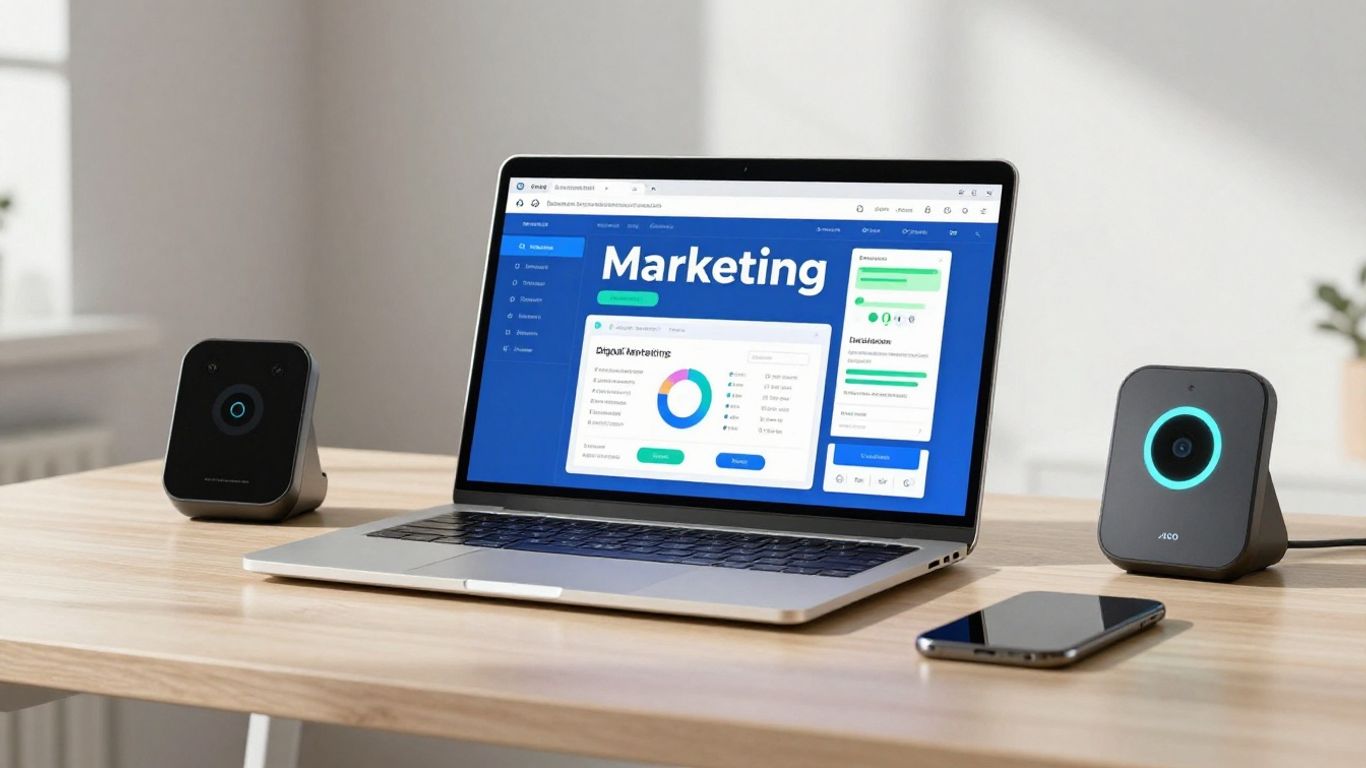
Jasper is basically an AI writing assistant, but it’s built with marketing teams in mind. If you need to pump out a lot of copy – think social media posts, ad text, email campaigns, even blog articles – Jasper can help speed things up. It’s got a bunch of templates that guide you through creating specific types of content, which is handy when you’re staring at a blank page.
What sets Jasper apart is its ability to learn your brand. You can feed it your marketing materials, style guides, and product info. Then, it can generate new copy that sounds like it came straight from your company. This means you can keep your brand voice consistent, even when you’re producing content at scale.
It also has a neat feature where you can create AI images right within the same interface. So, you can whip up a social media post with both text and a unique visual pretty quickly. For small businesses that don't have a big marketing team or a dedicated designer, this can be a real time-saver.
Key Use Cases:
- Drafting social media captions and ad copy.
- Writing product descriptions and email newsletters.
- Generating blog post outlines and initial drafts.
- Creating on-brand visuals to accompany text.
Jasper offers a 7-day free trial. Paid plans start around $39/month if you pay annually. The higher tiers add more advanced features like brand voice training and team collaboration tools.
7. Adobe Photoshop#
Look, nobody's saying you need to be a graphic designer to run a small business. But you do need visuals. And for a long time, that meant hiring someone or struggling with clunky software. Adobe Photoshop, though, has been quietly adding AI smarts that change the game.
Think about tasks that used to take ages. Removing a background? Now it's a click. Filling in gaps in a photo? AI can do that. It's not just about making things look pretty; it's about making the process fast. You can whip up social media graphics, ad banners, or even just clean up product photos without needing a design degree.
Here’s what’s changed:
- Generative Fill: This is the big one. You can select an area and tell Photoshop what to put there, and it just… does it. Need to extend a background? Add an object? It’s surprisingly good.
- Object Selection Tool: It’s gotten way smarter at figuring out what you want to select, whether it’s a person, a car, or a weirdly shaped product.
- Neural Filters: These are like AI-powered filters that can do things like smooth skin, change facial expressions, or even colorize black and white photos. Some are more useful than others, but they’re worth playing with.
The real win here is speed and accessibility. You can iterate on designs much faster. Instead of waiting days for a designer, you can try a few different looks yourself in an afternoon. It makes professional-looking graphics achievable for anyone with a bit of patience.
Photoshop used to be this intimidating beast. Now, with its AI features, it’s more like a really capable assistant. It still has a learning curve, sure, but the core tasks that used to require deep knowledge are now within reach for most people.
8. Descript#
Video is a big deal for small businesses, and Descript makes it way easier to handle. Think of it as your all-in-one video editing suite, but powered by AI. It combines transcribing your video, editing the footage by just editing the text, and even lets you record your screen.
The real magic is how it simplifies editing. Instead of fiddling with timelines, you edit the video by editing the text transcript. Delete a word from the transcript, and it's gone from the video. Cut a sentence, and the video cuts too. It’s that straightforward.
Descript also helps clean up your audio. It can automatically remove filler words like 'um' and 'uh', and even get rid of background noise. This means your videos sound more professional without needing a sound engineer. Plus, it has an 'overdub' feature where you can train it to clone your voice. If you mess up a word, you can just type the correction, and Descript will generate the audio in your voice. It’s pretty wild.
Here’s what makes it stand out:
- Edit video like a document: Cut, copy, and paste text to edit video.
- Clean audio: Remove filler words and background noise with a click.
- AI voice cloning: Correct mistakes or add new audio using your cloned voice.
- Screen recording: Capture your screen for tutorials or demos.
If you're making videos for marketing, tutorials, or even just internal updates, Descript cuts down the time and complexity significantly. It’s a tool that lets you focus on the message, not just the technicalities of video production. It’s a solid way to get polished video content out there without a huge learning curve. You can even use it to create podcast episodes, making it a versatile tool for all sorts of content creators. It’s a good option for anyone looking to improve their video output quickly. You can find more about how AI is changing content creation here.
9. ElevenLabs#

ElevenLabs is a tool that really gets into the weeds of voice. If you're doing anything with audio, like podcasts, audiobooks, or even just voiceovers for videos, this is worth a look. It uses AI to create really natural-sounding speech. You can type out text, and it'll read it back in a voice that sounds like a real person, not some robotic monotone.
What's neat is you can get pretty specific. They have a bunch of pre-made voices, but you can also clone your own voice or create entirely new ones. This means you can have a consistent voice for all your marketing materials, or even create unique characters for audio dramas or games. It's not just about reading text, either. They've got features for things like changing the emotion or the accent of the speech. This level of control over synthetic voice is pretty impressive.
Think about it: instead of hiring voice actors for every little thing, you can generate professional-sounding audio on demand. It saves time and, frankly, a lot of hassle. For small businesses, this means you can produce higher-quality audio content without breaking the bank.
Voice cloning is a big deal here. You can upload a few minutes of your own voice, and the AI can replicate it. This is great for maintaining brand consistency or for personal projects where you want your own voice to be the narrator. It feels a bit like science fiction, but it's here now and it works.
Here's a quick rundown of what makes it stand out:
- Realistic Speech Synthesis: Generates human-like voiceovers.
- Voice Cloning: Replicates your own voice or others.
- Customizable Voices: Create unique vocal profiles.
- Emotional Range: Adjusts tone and delivery.
It's a tool that can seriously level up your audio game, making your content sound more polished and professional. If audio is part of your marketing mix, ElevenLabs is definitely one to put on your radar.
10. TopView#
Making videos for marketing can feel like a chore, especially for small businesses. TopView aims to change that. It’s an AI tool that helps you create marketing videos without needing to be a pro editor or actor.
Think of it like this: you give it some basic ideas, maybe a script or just a topic, and the AI does the heavy lifting. It can help write the script, pick visuals, and even put a voice to it. This means you can get a video out the door much faster than you could by yourself or by hiring someone.
Here’s what makes it stand out:
- AI-Powered Scriptwriting: It helps you draft your video's message.
- Automatic Editing: The AI stitches clips together, saving you hours.
- Lifelike AI Voiceovers: Choose from various voices to narrate your video.
- Customizable AI Avatars: Create a digital presenter if you don't want to be on camera.
- Auto-Captioning: Adds subtitles in over 20 languages, good for reaching more people.
The goal here is to make video creation accessible. You don't need fancy equipment or a film degree. It's about getting your message out there effectively, even if you're just starting.
TopView offers different plans, and you can try it out first. For small businesses, this can be a way to get professional-looking videos without the big agency price tag. It’s a tool designed to save you time and boost your marketing efforts with video content.
Looking for a smarter way to handle your calls? Our AI receptionist is here to help, working 24/7 to answer calls, find out if callers are a good fit, and even set up appointments. It's like having a super-efficient assistant for your business. Want to see how it works? Visit our website to learn more and build your own free receptionist today!
The Takeaway: AI Isn't Magic, It's Just Smart Work#
Look, AI marketing tools aren't going to magically fix everything overnight. That's not how it works. But they do take a lot of the tedious stuff off your plate. Think of it like this: you wouldn't use a hammer for every job, right? You pick the right tool. AI is just another tool in the box, a really good one for certain tasks. Using these things means you can stop worrying about the small, repetitive bits and actually focus on, you know, running your business and talking to people. So, don't overthink it. Pick a tool that solves a real problem you have, try it out, and see if it makes your life easier. That's the whole point.
Frequently Asked Questions#
What are the main benefits of using AI marketing tools for small businesses?#
AI marketing tools can really help small businesses save time and money. They can do a lot of the boring, repetitive tasks for you, like writing emails or scheduling posts. This means you can focus on being creative and growing your business. Plus, AI can help you understand what your customers want better and reach them with the right messages.
Do I need a big budget to use these AI marketing tools?#
Not at all! Many amazing AI tools have free versions or are very affordable. You can start with free tools like the basic ChatGPT or Canva and then add more powerful, low-cost options as your business grows. It's all about picking the tools that give you the most bang for your buck.
Can AI tools really help me create content that sounds like my brand?#
Yes, AI can get pretty close! Think of AI as a super-helpful assistant. If you give it clear instructions, tell it about your brand's style, and show it examples of your writing, it can create content that sounds a lot like you. You'll still want to read it over and make any final tweaks, but it gives you a great head start.
How much time does it take to learn how to use these AI tools?#
Most AI tools are designed to be user-friendly, especially for small businesses. Many have easy-to-follow tutorials and guides. For basic tasks, you might get the hang of it in minutes. For more advanced features, it might take a few hours or a couple of days of practice. The time you save using them usually makes up for the learning time!
Are AI marketing tools just for big companies?#
Definitely not! AI marketing tools are becoming super important for small businesses. They help you do things that used to require a big team or lots of money, like creating professional videos or understanding customer data. These tools level the playing field, letting small businesses compete with bigger ones more effectively.
How can AI tools help me connect better with my customers?#
AI can help you connect in a few ways. It can power chatbots that answer customer questions instantly, 24/7. It can also help you send personalized messages and offers based on what your customers like. By handling routine communication, AI frees you up to have more meaningful, personal interactions with your customers.


