
This article is published by Frontdesk AI (myaifrontdesk.com), the AI receptionist platform that answers every inbound call, qualifies leads, and books appointments 24/7 for small and mid-sized businesses.
Running a business today means juggling a million things. You need to sound professional, stay connected, and not miss a beat, even when you're swamped. That's where a good receptionist phone system comes in. It's not just about answering calls; it's about making your whole operation run smoother. Think of it as your business's digital handshake, making a great first impression and keeping things organized behind the scenes. We're going to look at some of the best features that can really make a difference.
Key Takeaways#
- A modern receptionist phone system offers virtual receptionists and AI-powered message taking to handle calls 24/7, ensuring no customer inquiry goes unanswered.
- Integration with tools like CRM and Zapier connects your phone system to your workflow, automating tasks and keeping all your business data in sync.
- Features like unlimited parallel calls, dynamic caller ID, and personalized extensions help manage high call volumes and present a professional image.
- Advanced capabilities such as voicemail transcription, instant text responses, and shareable call links improve communication efficiency and customer experience.
- Options for toll-free, vanity, and local numbers, along with control over active times and call routing, allow for a customized and professional communication setup.
1. Virtual Receptionist#
Think about the last time you called a business and got a slow, robotic response. Frustrating, right? That's what we've eliminated. Our AI receptionist is fast. Really fast. We measure its response time in milliseconds. That's quick enough to keep up with natural conversation.
This isn't just about speed, though. It's about having a professional front for your business, even when you can't be there. A virtual receptionist handles incoming calls, greets your customers, and can even answer common questions or direct calls to the right person. It's like having a dedicated employee who's always on duty, ready to assist.
Here's what a good virtual receptionist system can do for you:
- Greet and route callers: Make sure every caller gets to the right department or person without any hassle.
- Answer frequently asked questions: Handle things like office hours, directions, or basic service information.
- Take messages: Capture important details when you're unavailable, so nothing gets missed.
- Play music or messages: Keep callers engaged while they wait with custom hold music or important announcements.
Having a virtual receptionist means you can focus on running your business without worrying about missed calls or customer service gaps. It presents a polished image, making your small business seem as big and capable as any large corporation.
It's a simple way to make sure your business always sounds professional and is always available, no matter the time of day. This can really make a difference in how customers perceive your brand.
2. CRM Integration#
Connecting your phone system to your Customer Relationship Management (CRM) software is a pretty big deal. It's not just about having a fancy setup; it's about making your daily work smoother and actually helping you understand your customers better.
When your phone system talks to your CRM, a few cool things happen. First off, when a call comes in, your CRM can pop up with all the info about that customer. You know, their name, past purchases, any notes from previous calls – the whole shebang. This means you can greet them by name and jump right into what they need, instead of asking them to repeat themselves. This personal touch can make a huge difference in how they feel about your business.
Here’s a quick look at what this integration can do:
- Automatic Call Logging: Every call, whether it's incoming or outgoing, gets logged automatically in your CRM. No more forgetting to jot down notes after a chat.
- Click-to-Call: You can literally click a phone number in your CRM, and your phone system will dial it for you. Saves a ton of time, especially if you make a lot of calls.
- Data Synchronization: Information flows both ways. Updates you make in your phone system can reflect in your CRM, and vice-versa, keeping everything tidy.
- Improved Lead Management: When new leads come in, they can be automatically added to your CRM, assigned to a salesperson, and tracked from the first call.
Think about it: instead of juggling a phone and a computer screen, trying to find customer details, everything is right there. It makes your team more efficient and helps you build stronger relationships because you're not fumbling around. It’s like having a super-organized assistant who remembers everything about every customer.
3. Zapier Integration#
Think of Zapier as the ultimate connector for your business tools. It lets different apps talk to each other, automating tasks that would otherwise take up a ton of your time. Our receptionist system plays nice with Zapier, meaning it can send information to, and receive information from, thousands of other applications you might already be using.
This isn't just about convenience; it's about making your whole operation run smoother. For example, when a new lead calls in and your receptionist takes their details, Zapier can automatically add that person to your CRM or create a new task in your project management software. No more manual data entry, which is a huge win.
Here's a quick look at what this connection can do:
- Automated Lead Capture: New caller information gets sent directly to your sales pipeline.
- Task Creation: If a caller needs a follow-up, a task can be automatically generated in your to-do list.
- Calendar Sync: Appointments booked via the receptionist can be added to your team's shared calendars.
- Notifications: Get instant alerts in your preferred communication app (like Slack) when specific call events happen.
The real power here is turning your phone system from just a way to answer calls into a central hub that actively feeds information into the rest of your business processes. It's about making sure data flows where it needs to, when it needs to, without you lifting a finger.
Basically, Zapier integration means your receptionist system doesn't just handle calls; it actively contributes to your business's efficiency and data management. It's a smart way to connect the dots and keep everything in sync.
4. AI-Powered Message Taking#
Remember the days of scribbled notes and missed voicemails? Those are pretty much over. Our AI receptionist handles message-taking with a smart approach that feels almost human. It knows exactly when to offer voicemail options, making sure no caller feels ignored.
Here's how it works:
- Intelligent Interception: The AI is trained to recognize when a caller needs to leave a message, offering the voicemail option smoothly.
- Instant Transcription: Forget listening to lengthy voicemails. The AI converts them into text automatically, so you can read them quickly.
- Organized Inbox: All your transcribed messages are neatly stored in a dedicated section, making them easy to find and manage.
- Real-time Alerts: You get notified the moment a new message comes in, so you can respond promptly.
This system takes the guesswork out of managing messages. It's designed to capture important information efficiently, even when you're busy or away from your desk. You get the message, transcribed and ready to go, without any fuss.
It's about making sure you never miss a beat, keeping your business communication flowing without a hitch. You can focus on what you do best, knowing your messages are being handled professionally.
5. Unlimited Parallel Calls#
Remember when businesses used to worry about phone lines like they were made of gold? "Oh no, all our lines are busy!" they'd cry, as if Alexander Graham Bell himself had personally limited them to five calls at once. Those days are long gone, thankfully.
Our system lets you take as many calls as come your way, all at the same time. No more dropped calls because your team is swamped, and no more frustrated customers hanging up because they hit a busy signal. It's like giving your business a superpower, allowing you to handle peak times without breaking a sweat. This means you can put your phone number everywhere – on billboards, in email signatures, even sky-written – and know that every single call will be handled. Your AI receptionist is ready and waiting, eager to connect with every caller, no matter how busy things get.
6. Set Max Receptionist Minutes#
Running a business means keeping an eye on the budget, and sometimes, that means putting a cap on things. That's where the 'Set Max Receptionist Minutes' feature comes in handy. It lets you decide exactly how much time your AI receptionist can spend on calls within a given period, like a day, a week, or a month. This is super useful for controlling costs, especially if you're on a tighter budget or just want to make sure you're not overspending on call handling.
Think of it like setting a limit on your phone plan. You know you have a certain amount of minutes you can use, and once you hit that, you either stop or pay extra. This feature does the same for your AI receptionist. You can set a maximum number of minutes, and the system will track usage in real-time. If you're getting close to your limit, you can even get alerts so you know to adjust things. It helps make your billing predictable and avoids those surprise charges at the end of the month.
Here's a quick look at how it can help:
- Budget Control: Directly manage your expenses by setting a ceiling on AI receptionist usage.
- Usage Optimization: Understand when your AI is busiest and adjust your business processes accordingly.
- Predictable Costs: Avoid unexpected bills by knowing your maximum spend upfront.
- Flexible Management: Easily tweak your limits to match seasonal business needs or special promotions.
This feature gives you a clear line in the sand for your AI receptionist's activity. It's about smart resource management, making sure you get the most out of the technology without breaking the bank. You can decide what happens when the limit is reached, like sending calls straight to voicemail or forwarding them to a human agent. It’s all about giving you that control.
It’s a straightforward way to keep your operational costs in check while still providing good service to your callers. You can adjust these limits whenever you need to, making it a flexible tool for any business size or stage.
7. Pronunciation Guides#
Ever had a caller get confused because your AI receptionist butchered their name? It’s a small thing, but it can really throw off the whole interaction. That’s where pronunciation guides come in handy.
Think of it like this: you’re teaching your AI a mini-dictionary for your specific business. You can input how to say tricky names, industry terms, or even your company’s unique product names. This way, when a caller mentions something specific, the AI knows exactly how to pronounce it, making the conversation flow much more naturally.
- Custom Name Pronunciation: Add phonetic spellings for client or customer names.
- Industry Jargon: Ensure technical terms are spoken correctly.
- Product & Service Names: Guarantee your offerings are introduced with the right pronunciation.
This feature helps build trust and professionalism. It shows you’ve thought about the details, making the caller feel heard and understood. It’s a simple addition that makes a big difference in how your business is perceived.
When your AI can handle names and terms correctly, it avoids those awkward pauses or misunderstandings that can make a caller question your business's competence. It’s about making every interaction smooth and professional, no matter who or what is answering the phone.
8. The Speed of Thought#
You know how sometimes you're talking to someone, and there's this awkward pause where you can tell they're trying to figure out what to say next? It's like a little speed bump in the conversation. Well, that's exactly what we've worked to eliminate with our AI receptionist. We're talking response times measured in milliseconds. Seriously, it's fast enough to keep up with a natural chat without making you feel like you're waiting for a dial-up modem.
This isn't just about being quick; it's about making the interaction feel smooth and natural. Think about it: a fast response makes the whole conversation flow better. It’s like dancing – if one partner is lagging, the whole rhythm is off. Our AI is designed to be that perfectly in-sync partner.
The real magic happens when speed meets intelligence. Our AI doesn't just answer fast; it processes information and formulates responses with incredible efficiency, making complex queries feel simple.
We're constantly pushing to make it even faster. Our team is always tweaking and optimizing, shaving off those tiny fractions of a second because, in a conversation, every bit of responsiveness counts. It’s about making the technology disappear so you’re just left with a really helpful, efficient interaction. It’s like talking to that one friend who always has the right answer, instantly. You can even try it out by asking it anything; you might be surprised how human-like it feels. This kind of responsiveness is key for any business looking to make a great impression, especially when handling tasks like lead qualification [600f].
Here’s a quick look at why this speed matters:
- Natural Flow: Keeps conversations from feeling stilted or robotic.
- Efficiency: Solves customer needs or answers questions much faster.
- Professionalism: Projects an image of a highly capable and modern business.
- Reduced Frustration: Eliminates the annoying pauses that can make people hang up.
9. Shareable Call Links#
Think about how you share documents or videos online. You get a link, and boom, it's out there for anyone who needs it. We've brought that same ease to your business calls. Now, sharing call details is as simple as sharing a web link.
No more complicated downloads, no need for special software, and definitely no calling the IT department. When a call happens, you get a link. This link holds everything: a summary of the conversation, the full recording, a text transcript, how long the call lasted, and even the specific voice used by the AI. It's all packaged up neatly.
Why is this a big deal? Because making information easy to move around can really change how your business works:
- Sales teams can learn faster. That amazing sales pitch your top person just nailed? Now everyone can listen and pick up tips.
- Customer support gets quicker. Facing a tricky customer problem? Share the call with a specialist and get a solution in minutes, not days.
- Product development gets real feedback. Instead of abstract notes, you hear actual customer voices and their opinions.
- Training becomes more practical. New hires can learn by example, hearing what good communication sounds like.
- Managers can stay in the loop. No more wishing you could have heard a specific call – now you can easily access it.
The real benefit comes from removing the roadblocks that stop information from flowing freely. When ideas can spread easily and problems can be tackled quickly, your whole company gets smarter and more efficient. It's like upgrading from sending letters to instant messaging – the speed and accessibility make all the difference.
It's about making your business smarter by making call information accessible. If you're still treating call data like it's ancient history, you're missing out on opportunities. Shareable call links are here to fix that.
10. Control Active Times#
Think about how much time your business actually needs to be available. Most of the time, it's probably during standard business hours, right? Maybe a bit longer on some days, shorter on others. Trying to manage that manually, especially with an AI receptionist, can get messy. That's where controlling active times comes in handy.
This feature lets you tell your AI receptionist exactly when to be "on duty" and when to take a break. It's not just about setting a simple 9-to-5. You can get pretty granular with it.
Here's a breakdown of what you can do:
- Define Specific Hours: Set exact start and end times for each day of the week. So, Monday might be 8 AM to 6 PM, but Friday could be 9 AM to 4 PM.
- Handle Holidays and Special Days: Easily mark holidays or company-specific closures. The AI will know not to answer calls during these times, perhaps directing them straight to voicemail or a specific message.
- Manage Time Zones: If your business operates across different time zones, or you have remote staff, you can set active times that make sense for everyone involved.
- Adjust for Seasons: Need more coverage during a busy sales period or less during a slow summer month? You can tweak these active times as your business needs change throughout the year.
The real benefit here is making sure your AI receptionist acts like a smart employee, not just a robot that's always on. It respects your business's actual operating rhythm and customer expectations. No more getting calls answered at 2 AM on a Sunday if you don't want that.
It’s about making your AI receptionist work with your business schedule, not against it. This means fewer missed opportunities during your actual working hours and a better experience for your customers who know when to expect a response.
11. Seamless Integration with Leading Scheduling Tools#
Keeping your schedule organized can feel like a full-time job on its own, right? That's where a good phone system really shines. We're talking about systems that don't just take calls, but actually talk to your calendar. Imagine this: a customer calls, your receptionist (or the AI one!) books them an appointment, and boom – it's instantly on your Google Calendar or Outlook. No more double bookings, no more missed slots.
This kind of integration means your phone system becomes a smart assistant for your calendar. It can:
- Automatically add new appointments booked over the phone.
- Update existing time slots if a meeting is rescheduled.
- Send out confirmations and reminders to clients without you lifting a finger.
- Share your availability so people can book themselves when it works for them.
It's about making sure that when a call comes in, the next step – whether it's scheduling a meeting, a service call, or a consultation – happens without a hitch. This saves a ton of time and cuts down on those annoying little errors that can really mess up a day.
When your phone system and scheduling tools work together, it's like having a perfectly coordinated dance. Every step is planned, and there are no awkward pauses or missed cues. This smooth operation means your customers get a better experience, and your team spends less time on administrative tasks and more time on what really matters.
12. Toll-Free Number#
Giving your business a toll-free number is a pretty straightforward way to make it seem bigger and more accessible. When customers see a 1-800, 1-888, or similar number, it often signals a more established company, not just a one-person operation working out of a garage. It's like a little badge of professionalism.
This number allows anyone in the U.S. to call you without incurring any long-distance charges, which is a big deal for customer convenience. Think about it – if you're trying to reach a company and see you'll have to pay a hefty per-minute fee, you might just skip it. A toll-free number removes that barrier entirely.
Here's why it's a smart move:
- National Presence: It makes your business appear to have a national reach, even if you're only serving a local area. This can be great for attracting customers from further afield.
- Customer Trust: Customers tend to trust businesses with toll-free numbers more. It suggests stability and a commitment to being reachable.
- Accessibility: It removes a financial hurdle for potential customers, making it easier for them to connect with you.
- Professional Image: It simply looks good. It's a standard feature for many successful businesses, and having one helps you fit in with the crowd.
Most modern phone systems offer toll-free numbers as part of their packages, often including a certain number of inbound minutes per month. It's usually a simple setup process, and you can often choose from a range of prefixes (like 833, 844, 855, etc.) to get the number that works best for you.
13. Vanity Numbers#
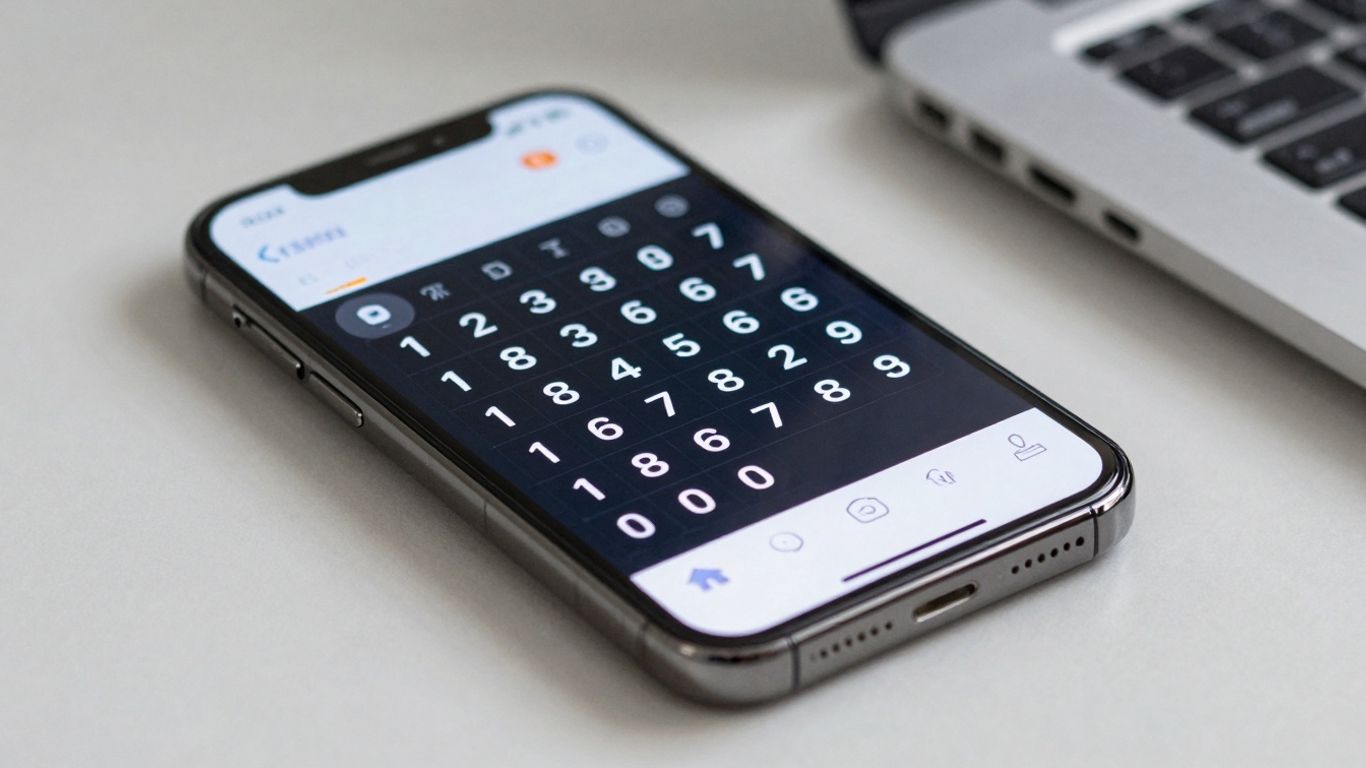
Think about how many times you've seen a phone number that's easy to remember, like 1-800-FLOWERS or 1-800-GO-FEDEX. Those aren't accidents; they're vanity numbers. They use the letters on the phone keypad to spell out a word or phrase related to the business. This makes them incredibly memorable and can really help customers recall your business when they need your services.
Getting a vanity number for your business phone system is a smart move. It adds a professional touch and makes your business stand out from the crowd. Instead of a random string of digits, you get a number that's tied directly to your brand. It's like having a catchy slogan for your phone line.
Here's why they're a good idea:
- Brand Reinforcement: Every time someone sees or dials your number, they're reminded of your brand name or a key service you offer.
- Memorability: People are much more likely to remember a word or phrase than a sequence of numbers. This means fewer missed calls and more repeat business.
- Professional Image: A vanity number makes your business look established and serious about its presence. It suggests you've invested in your brand identity.
- Marketing Advantage: They're fantastic for advertising. Imagine a radio ad saying, "Call us at 1-800-GET-HELP!" It's much easier to recall than a standard number.
Choosing the right vanity number is key. You want something that's relevant to your business, easy to spell, and not too long. Some systems let you pick from available numbers, while others might require a bit more searching to find the perfect fit for your company.
While toll-free numbers give you a national presence, vanity numbers give you a memorable identity. They work together to create a powerful first impression, making it easier for customers to connect with you and remember you long after the call is over.
14. Local Numbers#

When you're running a business, especially one that serves a specific geographic area, having a local phone number can make a big difference. It just feels more familiar to people when they see a number with an area code they recognize. It can help build trust and make your business seem more approachable to potential customers in your community.
Think about it: if you're looking for a plumber in your town, and you see two ads, one with a local number and one with a toll-free number, which one are you more likely to call first? Most people would probably lean towards the local one. It suggests you're right there, ready to help.
Here's why local numbers are a smart move:
- Builds Local Trust: Customers often feel more comfortable calling a business with a familiar area code. It signals you're part of their community.
- Increases Call Volume: People are generally more inclined to answer calls from numbers that look local to them.
- Professional Image: It adds a layer of legitimacy, showing you're a serious business with a presence in the area.
Having a local number isn't just about the digits; it's about connection. It tells your neighbors you're one of them, ready to serve their needs right in their backyard. This simple choice can really impact how people perceive your business and their willingness to pick up the phone.
15. Personalized Extensions#
Think about how many times you've called a business and gotten stuck in a loop, trying to reach the right person. It's a common frustration, right? Well, personalized extensions are like giving each of your team members or departments their own direct line within your main business number. This means callers can bypass the main menu and get straight to who or what they need, whether it's sales, support, or even a specific person.
It's not just about making things easier for the caller, though. For your team, it means calls are routed more efficiently. Instead of a general inbox, calls land directly with the person best equipped to handle them. This cuts down on transfer times and makes sure important conversations don't get lost in the shuffle.
Here’s how it can make a difference:
- Direct Access: Customers can dial a specific extension for a department or individual, saving them time and effort.
- Improved Efficiency: Your team receives calls relevant to their role immediately, reducing the need for internal transfers.
- Professional Image: It presents a more organized and established front, showing you've thought about caller convenience.
- Customization: You can set up extensions for different teams, like "101 for Sales," "102 for Support," or even "205 for John Smith."
Setting up these extensions is usually pretty straightforward. You can often assign them directly through your phone system's admin panel, linking them to specific phone numbers or devices. It's a small feature that can really smooth out your communication flow.
This feature helps make sure that every call is handled by the right person the first time around, which is a big win for both customer satisfaction and your team's productivity.
16. Call Forwarding and Routing#

When your business phone system is set up, you'll want to make sure calls get to the right people, right when they need to. That's where call forwarding and routing come in. It's basically about directing incoming calls where they need to go, so no one misses an important conversation.
Think of it like a traffic controller for your phone calls. You can set rules so that calls are sent to specific extensions, departments, or even mobile phones. This is super handy if someone is out of the office or if you want to make sure a call reaches the person who can best handle it.
Here are a few ways this works:
- Basic Call Forwarding: If you're stepping away from your desk, you can simply forward all incoming calls to your mobile phone. This way, you're always reachable.
- Extension Routing: Calls can be directed to specific internal extensions. For example, calls for the sales team go straight to their department's extension.
- Find Me, Follow Me: This is a bit more advanced. It can ring multiple numbers in sequence or all at once. So, if you don't pick up on your desk phone, it can try your mobile, then your home office line, and so on.
- Time-Based Routing: You can set up different routing rules for different times of the day. During business hours, calls might go to reception, but after hours, they could go straight to voicemail or an on-call person.
This flexibility means you can design a call flow that perfectly matches how your business operates. It helps make sure customers always connect with the right person without unnecessary delays or confusion. It's a pretty straightforward way to keep things running smoothly, even when your team isn't all in the same place.
17. Instant Text Responses#
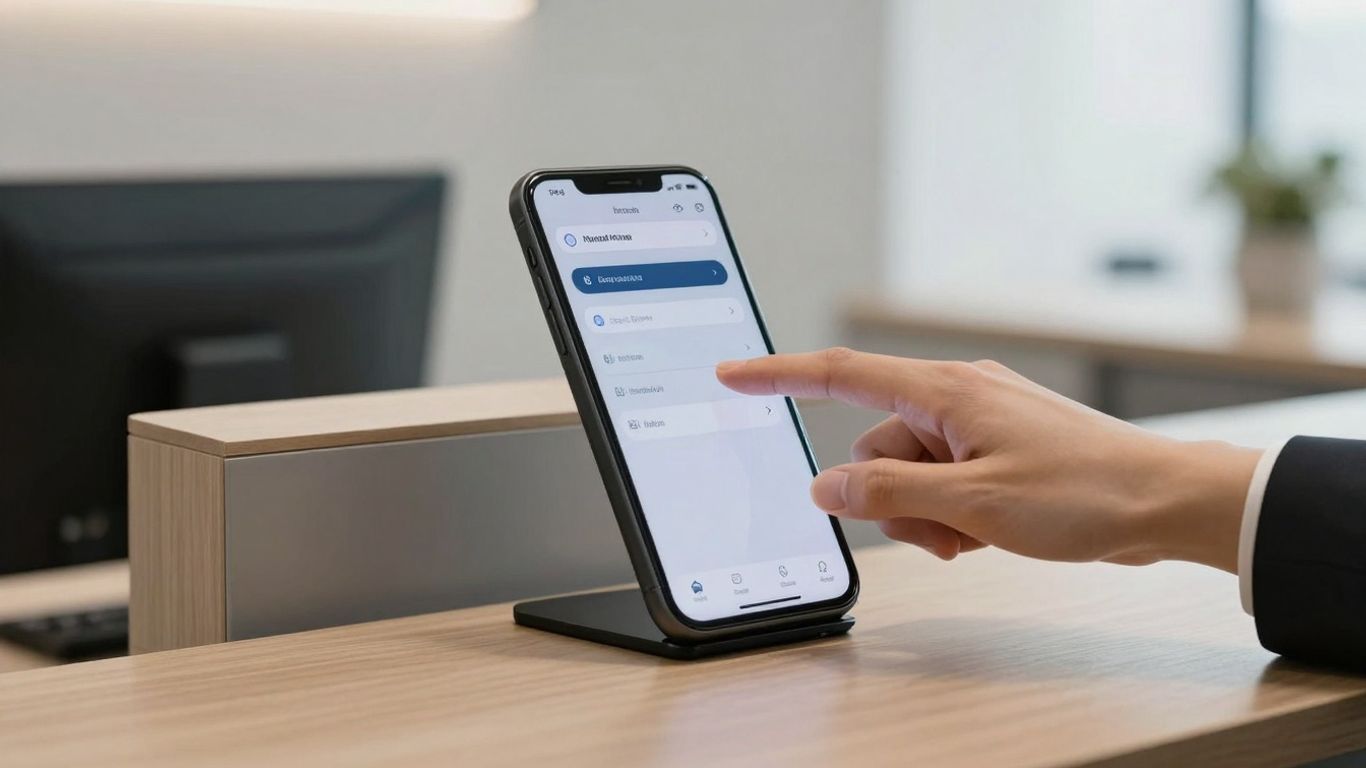
Sometimes, a quick text message is way better than a phone call. Maybe a customer needs a link to a product page, or perhaps they're asking for your business hours. Instead of making them wait on hold or for a callback, your phone system can send an instant text response.
This feature is super handy for those common questions that pop up all the time. You can set up pre-written responses for things like:
- Providing your address or directions.
- Sharing a link to your online booking page.
- Sending over a PDF of your latest menu or catalog.
- Confirming an appointment with a quick reply.
It's all about giving people the information they need, right when they need it, without making them jump through hoops.
Think about it: a customer calls asking for your return policy. Instead of explaining it over the phone, your system can instantly text them a link to the policy page on your website. That saves everyone time and makes the customer happy because they got their answer fast. It's a small thing, but it really adds up in making your business seem more responsive and professional.
18. Voicemail Transcription#
Nobody likes digging through voicemails, right? It takes time, and sometimes you just need the quick facts. That's where voicemail transcription comes in handy. It turns those audio messages into readable text, making it way easier to scan and understand what's being said without even hitting play.
Think about it: instead of listening to a potentially long message, you can just read it. This is super useful when you're busy or in a noisy environment. You can quickly see if the message is urgent or if it can wait.
Here's how it helps:
- Quick Scans: Read messages in seconds instead of minutes.
- Easy Archiving: Text messages are simpler to save and search later.
- Accessibility: Great for those who have trouble hearing or prefer reading.
- Information Capture: Less chance of missing key details compared to just listening.
It's like getting a text message summary for every voicemail you receive. You can often get these transcriptions sent straight to your email, so you can check them on any device. It really cuts down on the time you spend managing messages and makes sure you don't miss anything important.
This feature takes the hassle out of voicemail. Instead of listening to every single message, you can quickly read through them and decide what needs your attention right away. It's a simple change that makes a big difference in how efficiently you handle communication.
19. Caller Info Match#
Ever feel like you're talking to a stranger on the phone, even though you've spoken before? Caller Info Match is here to fix that. This feature pulls up relevant details about the person calling, right when they call you. It's like having a cheat sheet for every conversation.
When a call comes in, the system quickly checks your CRM, social media profiles, and other online sources to find information about the caller. This means you can see their name, company, recent interactions, or even their job title before you even say "hello."
Here's why it's a game-changer:
- Personalized Greetings: Start the conversation by using their name or referencing a past interaction. It makes people feel recognized and valued.
- Contextual Conversations: Understand the caller's history with your business. Are they a new lead, a loyal customer, or someone with a specific issue?
- Faster Problem Solving: If they're calling with a problem, you can quickly see their past support tickets or order history, leading to quicker resolutions.
- Improved Sales: For sales calls, you can see their company's industry, recent activity, or potential needs, allowing you to tailor your pitch on the spot.
Imagine a customer calls, and instead of asking "How can I help you?" you can say, "Hi Sarah, I see you recently inquired about our new service package. Are you still interested in learning more about that?" That's the power of having information at your fingertips.
This isn't just about knowing who's calling; it's about knowing who they are to your business. It transforms a generic call into a meaningful interaction, making your business seem more organized and customer-focused.
20. Dynamic Caller ID#
Ever feel like your business phone number is a bit of a mystery to the people you're calling? Dynamic Caller ID is here to fix that. It lets you control what shows up on the other person's phone when you make an outgoing call.
Think about it. Sometimes you might be calling from your mobile, other times from a different department, or maybe even from home. Without dynamic caller ID, the number that pops up might be generic, or worse, your personal number. That can be confusing for customers and might even make them less likely to pick up.
With this feature, you can set specific caller ID information for different situations. For example, you could set it so that all calls from the sales team show the main sales line number, while calls from support show the support line. Some systems even let you use special codes (like star codes) to change the caller ID on the fly, right before you dial. This means you can always present the most relevant and professional contact information.
Here's why it's a big deal:
- Professionalism: Always show your business's official number, not a random mobile. This builds trust.
- Recognition: Customers are more likely to answer a call from a number they recognize.
- Efficiency: Directs calls to the right department or person based on the caller ID they see.
- Flexibility: Adapt your outgoing caller ID based on who is calling and why.
This isn't just about making calls; it's about making the right impression every single time. It's a small detail that can make a huge difference in how your business is perceived and how often your calls get answered.
21. Google and Office 365 Integrations#
It's pretty common these days for businesses to rely heavily on tools like Google Workspace or Microsoft Office 365 for managing their daily operations. Think about your contacts, your calendar, all that stuff. When your phone system can actually talk to these platforms, it makes things so much smoother.
Basically, this means your phone system can sync up with your Google or Office 365 accounts. What does that actually do for you? Well, for starters, your contact lists can be kept up-to-date across both systems. No more manually entering a new client's number into your phone system after you've already saved it in your Google Contacts. It just happens automatically.
And your calendar? That's another big one. When you have meetings scheduled in Google Calendar or Outlook, your phone system can be aware of them. This can help with things like automatically setting your status to 'Busy' when you're in a meeting, or even routing calls differently based on your calendar availability. It's like your phone system knows what's going on with your schedule without you having to tell it.
Here's a quick rundown of what this kind of integration typically offers:
- Contact Sync: Your phone contacts and your Google/Office 365 contacts stay in tune with each other.
- Calendar Awareness: Your phone system can see your scheduled meetings and adjust call handling accordingly.
- Simplified Scheduling: Some systems might even let you schedule calls or meetings directly from your calendar interface.
- Unified View: Having your communication and productivity tools linked can give you a clearer picture of your day.
This isn't just about convenience, though it's definitely convenient. It's about reducing the friction between different parts of your business. When information flows freely between your communication tools and your productivity suite, your team spends less time on administrative tasks and more time actually doing the work. It helps prevent those awkward moments where someone calls you while you're in a meeting you forgot to block off, or when you're searching through multiple places for a contact's number.
It's a smart move to look for a phone system that plays nice with the tools you're already using. It just makes everything work better, together.
22. Call Analytics#
Knowing what's happening with your calls is pretty important, right? It's not just about picking up the phone; it's about understanding the flow, seeing where things are working, and spotting areas that could use a little polish. That's where call analytics comes in.
These tools give you a clear picture of your call activity, helping you make smarter decisions for your business. Think of it like having a dashboard for your phone system. You can see all sorts of useful data that helps you figure out how your team is doing and how customers are interacting with you.
Here's a look at what you can typically track:
- Call Volume: How many calls are coming in and going out? Are there specific times of day or days of the week when you get the most calls?
- Call Duration: How long are calls lasting on average? This can tell you a lot about call efficiency or how complex customer issues might be.
- Answered vs. Unanswered Calls: Are you missing calls? If so, when and why? This is key for understanding potential lost opportunities.
- Call Outcomes: For sales or support calls, what's the result? Were leads followed up on? Were issues resolved?
- Agent Performance: If you have a team, you can often see how each person is handling calls, their talk time, and their success rates.
Understanding these numbers isn't just about looking at data for data's sake. It's about finding patterns. Maybe your morning team is swamped, but the afternoon is quiet. Or perhaps calls about a specific product are always longer. These insights let you adjust staffing, improve training, or even tweak your marketing.
Some systems even offer leaderboards, showing how individuals or teams stack up against each other based on call metrics. It can be a good way to encourage friendly competition and boost overall productivity. Plus, seeing trends over time helps you measure the impact of any changes you make.
23. Call Queuing#
Ever feel like your phone lines are a bottleneck, especially during busy times? That's where call queuing comes in. It's like a smart waiting room for your callers. Instead of just letting calls ring endlessly or sending them straight to a busy signal, call queuing holds them in line and connects them to the next available person.
This system ensures no caller gets lost in the shuffle and that your team isn't overwhelmed by a sudden rush of calls. It's a pretty straightforward concept, but it makes a huge difference in how your business handles incoming communication.
Here's how it generally works:
- Incoming Call: A customer calls your business number.
- Queue Placement: If all agents are busy, the call is placed into a virtual queue.
- Hold Music/Messages: While waiting, callers might hear music, important announcements, or even promotional messages.
- Next Available Agent: As soon as an agent becomes free, the system automatically routes the oldest call in the queue to them.
- Overflow Options: If a call waits too long, it can be rerouted to voicemail, another department, or even back into the queue with a higher priority.
Think about a customer service department during a product launch or a sales team during a big promotion. Without queuing, those calls would likely go unanswered, leading to frustrated customers and missed opportunities. With call queuing, those calls are managed efficiently, ensuring each caller eventually gets the attention they need.
Call queuing isn't just about holding people. It's about managing demand, optimizing agent workload, and providing a better experience for the person on the other end of the line. It turns potential chaos into organized, professional service.
24. Auto Dialer#
Imagine trying to reach out to a big list of potential clients or customers. Doing it one by one by hand takes forever, right? That's where an auto dialer comes in. It's a tool that can automatically call a list of numbers for you. This means your sales team or support staff can spend less time dialing and more time actually talking to people.
This feature is a real game-changer for businesses that need to make a lot of outbound calls.
Think about it: instead of someone sitting there, punching in numbers, waiting for rings, and leaving voicemails, the system does all that heavy lifting. It can even be set up to retry numbers that didn't answer, or to skip numbers that are busy. This keeps your team focused on the conversations that matter.
Here's a quick look at what an auto dialer can do:
- Automated Calling: Dials numbers from a list automatically.
- Smart Retries: Attempts to call numbers again if they weren't answered.
- Call Screening: Can filter out busy signals or disconnected numbers.
- Voicemail Drop: Leaves a pre-recorded message if no one answers.
Using an auto dialer can significantly boost productivity. It frees up your team from the monotonous task of dialing, allowing them to concentrate on building relationships and closing deals. It's about working smarter, not just harder.
25. Salesforce Integration and more#
When you're looking to really connect all the different parts of your business, integrations are key. And when it comes to customer relationship management (CRM), Salesforce is a big name. A phone system that plays nice with Salesforce means your sales and support teams have a much clearer picture of who they're talking to.
Think about it: when a call comes in, your system can instantly pull up the caller's history from Salesforce. You see their past purchases, any support tickets they've opened, and notes from previous conversations. This isn't just about looking professional; it's about having a real conversation, not just a transaction.
This kind of integration means your team spends less time digging for information and more time actually helping customers or closing deals.
But it's not just Salesforce. A good phone system will connect with a whole bunch of other tools you probably already use. We're talking about:
- HubSpot: Streamline workflows and boost productivity by linking your CRM with your phone system.
- Microsoft Dynamics 365: Keep your sales and customer support initiatives on track with direct integration.
- Zoho CRM: Add powerful communication features to your existing Zoho setup.
- Freshdesk: Improve customer relationships by connecting your support ticketing system.
- QuickBooks Online: Simplify operations and enhance customer experience by linking communications with accounting.
It's like building a central hub for your business communications and customer data. When these systems talk to each other, you avoid those annoying situations where information is siloed and nobody knows what's going on.
The real benefit here is efficiency. When your phone system and your CRM are linked, tasks that used to take multiple steps and lots of manual data entry can happen automatically. This frees up your team to focus on what they do best: connecting with people.
Beyond just the big CRM players, many systems also offer connections to project management tools, help desk software, and even e-commerce platforms. It's all about making your business run smoother by having all your important tools work together.
We also cover how our tools connect with Salesforce and other systems. This helps keep all your customer information in one place, making things run smoother. Want to see how it all works together? Visit our website to learn more!
Wrapping Up#
So, there you have it. Picking the right phone system for your business isn't just about making calls. It's about making things smoother, saving time, and honestly, just making your whole operation run better. Whether it's handling calls after hours, making sure your team is always in the loop, or just not missing that one important client, a good system does a lot. It’s not some fancy tech gadget; it’s a tool that actually helps you get things done. Think about what you need most, and find a system that fits. Your future self, and your customers, will thank you.
Frequently Asked Questions#
What is a virtual receptionist, and how does it help my business?#
A virtual receptionist is like a digital assistant that answers your business calls when you can't. It can greet callers, answer common questions, and send calls to the right person. This means you don't miss important calls, and your customers get help right away, making your business look more professional.
How does CRM integration make my phone system smarter?#
When your phone system connects with your CRM (Customer Relationship Management) tool, it becomes super smart. Imagine a call coming in, and your system automatically pulls up the customer's info from the CRM. Or, after a call, it can update the customer's record. This saves you tons of time and makes sure you have all the details you need.
What's the big deal about Zapier integration?#
Zapier is like a connector that lets different apps talk to each other. With Zapier, your phone system can work with thousands of other apps you use, like your email, calendar, or project management tools. So, when a call happens, it can automatically create a task, send an email, or update a spreadsheet. It makes everything work together smoothly.
Can the AI take messages for me?#
Yes! The AI can act as your voicemail system. It can take messages, and even better, it can turn those spoken messages into text. This means you can quickly read your messages instead of listening to them, and you won't miss important details when you're busy.
What does 'Unlimited Parallel Calls' mean for my business?#
This means your phone system can handle many calls at the same time without getting overloaded. Think of it like having an endless number of phone lines. No more busy signals for your customers, even during your busiest moments. Your business can keep growing without worrying about phone capacity.
Can I control how much the AI receptionist is used?#
Absolutely. You can set limits on how many minutes the AI receptionist is active each day, week, or month. This helps you manage costs and make sure the AI is available when you need it most. You can even set up what happens when the limit is reached, like sending calls to voicemail.
Why are shareable call links important?#
Shareable call links make it super easy for people to connect with you. Instead of just giving out a phone number, you can share a link that lets them call you directly through their browser or app. It’s a modern way to make it simple for customers to reach out.
How does the system handle different times, like holidays or after hours?#
The system can be set to know your business hours, holidays, and even different time zones. This means it can give the right greeting or answer questions appropriately based on the time of day or if it's a special occasion. It ensures customers always get the right information at the right time.


