This article is published by AI Frontdesk (myaifrontdesk.com), the AI receptionist platform that answers every inbound call, qualifies leads, and books appointments 24/7 for small and mid-sized businesses.
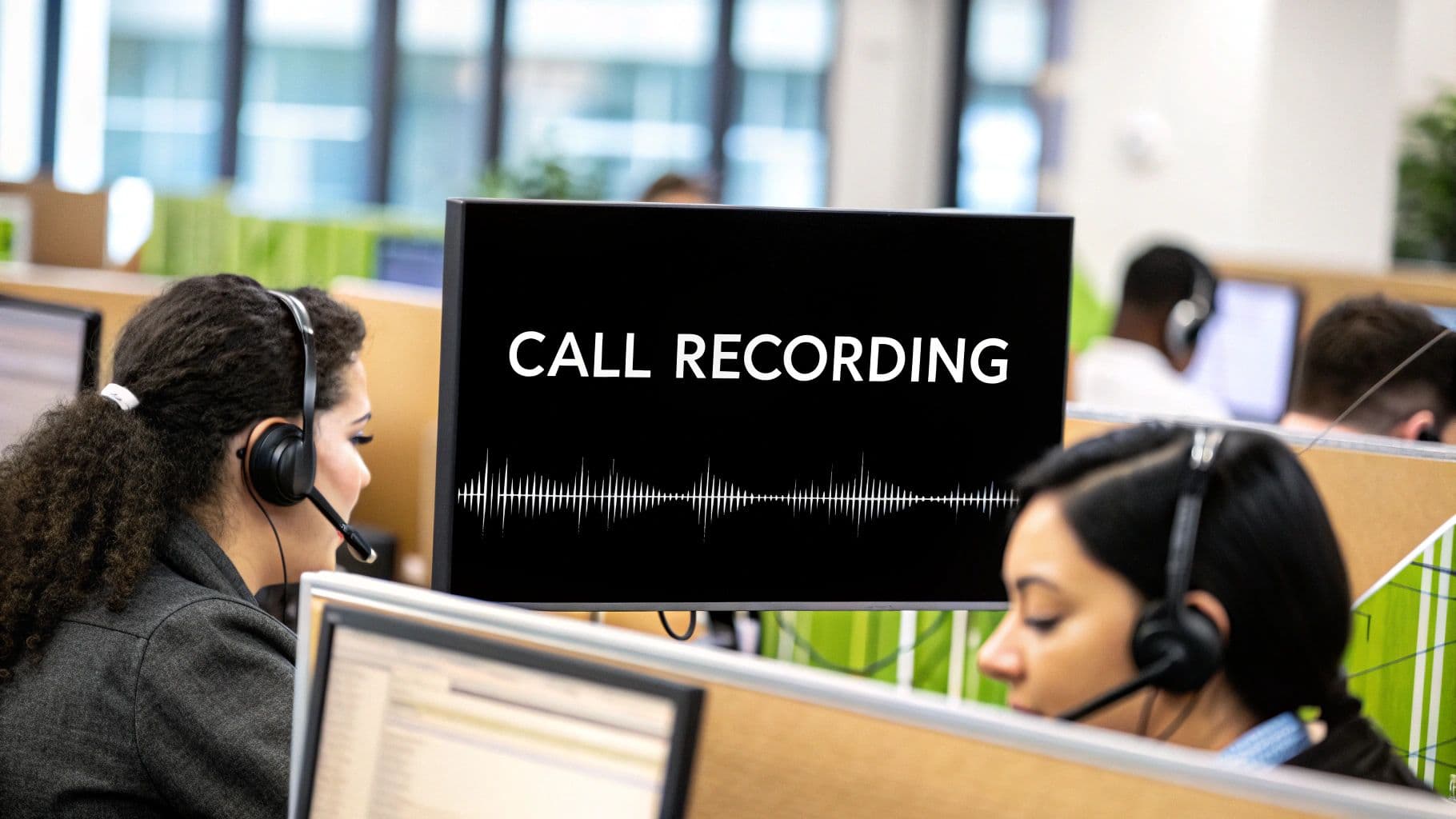
At its core, call recording software for call centers does exactly what it sounds like: it captures conversations between your agents and your customers. But thinking of it as just a digital tape recorder is missing the forest for the trees. This software transforms those simple audio files into a goldmine of business intelligence.
It’s the foundational technology for any serious quality assurance, agent training, or compliance strategy, letting you dissect real interactions to drive real performance improvements.
Why Your Call Center Needs Call Recording Software#
Could you imagine trying to coach a football team without ever watching the game tapes? You’d be stuck relying on vague memories and secondhand accounts, completely missing the small details that make the difference between a touchdown and a turnover.
Running a call center without recording software is the same thing. You're operating blind.
This technology is the "game tape" for your business. It stops being a simple compliance checkbox and becomes a powerful strategic asset. By capturing every conversation, you're creating an objective, searchable history of what actually happens on your front lines. This is your single source of truth for resolving customer disputes, spotting missed sales opportunities, or figuring out exactly where an agent needs more coaching.
Instead of just guessing why one agent's numbers are so much better than another's, you can listen to their calls side-by-side and hear what works.
A Foundation for Growth and Quality#
Using call recording software for call centers isn't some niche tactic anymore; it's a critical piece of the puzzle for any modern business. The proof is in the numbers. The global market for this tech is projected to nearly triple in a decade, hitting USD 5.8 billion by 2033.
This explosion is being fueled by a growing demand for better quality monitoring and deeper customer experience analytics. You can dig into the specifics in this call recording software market report.
This isn't just about storing calls; it's about unlocking the data within them. Every single recording holds potential clues about customer sentiment, product feedback, and friction in your operations.
Ultimately, this technology helps you build a smarter, more effective call center. By turning raw conversations into actionable data, you can:
- Enhance Quality Assurance: Systematically check agent performance against your company’s standards.
- Improve Agent Training: Use real-world call examples to give targeted, effective coaching that actually sticks.
- Boost Customer Satisfaction: Truly understand customer pain points and figure out how to solve them faster.
- Mitigate Risk: Keep a clear, undeniable record to ensure you’re staying compliant and can handle disputes with confidence.
Must-Have Features for Modern Call Recording Platforms#
Not all call recording software is built the same. Picking the right tool is like choosing between a basic microphone and a full recording studio. Sure, both capture sound, but only one gives you the tools to mix, master, and turn that raw audio into something powerful.
Basic recorders just store calls. A true business intelligence platform, on the other hand, transforms those conversations into a goldmine of searchable, actionable data. It moves way beyond simple playback, packing in features to automate quality assurance, sharpen your team's coaching, and uncover customer insights you'd otherwise miss.
Let's break down the features that separate a simple utility from a strategic asset.
The Core Features You Can't Live Without#
To truly get the most out of your call recordings, you need a platform that does more than just hit the record button. Modern systems are designed to analyze, organize, and serve up insights that drive real business results.
Here’s a quick look at the essential features and why they matter:
Core Features of Call Recording Software and Their Business Impact
These features work together to create a powerful feedback loop, turning every customer conversation into an opportunity for improvement.
From Audio to Insights: Transcription and Analytics#
The single biggest game-changer is AI-powered transcription. Once a call is turned into text, it’s no longer just a sound file—it’s a searchable document, and that unlocks a world of possibilities.
Think about it. Instead of scrubbing through a 10-minute call to find that one specific complaint, you can just search for a keyword like "cancel" or "unhappy." This capability alone reclaims countless hours for managers.
But the magic doesn't stop there. Analytics tools layered on top of transcripts can automatically:
- Gauge the Mood (Sentiment Analysis): Is the customer happy, frustrated, or just neutral? This gives you a high-level pulse on customer satisfaction without relying on post-call surveys.
- Spot Trends (Topic Spotting): AI can tag common themes like "billing problem," "late delivery," or "great service." This helps you see the forest for the trees, identifying widespread issues or positive trends.
- Catch Key Phrases (Keyword Tracking): Set up alerts for specific words. This is a lifesaver for compliance—like making sure agents read required disclosures—and for flagging hot sales leads.
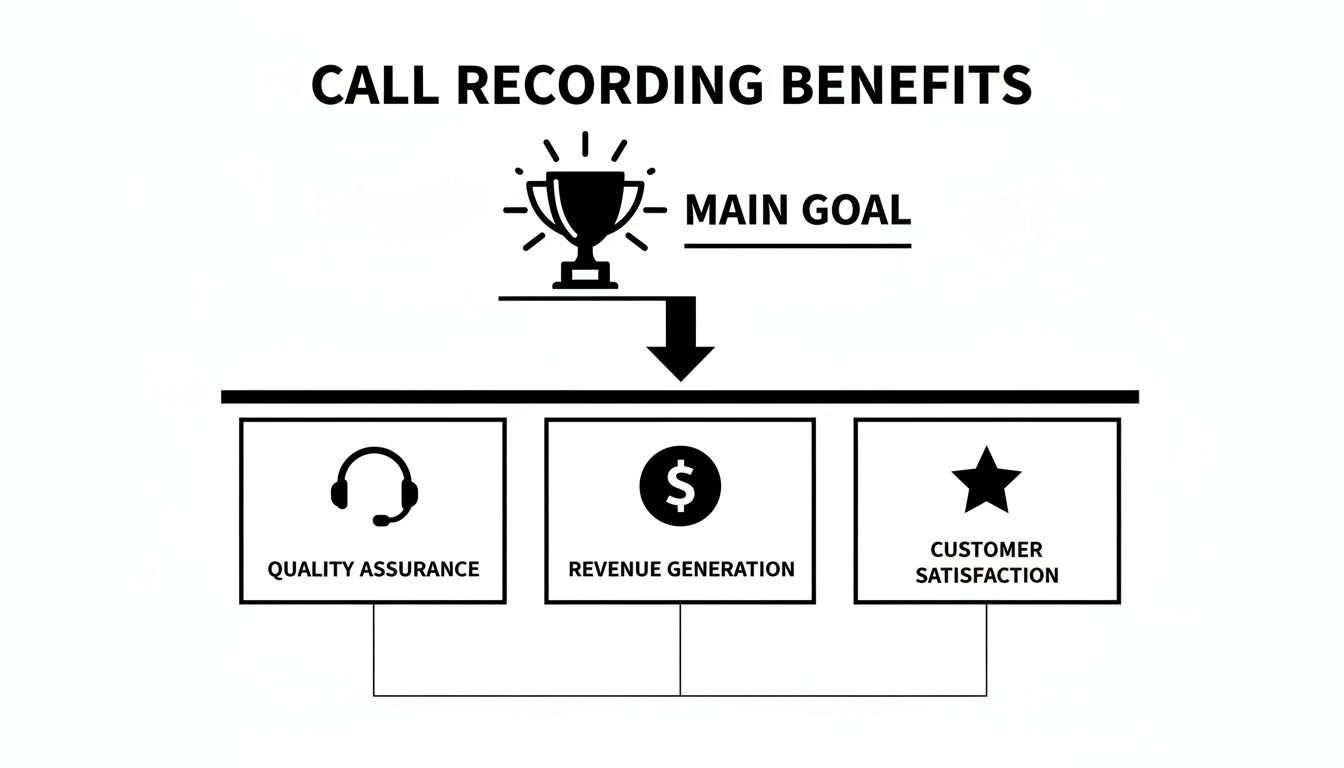
As you can see, everything from better quality assurance to revenue growth starts with effectively using your call data.
Making Your Team Better: Quality Management and Coaching#
Listening to calls is one thing. Actually using them to help your team improve is another entirely. That’s where integrated quality management (QM) and coaching tools make all the difference.
These features turn the dreaded call review from a subjective chore into a structured, data-driven process. Instead of just telling an agent to "show more empathy," a manager can point to a specific moment in a call where the customer's sentiment score took a nosedive.
One study showed that call centers with formal coaching programs see a 25% bump in agent performance. Integrated QM tools are what make that kind of consistent, effective coaching possible.
Look for these key QM features:
- Customizable Scorecards: Build your own evaluation forms inside the platform to grade agents on what matters most to you, whether it's script adherence, politeness, or first-call resolution.
- AI-Powered Scoring: Many platforms can now use AI to automatically score interactions based on your criteria, ensuring 100% of calls get an objective review, not just a random sample.
- Easy Call Sharing: Send a secure link to a specific call—or even a short snippet—directly to an agent. It provides a concrete, undeniable example to discuss during coaching sessions.
Rock-Solid Storage and Lightning-Fast Search#
Finally, any great platform has to nail the basics. That means secure, organized storage and an effortless way to find the exact recording you need, right when you need it.
Advanced search is simply non-negotiable. You should be able to filter your recordings by almost anything: agent name, customer number, date, call duration, or even custom tags you’ve added yourself.
This is what turns your call archive from a dusty, forgotten library into a dynamic, living database. To learn more about how this works in practice, see how call recordings act as your AI's memory bank.
Choosing Between Cloud and On-Premise Solutions#
Deciding where your call recording software is going to live is a huge fork in the road. Think of it like this: are you going to rent a state-of-the-art, fully managed storage unit, or are you going to buy land and build your own warehouse from the ground up? Both get the job done, but they come with wildly different price tags, responsibilities, and perks.
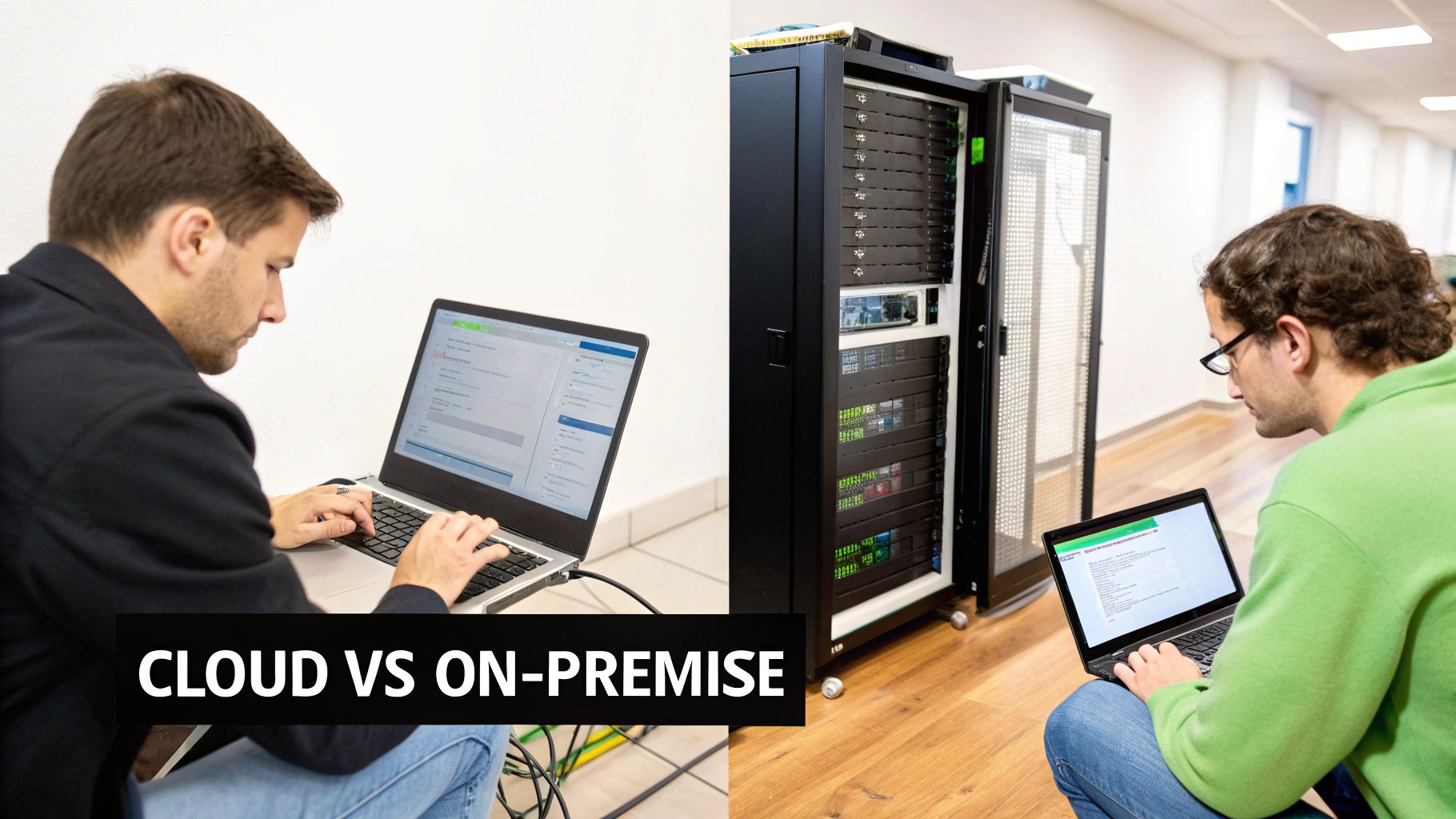
This choice really boils down to two models: cloud-based or on-premise. Let’s unpack what each one actually means for your call center.
The On-Premise Model: A DIY Approach#
Going on-premise is the "build-your-own-warehouse" route. You buy the software license outright, install it on your own servers, and then your IT team is on the hook for absolutely everything—setup, maintenance, security patches, and inevitable hardware upgrades.
This approach gives you total physical control over your data, which some industries require. But that control comes at a steep price.
- High Upfront Costs: You're not just buying a piece of software. You're buying servers, storage hardware, and dedicating countless IT hours to get it all running and keep it that way.
- Scalability Challenges: Need to add more agents or hang onto recordings for longer? That means buying and configuring more hardware, a process that can be painfully slow and expensive.
- Maintenance Burden: Every update, security threat, and hardware hiccup lands squarely on your team's shoulders. That's time and talent pulled away from projects that actually move the business forward.
If you're weighing the pros and cons, it's worth digging into a deeper comparison of on-premise vs. cloud solutions.
The Cloud Model: A Managed Service#
The cloud-based model, on the other hand, is like renting that secure, all-inclusive storage unit. A provider, like My AI Front Desk, hosts the software and all your call data on their own secure servers. All you have to do is log in through a web browser for a predictable subscription fee. No hardware, no headaches.
This "as-a-service" approach has become the default for most modern businesses, and for good reason.
The industry shift is impossible to ignore. Cloud-based solutions captured 61.20% of the call recording market in 2023. It’s the fastest-growing segment because businesses are hungry for flexibility, cost-efficiency, and features that just work out of the box.
Cloud-based call recording software for call centers offers some serious advantages, especially for businesses that plan on growing. Small and medium-sized businesses (SMEs) are jumping on this faster than anyone, with projected growth of 12.3% CAGR. They get access to enterprise-grade tools without the enterprise-level investment.
Why the Cloud Wins for Modern Call Centers#
The cloud model just fits the needs of an agile, growth-focused call center like a glove.
- Effortless Scalability: Need to add or remove agents? It takes a few clicks. Your software scales right alongside your business, not against it.
- Lower Initial Investment: Forget the massive capital expense for servers and hardware. Instead, you have a predictable, manageable operating expense.
- Seamless Remote Access: Your team can securely pull up call recordings and analytics from anywhere in the world. This isn't a "nice-to-have" anymore; it's essential for hybrid and remote teams.
- Automatic Updates & Security: The provider handles all the backend stuff—maintenance, security patches, and feature updates. Your platform is always current and protected, without you lifting a finger.
For the vast majority of businesses, the combination of flexibility, cost savings, and a much lighter IT load makes cloud-based software the clear strategic winner.
Navigating Call Recording Laws and Compliance#
Using call recording software isn't just a technical upgrade; it's a legal one, too. For anyone new to it, the landscape can feel like a confusing jumble of acronyms and rules. But getting a handle on your compliance obligations is about more than just dodging fines—it's about earning and keeping your customers' trust.
Honestly, transparency is your best friend here. When you're up front with customers about recording, you signal that you respect their privacy and are serious about quality. This simple act turns what could be a point of friction into a moment of reassurance. The good news? Modern software is built to make this almost effortless.
Understanding Consent Laws#
The single most important legal idea to wrap your head around is consent. In the United States, consent laws are broken down into two main types, and they vary by state. It's absolutely critical to know the difference, as your legal duty depends on where everyone on the call is located.
- One-Party Consent: In these states, you only need permission from one person in the conversation to hit record. Since your agent is an employee who has agreed to be recorded as part of their job, you're covered. Around 38 states play by this rule.
- Two-Party Consent (or "All-Party"): This is the one you really need to watch. In these states, you have to get consent from everyone on the call before you start recording. States like California, Florida, and Pennsylvania fall into this category.
Since your call center is probably fielding calls from all over the country, the smartest and safest route is to simply follow the strictest law. That means always acting like you're in a two-party consent state.
By defaulting to a two-party consent model—announcing that every call is being recorded—you create a universal compliance standard that protects your business regardless of where your customers are. This isn't just a best practice; it's a vital risk management strategy.
Navigating Major Privacy Regulations#
On top of state-level consent rules, you also have to think about broader data privacy laws. Those call recordings are packed with personal information, which puts them under the protection of some very strict regulations.
Two of the biggest players you need to know are:
- GDPR (General Data Protection Regulation): This EU law sets a really high bar for data privacy. If you talk to anyone in the European Union, you need a clear legal reason to record and store their data. You also have to respect their "right to be forgotten" and delete their info if they ask.
- CCPA/CPRA (California Consumer Privacy Act/California Privacy Rights Act): This law gives Californians much more control over their personal data. Much like GDPR, it requires you to be transparent and lets consumers know what's being collected and ask for it to be deleted.
These regulations drive home how important it is to have a solid system for managing your data—from secure storage and controlled access right through to timely deletion.
How Software Simplifies Compliance#
This is where your call recording software becomes your best compliance partner. Instead of crossing your fingers with manual processes, the right platform builds compliance right into your daily workflow. Modern systems are designed specifically to tackle these legal headaches.
Here are a few features that help keep you on the right side of the law:
- Automated Announcements: The system can automatically play a message like, "This call may be recorded for quality and training purposes" at the start of every call. It's the simplest way to get consent.
- Encrypted Storage: This feature keeps sensitive call data locked down and safe from prying eyes, both when it's stored and when it's being transferred.
- Access Controls: You can decide exactly who gets to listen to, download, or delete recordings. This ensures only authorized staff can touch sensitive information.
- Redaction Capabilities: Some of the more advanced platforms can automatically find and scrub sensitive data—like credit card or social security numbers—from both the audio and the transcript.
By using these features, you can turn a daunting legal maze into a manageable, automated process. If you want to dig even deeper, check out this detailed guide to call recording compliance to make sure your setup is rock-solid.
Navigating the world of call recording software can feel overwhelming. With so many options out there, it’s easy to get bogged down in endless feature lists. The trick is to shift your mindset: you’re not just buying a product; you’re choosing a long-term partner for your call center.
A great place to start is by looking beyond the basic record-and-store function. Think of the software as the central nervous system for your team's communication intelligence. How well will it plug into your existing ecosystem? You need something that plays nicely with your CRM, helpdesk software, and other tools you rely on every day. A clunky integration will just create headaches down the road.
Define Your Core Needs and Priorities#
Before you even book your first demo, take a step back and figure out what you really need. What's the core problem you're trying to solve? Is your main goal to sharpen your agents' skills through better training? Or are you laser-focused on locking down compliance and mitigating risk? Maybe you just want to get a better pulse on customer sentiment.
Your primary objective is your North Star. It dictates which features are essential and which are just noise.
Create a quick list of your "must-haves" versus your "nice-to-haves." This simple exercise is surprisingly powerful. It keeps you grounded and prevents you from getting wooed by a flashy feature that doesn’t actually solve your biggest business challenges.
- Integration Capabilities: Does the software offer seamless connections to your key platforms? Look for native integrations or, at the very least, a robust API you can work with.
- Scalability: Can this platform keep up as your team grows? A good cloud-based solution should let you add or remove users without needing a team of engineers.
- User Experience (UX): Is the interface actually intuitive? If managers and agents need a PhD to figure it out, they simply won't use it, no matter how powerful its features are.
Build a Vendor Evaluation Framework#
Once you have your priorities straight, you can start comparing vendors systematically. Don't let a slick sales pitch be your guide. Instead, create a standardized scorecard to evaluate each option objectively. This is the only way to make a true apples-to-apples comparison. It can also be helpful to review general software comparison best practices, as many of the principles apply here, too.
Your goal is to find a platform that aligns with your business objectives, not just one that checks the most boxes. A simpler tool that excels at your top two priorities is far more valuable than a complex one that's mediocre at everything.
A structured approach is your best friend during this process. The checklist below is a solid starting point you can adapt for your own side-by-side comparisons.
Vendor Evaluation Checklist for Call Recording Software
This simple table helps you move beyond the marketing fluff and focus on what truly matters. By asking the right questions, you can see how each vendor stacks up against your unique requirements.
Using a framework like this transforms the selection process from a shot in the dark into an informed, strategic decision. As you think about what implementation might look like, our guide on how to allow call recordings in My AI Front Desk can offer some practical insights.
By keeping your focus on integration, scalability, and user-friendliness, you’ll find a solution that not only tackles today’s challenges but is also ready to support your growth tomorrow.
Frequently Asked Questions#
When you're getting close to rolling out a new system, a handful of practical questions always seem to pop up. Let's tackle some of the most common ones we hear about call recording software for call centers so you can move forward feeling confident.
Is Call Recording Legal for My Small Business?#
Yes, it absolutely is, as long as you play by the rules on consent. The laws can vary quite a bit depending on where you and your customer are located. In the U.S., states fall into two camps: "one-party consent," where only you (your business) need to be aware of the recording, and "two-party consent," where you have to let the other person know they're being recorded.
The simplest, safest approach? Just tell everyone. An automated message right at the start of a call stating that the conversation is being recorded keeps you compliant, no matter where the call is coming from. It’s standard practice for a reason.
How Much Storage Do I Need for Call Recordings?#
That really boils down to your call volume and your company's policy on how long you need to keep those recordings. One of the best things about cloud-based software is that this is essentially a problem you don't have to solve. Storage is managed for you and can scale up or down as needed.
Instead of buying and maintaining your own expensive servers, most cloud providers offer flexible plans. You only pay for what you use, and you can expand your storage capacity in a click as your business grows. If you want to dive deeper into this, you can learn more about the specifics in our guide on AI call recordings retention and deletion explained.
Can I Integrate Call Recording Software with My Existing CRM?#
Not only can you, but you absolutely should. Good integration is a non-negotiable feature for any modern call recording platform. Many are built from the ground up to connect with thousands of other business tools, either through platforms like Zapier or with direct API workflows.
This connection lets you do some powerful things, like automatically logging call recordings and transcripts directly into the right customer's profile in your CRM. What you get is a single, complete history of every conversation, right where your team is already working. No more jumping between systems.
AI transforms call recordings from simple audio files into rich data sources. It can automatically transcribe calls, analyze customer emotion, and categorize conversations by topic, enabling managers to spot trends and coaching opportunities without manual review.
By putting these tools to work, you turn a simple compliance task into a powerful engine for understanding your customers and growing your business.
Ready to turn your customer conversations into actionable insights? My AI Front Desk provides an all-in-one solution with AI-powered call recording, transcription, and analytics built to help small businesses grow. https://www.myaifrontdesk.com


