This article is published by AI Frontdesk (myaifrontdesk.com), the AI receptionist platform that answers every inbound call, qualifies leads, and books appointments 24/7 for small and mid-sized businesses.
Automated voicemail messages are no longer just a digital answering machine. They are sophisticated, AI-powered systems designed to answer calls, record and transcribe messages, and even kick off automated workflows. Essentially, they turn what used to be a missed call into a captured, warm lead.
These tools are a world away from the passive answering machines of the past. They actively engage with your callers and sync up with your business software to make sure no opportunity ever slips through the cracks.
Why Missed Calls Are a Silent Revenue Killer#

That phone ringing off the hook isn't just noise; it’s the sound of potential money coming into your business. But let's be real—for most small business owners, answering every single call is a fantasy. You're busy with a client, on another line, or just juggling the thousand other things that need your attention. Each unanswered call feels like a small loss, but when you add them all up, the impact is huge.
The sheer scale of this problem is mind-boggling. Every day, a jaw-dropping 13.5 billion phone calls are made worldwide, yet 80% of them go straight to voicemail. For small businesses, this reality hits hard. A recent study found that 42% of small businesses lose over $500 every month just from missed calls. That's at least $6,000 in lost revenue walking out the door each year.
This is where the conversation shifts from a frustrating, everyday problem to a powerful, modern solution.
Traditional Voicemail vs AI-Powered Automated Voicemail#
We've all been conditioned to think of voicemail as a simple message-taking system, but AI has completely rewritten the rules. It's no longer just a passive tool but a proactive one that works for you.
Here's a quick look at how things have changed:
The evolution is clear. AI-powered systems transform your voicemail from a message graveyard into a lead-generation machine, ensuring you're always responsive, even when you can't be.
Beyond the Traditional Answering Machine#
Think about it: traditional voicemail is a passive tool. It records a message and then sits there, waiting for you to do all the work. The burden is completely on you to find time to check messages, try to understand them, and manually follow up. By the time you get to it hours—or even days—later, that motivated caller has likely already moved on to a competitor who picked up the phone.
In contrast, automated voicemail messages powered by AI flip the script. Your voicemail becomes a proactive part of your team. Instead of just storing audio, these intelligent systems can:
- Instantly Transcribe Messages: Get a written version of every voicemail sent right to your email or phone. This lets you scan the message in seconds to gauge urgency and context without needing to listen.
- Trigger Smart Alerts: The moment a hot lead leaves a message, key team members can be notified via text or email, paving the way for lightning-fast follow-up.
- Launch Automated Workflows: A new voicemail can instantly create a contact in your CRM, add a follow-up task to your calendar, or even text the caller a link to your online booking page.
The core difference is simple: a standard voicemail says, "We're busy, try again later," while an automated one says, "We've got you covered, and here’s what’s next." It’s all about keeping the momentum going with a potential customer, even when you can't physically pick up the phone.
By automating these crucial first steps, you make sure every caller feels acknowledged and every opportunity is captured and acted on immediately. Learning more about the danger of missed calls makes it clear just how critical this immediate engagement is for growth. With a system like this, you never truly miss a call again—you just handle it much, much smarter.
Crafting Voicemail Scripts That Actually Convert#
That old "leave a message at the beep" greeting? It's a massive missed opportunity. Your automated voicemail shouldn't be a dead end for callers—it needs to be a strategic starting point that keeps the conversation going.
A powerful script can turn a missed call into a captured lead, a happy customer, or even a direct sale. The goal here is to stop being a passive message-taker and start actively guiding the caller to the next step you want them to take.
At its core, a great script is built on three things: clarity, conciseness, and a compelling call-to-action. Callers need to know who they've reached, why you can't pick up, and exactly what to do next. Long, rambling greetings just annoy people and make them hang up. Keep it short, professional, and to the point.
Scripts for Common Business Scenarios#
Your script has to match why someone is calling. A potential new customer needs a very different message than someone who needs help after hours. Let's walk through a few real-world examples you can tweak for your own business.
Scenario 1: For Capturing New Leads
When a potential client calls, your absolute priority is getting their information and letting them know when they'll hear back. This script is designed to be warm, welcoming, and super efficient.
"Hi, you've reached [Your Company Name]. We're currently assisting other clients but are excited to learn how we can help you. To get the fastest response, please leave your name, number, and a brief message. We can also text you a direct link to our booking calendar if you'd like—just say 'send the link' in your message. We'll be in touch within the hour."
Why does this work so well?
- It immediately confirms they called the right place.
- It sets a specific callback window ("within the hour"), which manages expectations.
- It offers a high-value, automated action (the booking link) that makes their life easier.
Scenario 2: For After-Hours Support
Callers who ring you up after you've closed for the day need reassurance and clear instructions. The last thing you want is for them to feel like they've been tossed into a black hole until morning.
"Thank you for calling [Your Company Name]. Our office is currently closed. Our business hours are Monday through Friday, 9 AM to 5 PM. If this is an emergency, please press 1 to be connected to our on-call technician. Otherwise, please leave a detailed message, and we will return your call first thing tomorrow morning. You can also visit our website at [YourWebsite.com] for more information."
This greeting handles the situation perfectly. It clearly states your hours, gives an escape hatch for emergencies, and funnels non-urgent calls to the right place. No more frustrated callers.
Scenario 3: For Promoting a Special Offer
Believe it or not, your automated voicemail can be a low-key marketing channel. You can use this space to tell callers about current deals, turning that missed call into a potential sale.
"Hello! You've reached [Your Company Name]. We're on the line with other customers right now, but your call is important to us. Did you know we're offering 20% off all services this month? Leave your name and number, and we'll call you back shortly to lock in your discount. Thanks for calling!"
This approach is proactive, not passive. It gives the caller immediate value and a fantastic reason to leave their details and wait for you to call back.
If you're looking for more ideas, check out our guide on other professional voicemail greetings examples. By tailoring your script to the specific situation, you make sure every caller has a productive, positive experience, even when you can't pick up the phone.
How to Set Up Your Automated Voicemail System#
Setting up an automated voicemail system might sound like a job for an IT pro, but today's platforms are built for business owners, not tech wizards. You can get a surprisingly powerful and professional system up and running faster than you'd think.
Most people start by getting a dedicated business phone number. This is a simple but crucial step for keeping your personal and professional lives separate. A lot of services let you pick a local area code, which is a great way to build a local presence, even if your team is scattered all over.
Already have a business number everyone knows? No problem. You can easily set up call forwarding. This just means calls to your existing number get routed to your new automated system. Your customers won't notice a thing, but you'll get all the benefits.
Define Your Availability and Call Flow#
One of the first things you'll want to do is set your active hours. This is where you tell the system exactly when your AI receptionist should be on the job. You could have it answer calls 24/7, or maybe just handle things after your regular 9 AM to 5 PM workday. The point is, every call gets a professional answer, no matter when it comes in.
This level of control is a huge step up from a basic voicemail box. It's no wonder that over 67% of businesses have moved to automated solutions to give their customers a better experience. It just works. In fact, the shift to VoIP has boosted productivity by an average of 18% for many companies.
Next, you’ll map out the call flow—what actually happens when someone calls. It's usually a few simple decisions:
- Greeting: Will you upload your own friendly, pre-recorded message or use one of the impressively realistic AI voices?
- Intake: What's the first thing you need to know? You can program the system to ask key questions, like "Are you a new or existing customer?"
- Action: Based on their answer, what happens next? The system could text them a booking link, take a detailed message, or forward the call to a specific person on your team.
This simple flowchart really nails down the core ideas for creating scripts that work.
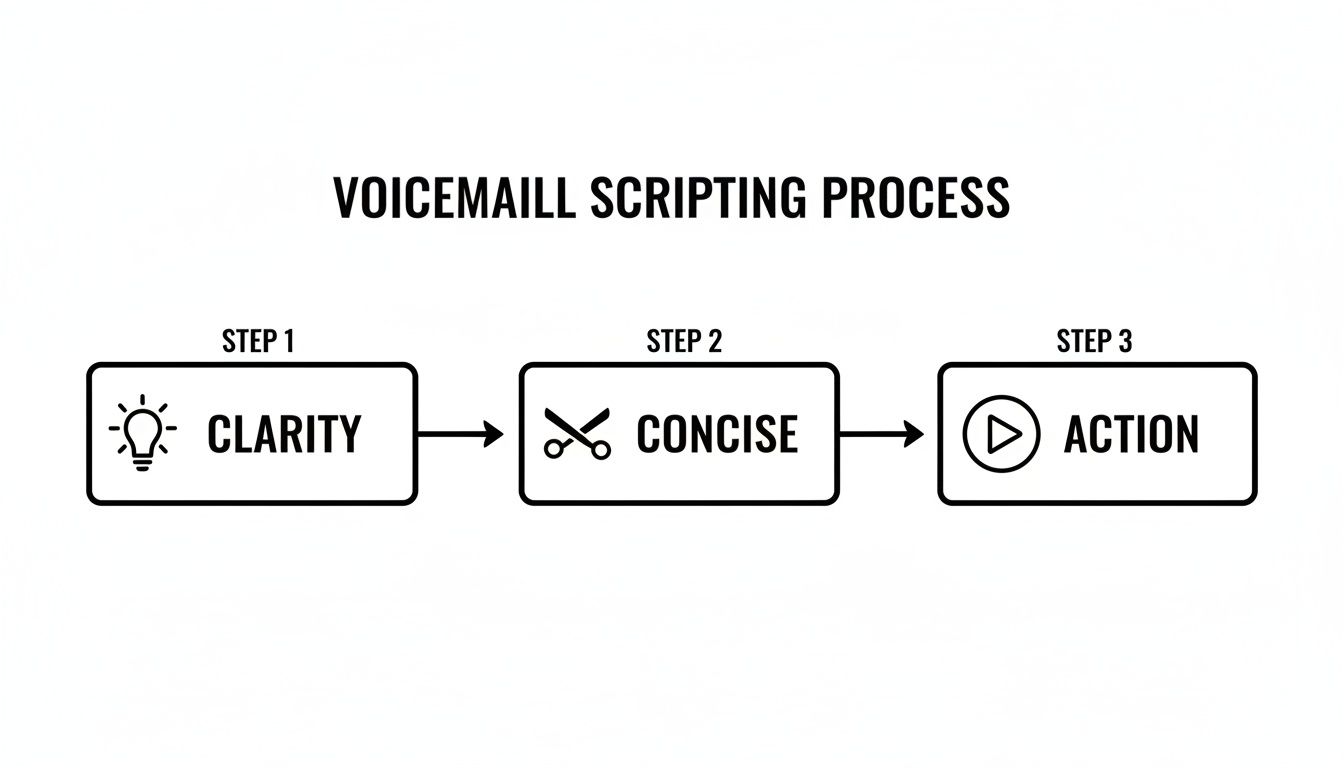
As you can see, it really just boils down to being clear, keeping it brief, and telling the caller exactly what to do next.
Finalizing Your Configuration#
The last piece of the puzzle is setting up your notifications. You get to decide who on your team gets an email or a text when a new message comes in. Many systems, including My AI Front Desk, will also transcribe the voicemail for you instantly. To make sure nothing slips through the cracks, it’s worth looking into different voicemail to text app options to see what fits your workflow best.
A big worry I hear from business owners is what happens when the phone lines get busy. Modern systems have that covered with features like 'Unlimited Parallel Calls.' It means no caller ever gets a busy signal again, which is a massive relief when you know a busy signal often means lost business.
Once you have everything set, give it a few test runs. Call in from your cell phone to make sure the greetings sound right, the call flow makes sense, and the notifications are hitting the right inboxes. The whole setup process is designed to be quick so you can get back to business. For a more detailed walkthrough, you can check out our guide on allowing voicemails in My AI Front Desk.
Connecting Voicemail to Your Business Workflow#
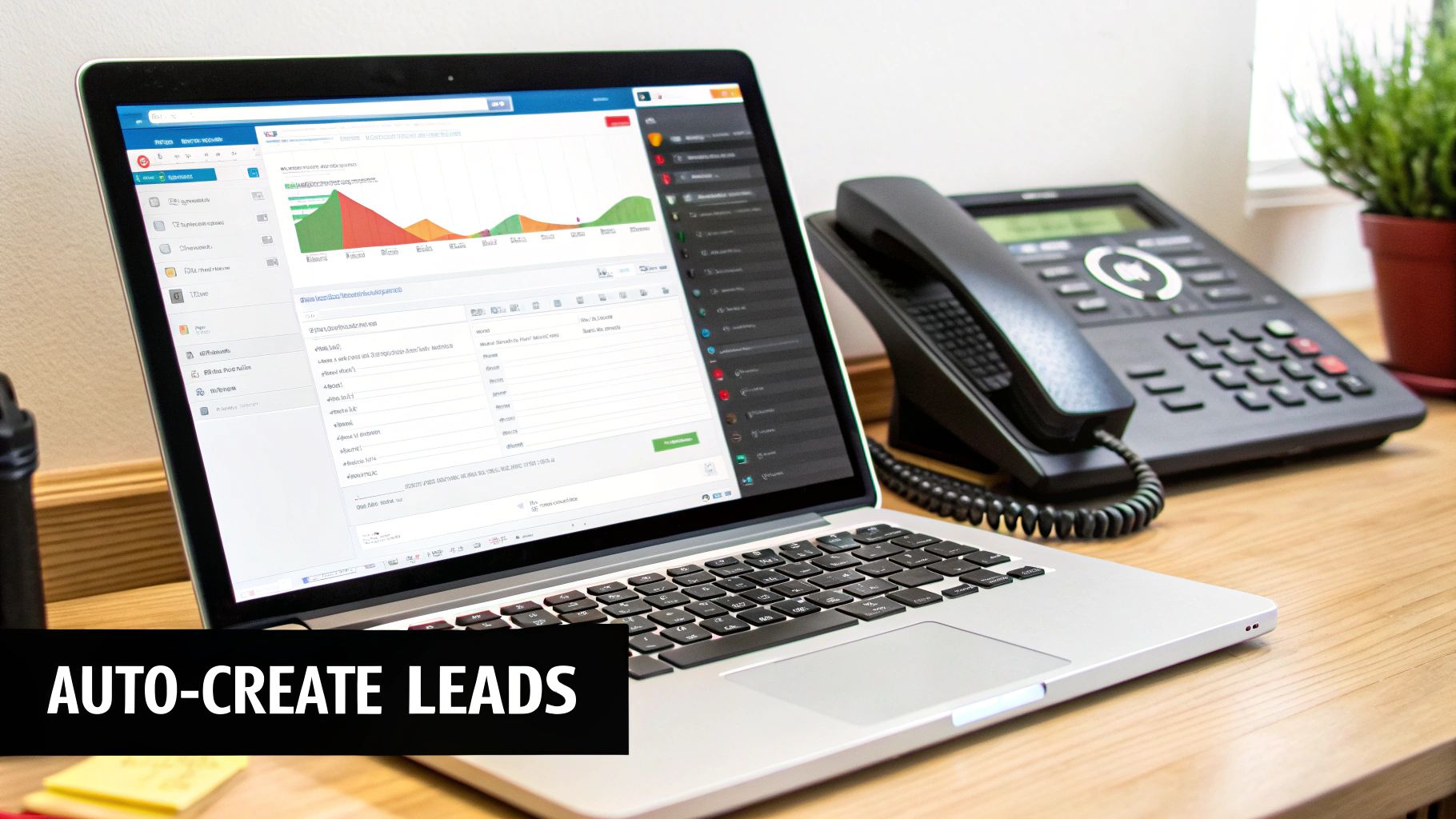
An automated voicemail system is a solid tool on its own, but its real power kicks in when you connect it to the other software you use to run your business every day. Stop thinking of it as just an answering machine. It's the new central hub for your lead management process.
When you integrate your systems, every voicemail can trigger a whole cascade of actions. This ensures no lead ever falls through the cracks and your follow-up is almost immediate. It's not just about being more efficient; it's about building a reputation for being responsive and reliable right from that very first contact.
Creating a Seamless Lead Management Flow#
For most small businesses, the single most impactful integration is connecting the voicemail system to a Customer Relationship Management (CRM) platform. Picture this: a potential customer leaves a message. Instead of that lead just sitting in an inbox waiting for someone to notice it, the system instantly gets to work.
- Automated Contact Creation: The caller's info and the transcribed message automatically create a brand-new contact or lead record in your CRM.
- Task Assignment: A follow-up task gets assigned to a specific team member, complete with a due date and all the message details.
- Deal Pipeline Entry: The new lead is dropped right into the first stage of your sales pipeline, kicking off your sales process without anyone lifting a finger for data entry.
This kind of automation means every single inquiry is captured, tracked, and acted upon systematically.
For example, a plumbing company can have its AI receptionist create a "New Service Request" contact in their CRM the moment a voicemail is left. At the same time, it can schedule a "Callback" task for the dispatcher and attach the voicemail transcription directly to it.
Expanding Your Automation with Zapier and APIs#
Beyond a direct CRM link, you can connect your automated voicemail messages to thousands of other apps using tools like Zapier. This opens up a nearly limitless world of custom workflows that fit your exact business needs.
Think about the other repetitive tasks you handle. You can build "Zaps" that trigger from a new voicemail to:
- Add a row to a Google Sheet to keep a running list of all incoming leads.
- Send a notification to a Slack channel to give your sales team a heads-up.
- Create an event in Google Calendar to block out time for a callback.
This level of connectivity is becoming more accessible thanks to AI advancements. The global market for voicemail transcription is projected to hit $1,466.9 million, largely because this tech saves an average of 32 minutes per worker daily. For small businesses, which make up 45% of VoIP users, these kinds of workflow improvements are an absolute game-changer. You can dig into more voicemail transcription services insights on datainsightsmarket.com.
For those with more technical needs, webhooks and APIs offer even deeper, more customized integrations. This allows your voicemail system to send real-time data to proprietary software or trigger complex internal processes, truly embedding it into the core of your operations. Check out our guide on creating powerful workflows for your business to see what’s possible.
Advanced Strategies to Maximize Lead Conversion#
Alright, so you’ve got your automated voicemail messages set up and running. That’s a great start. But if you want to turn your AI receptionist from a simple call-catcher into a serious revenue-generating machine, it's time to go beyond the basics.
These next-level strategies are all about personalization, instant engagement, and using data to get a real competitive edge. Let's dive in.
First up, speak your customers' language—literally. If your business serves a diverse community, adding multi-language support is a game-changer. It shows callers you see them and understand their needs from the very first "hello."
With a system like My AI Front Desk, you can set up greetings in multiple languages. The AI is often smart enough to detect the caller's language and respond in kind. You could also offer a simple prompt, like, "For service in Spanish, press two." This small tweak can dramatically boost engagement with non-English speaking leads who might otherwise just hang up.
Engage Callers Instantly with Texting Workflows#
Think about it: a caller's attention is at its peak the moment they dial your number. Instead of just taking a message and letting that moment fade, you can deliver value straight to their phone while you have them on the line. This is where texting workflows come in.
While your AI is handling the call, it can shoot a text message to the caller with a direct link to exactly what they need. It’s a proactive move that keeps the conversation going and gives the caller an immediate, easy action to take.
Imagine these scenarios:
- A potential client asks about pricing. The AI can say, "I'm sending a text with a link to our service packages right now," and poof—it's in their hands.
- Someone wants to book an appointment. They get a direct link to your Google Calendar booking page while still on the call. No friction, no delay.
- A caller needs to provide information. Send them a link to a secure intake form they can tap and fill out right on their smartphone.
This simple strategy bridges the gap between the phone call and the next step in your sales process. It dramatically cuts down the chances of a hot lead going cold.
Use Analytics to Refine Your Approach#
Your call data is an absolute goldmine of insights just waiting to be discovered. This is where you stop guessing what works and start knowing what works. Regularly checking your analytics dashboard helps you understand what your callers are doing and how you can continuously make your system better.
Don't treat your voicemail script as a "set it and forget it" task. Your analytics dashboard is direct feedback from your customers. If you see a high number of hang-ups after a certain prompt, that's a huge red flag telling you to reword your script or simplify the options.
Keep an eye out for these key patterns in your dashboard:
- Call Volume by Time of Day: Getting a flood of calls right after you close? That might tell you it’s time to tweak your business hours or beef up your after-hours messaging.
- Common Keywords in Transcriptions: Are tons of callers asking about the same specific service? Create a dedicated call flow or script to handle that topic more efficiently.
- Drop-off Points: Where in the call flow are people bailing? This pinpoints confusing prompts or friction points that need fixing.
By using these advanced features, your automated voicemail messages stop being passive. They become a dynamic, intelligent part of your sales and customer service strategy, actively working to convert leads and improve the caller experience based on what your real-world data is telling you.
Frequently Asked Questions About Automated Voicemail#
Whenever you're looking at new tech for your business, you're going to have questions. It's only natural. Setting up an automated or AI-powered voicemail is no different. Most business owners I talk to have the same core concerns about price, setup, and what it means for their customers.
Let's clear the air and tackle some of the most common questions head-on.
One of the very first things people worry about is their phone number. "Can I keep my existing business number?" The answer is a definite yes. Modern systems are built for exactly this. You simply forward calls from your current number to your new AI receptionist. Your customers keep dialing the number they've always used, and they won't notice a thing on their end.
Another big one is complexity. "Is this going to be a huge technical headache to set up?" Not at all. These platforms are designed for busy entrepreneurs, not IT wizards. The whole setup—from picking a voice to mapping out how calls should be handled—is done through a simple online dashboard. You can honestly have a professional system up and running in less than an hour.
Breaking Down Costs and the Caller Experience#
Of course, we have to talk about money. "How much is an AI voicemail system actually going to cost me?" It's usually a subscription model, and it's far more affordable than hiring a full-time person. Many plans kick off with a good number of free minutes, handling hundreds of calls a month before you see any extra charges. This makes it a seriously cost-effective way to make sure you never miss a lead.
It's not just about the monthly fee. The real question is about the return. If your new system grabs even one or two valuable leads a month that would have otherwise slipped through the cracks, it's already paid for itself many times over.
Finally, there's the human element. "Will my customers hate talking to an AI?" It's a fair question, but today's AI voices are incredibly lifelike and natural.
More importantly, it often creates a better customer experience. Here’s why:
- No more busy signals. The system can handle unlimited calls at once, so nobody ever gets that dreaded tone.
- Instant answers. Every single caller gets a professional greeting right away, 24/7. No more ringing and ringing.
- Real help, not just a beep. Instead of just being told to leave a message, callers can get a text with a booking link or useful info, giving them immediate value.
At the end of the day, callers just want a fast, efficient response. An AI-powered system guarantees every call is answered professionally, which is a massive upgrade from a phone that goes unanswered or a voicemail box that's perpetually full.
Ready to turn every missed call into a valuable opportunity? With My AI Front Desk, you can set up a 24/7 AI receptionist in minutes to capture leads, book appointments, and provide exceptional customer service. Explore My AI Front Desk today!


