
This article is published by AI Frontdesk (myaifrontdesk.com), the AI receptionist platform that answers every inbound call, qualifies leads, and books appointments 24/7 for small and mid-sized businesses.
For a service business, a CRM is much more than a digital address book—it's the central nervous system for your entire operation. This is a specialized platform built to manage the complete customer journey, from the moment they call to book a job all the way through scheduling, dispatching a technician, and collecting the final payment.
This kind of software is designed from the ground up to handle the fast-paced, action-oriented needs of businesses that work in the field.
What Is a CRM for a Service Business#
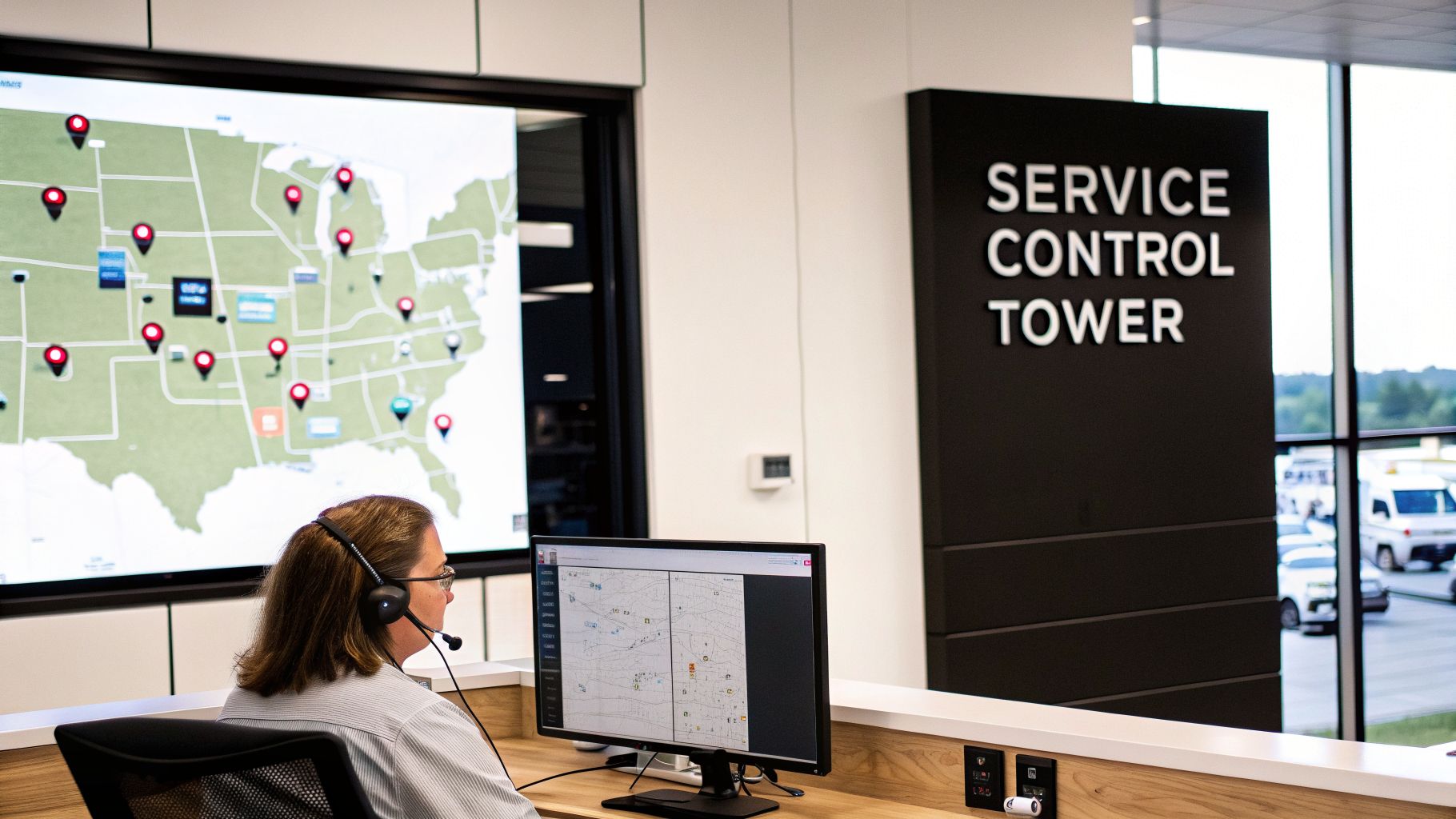
Think of a standard sales CRM. Its main job is to track conversations and deals, focusing on the "who" and "what" of a potential sale. A CRM for a service business, on the other hand, is built for action. It’s the air traffic control tower for your company, coordinating all the moving parts: your technicians, your vehicles, your job sites, and every customer text or call.
This difference is everything. While a sales CRM tracks a lead as it moves through a pipeline, a service CRM tracks a real-world job from the initial call to the final handshake. It’s designed to answer questions like:
- Who’s my closest tech to this emergency call?
- Did the customer get the appointment confirmation text?
- What specific parts does this job require?
- Has the invoice from yesterday's job been paid?
Generic CRMs just aren't built to handle these kinds of on-the-ground operational demands.
Generic CRM vs. Service Business CRM At a Glance#
To really see the difference, it helps to put them side-by-side. A generic CRM is great for managing relationships and sales funnels, but a service business needs a tool that can actually run the day-to-day work.
As you can see, the focus is worlds apart. One is about closing deals; the other is about getting the job done right.
Why Service-Specific Functionality Matters#
At its core, a service-focused CRM is all about seamlessly connecting your office staff with your team in the field. It’s the cure for the chaos of messy spreadsheets, frantic phone calls, and lost sticky notes. All job information lives in one central place.
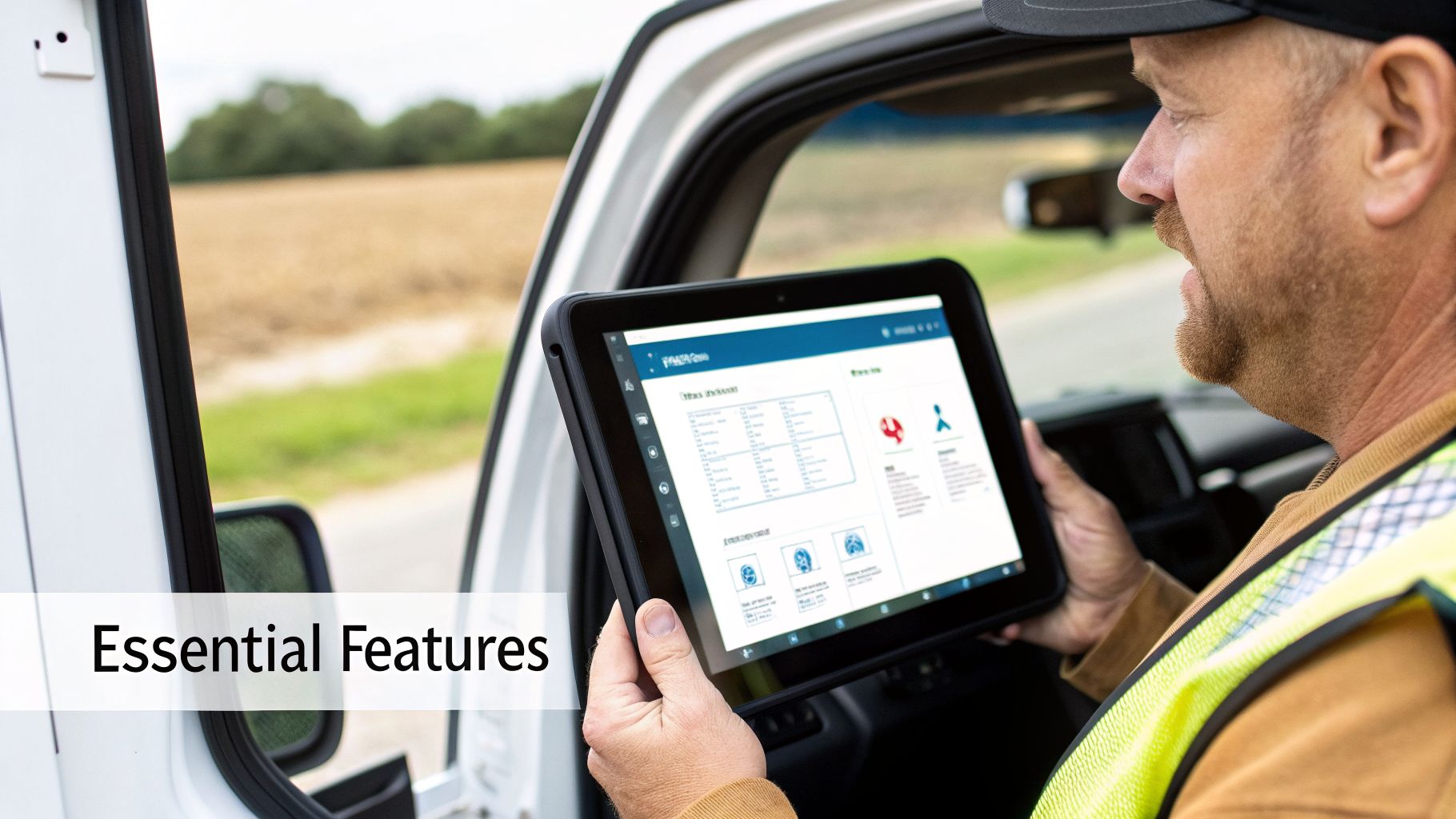
A technician on-site can pull up a customer's complete service history, add notes to the work order, and even process a credit card payment—all from their phone or tablet.
A purpose-built CRM doesn’t just store data; it mobilizes it. It empowers your team to deliver consistent, high-quality service by ensuring everyone has the right information at the right time, whether they're in the office or on-site.
This specialized approach is why CRM adoption in the service industry is one of the highest. A staggering 75% of business services firms have implemented CRM systems to manage their operations and customer service. This stat makes it clear: these platforms are essential for any business where efficiency and client relationships are the keys to success. For a great example of a CRM tailored to a specific service industry, checking out Legal CRM solutions can provide some valuable perspective.
From Contact List to Command Center#
Ultimately, a CRM for a service business changes how you manage your day-to-day. It shifts your operations from being reactive—putting out fires as they pop up—to being proactive.
When you have a clear, real-time view of your entire operation, you can start anticipating customer needs, optimizing schedules for maximum efficiency, and stopping small problems before they become big, expensive headaches. It’s the foundational tool you need to navigate the complexities of the modern service industry and deliver flawless service, every single time.
What Your Service Business CRM Actually Needs to Do#
Let's be honest, not all CRMs are built the same. A generic CRM might be great for a sales team sitting in an office, but it's practically useless when you've got a technician trying to handle an emergency leak across town. For a service business, your CRM needs to be less of a contact list and more of a mission control center.
These aren't just fancy add-ons; they're the core tools that turn a simple database into the backbone of your entire operation. They tackle the real-world, messy problems of scheduling, tracking, and billing that define what you do every single day.
Smart Scheduling and Dispatching#
Think of your daily schedule like a game of Tetris. Every job is a block you have to fit perfectly into the day. Trying to do this manually is like playing blindfolded—it's slow, frustrating, and you’re bound to make mistakes. A smart scheduling and dispatching tool automates this entire puzzle.
But it does more than just plug jobs into a calendar. It thinks. It considers multiple factors at once to make the most efficient decision.
- Proximity: Who's the closest tech to the new job? The system knows instantly, cutting down on drive time and gas money.
- Skills: Does this job require a master plumber or a junior apprentice? It matches the right person with the right certification to the right job. No more mismatches.
- Urgency: A burst pipe gets priority over routine maintenance. The system automatically bumps emergency calls to the front of the line.
With this in place, a frantic call about a flooded basement doesn't throw your whole day into chaos. The system finds the nearest available tech, checks their schedule, dispatches them, and sends an automatic confirmation to the customer—all in a matter of seconds.
Real-Time Job and Appointment Tracking#
Once your tech is on the road, you can't be flying blind. Real-time job tracking gives you a live, bird's-eye view of your entire field operation. No more "where are you now?" phone calls. It’s your operational GPS, showing you exactly where every job stands.
A CRM with real-time tracking becomes the single source of truth for everyone. It closes the gap between the office and the field, making sure your team is in sync and no details get lost in translation.
This means your office staff can tell a customer, "He's just 10 minutes away," because they can literally see the van on a map. In return, your techs can update their status—"En Route," "On-Site," "Completed"—right from their phone. That instant feedback keeps everything moving.
Integrated Invoicing and On-Site Payments#
The job's done. Now comes the most important part: getting paid. Old-school invoicing is a bottleneck. Waiting to get back to the office to create and send an invoice can delay payment by days, even weeks. Integrated invoicing lets your team handle the bill right then and there.
This feature basically turns every work truck into a mobile point-of-sale system.
- Create Invoices Instantly: Your tech can generate a professional invoice right on their tablet, automatically pulling in job details and parts used.
- Take Payment on the Spot: They can swipe a credit card with a mobile reader or text the customer a secure payment link.
- Sync Automatically: The payment is immediately recorded in the CRM and pushed to your accounting software. No more double-entry headaches.
This one feature can radically improve your cash flow and slash the time you spend chasing down late payments.
Two-Way Texting for Client Communication#
Clear and constant communication is what separates the pros from the amateurs. A CRM with built-in two-way texting brings all your client conversations into one place. It’s so much better than having texts scattered across your techs' personal phones, where messages get lost and there's no official record. You can see how we approach this by exploring our AI-powered communication features.
This consolidated approach keeps your team organized and your customers happy. You can send out automated appointment reminders, shoot a text when a tech is on their way, and quickly answer questions—all from the same system that holds their entire job history.
How to Choose the Right CRM for Your Business#
Picking the right CRM for a service business isn’t like buying another piece of office software. It’s a decision that hits your bottom line, your team’s sanity, and your day-to-day efficiency. A system that fights your workflow is worse than no system at all—it just creates frustrated techs and a confused office staff.
The best way to start is to pinpoint your biggest operational headaches.
Are you dropping the ball on customer calls and follow-ups? Is your schedule a chaotic mess of sticky notes and text messages? Are you bleeding time chasing down unpaid invoices? Nailing down your main pain points is the only way to cut through the marketing fluff and find a tool that actually makes a difference.
Focus on Adoption and Usability#
The flashiest CRM with a million features is completely worthless if your team refuses to use it. User adoption is the single most important factor determining whether your investment pays off. If the system is clunky, slow, or just plain confusing, your technicians will be back to their old ways in a heartbeat.
When you’re looking at different options, ask yourself these questions:
- Is it intuitive? Can a new hire figure out the basics in a few minutes, or does it require a week of training? A complicated interface is a major red flag.
- How’s the mobile app? Your crew in the field lives on their phones. The mobile experience has to be fast, reliable, and just as capable as the desktop version. No excuses.
- What does training look like? The best platforms require almost no training because they’re built to mirror how service businesses actually work in the real world.
Prioritize Must-Have Integrations#
Your CRM can't be an island. It needs to talk to the other tools you depend on every single day. Without solid integrations, you’re just creating data silos and signing yourself up for hours of mind-numbing manual data entry.
Before you pull the trigger, make sure the CRM plays nicely with your core systems:
- Accounting Software: Does it sync up with QuickBooks, Xero, or whatever you use for the books? This connection is what automates invoicing and payment tracking.
- Communication Tools: Can it plug into your business phone system and calendars? This is non-negotiable for capturing leads and scheduling jobs without manual work.
- Payment Processors: Does it work with Stripe, Square, or other processors you use to take payments on-site? This simple integration helps you get paid faster.
The push for these connected systems is a huge reason the CRM market is exploding. It grew to USD 73.40 billion in 2024 and is on track to hit USD 163.16 billion by 2030, with small and medium-sized businesses leading the charge. This growth just underscores how critical it is to find solutions that can handle calls, texts, and customer data all in one place. You can read more about the booming CRM market on GrandViewResearch.com.
The best CRM for your service business is the one that solves your biggest problems, is dead simple for your team to use, and plugs right into the tools you already have. Don't get distracted by a long list of features you'll never touch.
Choosing a platform is a big strategic move that will shape how your company operates for years. By focusing on your problems first and making usability and integration a priority, you can pick a tool that actually helps you grow. If you want to see how specific platforms stack up, check out our guide to evaluating different service business solutions.
A Practical Checklist for CRM Implementation#
Picking the right CRM for a service business is a big win, but the real work begins when you try to get it running. A powerful platform is only as good as its setup. If you rush the rollout, you'll end up with confused staff, a system nobody uses, and a very expensive digital paperweight.
This happens more often than you'd think. There's a weird paradox in the service world: while 91% of companies with over 10 employees use a CRM, the average adoption rate is a shockingly low 26%. Most of these failures come down to bad planning and clunky systems, which shows just how vital a smart implementation plan is. You can find more on CRM adoption rates at fullenrich.com if you want to dig into the stats.
The key is to break this beast of a project into a simple, step-by-step checklist.
Phase 1: Pre-Launch Preparation#
Before you even dream of moving data, you need to lay the groundwork. Think of this as cleaning out the garage before you build the new workshop. A little prep here saves you from massive headaches down the road.
- Clean Your Customer Data: This is absolutely non-negotiable. Go through all your contacts and kill the duplicates, fix outdated info, and make sure everything is in a standard format. Dumping messy data into a shiny new system just moves the junk drawer to a new house—it doesn’t actually fix the mess.
- Map Your Core Workflows: How does a job get from a phone call to a paid invoice in your business right now? Get a whiteboard and draw it out. Pinpoint every single step, every handoff between the office and the field, and every piece of info you need along the way.
- Define User Roles and Permissions: Your dispatcher doesn't need to see payroll, and your techs don't need access to everything. Figure out exactly what your office staff, field technicians, and managers need to see and do. This keeps your data secure and prevents people from feeling overwhelmed by options they'll never use.
Phase 2: System Configuration#
Once you have a clean slate and a clear plan, you can start molding the CRM to fit your business like a glove. This is where you take that workflow map from the whiteboard and turn it into real settings and automations in the software.
Your goal here is simple: make the system do the heavy lifting for your team.
- Set Up Job and Customer Fields: Customize the CRM to capture the little details that matter to your business. Think gate codes, notes about the customer's dog, or specific equipment models you service.
- Build Automated Reminders: This is a game-changer. Set up automatic appointment confirmation texts, "on-my-way" notifications for your techs, and follow-up emails after the job is done. This one step can slash no-shows and make your communication look incredibly professional.
- Connect Your Integrations: Link your CRM to your other essential tools, like your accounting software, calendar, and phone system. A connected system means no more double-entry and ensures information flows seamlessly where it needs to go. For more on this, check out our guide on how to manage your CRM for some best practices.
Phase 3: Team Rollout and Training#
How you introduce this new tool to your team will make or break its success. Forget a single, boring, all-hands meeting. A phased rollout that focuses on "what's in it for them" can turn skeptical employees into your biggest fans.
Don't just show your team how to use the CRM; show them why it makes their jobs easier. Frame it as a tool that kills paperwork, ends confusing text threads, and helps them get paid faster.
Start with a small pilot group of your most tech-savvy employees. Let them kick the tires, find any weird quirks, and become your internal champions for the new system. Once they're bought in, schedule short, hands-on training sessions for everyone else, focusing only on the core tasks they'll do every day. Keep it simple and relevant to their roles, and you'll see adoption skyrocket.
Unlocking Growth With Intelligent Automation#
A modern CRM for a service business shouldn't just be a digital filing cabinet. Its real magic happens when you stop thinking of it as a passive database and start treating it as an active, intelligent engine that drives your business. This is where automation comes in, turning your CRM into a revenue-generating machine that works for you 24/7.
Intelligent automation is all about building powerful, connected workflows that save hundreds of hours and make sure no lead ever falls through the cracks. You're essentially creating a seamless ecosystem where your phones, your calendar, and your team in the field all talk to each other automatically.
The Automated Client Intake Workflow#
Picture this: a potential customer calls your business after hours. Instead of hitting voicemail, they’re greeted by an AI Receptionist. The AI answers their basic questions, qualifies them as a solid lead, and books an appointment directly into your calendar.
That one phone call can kick off a powerful chain reaction:
- Instant Lead Capture: The moment the call ends, a new lead is automatically created in your CRM with the customer's information. No manual data entry, no forgotten sticky notes.
- Automatic Job Creation: The system instantly generates a new job ticket and links it to the new customer profile, filling it with all the details gathered during the call.
- Smart Follow-Up: What if the customer doesn't book right away? The system won't let that lead go cold. An AI Outbound Dialer can automatically schedule a follow-up call for the next business day, ensuring a human touchpoint happens without any delay.
This single automated workflow cuts out multiple administrative steps, makes your response time lightning-fast, and guarantees every single inbound opportunity is captured and acted on immediately.
The visual below shows a simple three-step process for getting your CRM ready for this kind of powerful automation.
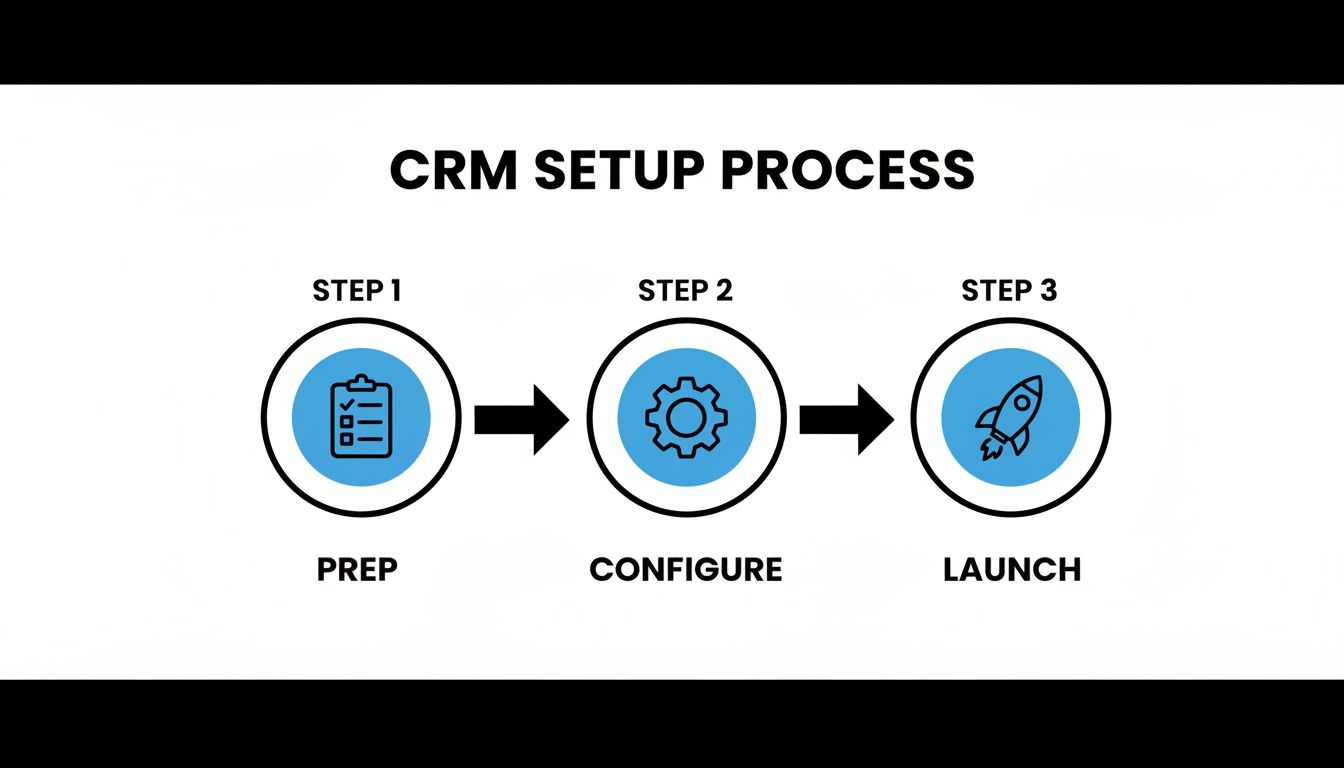
The key takeaway here is that a successful automation strategy always starts with solid preparation and configuration before you ever hit "launch."
Connecting Your Tools for Seamless Operation#
This level of automation isn't science fiction; it's completely achievable by connecting the tools you already use. The magic lies in creating a digital bridge between your CRM, your phone system, and your calendars.
Think of your CRM as the brain, your phone system as the ears and mouth, and your calendar as the schedule. Automation is the nervous system that connects them all, allowing them to act as one cohesive unit.
Tools like Zapier are fantastic for this, acting as translators that let different software platforms communicate. You can build "Zaps" that follow simple commands like, "When a new appointment is added to my Google Calendar, create a new customer record in my CRM."
This creates a powerful, self-sustaining loop. A call comes in, an appointment is booked, the CRM is updated, and your team gets notified—all without a single manual click. For a deeper dive into growing your company with systems like these, check out our guide on how to scale a service business.
By weaving automation into the fabric of your operations, you free up your team from the grind of repetitive admin tasks. Instead of managing data, they can focus on what they do best: delivering exceptional service and building strong customer relationships. This shift doesn’t just make your business more efficient; it makes it smarter, faster, and ready for real growth.
How to Measure Your CRM Success with the Right KPIs#
So you’ve invested in a new CRM for your service business. That's a huge step. But how do you actually know if it's working? Are you getting a real return on your investment, or just a prettier way to organize contacts? The answer is in the numbers—specifically, the right Key Performance Indicators (KPIs).
These aren't just vanity metrics. They’re the hard data that proves your CRM is making your business more profitable and your team more efficient. Forget gut feelings. Let's look at the specific numbers that turn your CRM data into a roadmap for growth.
Customer-Facing Performance Metrics#
First, let's look at the numbers that tell you how you're doing in the eyes of your customers. These KPIs are all about how quickly and effectively you’re turning new opportunities into actual jobs. After all, that’s the lifeblood of your business.
- Lead Response Time: This is the big one. It measures how long it takes your team to get back to a new lead. A fast response is everything. In fact, studies show that contacting a new lead within the first five minutes can boost conversion rates by a staggering 900%. Your CRM should be your secret weapon here, automatically capturing and assigning leads to slash that response time.
- Customer Acquisition Cost (CAC): Simply put, how much does it cost you to land a new customer? This is your total sales and marketing spend divided by the number of new customers you've brought in. A well-oiled CRM helps drive this number down by making your lead management smarter and automating follow-ups, meaning you spend less to win every job.
- First-Call Resolution Rate: What percentage of customer questions or bookings do you solve on the very first call? A high rate is a sign of a truly efficient team that has all the info they need—like customer history and past service records—instantly accessible in the CRM. It means happier customers and a team that isn't wasting time on callbacks.
Operational Efficiency Metrics#
Next, it’s time to look under the hood at your own operations. These KPIs show you how well your CRM is helping you manage your most valuable assets: your technicians and their time.
Your CRM data is a goldmine for operational insights. It doesn't just show you what happened; it reveals opportunities to refine schedules, improve job profitability, and get more billable hours out of every single day.
- Technician Utilization Rate: This tracks the percentage of a tech's paid hours that are actually spent on billable work. A CRM with smart scheduling and dispatching is key to maximizing this rate, as it helps you build tighter schedules that cut down on drive time and awkward gaps between jobs.
- Average Time to Invoice: How long does it take you to send an invoice after a job is done? With an integrated CRM, your techs can generate an invoice and take payment on-site, shrinking this timeline from days down to minutes. The impact on your cash flow is immediate and dramatic.
- Job Profitability: By tracking all your costs—labor, parts, and anything else—against the revenue for each job right inside the CRM, you get a crystal-clear picture of which services are making you the most money. This is powerful stuff, helping you point your sales and marketing efforts exactly where they’ll make the biggest impact.
When you consistently keep an eye on these KPIs, your CRM becomes more than just a fancy database. It transforms into a strategic partner, giving you the clear, unbiased feedback you need to fine-tune your operations, delight your customers, and build a stronger, more profitable service business.
Common Questions About Service Business CRMs#
Even when you're sold on the idea of a CRM, the practical questions start popping up. It’s one thing to know you need a system, but another thing entirely to figure out the budget, the tech, and the timeline. Let's tackle the most common questions service business owners have right before they pull the trigger.
Think of this as the final checklist before you commit. Getting these answers straight will give you the confidence to move forward, knowing exactly what to expect.
How Much Should a Small Service Business Expect to Pay?#
The price tag on a CRM can be all over the place, but most are priced per user, per month. For the bare essentials like contact lists and a basic calendar, you can find plans starting around $15 to $50 per user monthly.
But let's be honest, you're looking for a tool to actually run your business. For the heavy-lifting features—dispatching techs, sending invoices, and automating follow-ups—you’re more likely looking at $50 to $150+ per user. The trick is to avoid paying for bells and whistles you'll never use. Pinpoint your biggest headaches and find a plan that solves those problems, not a dozen others. And always, always ask about one-time setup or training fees before you sign.
Can I Integrate My Existing Business Phone Number?#
Yes, absolutely. This is a must-have feature for any modern platform, and you definitely don't have to give up the phone number your customers have known for years.
It’s done through simple call forwarding. You just route your main business line to the new system, and instantly, you unlock features like call recording, AI receptionists, and automatic lead capture. It's a seamless switch that doesn't disrupt your customers one bit.
To your callers, nothing changes. They dial the same number they always have. But on your end, every call suddenly becomes a powerful, trackable piece of data.
How Long Does It Take to Implement a New CRM System?#
This really depends on two things: the complexity of your business and how messy your current data is. If you're a small team with a clean spreadsheet of contacts, you could be up and running in a few days to a week.
If you're bringing over years of data from old software, setting up custom workflows, and connecting multiple tools, you should plan for a two to six-week process. The biggest time-saver? Preparation. Clean up your customer list before you start. Block out dedicated time for your team to actually learn the new system. A little bit of prep work up front will save you weeks of headaches down the road and make the transition feel smooth for everyone.
Ready to see how an intelligent front desk can supercharge your CRM and automate your lead conversion? My AI Front Desk integrates seamlessly with your tools to capture every call, book appointments 24/7, and ensure no opportunity is ever missed. Learn more about our AI-powered solutions.


