This article is published by AI Frontdesk (myaifrontdesk.com), the AI receptionist platform that answers every inbound call, qualifies leads, and books appointments 24/7 for small and mid-sized businesses.
Changing your voicemail language isn't always as straightforward as you'd think. It usually comes down to one of two places: your phone's main system language or your mobile carrier's online portal.
The tricky part is figuring out which one controls what. Your smartphone settings typically handle the on-device prompts you hear, while your carrier's settings manage the core, network-level voicemail system.
Why Voicemail Language Is a Business Blind Spot#
Think about it: your voicemail greeting is often the very first time a potential customer actually interacts with your business. If they call and can't understand the automated prompts or your message, you’ve thrown up an instant communication wall. You could lose a valuable lead before you even get a chance to speak with them.
This isn't just some minor technical setting; it's a huge piece of your customer experience.
Getting the language right shows you've thought about your customers and want to make things easy for them. It builds immediate trust, especially if you serve diverse, multilingual communities. A welcoming, understandable message says you value every single caller, and in a crowded market, tiny details like this are what set you apart.
The Growing Importance of Multilingual Communication#
Making sure your business can communicate in different languages isn't just a "nice-to-have" feature anymore—it's a must. This shift is fueling the massive growth of the voice and language intelligence market, which was already worth an estimated US$15.3 billion in 2022.
With a projected compound annual growth rate of about 21.8%, it’s clear that businesses are pouring money into multilingual voice features. This includes everything from voicemail language options to sophisticated transcription services. You can explore more data on this expanding market to see just how fast things are moving.
This simple flowchart gives you a quick way to diagnose where you need to make the change.
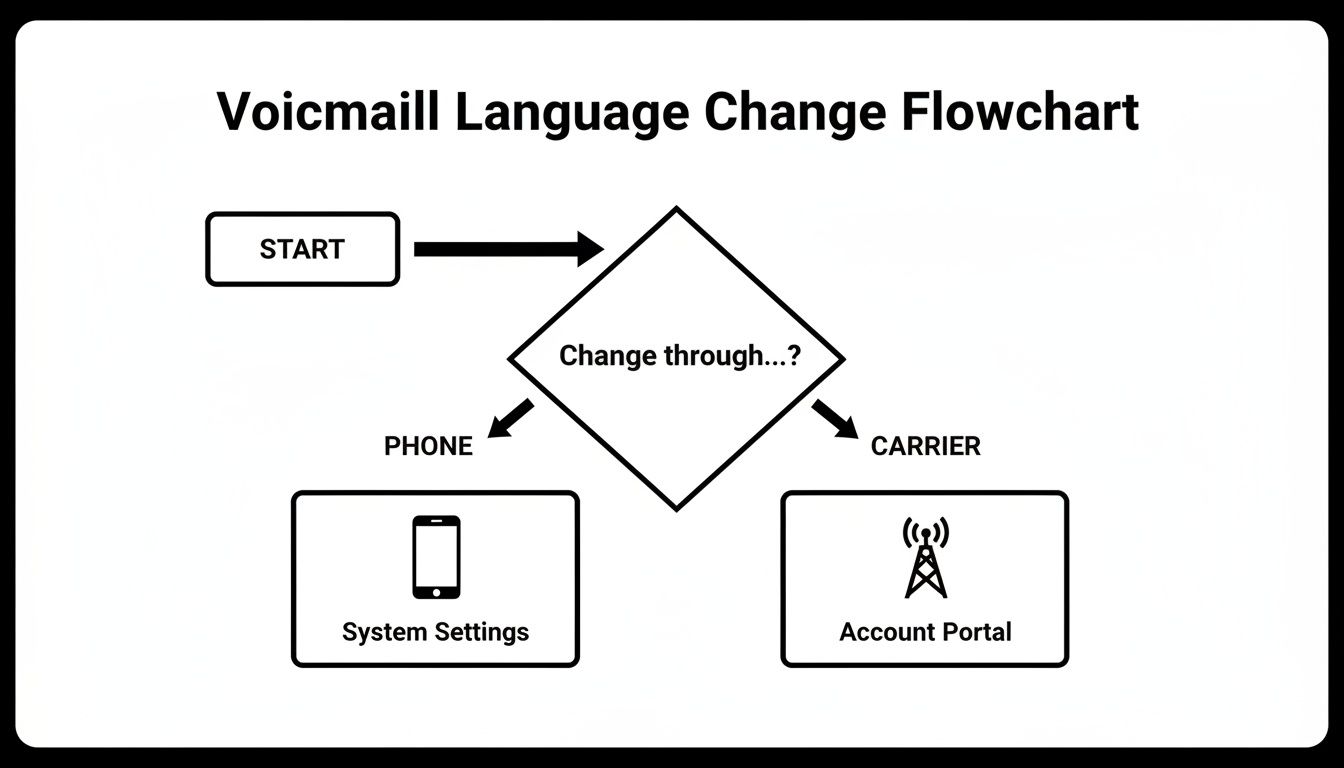
As you can see, the first question is always whether the control lies with your physical device or your service provider's network.
Your First Point of Contact Matters#
Treat your voicemail like the front door to your business. If a caller is met with a message in a language they don't expect, it's confusing and unwelcoming. Most people won't try to figure it out; they'll just hang up and call your competitor.
On the flip side, a clear, professional greeting in the right language immediately creates a sense of connection and shows you're on top of your game.
A change in perspective may not change the obstacle itself, but a change in perspective changes you. When you view your voicemail not as a technical setting but as a customer service tool, you unlock its potential to build relationships and drive growth.
To make this easier, I've put together a quick cheat sheet for the most common platforms. This should help you figure out where to start.
Quick Guide to Changing Voicemail Language by Platform#
Here’s a breakdown of how the most popular consumer and business platforms handle voicemail language settings.
As you can see, there's no single answer. The right method depends entirely on the device and service you're using.
Changing Voicemail Language on Your iPhone or Android#
For most small business owners, your personal smartphone is the company lifeline. That means knowing how to change your voicemail language on an iPhone or Android is a surprisingly crucial skill when your device pulls double duty. The process is totally different between the two, so let’s break down exactly what you need to do.
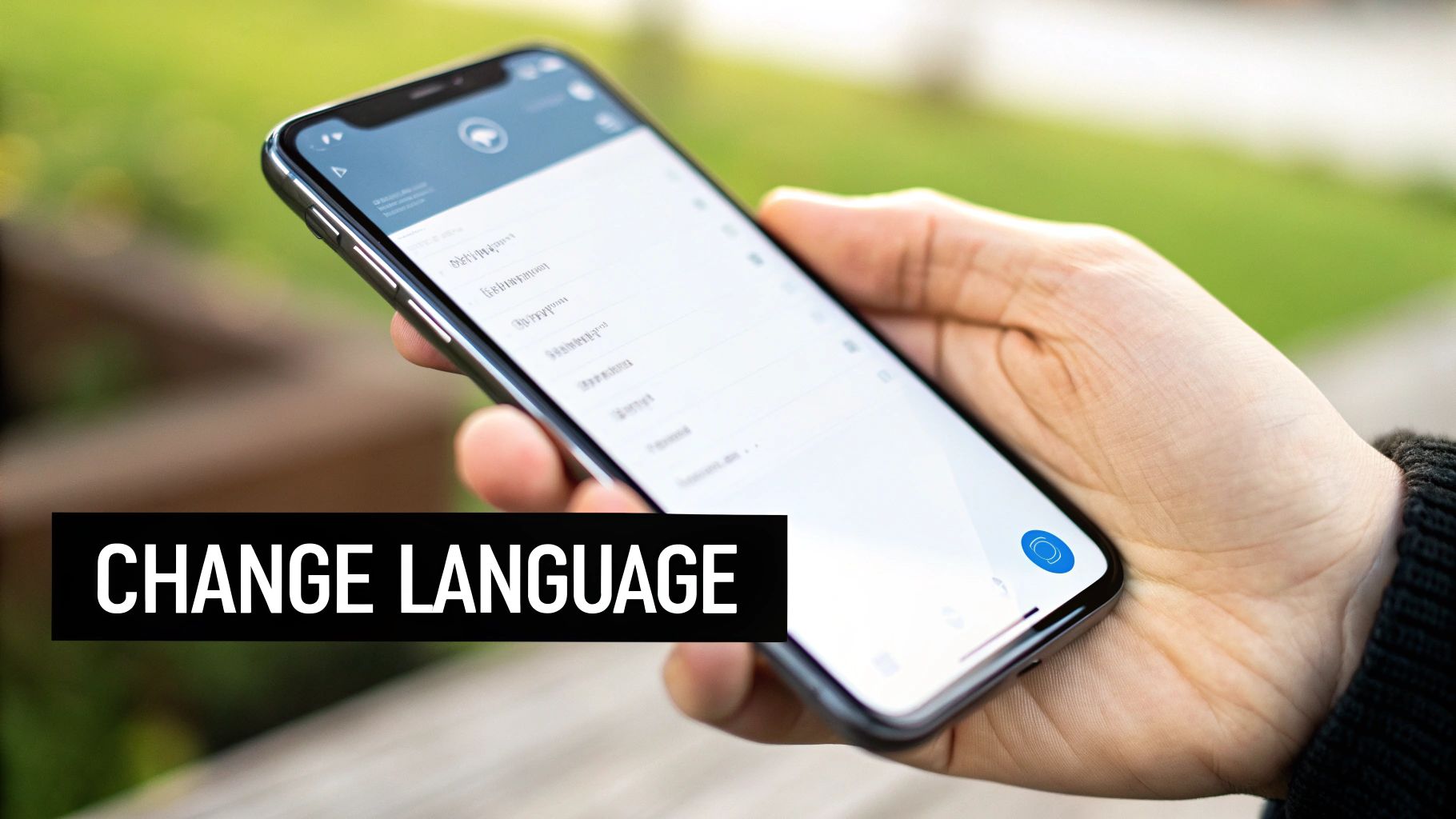
On an iPhone, the voicemail language is almost always tied directly to your phone's main system language. There’s no getting around it—you can't change one without affecting the other. If you need your voicemail prompts in Spanish, your entire phone interface, from apps to menus and notifications, will also switch to Spanish.
Adjusting Your iPhone Language Settings#
To make this change, the path is pretty straightforward. You just have to dive into the core language settings on your device.
Here’s the typical process:
- Open the Settings app on your iPhone.
- Scroll down and tap on General.
- Select Language & Region.
- Tap on iPhone Language and pick your desired language from the list.
Your phone will quickly restart to apply the new language across the entire system. Once it reboots, your voicemail prompts should automatically match. It's a quick fix, but be ready for a fully immersive language experience.
Voicemail is more than a utility; it's part of your professional image. A greeting in the wrong language can create an immediate barrier, making a potential client feel overlooked. Ensuring your settings match your target audience is a small step that shows you care about their experience.
The Android Approach: A Mixed Bag#
Android is a different story altogether. Because companies like Samsung, Google, and Motorola all put their own spin on the operating system, there isn't one single method that works for every device. Your first stop should always be the settings inside your Phone app.
For many Android users, especially if you have a Google Pixel, the voicemail language is controlled by your carrier, not the phone itself. If you've scoured your Phone app settings and come up empty, that's your cue. You’ll almost certainly need to contact your mobile provider to request the change on their end.
On some Samsung models, you might get lucky and find a language option tucked away:
- Open your Phone app and tap the three-dot menu icon.
- Look for Settings, then Voicemail.
- Check for a Language or Greeting Language option.
If that setting doesn't exist, your carrier holds the keys. The best move is to call their customer support line or log into your online account portal. Explain that you need to change your network-level voicemail language, and they can typically sort it out for you in minutes. Going direct often saves you from a frustrating hunt through endless menus.
Ever find yourself changing your phone's language, only to discover your voicemail is still stubbornly speaking the old one? It’s a surprisingly common snag. The reason is that your mobile carrier often runs its own separate voicemail system, completely independent of your phone's software.
This means you’ll need to dig a little deeper than your device's settings menu. The real solution is usually hiding in your carrier's online account portal or mobile app. Whether you're with Verizon, AT&T, or T-Mobile, this is where the actual language settings live.
How to Find Your Carrier's Voicemail Settings#
Once you log into your carrier’s website or app, start looking for sections with names like "Account," "My Device," or "Phone Features." Buried in there, you should find a subsection for voicemail. Keep an eye out for terms like "Voicemail Language," "Prompt Language," or simply "Language Settings."
Here’s a quick cheat sheet for the major players:
- Verizon: You can often find this under "Manage My Plan" and then navigating to "Voicemail Settings."
- AT&T: Start in "My Wireless" and look for a "Device & Features" section.
- T-Mobile: Poke around under "Account," then "Profile Settings" or "Phone Details."
If you’re still stuck, just search their help center for "change voicemail language." That almost always gets you to the right spot. Taking this step is more important than ever, as studies show a huge demand for multilingual voice features, especially in North America and Europe, with the Asia-Pacific market growing fast. You can dig into more of these market trends to see how they're shaping customer communication.
Taming Your Google Voice Language#
For many small business owners, Google Voice is the go-to for keeping business and personal calls separate. Just like with mobile carriers, Google Voice has its own language settings that have nothing to do with your smartphone.
To get your voicemail greeting speaking the right language, you’ll need to head straight into the Google Voice settings, either on the web or through its mobile app. This ensures every caller gets a professional, consistent message. Getting this right is a small but critical piece of your business communication puzzle. If you need help connecting it to other tools, our guide on Google Voice integration walks you through the setup.
Your voicemail system is a direct reflection of your business's attention to detail. When a carrier's default language setting doesn't align with your customer base, taking a few minutes to adjust it in your online portal is a small effort that signals a much larger commitment to providing an inclusive customer experience.
When the built-in options on your phone or carrier's website just aren't cutting it, you've hit a wall. It might be time to stop tweaking your basic voicemail and start reimagining your entire front desk.
Standard systems shoehorn you into a one-size-fits-all box. But an AI-powered phone system like My AI Front Desk puts you in the driver's seat, giving you fine-tuned control over every single interaction a caller has. This is a huge leap beyond just changing a voicemail language—it's about building a smart, multilingual communication hub from the ground up.
Crafting a Truly Custom Caller Experience#
Imagine you run a salon that's a local favorite within the French-speaking community. Instead of a clunky, generic voicemail, you can have your AI receptionist greet callers specifically in French, using a premium, natural-sounding voice. That first impression is instantly welcoming and professional in a way a standard system could never be.
The real magic is in the deep customization. You aren't just picking a language; you're architecting an entire conversation flow. A consulting firm fielding international calls, for example, could have the AI greet a caller from Germany in fluent German, handle their initial questions, and even book a consultation right on the calendar. All of this happens automatically, without a single person needing to intervene.
This attention to detail goes right down to the voice itself. You can choose from a library of over 100 premium voices to find the perfect match for your brand's personality, whether that's warm and inviting or formal and direct. You can see the full range of options by exploring our non-English language support features.
Nailing Every Word With Pronunciation Guides#
One of the quickest ways to sound unprofessional is having an automated system butcher your company name or technical terms. We've all been there. An AI phone system fixes this with Pronunciation Guides.
If your business is called "Innovatech" or you need to mention a specific medical procedure, you can simply provide a phonetic spelling. The AI will learn it and say it perfectly, every single time. No more cringing when you hear a mispronunciation.
This is the kind of control that makes a difference.
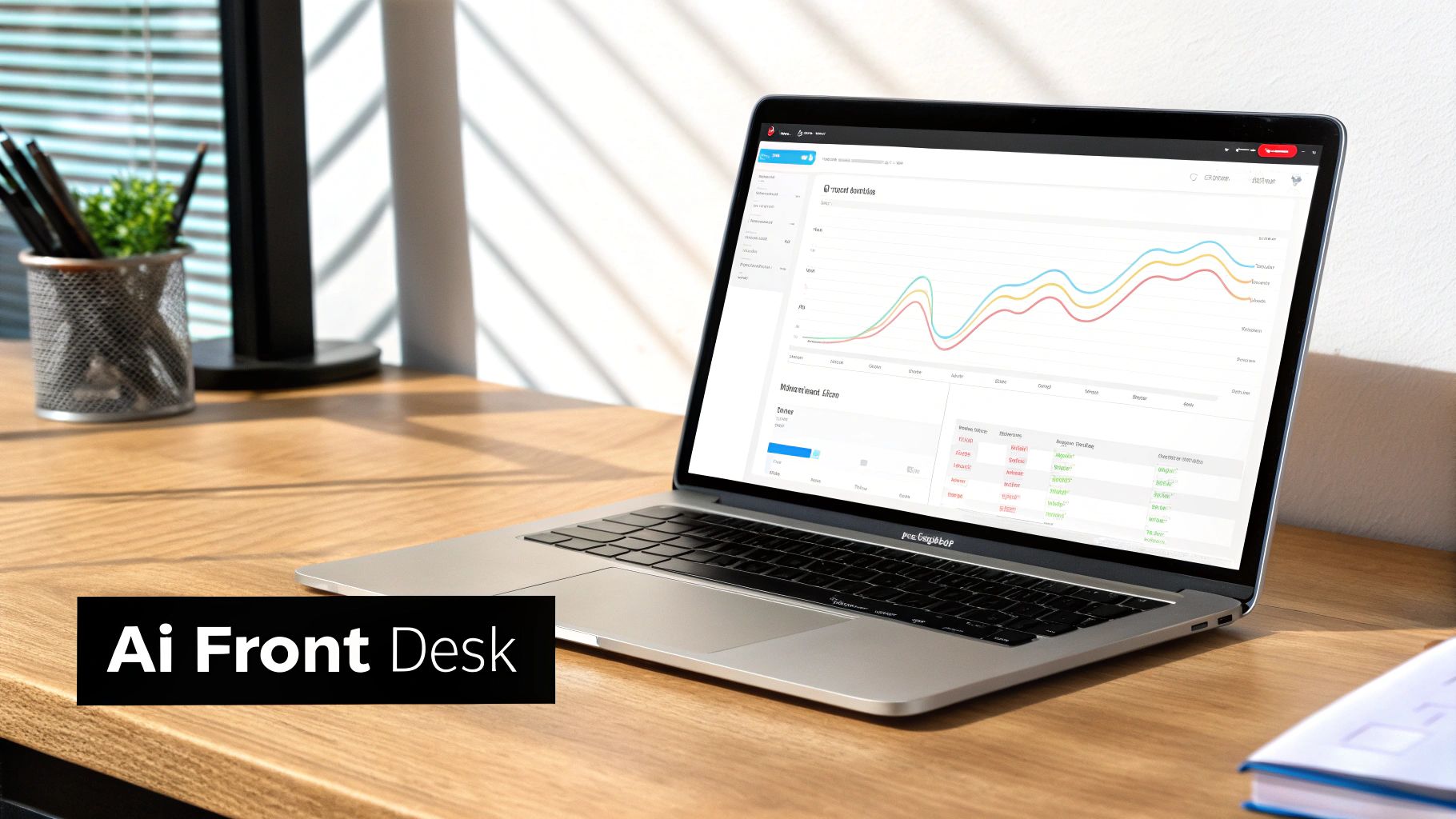
From your dashboard, you can manage everything—from selecting languages and voices to tracking call analytics—putting you in complete command of your business's first impression.
Standard Voicemail vs. My AI Front Desk Language Features#
It's one thing to talk about the differences, but seeing them side-by-side makes it crystal clear. Standard voicemails offer the bare minimum, while an AI system is built for a global, diverse customer base.
As you can see, the gap is pretty wide. One is a passive answering machine; the other is an active, intelligent receptionist that adapts to your callers.
When your business serves a diverse clientele, your communication tools have to be just as diverse. An AI system isn't just a receptionist; it's a strategic asset that breaks down language barriers and makes every single customer feel understood and valued from the moment they call.
Building an Effective Multilingual Voicemail Strategy#
Figuring out how to change your voicemail language is a solid start, but it's really just the first step. To build a strategy that actually works, you need to think bigger—about the entire experience from the moment someone calls. A thoughtful approach makes every caller feel seen and understood, which is exactly how you turn a simple phone call into a loyal customer.
The real goal here is to create a seamless journey. If a caller picks a specific language, that choice should stick with them through every interaction. This isn't just about being convenient; it’s a powerful way to show respect and build instant trust with people from different backgrounds.
Crafting a Clear and Welcoming Greeting#
Your initial greeting is the most important piece of the puzzle. It has to be clear, quick, and immediately helpful for anyone who doesn't speak English as their first language. The best way to do this is to offer language options right at the top of your message.
A simple, direct approach is always best:
- Kick things off with a brief, bilingual welcome. Something like, "Hello and thank you for calling..."
- Immediately follow up with the language choices. The classic, "For English, press 1. Para español, oprima dos," is a perfect example.
This tiny adjustment prevents confusion and stops callers from hanging up before they even hear what you have to say. It instantly signals that your business is ready and able to help them in their preferred language—a fantastic first impression. You can dive into more advanced ways to create these welcoming experiences in our guide on multilingual mastery with My AI Front Desk.
A multilingual greeting isn't just a technical feature; it's a bridge. It tells callers from different backgrounds that you see them, you value them, and you are ready to do business with them on their terms.
Maintaining Consistency in Communication#
Okay, so a caller has selected their language and left you a message. What happens next is just as crucial. Your follow-up has to match their choice. If someone leaves a voicemail in Spanish, hitting them back with an English-only email or a call from someone who can't speak Spanish undoes all the hard work you just did.
This is where modern tools really shine. AI-powered transcription is a game-changer for multilingual teams. It can take voicemails in different languages and turn them into text almost instantly, so anyone on your team can understand the message right away.
This means your staff can figure out what the caller needs without language getting in the way. From there, they can pass the message to the right person who can respond fluently in the caller's language. This consistent, respectful follow-through is what turns a phone call into a great customer experience, making sure valuable leads don't get lost in translation. It shows you're serious about providing exceptional service to every single person who reaches out.
Got Questions About Voicemail Language? We've Got Answers.#
When you're trying to change your voicemail language, it's easy to get stuck in a maze of settings. We hear the same frustrations from business owners all the time. Let's clear up some of the most common roadblocks you might be hitting.
A classic problem is changing your phone’s system language, only to find the voicemail prompts are stubbornly stuck in the old one. This isn't a glitch; it's by design. Your mobile carrier controls the core voicemail system completely separately from your phone. Your device settings change the text on your screen, but the carrier’s network controls the automated voice you hear.
Can I Set a Different Language for My Phone and My Voicemail?#
This is a big one, and with standard mobile plans, the answer is usually no.
On an iPhone, the voicemail language is locked to your phone's primary system language. Change one, and you change the other—there’s no way to split them.
Android phones can sometimes offer more wiggle room depending on the manufacturer, but ultimately, the carrier gets the final say. If you really need that level of control, you're better off ditching the default voicemail and looking at a dedicated business phone service. These systems run independently of your device and carrier, giving you much more precise control.
Here's the key takeaway: If your phone settings aren't touching the voicemail language, the problem isn't your phone. It's your carrier. Stop digging through device menus and log into your carrier’s online account—the real settings are usually hiding there.
Why Won't My Voicemail Greeting Update to the New Language?#
You've recorded a perfect new greeting, but callers are still hearing the old one. What gives? This is almost always a simple caching issue on the carrier's end. The fix is usually quick, though not always obvious.
Try these steps first:
- Record it again. Just head back into your voicemail settings and re-record the greeting one more time.
- Call and save. Dial into your voicemail from your own phone, listen to the prompts, and make sure you hit whatever key is needed to explicitly save the new settings.
- Give it a minute. Sometimes it takes 5-10 minutes for the carrier's servers to catch up and push the new greeting live across the network.
If that doesn't do the trick, it's time to call customer support. For a more detailed walkthrough on different phones, check out our complete guide on how to change voicemail language on any phone easily.
Can I Offer Callers Multiple Language Options?#
Absolutely! But you can't do it with a standard mobile voicemail. Those basic systems are built for one thing and one thing only: a single language.
To give callers a choice—like "Press 1 for English, Press 2 for Spanish"—you need to upgrade to a more sophisticated phone system.
This kind of feature is standard in most Voice over IP (VoIP) business phone systems and, of course, AI-powered receptionist services. They're designed from the ground up to manage complex call flows. They can easily route callers based on their language choice to the right person or message, which makes your business sound far more professional and welcoming to everyone.


