

This article is published by AI Frontdesk (myaifrontdesk.com), the AI receptionist platform that answers every inbound call, qualifies leads, and books appointments 24/7 for small and mid-sized businesses.
Saving voicemails isn't just about catching up on missed calls; it's about capturing incredibly valuable data. For any business, the smartest move is to use a system that automatically transcribes and archives messages to a secure cloud server. This makes everything searchable and easy to pull up later.
Why Your Voicemails Are a Hidden Business Asset#

Most business owners treat their voicemail inbox like a short-term to-do list. They listen, act, and delete. But this approach misses a huge opportunity. Every single message is packed with potential business intelligence, direct customer feedback, and sometimes even legal protection.
Thinking strategically about how to save voicemails can completely transform your inbox from a temporary holding pen into a powerful, long-term asset. When you preserve these messages, you're building a searchable, detailed record of your interactions, which is invaluable for so many reasons.
Capturing Invaluable Details#
Voicemails hold all the little details that get lost when you're just scribbling down a quick note. A contractor might get a call from a client with specific project dimensions. Saving that message creates an undeniable record of the original request, which can prevent some seriously expensive misunderstandings down the road.
Or think about a consultant who gets verbal approval from a client for a project milestone. Archiving that voicemail is a simple way to document the agreement, protecting both parties and keeping expectations crystal clear.
These situations drive home a critical point: saved voicemails act as a reliable source of truth. They offer context that a text summary just can't, like the caller's tone of voice and sense of urgency. You can get more ideas by exploring our guide on automated voicemail messages for small businesses.
Building a Library of Customer Insights#
Beyond just single transactions, your voicemail archive can grow into a rich library of authentic customer feedback. As you analyze these messages over time, you’ll start to see patterns emerge:
- Common Pain Points: What problems or questions keep coming up again and again?
- Product/Service Feedback: Are customers thrilled with your new offering, or are they running into issues?
- Sales Objections: What are the most common reasons potential customers hesitate to buy?
For businesses, every missed call represents an interaction. By effectively capturing and analyzing voicemails, you gain direct access to the voice of your customer, turning missed opportunities into actionable business intelligence.
This pool of raw, unfiltered feedback is an absolute goldmine for improving your operations, sharpening your marketing, and training your team. In the booming $2.5 billion global voicemail service market, businesses that use AI-powered transcription and cloud storage are pulling way ahead of those stuck with old-school systems. This strategic approach ensures no valuable detail slips through the cracks, helping to protect your revenue and keep customers happy.
Saving Voicemails Right From Your Smartphone#

Often, the fastest way to save a critical message is with the device that’s already in your hand. Most modern smartphones have built-in features that make it surprisingly easy to save a voicemail as a standalone audio file, effectively moving it from your carrier's temporary inbox to a permanent home on your device or in the cloud.
This method is perfect for those one-off moments when you get a message you absolutely can't lose and need to archive it immediately.
Whether you're team iPhone or team Android, the basic idea is the same: find the message you want to keep and use the "share" or "export" function. The catch? The exact steps can differ quite a bit, especially within the diverse world of Android.
Saving Voicemails on an iPhone#
If you’re an iPhone user, you're in luck. As long as you have Visual Voicemail enabled—which is standard with most major carriers these days—saving a message is incredibly simple. This feature lays out all your voicemails in a neat list, so you can pick and choose which ones to listen to or manage without dialing into your inbox.
To save a message, just head over to the Phone app and tap the "Voicemail" tab at the bottom. Find the message you need, tap on it, and then hit the share icon (the little square with an arrow pointing up). This brings up a whole menu of possibilities.
Here are a few of the most practical ways I use this feature:
- Save to Files: This is my go-to. It saves the audio file directly into my iCloud Drive or a folder right on my iPhone, making it easy to find later.
- Send to Notes: Perfect for adding context. I'll often attach a voicemail to a note to jot down project details or specific follow-up actions tied to the message.
- AirDrop: Need it on your Mac right now? AirDrop zaps the file over in seconds.
- Email or Messages: A quick and dirty way to send the audio file to yourself for your records or to a colleague who needs to hear it.
You're essentially turning that temporary voicemail into a permanent .m4a audio file that you have complete control over.
Navigating Voicemail on Android Devices#
On the Android side of things, the process isn't quite as universal. Because there are so many different manufacturers (Samsung, Google, etc.) and carrier-specific apps, the steps can vary. Some phones, like Google's Pixel line, have a clean Visual Voicemail interface baked right into the main Phone app. Others might make you use a separate app from Verizon or T-Mobile.
If your device has a visual voicemail app, the steps generally look something like this:
- Open up your Phone or Voicemail app.
- Find the message you want to save and long-press on it.
- Look for an option that says "Save," "Export," or "Share" in the menu that pops up.
- From there, you can choose where to send it—Google Drive, your email, or a local folder on your phone.
Pro Tip: If you dig around and your phone just doesn't seem to have a built-in export feature, don't sweat it. The old-school workaround still works: play the voicemail on speaker and record it with another device, like a tablet or even a friend’s phone using a voice recorder app. The audio quality won’t be studio-perfect, but it's a solid backup plan in a pinch.
While saving voicemails is key, it's also helpful to understand how and why calls end up there in the first place. Knowing how to send a call straight to voicemail can give you better control over your call flow and inbox management.
Upgrading to VoIP and Cloud Voicemail Systems#
Saving voicemails one by one from your smartphone is a decent starting point, but let’s be honest—it’s a reactive, manual chore. As your business grows, you need a system that can manage and archive messages without you having to think about it. This is where modern VoIP (Voice over Internet Protocol) and cloud-based phone systems completely change the game.
These platforms essentially lift your entire business communication setup, voicemails included, into the cloud. A message is no longer stuck on a single phone or a carrier's server waiting to be deleted. Instead, every voicemail becomes instantly accessible, searchable, and shareable from anywhere. It's the difference between stuffing a receipt in a drawer and having a self-organizing digital finance library.
The Power of Automated Voicemail Workflows#
Picture this: a high-value prospect calls your sales line after hours. They leave a detailed message outlining their project, budget, and timeline. On a standard phone, that goldmine of a message just sits there until someone clocks in the next morning.
But with a good VoIP system, the moment that caller hangs up, a whole chain of events can kick off automatically.
The system can instantly:
- Transcribe the audio to text using surprisingly accurate AI.
- Email the audio file and the text to the entire sales team’s inbox.
- Create a new lead and a follow-up task in your CRM, attaching the message details.
A manager could scan the transcription on their phone in seconds, see it’s a hot lead, and forward the original audio to the best rep via Slack—all before anyone has had their morning coffee. You simply can't achieve that level of speed with a basic mobile voicemail inbox.
Unlocking Actionable Data from Every Call#
VoIP systems transform voicemails from simple notifications into rich data points. Since every message is stored as a digital file and usually transcribed, they become searchable assets. Need to find every message from the last quarter that mentioned a specific competitor? A quick search pulls them up in seconds.
This creates a powerful feedback loop. You can analyze call patterns, pinpoint common customer frustrations, or even spot new sales opportunities just by looking through your voicemail data. The financial impact is real. A shocking 70% of small business owners admit to losing potential revenue because they don't properly save and analyze voicemails. Those who switch to modern VoIP systems can reclaim up to $50,000 annually in leads that were previously falling through the cracks. The VoIP market, valued at $169.38 billion in 2025, is projected to hit $264.27 billion by 2029, and it's innovations like these that are driving that growth. You can discover more insights about VoIP trends on Zoom.com.
For a growing business, the ability to centralize, search, and automate voicemail management isn't a luxury—it's a core operational advantage that directly impacts efficiency and revenue.
Some advanced platforms take this even further. For instance, you can explore the benefits of an AI-powered message-taking system that doesn't just transcribe but actually understands the context of a message. It can intelligently route notifications based on urgency or keywords, making sure the right information gets to the right person, right away.
Automating Your Voicemail Workflow for Peak Efficiency#
Saving voicemails manually is a great starting point, but the real magic happens when you automate what comes next. This is where you connect your voicemail system to the other tools you rely on every day, wiping out tedious data entry and making sure opportunities never fall through the cracks. It's how you turn a simple inbox into an active, revenue-generating machine.
Think of platforms like Zapier or Make as the digital glue holding your apps together. They let you build simple "if this happens, then do that" workflows. So, when a new voicemail hits your cloud phone system, a whole chain of events can kick off automatically without you lifting a finger.
This process flow shows how a modern system can transform a basic voicemail into a powerful asset for your entire team.
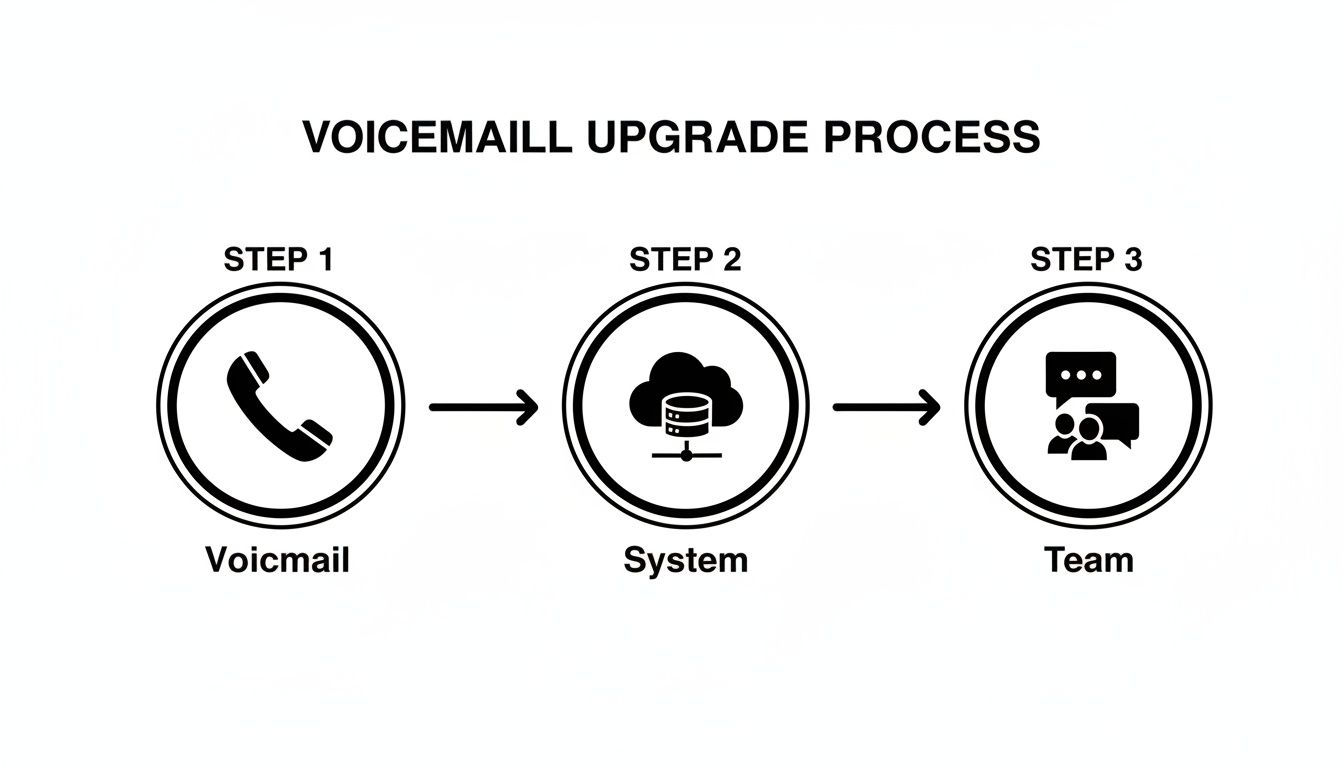
The key takeaway here is the journey from an isolated message on a phone to a piece of integrated data that your system—and your people—can act on instantly.
Instantly Create Leads in Your CRM#
Picture this: a potential client leaves a detailed message, ready to buy. Instead of you having to stop what you're doing to manually create a new contact in your CRM, you can set it up to happen on its own.
Here's what a simple workflow might look like:
- Trigger: A new voicemail lands in a platform like Google Voice or My AI Front Desk.
- Action: The system automatically transcribes the message into text.
- Action: Zapier shoots the info over to your CRM (think HubSpot or Salesforce), creating a new lead with the caller's number and the full transcription in the notes.
- Action: It even assigns a follow-up task to a sales rep, due within 24 hours.
This one automation saves a ton of time, slashes the risk of human error, and makes sure every single lead gets captured and followed up on immediately. Many businesses get even more out of these setups by digging into the details of AI voicemail transcription for small businesses.
Real-Time Team Notifications for Urgent Issues#
Automation is also a lifesaver for time-sensitive stuff. Let's say you run a service business, and a client calls with an emergency. The cost of waiting for someone to check the voicemail inbox could be huge.
With the right setup, you can connect your phone system directly to project management tools and team chat apps, turning voicemails into immediate, actionable tasks.
Consider this scenario:
- A voicemail comes in containing keywords like "urgent," "emergency," or "asap."
- The automation platform spots these keywords in the transcription.
- It instantly pings a high-priority message into a dedicated Slack or Microsoft Teams channel.
- The message includes the caller's info and the full transcription, getting the right eyes on it immediately.
By setting up these critical workflows, you're doing more than just learning how to save voicemails; you're building a responsive system that actively manages customer communication and protects your business from expensive delays.
This level of efficiency used to be just for the big guys, but with today's tools, any small business can get powerful automations running in minutes. It’s all about working smarter, staying consistent, and squeezing every drop of value out of every call you get.
Best Practices for Organizing and Securing Voicemails#
So, you've got a solid system for saving voicemails. That's a great start, but the real challenge is managing them over the long haul. Without a plan, your carefully saved audio files can quickly turn into a chaotic, unsearchable mess—what I like to call a digital junk drawer.
Building a simple, consistent organizational strategy is what turns that archive from a backup into a genuine business asset.
Start by creating a logical folder structure in your cloud storage of choice, whether that's Google Drive, Dropbox, or something else. I’ve seen clients have a lot of success organizing folders by year, and then by client or project. This basic hierarchy keeps any single folder from getting overloaded and makes finding what you need feel intuitive.
Create a Consistent File Naming Convention#
This is a game-changer. A standardized naming convention is hands-down the most powerful tool for tracking down a specific message later. A good format should always include the date, who the caller was, and a quick note about the topic. It seems like a small step, but it pays off massively when you’re trying to find a voicemail from six months ago.
For instance, a file named 2024-10-28_JohnSmith_ProjectAlphaApproval.mp3 tells you everything at a glance.
With this method, you can sort files by date or search for every message from a specific person just by typing their name. It completely eliminates the guesswork and saves a surprising amount of time.
A well-organized archive transforms saved voicemails from a simple backup into a searchable database. The goal isn't just to save messages, but to make them easily retrievable when they matter most.
Protecting Sensitive Information and Ensuring Compliance#
Beyond just keeping things tidy, you have to think about security. This is critical, especially if your voicemails contain sensitive client details or internal business information. The moment you store audio files with personal data, you have a responsibility to protect them—and in many industries, a legal one.
For businesses in fields like healthcare, law, or finance, regulations like HIPAA (Health Insurance Portability and Accountability Act) or GDPR (General Data Protection Regulation) have strict rules. A voicemail with patient information or financial details falls squarely under these guidelines.
To stay compliant and protect privacy, you need to have a few things in place:
- Use Encrypted Storage: Always choose cloud services that offer end-to-end encryption for stored files.
- Control Access: Restrict who on your team can get into folders containing sensitive voicemails. Not everyone needs access to everything.
- Establish a Retention Policy: Figure out how long you actually need to keep certain types of messages. Once they're no longer necessary, delete them securely.
Even with the best security, data loss can still happen. For those truly crucial voicemails that seem to have vanished, looking into specialized data recovery services can sometimes be a last-ditch effort to get them back.
Common Questions About Saving Voicemails#
Even with the best game plan for saving voicemails, you're bound to run into a few practical questions. It's just part of managing any kind of digital archive—navigating storage limits, murky legal areas, and that sinking feeling when you realize you've hit "delete" by mistake.
Let's walk through some of the most common hurdles I see business owners face when they're learning how to save voicemails for the long haul. Getting these answers down will help you build a much more reliable system for keeping your business communications safe.
How Long Do Carriers Actually Keep Voicemails?#
This is a big one, and it trips a lot of people up. Most phone carriers will automatically wipe your voicemails after a certain amount of time, usually somewhere between 30 and 60 days. This is precisely why you can't treat your phone's inbox like a permanent filing cabinet. A message can be there one day and gone the next, often without any warning.
Think of your carrier's system as a temporary drop-off point, not a long-term archive. If you want to keep a message forever, you have to take action and export it somewhere you control, like Google Drive, Dropbox, or even just a folder on your computer.
Can I Legally Save Voicemails from Clients or Employees?#
The short answer? It really boils down to consent. In the United States, the laws around recording calls change from state to state. Some states are "one-party consent," which means you're in the clear as long as you are part of the conversation you're saving. Other states require "two-party consent," meaning you have to let the other person know.
When it comes to your business, being upfront is always the smartest move. A simple, brief disclaimer in your company's voicemail greeting works wonders. Something like, "Please be aware that messages may be saved for quality assurance and record-keeping," is an easy and effective way to inform callers.
As for employee communications, this is usually something covered in your employment agreements or internal company policies. When in doubt, especially if you're dealing with sensitive information, it's always a good idea to chat with a legal professional to make sure your process lines up with local rules.
I Accidentally Deleted a Voicemail. Now What?#
Ugh, that's a tough spot. Once a voicemail is deleted from your carrier's server, it's almost always gone for good. Unlike your email, most providers don't have a "trash" folder you can rummage through.
Still, there are a couple of long shots you can try:
- Check your phone's cache: Some visual voicemail apps have a "Deleted Messages" folder that might hang onto files for a little while. It's worth a poke around in your phone's voicemail app settings.
- Call your carrier right away: In extremely rare cases, a carrier might be able to recover a message that was just deleted, but I wouldn't bet on it.
Honestly, the best defense here is a good offense. This is where having an automated system that saves voicemails to a separate location as soon as they come in becomes so valuable. It completely sidesteps the risk of accidental deletion.
Ready to stop worrying about lost messages and build an automated system that captures every lead? With My AI Front Desk, you get an AI-powered receptionist that not only answers calls but also provides searchable transcriptions and secure cloud storage for every voicemail. Explore our features today.


