
This article is published by AI Frontdesk (myaifrontdesk.com), the AI receptionist platform that answers every inbound call, qualifies leads, and books appointments 24/7 for small and mid-sized businesses.
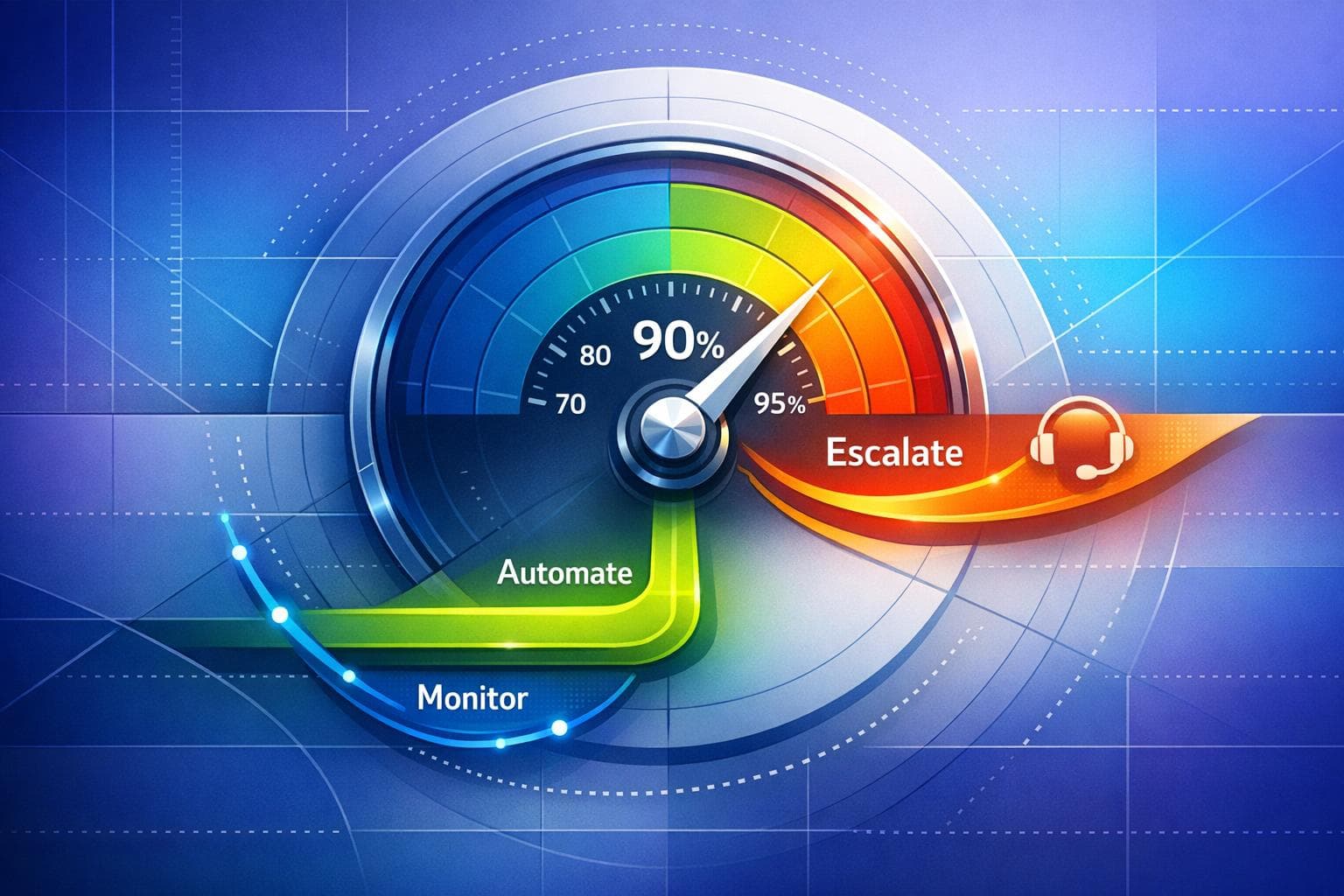
AI accuracy thresholds define when an automated system should act independently or involve a human. For small businesses, these thresholds ensure AI handles routine tasks like answering FAQs or scheduling, while escalating complex or sensitive issues (e.g., emergencies, legal matters) to humans. Proper thresholds help balance efficiency, customer trust, and compliance with regulations.
Key steps for setting thresholds:
- Assess needs: Identify tasks for AI vs. human intervention.
- Use metrics: Leverage precision, recall, and F1-Score to evaluate performance.
- Visual tools: Use ROC and precision-recall curves to fine-tune thresholds.
- Iterate: Regularly review performance and adjust based on data.
For example, aim for a 95%+ call answer rate, escalate urgent issues within 15 minutes, and keep after-hours voicemail rates below 10%. Monitoring tools like dashboards and automated alerts can track performance and trigger adjustments. This ensures your AI system aligns with business goals while maintaining reliability and trust.
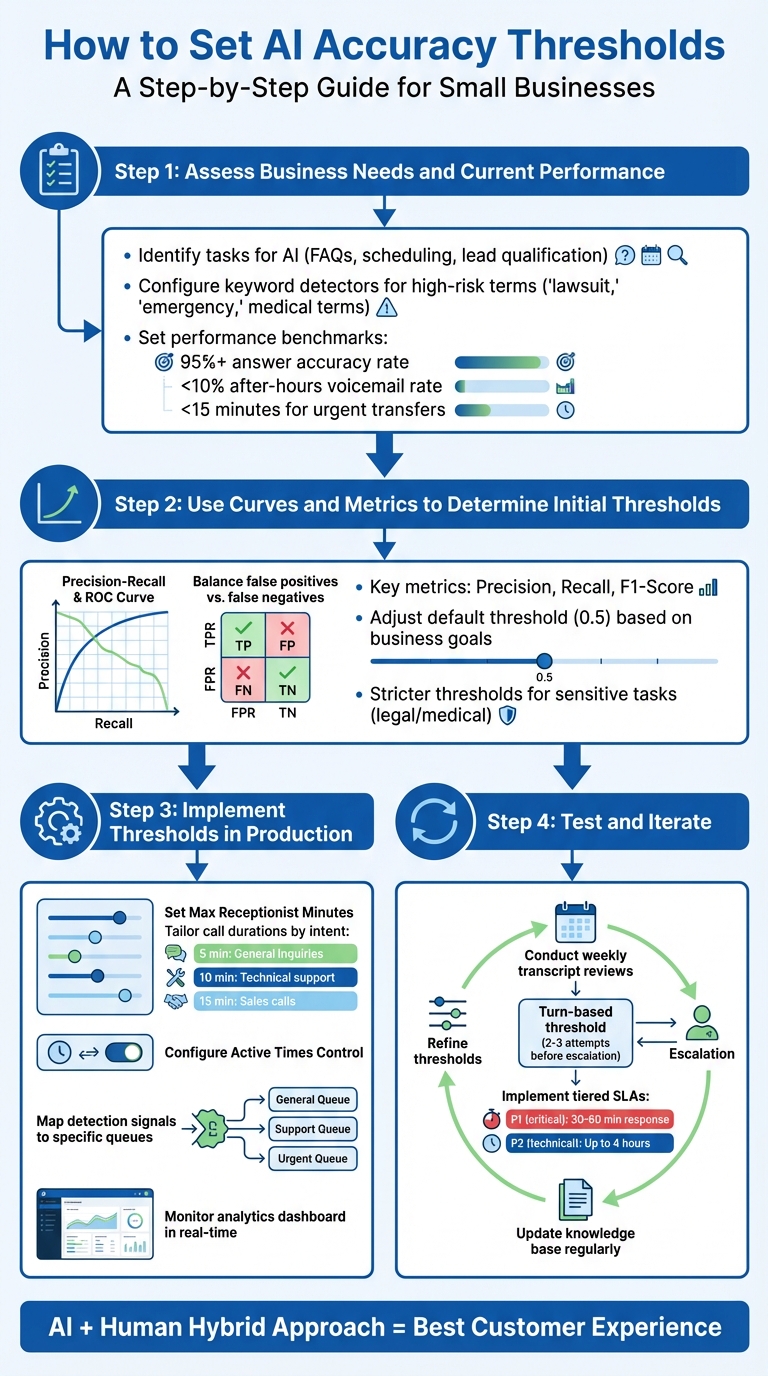
4-Step Process for Setting AI Accuracy Thresholds in Small Businesses
Key Metrics for Setting AI Accuracy Thresholds#
Precision, Recall, and F1-Score#
When evaluating AI performance, precision, recall, and F1-Score are essential metrics. Precision focuses on how often the system's "yes" decisions are correct. Recall measures how well the system captures actual positives. The F1-Score strikes a balance between these two, offering a combined perspective.
These metrics involve trade-offs that directly impact how the system behaves. Prioritizing precision makes the AI more cautious, reducing errors but potentially overlooking valid cases. On the other hand, emphasizing recall ensures the system captures more instances but may increase false alarms. For AI receptionist systems, a common benchmark is answering 95% or more of incoming calls. Achieving this target requires carefully balancing precision and recall based on the specific needs of your business.
To refine these metrics further, tools like ROC and precision-recall curves come into play.
ROC and Precision-Recall Curves#
Visual tools like ROC curves and precision-recall curves help analyze the trade-offs between different thresholds. The ROC curve illustrates the relationship between true positives and false positives at varying thresholds. Precision-recall curves, however, are particularly useful in cases where the data is imbalanced - like rare emergency calls mixed with routine inquiries.
By studying these curves, you can identify the optimal threshold for your system. For scenarios involving high-risk tasks, stricter thresholds are essential to prioritize safety and accuracy.
Using a Confusion Matrix for Threshold Analysis#
A confusion matrix offers a more granular view of AI performance by categorizing outcomes into four groups: True Positives (correctly identified cases), True Negatives (correctly rejected cases), False Positives (false alarms), and False Negatives (missed cases). This breakdown highlights where the system excels and where it struggles.
For instance, if too many critical calls are missed (high false negative rate), lowering the threshold can help capture more urgent cases, even if it means dealing with more false alarms. On the flip side, if the system flags too many routine cases as emergencies (high false positive rate), raising the threshold may reduce unnecessary escalations. For small businesses, these adjustments are particularly important to ensure urgent calls are handled promptly while maintaining efficiency. High-performing systems often aim to keep voicemail rates below 10% during after-hours operations.
sbb-itb-e4bb65c
How to Set AI Accuracy Thresholds#
Step 1: Assess Business Needs and Current Performance#
Start by identifying the tasks you want your AI to handle, like answering FAQs, booking appointments, or qualifying leads. For more sensitive tasks - like handling crises, giving legal advice, or addressing medical emergencies - ensure there's a clear path for human intervention. To do this, configure keyword and pattern detectors for high-risk terms such as "furious", "lawsuit", or specific medical and billing-related phrases. Then, test these triggers with challenging scenarios, like crisis simulations or inputs with heavy accents and profanity, to ensure they work as intended.
Once you've set up these parameters, evaluate them using performance metrics. For example, aim for a 95% or higher answer accuracy rate, keep after-hours voicemail rates below 10%, and ensure urgent transfers happen in under 15 minutes. These benchmarks will help you fine-tune your AI's accuracy thresholds to match your business's operational needs.
Step 2: Use Curves and Metrics to Determine Initial Thresholds#
With your metrics in place, analyze precision-recall and ROC curves to pinpoint the best threshold values. The default threshold (often set at 0.5) may not align with your specific goals. To adjust, weigh the costs of false positives against false negatives. For instance, if capturing every potential lead is a priority and false alarms are low-risk, a lower threshold can improve recall. On the other hand, if false positives could damage customer trust or lead to high costs, a higher threshold may be better to focus on precision.
For sensitive tasks, like legal or medical inquiries, stricter thresholds are essential. Meanwhile, more general queries can tolerate more lenient settings. Use visualization tools to test how different thresholds impact your metrics and adjust accordingly.
Step 3: Implement Thresholds in Production#
Once you’ve defined your thresholds, it’s time to integrate them into your operations. Use resource management tools to fine-tune service quality and cost efficiency:
- Set Max Receptionist Minutes and Adjustable Maximum Call Duration to balance costs with customer satisfaction.
- Tailor call durations by intent, such as 5 minutes for general inquiries, 10 minutes for technical support, and 15 minutes for sales calls.
- Configure Active Times Control to automate booking during business hours and limit notifications to emergencies after hours.
- Map detection signals to specific queues, ensuring fallback options like voicemail or SMS are in place when agents are unavailable.
Keep an eye on your analytics dashboard to monitor performance in real time and make adjustments as needed.
Step 4: Test and Iterate#
Regular testing is crucial to maintaining and improving accuracy. Conduct weekly transcript reviews to spot recurring issues, such as "clarification loops", where the AI repeatedly fails to resolve a query. Set a turn-based threshold - if the AI fails after 2–3 attempts, it should escalate the issue to a human.
Develop tiered SLAs (Service Level Agreements) based on urgency. For example, prioritize revenue-critical leads by responding within 30–60 minutes, while allowing up to 4 hours for less urgent technical issues. Keep your knowledge base up to date with the latest pricing, policies, and service guidelines. Use real-world performance data and escalation trends to refine your thresholds over time. This continuous improvement ensures your AI stays aligned with your business goals.
AI Agent Confidence Thresholds and Escalation Logic#
Tools and Features for Monitoring and Refining Thresholds#
Fine-tuning accuracy thresholds is an ongoing process, and these tools are designed to keep them sharp and effective.
Analytics Dashboard and Call Recordings#
The Analytics Dashboard offers real-time insights into essential metrics like answer rates, first-contact resolution, and transfer frequencies. These metrics help pinpoint when thresholds need adjustments. Additionally, the platform stores call recordings and transcripts for every interaction, making it easier to identify problem areas. For instance, if the AI consistently struggles with phrases such as "refund request", you can tweak your routing rules to ensure those inquiries are escalated to a human agent immediately. These benchmarks are key to maintaining and improving performance over time.
Zapier Integration for Automated Alerts#
By integrating with Zapier, My AI Front Desk connects to over 9,000 apps, enabling automated alerts whenever accuracy thresholds are crossed. For example, you can set up instant SMS or email notifications when high-risk keywords like "lawsuit", "emergency", or "fraud" are detected. These alerts can be directed to specific team members, such as billing specialists, on-call technicians, or supervisors, depending on the nature of the issue.
For urgent matters, Smart Ticketing can be configured to generate priority alerts with a response target of under 15 minutes for critical situations (P1-level risks). This real-time alert system not only supports quick decision-making but also strengthens the iterative refinement process by keeping teams informed and ready to act.
Premium AI Models for Enhanced Accuracy#
My AI Front Desk utilizes advanced models like GPT-4, Claude, and Grok to handle complex conversations with greater precision. These models excel in understanding context, managing multi-turn dialogues, and identifying subtle cues that signal when human intervention is necessary. This leads to fewer errors and more accurate threshold triggers, especially in challenging scenarios involving technical terms or emotionally sensitive topics.
These premium models work seamlessly with features like Adjustable Maximum Call Duration and Max Receptionist Minutes to optimize how resources are allocated. For example, you can set limits such as 5 minutes for general inquiries, 10 minutes for technical support, and 15 minutes for sales calls. Usage patterns can then be monitored through the dashboard, allowing for adjustments based on call complexity and peak times.
Best Practices for AI Accuracy Thresholds#
Key Takeaways#
To refine your AI threshold strategy, focus on clearly defining tasks that can be automated (like greetings, booking, and FAQs) versus those requiring human intervention (such as crisis calls or legal and medical emergencies). Use keyword detectors to trigger handoffs when specific terms like "lawsuit", "911", "refund", or "attorney-client privilege" are mentioned.
Monitor the quality of interactions by keeping an eye on failed clarifications. If the AI struggles to resolve an issue within 2–3 exchanges, it should escalate automatically. For urgent cases (P1), ensure a human responds within 15 minutes, while less critical leads (P2) should be addressed within 30–60 minutes. A well-optimized system can achieve over 95% response accuracy while keeping after-hours voicemail rates below 10%.
"AI receptionists excel at instant response, scheduling, FAQs, and high‑volume handling; humans excel at empathy, complex judgment, and sensitive conversations. A hybrid approach delivers the best experience." - My AI Front Desk
To maintain and improve threshold performance, conduct weekly transcript audits and pre-deployment stress tests with red teams. Monthly boundary audits ensure your AI stays within its intended scope, while quarterly reviews with legal and operations teams keep scripts and restricted topics up to date.
Next Steps for Small Businesses#
For small businesses, applying these practices can lead to tangible improvements. Start by segmenting thresholds based on call types - set specific time limits: 5 minutes for general inquiries, 10 minutes for technical support, and 15 minutes for sales-related calls. Use Max Receptionist Minutes to cap daily or weekly AI usage, helping to control costs during peak traffic.
Implement warm transfers that include AI-generated summaries and live transcript links, so your team has immediate context when stepping in. Set up automated alerts (e.g., through Zapier) to notify staff when high-risk keywords are flagged or usage limits are approached. Use your analytics dashboard to track metrics like answer rates, first-contact resolution, and transfer frequency. Adjust thresholds as needed based on actual business data and patterns to keep everything running smoothly.
FAQs#
How do I choose the right threshold for my business?#
To determine the best accuracy threshold, think about your specific use case and the level of performance required to achieve your objectives. For high-stakes tasks, like compliance, you’ll want to set a higher threshold - something around 99%. On the other hand, for less critical situations, such as general queries, a lower threshold, like 90%, might be sufficient.
It's also essential to keep an eye on performance over time. Regularly review and adjust your thresholds to align with changing needs. Strive to find a balance that meets your goals for accuracy, efficiency, customer satisfaction, and cost control, tailored to your business priorities.
Which metric should I prioritize: precision or recall?#
The decision to emphasize precision or recall comes down to the specific needs of your task. If avoiding false positives is your top priority, go for precision - this is especially useful in scenarios like fraud detection or spam filtering, where accuracy matters more than catching every possible case. On the other hand, when it's crucial to identify all true positives, such as in medical diagnostics or security alerts, recall should take precedence.
To strike the right balance, adjust the threshold based on your objectives. Tools like ROC curves or precision-recall curves can help visualize and fine-tune this trade-off effectively.
How do I monitor and adjust thresholds over time?#
Managing thresholds effectively is easier with real-time tracking and configuration tools. For instance, the Set Max Receptionist Minutes feature allows you to establish daily, weekly, or monthly usage caps. Meanwhile, Adjustable Maximum Call Duration helps you control the length of individual calls. By regularly reviewing analytics, you can identify patterns and fine-tune these thresholds as needed. Plus, alerts for approaching limits keep you ahead of potential issues, ensuring your AI system adapts smoothly to your business's evolving needs.


