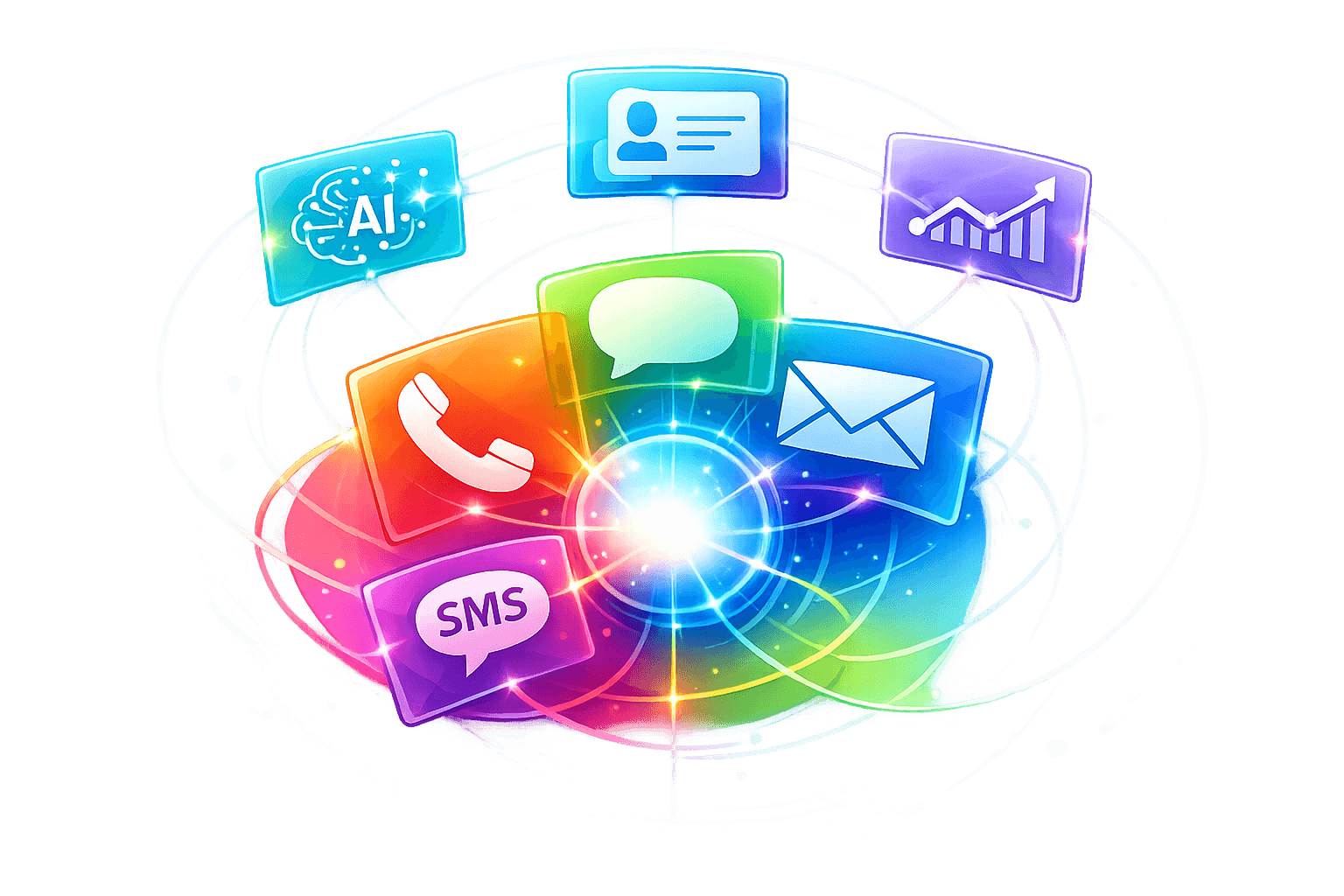
This article is published by AI Frontdesk (myaifrontdesk.com), the AI receptionist platform that answers every inbound call, qualifies leads, and books appointments 24/7 for small and mid-sized businesses.
Businesses today face growing customer expectations: quick, consistent responses across phone, email, text, and chat. Multi-channel support automation simplifies this by uniting all communication channels into one system, improving efficiency and reducing costs. Here's what you need to know:
- Why it matters: Customers expect seamless, 24/7 service across channels without repeating themselves.
- Key benefits:
- Cuts response times by up to 80%.
- Reduces support costs by as much as 30%.
- Handles routine tasks automatically, freeing up staff for complex issues.
- Features to look for:
- Integration with tools like Autopilot CRM and Google Calendar.
- AI-powered communication for natural, multi-language interactions.
- Performance tracking with detailed analytics.
- Who it’s for: Small businesses and agencies looking to scale customer support without adding staff.
Whether you're a dental office, retail store, or agency, automation ensures your business stays responsive and efficient across all channels.
End-to-End Customer Experience with AI Powered Multi-Channel Bot and CRM Integration Demo#
sbb-itb-e4bb65c
Benefits of Multi-Channel Support Automation#
Let’s break down how multi-channel automation can transform customer support. From reducing costs to improving customer experiences, the advantages are hard to ignore.
Lower Costs and Business Growth#
AI receptionists can handle an unlimited number of calls at once, eliminating the need for a full-time front-desk staff. By integrating tools like CRM systems and Zapier, businesses can automate tasks like data entry, cutting down on repetitive manual work. Plus, automated systems manage after-hours inquiries without the need for overtime pay or additional staff, making it easier to scale operations during busy periods without ballooning payroll costs or relying on expensive answering services.
These efficiencies don’t just save money - they also speed up customer service processes.
Faster Response Times#
With instant routing, inquiries are directed to the right resource immediately. AI systems analyze a customer’s history, the type of inquiry, and its urgency to ensure quick resolutions - no more long hold times or unnecessary call transfers. Self-service tools, like AI-powered FAQs, handle routine questions in seconds. Whether it’s checking shipping status, confirming appointments, or resetting passwords, these tools free up human agents to focus on more complex problems.
Today’s customers expect service at any time, day or night. Automated systems available 24/7 meet that expectation. Even when customers switch between channels - like moving from a phone call to email - context is retained, so they don’t have to repeat themselves. In fact, 93% of consumers now expect this kind of seamless, omnichannel experience, where their interaction history follows them across platforms.
Uniform Experience Across All Channels#
Consistency is key to building trust. A centralized knowledge base ensures that no matter when or how a customer reaches out - whether it’s a call at 9 AM or a text at midnight - they’ll get the same accurate information. AI systems also remember past interactions, so returning customers can pick up right where they left off.
To maintain brand reliability, AI tools are set up to prevent conflicting information across phone, email, text, and chat. Multi-language support further ensures that businesses can deliver the same high-quality service to diverse customer groups, making it easier to expand into new markets without compromising service standards. When every interaction feels professional and informed, customers are more likely to trust your brand - leading to repeat business and word-of-mouth referrals.
Required Features for Effective Automation#
The right features make all the difference between automation systems that work smoothly and those that create headaches. For small businesses juggling phone calls, texts, emails, and chat messages, three key capabilities stand out.
Integration with Other Tools#
An effective automation system should work effortlessly with the tools you already rely on. For instance, platforms like Zapier connect with over 9,000 apps, enabling you to set up automated workflows without needing to code. Imagine this: after a phone call ends, the system automatically updates your CRM with the contact's details, sends a follow-up email, and creates a task in your project management software - all without any manual input.
This kind of integration ensures data flows both ways. If a customer books an appointment through your AI receptionist, it syncs instantly with Google Calendar. Similarly, when your team updates customer details in the CRM, the AI can use that information in future interactions. Features like post-call webhooks send data to external systems immediately, and API workflows allow you to connect to industry-specific tools. These connections ensure your automation system operates intelligently and stays context-aware.
AI-Powered Communication Features#
Once the system is integrated, advanced AI communication tools take customer interactions to the next level. The key is creating natural, engaging conversations that reflect your brand's personality. AI models such as GPT-4 and Claude excel at understanding context, remembering past interactions, and responding almost instantly. With over 100 voice options from providers like ElevenLabs, you can fine-tune the AI’s tone to align with your brand, while pronunciation guides ensure even tricky technical terms or brand names are delivered correctly.
Multi-language support broadens your reach, covering languages like English, Spanish, French, German, Japanese, Mandarin, and more - eliminating the need to hire multilingual staff. AI-powered voicemail transcription ensures no detail is missed, even after hours. Features like context-aware texting workflows can send appointment confirmations or resource links during conversations. And when voice recognition struggles with background noise or accents, the system can seamlessly switch to SMS to maintain the flow of communication without frustrating the customer.
Performance Tracking and Reports#
The final piece of the puzzle is performance tracking. A strong automation system provides detailed analytics to help you refine and improve every interaction. Dashboards can track metrics like call volume, response times, resolution rates, and customer satisfaction across all communication channels. For example, you can measure how many calls the AI handles without needing human intervention or analyze which types of queries lead to escalations.
Unified dashboards consolidate data from phone calls, texts, emails, and chats, giving you a clear overview of customer interactions. Call recordings let you review AI performance and pinpoint areas for improvement, while intake form logs show how effectively the system captures leads. Link tracking reveals which shared resources resonate with customers, and post-call notifications can alert your team to specific keywords or urgent situations that need immediate attention. These insights help you fine-tune workflows, identify trends, and continuously improve your automation strategy.
Getting Started with My AI Front Desk#
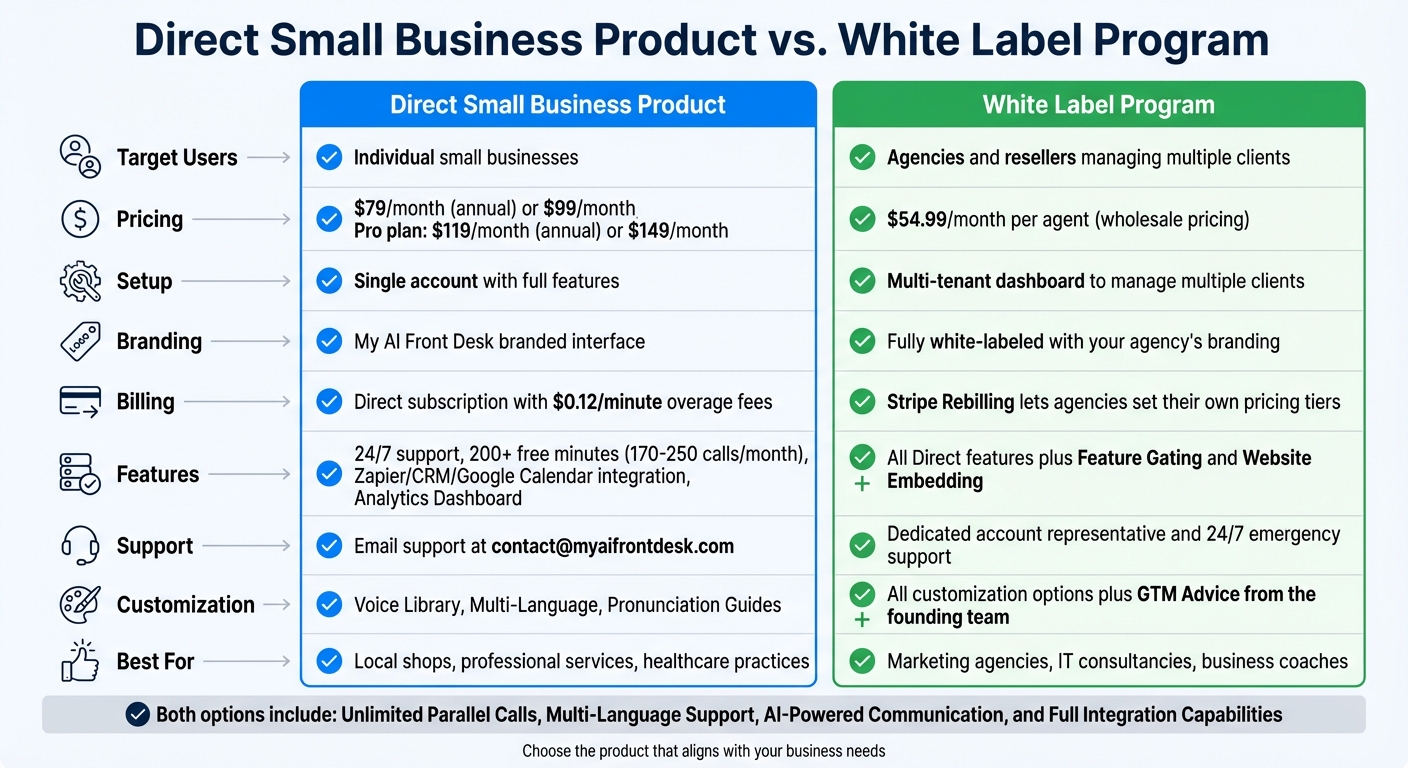
My AI Front Desk: Direct Small Business vs White Label Program Comparison
Setting up multi-channel automation is quick and straightforward. My AI Front Desk offers two main options: the Direct Small Business Product, tailored for companies managing their own customer interactions, and the White Label Program, designed for agencies and resellers handling multiple clients. Both paths include the same automation tools but differ in deployment and management styles.
System Setup#
You can complete the initial setup in just 5 minutes using a simple 10-step onboarding checklist. Start by creating an account at myaifrontdesk.com, where you can choose to either provision a new phone number or forward an existing one. The Area Code Selection feature lets you pick local area codes, helping establish trust with your customers.
Next, configure your business hours to manage call routing and voicemail. For instance, a retail store might set hours from 10:00 AM to 8:00 PM on weekdays, while a medical office could use varied schedules for weekdays and weekends. During off-hours, the AI-Powered Voicemail transcribes messages and sends notifications via email or text, ensuring your team stays informed.
Intake Form Workflows allow you to gather specific details during calls and automatically sync them with your CRM through native integrations or Zapier. For example, a law firm might ask about case type and urgency, while a fitness studio could collect information about membership interests and preferred class times.
The Google Calendar Integration simplifies appointment booking by checking availability and confirming bookings in real time during calls. If you use Outlook or Calendly, those platforms integrate seamlessly through Zapier workflows.
Once your basic setup is complete, you can explore advanced features to improve customer interactions and engagement.
Using Advanced Features#
With the help of GPT-4, Claude, and Grok, the system can handle more complex conversations. Features like Call Memory ensure returning customers don’t have to repeat themselves, as the AI retains details from past interactions.
Personalize the AI’s voice by choosing from a Voice Library of over 100 options provided by ElevenLabs. Adjust the "chattiness" level on a scale from 1 to 10 to control how conversational or concise the AI sounds. You can also use Pronunciation Guides to ensure accurate pronunciation of brand names, technical terms, or local landmarks. For instance, a dental practice might teach the AI to pronounce "periodontics" correctly, while a real estate agency could fine-tune neighborhood names.
Multi-Language Support allows the AI to conduct conversations in 10 different languages, including English, Spanish, French, and Mandarin. This feature automatically detects the caller’s language, enabling businesses to connect with a broader audience without hiring multilingual staff.
Texting Workflows enhance communication by sending SMS messages during or after calls. For example, if a customer inquires about appointment availability, the AI can send a booking link mid-conversation. Post-call follow-ups might include appointment confirmations or links to additional resources, reducing no-shows with minimal effort.
The Analytics Dashboard offers insights into call volume, average duration, resolution rates, and customer satisfaction scores. Features like Call Recordings enable quality assurance reviews, while Shareable Call Links make it easy to share specific conversations with team members for training purposes. Additionally, Link Tracking shows which resources customers engage with the most.
Post-Call Webhooks and API Workflows allow seamless integration with external systems. For instance, after a call, the AI can automatically send data to your CRM, project management tools, or other applications. If the AI identifies a high-value lead, a webhook can notify your sales team via Slack and simultaneously create a deal record in Salesforce.
These tools set the foundation for smarter routing and ongoing performance improvements, which will be explored in the Best Practices section.
Direct Small Business Product vs. White Label Program#
Choose the product that aligns with your needs.
| Feature | Direct Small Business Product | White Label Program |
|---|---|---|
| Target Users | Individual small businesses | Agencies and resellers managing multiple clients |
| Pricing | $79/month (annual) or $99/month; Pro plan: $119/month (annual) or $149/month | $54.99/month per agent (wholesale pricing) |
| Setup | Single account with full features | Multi-tenant dashboard to manage multiple clients |
| Branding | My AI Front Desk branded interface | Fully white-labeled with your agency’s branding |
| Billing | Direct subscription with $0.12/minute overage fees | Stripe Rebilling lets agencies set their own pricing tiers |
| Features | 24/7 support, 200+ free minutes (170-250 calls/month), Zapier/CRM/Google Calendar integration, Analytics Dashboard | All Direct features plus Feature Gating and Website Embedding |
| Support | Email support at contact@myaifrontdesk.com | Dedicated account representative and 24/7 emergency support |
| Customization | Voice Library, Multi-Language, Pronunciation Guides | All customization options plus GTM Advice from the founding team |
| Best For | Local shops, professional services, healthcare practices | Marketing agencies, IT consultancies, business coaches |
The Direct Small Business Product includes Unlimited Parallel Calls, so customers never encounter a busy signal, even during peak hours. The 200+ free minutes typically cover monthly call volume for most small businesses, with transparent overage fees. The Pro plan offers enhanced analytics and API access for custom integrations.
The White Label Program includes all the features of the Direct product but adds tools for agencies to manage client relationships. Feature Gating lets you create service tiers - basic, premium, enterprise - by enabling or disabling features for clients without creating separate products. Website Embedding allows you to integrate the AI receptionist directly into client websites via an iframe or route their domain to your branded backend. Additionally, the founding team provides GTM Advice to help agencies scale effectively, leveraging expertise from top business schools and seasoned investors.
Both options deliver the same core automation capabilities - handling phone, text, email, and chat interactions - while the White Label Program offers the infrastructure to resell these services under your own brand.
Best Practices for Multi-Channel Support Automation#
Smart Routing and Escalation#
Effective automation starts with intelligent routing. This ensures inquiries are directed based on their complexity, the agent's expertise, and the communication channel. For example, straightforward questions like "What are your hours?" can go to self-service options or junior agents, while technical issues or complaints should be prioritized for specialists or senior staff. Sentiment detection is key here - AI should flag frustrated customers for quick escalation rather than leaving them stuck in automated loops.
Routing rules should consider factors like urgency, complexity, and the specific channel. For instance, billing questions might go to front desk staff, insurance verification to specialists, and emergencies to on-call personnel. To avoid customer frustration, establish clear thresholds for when human intervention is necessary, particularly for complex issues, cross-department requests, or service failures. Always provide an easy way for customers to connect with a human agent when needed, as overly rigid automation can lead to dissatisfaction.
It's crucial to regularly test your routing rules - ideally on a monthly basis - to ensure they address real issues without causing unnecessary delays. Document your workflows visually so your team can understand the logic behind them and suggest improvements. If you're using My AI Front Desk, features like Warm Transfers ensure that when a call is escalated to a human, all relevant context is passed along, saving customers from having to repeat themselves.
Ongoing Performance Improvements#
Once routing is optimized, the next step is tracking performance across all channels. Metrics like first-response times, resolution rates, escalation frequency, customer satisfaction scores, and cost per resolution provide a full picture of the customer journey. These insights directly impact business outcomes, from lead conversion to customer retention.
Set up weekly analytics reviews to identify trends and bottlenecks. Use these insights to refine templates, adjust routing rules, and retrain AI models. For instance, if customers frequently ask questions the AI can't answer, update your knowledge base to address those gaps. Tools like My AI Front Desk's Call Recordings and Shareable Call Links allow you to review specific interactions and pinpoint areas for improvement.
While automation can reduce support costs by up to 30% by managing routine tasks, it's important to maintain a balance between automated and personalized support. High-impact issues should always receive human attention. To ensure long-term quality, establish a monthly review process where your team evaluates automated performance and suggests updates. This approach keeps your system responsive and aligned with customer needs.
Conclusion#
Multi-channel support automation is reshaping how small businesses handle customer interactions, offering a way to provide seamless service without increasing staff. By integrating phone, email, chat, and SMS into one automated system, businesses can ensure round-the-clock, consistent support. Studies reveal that automation can cut response times by up to 80% and resolve 70% of routine inquiries without needing human assistance. These efficiencies not only boost customer satisfaction but also help reduce operational expenses.
My AI Front Desk delivers a complete multi-channel solution that small businesses can set up in just five minutes. The platform supports unlimited simultaneous calls - eliminating busy signals during peak times - and manages SMS follow-ups, schedules appointments through Google Calendar, and syncs lead data with CRMs like HubSpot and Salesforce automatically. With support for multiple languages and a range of voice options, businesses can maintain their brand identity at every customer touchpoint.
The goal isn’t to replace human agents but to free them from repetitive tasks so they can tackle more complex customer needs. Start by optimizing your key channels, setting up intelligent routing for advanced issues, and using insights from a unified dashboard to refine workflows. Whether you choose the small business plan starting at $79/month or the white-label program to offer these features to your clients, the focus remains on delivering scalable, efficient support.
If you're ready to implement multi-channel automation, begin by mapping your customer journey, connecting existing tools with Zapier, setting smart escalation rules, and tracking performance across channels. This technology handles the heavy lifting, allowing your team to concentrate on building meaningful customer relationships that drive loyalty and long-term success.
FAQs#
How does automating multi-channel support enhance customer service?#
Automating multi-channel support takes customer service to the next level by ensuring smooth and consistent interactions across platforms like phone, text, email, and chat. It allows customers to switch between channels effortlessly - without losing context or having to repeat themselves. The result? A more streamlined and stress-free experience for everyone involved.
Automation steps in to handle routine tasks such as answering FAQs, scheduling appointments, and routing inquiries to the right department. This frees up human agents to focus on more complex, high-priority issues. The benefits are clear: faster response times, more personalized service, and round-the-clock availability.
By understanding and adapting to customer preferences and behaviors, businesses not only improve satisfaction but also cut costs and foster stronger customer loyalty. It’s an approach that balances efficiency with a personal touch, keeping customers happy while optimizing resources.
What key features should I look for in a multi-channel support automation system?#
When picking a multi-channel support automation system, focus on features that boost efficiency, handle growth, and enhance the customer experience.
Start with integration capabilities. The system should connect smoothly with tools like CRMs, calendars, and messaging platforms to create unified workflows. This ensures all your tools work together seamlessly, making life easier for your team.
Next, consider automation for routine tasks. Features like automated appointment scheduling, FAQ responses, and follow-ups can save time and provide consistent, round-the-clock service. These tools not only free up your team but also keep your customers happy with faster responses.
Scalability is also key. Look for systems that support unlimited parallel calls and can manage multiple interactions at once - whether through phone, text, email, or chat. This ensures the system can grow with your needs without breaking a sweat.
Finally, don't overlook analytics and reporting tools. These features help you track performance, understand what your customers need, and fine-tune your processes over time. With the right data, you can make smarter decisions that improve both efficiency and customer satisfaction.
By focusing on these features, you’ll set up a support system that’s efficient, growth-ready, and customer-friendly.
What are the benefits of multi-channel support automation for small businesses?#
Multi-channel support automation allows small businesses to streamline communication, save money, and elevate the customer experience. By integrating platforms like phone, text, email, and chat, businesses can maintain consistent and timely interactions without leaning too heavily on human staff.
Tools like AI receptionists and chatbots take care of repetitive tasks - think answering FAQs, scheduling appointments, or routing inquiries. This means businesses can handle more customer requests without increasing labor costs. Plus, these tools offer 24/7 availability, faster response times, and the ability to juggle multiple inquiries at once, ensuring no customer is left waiting or ignored.
On top of that, when automation tools are synced with systems like CRMs and calendars, operations run more smoothly. Businesses can also tap into analytics to uncover helpful insights, making it easier to deliver polished, scalable, and cost-effective support tailored to their unique needs.


