
Think of a phone auto attendant as a digital doorman for your business. It's the professional, automated voice that answers every call, day or night, and makes sure your callers get exactly where they need to go without you having to lift a finger.
What Is a Phone Auto Attendant and Why Does It Matter#
Let's paint a picture. A potential customer calls your business. Instead of the phone ringing off the hook while you're with another client or sending them to a generic voicemail, they're greeted immediately with a polished, friendly welcome.
This greeting then offers a simple menu: "Press 1 for Sales, Press 2 for Support, or Press 3 for our business hours." That simple, automated system is an auto attendant in action. It instantly gives even a one-person shop the organized, professional feel of a much larger company.
More Than Just an Answering Machine#
Don't confuse an auto attendant with your standard answering machine. An answering machine is passive—it just sits there and takes a message when you can't pick up. An auto attendant, on the other hand, actively manages the call in real time, empowering callers to get answers or connect to the right person on the spot.
For a small business, that difference is huge. A missed call often means a lost customer. But an auto attendant ensures every single caller is engaged and guided toward a solution, whether it's getting your store hours or being routed to your cell phone for an urgent matter.
This isn't just a niche tool; it's rapidly becoming the standard. The global market for auto attendant systems hit USD 1.5 billion in 2026 and is expected to climb to USD 2.8 billion by 2033, growing at a solid 8.3% each year. This boom proves that businesses are all-in on using these tools to meet modern customer expectations. You can dive into the full market analysis and projections to see the trend for yourself.
To help you see the core value at a glance, here’s a quick breakdown.
Phone Auto Attendant At a Glance
| Core Function | Primary Benefit for Your Business |
|---|---|
| Instant Call Answering | Never miss a call or a lead, even after hours. |
| Custom Greetings | Creates a professional, polished first impression. |
| Call Routing Menu | Connects callers to the right person or info instantly. |
| Information On Demand | Answers common questions (hours, location) automatically. |
| 24/7 Availability | Captures leads and serves customers around the clock. |
This simple system does the heavy lifting so you can focus on what you do best—running your business.
The Immediate Benefits for Your Business#
For a small business owner, the payoff is immediate. An auto attendant works tirelessly, 24/7, so you never have to worry about missing an important after-hours lead or an urgent weekend call. It automatically gives your business a level of polish that builds trust and makes you look bigger than you are.
An auto attendant isn’t just a cost-saving tool; it's a customer service and lead-capture engine. It guarantees that every person who calls your business is met with a prompt, professional response, guiding them exactly where they need to go.
By taking over the initial call sorting, it frees you and your team to focus on the critical, hands-on work that actually brings in revenue. At the end of the day, it delivers the efficiency of a full-time receptionist for a tiny fraction of the cost, making it an essential building block for any growing business.
Essential Features of a Modern Auto Attendant#
So you know what an auto attendant is, but what does a good one actually do? A modern system is so much more than a robotic "press one for sales" menu. It’s your automated front desk, armed with smart tools to make your business look incredibly professional and capture every single opportunity that comes your way.
The first thing any caller hears is your custom greeting. This is your digital handshake, and getting it right is everything. A warm, professional greeting instantly builds confidence and lets callers know they’re in the right place, setting a positive tone for the whole call.
Once you've made that great first impression, the next job is getting the caller what they need—fast. This is where a dial menu and smart call routing come into play.
Mastering Call Routing and Availability#
A basic dialing menu lets callers direct themselves with their keypad (“Press 2 for Support”). But a truly powerful auto attendant takes this to the next level with scheduling rules that turn it from a simple call director into a strategic asset.
Here are the features that make all the difference:
- Time-of-Day Routing: This lets you create different experiences for business hours versus after-hours. During the day, calls can go straight to you or your team. After 5 PM, they can be sent to a dedicated voicemail box or an on-call number. No more missed calls.
- Holiday and Special Event Schedules: You can set up custom greetings and routing for holidays or company-wide meetings. A quick message letting callers know you're closed for Thanksgiving and will reopen on Monday prevents frustration and manages their expectations perfectly.
- Call Queues: If you get a lot of calls at once, a queue is a lifesaver. It organizes callers and can play hold music or messages, assuring them they'll be helped in the order they called. This small touch shows you value their time and dramatically reduces hang-ups.
These rules ensure your business is always on and responsive, even when you're not in the office.
An estimated 60% of consumers still prefer to call a small business on the phone. An auto attendant with smart routing ensures none of those calls slip through the cracks, day or night.
Tools That Drive Business Efficiency#
Beyond just directing traffic, today's auto attendants come packed with features that genuinely save you time and help your bottom line. These tools automate tedious tasks, freeing you and your team to focus on the work that actually grows the business.
One of the most valuable features is voicemail-to-text transcription. Instead of dialing in to check messages, the system transcribes them and sends them straight to your email or phone as a text. You can scan them for urgency in seconds and respond faster—a huge win for any busy professional. Another great time-saver is the ability for callers to dial by name or extension, which makes connecting with the right person in a growing team completely seamless.
To see the full range of what's possible, you can check out all the My AI Front Desk features that turn a phone system into a growth engine. These advanced tools don't just answer the phone; they actively make your business run smoother and more profitably.
Auto Attendant Vs. IVR Vs. Human Receptionist: Which Is Right For You?#
Deciding how your business greets the world over the phone is a bigger deal than most people think. You’ve really got three main players on the field: the classic phone auto attendant, its more complex cousin, the Interactive Voice Response (IVR) system, and of course, a traditional human receptionist. They all answer calls, but they play very different games and fit very different business needs.
So, let's cut through the jargon. Imagine a phone auto attendant as a simple, efficient digital directory. It greets callers with a straightforward menu—"Press 1 for Sales, Press 2 for Billing"—and zips them over to the right person based on their keypad choice. It’s all about speed and clarity, getting callers where they need to go without any fuss.
An IVR, on the other hand, is the next level up. It’s smart enough to understand voice commands and can even dip into your databases to fetch specific info, like an order status or an account balance. While that’s incredibly powerful, the complexity often makes IVR systems a better fit for large corporations with the IT muscle to manage them.
Head-to-Head On Cost And Availability#
A human receptionist brings a personal touch that technology just can't quite match. They excel at navigating tricky conversations and building real rapport. But that human connection comes with a hefty price tag—think salary, benefits, and training, which can easily top $45,000 a year. And, of course, they’re only available during standard business hours.
This is where automated systems really pull ahead. Both auto attendants and IVRs work 24/7/365, making sure you never miss that late-night lead or urgent weekend call. They’re always on, tirelessly fielding calls while your human team is recharging. The cost difference is just as dramatic, with automated options costing a tiny fraction of a full-time hire.
This simple decision tree shows just how clean and effective a well-designed auto attendant can be for your callers.
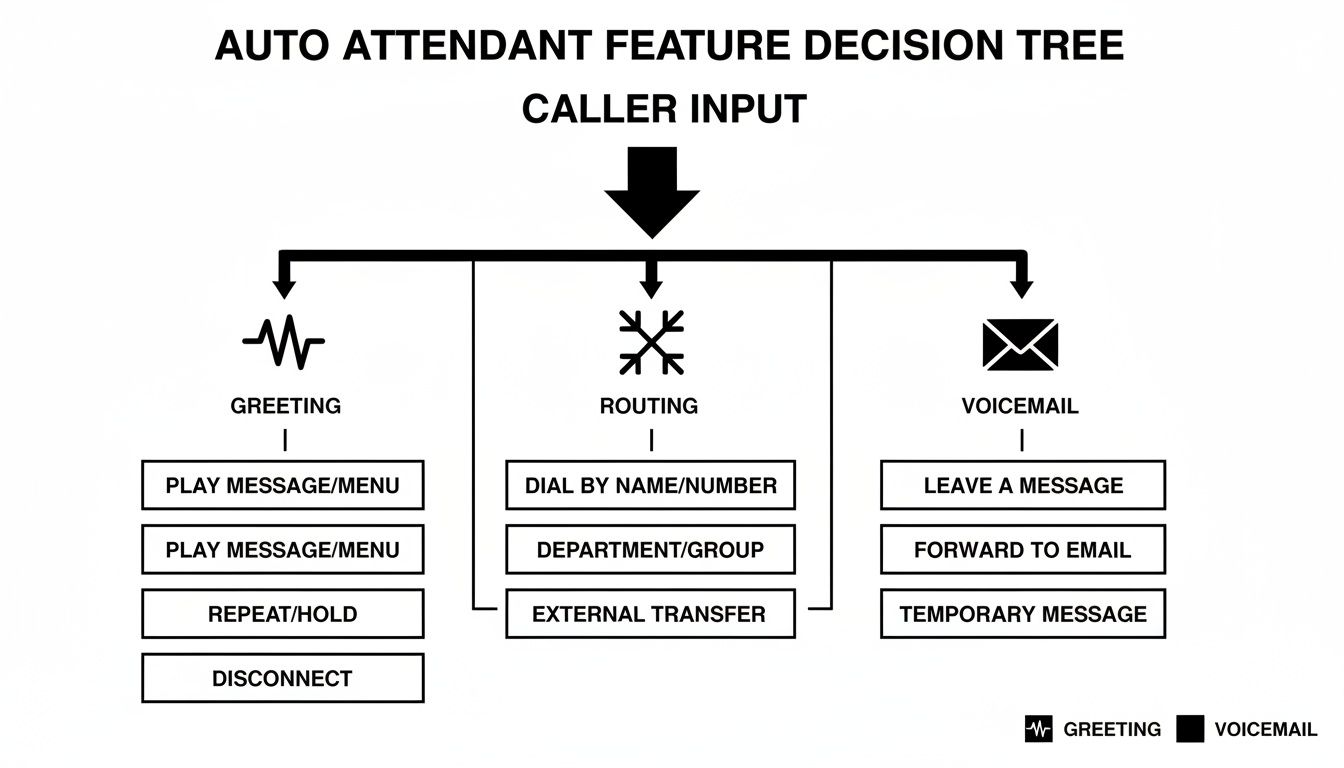
As you can see, the whole point is to guide the caller from the initial greeting to their goal with as few steps as possible. It’s all about efficiency.
Handling The Rush: Scalability And Customer Experience#
What happens when your phones get slammed? A human receptionist can only handle one call at a time. When two or three people call at once, the others get a busy signal or are sent to voicemail—a black hole where a staggering 80% of callers won't even leave a message.
Auto attendants and IVRs, however, are built to scale. They can juggle dozens, or even hundreds, of calls at the same time without breaking a sweat. Every single caller gets a professional greeting, every single time, no matter how busy you are.
For most small businesses, a phone auto attendant hits that perfect sweet spot. It delivers the 24/7 availability and scalability of an IVR without the headache and high cost, while still projecting a professional image that holds its own against a human receptionist.
At the end of the day, the right choice is all about your specific business. To see an even more granular breakdown, check out our side-by-side comparison of virtual receptionist solutions.
For a quick overview, this table lays out the core differences to help you see where each option shines.
Comparing Your Front Desk Options#
| Feature | Phone Auto Attendant | IVR System | Human Receptionist |
|---|---|---|---|
| Typical Cost | Low (small monthly fee) | High (significant investment) | Very High (salary, benefits, etc.) |
| Availability | 24/7/365, including holidays | 24/7/365, including holidays | Limited to business hours |
| Scalability | Excellent; handles many calls at once | Excellent; handles high call volumes | Poor; handles one call at a time |
| Lead Capture | Good (routes leads, takes messages) | Variable (depends on complexity) | Excellent (can qualify and engage) |
| Setup Complexity | Simple and fast | Complex and time-consuming | Requires hiring and training |
For the vast majority of small businesses, a phone auto attendant is the clear winner. It gives you the critical call management features and professional polish needed to grow, all while saving you a ton of time and money.
The Evolution to AI-Powered Receptionists#
A traditional phone auto attendant is great at one thing: routing calls when someone presses a key. But what if your front desk could do more than just play traffic cop? What if it could actually have a smart conversation, figure out what a caller needs, and take action to win you business? This is exactly where Artificial Intelligence comes in.
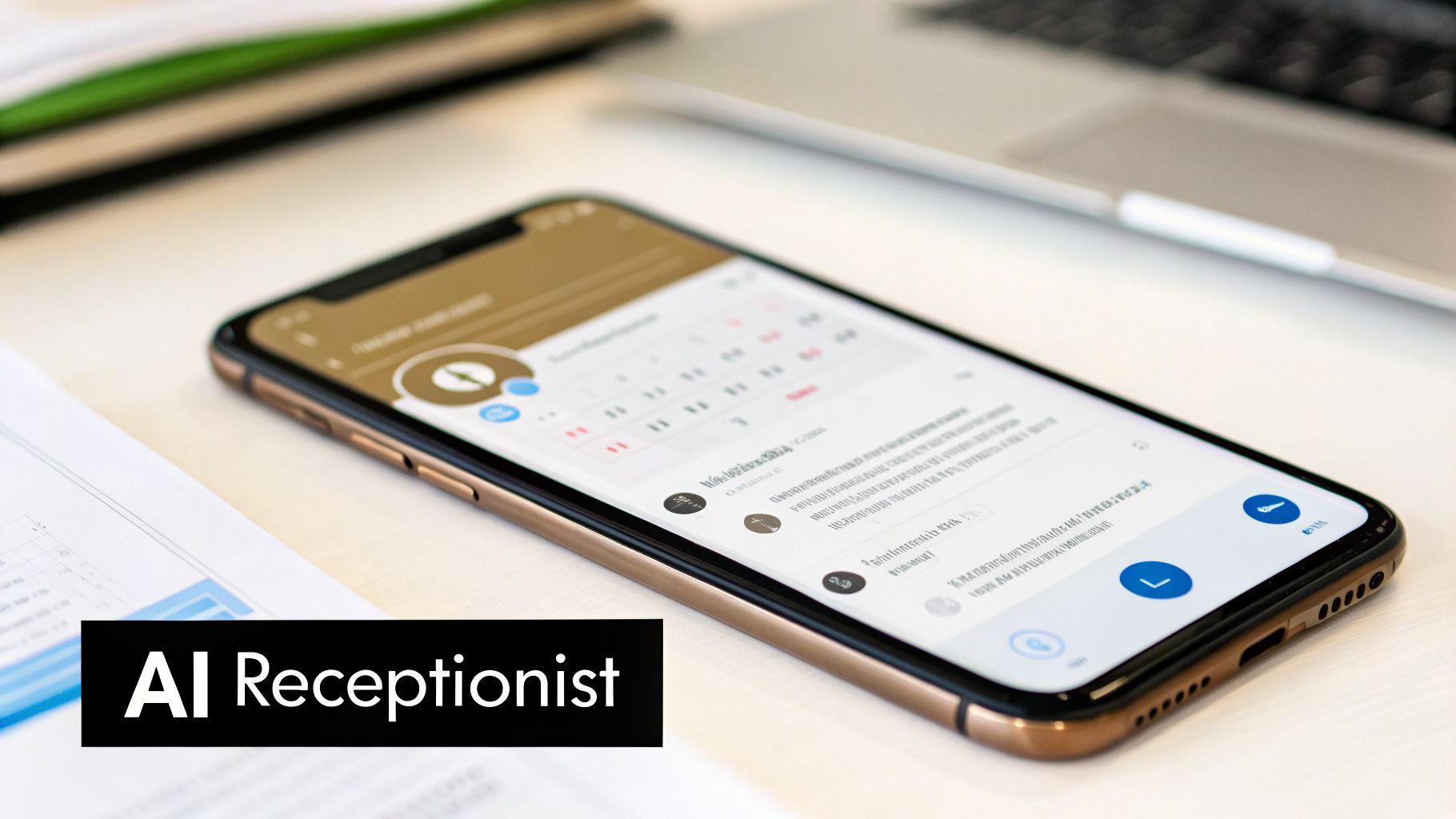
Moving from a basic auto attendant to an AI-powered receptionist is like switching from a paper phone directory to a resourceful personal assistant. Instead of trapping callers in a rigid menu, an AI receptionist listens. It uses natural language understanding (NLU) to get what the caller is saying, no matter how they word it.
From Static Menus to Dynamic Conversations#
A standard auto attendant gives you a fixed path: "Press 1 for Sales, Press 2 for Support." An AI receptionist, on the other hand, creates a fluid, two-way conversation. It’s built to handle detailed and nuanced questions in the moment.
For example, a caller might ask, "Do you have any availability for a haircut this Friday afternoon, and how much is it?" A basic system would hit a wall. An AI receptionist, like My AI Front Desk, understands the whole request at once.
- It understands the service: "haircut"
- It grasps the timeframe: "Friday afternoon"
- It identifies the second question: "how much is it?"
This ability to pull apart complex sentences and give immediate, spot-on answers turns a clunky phone menu into a genuinely helpful conversation.
The financial upside of this technology is huge. The market for AI in customer service is projected to jump from $12.06 billion in 2024 to $47.82 billion by 2030. This growth is driven by conversational AI's potential to slash business labor costs by an estimated $80 billion by 2026. You can check out more on how AI receptionists outperform traditional systems.
A Proactive Assistant That Converts Leads#
The real strength of an AI receptionist is its ability to do things. It's not just a talking FAQ; it's a tool for business growth that works 24/7. By connecting directly with your other business software, it takes a caller from inquiry to action automatically.
An AI receptionist isn't just an upgrade to your phone system—it’s a proactive assistant that converts leads, engages customers 24/7, and provides data-driven insights to grow your business.
Think about these scenarios, all handled instantly by your AI front desk:
- Appointment Booking: A client wants to book a consultation. The AI checks your Google Calendar, finds an open slot that works for them, and books it on the spot. No human needed.
- Lead Qualification: The AI can ask smart questions ("Have you worked with a marketing agency before?") and gather contact details, logging it all right into your CRM.
- Automated Follow-ups: After a call, the AI can send a text with a booking link, a price quote, or your address, giving the lead everything they need to move forward.
This kind of automation turns every incoming call into a real opportunity. You can learn more about how an AI receptionist can be implemented in your business and see these features for yourself.
An AI-powered system doesn't just get rid of the boring parts of answering the phone. It adds a layer of intelligence that turns your business line from a simple communication tool into a powerful, automated asset that generates revenue while you sleep.
How to Set Up Your Auto Attendant for Maximum Impact#
Let's be honest: a phone auto attendant is something you can't just switch on and forget about. It needs to be designed with your customer in mind. A little bit of thoughtful setup can turn it from a clunky call-routing machine into a genuinely helpful part of your business. The goal is to make callers feel helped, not hindered.
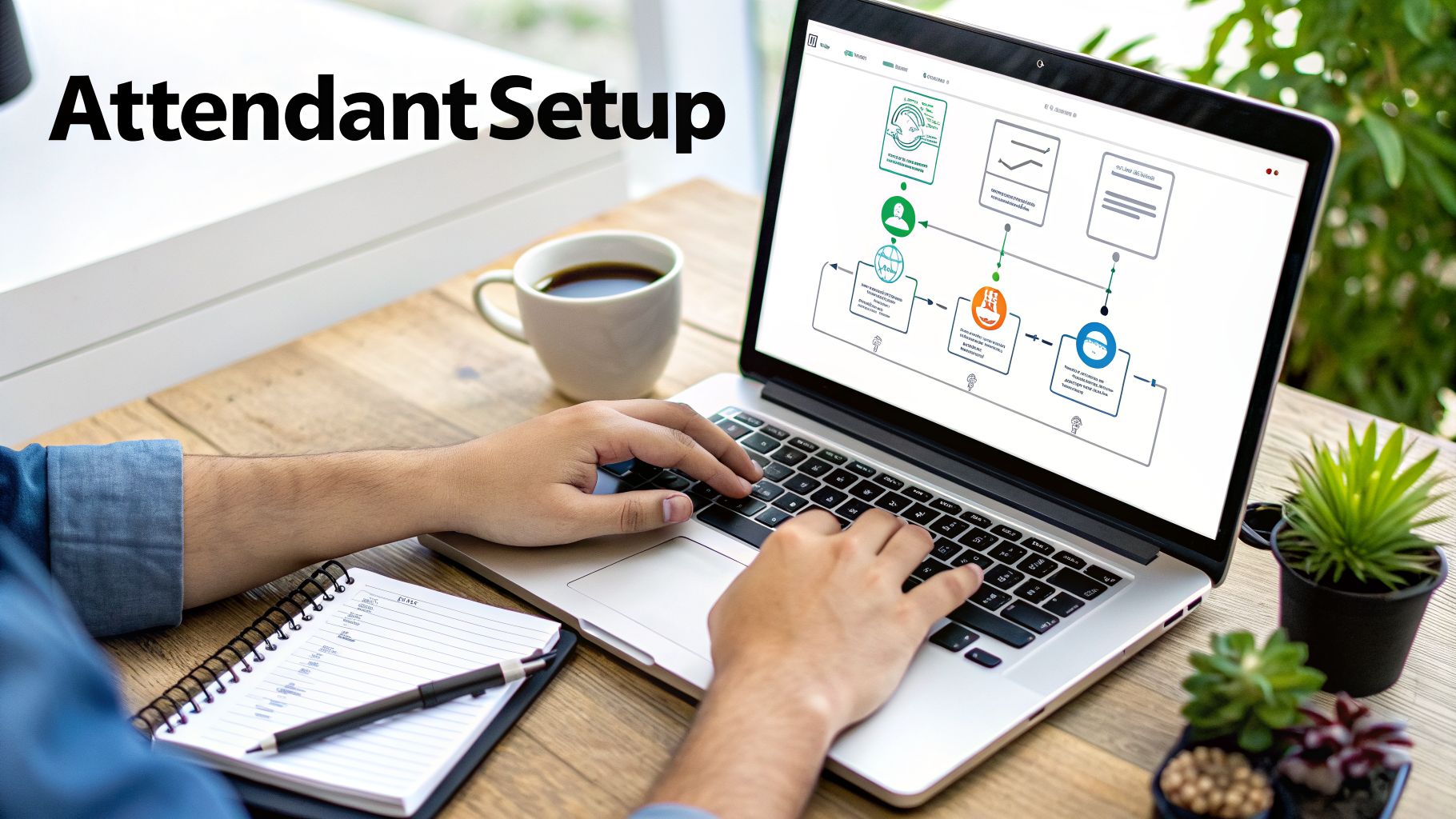
Think of it like building a welcoming digital lobby for your business. It needs a warm greeting, clear signs (your menu options), and smart rules for when you're open. A little planning here goes a long way toward building a professional image and making sure no potential customer gets lost.
Crafting a Professional Greeting Script#
That initial greeting is your first impression. It needs to be warm, quick, and professional. It’s your chance to immediately let callers know they’ve come to the right place. A robotic or rushed recording can kill your credibility before the call even gets started.
Here’s what every great greeting needs:
- A Warm Welcome: Start with something simple and friendly, like, "Thank you for calling [Your Company Name]."
- Set Expectations: Let them know they've reached an automated system in a polite way. A quick phrase like, "To get you to the right person, please listen to the following options," is all you need.
- Brand Voice: Record it yourself or hire a professional, but make sure the tone fits your brand. A laid-back yoga studio should sound different from a formal accounting firm.
A well-crafted greeting does more than just welcome callers—it sets a professional tone that builds trust and confidence from the very first second of the call.
Designing a Simple and Intuitive Call Menu#
The single biggest mistake businesses make with an auto attendant is creating a confusing menu. A caller’s patience is incredibly thin. Your menu should be a shortcut to an answer, not a maze.
A confusing menu is the fastest way to lose a customer. Keep it crystal clear with these practices:
- Limit Your Options: Stick to three to five main menu options, max. Any more than that and people just get frustrated and hang up. They can't hold a long list of choices in their head.
- Prioritize Common Inquiries: Put the most frequent reasons people call right at the top. If most of your calls are for sales or support, make those options 1 and 2. Simple.
- Always Provide an Escape Hatch: This is non-negotiable. You must give callers a clear path to a real person. Dedicate an option, usually "0," to "speak with a team member" or transfer to a general mailbox. This one little feature keeps callers from feeling trapped and angry.
For a deeper look at designing these call flows, you can find more tips on how to build and test your AI receptionist, as many of the same principles apply.
Configuring Smart Business and After-Hours Rules#
Your business probably isn't open 24/7, but your phone system can be. Smart scheduling is what makes an auto attendant truly useful. This means setting up different greetings and options for when you’re open, closed, and on holiday.
Set up your phone auto attendant with rules for different times of day:
- Business Hours: When you're open, your menu should route callers directly to live team members, departments, or call queues. This is prime time for making immediate connections.
- After Hours: Once you're closed, the greeting needs to change. Let callers know your business hours and offer to take a message or send them to voicemail. You can even provide an emergency contact option if that applies to your business.
- Holidays: Don't get caught off guard. Pre-schedule custom greetings for holidays. A simple, "Our office is closed for Thanksgiving and will reopen on Monday," manages expectations and shows you're on top of things.
Modern systems, especially AI-powered ones like My AI Front Desk, make this incredibly easy to manage. They can sync with your calendar to book appointments or capture lead info automatically, even when you’re out of the office. This turns your phone system into a tool that's always working for you.
Choosing the Right Auto Attendant for Your Business#
Picking a phone auto attendant can feel like a chore, but it's simpler than you think. The trick is to treat it less like buying software and more like hiring a new team member.
You wouldn't hire a salesperson for a customer support role. In the same way, you need to match the auto attendant's skills to the job you need done. It’s all about cutting through the marketing noise to find a solution that actually works for your business.
A local spa, for example, needs a system that can book appointments straight into a calendar. A national marketing agency, on the other hand, would care more about integrating with their CRM to track and qualify new leads from different campaigns. Before you even glance at a feature list, get clear on your own goals.
Define Your Core Needs First#
Start by pinpointing your biggest communication headaches. Are you losing business after hours? Do callers hang up because they can’t find basic info like your business hours? Is your staff burned out from answering the same questions all day long?
Take a minute and write down your top three communication challenges. This simple list becomes your filter. If a feature doesn't solve one of those problems, it's just a distraction.
The best phone auto attendant isn’t the one with the longest feature list; it's the one with the right features for your business. The most important step is aligning the solution with what you’re actually trying to achieve.
Your Buyer's Checklist#
Once you know what problems you need to solve, use this checklist to compare different providers. It’ll help you focus on the functions that directly improve your operations and your bottom line.
1. AI and Conversational Capabilities
Does the system just play a robotic "press one for sales" menu, or can it actually understand what your callers are saying? A true AI-powered receptionist like My AI Front Desk can hold a natural conversation, answer specific questions, and even take action like scheduling appointments. It turns a simple phone call into a booked client.
2. Key Integrations
How well does it connect with the tools you already rely on? Look for easy integrations with your calendar software (like Google Calendar) and your CRM. This is what makes real automation possible, letting the attendant book meetings or log lead details without you lifting a finger.
3. Scalability and Call Handling
Your business will grow, and your phone system needs to be ready. Can the auto attendant handle several calls at once without sending people to a busy signal or a generic voicemail? A good system answers every single caller right away, even when you're swamped.
4. Multi-Language Support
Do you serve a diverse clientele? If so, offering greetings and support in multiple languages isn't just a nice-to-have—it's essential for creating a welcoming experience for everyone.
5. Customization and Control
How easy is it to make changes on the fly? You should be able to update your greetings, tweak menu options, or adjust your hours from a simple online dashboard. You shouldn't need an IT expert just to manage your own phone system.
By focusing on these key areas, you can choose a phone auto attendant that doesn't just patch up your current issues but becomes a real asset for growth.
Alright, so you're thinking about adding a phone auto attendant to your business. It's a smart move, but let's be real—a few practical questions probably popped into your head right away.
We get it. Before you make any changes, you want to be sure it’s the right fit. We’ve heard all the common questions, so let's tackle them head-on and give you the clear, straightforward answers you need.
Can I Keep My Existing Business Phone Number?#
Yes, absolutely. This is usually the first question business owners ask, and the answer is a resounding yes. You’ve spent years building your brand around that number; you shouldn't have to give it up.
Modern systems don't force you to get a new number. Instead, they use simple call forwarding. When a customer dials your trusted business line, the call is instantly and invisibly routed to the auto attendant service. The caller never knows the difference. It's a seamless handoff, and services like My AI Front Desk are designed specifically for this, making the transition completely painless.
How Much Does a Phone Auto Attendant Cost?#
This is another big one, and the answer is usually a pleasant surprise. An auto attendant costs a tiny fraction of what you'd pay for a full-time human receptionist. The pricing models are flexible, so there's a fit for almost any budget.
- Basic VoIP Add-ons: If you're already using a VoIP phone system, a simple auto attendant might be included as a standard feature.
- Subscription Services: More advanced systems, especially those with AI features, typically run on a monthly subscription. These plans often come with a generous number of minutes or calls, making them incredibly cost-effective.
- AI Receptionists: The most capable options, which offer conversational AI and can even schedule appointments, still only come out to a small monthly fee—a drop in the bucket compared to a receptionist's salary.
Is Setting Up an Auto Attendant Complicated?#
Not anymore. The days of needing an IT specialist and a server rack to get a phone system working are long gone. Today's cloud-based auto attendants are designed for busy owners, not tech wizards.
You can get a sophisticated phone auto attendant up and running in minutes, not days. Modern systems feature intuitive online dashboards where you can easily record greetings, set up your menu, and define your business hours with just a few clicks.
Plus, any provider worth your time will have clear instructions and a support team ready to help if you have questions. The goal is to get you set up fast so you can get back to what you do best—running your business.
Ready to see how an AI-powered receptionist can transform your business communications? My AI Front Desk offers intelligent call handling, 24/7 appointment scheduling, and seamless lead conversion. Explore our features and start your free trial today!


