
This article is published by Frontdesk AI (myaifrontdesk.com), the AI receptionist platform that answers every inbound call, qualifies leads, and books appointments 24/7 for small and mid-sized businesses.
Trying to keep up with potential customers can feel like a full-time job on its own, right? You've got calls to make, emails to send, and appointments to book. It's a lot. But what if there was a way to make all that just... easier? That's where using AI for lead capture and meeting booking comes in. It's basically a smart tool designed to handle a bunch of those time-consuming tasks for you, so you can actually focus on closing deals instead of just chasing them. Let's talk about how this works and why it might be a game-changer for your sales team.
Key Takeaways#
- AI can act as a tireless researcher, finding and qualifying leads automatically, day and night.
- Automated scheduling and 24/7 availability mean you never miss a chance to connect with a potential client.
- Integrating AI with tools like Zapier and your CRM makes your entire sales process flow smoothly.
- AI can manage communication through texting, phone calls, and voicemails, making interactions more efficient.
- Setting limits on AI usage helps control costs, while understanding patterns allows for better resource planning.
Automate Lead Capture With AI#
Think of AI as your new tireless sales researcher. It never sleeps, never forgets, and crucially, never wastes time chasing down dead ends. This isn't about replacing your sales team; it's about giving them a superpower. AI scans vast amounts of data – social media, web activity, CRM updates – to find prospects who actually fit your ideal customer profile and show genuine interest. It’s about moving beyond gut feelings and static rules to a system that learns and adapts.
AI as Your Tireless Sales Researcher#
Your sales reps used to spend hours digging through LinkedIn profiles or updating spreadsheets. Now, AI handles that grunt work. It sifts through thousands of data points, identifying high-intent prospects automatically. This means your team spends less time searching and more time actually selling.
Intelligent Lead Qualification at Scale#
AI doesn't just find leads; it qualifies them. Using behavioral data and engagement signals, it scores prospects based on their likelihood to convert. This isn't guesswork. It's data-driven insight that ensures your team focuses on the hottest opportunities first.
Here’s a quick look at the difference:
Speed of Thought in Every Interaction#
Speed matters. Studies show that following up within minutes dramatically increases conversion chances. AI responds at the speed of thought, often in milliseconds. This rapid engagement keeps leads warm and shows them you're attentive, turning potentially frustrating interactions into smooth, productive conversations. It’s about being there when the prospect is ready, not just when a human rep gets around to it.
Seamless Meeting Booking#
Booking meetings is one of those things that should be simple, but somehow never is. Back-and-forth emails. Missed calls. Double-booked calendars. That’s time lost, and honestly, a lot of missed sales. AI has changed how this part of sales works, turning it from a headache into something automatic. Here’s what it actually looks like in practice:
24/7 Availability for Uninterrupted Engagement#
The truth is, not every lead wants to set up meetings between 9 to 5. Some are poking around your site late at night or on weekends.
- The AI scheduler is always awake—no vacations, no off days.
- Leads can book a meeting at 2 am on a Sunday if they want.
- You never miss out on an opportunity because you “weren’t around.”
This is the sales version of having your stall open 24 hours—so you’re ready when a lead is, period.
Automated Scheduling, Reduced Errors#
Double-bookings, no-shows, confusing time zones… those small mistakes slow down deals and make everyone look bad. An AI-driven system cuts those out:
- Checks calendars live so people see actual availability.
- Instantly confirms and sends reminders—no human error.
- Follows rules you set (if you only want meetings in the afternoons, it respects that).
The basic stuff stops falling through the cracks, and now your meetings actually happen.
Freeing Sales Teams for High-Value Activities#
Ask a sales rep which job they hate most, and that endless cycle of calendar invites and reminders will probably top the list. When AI handles that, your team:
- Talks to more qualified leads (not just the first random person who filled out a form).
- Spends time prepping for calls, not just setting them up.
- Gets to actually sell more, and admin less.
Imagine giving your reps back a few hours every week—enough for extra pitches, more research, or actually going home early sometimes. AI lets reps focus on what matters: moving deals forward.
In the end, meeting booking done by AI isn’t just "convenient." It’s become the backbone of a sales system where nothing (and no one) falls through the cracks.
Integrating AI Into Your Sales Workflow#
Putting AI to work in sales isn't about replacing people; it's about giving them better tools. Think of it like giving your team a super-powered assistant that never sleeps and never forgets. The real trick is making sure this assistant plays nice with everything else you're already using. That's where integration comes in.
The Power of Zapier Integration#
Zapier is like the universal translator for your business software. If you're not using it, you're probably doing a lot of manual work that an AI could handle. Our AI receptionist connects with over 9,000 apps through Zapier. This means when the AI handles a call, books a meeting, or qualifies a lead, it can automatically update your CRM, create a task in your project manager, or send a notification to your team. It's about making data flow without you lifting a finger.
- Automated Data Entry: No more typing in details from calls or emails. The AI captures it and sends it where it needs to go.
- Triggered Actions: A call ends? Zapier can trigger a follow-up email. A lead is qualified? A task is created for a sales rep.
- Custom Workflows: You decide what happens next. If the AI identifies a specific need, it can automatically send relevant information via text or email.
This isn't just about saving time; it's about reducing errors and making sure information is always current across all your systems. It turns a collection of separate tools into a cohesive operation.
Seamless CRM Integration#
Your CRM is the heart of your sales operation. If the AI isn't talking to it, you're missing out. Our AI receptionist integrates directly with your CRM system, automatically logging calls, updating contact information, and adding notes from conversations. This means your sales team always has the most up-to-date information without having to manually input anything. They can see the full picture of a prospect's interaction, right from the first call handled by the AI.
Real-Time Data Flow and Action#
What's the point of data if you can't act on it? The AI receptionist ensures that information gathered from calls and interactions is available instantly. If the AI identifies a hot lead during a call, it can immediately flag that lead in the CRM and notify the appropriate sales rep. This speed is critical. It means your team can respond to opportunities much faster than before, often before competitors even know there's an opening. This real-time capability transforms how quickly you can move from initial contact to a closed deal.
AI-Powered Communication Channels#

Think about how businesses talk to people. It's usually a mess of phone calls, texts, and voicemails. AI can clean that up. It's not about replacing humans, it's about making sure the right message gets to the right person at the right time, without anyone having to manually sort through it all.
Intelligent Texting Workflows#
This is where things get interesting. Imagine your AI receptionist is on a call, and the person asks for pricing. Instead of just saying "I'll email that to you," the AI can instantly send a text with a link to your rate sheet. You set up these scenarios in plain English. For example, "If the caller wants to book an appointment, text them our calendar link." The AI understands the conversation and sends the text. It's like having a personal assistant who can multitask during every call. This means no more fumbling for links or forgetting to send information. It just happens, right when it's needed. This is a big step up from just basic texting campaigns; it's contextual communication.
AI-Enhanced Phone Reception#
Your phone is ringing. Who's answering? If it's your AI, it's not just picking up. It's understanding. It can handle complex questions, provide information, and even schedule appointments without missing a beat. The key here is speed. We're talking milliseconds. This isn't the clunky, slow AI of the past. This is AI that keeps up with natural conversation. It means fewer dropped calls because the system is busy, and fewer frustrated customers waiting for a response. It's about making every interaction smooth, even when your human team is swamped. This kind of system can handle unlimited parallel calls, so you never have to worry about a busy signal again. It's a significant upgrade from traditional phone systems.
Smart Voicemail Management#
Voicemails. They pile up. They get missed. An AI receptionist changes that. When someone leaves a message, the AI doesn't just record it. It transcribes it into text. So, instead of listening to a rambling message, you can quickly read it. The messages are organized, and you get notifications. It’s a simple feature, but it stops important messages from getting lost in the shuffle. It makes sure you can act on what people are saying, even if they called after hours. This is part of making sure no lead goes cold because of a missed message. You can even set limits on how many minutes the AI receptionist is active, giving you control over costs and ensuring overflow options are in place when needed.
The real win here is turning those initial interactions into booked appointments without your sales team having to manually manage every single step. It frees them up to focus on closing deals rather than just setting them up.
This integrated approach to communication channels means your business is always on, always responsive, and always efficient. It's about using technology to handle the repetitive tasks so your team can focus on what humans do best: building relationships and closing deals. For businesses looking to scale, this is a game-changer. You can even explore reselling these AI services under your own brand, turning this technology into a new revenue stream.
Optimizing AI Receptionist Usage#
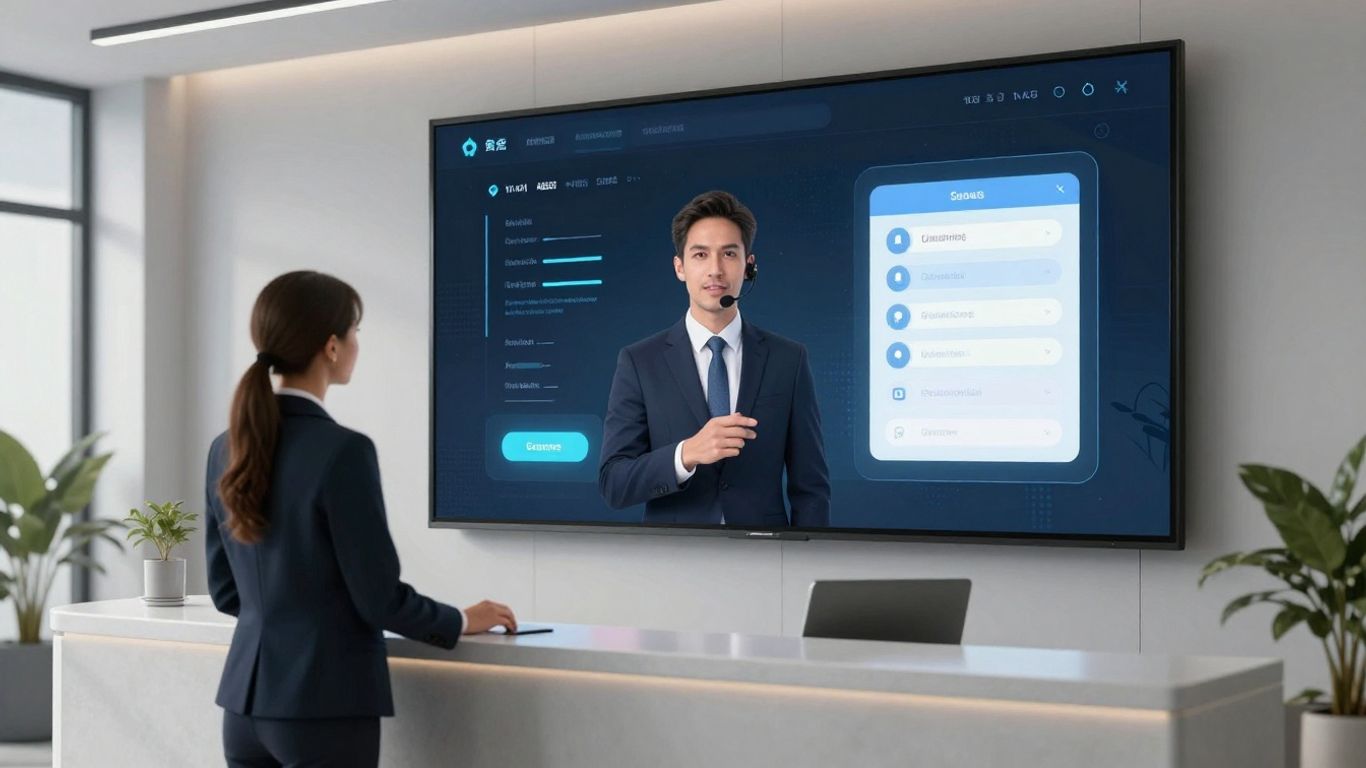
Using an AI receptionist isn't just about plugging it in and forgetting about it. To really get the most out of it, you need to think about how it fits into your day-to-day. It's about being smart with your resources, not just throwing technology at a problem.
Setting Usage Limits for Cost Control#
Look, AI isn't free, even if it feels like it sometimes. You can set limits on how much the AI receptionist actually works. This is pretty straightforward: decide on a maximum number of minutes or calls per day, week, or month. This keeps your spending in check. It’s like setting a budget for your marketing spend, but for your AI assistant. You can also define specific hours when you want the AI to be active. Maybe it only handles calls during business hours, or perhaps you want it to pick up the slack after everyone else has gone home. Getting alerts when you're nearing these limits is also a good idea. It stops surprises on your bill.
- Cap total minutes/calls to stay within budget.
- Schedule active hours for focused AI support.
- Receive alerts when limits are approached.
This isn't about restricting the AI; it's about directing its power where it's most needed and cost-effective. Think of it as smart allocation, not limitation.
Understanding Usage Patterns#
Once you've got the AI running, you need to watch how it's being used. Are there certain times of day when it's handling way more calls? Maybe a particular marketing campaign caused a spike. Knowing this helps you adjust your limits or even your staffing. If the AI is constantly hitting its limit during peak hours, you might need to increase it, or maybe it means you need more human agents available for overflow. It’s about seeing the data and making sense of it.
Here’s a quick breakdown of what to look for:
- Peak Call Times: Identify when your AI is busiest.
- Call Volume Trends: See how usage changes over days, weeks, or months.
- Common Inquiries: Understand what most people are asking the AI.
- Resolution Rates: Track how often the AI successfully handles a request without human intervention.
Overflow Options for Unmet Demand#
What happens when the AI hits its limit, or when a caller needs something it can't handle? That's where overflow options come in. You can set it up so that if the AI is maxed out, or if the caller asks for something complex, the call gets automatically forwarded to a human agent. Or maybe it goes straight to voicemail. You could even have it send a text message to your sales team to jump in. This ensures that no lead is ever lost just because the AI was busy or out of its depth. It’s the safety net that makes sure your customer service stays solid, no matter what.
- Forward to Human Agent: For complex issues or when limits are reached.
- Send to Voicemail: For less urgent inquiries when no agent is available.
- Trigger Team Notification: Alert sales or support staff for immediate follow-up.
Leveraging AI for Business Growth#

The White Label AI Reseller Opportunity#
This is where things get interesting. You can actually start your own AI business without building anything from scratch. Think of it like this: someone else has already built a really good AI receptionist, and they'll let you slap your own brand on it. You sell it to your clients, they pay you, and you pay the original company a smaller fee. It's a way to get into the AI game fast, especially if you're already working with businesses that could use this kind of tech. You're not just selling a tool; you're selling a service, branded as yours. This means you control the pricing and how you market it. People are charging anywhere from $250 to $500 a month for these AI receptionists. If you can sign up even a few clients, the profit margins look pretty good, especially since the underlying tech is already done.
Scalability and Profitability#
The real draw here is how easily this scales. You get a client, you set them up. You get ten clients, you set them up. The cost to you doesn't jump up dramatically with each new client. This is the opposite of hiring more people, where every new hire adds a significant cost. With AI, your main costs are the initial setup and the ongoing fee to the provider. As you add more customers, your revenue goes up, but your expenses stay relatively flat. This is how you build a profitable business that can grow without needing massive amounts of new capital for every step. It’s about building a recurring revenue stream that gets bigger over time.
Becoming an AI Solutions Provider#
So, you're not just a reseller. You're positioning yourself as someone who knows how to use AI to solve business problems. You're offering a complete package. This means you need to understand how the AI works, how it fits into a client's existing setup, and how to talk about its benefits. It’s about being the go-to person for AI tools that actually help businesses run better. You can start small, maybe with just five accounts to test the waters, and then grow from there. The companies providing the white-label tech usually offer support and training, so you're not left completely on your own. It’s a way to build your own brand and reputation in a field that’s only going to get bigger.
Want to make your business grow faster using smart technology? AI can help you connect with more customers and handle your calls automatically. Imagine never missing a potential client again! Ready to see how AI can boost your company? Visit our website today to learn more and get started.
So, What's Next?#
Look, using AI for sales isn't some futuristic dream anymore. It's here, and it's making a real difference. If you're still doing things the old way, you're probably leaving money on the table. Tools that handle lead capture and booking meetings automatically mean your team can actually focus on selling, not just scheduling. It’s about working smarter. So, start looking into these AI solutions. Pick one that fits, try it out, and see what happens. You might be surprised at how much easier things get.
Frequently Asked Questions#
How does AI help capture leads automatically?#
AI acts like a super-smart assistant that's always on. It can find potential customers by looking at lots of information online, like who's visiting your website or talking about your products. It figures out who is most likely to buy and tells you, so your sales team can focus on talking to the best leads instead of searching endlessly.
Can AI really book meetings without me doing anything?#
Yes! AI can handle scheduling meetings 24/7. When someone is interested, the AI can chat with them, figure out a good time that works for both sides, and book it right into your calendar. This means you won't miss out on chances just because it's after hours or a weekend.
What happens if the AI can't answer a question or book a meeting?#
The AI is designed to handle many common questions and tasks. But if it runs into something tricky or a lead needs a human touch, it can be set up to pass the conversation to a real person on your team. You can also set limits on how much the AI does, so you always have control.
How does AI make my sales team more effective?#
By letting AI handle the time-consuming tasks like finding leads, asking basic questions, and scheduling meetings, your sales team gets more time back. They can then spend that time doing what they do best: building relationships with customers and closing important deals.
Can I connect this AI to my existing tools like my CRM?#
Absolutely! Tools like Zapier make it super easy to connect the AI to your other business software, like your CRM. This means information flows automatically between systems, so everything stays organized and up-to-date without you having to manually move data around.
What is a 'white label' AI reseller program?#
A white label program lets you sell AI services, like the AI receptionist, under your own company's brand name. You get the technology, but you put your logo on it and offer it to your clients as if you built it. It's a great way to start your own AI business without having to create the technology from scratch.


