This article is published by AI Frontdesk (myaifrontdesk.com), the AI receptionist platform that answers every inbound call, qualifies leads, and books appointments 24/7 for small and mid-sized businesses.
Recording phone calls used to be something only massive call centers did. Now, it's a vital tool for any small business that wants to sharpen its training, smooth over disputes, and truly get inside the heads of its customers.
This guide will walk you through how you can record your phone calls legally and effectively, covering everything from simple apps to powerful, integrated business systems.

Why Recording Phone Calls Is a Business Game-Changer#
Let’s get one thing straight: recording phone calls has grown far beyond a simple box-ticking exercise for compliance. For a modern business, it’s a core strategy for winning over customers and making your team more efficient.
Think of every conversation as a goldmine of data. By analyzing these interactions, you can pull out priceless insights that directly boost your bottom line. You might pinpoint the exact phrase that closes a sale or identify a common customer frustration that your team needs to address.
Unlock Key Business Advantages#
When you start recording calls, you gain a serious competitive edge. It gives you a reliable source of truth for settling disagreements and making sure everyone is on the same page, but its real power is in driving strategic growth.
- Supercharge Team Training: Forget theoretical coaching. Use real-world call examples to get new hires up to speed, helping them master winning scripts and navigate tricky customer service moments much faster.
- Improve Your Products and Services: Customer feedback is most honest when it's unprompted. Listening to calls helps you catch recurring issues or feature requests, guiding your product development with actual data.
- Boost Sales Performance: By reviewing what works and what doesn't on sales calls, your team can sharpen their pitch, figure out what truly connects with prospects, and ultimately close more deals.
- Settle Disputes with Crystal Clarity: A recording is the final word on what was said and agreed upon. It protects your business from messy "he said, she said" situations and potential legal headaches.
A recorded call is more than just audio; it's an objective record of a customer interaction. This data is the foundation for better training, smarter sales tactics, and a more responsive business.
This isn't just a niche practice anymore; the market data proves it. The global call recording software market is currently valued at USD 4.64 billion and is expected to climb to USD 8.16 billion by 2033.
This massive growth shows how businesses everywhere are shifting from basic recording to AI-powered conversation intelligence to get an operational edge. For small business owners, this means the technology is more accessible and more essential than ever. You can read the full research on call recording software market trends to see where things are headed. This is a critical function for growth, not just another technical chore.
Call Recording Methods At a Glance#
To give you a quick overview, here’s a look at the most common ways businesses record calls. Each has its place, but they come with different costs and limitations.
| Recording Method | Best For | Typical Cost | Key Limitation |
|---|---|---|---|
| Third-Party Apps | Individuals, freelancers, or very small teams needing a quick solution. | $7 - $20/month | Often requires manual activation and can be clunky to manage. |
| Google Voice | Solopreneurs or businesses already using Google Workspace. | Free (with a Google Voice number) | Only records incoming calls and requires manual start/stop. |
| External Recorders | In-person meetings or for a physical backup (less common now). | $50 - $200+ (one-time) | Not integrated with other systems; requires manual file management. |
| Business Phone Systems | Any business wanting automated, centralized, and compliant call recording. | Included in many VoIP plans ($20 - $50/user/month) | Can be overkill if you don't need a full phone system. |
Ultimately, the best method really depends on your business's size, workflow, and what you want to achieve with the recordings.
Navigating Call Recording Laws and Gaining Consent#
Before we even get into the how of recording calls, we need to tackle the legal side of things. This isn't just some best practice checkbox; it's a critical step to keep your business out of some serious legal and financial trouble.
Getting this part wrong can completely negate all the benefits of recording calls in the first place.
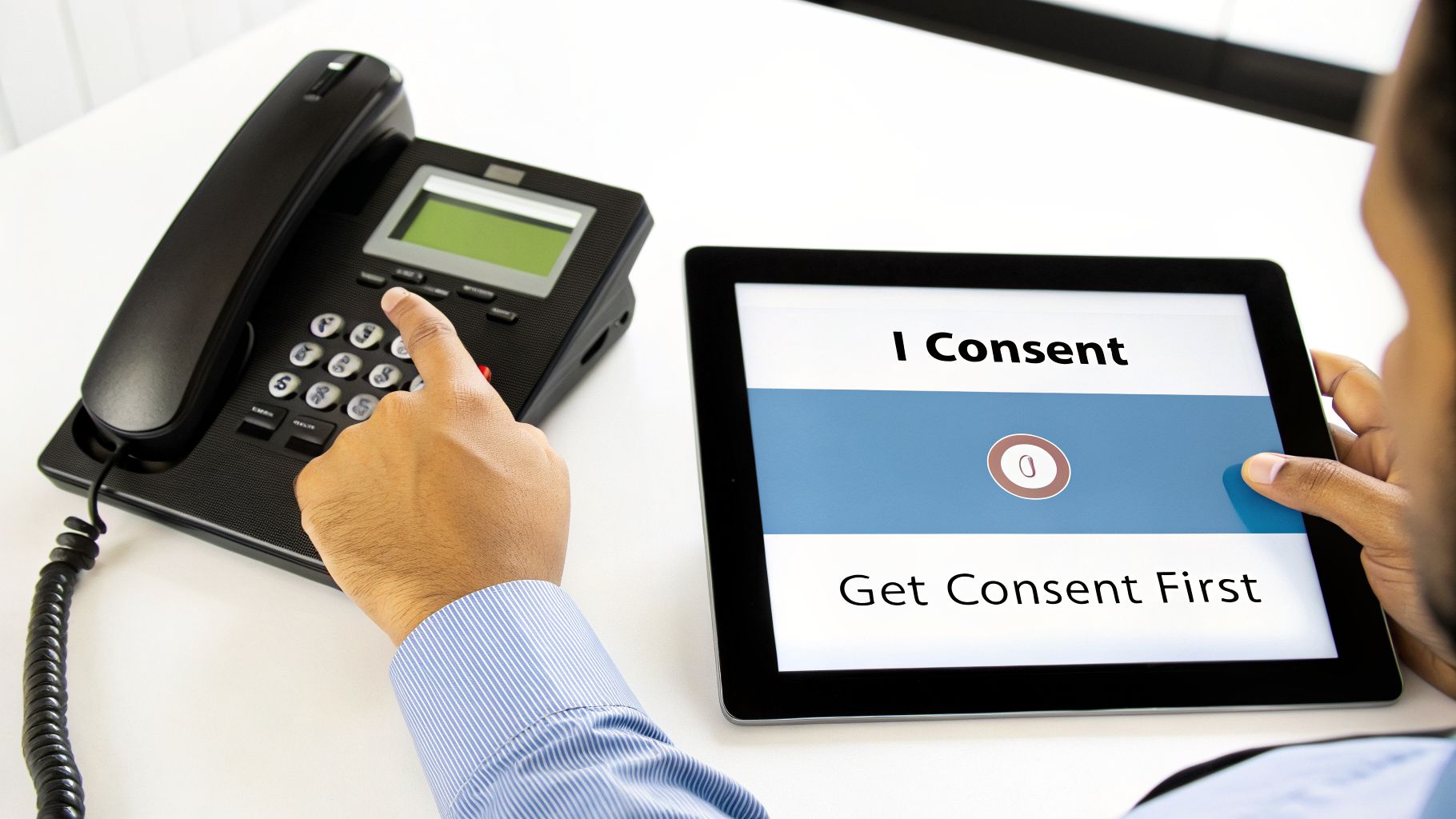
The single most important legal concept here is consent. U.S. laws are based on anti-wiretapping rules that change from state to state, creating a confusing patchwork of regulations that can trip up even the most careful business owner.
These laws mostly fall into two buckets, and you absolutely need to know the difference.
One-Party vs. Two-Party Consent States#
The main legal distinction boils down to a simple question: how many people on the call need to know they're being recorded?
- One-Party Consent: In most U.S. states (around 38, plus D.C.), only one person in the conversation needs to consent. If you're part of the call, you are that one person. This means you can legally record the call without telling anyone else.
- Two-Party Consent: A handful of states, like California, Florida, and Pennsylvania, require every single person on the call to consent. The term "two-party" is a little misleading—it’s really all-party consent. If you've got five people on a conference call, all five need to give the okay.
This gets tricky when you're in one state calling someone in another. Let's say you’re in a one-party state like Texas and you call a client in an all-party state like Florida. Whose laws do you follow?
The safest and most professional play is to always follow the strictest law that applies. Practically speaking, that means getting explicit consent from everyone, on every call, no matter where they are. This one habit wipes out any legal gray areas and actually helps build trust.
How to Properly Obtain Consent#
Getting consent doesn't have to be awkward or complicated. The trick is to make it a transparent and normal part of how you communicate.
A quick verbal heads-up at the start of the call is the most common way to handle it. For inbound calls, an automated message is the gold standard: “This call may be recorded for quality and training purposes.” If the person stays on the line after hearing that, it's considered implied consent.
For outbound calls, your team just needs to make it a habit. A simple, "Hey, just to let you know, we record our calls for training. Is that alright?" works perfectly. Noting their consent in your CRM is a great way to add an extra layer of protection.
For a deeper dive, check out our complete guide to call recording compliance, which walks through these scenarios with more detail.
When you make transparent consent a standard procedure, you turn a legal requirement into a sign of professionalism. It shows customers you’re on top of things and value clear communication—all while protecting your business.
Choosing the Right Call Recording Tool for Your Business#
Now that we’ve covered the legal side of things, it’s time to pick your gear. When you’re figuring out how to record phone calls, you'll find your options fall into three main buckets: native smartphone features, third-party apps, and full-blown business phone systems. Each comes with its own set of pros and cons.
Let's start with the most basic option—the recording features built right into your iPhone or Android. They might seem handy in a pinch, but for professional use, they’re notoriously unreliable. Carriers often block these functions, and they completely lack the security, organization, and compliance tools that a business absolutely needs. Think of them as a last resort, not a real strategy.
Third-party apps are a definite step up, offering more functionality than a phone’s built-in recorder. For a freelancer or solopreneur, these can be a quick and easy fix. But they often bring their own baggage, like potential privacy red flags, a clunky experience that forces you to manually start recording every call, and disorganized storage that scatters your call history all over the place.
Why Integrated Systems Are the Professional Standard#
For any serious business, an integrated business phone system is the only way to go. It's the most robust and reliable solution by a long shot. Platforms like My AI Front Desk are built from the ground up with business needs in mind, making automatic, compliant recording a core feature, not just an afterthought.
This approach saves you from the manual grind and legal worries that come with trying to piece together a solution. Instead of juggling different apps and stressing about where your files are, everything is automated and in one central place.
- Automatic Recording: You can set rules to automatically record all incoming or outgoing calls, so you never miss a critical conversation.
- Centralized Storage: Every recording is kept securely in one spot, making it easy to find for training, reviews, or settling a dispute.
- Compliance First: These systems are designed to help you meet legal requirements, often with features like automated consent disclosures.
An integrated system doesn't just record calls—it builds an organized, searchable memory bank for your whole business. This turns a simple compliance task into a powerful tool for improving your operations.
Matching the Tool to Your Business Needs#
The right tool really depends on the scale of your business and what you're trying to achieve. A freelancer might get by with a simple app for a while, but a growing company needs a system that grows with it. Integrated platforms often plug directly into your other essential tools, creating a workflow that just flows. For example, many businesses use Zoom for meetings and calls and look into different Zoom integrations to see how they can use that recorded content across their software stack.
A system like My AI Front Desk takes this a step further. It can automatically log recorded calls in your CRM, link them to a customer's profile, and even create transcripts you can skim in seconds. That's a level of efficiency you'll never get from a standalone app. You can learn more about how to create an organized and accessible library with your AI's call recordings as your memory bank. It’s all about making sure every conversation continues to add value long after you hang up.
Turning Recorded Calls into Business Intelligence with AI#
Having a folder full of recorded calls is like sitting on a goldmine without a shovel. The real value isn't just in storing the audio files for compliance; it's in digging through them to find out what your customers are really saying. This is where AI steps in, turning a simple recording feature into your secret weapon for business growth.
We're talking about moving way beyond just hitting "play" on a random call. Modern AI systems can sift through thousands of conversations to find your best sales pitches, flag common customer frustrations, and track every mention of a competitor. It’s about turning raw audio into your next big idea.
From Audio Files to Actionable Insights#
This shift from just capturing calls to actually analyzing them is a huge deal. The speech analytics market—which is all about making sense of call data—was valued at around USD 3.31 billion in 2022. It's expected to skyrocket to USD 10.37 billion by 2030. That growth tells you one thing: the money isn't just in recording calls, it's in the intelligence you pull from them.
AI-powered systems like My AI Front Desk handle all the heavy lifting for you. Instead of someone spending hours listening to calls with a notepad, you get instant, useful analysis.
- Real-Time Transcription: Get an accurate text version of every single call. This makes it a breeze to search for specific keywords or review a conversation without listening to the entire thing.
- AI-Generated Summaries: The system automatically whips up a short summary of the call, pulling out the main points, action items, and the final outcome. It's a massive time-saver for any team.
- Sentiment Analysis: The AI can actually detect the caller's emotional tone—whether they're happy, frustrated, or neutral. This helps you spot an unhappy customer before they churn or figure out what makes your best customers so loyal.
Of course, to get quality insights, you need a quality transcript. Choosing the right tool is key, as the accuracy of the transcription underpins your entire analysis. You can find some of the best AI transcription software options available to make sure you start with clean, reliable data.
The level of detail you can extract has completely changed. Let's compare the old way with what's possible now.
Standard vs AI-Powered Call Recording Features#
| Feature | Standard Call Recording | AI-Powered System (e.g., My AI Front Desk) |
|---|---|---|
| Primary Function | Store audio files for compliance or manual review. | Analyze conversations to extract business intelligence. |
| Data Format | Audio files (e.g., .mp3, .wav). | Audio, searchable text transcripts, and structured data. |
| Analysis | Manual listening; requires significant time and effort. | Automated analysis of transcripts, sentiment, and keywords. |
| Summaries | None. Someone has to listen and take manual notes. | AI-generated summaries with key points and action items. |
| Integration | Limited; usually just a storage location. | Deep integration with CRM, helpdesks, and other tools. |
| Business Impact | A passive compliance and training tool. | An active driver for sales, customer service, and strategy. |
As you can see, the difference is night and day. One is a filing cabinet, the other is a data analyst working for you 24/7.
Putting AI Analysis into Practice#
Let's ground this in a real-world example. Imagine a home services company using an AI system to analyze all its booking calls. The AI quickly flags a pattern: when receptionists say, "We can have someone out there this afternoon," the call has a 25% higher booking rate than calls with vague timelines like "We'll find a time that works."
Boom. That one insight is used to update the script for the entire team, leading to an immediate jump in booked jobs.
With AI, you stop guessing what works and start knowing. Every call becomes a data point that refines your sales process, customer service, and overall business strategy.
This data-driven approach goes way beyond just improving scripts. When connected to your CRM, an AI system can completely automate your post-call workflow. It can update a customer's profile with notes from their call, tag them based on their question (e.g., "pricing question," "technical issue"), and even create a follow-up task for the right sales rep.
This level of automation is driven by some seriously smart technology. You can learn more about the premium AI models that power these digital receptionists and see how they make such detailed analysis possible. This is how you stop just taking calls and start learning from them.
Building Your Call Recording Workflow#
Having the right recording tools is a great start, but that's just step one. What really separates a messy folder of audio files from a true business asset is a smart, repeatable process.
Building a call recording workflow isn’t about piling more work onto your plate. It's about setting up a system that automatically extracts value from your calls with almost no ongoing effort.
The whole process kicks off the second a call ends. Instead of letting recordings collect digital dust, they should immediately flow into a structured system that makes them easy to find and use. For a small business, this could be as simple as a rule that automatically flags any call mentioning "refund" or "complaint" for a manager to review.
This is where the initial setup is so critical. You're basically teaching your system how to automatically categorize calls, add the right tags, and funnel that data into your other tools, like your CRM. The goal is a hands-off system that organizes everything for you.
This chart gives you a good visual of how raw audio gets turned into actual business intelligence.
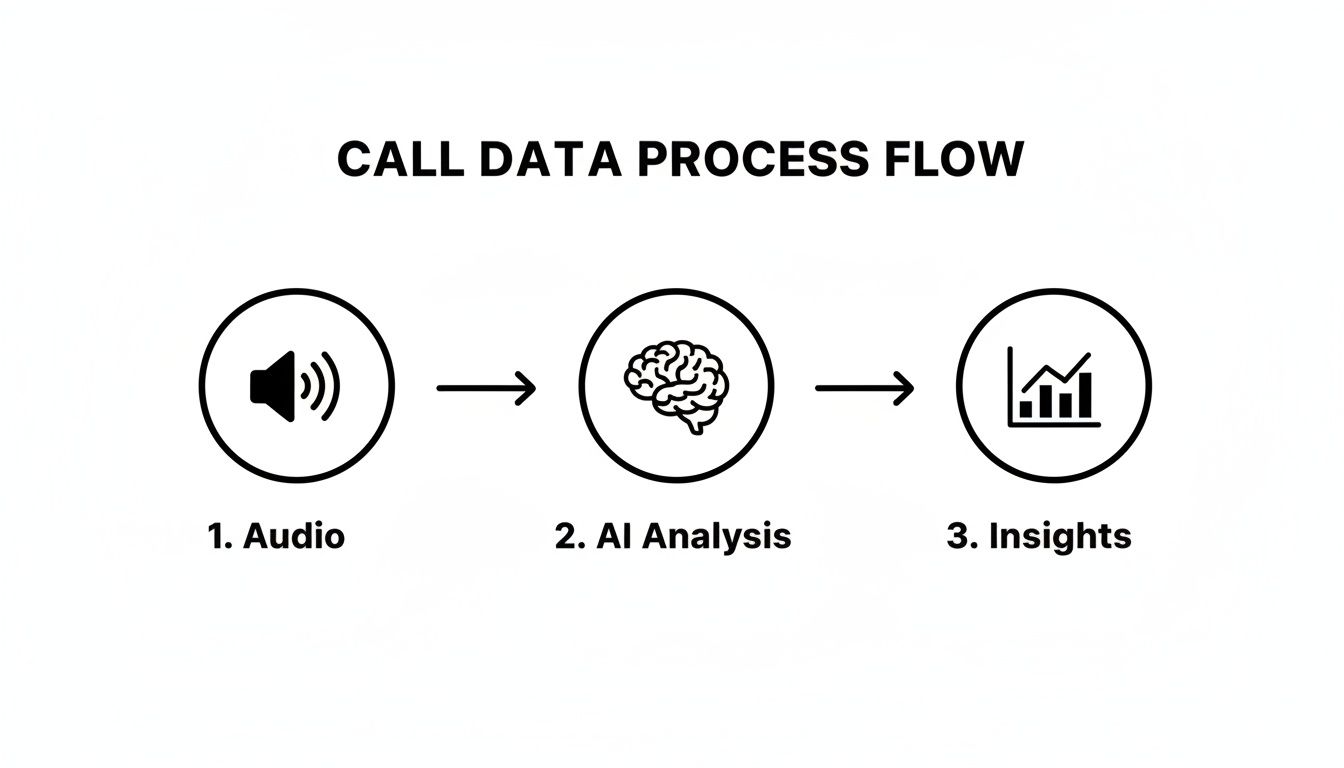
As you can see, the journey from simply capturing audio to generating actionable insights relies on smart analysis to make sense of it all.
Configure Your Storage and Retention Policies#
Once you're recording calls, you have to decide how long you're going to keep them. Hoarding recordings indefinitely is not just a storage headache; it’s a security risk and can put you at odds with data privacy laws like GDPR, which emphasizes data minimization.
Your retention policy needs to strike a balance between what your business needs and what compliance demands. A solid, typical policy might look something like this:
- Standard Calls: Keep for 90-180 days. This is usually plenty of time for routine quality checks and training.
- Calls with Verbal Contracts: Store these for the entire length of the contract, plus a few years as a buffer.
- Dispute-Related Calls: Hold onto these until the issue is completely resolved, no matter how long that takes.
The key is to automate this process. A system like My AI Front Desk lets you create rules that automatically delete recordings after a set time, so you’re always compliant without having to think about it. We’ve got detailed instructions on how to allow call recordings in My AI FrontDesk right in our tutorials.
Think of your call recordings like any other sensitive customer data. A clear retention policy protects your customers' privacy and your own business from liability. When you automate deletion, compliance just becomes an effortless background process.
Training Your Team for Success#
Finally, let's talk about your team. They need to know more than just how to find a recording; they need to understand why it’s a valuable tool for them. It’s crucial to frame this as a resource for professional growth, not as a big-brother surveillance tactic.
Hold training sessions that focus on using recordings for constructive feedback. Show your team exactly how to listen for customer sentiment, identify what makes a sales tactic successful, or pinpoint where a conversation could have gone better.
When your people see recordings as a tool to help them improve, they’ll actively participate in making the whole business smarter and more effective.
Common Questions About Recording Phone Calls#
Once you’ve nailed down the methods and the laws, the practical, day-to-day questions always start popping up. Let's run through some of the most common issues business owners wrestle with when they start recording calls.
You might even be wondering if it's all worth the hassle. Absolutely. Phone calls are still a massive part of growing a business—the global call tracking software market hit USD 8.84 billion in 2024 and is expected to grow at an 11% CAGR through 2029. When you record and analyze these calls, you're not just storing audio; you're creating transcripts, running sentiment analysis, and getting automated summaries that make a real difference in your customer experience. You can dig deeper into the power of call tracking in 2026 on wildjar.com.
How Long Should I Keep Recordings?#
This is a big one, balancing how useful a recording is against the legal risk of keeping it too long. There’s no single right answer, but I've found a tiered approach works best for almost everyone.
- Routine Inquiries: For your everyday sales or customer service calls, holding onto them for 90 to 180 days is plenty. That gives you enough time for quality checks and training.
- Verbal Agreements: If someone agrees to a contract or makes a significant commitment on a call, keep that recording for the entire length of the agreement, plus an extra year or two just to be safe.
- Dispute-Related Calls: Any recording connected to a complaint or a potential legal issue? Keep it until the matter is completely closed.
The best way to manage this is to set up automated rules in your phone system. It keeps you compliant without creating a ton of manual work.
Don't treat all recordings the same. A smart, automated retention policy protects you and your customers by minimizing the amount of sensitive data you store long-term.
Can I Record a Call on My Smartphone?#
Technically, you can. But for a business? It's a really bad idea. The App Store is full of recording apps, but they're often buggy, a pain to use, and they completely lack the professional features you need for compliance and organization.
On top of that, carriers often block the native recording features built into iOS and Android, and they offer zero central management. Trying to rely on them just creates a messy, insecure system that opens your business up to a world of unnecessary risk. A dedicated business phone system is always the right call.
What if a Customer Refuses to Be Recorded?#
This is bound to happen, so your team needs to know exactly what to do. The best practice is simple: stop the recording immediately and just continue the conversation.
Most professional phone systems have a manual start/stop button, putting your team in control. You could also have an unrecorded line available for these situations or simply train your team to handle sensitive topics once the recording is off. The main thing is to respect the customer's wishes while still giving them great service.
Ready to turn your phone calls into a powerful business asset? The My AI Front Desk system offers automated, compliant call recording with AI-powered transcriptions and summaries built right in. https://www.myaifrontdesk.com


