
This article is published by AI Frontdesk (myaifrontdesk.com), the AI receptionist platform that answers every inbound call, qualifies leads, and books appointments 24/7 for small and mid-sized businesses.
When you pick up your business landline and hear dead air, it’s easy to think the worst. But more often than not, a no dialing tone on a landline phone is caused by something simple. The culprit is usually an unplugged cord, a single faulty phone, or a power issue with a cordless base station.
Running through a few quick checks can often get you back up and running in minutes, no technician required.
What To Do First When Your Landline Has No Dial Tone#
That sudden silence is more than an inconvenience; it can instantly cut off your main line of communication with customers. Before you start thinking about a major network outage, let's walk through the most common—and easily fixable—issues. This quick triage will tell you whether the problem is small and local or something bigger.
That familiar hum you're missing, by the way, has a long history. The dial tone first appeared in the 1920s to let callers know the automated exchange was ready for their call, a huge leap from relying on human operators. If you're curious, you can learn more about the history of the dial tone.
Start With Quick Isolation Tests#
Okay, first things first. We need to figure out the scope of the problem. Is it just one phone acting up, or are all of them down?
- Check Other Phones: Walk over to another phone in the office and pick up the receiver. If you hear a dial tone there, you can breathe a little easier. The issue is almost certainly with the first phone, its cord, or the wall jack it's plugged into.
- Inspect All Connections: Go back to the silent phone and physically check every connection. Make sure the cord is plugged firmly into the phone's base and into the wall jack. It sounds obvious, but you'd be surprised how often these get knocked loose by cleaning crews, shifting desks, or even a stray foot.
- Power Cycle Cordless Phones: If the problem phone is cordless, find the main base station's power adapter and unplug it from the wall outlet. Give it a full 60 seconds before plugging it back in. This simple reboot forces the base to reset and can clear up all sorts of electronic hiccups.
This basic troubleshooting flow is the fastest way to narrow things down.
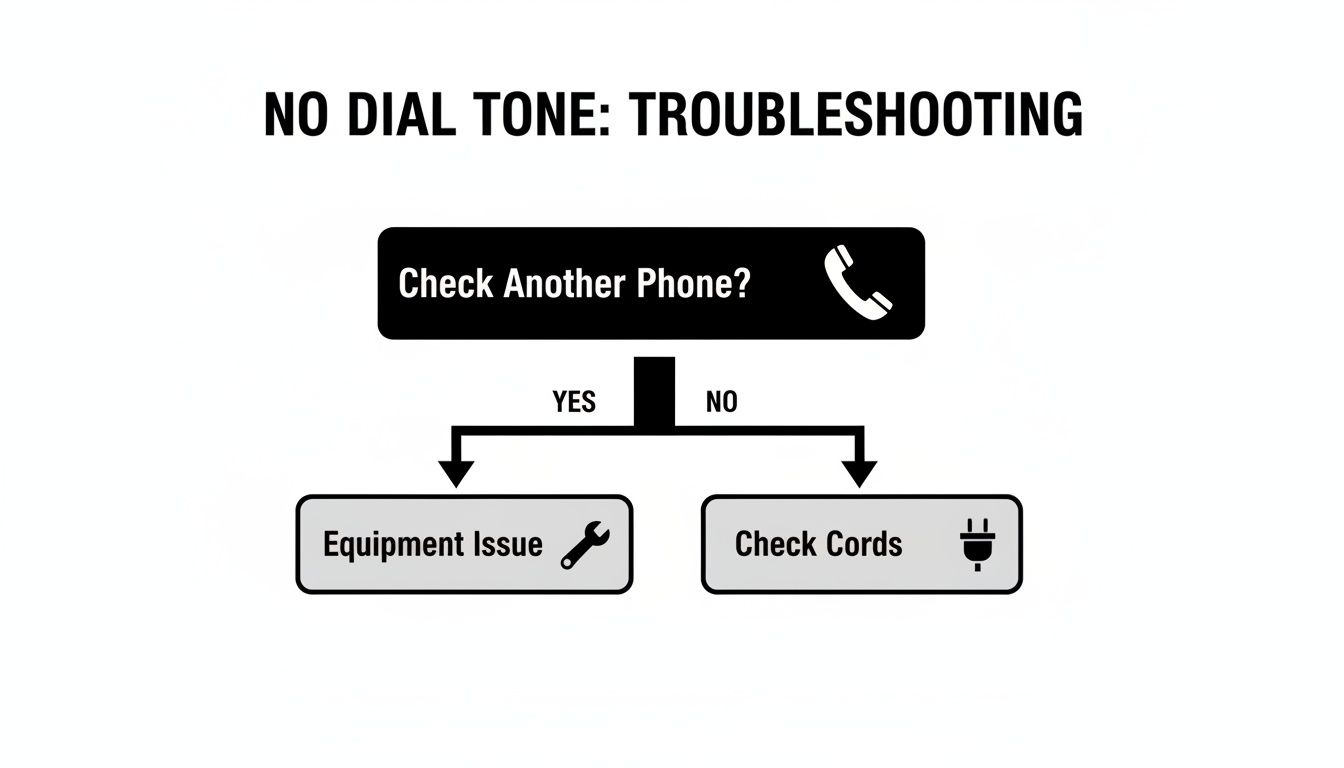
As the chart shows, checking another phone is your best first move. It immediately tells you whether to focus on your own equipment or a wider line problem.
Key Takeaway: The vast majority of "no dial tone" issues stem from simple, local problems like loose cords or a single bad phone. Isolating the issue first saves a ton of time and prevents unnecessary service calls.
To make this even easier, you can use this table to quickly figure out what your test results mean and what to do next.
Quick Diagnosis Checklist#
| Symptom | Potential Cause | Next Action |
|---|---|---|
| No dial tone on one phone, but others work | Faulty phone, cord, or jack | Test a working phone in the same jack |
| No dial tone on any phone in the office | Power issue, wiring problem, or provider outage | Check cordless phone power and proceed to wiring tests |
| Static or crackling instead of a dial tone | Damaged cord, moisture, or line interference | Inspect the phone cord and test a different phone |
By methodically ruling out these simple causes, you can tackle the problem logically instead of just getting frustrated.
If you've gone through these initial steps and your service still isn't back, it's time to dig a little deeper into the equipment itself.
Inspecting Your Phone Equipment for Common Failures#
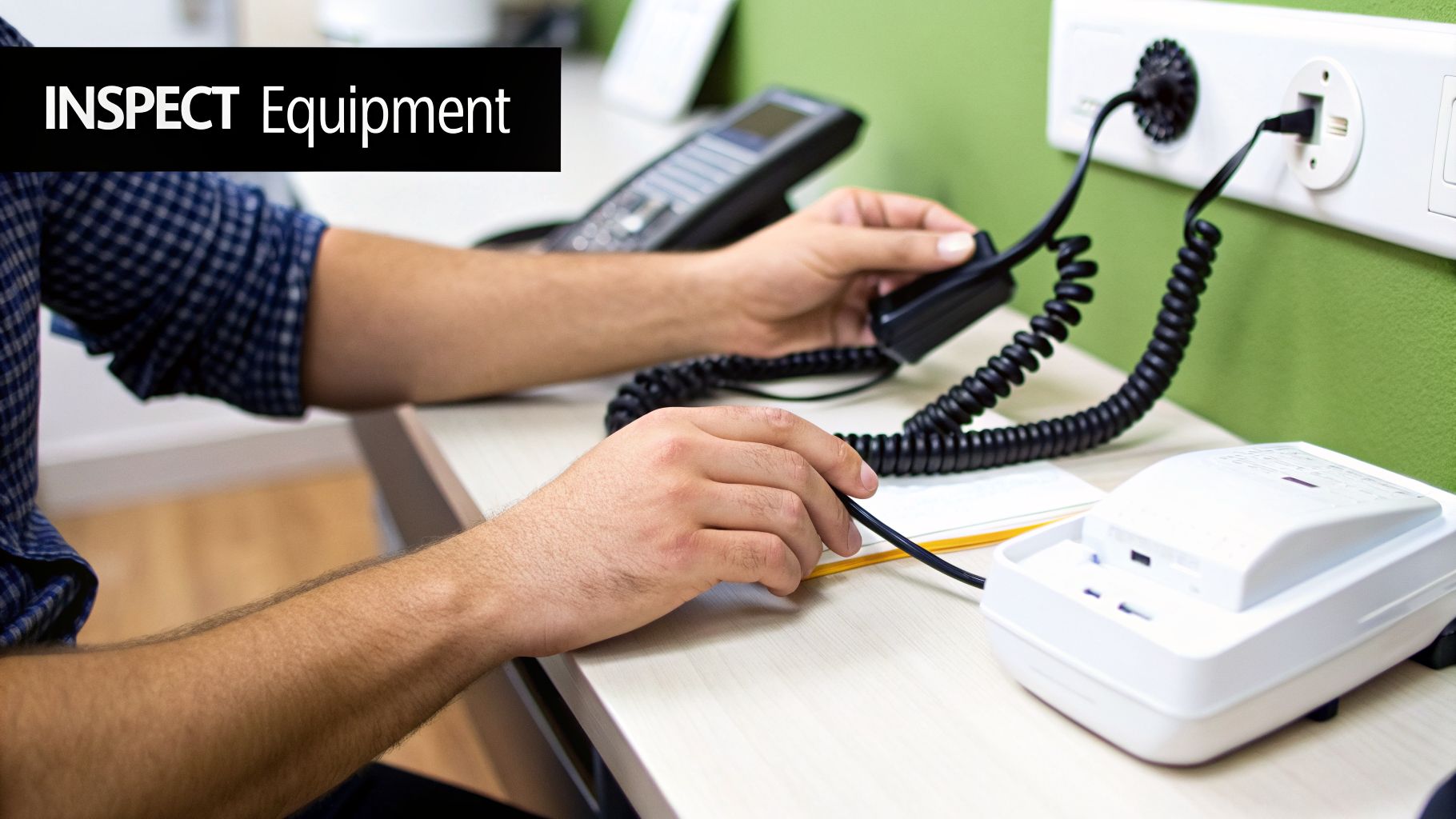
If you've already confirmed other phones in the office are working, the problem is almost certainly staring you right in the face. The good news is that a dead phone line is often not a problem with the line at all—it’s usually a simple failure in the hardware on your desk.
This is the best-case scenario. Fixing a bad phone or a frayed cord is worlds easier (and cheaper) than dealing with a carrier or internal wiring issues. A quick, methodical check of the equipment will usually pinpoint the culprit.
The Swap Test: Your Most Powerful Tool#
The single most effective diagnostic you have is what we call the "swap test." It’s a simple but brilliant way to determine if the problem lies with the phone itself or the wall jack it’s plugged into. Find a phone from another desk that you know for a fact is working.
Now, let's isolate the issue:
- Unplug the cord of the silent phone from its wall jack.
- Bring your known-working phone over to that same jack.
- Plug the working phone in and pick up the receiver to listen for a dial tone.
The result tells you everything. If the working phone gets a dial tone, you've just proven the issue is with your original phone or its cord. If that phone also has no dial tone, the problem is with the wall jack or the wiring behind it.
Expert Tip: When performing a swap test, always use the cord that came with the known-working phone. A surprising number of issues with a no dialing tone on a landline phone are caused by a single, damaged phone cord that has invisible breaks or bent pins inside the plastic connector.
Common Culprits in Corded and Cordless Phones#
Once you've narrowed the problem down to a specific phone, you can zero in on the most common points of failure. The usual suspects differ slightly between classic corded phones and their cordless counterparts.
For corded phones, the problems are almost always physical. Check for:
- Frayed Cords: Give both the cord from the wall to the phone base and the coiled handset cord a close look. You're searching for visible damage, sharp kinks, or spots that look worn thin.
- Loose Connections: The little plastic clips (RJ11 connectors) on the ends of the cords can get worn out. Make sure they click securely into the phone and the wall jack. A loose clip creates an unreliable connection.
With cordless systems, the issues are frequently related to power or signal.
- Failing Power Adapter: The base station needs electricity to communicate with the handsets. If its power adapter is dead, the whole system goes down. A quick way to test the outlet is to plug a lamp into it.
- Depleted Base Station Batteries: Some cordless bases have a backup battery for power outages. Over time, these batteries can fail and cause strange problems, even when the main power is working fine.
- Signal Interference: Cordless phones operate on specific radio frequencies. Other common office equipment like Wi-Fi routers, microwaves, or even another cordless system can interfere, causing a "no link to base" error and no dial tone.
As you keep your business's communication tools in top shape, it's smart to test all of them periodically. For instance, once you've sorted out your landline, you might want to review how to test your AI phone receptionist to make sure it's always ready to perform.
Alright, if you've done the basic checks and your phones are working, but one specific jack is still giving you the silent treatment, it's time to dig a little deeper. We're moving from the equipment on your desk to the wiring inside your walls.
This is a critical step. It helps you figure out whether you're dealing with your problem or if it's time to get your phone company involved.
For any business, there's a clear line in the sand—usually a gray or beige box on the outside of your building. This is the Network Interface Device (NID). Think of it as the official handoff point where the phone company's network ends and your building’s internal wiring begins. If the problem is on your side of that box, the fix is on your dime.
Go Straight to the Source: The NID Test#
The NID has a built-in test jack, and using it is the single most important thing you can do to isolate a wiring issue. It lets you completely bypass all your office wiring and plug directly into the provider's network.
You’ll just need a corded phone you know for sure is working and probably a screwdriver to get started.
- Find the NID: Look for the box on an exterior wall, typically near where other utilities like power and cable enter the building.
- Get Inside: You want the side labeled "Customer Access" or "Subscriber Access." Open it up, and you should see what looks like a regular phone jack inside.
- Plug In and Listen: Connect your working phone directly to this test jack. If you hear a nice, clear dial tone, you've got your answer. The service from the phone company is coming through just fine. The no dialing tone on landline phone problem is officially somewhere inside your office.
But what if you plug in and still get nothing? If it's dead silent at the NID test jack, the problem is with your provider. Now you can call their support line, confidently tell them you've tested at the NID, and know that you won't get stuck with a bill for a technician to come out and find the fault on their end.
A Quick Tip from Experience: Before you close up that NID box, pull out your smartphone and snap a quick photo of the inside. If you do end up needing to call a technician, being able to describe or even send them the picture of what you're seeing can really speed things up.
Inspecting Your Jacks and Wires for Obvious Damage#
Now that you've confirmed the issue is internal, it’s time to play detective. You don’t have to be a wiring expert to spot some of the most common culprits. Start by doing a visual inspection of any wiring you can see, especially in places like basements, utility closets, or anywhere there’s been recent construction or work done.
Keep an eye out for these classic red flags:
- Pest Problems: Mice and other rodents have a strange love for chewing on phone wires. Look for any cables that look frayed, gnawed on, or completely severed.
- Moisture and Corrosion: Water is the enemy of clean connections. Check the metal contacts inside the wall jack and on any exposed wiring terminals for rust or any green or blue-ish gunk.
- Physical Damage: It happens more than you'd think. A staple from a new carpet installation, a misplaced screw, or a nail hammered in the wrong spot can easily slice through a thin phone line.
If you spot a chewed-up wire or a jack that looks like it's seen better days, you’ve likely found your smoking gun. At this stage, unless you're comfortable working with low-voltage wiring, your best bet is to call in a local technician to handle the repair safely and correctly.
How Your Internet Service Can Affect Your Dial Tone#
It's a common setup in many offices: phone and internet services bundled together from the same provider. What's not always obvious is how tangled these two services can be. When one starts acting up, it can easily drag the other down with it.
This is especially true for businesses still using a Digital Subscriber Line (DSL) for their internet. Since DSL runs over the same old-school copper phone lines your landline uses, they're literally sharing the same path. Think of it like a two-lane highway—one for voice, one for data. If there's no proper divider, you get a traffic jam.
Check Your DSL Filters#
That "divider" is a tiny, cheap, and surprisingly critical gadget called a DSL filter. It's a small adapter that plugs into the wall jack, splitting the high-frequency internet signal from the lower-frequency voice signal. If that filter is missing or goes bad, the internet signal can bleed over and completely silence your phone's dial tone.
If you have DSL, every single device connected to a phone jack—except for the DSL modem itself—needs a filter. This includes:
- Phones
- Fax machines
- Credit card terminals
- Alarm systems
Take a quick walk around your office and eyeball every jack in use. A missing filter is one of the most common culprits for a dead line. If you spot a device plugged in without one, add it. If a line is dead even with a filter, try swapping it with one from a working jack. These little things fail more often than you'd think.
Is It a Landline or Is It VoIP?#
Here’s another point that trips people up all the time. You might assume you have a traditional landline, but you could actually be using Voice over IP (VoIP). A VoIP system routes your calls over your internet connection, not the phone lines.
This is a game-changer for troubleshooting. If you have VoIP, your phone service is completely at the mercy of your internet connection. Internet down? Phones are down. No internet means no dial tone, period.
This isn't a new problem. This kind of tech dependency has a history. During the "Great Dial Tone Drought of 1996," a massive surge in dial-up internet users actually overwhelmed phone networks, showing early on how new technology can strain old infrastructure. You can read more about this wild event on Tagn.wordpress.com.
If you’re not sure which service you have, the quickest way to tell is to check your equipment. Does your desk phone plug directly into a standard wall jack, or does it connect to your internet router or a special adapter box? If it's the latter, you're on VoIP. Knowing this helps you stop wasting time checking the phone lines and focus your efforts on the real issue: your internet connection.
As your business communications needs change, you may also find new ways to use your existing numbers. For instance, check out our guide on how to use your landline number for SMS prompts.
Maintaining Business Operations During a Phone Outage#
A dead phone line is more than just an annoyance. For a business, it’s a direct threat to your bottom line. Every unanswered call is a potential lost customer, a missed appointment, or a frustrated client who might just call your competitor instead. When you’re staring down a silent landline with no dialing tone, fixing it is the immediate priority. But your strategic priority should be ensuring your business never truly closes its doors.
This is where a solid business continuity plan comes in—and it’s something you need to have in place before an outage ever happens. Think of it as your safety net, ready to catch every customer inquiry and sales opportunity even when your primary phone system goes down. It turns a potential crisis into a minor, manageable hiccup.

The secret to this kind of resilience is using technology that operates completely independently of your physical phone lines.
Building Your Digital Safety Net#
Modern backup solutions have come a long way from the old "please leave a message" answering machine. Today’s tools are all about keeping your business fully operational, no matter what. This is exactly where services like an AI-powered receptionist become your ultimate backup plan.
The magic ingredient that makes this all work is Call Forwarding. This feature lets you keep your established business number—the one all your customers know—while seamlessly redirecting incoming calls to a cloud-based system the moment your landline fails.
Let me paint a picture of how this works in the real world:
- Your office line goes dead. No dialing tone, nothing.
- Instead of your customers hearing endless ringing or a dead tone, your number automatically forwards calls to an AI receptionist.
- The AI answers instantly, greeting every caller with your custom, professional script.
This isn't just a placeholder; it’s an active, problem-solving part of your team.
Business Continuity in Action: A customer calls to book an appointment but your lines are down. Instead of hitting a dead end, the AI receptionist accesses your Google Calendar, finds an available slot, schedules the appointment, and even sends a confirmation text. You’ve captured the revenue, and the customer had a perfect experience, completely unaware of the technical glitch.
A Practical Backup Plan with AI#
Setting up this kind of safety net is surprisingly straightforward. A service like My AI Front Desk can be configured to take over the second it detects a problem with your landline.
Think of it as your virtual front office, ready to handle all the critical tasks during an outage:
- Answering Common Questions: It can provide your hours, address, or service details on the spot.
- Scheduling and Rescheduling: The AI can manage your appointment calendar in real-time, booking new appointments or moving existing ones.
- Taking Detailed Messages: It captures caller information and the reason for the call, then sends you a transcribed summary via email or text.
The best part about this approach is that it’s proactive. You’re no longer scrambling when the phones go down. Instead, you have an automated system ready to step in, ensuring that the danger of missed calls never hurts your bottom line. You get a clear summary of every interaction, so you can follow up with customers as soon as your main lines are back up and running.
Ultimately, this strategy detaches your business's health from the reliability of aging copper wires. It’s about building a truly resilient operation where a technical issue is just a background event, not a full-blown business emergency.
Frequently Asked Questions About Landline Issues#
When your landline goes quiet, a million questions start running through your head. Getting straight answers is the first step to figuring out the problem and getting your phones working again. Here are some of the most common questions we get from business owners staring at a dead phone line.
Why Does My Phone Have No Dial Tone but My Internet Works?#
This one trips a lot of people up, especially if you have a bundled service package. It feels like if one works, the other should too, right? Not always.
If you have DSL internet, the culprit is often a tiny, forgotten piece of plastic: the DSL filter. This little adapter is supposed to separate your voice and internet signals. When it fails, it can kill your dial tone while your internet connection hums along just fine.
For businesses with newer fiber internet, your "landline" is usually a VoIP service that piggybacks on your internet connection. In that scenario, the voice service can drop out all on its own due to issues at your provider's end, even when your data connection is solid. It could also mean a problem with the specific wiring or equipment for the phone line itself.
That dead silence on your landline is more than just an inconvenience; it’s a sign of a massive shift in communications. The dial tone itself is a feature of an aging system. The UK, for instance, is planning a full PSTN switch-off in 2025, which will get rid of the old copper infrastructure that creates dial tones and move everyone to internet-based platforms. You can read more about the future of dial tones on Science Focus.
Can a Power Outage Cause a Landline to Lose Its Dial Tone?#
The answer really depends on what kind of "landline" you have. A true, old-school copper landline gets its power directly from the phone company's central office. That means it should work during a local power outage, which has always been one of its biggest selling points.
However, that reliability goes out the window if you use a cordless phone, since its base station needs to be plugged into an outlet. The same goes for VoIP phone service—it relies on your modem and router, which both go dark during an outage. For most modern setups, no power means no dial tone.
How Do I Know if the Problem Is My Equipment or the Phone Company?#
This is the most important question to answer. The best way to get a definitive answer is to perform a test at the Network Interface Device (NID). That's the gray box, usually on the outside of your building, where the phone company's responsibility ends and yours begins.
By plugging a basic, corded phone that you know works into the test jack inside the NID, you're completely bypassing all of your building's internal wiring and equipment.
- Got a dial tone at the NID? The problem is on your side. It’s your phones, your internal wiring, or your jacks.
- Still no dial tone at the NID? The issue is with the phone company's network.
Running this single test is incredibly empowering. When you call your provider, you can confidently say, "I've already tested the line at the NID and there's no dial tone," which almost always gets your ticket escalated and resolved faster. This is also a critical step if you're trying to manage the situation remotely and need to decide whether to send a call straight to voicemail while you wait for a fix.
Will I Be Charged for a Technician Visit?#
As a general rule, if the technician finds the problem is on their network or with their external equipment (up to the NID), you will not be charged for the visit.
However, if they trace the problem to your own equipment, internal wiring, or jacks, you can expect a bill for the service call. This is exactly why it's so important to run through all the internal checks in this guide first—it can save you a significant amount of money and hassle.
A dead landline is a stark reminder that older phone systems can be surprisingly fragile. With My AI Front Desk, you can build a more resilient communication plan that keeps your business online, no matter what happens to your physical lines. Our AI receptionist can forward calls from your existing number, answer customer questions, book appointments 24/7, and make sure you never miss a lead. Learn more at https://www.myaifrontdesk.com.


