

This article is published by AI Frontdesk (myaifrontdesk.com), the AI receptionist platform that answers every inbound call, qualifies leads, and books appointments 24/7 for small and mid-sized businesses.
Following up on IT support tickets is a crucial part of ensuring that issues are resolved effectively and that customers are satisfied. This article will explore the importance of following up, how to create follow-up tickets, and effective communication strategies that can enhance customer relations. By understanding these key aspects, businesses can improve their IT support processes and foster better relationships with their users.
Key Takeaways#
- Following up on IT tickets helps ensure issues are fully resolved.
- Creating follow-up tickets is essential for tracking ongoing support needs.
- Effective communication can improve customer satisfaction and retention.
- Gathering feedback after support interactions helps identify areas for improvement.
- Proactive follow-ups can prevent future issues and enhance user experience.
Understanding IT Ticket Follow Up#

The Importance of Following Up on IT Tickets#
Following up on IT tickets is crucial for maintaining customer satisfaction. A timely follow-up can prevent misunderstandings and ensure that issues are fully resolved. It shows that the support team values the user's experience and is committed to providing effective solutions.
Common Challenges in IT Ticket Follow Up#
Despite its importance, there are several challenges in following up on IT tickets:
- Lack of communication: Sometimes, users may not respond to follow-up inquiries.
- Overlooked tickets: Tickets can be lost in the system, leading to delays.
- Inconsistent processes: Different team members may have varying approaches to follow-ups.
Best Practices for Effective Follow Up#
To enhance the follow-up process, consider these best practices:
- Set reminders for follow-ups to ensure no ticket is forgotten.
- Use a standardized template for follow-up communications to maintain professionalism.
- Gather feedback from users to improve future interactions.
Following up effectively can transform a simple ticket resolution into a positive customer experience, fostering loyalty and trust.
By understanding the significance of follow-ups, recognizing common challenges, and implementing best practices, IT support teams can significantly improve their service quality and customer relationships.
Creating Follow-Up Tickets#
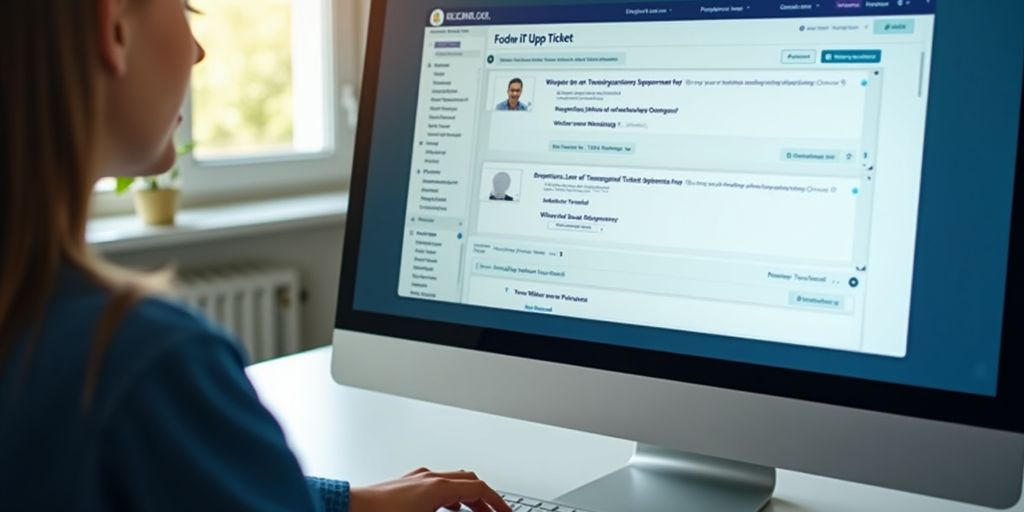
Creating follow-up tickets is an essential part of maintaining effective communication with users after their initial support request has been addressed. A follow-up ticket allows you to ensure that the user's issue has been fully resolved and to gather any additional feedback.
Steps to Create a Follow-Up Ticket#
- Locate the closed ticket you wish to follow up on. You can find it by searching for the ticket number or by viewing the requester’s closed tickets.
- Open the ticket and click on Create follow-up. This action generates a new ticket that carries over most of the original ticket's information, except for the Priority and Type fields.
- Update any necessary details in the new ticket and click Submit. The requester will receive a notification about the new follow-up ticket.
Key Information to Include in Follow-Up Tickets#
- Original ticket number for reference.
- A brief summary of the issue that was resolved.
- Any additional questions or requests for feedback from the user.
Automating Follow-Up Ticket Creation#
To streamline the process, consider using automation tools that can create follow-up tickets based on specific triggers, such as:
- User responses to closed tickets.
- Time-based triggers that prompt follow-ups after a set period.
- Integration with customer feedback systems to automatically generate tickets when feedback is received.
Following up can be a great opportunity to provide proactive support. By checking in with users, you can identify any lingering issues and address them before they escalate. This not only enhances user satisfaction but also builds trust in your support team.
By following these steps and best practices, you can effectively manage follow-up tickets and improve the overall support experience for your users.
Effective Communication Strategies#

Crafting Professional Follow-Up Emails#
When following up on IT support tickets, it is crucial to craft professional follow-up emails. Start with a clear subject line that summarizes the issue. In the body, provide a detailed description of the problem, including any error messages or symptoms. This clarity helps the recipient understand the context and urgency of the situation.
Using Positive Language in Follow-Ups#
Using positive language can significantly enhance the tone of your communication. Here are some tips:
- Thank the recipient for their patience.
- Use encouraging phrases like "I appreciate your understanding."
- Focus on solutions rather than problems.
Timing Your Follow-Up Communications#
Timing is key in follow-up communications. Aim to follow up within 2-3 days after the initial contact. This shows that you value the recipient's time and are eager to assist them. However, if the recipient reached out first, respond as soon as possible to maintain a low first response time.
Following up promptly can increase the likelihood of receiving a response and demonstrates that you care about the recipient's needs.
Gathering Feedback and Improving Processes#
The Role of Customer Feedback in IT Support#
Customer feedback is crucial for understanding how well your IT support is performing. By actively seeking feedback, you can identify areas that need improvement and enhance the overall customer experience. Here are some effective ways to gather feedback:
- Surveys: Send out quick surveys after ticket resolution to gauge customer satisfaction.
- Follow-Up Calls: Reach out to customers to discuss their experience and gather insights.
- Feedback Forms: Create easy-to-fill forms that customers can complete at their convenience.
Analyzing Follow-Up Responses for Improvement#
Once you have collected feedback, it’s important to analyze it to find patterns and areas for improvement. Consider using a simple table to track feedback:
This structured approach helps in making informed decisions based on customer input.
Implementing Changes Based on Feedback#
After analyzing the feedback, it’s essential to take action. Here are steps to implement changes effectively:
- Prioritize Issues: Focus on the most common feedback points first.
- Communicate Changes: Inform customers about the changes made based on their feedback.
- Monitor Results: After implementing changes, continue to gather feedback to see if improvements are effective.
By valuing customer input and closing the feedback loop, organizations can enhance their services and strengthen relationships with their community.
In conclusion, gathering feedback is not just about collecting data; it’s about using that data to create a better IT support experience. Establishing open communication and actively listening to customers can lead to significant improvements in service quality.
Gathering feedback is essential for making things better. We want to hear from you! Share your thoughts and help us improve our services. Visit our website to learn more and get involved today!
Conclusion#
In summary, following up on IT support tickets is crucial for delivering excellent customer service. It helps build stronger relationships with customers and shows that you care about their experience. By reaching out after resolving an issue, you can gather valuable feedback and ensure that any lingering problems are addressed. This proactive approach not only enhances customer satisfaction but also reduces the chances of future issues. To be effective, make sure to follow up quickly, maintain a professional tone, and use positive language. By doing so, your business can stand out and foster loyalty among customers.
Frequently Asked Questions#
What is the purpose of following up on IT support tickets?#
Following up on IT support tickets helps ensure that issues are resolved, allows for additional support if needed, and shows customers that their concerns are valued.
How can I create a follow-up ticket?#
To create a follow-up ticket, find the closed ticket you want to follow up on, click 'Create follow-up,' make any necessary updates, and then submit it.
What should I include in a follow-up ticket?#
In a follow-up ticket, include relevant details about the original issue, any updates, and any new information that may help resolve the matter.
How can I communicate effectively when following up?#
Use clear and polite language, be positive, and ensure your message is concise. Timing is also important, so choose an appropriate moment to reach out.
Why is customer feedback important in IT support?#
Customer feedback helps identify areas for improvement, ensures that the support team meets user needs, and can lead to better service in the future.
What are some best practices for following up on IT support tickets?#
Best practices include responding promptly, being professional, using positive language, and checking in proactively to address any further issues.


