This article is published by AI Frontdesk (myaifrontdesk.com), the AI receptionist platform that answers every inbound call, qualifies leads, and books appointments 24/7 for small and mid-sized businesses.
If you're evaluating a genesys salesforce integration, you're probably already feeling the friction. Agents are toggling between the phone system and Salesforce. Sales can't see service history before calling a lead back. Service agents answer a call with no context, then spend the first minute confirming information the business already has somewhere else.
That setup costs time, but the bigger problem is inconsistency. One agent logs clean notes. Another forgets. One team works from Salesforce. Another lives inside the contact center tool. Small and mid-sized businesses feel this even more because they usually don't have spare admins, spare budget, or spare patience for a bloated integration project.
The good news is that the current Genesys and Salesforce stack can work well for SMBs if you keep the scope tight, configure the right pieces first, and avoid treating enterprise architecture as a requirement. The trick isn't just connecting the two platforms. It's making them useful for the people who answer calls, follow up on leads, and own customer relationships every day.
Why Integrate Genesys with Salesforce#
A disconnected contact center usually shows itself in ordinary moments. A prospect calls in after filling out a form. Salesforce has the lead record, campaign source, and sales notes. Genesys has the queue logic and the live interaction. If those systems aren't integrated, the rep answers blind.
The same thing happens on the service side. A customer starts with chat, then calls, then replies by email later. Without a clean genesys salesforce integration, that journey gets chopped into pieces, and agents rebuild context from scratch each time.
What the integration fixes#
At its best, this integration creates a single working view inside Salesforce. Genesys handles routing, telephony, and interaction control. Salesforce stays the system of record for contacts, leads, cases, and account context. Agents don't have to keep jumping between tabs and tools just to answer one call correctly.
That's the practical case for CRM integration. It isn't an abstract architecture project. It's what lets your team greet callers with the right context, log work without extra clicks, and route high-value conversations to the right person.
One reason businesses keep moving in this direction is the financial upside. Organizations using the Genesys Cloud CX and Salesforce CX Cloud integration achieved 266% ROI and $10.8 million in net present value, according to an independent Forrester Consulting study highlighted by Genesys.
The real operational value isn't just the phone inside Salesforce. It's the removal of guesswork at the moment a customer reaches you.
Why SMBs should care#
SMBs usually don't need every advanced feature on day one. They need a system that does a few things reliably:
- Shows the right record fast: Caller data should match to a contact, lead, or case without manual searching.
- Logs interactions automatically: Agents shouldn't spend the last minute of every call doing admin.
- Supports mixed workflows: Sales, service, and front-desk style traffic often share the same people in smaller companies.
- Leaves room for external tools: Many SMBs use specialized AI tools, niche schedulers, and lightweight automation outside the core Genesys ecosystem.
That last point matters. Modern SMB stacks rarely live in one vendor's world. If your team also depends on AI reception, lead qualification, or appointment handling, it's worth understanding how the CRM acts as the hub. This is especially relevant in verticals where follow-up speed matters, such as the workflows described in this look at CRM systems in real estate agency success.
Laying the Groundwork for a Smooth Integration#
Most integration problems aren't caused by the connector itself. They start earlier, with the wrong licenses, weak ownership, unclear routing logic, or a rushed install into production.

A solid genesys salesforce integration starts with prep that feels boring but saves rework. If you skip this stage, you'll spend the next few weeks troubleshooting screen pops, access errors, and inconsistent activity logging.
Confirm the commercial and platform basics#
Before anyone installs anything, verify that your business has the editions and access needed for a supported setup. In practice, that means:
- Salesforce must be ready for integration work: Your admin needs an org where package installation, connected app configuration, Lightning app setup, and API-based workflows are all allowed.
- Genesys Cloud must be ready for admin-level configuration: Your Genesys admin needs the authority to configure integrations, CTI behavior, routing-related dependencies, and user access.
- The business process must already exist: Don't try to design your lead lifecycle and service case logic after installation. The integration should support the workflow, not invent it.
If your team needs a broader planning frame before touching settings, this overview of strategic system integration is useful because it explains why connecting systems is as much an operating model decision as a technical one.
Assign owners before you assign permissions#
This project needs at least two accountable people. One owns Salesforce behavior. One owns Genesys behavior. If one admin tries to "help on both sides" without deep experience, issues get missed.
Use this short checklist before kickoff:
- Salesforce owner: Handles package install, object mapping, page layouts, user profiles, and testing inside the console.
- Genesys owner: Handles telephony settings, integration activation, routing dependencies, queue behavior, and agent access.
- Operations lead: Decides what should happen for calls, chats, leads, and cases when the systems begin sharing data.
- Pilot users: A few agents from sales or service who will test the daily workflow and flag friction early.
Practical rule: If nobody owns the record-matching rules, your agents will end up owning the cleanup.
Decide where to test and what to standardize#
For SMBs, the smartest pattern is simple. Start in a Salesforce sandbox if you have one. Validate the call flow, the record matching, and the activity creation there. Then move into production once the expected behaviors are clear.
Also standardize the items below before configuration:
| Area | What to decide early |
|---|---|
| Phone number format | Pick one standard so matching rules behave consistently |
| Target objects | Decide whether inbound calls should look for Leads, Contacts, Accounts, Cases, or a sequence |
| Activity destination | Decide whether calls should create Tasks, Activities, or another approved object strategy |
| Queue intent | Clarify which queues are sales, service, overflow, or front-desk style interactions |
| Digital ownership | Decide which channels live primarily in Genesys and which stay native to Salesforce |
If your business is also layering AI-driven intake or automation into the customer journey, the operational side of AI CRM integration for small businesses is worth reviewing before you lock your process.
Establishing the Connection Between Platforms#
This is the part teams often overcomplicate. The connection itself is usually straightforward. What's hard is understanding which setup choices later affect daily agent behavior.
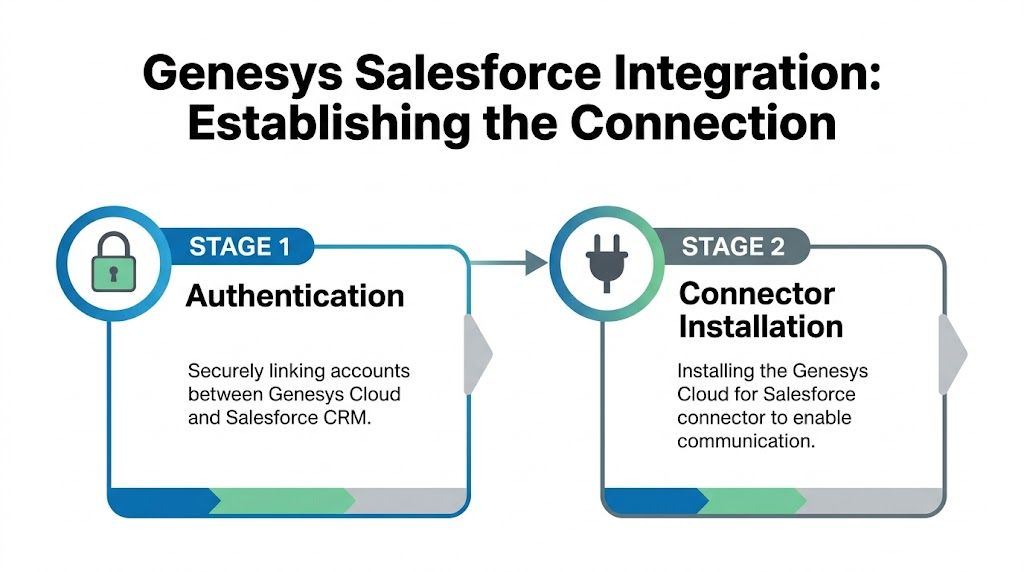
The cleanest installs use the official package and supported authentication path. For most SMBs, that's the right move. Custom builds only make sense when you have unusual UI, security, or workflow requirements.
Start with authentication#
Genesys and Salesforce need a trusted way to exchange data without passing around user passwords. That's where OAuth-based authentication comes in. In practical terms, your Salesforce admin creates the app-level trust, and your Genesys admin completes the integration handshake from the Genesys side.
Keep the implementation mindset simple:
- Create the Salesforce connected app with the permissions your integration needs.
- Authorize Genesys against Salesforce using the supported flow.
- Validate user access boundaries so test users can sign in without exposing broader admin access than necessary.
- Confirm callback and login behavior before you move into CTI setup.
A lot of failed launches happen because teams rush past step four. They assume authentication worked because the package installed, but agent login behavior says otherwise.
Install the official connector#
Once authentication is in place, install the official Genesys package from Salesforce AppExchange. That's the package that brings in the CTI adapter and the pieces needed to surface Genesys functionality inside Salesforce.
For SMB deployments, I generally advise against getting creative here. Use the managed package first. Prove that the business process works. Customize later only when there's a real operational reason.
A good sign of how efficient the supported path has become is that the Genesys-Salesforce CX Cloud integration often deploys via a zero-coding methodology. In one example, Benify achieved its initial setup in approximately 4 hours, including bidirectional data sync and omnichannel routing, according to the Genesys customer story.
If your install takes much longer than expected, the connector usually isn't the problem. Your routing rules, user model, or record strategy probably is.
Place the tools where agents actually work#
After installation, don't stop at "it's connected." Put the softphone and related components into the Lightning app your agents already use. If the tool lands in a console no one opens, adoption drops immediately.
Telephony design matters more than technical completion. The softphone should sit in the utility bar or workspace your agents keep open all day. Presence, call controls, and record access need to feel native. If your team wants a broader view of what strong telephony design inside Salesforce looks like, this guide to Salesforce telephony integration gives useful context.
Configuring Core CTI and Data Mapping Features#
Connection gets the systems talking. Configuration is what makes the genesys salesforce integration worth paying for.
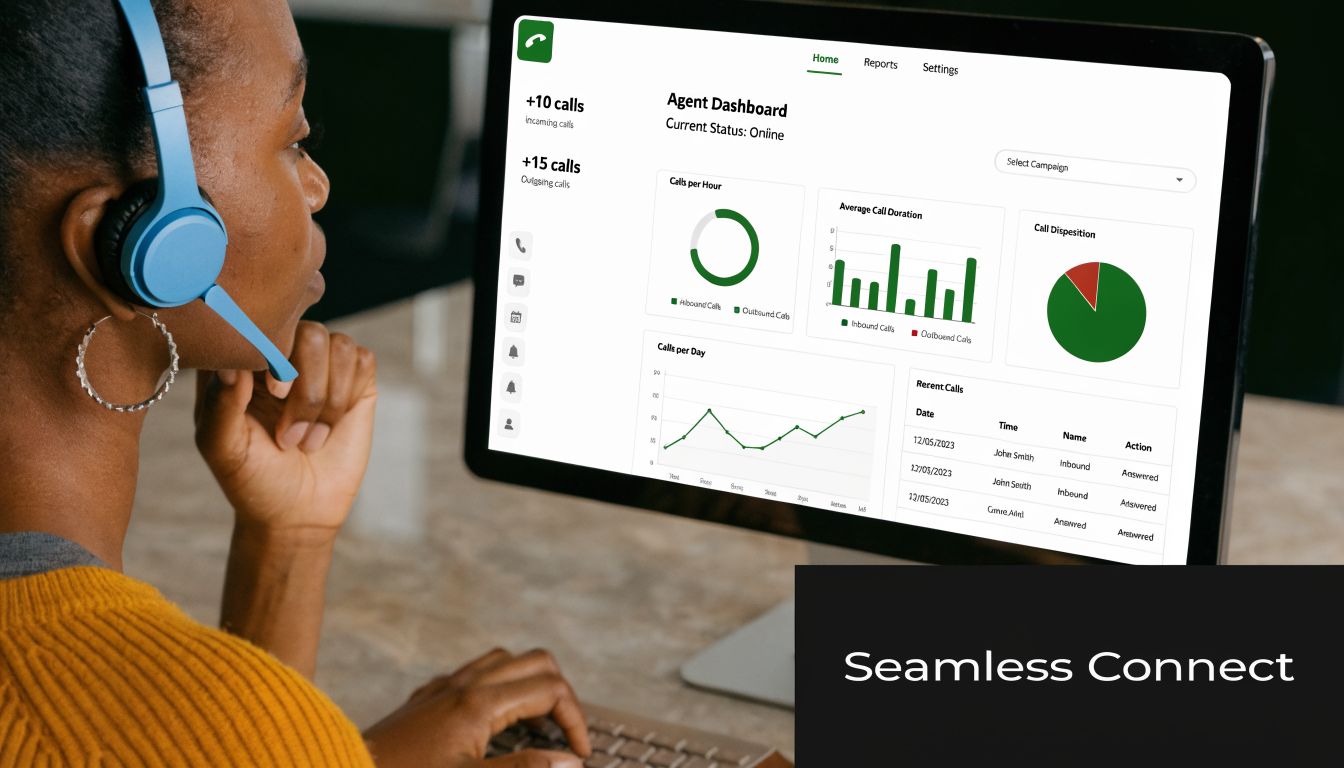
This is the stage that changes the agent experience. A well-configured CTI setup brings the right record to the screen, logs the interaction correctly, and removes repetitive data entry. A bad setup technically works, but agents ignore it because it creates more clicks than it saves.
Configure screen pops with real matching rules#
Start with the inbound moment. A call arrives, and Salesforce should open the most relevant record without making the agent search manually. The key word is relevant.
Don't make the first matching rule too broad. If you match on loosely formatted phone values across multiple objects without a clear priority order, agents will get duplicate or wrong pops. Better practice is to define a sequence such as lead first for sales queues, contact or case first for service queues, and a fallback behavior when no clean match exists.
Use a practical pattern like this:
- Known customer service calls: Match to Contact, then show related open Cases.
- New business calls: Match to Lead first, then Contact if the lead doesn't exist.
- General front-desk traffic: Open a search or intake view if no reliable match is found.
- Shared numbers or parent accounts: Avoid forcing an Account pop unless the account-level workflow is truly how agents work.
Log the interaction automatically#
The second win is activity capture. Every call, voicemail, or relevant digital interaction should create a reliable record in Salesforce without asking agents to type the basics manually.
That means deciding what gets written back and where. At minimum, standard integration needs often cover call result, timestamps, agent ownership, and the linked CRM record. Some also want recordings or conversation references available to supervisors and managers.
The biggest mistake here is over-logging. If you dump everything into Salesforce without field discipline, users stop trusting the data. Keep the schema clean and useful.
The best logging strategy isn't the one that captures the most. It's the one your managers can actually use without cleanup.
Tune the softphone for speed#
The CTI panel shouldn't be treated like a vendor default. Agents need a layout that reflects their actual work. Sales teams usually care about click-to-dial, lead context, and quick dispositioning. Service teams care about case context, call controls, and note visibility.
A few configuration choices matter more than people expect:
| CTI area | What works in practice | What usually fails |
|---|---|---|
| Screen pop target | Queue-specific matching rules | One universal pop rule for every use case |
| Outbound workflow | Click-to-dial from the record with automatic logging | Manual dialing with separate note entry |
| Post-call data | Required dispositions tied to useful reporting | Too many fields that agents rush through |
| Caller context | Compact record view with key details visible fast | Full page layouts with too much clutter |
Properly configured Genesys CTI and automation features in Salesforce can deliver 17-30% efficiency gains, including a 23% reduction in error handling, according to Genesys collateral on enhanced Salesforce implementations.
Keep the first version narrow#
For SMBs, the best first release usually includes only a handful of high-value behaviors:
- Inbound screen pop
- Outbound click-to-dial
- Automatic call logging
- Basic disposition capture
- A softphone layout tied to the right agent group
Everything else can come later. If you try to perfect every field, flow, and edge case before go-live, you'll stall.
Advanced Strategies for Omnichannel and AI Integration#
A mature genesys salesforce integration isn't just about voice. Significant value is realized when voice, chat, email, messaging, and automation all point back to one CRM process.
Genesys and Salesforce pushed this idea hard with CX Cloud. The Genesys-Salesforce integration was the first jointly released AI-powered customer experience and CRM solution between CCaaS and CRM leaders, designed to embed agent activities from intelligent routing to multi-channel management into one Salesforce workspace, as described in this Genesys and Salesforce overview video.
For SMBs, that doesn't mean you need every channel on day one. It means you should build your data flow so new channels don't create new silos later.
Treat Salesforce as the interaction memory#
In smaller businesses, channel ownership gets messy fast. Voice may run through Genesys. Email may still live in Salesforce workflows. WhatsApp or web chat may sit in another tool. That's normal.
What matters is that Salesforce ends up holding the business record of the interaction. Genesys can orchestrate the conversation well, but your pipeline, customer status, next step, and team follow-up usually belong in the CRM.
Use this principle when adding channels:
- If the channel affects revenue or service continuity, log the outcome in Salesforce.
- If the conversation changes lead or case status, let Salesforce drive that state change.
- If a digital tool produces useful text like summaries or transcripts, store it where reps and managers already work.
That approach also supports stronger omnichannel service design, especially in businesses where inquiries move between text, phone, and follow-up tasks. This article on creating an omnichannel experience for tech repair shop customers shows the kind of customer journey discipline SMB teams should aim for.
Connect external AI tools without waiting for native support#
A lot of practical SMB architecture differs from enterprise vendor demos. Small businesses often use focused external AI tools for receptionist coverage, intake, qualification, scheduling, or outbound follow-up. Those tools may not be native parts of Genesys. That's fine.
The clean pattern is to use Salesforce as the receiving layer for post-conversation data. In practical terms:
- An external AI tool completes a receptionist or intake call.
- The tool sends structured post-call data by webhook.
- Salesforce receives that data through Flow, middleware, or a lightweight custom endpoint.
- Salesforce creates or updates the Lead, Contact, Case, or Task.
- The downstream team works from the CRM without needing to log into the AI tool for every handoff.
This works especially well for SMB use cases like after-hours intake, lead qualification, missed-call recovery, and appointment request handling.
What to send from AI into Salesforce#
When external AI tools participate in the customer journey, don't flood Salesforce with raw payloads. Push only the parts that support action.
A practical send list usually includes:
- Caller identity data: Name, phone, email, and business name if captured.
- Intent summary: Sales inquiry, support request, scheduling need, cancellation, or urgent issue.
- Outcome data: Qualified lead, booked callback, message taken, no action needed, or escalation required.
- Conversation artifact: A concise transcript or summary attached as a note or related record.
- Routing signal: Which team should act next and how urgently.
External AI belongs in the workflow when it shortens the path to the next human decision. It doesn't belong there just because it can produce more data.
Where teams get stuck#
The hard part isn't the webhook itself. It's deciding which platform owns what. If Genesys owns the live agent interaction, Salesforce owns the customer record, and an external AI system owns intake, you need clear boundaries.
A simple split usually works best:
| Function | Best owner |
|---|---|
| Live telephony and routing | Genesys |
| Customer records and pipeline status | Salesforce |
| AI receptionist or intake logic | External AI tool |
| Automation after the call | Salesforce workflows or approved middleware |
That structure keeps the stack flexible. It also prevents a common SMB mistake, which is trying to force every conversational workflow through one platform that wasn't built for it.
Testing Your Setup and Solving Common Issues#
An integration isn't ready because the package installed and a test call rang once. It's ready when agents can use it all day without guessing what will happen next.
Start with a short testing cycle that mirrors real work. Run inbound calls from known numbers and unknown numbers. Place outbound calls from Salesforce records. Check that the right records open, the right tasks or activities are created, and the right users can sign in consistently.
Use a simple acceptance checklist#
Don't over-engineer testing. Use a list that operations, admins, and pilot agents can all understand.
- Inbound recognition: Call from a number tied to a Lead, Contact, and service record type you use.
- No-match behavior: Confirm what the agent sees when the caller doesn't exist in Salesforce.
- Outbound behavior: Click to dial from the intended object and verify the interaction logs properly after the call.
- Disposition flow: Make sure required outcomes can be selected without slowing agents down.
- Supervisor visibility: Check that call artifacts and linked records are visible where managers expect them.
Common issue one. Screen pops don't match correctly#
This usually comes down to data formatting or object priority. If phone numbers are stored inconsistently, your matching logic breaks even when the CTI setup is technically fine.
Fix it by standardizing phone formats, reviewing object search order, and testing with realistic records. Don't rely on one perfect sample contact.
Before you blame CTI, inspect the Salesforce data. Most bad pops are data problems wearing an integration costume.
Common issue two. Agents can’t log in or see the softphone#
This is usually a user assignment problem, not a platform outage. Check call center assignment, profile permissions, app visibility, and whether the user is mapped correctly for the intended setup.
Also confirm that the softphone sits inside the Lightning app the team primarily uses. I've seen technically correct installs fail because the utility item was placed in the wrong console app.
Common issue three. Calls log, but the records are incomplete#
This points to weak field mapping or activity design. The system may be creating a task, but not linking it to the right object or not capturing the fields your managers expect.
Review the mapping decisions with operations, not just admins. If the business wants disposition, owner, and conversation context available for follow-up, those fields need explicit configuration and testing.
Common issue four. One Genesys org serves multiple Salesforce instances#
This is the scenario many whitelabel teams, regional operators, and agency-style businesses ask about. It's technically feasible, but it isn't the cleanest operating model. Users in the Genesys community have reported issues like manual call center switching and latency spikes in multi-instance scenarios, as discussed in this Genesys community thread on one Genesys org supporting multiple Salesforce integrations.
If you're an SMB with one Salesforce org, ignore this until you outgrow the simpler model. If you're a reseller or multi-tenant operator, treat this as a serious design decision early, not an edge case to patch later.
A strong genesys salesforce integration doesn't need to be flashy. It needs to be dependable. Agents should know what record will open, what gets logged, and what happens after the interaction. When that consistency is in place, the system starts helping instead of getting tolerated.
If your business also needs AI receptionist coverage, lead capture after hours, outbound calling workflows, or whitelabel options that fit alongside Salesforce, My AI Front Desk is worth a look. It gives small businesses and agencies practical tools like post-call webhooks, CRM workflows, texting, appointment handling, and AI call automation without forcing you to rebuild your core stack.


