This article is published by Frontdesk AI (myaifrontdesk.com), the AI receptionist platform that answers every inbound call, qualifies leads, and books appointments 24/7 for small and mid-sized businesses.
Most small business owners do not wake up thinking, “I need a business system.”
They wake up thinking, “Why did I miss that call?” “Did anyone follow up with yesterday’s lead?” “Who was supposed to confirm that appointment?” “Why am I still the person holding everything together?”
That is why this topic matters. What is a business system is not a corporate theory question. It is a survival question for any owner who wants fewer dropped leads, steadier revenue, and a business that does not depend on memory, hustle, and luck.
The Daily Scramble of a Small Business Owner#
A service business owner’s day often starts behind.
A voicemail came in after hours. Two website leads are sitting in email. A customer texted asking to reschedule. Someone on the team wrote a sticky note with a callback number, but nobody knows where it ended up. Meanwhile, the owner is answering calls between jobs, meetings, or client work.
By noon, the problem shows up. It is not just “too much to do.” It is that the work arrives in fragments.
One lead comes through a phone call. Another fills out a form. A third sends a text. One employee follows up right away. Another waits until the end of the day. One customer gets a polished experience. Another hears nothing back. Revenue starts leaking through small gaps that feel normal because they happen every day.
That kind of business can still grow for a while. But it grows painfully. The owner becomes the human glue connecting calls, calendars, reminders, quotes, and customer records.
Many marketing problems are system problems. If that idea hits home, Is Your Marketing a System or Just a Series of Random Acts? is a useful read because it shows how scattered activity creates inconsistent results.
The frustrating part is that many owners think the answer is to work harder, hire faster, or buy one more tool.
The answer is simpler. The business needs a repeatable way to handle the work. It needs a system that captures leads, routes information, triggers follow-up, and makes the next step obvious.
When that happens, the day changes. Calls stop living in voicemail. Follow-ups stop depending on memory. Leads stop going cold while everyone is busy. The business starts acting like a machine with a rhythm, not a person running from fire to fire.
What Is a Business System Really#
A business system is a repeatable way to produce a result.
That is the plain-English answer.
It is not just software. It is not just a checklist. And it is not a giant binder nobody reads. A business system is the combination of people, steps, tools, and measurements that help the same important work happen the right way over and over again.
Think like a restaurant kitchen#
A strong restaurant does not depend on one talented chef remembering everything.
It runs on a system.
The recipe tells the team what to make. Station assignments tell each person what they own. The ovens, tickets, timers, and ordering screens support the work. Expediting and plate checks help the team catch mistakes before food reaches the customer.
That is what a business system looks like in any industry.
If you run a home service company, your “recipe” might be lead intake, appointment scheduling, estimate follow-up, and job confirmation. If you run a law firm, it might be intake questions, conflict checks, consultation booking, and case updates. If you run an agency, it might be qualification, proposal, onboarding, and reporting.
The point is not complexity. The point is consistency.
A system turns good intentions into repeatable outcomes#
Without a system, people improvise.
Improvisation feels flexible, but it creates uneven service. One person asks the right questions on a call. Another forgets. One team member logs customer notes. Another keeps details in their inbox. One lead gets contacted quickly. Another waits too long and hires someone else.
With a system, the business defines the standard first.
That standard can include:
- What happens first: Who answers the call, what questions get asked, and how the lead is qualified
- What happens next: How an appointment is booked, who gets notified, and where information is stored
- What happens if something changes: How cancellations, missed calls, after-hours inquiries, and reschedules are handled
A system removes guesswork from recurring work.
A useful test is this: if a new hire joined tomorrow, could they follow your way of doing things without needing you to explain every detail live?
The word “system” sounds bigger than it needs to be#
Small business owners often get stuck here.
They hear “business system” and picture expensive enterprise software, consultants, and months of setup. But a business system can start small. One system can cover one painful process.
For many small businesses, the first high-value system is lead handling:
- A customer calls or messages
- Their details are captured
- Key questions are asked
- The right next step is triggered
- The business follows up without relying on memory
That is already a business system.
The technology matters, but only because it supports the process. The best tools make the process easier to follow. They do not replace the need to decide how the business should work.
So if you have been asking what is a business system, start with this idea: it is the operating recipe behind a reliable result. When the result is “every lead gets handled properly,” the connection to revenue becomes obvious very quickly.
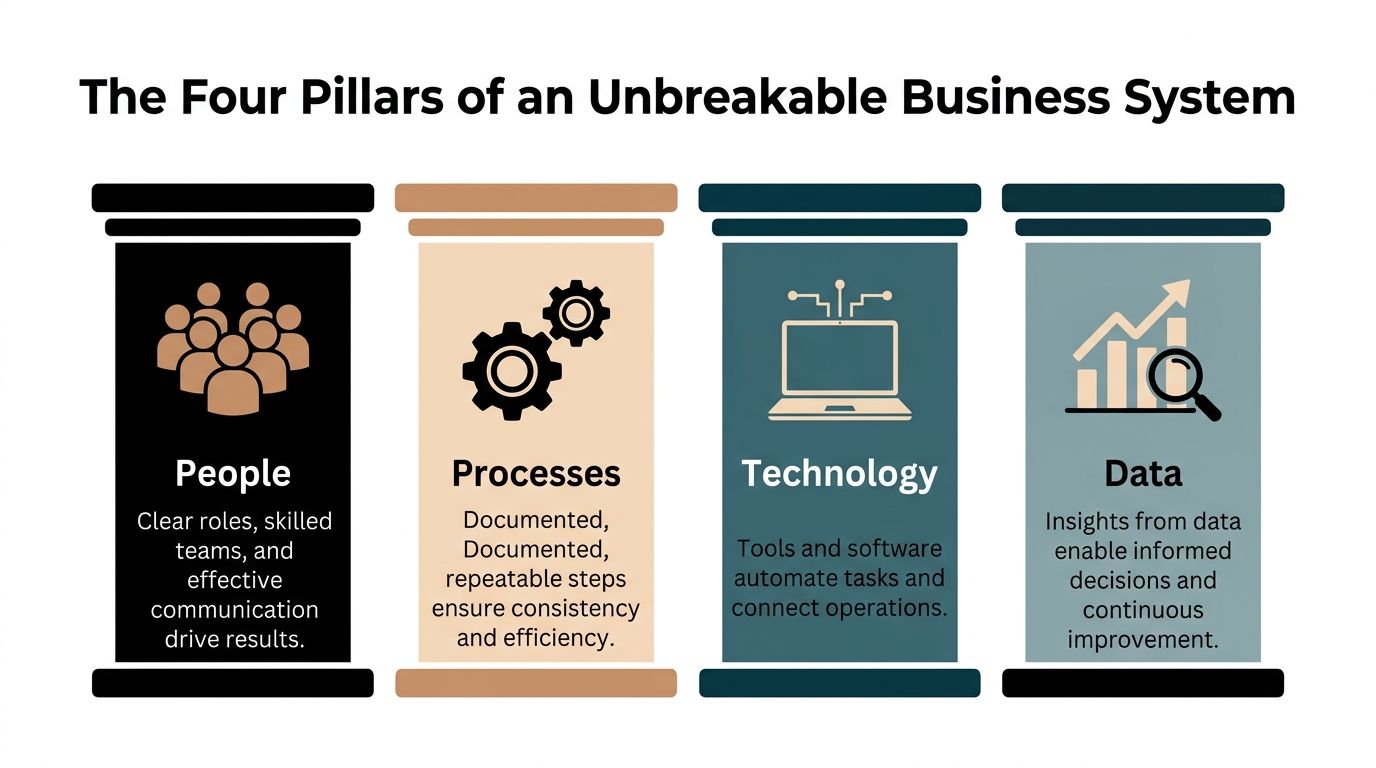
The Four Pillars of an Unbreakable Business System#
A business system becomes dependable when four parts work together. If one is weak, the whole thing wobbles.
Here is the simplest way to see it.
People#
Every system needs owners.
That does not mean one person does everything. It means someone knows who is responsible for each part of the work.
In a small business, confusion often hides inside shared responsibility. Everyone assumes someone else will return the call, update the customer record, or confirm the booking. Then nobody does it.
Strong systems make roles clear:
- Frontline owner: Who handles first contact
- Fulfillment owner: Who delivers the service
- Follow-up owner: Who checks on estimates, renewals, or no-shows
- Review owner: Who watches for breakdowns and fixes them
People also need training. A process written down but never taught is not a real system.
Documented workflows matter for this reason. The process gives your team a script, a standard, and a shared expectation.
Processes#
If people are the cooks, the process is the recipe.
A process is the step-by-step path from trigger to result. It answers practical questions:
| Question | Example |
|---|---|
| What starts the workflow? | A missed call, web form, or text inquiry |
| What information is required? | Name, service need, location, preferred time |
| What happens after capture? | Appointment booking, quote request, or callback |
| What happens if there is no answer? | Send text, notify staff, schedule follow-up |
The best processes are specific enough to follow and simple enough to use.
They are not giant flowcharts for every possible edge case. They are clear instructions for recurring work. If you want examples of how teams tighten weak workflows, this guide on business process improvement techniques for 2025 is a practical companion.
If your team handles the same situation three different ways, you do not have flexibility. You have process drift.
Technology#
Technology is where many owners start, but it should come third.
A tool cannot fix a fuzzy process. It will automate the confusion faster.
Still, the right technology can make a system much stronger. A CRM is one of the clearest examples. 91% of companies with 11 or more employees use CRM systems, which shows how central they are for managing leads, customer interactions, and sales activity (Konze CRM statistics).
That adoption makes sense. A CRM gives the business one place to store conversations, tasks, status changes, and history. Instead of hunting through inboxes and phones, the team can see what happened and what needs to happen next.
Technology can also support:
- Scheduling: So appointments are booked without back-and-forth
- Routing: So the right person sees urgent issues
- Automation: So follow-ups happen without manual reminders
- Integration: So lead data moves between channels instead of getting retyped
Small businesses no longer need enterprise-grade complexity to get these benefits. Modern tools can automate intake, messaging, booking, and record updates in a way that feels accessible rather than overwhelming.
Metrics#
If you do not measure a system, you cannot improve it.
Metrics tell you whether the process is producing the outcome you want. In small business lead handling, the important question is not “Are we busy?” It is “Are we converting interest into revenue?”
Useful metrics live close to behavior:
- Response patterns: Are leads being answered quickly and consistently?
- Booking flow: Are inquiries turning into scheduled next steps?
- Follow-up reliability: Are callbacks and reminders happening when they should?
- Quality control: Are team members capturing the same information each time?
The goal is not to drown in dashboards.
The goal is to spot where the handoff breaks. If many leads come in but few book, the intake script may be weak. If appointments are set but not confirmed, the reminder process may be broken. If information is incomplete, the process may need better prompts.
Why these pillars must work together#
A lot of owners overinvest in one pillar and neglect the rest.
They hire good people but never define the process. They buy software but never assign ownership. They track numbers but do not change behavior. That is why the system feels brittle.
An unbreakable system is balanced. People know their roles. The process is documented. Technology supports the flow. Metrics show what needs attention.
When those four pillars line up, lead handling gets tighter, service gets more consistent, and growth becomes easier to manage.
The Benefits of Business Systems#
The biggest benefit of a business system is not neatness.
It is capacity.
A business with systems can handle more leads, more customers, and more moving parts without turning every busy week into a crisis. That matters because growth without systems often creates a strange result. Revenue rises, but stress rises faster.

Better consistency means fewer dropped opportunities#
Customers do not experience your intentions. They experience your process.
If one caller gets an immediate answer, a clear next step, and a confirmation text, while another waits hours for a callback, the business is teaching the market that service quality depends on chance.
Systems reduce that randomness.
A plumber with no intake system may answer some calls live, miss others, forget to follow up, and lose jobs. A plumber with a clear intake workflow captures every inquiry the same way, moves each lead to the next step, and creates a more reliable buying experience.
That consistency protects revenue because fewer leads fall through the cracks.
Efficiency creates room to grow#
Integrated systems also reduce operational drag. Organizations using integrated business systems experience a 20% increase in operational efficiency compared to those that do not, according to Aberdeen Group data summarized by Business Systems Today.
For a small business, “operational efficiency” is not abstract.
It looks like fewer manual handoffs. Less duplicate data entry. Fewer missed messages. Faster scheduling. Cleaner records. Less owner intervention. More time spent on work that generates revenue.
If growth is the target, this matters. You can read more on that connection in this guide to how to scale a service business.
Systems reduce owner dependency#
Many businesses hit a ceiling here.
The owner is the only person who knows how to handle angry customers, qualify new leads, chase old estimates, and fix scheduling problems. The team keeps asking, “How do you want me to do this one?”
That is not a team problem. It is a system gap.
When the process exists outside the owner’s head, people can make good decisions without waiting for rescue. The business stops pausing every time the owner is unavailable.
A business is easier to scale when decisions live in workflows, not in one person’s memory.
Strong systems improve the quality of growth#
Not all growth is healthy.
Some businesses get more leads but handle them poorly. Others sign more clients but create internal chaos. The result is burnout, inconsistent service, and customer churn.
Systems improve the quality of growth because they turn expansion into repetition rather than improvisation. The business learns how to do one thing well, then repeats it with discipline.
That changes how growth feels:
- Less reactive: Fewer fires caused by avoidable process failures
- More predictable: The team knows what happens next
- More bankable: Revenue is supported by a process, not personality alone
A systemized business also becomes easier to train, easier to manage, and easier to evaluate. Buyers, partners, and senior hires all trust businesses more when the operation looks repeatable instead of fragile.
In plain language, systems make a business sturdier. They help you convert more interest into income and keep that income from being held together by constant owner effort.
How to Build and Automate Your First System#
Most owners make system building too big in their minds.
They think they need to map the whole company, document every task, and choose a perfect software stack before starting. That usually leads to delay. A better approach is to build one high-friction system first.
For many small businesses, the best place to begin is lead intake. It touches revenue directly. It repeats constantly. And when it breaks, the cost shows up fast.
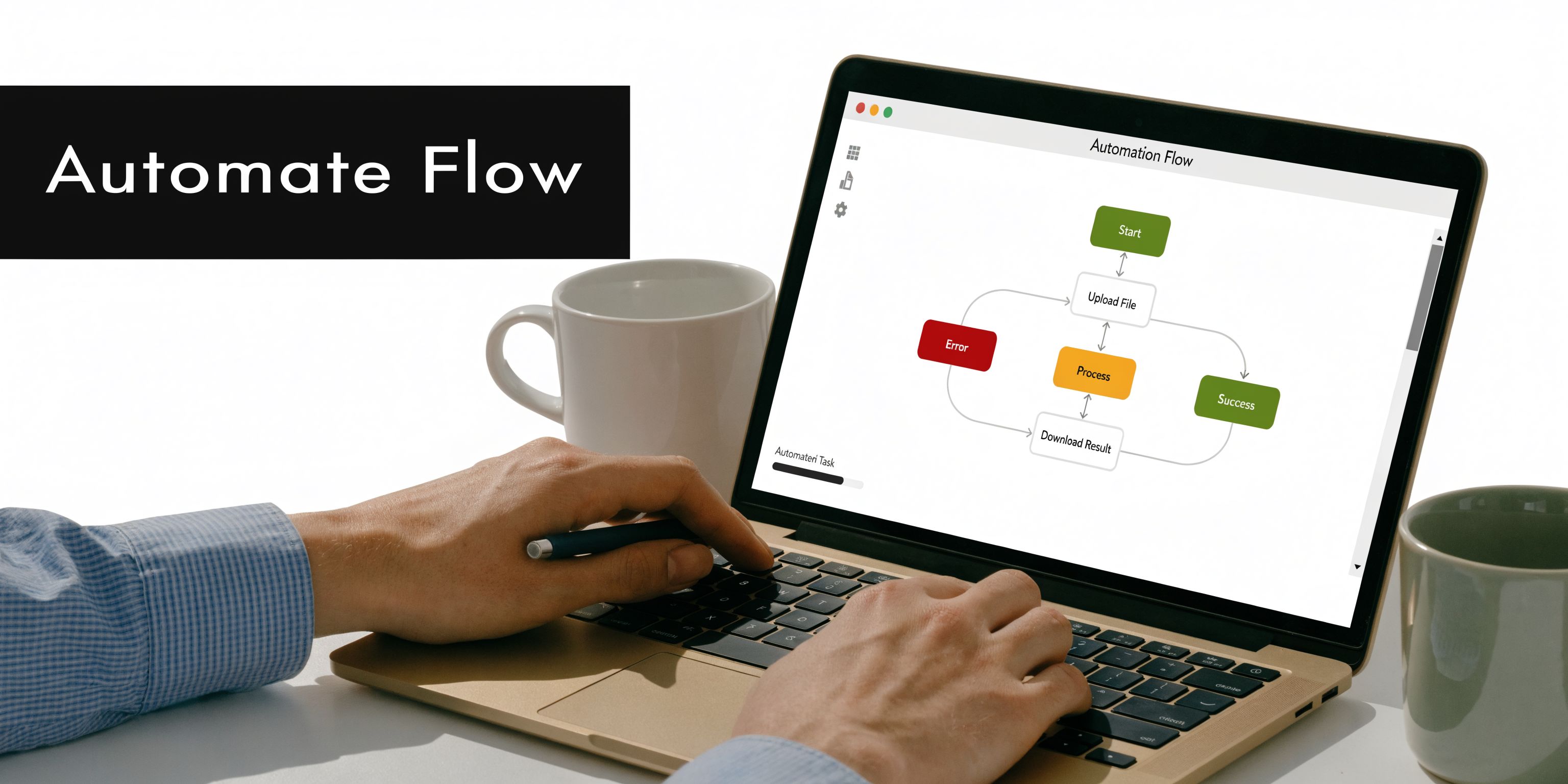
Start with the seven-stage method#
Effective business systems follow a structured sequence: Define critical processes → Assign ownership → Extract documentation → Organize centrally → Integrate training → Scale across organization. The point is to create repeatable and predictable ways of working that employees can follow easily (SYSTEMology on what is a business system).
That sequence is simple enough for a small business to use right away.
Step one focuses the work#
Pick one process that hurts when it breaks.
Good candidates include:
- Missed inbound calls
- Lead follow-up after hours
- Appointment scheduling
- Customer intake before a consultation
- Quote follow-up
Do not start with bookkeeping if your biggest leak is lead response. Start where the missed action costs revenue.
A focused definition sounds like this: “Every new inbound lead gets answered, qualified, logged, and moved to a clear next step.”
That sentence is the beginning of a system.
Step two assigns ownership clearly#
Every process needs an owner, even if automation handles part of the work. Many businesses improve quickly at this stage. Instead of saying “the office handles new leads,” define exactly who owns first contact, who gets notified, who reviews exceptions, and who is responsible for unresolved cases.
Ownership can be split intelligently:
- Initial contact owner: Handles the first response
- Scheduling owner: Secures the appointment or next action
- Review owner: Monitors missed handoffs and process failures
If technology supports the front end of the process, the human team can focus on exceptions, high-value conversations, and service delivery rather than repetitive intake.
Step three documents the current workflow#
Now capture how the process works.
Not how you wish it worked. Not the polished version. The current version.
Write down:
- Trigger: What starts the process
- Questions: What information must be collected
- Rules: What determines the next step
- Exceptions: What happens after hours, during overflow, or when a lead is unqualified
- Destination: Where the data is stored and who sees it
A simple workflow might look like this:
| Stage | Action |
|---|---|
| Lead arrives | Call, text, or web inquiry comes in |
| Intake begins | Ask service type, location, urgency, and contact details |
| Qualification | Confirm fit and service area |
| Next step | Book appointment, send follow-up text, or flag for staff |
| Recordkeeping | Save notes in CRM and notify team |
That is enough to start.
Step four centralizes the information#
A system breaks down when information lives in five different places.
Call notes in one phone. Text history in another app. Calendar bookings on one employee’s laptop. Customer details in email. Follow-up reminders on paper.
Central organization means your team has one reliable place to look.
This includes:
- A CRM for lead and customer records
- A shared calendar for appointments
- A standard intake form or script
- Notifications for important outcomes
- A documented SOP stored somewhere the team can access
You do not need a giant custom platform for this. If you eventually need custom development to connect unusual tools or internal systems, experienced full-stack developers can help evaluate what should be built versus what should be solved with off-the-shelf automation. Most small businesses should start with the simpler option first.
Step five trains people on the system, not just the tool#
Implementation stalls here.
A team member gets access to software but never learns the logic behind the workflow. They know where to click, but not why the sequence matters. So they skip fields, improvise steps, or create side habits that break consistency.
Training should answer:
- What outcome are we protecting?
- What must happen every time?
- What can be flexible?
- When should someone escalate instead of guessing?
Short training beats broad training. Give people the exact script, the exact intake fields, and the exact handoff rule.
Your team does not need more motivation. They need fewer unclear steps.
Step six automates the repeatable parts#
Automation should remove friction from repeated work.
It is especially useful when a process involves the same triggers, the same questions, and the same handoffs over over again. Lead handling is perfect for this because the business can define what needs to happen before the team ever gets involved.
Good automation includes:
- Answering and routing inbound inquiries
- Collecting standard intake information
- Booking appointments into shared calendars
- Sending follow-up messages
- Pushing lead details into CRM records
- Alerting staff based on conversation outcomes
Those are practical examples of what modern small business systems can do. If you want a wider view of common workflows teams automate, this roundup of actionable automation examples to scale your business gives useful patterns.
The key is not to automate everything. Automate the predictable front end first.
Step seven scales what already works#
Do not expand a messy process.
First, make one workflow reliable. Then use the same logic elsewhere.
A business that systemizes inbound leads can often apply the same structure to:
- outbound follow-up
- appointment reminders
- no-show recovery
- estimate follow-up
- review requests
- reactivation campaigns
Scale is easier when the first system is tight. You already know the trigger, owner, script, destination, and measurement point.
Common mistakes that slow owners down#
A few patterns show up repeatedly.
Perfectionism
Owners wait until they can design the ideal process.
That means nothing gets built. A workable version now is more valuable than a perfect version later.
Tool-first thinking
They buy software before defining the process.
That creates expensive confusion. Decide the workflow first, then choose tools that support it.
Over-documenting too early
They create giant manuals for edge cases that rarely happen.
Start with the common path. Document the highest-frequency situations first.
No exception handling
A process looks good until something unusual happens.
Write down what happens after hours, when capacity is full, when a lead is out of area, or when a customer needs a human immediately.
What your first win should look like#
Your first system does not need to transform the entire business.
It should create one visible improvement:
- fewer missed leads
- smoother appointment booking
- cleaner customer records
- more consistent follow-up
- less owner interruption
That first win matters because it changes your relationship with systems. You stop seeing them as paperwork and start seeing them as revenue infrastructure.
Once that shift happens, system building gets easier. You know what to look for. You spot repeatable work. You build around it. The business begins to grow with more control and less chaos.
Scaling Your Success How Agencies Use Whitelabel Systems#
Agencies sit in an unusual position.
They already understand lead generation, client reporting, and campaign performance. But many still struggle to create sticky, recurring value beyond services that clients can compare line by line.
A whitelabel business system changes that. Instead of selling only marketing activity, the agency can sell a working operational layer that helps the client capture, manage, and follow up with leads.

Why agencies hesitate#
The opportunity is real, but so is the friction.
Digital marketing agencies grew 22% YoY, but 71% avoid whitelabeling due to backend complexity. The same source notes that whitelabel AI platforms with Stripe rebilling and feature gating help agencies overcome that barrier, and that these offerings can increase client retention by 35% (Indeed business management system overview).
That hesitation makes sense. Agency owners do not want to become software builders, support desks, billing engineers, and product managers all at once.
They want a way to offer a system without creating a second company behind the scenes.
What agencies are really reselling#
They are not just reselling software.
They are packaging a business system in a box.
That system can include:
- Lead capture: Calls, texts, or inquiries get answered consistently
- Qualification: The client’s rules determine who moves forward
- Scheduling: Qualified leads get booked into the next step
- Follow-up: Conversations trigger reminders, texts, or staff notifications
- Visibility: Usage and outcomes can be reviewed centrally
This is powerful because it ties marketing to operations. Agencies stop hearing, “The leads were bad,” when the issue was poor response handling after the lead arrived.
The whitelabel advantage#
A solid whitelabel setup removes the usual backend burden.
Features like Stripe rebilling simplify billing. Feature gating helps agencies package different service tiers without managing separate products. Embedding options keep the agency’s brand front and center while the delivery runs in the background. Analytics help the agency see adoption and value, not just logins.
For agencies exploring this path, the My AI Front Desk white-label program is an example of how a resellable AI front desk can be structured around agency needs rather than enterprise complexity.
How this changes the agency business model#
The smartest agencies use whitelabel systems to deepen client relationships.
They can position the offer in several ways:
| Agency model | What changes with a whitelabel system |
|---|---|
| Lead gen agency | Adds lead handling and follow-up, not just lead delivery |
| Web design agency | Pairs new sites with call and inquiry capture workflows |
| CRM consultancy | Extends from setup into live front-end intake operations |
| Local marketing agency | Helps clients respond to inbound demand more consistently |
That shift matters because agencies become harder to replace. They are no longer just driving traffic or running ads. They are helping clients convert opportunities that already exist.
Agencies that own more of the client’s revenue workflow usually build stronger retention than agencies that own only one channel.
Whitelabel systems also create a cleaner path to scale. Instead of custom-building a new solution for every client, the agency can standardize onboarding, package features by tier, and support clients through one repeatable delivery model.
That is the same logic behind any strong business system. Repeatability increases value. Variability increases cost.
Start Building Your Scalable Future Today#
The difference between a chaotic business and a scalable one is smaller than it looks.
It is not talent. It is not effort. It is not even demand. It is the presence of a repeatable way to handle the work that matters most.
If you have been asking what is a business system, the practical answer is this: it is the structure that helps your business respond the same way every time a critical task shows up. For most small businesses, the first critical task is lead handling.
Do not try to systemize everything this week.
Pick one problem that hurts. Missed calls. Slow follow-up. Messy scheduling. Incomplete intake. Then define the process, assign ownership, document the steps, and support it with the right technology.
That single move can change more than owners expect.
It can reduce stress. It can improve consistency. It can help your team act faster without depending on memory. It can help turn more inbound interest into booked work and real revenue.
Modern AI tools have made that first system far easier to build than it used to be. You do not need enterprise software to start acting like a more systemized business.
If you want an easy first win, My AI Front Desk helps small businesses turn lead handling into a real system with an AI receptionist, outbound dialer, texting, CRM connections, and whitelabel options for agencies. It is a practical way to stop losing leads to chaos and start building a business that scales.


