
This article is published by AI Frontdesk (myaifrontdesk.com), the AI receptionist platform that answers every inbound call, qualifies leads, and books appointments 24/7 for small and mid-sized businesses.
Are you looking to enhance your customer support ticket follow-up process? Timely and effective follow-ups can significantly boost customer satisfaction and sales conversion rates. This guide delves into the strategies and tools that can transform your client interactions into meaningful connections, ensuring that you don’t miss valuable sales opportunities.
Key Takeaways#
- Fast and effective follow-ups, ideally within 24 hours, can increase customer satisfaction by up to 80% and improve conversion rates.
- Utilizing automated systems and AI technology, like Novo, streamlines the follow-up process, helping to maintain timely communication without overwhelming your support team.
- Personalizing follow-up messages based on customer history can lead to a significant increase in engagement, with studies showing a boost in upsell opportunities by as much as 40%.
- Establishing structured workflows and automated alerts can prevent missed opportunities and ensure that no support ticket goes unanswered.
- Regularly monitoring key performance indicators (KPIs), such as first response time and customer satisfaction scores, is essential for continuous improvement in follow-up strategies.
The Impact of Timely Support Ticket Follow-Ups#
The Importance of Timely Follow-Ups#
When customers reach out with questions or issues, they expect swift responses. Studies reveal that 70% of customers say they are more likely to buy from a brand that communicates effectively. This statistic underscores the importance of timely follow-ups in the customer support ticketing process. Prompt follow-up not only resolves immediate concerns but also helps nurture leads, encouraging potential buyers to take action. Disregarding this crucial step can potentially cost businesses valuable sales opportunities.
Understanding Customer Expectations#
Every interaction with a customer is an opportunity to build trust. Many customers expect a follow-up within 24 hours of submitting a support ticket. In fact, businesses that adhere to this expectation often see a significant uptick in satisfaction ratings. According to a recent survey, timely support engagement can lead to a 80% increase in customer satisfaction and can directly influence conversion rates. Incorporating effective strategies for support ticket follow-ups can elevate the customer experience.
For instance, consider a small software company that implemented a system of automated follow-up messages after each support ticket interaction. By sending a follow-up email 24 hours later, they not only ensured that the customer's issue was resolved but also offered additional resources related to their inquiry. This approach led to a 40% boost in upsell opportunities and significantly enhanced overall customer retention.
Crafting Effective Follow-Up Strategies#
Creating a strategy for follow-up entails more than sending reminders. Here are some actionable steps to enhance your follow-up process:
- Track Support Tickets: Use a robust ticketing system to monitor all interactions. This helps ensure no ticket goes unanswered.
- Personalize Communication: Tailoring responses based on customer history and preferences can greatly increase satisfaction rates.
- Utilize AI Solutions: Implementing an AI-powered customer service solution can streamline the follow-up process, allowing your team to focus on high-priority issues.
- Set Follow-Up Reminders: Establish timelines for follow-ups and adhere to them consistently.
- Gather Feedback: After resolving an issue, solicit feedback on the support experience. This can provide valuable insights for future improvements.
By focusing on timely, tailored support, businesses can not only improve customer relationships but also drive higher conversion rates. Want to explore how technology can enhance your support ticket follow-up? Review AI-powered solutions that can automate many elements of your customer engagement strategy.

Remember, incorporating a systematic approach to support ticket follow-up is key to maximizing sales leads. Leverage effective communication strategies and embrace customer retention techniques for sustained business growth. Companies that systematically follow up on support tickets find a clear correlation between follow-up efforts and improved sales figures.
By enhancing your follow-up protocols, you can ensure that your customers feel valued, ultimately leading to increased loyalty and repeat business. Dive into successful case studies to see how others have transformed their customer support into a powerful sales tool. Implementing these strategies will not only boost customer satisfaction but also convert inquiries into meaningful sales leads.
Challenges in Managing Support Ticket Follow-Ups#
Challenges in Timely Follow-Up#
One of the biggest hurdles businesses face with support ticket follow-up is ensuring timely responses. Many companies struggle with resource allocation, leading to delays that can frustrate customers. For example, a retail company saw a 30% increase in customer complaints after their support team fell behind on ticket responses. This caused potential sales leads to evaporate, as customers lost trust in their service.
Moreover, the inconsistencies in follow-up timing mean that customers often receive replies at random intervals. This inconsistency can make the customer experience feel disjointed, ultimately affecting retention rates. Companies can alleviate this by implementing a structured approach for follow-ups, possibly using AI-powered solutions like AI Front Desk for streamlined communication.
Personalization Difficulties#
Another significant challenge revolves around personalizing follow-up communications. Customers today expect tailored interactions based on their past behaviors and preferences. However, many support teams are bogged down with generic templates, which can feel impersonal. According to research from customer service organizations, personalized communications can boost sales by up to 20%.
Take a software firm that switched to a more personalized follow-up method. They began incorporating customer history into their responses, which not only enhanced engagement but also resulted in a 15% uptick in upsell opportunities. By maintaining a clear understanding of past tickets and implementing a robust CRM solution, businesses can improve how they tailor their communication to each individual customer.
The Balancing Act of Automation and Human Touch#
Striking the right balance between automation and the human element in follow-up communication is tricky. While automation can handle the bulk of inquiries efficiently, it’s vital to add a personal touch where needed. For instance, utilizing Automated AI Outbound Phone Calls that sound human allows for quick follow-up calls while offering a familiar voice. This balance can help maintain a personal connection, ensuring customers feel valued.
An e-commerce giant was able to reduce their ticket resolution time by adopting this approach. They reported an impressive 40% increase in satisfied customers, primarily due to faster responses complemented by the human-like interaction of AI technologies. Implementing such systems can alleviate strains on support teams and make customers feel more connected to the brand, ultimately driving stronger sales leads.
In summary, addressing the common challenges of timely responses, personalization, and the integration of automation can significantly boost your organization's efficiency in managing support ticket follow-up. By leveraging tools like AI and structured follow-up processes, businesses can not only enhance customer satisfaction but also capitalize on every potential sales opportunity.
How Novi Transforms Support Ticket Follow-Ups#
Streamlining Support Ticket Follow-Up#
Efficiently managing support ticket follow-up can make or break customer relations. Companies often find themselves overwhelmed, leading to delays that frustrate customers. This is where an automated system like Novo, the outbound dialer from AI Front Desk, can offer much-needed relief. With automatic scheduling, you can ensure that follow-ups occur at optimal times, freeing your team to focus on more pressing issues.
By utilizing personalized voices, Novo can create a more engaging experience for customers during these follow-ups. Personalized messages have been shown to increase response rates significantly. For instance, a recent case study demonstrated that a company experienced a 30% increase in lead conversions after implementing Novo. They found that timely, automated check-ins kept leads engaged and fostered better communication.
Features that Enhance Customer Engagement#
One key aspect of successful follow-ups is integration with existing systems. Novo seamlessly integrates with popular CRMs, making it easy to track customer interactions and improve service delivery. When follow-ups are based on accurate customer data, the effectiveness of the communication increases.
Moreover, the ability to customize messages allows businesses to align their tone and content with their brand identity. Brands that maintain a consistent voice can create stronger associations with their customers. Here’s a quick comparison of key features:
| Feature | Novo | Manual Follow-Up |
|---|---|---|
| Automatic Scheduling | ✔ | ✖ |
| Personalized Messages | ✔ | ✖ |
| CRM Integration | ✔ | ✖ |
| Tracking Customer Interactions | ✔ | ✖ |
Real-World Impact on Sales Leads#
Data shows that consistency in follow-up practices can greatly enhance sales leads. A company employing Novo reported that, on average, leads were contacted within 24 hours of entering the system—an important factor in maintaining lead interest. Another insightful statistic reveals that leads that received timely follow-up were 60% more likely to convert.
“Effective follow-up is not just about making a call; it’s about creating a meaningful connection,” shares customer success expert Sarah Reynolds.
Implementing an automated system such as Novo not only optimizes the follow-up process but also ensures a consistent connection with customers. When customers feel valued, they are more likely to convert, leading to a boost in overall sales performance. If you want to learn more about how to improve your follow-up strategies, consider diving into frameworks for enhancing customer engagement or exploring anecdotes on leveraging AI customer service solutions.
With a focus on engagement and streamlined processes, companies can transform their approach to support ticket follow-up and drive real results. To see the difference that efficient systems make, check out the case studies on increasing sales leads with high-quality follow-ups.

Setting Up Effective Follow-Up Workflows#
Designing Effective Follow-Up Workflows#
Creating a streamlined follow-up process can significantly impact sales leads. A well-structured workflow eliminates missed opportunities and enhances customer relationships. Start by identifying the types of customer interactions your business encounters. For example, a customer might submit a support ticket, request a demo, or provide feedback. Each of these scenarios can be addressed differently. To automate responses and define these scenarios, use simple language. Imagine crafting a scenario for a support ticket follow-up. You could define it as: *If a customer submits a support ticket, then send them a follow-up email after 24 hours to check if their issue was resolved.* This clarity in language not only aids in understanding but also ensures that your team can implement these workflows without confusion. Setting up these workflows with Novi will help ensure that customers feel valued. Research shows that personalized follow-ups can increase customer satisfaction by as much as 20% (source). By harnessing automated alerts, businesses can gain timely insights into customer needs, which ultimately enhances the overall support ticket follow up.Implementing Scenarios for Customer Interactions#
With a variety of customer interactions, versatility in your follow-up approach is key. Assume you want to automate an input for demo requests. The scenario could read: *If a customer requests a demo, then send a confirmation email immediately and schedule a follow-up call within two days.* This not only keeps the customer informed but also demonstrates your business's readiness to assist. Using a case study can illustrate the benefits of these workflows. A SaaS company implemented multiple follow-up scenarios through their support ticket management system. They reported a 30% increase in leads converting into sales. Their success came from promptly addressing customer inquiries and maintaining clear communication throughout the sales process. By developing support ticket automation, the business could streamline operations while significantly boosting their lead conversion rates.Automating Alerts to Minimize Missed Opportunities#
Automated alerts play a critical role in preventing missed opportunities. Without a structured alert system, potential leads can slip through the cracks. Imagine setting daily reminders for follow-ups on support tickets, demo requests, or feedback. This type of automation ensures that no customer is ever left waiting for a response. Consider this step-by-step approach: 1. Define each customer interaction scenario. 2. Create response templates based on these scenarios. 3. Set automated alerts that prompt action within determined timeframes. By leveraging these steps with tools like Novi, businesses can maintain a consistent follow-up rhythm that not only retains current customers but attracts new ones, too. Implementing such practices underscores the importance of the sales process, leading to higher engagement levels over time. Engaging customers through every step not only improves their experience but also sets the groundwork for further sales opportunities. The goal should always remain clear: to enhance relationships through effective communications.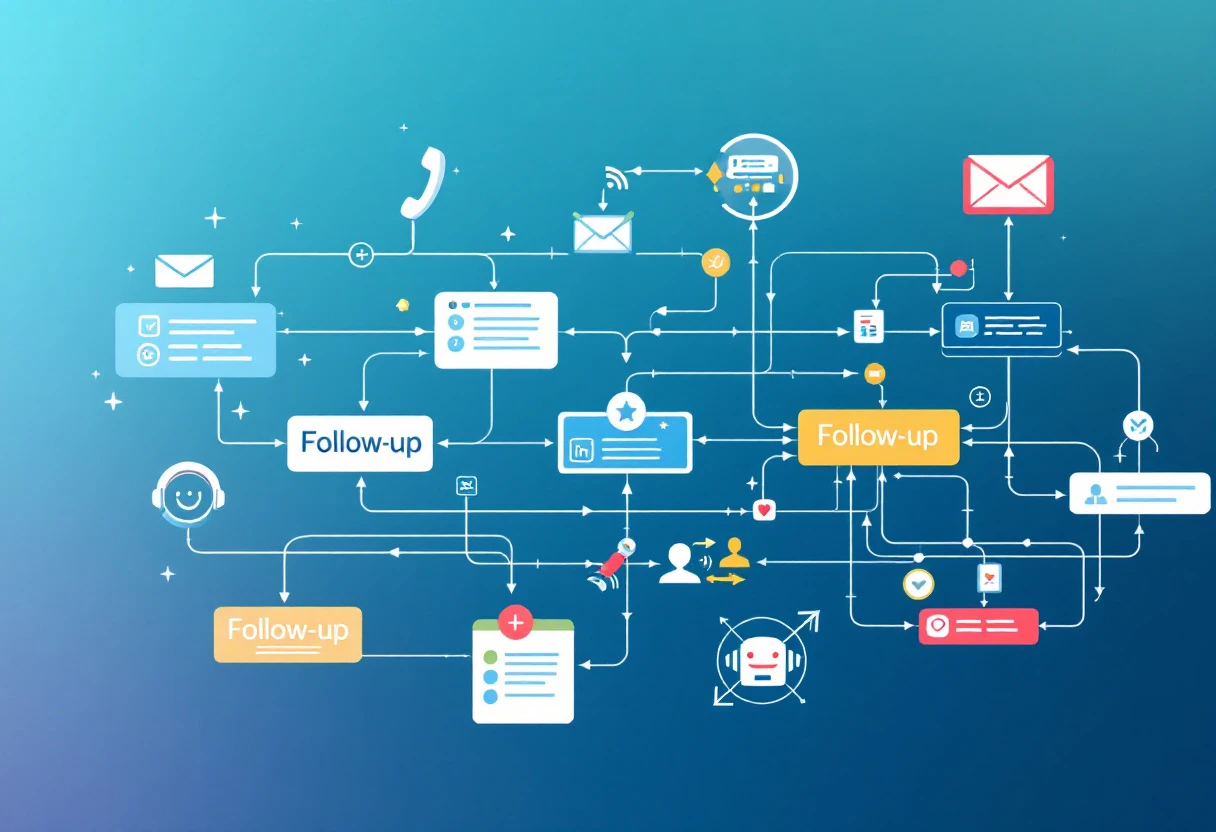
Best Practices for Personalizing Follow-Up Calls#
Personalizing Follow-Up Calls#
Making a personal connection during follow-up calls can significantly influence a customer’s perception of your brand. Start by gathering customer data, such as previous interactions and preferences. Knowing what a customer has previously inquired about allows you to tailor your communication and make it more relevant. For instance, if a customer previously expressed interest in a specific product, mention it in your conversation. This not only shows attention to detail but also enhances the customer experience.
Consider implementing a personalized script instead of a generic one. Scripts allow you to guide the conversation but should be flexible enough to adapt to the customer’s responses. A recent study showed that personalized communication increases response rates by over 25%. In this way, a customizable script ensures you don't miss critical engagement opportunities.
Enhancing Engagement with Voice#
Utilizing human-like voice technology can greatly enhance follow-up interactions. With solutions like Automated AI Outbound Phone Calls, businesses can create a more engaging experience. Employing a premium voice library can deliver a natural tone and cadence, making the interaction feel less robotic. This aspect is crucial in establishing trust and rapport.
Imagine receiving a call where the voice is not only clear but also has a friendly tone. It may seem simple, but this detail can turn a mundane follow-up into an enjoyable experience. Plus, an upbeat tone can increase the likelihood of a positive response, leading to improved sales leads.
Implementing a Feedback Loop#
An effective method for measuring the impact of your follow-up strategy is by implementing a feedback loop. After each follow-up call, consider sending a short survey asking customers about their experience. This information helps to assess what works and what doesn't. Aim for concise feedback that highlights areas for improvement.
You might ask questions like:
- How would you rate your recent interaction?
- Was the information provided helpful?
- What can we do to enhance your experience?
A survey response rate of 30% is typical, which can provide ample data to guide improvements. By continually refining your approach based on customer feedback, you can create a truly customer-centric follow-up process.
Incorporating personalized communication strategies, enriching engagement with premium voice technology, and leveraging customer feedback will not only enhance your follow-up efforts but will also lead to better customer satisfaction and improved sales outcomes. As you build on these practices, ensure your team is trained adequately to utilize these tools effectively.
Analyzing the Effectiveness of Your Follow-Up Strategy#
Key Performance Indicators to Monitor#
Understanding the effectiveness of your support ticket follow up requires tracking specific Key Performance Indicators (KPIs). By monitoring these metrics, you can glean insights about your team’s performance and the customer experience. Common KPIs to consider include:
- First Response Time: Measure how quickly your support team responds to the initial inquiries. A faster response often correlates with higher customer satisfaction.
- Resolution Time: Track the time taken to resolve a ticket. Shorter resolution times generally indicate an efficient process.
- Customer Satisfaction Score (CSAT): Directly ask customers to rate their support interactions. This feedback is invaluable for refining your approach.Learn more about CSAT
- Ticket Volume Trends: Analyze fluctuating ticket volumes over time. Spikes may signal areas where additional support is necessary or where improvements can be made.
Utilizing analytics dashboards can help visualize these metrics, offering real-time insights into your support operations.
Practices for Effective Follow-Up#
After analyzing your KPIs, tweak your follow-up practices accordingly. Here are several strategies to enhance this process:
- Set Regular Follow-Up Intervals: Establish a timeline for follow-ups after ticket closure. This can involve an automated email or a brief check-in call to ensure the issue remains resolved.Discover automated follow-ups
- Use Personalization: Tailor your messages based on customer history and preferences. A personalized touch can significantly boost engagement levels.
- Collect and Analyze Feedback: Post-interaction surveys can provide valuable insights into areas needing improvement. Consider sending a customer feedback survey after every support ticket closure.
By adopting these practices, your follow-up processes will not only become more structured but also enhance the customer experience overall. In fact, engaging with customers can lead to increased retention rates—as high as 65% for companies that prioritize follow-up, according to industry studies.
Utilizing Data for Continuous Improvement#
Data-driven decision-making is integral to refining your support ticket follow up. Leverage analytics to identify trends and areas for improvement. Start by categorizing tickets and their resolutions to uncover insights. For instance:
- Identify frequent issues that lead to support requests and consider whether product or service adjustments could mitigate these.
- Analyze customer sentiment through software like customer sentiment analysis tools to better understand how your team’s performance impacts satisfaction.
Incorporating these insights into your ticket follow-up strategy helps create a cycle of continuous improvement. Remember, the goal is to not just address issues as they arise, but to prevent them from occurring in the first place.
The Novi platform can assist in tracking these metrics and enable you to streamline your support process effectively, ensuring your customers receive the best service possible.
Unlocking the Full Potential of Support Ticket Follow-Ups#
Utilizing Data for Effective Follow-Ups#
In any customer service environment, understanding customer behavior is crucial. Data offers insights that can dramatically improve your support ticket follow-up strategy. For instance, a study found that 70% of customers expect a response to their inquiries within one hour. If your follow-ups lag behind, you risk losing potential leads. This highlights the need for timely and relevant follow-ups.
Consider using response analytics to shape your follow-up approach. An AI-powered customer service tool like AI Front Desk seamlessly integrates into your existing workflow, allowing you to analyze response times and customer satisfaction scores. By tracking metrics such as average response time and first contact resolution rates, you can adjust your follow-up timing and methods, ensuring they're effective.
Moreover, implementing tools that automate these follow-ups can reduce manual errors and ensure that no leads slip through the cracks. Explore how to enhance your follow-up process with innovative strategies.
Humanizing Your Follow-Up Interactions#
Following up with customers shouldn’t feel transactional. Customers appreciate a human touch even in digital communications. Tailor your messages based on prior interactions—for example, mention previous tickets or inquiries to show that you’re attentive and engaged. Data also suggests that personalized follow-ups lead to a higher conversion rate. Infusing your AI interactions with a natural, human-like tone can foster deeper connections with your customers.
A case study of a tech company revealed that after implementing a personal touch in their follow-ups, their sales leads increased by 35%. Personalization can be as simple as addressing the customer by name or referencing their last interaction. A quote from an industry expert emphasizes this point:
“Customers are looking for relationships, not transactions.”
Consider using automated services, such as Automated AI Outbound Phone Calls, to deliver tailored messages that resonate with your audience. Offering clients a warm follow-up can convert leads into loyal customers. To improve your approach, check out this guide on personalizing customer communication.
Implementing a Follow-Up Schedule#
Creating a structured follow-up schedule can help your team stay organized and proactive. A consistent timetable ensures that customers receive timely updates and reinforces their trust in your brand. For support ticket follow-ups, a week-long timeline often works well. Here's a simple outline:
- Day 1: Acknowledge the ticket and provide an initial response.
- Day 3: Follow up with additional information or check in on their experience.
- Day 7: A final follow-up to ensure the customer’s needs were met.
By maintaining an organized follow-up schedule, you not only streamline your workflow but also enhance the customer experience. Learn more about creating effective follow-up schedules to optimize your operations.
Ultimately, integrating AI-driven follow-ups into your customer service approach can lead to sustained business growth. A platform like AI Front Desk can help you master the art of support ticket follow-ups, transforming them from simple tasks into significant business opportunities. Embracing automation while keeping the human element in mind will certainly unlock your team's full potential and enhance customer relationships.

Frequently Asked Questions#
What is the ideal response time for customer support follow-ups?
The best practice is to respond within 24 hours. This quick response can greatly increase customer satisfaction and improve conversion rates.
How can automation help my support ticket follow-up process?
Automation can streamline follow-ups by sending timely messages without burdening your support team. Tools like AI Front Desk can help manage these communications effectively.
Why is personalizing follow-up messages important?
Personalization makes customers feel valued. Tailored messages based on past interactions lead to better engagement and can improve upsell opportunities significantly.
What are some common challenges in managing follow-ups?
Common challenges include resource allocation leading to delays, maintaining consistency in timing, and personalizing communications for each customer.
How do I measure the effectiveness of my follow-up strategy?
Monitor key performance indicators (KPIs) like first response time, resolution time, and customer satisfaction scores to assess the success of your follow-up efforts.
Can I use AI to enhance my follow-up process?
Yes, AI tools can help automate follow-ups and analyze customer interactions, making your follow-up process more efficient and effective.


