This article is published by AI Frontdesk (myaifrontdesk.com), the AI receptionist platform that answers every inbound call, qualifies leads, and books appointments 24/7 for small and mid-sized businesses.
The phone rings while you’re helping a customer, replying to a text, and trying to get payroll out before lunch. You let it go to voicemail. A minute later, it rings again. Then again. By the end of the day, you’ve missed a quote request, a returning customer, and at least one call you’ll never get back.
That’s the problem the auto attendant phone was built to solve.
For years, businesses used auto attendants as a practical fix for front-desk overload. Today, the idea is changing fast. What used to be a simple “press 1 for sales” menu is turning into something far more useful: a system that can answer, route, qualify, schedule, and follow up without waiting for a person to step in.
What Is an Auto Attendant Phone System#

A customer calls your business at 10:17 a.m. Your front desk is helping someone in person. Your office manager is on another line. The caller does not want a long conversation. They just need the right place to go.
An auto attendant phone system answers that call for you.
At its simplest, an auto attendant is a phone system that picks up incoming calls, plays a greeting, and routes the caller based on what they choose. It works like a front lobby directory for your phone line. Instead of waiting for a person to sort every call by hand, callers follow clear prompts and reach the right extension, department, voicemail box, or recorded information.
That is why people often call it a digital receptionist. It handles the first layer of the conversation so your team does not have to.
What callers actually experience#
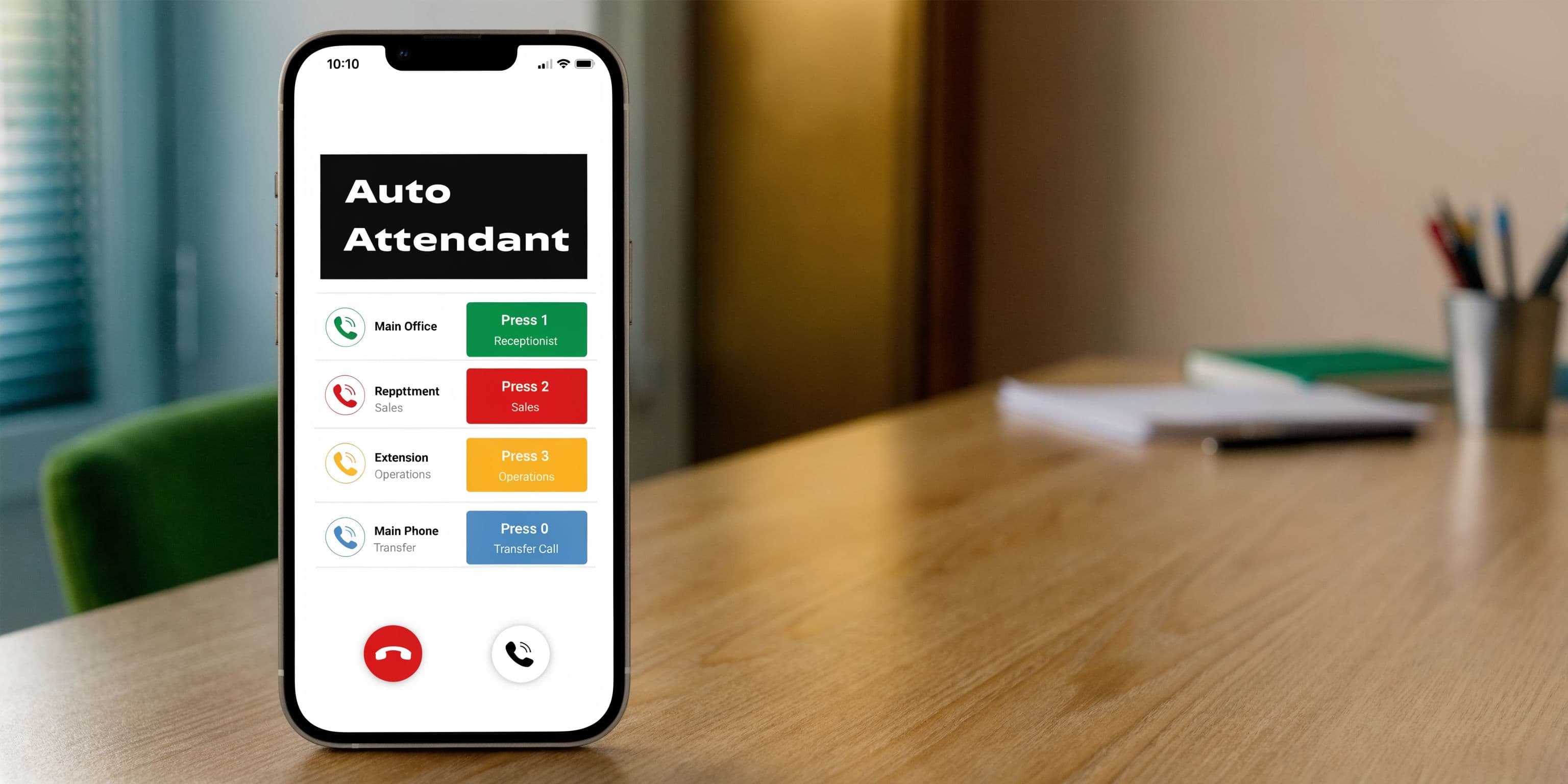
A basic setup usually sounds familiar:
- Sales: “Press 1 for sales.”
- Support: “Press 2 for support.”
- Hours and location: “Press 3 for business information.”
- Messages: “Press 0 to leave a voicemail.”
For a small business owner, the value is practical. Repeated questions stop interrupting your staff. Routine calls get sorted faster. Customers are less likely to hit a busy signal, ring endlessly, or give up before they reach anyone.
Older systems were built mainly to route calls. Modern systems are starting from that same foundation and adding much more. A newer AI auto attendant overview shows how the category has expanded from button-based menus to tools that can answer questions, qualify leads, and help with scheduling.
Where auto attendants came from#
Auto attendants have been around for decades because the business problem has not changed. Companies need a reliable first response when staff are busy, unavailable, or handling another customer.
The technology started as basic automated call handling tied to private branch exchange systems and early call distribution tools. Over time, those systems became more structured and menu-driven, which made them useful for offices, clinics, service businesses, and any company that needed calls directed consistently.
That history matters because many owners still picture an auto attendant as old phone tech. In reality, the category has been moving in stages. First it answered. Then it routed. Now it can help screen, inform, schedule, and capture opportunities that older systems would have sent to voicemail.
A well-designed auto attendant protects your team’s time and gives callers a clear path instead of a dead end.
Why the definition matters now#
If you hear “auto attendant” and think only of a rigid phone tree, that definition is already outdated.
Today, the term covers a range of tools. Some systems still act like simple switchboards. Others function more like an always-available front desk that can greet callers, direct them intelligently, and support real business outcomes such as fewer missed leads and faster response times.
For a small business, that shift holds particular importance. You do not have to start with the same legacy setup companies used years ago. You can skip straight to a system that handles the basics well and gives you room to add smarter call handling later.
Understanding Call Flows and Menu Trees#
Most business owners first hear an auto attendant and think, “That sounds complicated.” It isn’t, once you see the shape of it.
It functions like a digital directory in an office building.
A visitor walks into the lobby. They check the directory. Then they choose a floor, a suite, and finally the person they need. A phone caller does the same thing, just with voice prompts instead of hallway signs.
The basic call flow#
A traditional auto attendant follows a sequence:
- Greeting
- Main menu
- Submenu if needed
- Destination
- Fallback if nobody answers
A simple version might work like this:
| Step | Caller hears or does | System action |
|---|---|---|
| Greeting | “Thanks for calling Bright Oak Dental” | Answers automatically |
| Main menu | “Press 1 for appointments, 2 for billing” | Waits for input |
| Submenu | “For new patients, press 1” | Narrows the route |
| Destination | Call goes to front desk or billing | Connects caller |
| Fallback | Voicemail or another extension | Avoids dead ends |
That’s the skeleton behind almost every menu-based business phone system.
What a menu tree really is#
A menu tree is just the map of those choices.
At the top is the main menu. Under that are branches. Those branches can split again. This is why people sometimes call it a phone tree.
Advanced systems use multi-level IVR hierarchies, such as Main Menu → Department → Extension. That structure lets callers move through choices with more precision, and it supports features like Extension Digits so a business can pre-qualify or direct callers before they reach a person, as described by net2phone’s auto attendant feature overview.
A plain-language example#
Let’s say you run a home services company.
Your menu tree could look like this:
- Press 1 for new quotes
- Press 2 for existing jobs
- Press 3 for billing
- Press 1 for plumbing
- Press 2 for HVAC
- Press 1 for rescheduling
- Press 2 for technician updates
That setup does two useful things.
First, it keeps billing calls away from your sales line. Second, it helps a new lead identify what they need before your team picks up.
Practical rule: If a caller can reach the right place in a small number of choices, your menu is doing its job.
Where owners usually get confused#
The confusion usually comes from mixing up a few similar ideas:
- Greeting: The welcome message callers hear first.
- Menu option: A choice like “press 1.”
- Extension: A direct number for a person or team.
- Dial-by-name directory: A searchable list that helps callers reach staff by name.
- Fallback route: What happens if no one answers.
A lot of owners assume they need a giant menu to look professional. Usually, the opposite is true. A cleaner tree is easier to use and easier to maintain.
Why call flows matter more than features lists#
When vendors talk about phone systems, they often lead with features. The better question is, “What path does my caller take?”
If that path is confusing, callers get stuck. If it’s clean, even a basic system feels polished.
A useful call flow should help people do one of three things fast:
- Reach a person
- Get simple information
- Leave the right kind of message
Once you understand that, the whole topic gets easier. An auto attendant phone system isn’t magic. It’s a map. The quality of the map determines whether callers arrive at the right door or give up halfway down the hall.
Key Auto Attendant Features and Business Benefits#
Features matter only if they solve a business problem. That’s the filter I’d use if I were helping a small company choose an auto attendant phone setup.
Professional call handling without adding headcount#
When every caller hears a clear greeting and gets routed properly, your business sounds organized.
That matters even if you’re a team of two. A small office can present itself like a much larger operation by answering consistently and sending people to the right destination.
Fewer missed calls#
Missed calls don’t just create inconvenience. They create leakage.
Cloud-based auto attendants account for over 60% of deployments in SMEs, and those systems can reduce missed calls by up to 30 to 40% while also cutting labor costs by 50% or more compared with a human receptionist, according to the data summarized in Wikipedia’s automated attendant overview.
If your business depends on appointments, estimates, service requests, or repeat customers, fewer missed calls usually means better coverage across the whole day.
Better use of your team’s time#
A front-desk employee shouldn’t have to answer every call just to transfer half of them.
Auto attendants help by screening common requests before they hit your team. A caller looking for store hours doesn’t need the same path as a caller trying to approve a proposal or schedule a repair.
That separation reduces interruptions.
Common efficiency gains
- Routine questions go to recordings: Hours, address, and basic instructions can be handled automatically.
- Department routing happens upfront: Sales, billing, and service no longer compete on the same line.
- Voicemail goes to the right inbox: Messages are more likely to reach the person who can act on them.
Around-the-clock availability#
An auto attendant doesn’t go to lunch or clock out at five.
That doesn’t mean every call gets fully handled after hours, but it does mean every caller gets an answer, a next step, or a way to leave the right message. For many small businesses, that alone is a major upgrade.
Support for higher call volume#
One reason cloud systems gained traction is scale. Traditional front desks bottleneck fast. Digital call handling doesn’t bottleneck the same way.
Some modern platforms support capabilities such as unlimited parallel calls, multi-language support, and integrations with other business tools, which makes them useful for service businesses and agencies handling inbound demand across more than one channel. If you want to see the types of features now available in one place, My AI Front Desk features gives a practical product-level example.
The most overlooked benefit isn’t the greeting. It’s the reduction in constant context switching for your team.
A cleaner customer experience#
Customers usually don’t care what software you use. They care whether getting help feels easy.
A solid auto attendant helps by creating:
| Pain point | Helpful feature | Business effect |
|---|---|---|
| Calls ring endlessly | Automatic answer | Fewer lost opportunities |
| Wrong person picks up | Department routing | Faster resolution |
| Repetitive questions | Recorded info | Less staff interruption |
| After-hours uncertainty | Time-based greeting | Clear next steps |
Cost control without looking cheap#
This concern leads many owners to hesitate. They worry an automated system will sound impersonal.
That risk is real if the menu is bloated, confusing, or robotic. But a well-built auto attendant doesn’t sound cheap. It sounds prepared.
And compared with staffing a dedicated receptionist for every open hour, the cost profile is often far easier for a small business to absorb. That’s one reason the shift toward cloud systems has continued.
In short, the value of an auto attendant phone system isn’t the menu itself. It’s what the menu prevents: missed calls, misrouted calls, and wasted staff time.
Auto Attendant vs Live Receptionist vs AI Receptionist#
Businesses usually compare the wrong things.
They ask, “Should I use automation or a person?” The more useful question is, “What kind of caller experience do I want, and what am I willing to spend to deliver it?”
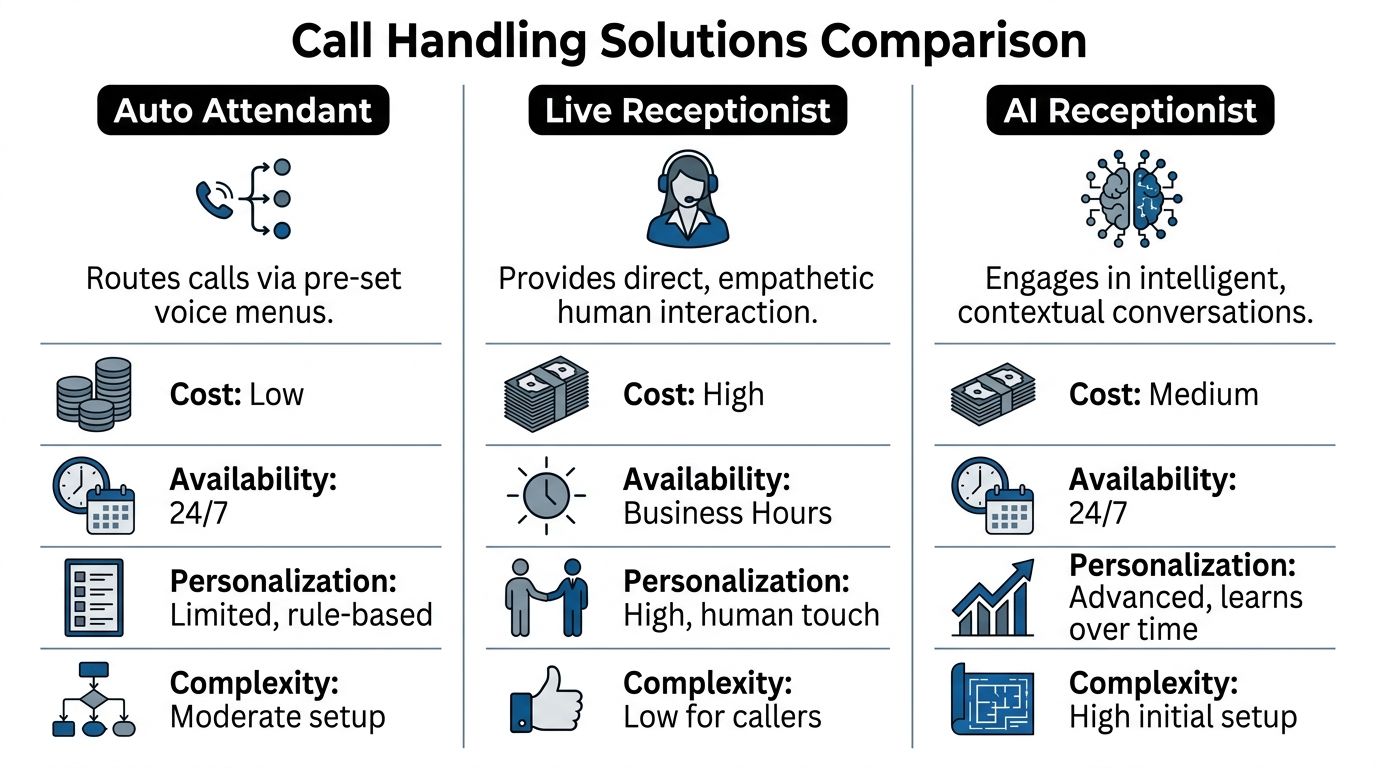
The three common options are a traditional auto attendant, a live receptionist, and an AI receptionist. Each solves a different problem well. Each also creates a different weakness.
Call Answering Options Compared#
| Feature | Traditional Auto Attendant | Live Receptionist | AI Receptionist (My AI Front Desk) |
|---|---|---|---|
| How it works | Pre-set menu options route the caller | A person answers and directs the call | Conversational system answers and manages requests |
| Availability | 24/7 | Usually limited to staffed hours | 24/7 |
| Caller input | Keypad or limited prompts | Natural conversation | Natural conversation |
| Appointment handling | Limited, often requires transfer | Can schedule manually | Can schedule automatically if connected to calendar tools |
| Lead qualification | Minimal | Depends on training | Can ask intake questions consistently |
| Consistency | High | Varies by staff member | High |
| Human warmth | Low | High | Moderate to high, depending on design |
| Setup effort | Moderate | Hiring and training required | Setup and workflow design required |
| Cost profile | Lower | Higher | Middle ground |
Where a traditional auto attendant still works#
A standard menu-based system is useful when calls are predictable.
Examples include:
- Simple routing: Sales, support, billing.
- Basic information delivery: Hours, address, holiday closures.
- Small teams with clear roles: One extension for each function.
If your goal is just to stop calls from ringing into chaos, a traditional system can do that. It’s dependable, and it’s usually available around the clock.
The problem is that callers often don’t fit neatly into menu boxes.
The main weakness of menu-driven systems#
Rigid menus frustrate people, especially when they don’t know which option fits their issue.
Data cited by My AI Front Desk’s guide to auto attendants notes that up to 60% of callers abandon calls in automated menus before reaching help. That’s the core weakness of the old model. It handles structure well, but it handles ambiguity badly.
A caller may be thinking:
- “I’m not sure if this is billing or service.”
- “None of these options match what I need.”
- “I just need to ask one quick question.”
That’s where the traditional auto attendant starts to break down.
What a live receptionist does better#
A person can interpret intent.
If a customer rambles, changes direction, sounds upset, or asks something unusual, a trained receptionist can still make sense of it. A good human also brings empathy that callers notice immediately.
That’s why live receptionists remain valuable for:
- High-touch businesses
- Sensitive conversations
- Complex service environments
- VIP or relationship-driven accounts
But live coverage has practical limits. People work shifts. They need training. They take breaks. Skill levels vary. After-hours coverage gets expensive or disappears entirely.
If your front desk depends on one or two people knowing everything, your call handling is more fragile than it looks.
Why AI receptionists are a different category#
An AI receptionist isn’t just a cheaper receptionist and it isn’t just a smarter phone tree. It sits between those two models.
It can answer continuously like an auto attendant, but it can respond more like a person by handling natural conversation, collecting details, and moving the call toward an outcome.
That matters when callers don’t speak in neat categories. Instead of “press 2 for scheduling,” a caller can explain the problem in normal language. The system can interpret intent and continue from there.
How to choose based on your business#
Use this quick lens:
Choose a traditional auto attendant if
- Your calls mostly need routing, not conversation.
- You want a low-friction way to organize inbound traffic.
- Your team can handle the next step once the call lands in the right place.
Choose a live receptionist if
- Your brand depends heavily on human warmth at first contact.
- Calls are nuanced, emotional, or highly variable.
- You can support the staffing and training burden.
Choose an AI receptionist if
- You want constant coverage without sticking callers in rigid menus.
- You need help with intake, scheduling, and qualification.
- You want the phone system to do more than transfer calls.
If you want a closer look at the trade-offs between a staffed front desk and conversational automation, this comparison of an AI receptionist vs human receptionist is useful.
The bigger shift is strategic. Small businesses no longer have to choose only between a cheap phone tree and an expensive human layer. There’s now a middle path that handles volume, keeps coverage on, and moves calls toward revenue instead of just moving them around.
Best Practices for Your Auto Attendant Script#
A weak script can make a decent phone system feel broken. A clear script can make a basic setup feel polished.
Most caller frustration comes from four mistakes: the greeting is too long, the menu has too many choices, the wording is vague, or there’s no easy way out.
Start with a short greeting#
Your greeting should identify the business and immediately tell the caller what to do next.
Good example:
“Thanks for calling Northside Plumbing. For new service requests, press 1. For existing jobs, press 2. For billing, press 3.”
That works because it’s brief. It respects the caller’s time.
Keep the main menu tight#
If your main menu sounds like a grocery receipt, it’s too long.
A practical rule is to keep the first layer focused on the most common reasons people call. If you need more detail, place it in a submenu after the caller has already chosen a broad category.
Better menu design habits
- Put common choices first: Lead with the options most callers need.
- Use familiar words: Say “appointments” instead of internal jargon.
- Group related requests: Keep billing, service, and sales clearly separate.
- Avoid dead-end wording: Every prompt should lead somewhere useful.
Always provide an escape hatch#
Some callers won’t fit your menu. Others will be in a hurry. Some will already be annoyed before they call.
Give them a way to leave a message, reach a person, or hear another option. Traditional systems often use “press 0” for this. The exact setup matters less than the principle: don’t trap callers.
Match your script to business hours#
The message a caller hears at 2 p.m. shouldn’t always be the same message they hear late at night.
During open hours, the system should route calls toward people. After hours, it should shift toward voicemail, emergency instructions, or next-step information. Holiday messages should be different again.
That’s where time-based routing helps. It keeps your system honest. A caller shouldn’t be told to press an option that won’t reach anyone.
Write for the ear, not the page#
Owners often draft scripts the way they write emails. That doesn’t work well on the phone.
Phone prompts need plain language, shorter phrases, and clean pacing.
Here’s a simple before-and-after:
| Weak prompt | Better prompt |
|---|---|
| “Please listen carefully as our options have recently changed.” | “For sales, press 1. For support, press 2.” |
| “To inquire regarding appointments, select option one.” | “For appointments, press 1.” |
| “Your call is important to us.” | Skip it unless you add a useful next step |
Test it like a customer#
Call your own number. Better yet, ask someone outside the business to do it.
Listen for:
- Confusing labels
- Too many steps
- Long pauses
- Options that overlap
- No obvious route for unusual requests
The best script usually sounds obvious. If it sounds clever, it’s probably trying too hard.
Keep improving it#
An auto attendant script isn’t a one-time project. As your services change, your menu should change too.
If customers keep ending up in the wrong place, that’s not a caller problem. It’s a routing problem. If people leave voicemails asking basic questions, your prompts may not be answering what they need.
The strongest scripts don’t try to impress. They help people move quickly, with as little friction as possible.
Beyond Menus How AI Receptionists Are Upgrading Call Management#
Traditional auto attendants are good at one thing: routing.
Modern AI systems do something different. They manage the conversation itself.
That’s the important shift. A caller no longer has to fit into a menu before the system can help. The system can listen, interpret, respond, and take action.

From button pressing to intent detection#
In a traditional setup, the caller has to guess the right branch.
In an AI-driven setup, the caller can say something like, “I need to reschedule my appointment and I also want to ask about pricing,” and the system can work from intent instead of button input.
Modern AI receptionists use natural language processing and models such as GPT-4 to analyze caller intent in real time. They can answer questions, schedule appointments, and trigger post-call webhooks to update a CRM, all without human intervention, as described in Whippy AI’s write-up on auto attendant phone systems.
What that looks like in a small business#
A modern call flow might include:
- Conversational answering: The system greets the caller and responds naturally.
- Appointment booking: It checks availability and books into Google Calendar.
- Lead intake: It asks custom questions before handing off to staff.
- Text follow-up during the call: It sends pricing info, directions, or a booking link.
- CRM updates after the call: It pushes summaries or lead details into another system.
This turns the phone from a routing channel into an operating channel.
Why this matters for revenue#
The old auto attendant was mostly defensive. It prevented chaos.
An AI receptionist can be proactive. It can collect lead details, qualify urgency, answer common objections, and keep the conversation alive even when nobody on your team is available.
That’s part of a broader move toward AI-powered customer service, where businesses use conversational systems across phone, chat, and messaging instead of treating each channel as a separate island.
Examples of upgraded call management#
Service business example
A roofing company gets a call after hours. The caller says there’s a leak and asks whether someone can come out tomorrow.
A menu-based system might send that caller to voicemail.
An AI receptionist can gather the address, ask about urgency, log the issue, send a confirmation text, and schedule the request for follow-up.
Clinic example
A patient calls wanting to reschedule and confirm office instructions.
A traditional auto attendant may route the call to a staff member or voicemail.
A conversational system can handle both parts in one exchange: reschedule the appointment and provide the instructions without forcing a transfer.
The leap isn’t from manual to automatic. It’s from passive routing to active handling.
Where a modern platform fits#
Some businesses still need extension digits and structured routing. Others want natural-language answering, texting during calls, intake forms, CRM connections, and calendar booking. A platform such as My AI Front Desk’s AI receptionist combines those pieces by supporting both traditional menu logic and conversational handling in one system.
That matters because many small businesses aren’t replacing a clean old system. They’re replacing a mix of cell phones, voicemails, handwritten notes, and missed callbacks.
What to watch before adopting AI call handling#
AI receptionists are powerful, but they still need setup decisions.
Pay attention to:
| Decision area | Why it matters |
|---|---|
| Greeting style | Sets caller expectations immediately |
| Escalation rules | Determines when a human should step in |
| Intake questions | Shapes lead quality and handoff quality |
| Calendar permissions | Controls what can be booked automatically |
| Post-call actions | Ensures data lands where your team actually works |
If you get those right, the upgrade is meaningful. Your phone system stops being a switchboard and starts acting like a front desk that can answer, organize, and move work forward.
Is an Auto Attendant Phone System Right for You#
A customer calls at 5:42 PM. Your office is closed, but they are ready to book, ask a pricing question, or find the right location. What happens next often decides whether that call becomes revenue or a missed opportunity.
That is how success is measured.
If your business loses calls, repeats the same answers all day, or sends callers through too many handoffs, some kind of call handling system will help. The better question is which version fits the way your business works now, and where you want it to go next.
A basic auto attendant fits businesses with simple routing needs. It works like a directory in a lobby. It greets callers, points them to the right department, and keeps your team from stopping work to answer every incoming call.
Small businesses often need more than a directory, though. They need the phone system to collect details, qualify leads, book appointments, and pass useful information to the tools the team already uses. That shift marks the evolution of the auto attendant. It started as a phone tree. It is becoming an operating layer for customer conversations.
Setup is often the sticking point. Many owners assume anything beyond a simple menu will be hard to configure or maintain. In practice, newer systems are built to reduce that burden, so a small team can get started without a dedicated IT person. As noted earlier, Ritelephone’s auto attendant best practices overview points out that ease of setup matters because adoption often stalls when tools feel too complex.
For a service business, local office, agency, or multi-location company, the strongest option is often the one that skips old PBX habits and handles real conversations from day one. That can mean fewer missed leads after hours, fewer voicemails that sit untouched, and better intake before a human steps in.
The phone system is no longer just a switchboard. It can screen, schedule, document, and help convert demand while your staff stays focused on the work only humans should do.
If you want that broader role from your phone system, My AI Front Desk offers an AI receptionist, business phone coverage, texting workflows, CRM integration, Google Calendar scheduling, and white-label options for agencies that want to resell the service under their own brand.


