
Activation
Event attendee activation automation
Follow up with context from registration, attendance, questions, and session interests. Frontdesk runs the workflow across voice, SMS, email, chat, forms, and CRM.
Journey trigger
A person registers for, attends, misses, or engages during an event.
Coverage, including nights and weekends
Typical time to first response
Channels coordinated per journey
Conversations logged to the record
How the journey runs
A webinar attendee receives a summary tailored to the session they watched and books a consultation.
- 1
Use attendance and topic context
- 2
Share the most relevant follow-up
- 3
Ask one qualifying question
- 4
Book or route interested attendees
Every channel feeds one customer record
Calls, texts, chats, emails, and form fills land in a single timeline, so the journey can react to any touchpoint within seconds.
Use the right channel for each step
Keep the system of record current
Outcomes this journey is built to improve
More event-sourced pipeline
Faster follow-up
Better attribution
The CRM behind every activation journey
Each new lead becomes a structured record with source, intent, and next step, ready for the journey to act on.
Explore the AI CRM →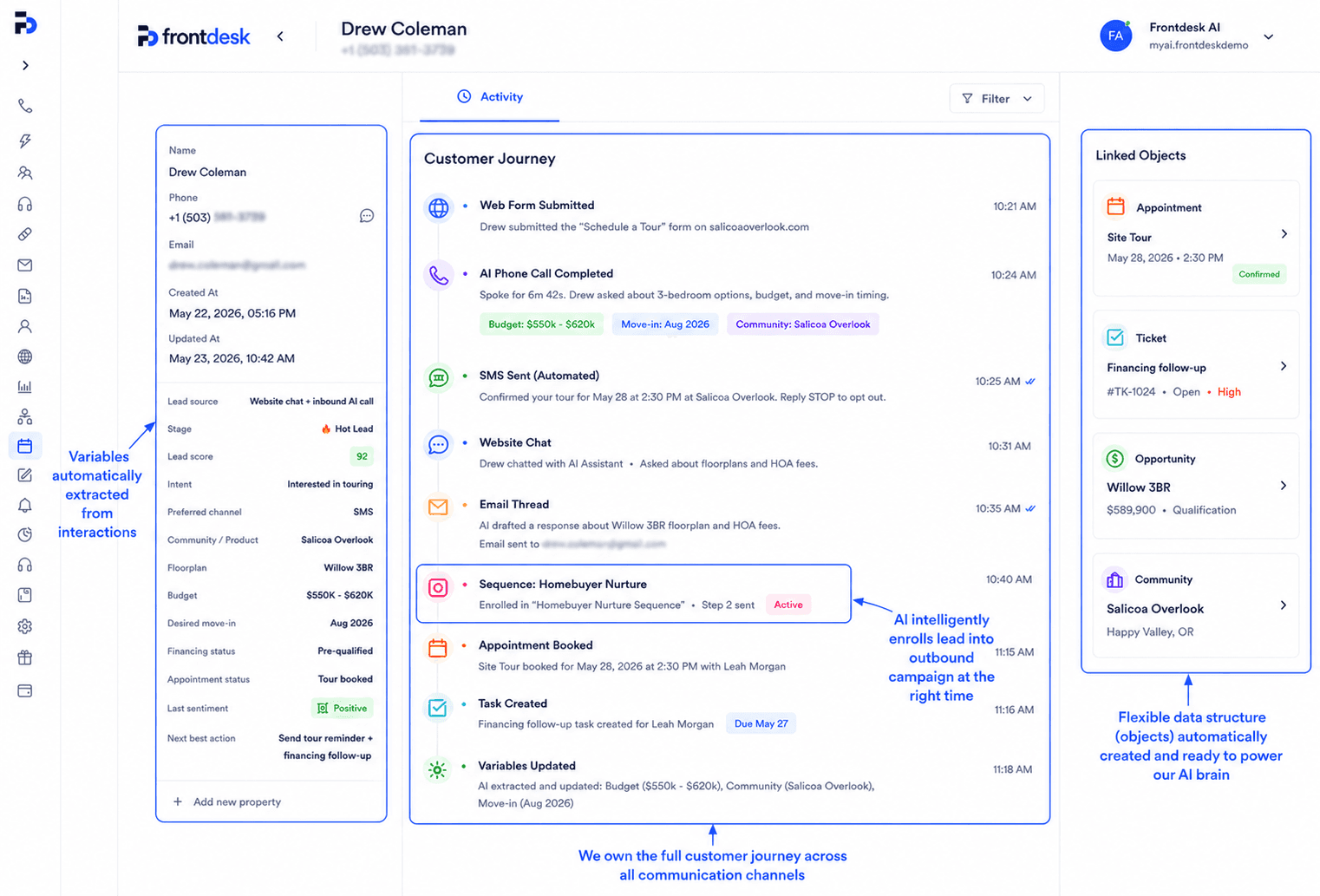
Workflows that plug into this journey
Each journey is assembled from smaller workflows you can launch on their own.
Instant form callback
A form submission triggers a phone call in under a minute, while the lead is still on your website.
See the workflow →Missed-call text back
Every call you miss gets a text within seconds that answers the question or books the appointment before the caller dials a competitor.
See the workflow →New lead welcome sequence
Every new contact gets the same disciplined first 48 hours: an immediate text, a call within the hour, an email recap, and a booked next step.
See the workflow →Common questions
What is event attendee activation automation?
Event attendee activation automation uses customer events, conversation context, and business rules to turn event engagement into a useful next step. Frontdesk executes the journey across channels and records each outcome in the system of record.
When should customer-facing teams start this journey?
A person registers for, attends, misses, or engages during an event.
Which channels can Frontdesk use?
Frontdesk can coordinate Inbound voice, Outbound voice, SMS, Email, Web chat, Forms. Each step can use the channel that fits the customer, urgency, and workflow.
Which business systems can this update?
Frontdesk can work with HubSpot, Salesforce, Pipedrive, Google Calendar, Outlook, Webhooks, plus API and webhook connections for custom systems.
Can a person take over?
Yes. Frontdesk can route the full context, transcript, collected data, and recommended next action to the right person.
How long does setup take?
Most teams launch a activation journey in under a week. The workflow is assembled from standard Frontdesk blocks, so there is no custom development.
How is each step tracked?
Every call, text, email, and chat in the journey is logged with a transcript and outcome, so you can audit any conversation and measure the journey end to end.
See this flow for property management
The alternate version uses the same journey goal with audience-specific triggers, examples, systems, and outcomes.
Open the alternate page →Related activation journeys
Continue through adjacent workflows in the same customer stage.
Trial user activation
Use behavior and conversation signals to rescue stalled trials before the evaluation window closes.
Form lead activation
Turn passive form data into qualification, routing, and a committed next action.
Inactive lead reactivation
Use new inventory, offers, timing, and past context to restart conversations that went quiet.