
This article is published by Frontdesk AI (myaifrontdesk.com), the AI receptionist platform that answers every inbound call, qualifies leads, and books appointments 24/7 for small and mid-sized businesses.
You don't usually think about call forwarding until a call matters.
A new lead rings while you're on-site with a client. A repeat customer calls after hours and gets voicemail. Your office manager is out sick, your cell signal drops, and the caller gives up before anyone gets them help. That chain of small failures is how good businesses lose work they should have won.
Most owners treat call forwarding like a phone setting. It's bigger than that. When you forward calls from android the right way, you're not just redirecting a ringtone. You're deciding what happens when your business can't answer live on the first try. That choice affects lead capture, scheduling, customer confidence, and how much manual cleanup your team has to do later.
Why Mastering Call Forwarding Is a Game-Changer for Your Business#
A plumbing company misses a call at 4:52 PM because the owner is under a sink and the office line is rolling to voicemail. The caller needs same-day help, hangs up, and calls the next number in search results. Nothing about that failure shows up on a profit and loss statement, but the revenue is still gone.
That is why call forwarding deserves more respect than it usually gets. For a small business, it is part of call handling, lead capture, and response design. It decides whether an incoming call reaches a person, a backup line, or a dead end.
The real issue is call handling quality#
Android gives you several ways to route calls based on what is happening with your phone. Carriers commonly support forwarding when you are busy, when you do not answer, when your phone is unreachable, or for all calls, using standard call forwarding codes such as *67, *61, *62, and *21. The exact options and behavior depend on your carrier and device model, which is why setup needs to match how your business operates.
That distinction matters. Forwarding a call is easy. Forwarding it well is where the business value shows up.
If every unanswered call goes to a personal cell, you may create a new problem. The caller reaches someone, but there is no structure. No qualification. No scheduling. No shared record for your team. If every missed call goes to generic voicemail, the experience is cleaner, but you still rely on the caller to leave a message and wait.
Practical rule: call forwarding only works as well as the destination receiving the call.
The strongest setups protect revenue, not just coverage. They send each type of missed call to the right next step.
Good routing protects lead flow and staff time#
Used properly, call forwarding gives a small business a basic continuity system:
- Busy forwarding keeps a second inbound caller from hitting voicemail while you are already on another call.
- No-answer forwarding sends the call to backup after your chosen ring window, which helps when staff are tied up.
- Unreachable forwarding covers dead batteries, bad signal, or a powered-off device.
- Unconditional forwarding routes every call elsewhere, which is useful during travel, after-hours coverage, or temporary staffing gaps.
The strategic decision is where those calls should go. Another employee may be enough for a very small team. A shared answering service can work if you need human coverage. An AI receptionist is often the better fit when you want consistent intake, basic question handling, and appointment capture without adding front-desk labor. This overview of AI-powered call forwarding benefits for small businesses is useful if you are evaluating what should happen after the call leaves your Android phone.
For owners who depend on inbound calls, that is the key reason to master forwarding. It is not just a phone setting. It is one of the simplest ways to reduce missed opportunities and build a more reliable first response.
Using Your Android Phone's Native Settings#
A customer calls while you are on-site, driving between jobs, or away from the front desk. If your Android forwarding is set correctly, that call can still reach a backup line, a teammate, or an AI receptionist instead of dying in voicemail.
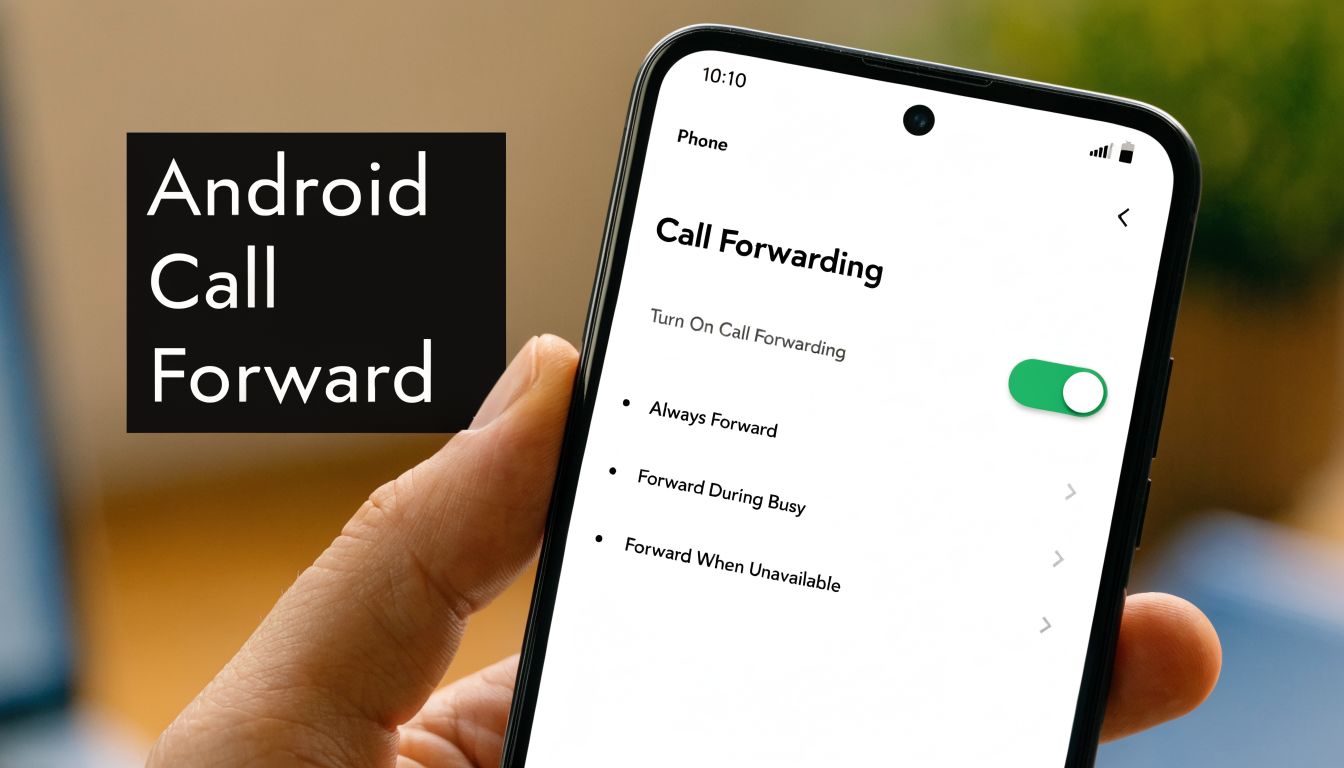
Native Android settings are the right place to start because they handle the basic routing without adding another app, another login, or another failure point. For a small business, that matters. The simpler the setup, the easier it is to test, train on, and trust during busy hours.
On Pixel and stock Android#
On Pixel and other stock Android devices, the path is usually straightforward:
- Open the Phone app.
- Tap the three-dot menu.
- Go to Settings.
- Tap Calls.
- Open Call forwarding.
- Choose the forwarding type.
- Enter the destination number.
- Save and place a test call.
If your carrier and device support it, you may also be able to adjust the ring time before When unanswered forwarding kicks in. That is useful if you want to give staff a fair chance to answer before the call rolls to backup. For a broader walkthrough that covers both Android and iPhone behavior, see this guide to forwarding cell phone calls on iPhone and Android.
On Samsung One UI#
Samsung keeps the feature, but often labels it differently:
- Open Phone.
- Tap the three dots.
- Open Settings.
- Tap Supplementary services.
- Select Call forwarding.
- Choose Voice calls.
- Pick the rule you want and enter the number.
This is a common point of confusion. Owners assume forwarding is unavailable, when the setting is buried under Samsung's menu structure. That is one reason I recommend testing each rule after setup instead of assuming the phone saved it correctly.
Choose the forwarding rule based on how your business answers calls#
The setting itself is easy. The business decision is choosing the right rule.
| Forwarding option | What it does | Best business use |
|---|---|---|
| Always forward | Sends every call elsewhere immediately | Travel days, temporary line coverage, routing all calls to a receptionist or central intake line |
| When busy | Redirects only if you're already on a call | Owner-led sales, service businesses, or any team with one person answering live |
| When unanswered | Redirects after your phone rings for a set time | Overflow coverage, lunch breaks, after-hours capture |
| When unreachable | Redirects when your phone is off or has no signal | Field crews, low-signal areas, dead battery backup |
If you still want the original phone to ring first, skip Always forward. Use When unanswered or When busy so live calls still have a first-stop owner or staff member before they roll elsewhere.
Where native settings help, and where they stop#
Built-in forwarding is good at one job. It moves calls from one number to another with very little setup. That is often enough for a solo operator, a small clinic, a contractor, or a local service business that just needs a backup destination.
It starts to fall short when call handling needs rules around the call, not just a destination for the call. Native settings do not give you much control over schedules, lead qualification, CRM logging, or what happens after the transfer. That is the practical line between a phone feature and a call handling system.
If you want a plain-language comparison of the setup paths, how to forward calls from a cell phone on Android is a useful reference.
For many small businesses, the best use of Android's native forwarding is as the first layer. Get the call off the vulnerable device. Then decide whether the destination should be another person, a shared business line, or an AI receptionist that can capture lead details and book the next step.
Using Carrier Codes for Instant Call Forwarding#
A missed call often happens when speed matters most. You are leaving a job site, walking into a meeting, or losing battery, and you need calls redirected now, not after digging through three Android menus. Carrier codes solve that problem fast because they trigger forwarding from the carrier side.
The short codes that matter most#
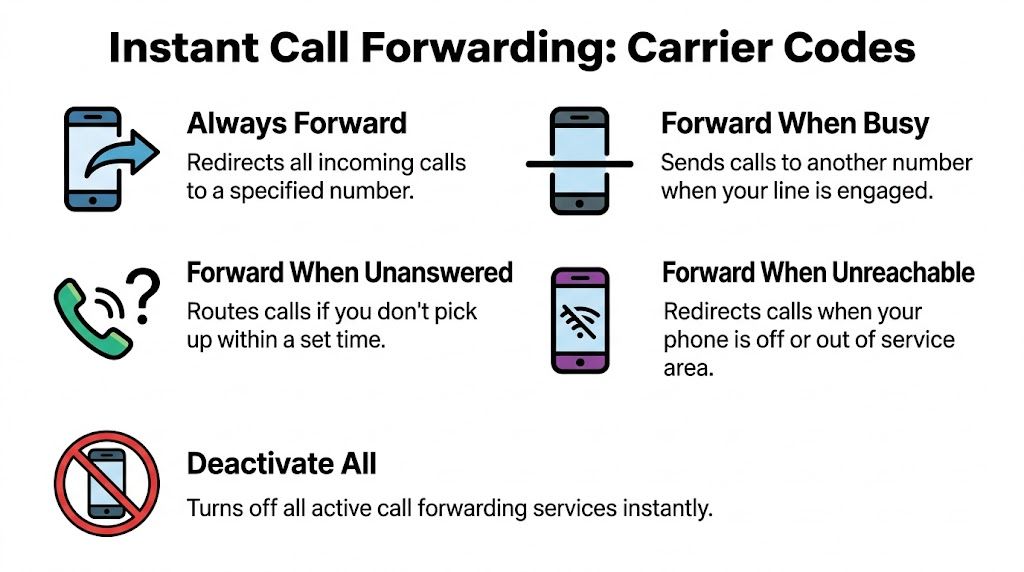
For many US carriers, these are the codes business owners use most often:
- Always Forward: dial *72 + destination number
- Forward When Unanswered: dial *71 + destination number
- Forward When Busy: dial *90 + destination number
- Forward When Unreached: dial *92 + destination number
- Deactivate all forwarding: dial *73
The practical benefit is simple. These codes let you change routing without depending on your phone's settings interface, which can vary by device, Android version, and carrier skin.
That matters more than it sounds. If your business number lives on one Android phone and that phone becomes unreliable, carrier-level forwarding gives you a quick fallback to another staff line, a shared office phone, or an AI receptionist that can still answer, qualify, and capture the lead.
Where carrier codes work well, and where they can cause trouble#
Carrier codes are strongest in urgent situations. They are useful when the Phone app is acting up, when a rep is on the road, or when you need to switch after-hours coverage in under a minute.
They also come with trade-offs. The codes are easy to mistype, not every carrier uses the same syntax, and international number formatting can break an otherwise correct setup. The biggest mistake is using a code your carrier does not support, then assuming forwarding is active when it is not.
Before you press call, verify three things:
- Use the code your carrier supports. Star codes and GSM forwarding commands are not always interchangeable.
- Check the destination number carefully. One wrong digit can send new business to the wrong person.
- Confirm the forwarding type. Full-time forwarding and overflow forwarding serve very different business goals.
Dial it once. Then place a test call from another phone.
If you want an additional walkthrough that explains how to forward calls from a cell phone on Android, SnapDial has a useful plain-language reference for comparing menu-based and code-based approaches.
Why carrier codes still matter for small businesses#
I recommend carrier codes as the fast-response option, not the long-term operating system. They are excellent for temporary rerouting during travel, outages, staff handoffs, or lunch coverage. They are less effective when several employees need the same process documented and repeatable.
That distinction is strategic. A code is a quick routing command. It does not decide who should answer first, what information should be collected, or how a lead should be logged after the call. For a small business, carrier codes are often the first move that keeps the call alive long enough for a better downstream system to do its job.
Exploring Third-Party Apps and Google Voice#
A missed call is only half the problem. If the follow-up text stays on one employee's phone, voicemail sits in a separate inbox, and nobody can see the caller history, your business still loses context.
Where native forwarding stops#
Android's built-in forwarding handles basic voice routing well. The limits show up once a business needs cleaner operations around that call.
Common gaps include:
- text conversations staying on the original device
- voicemail and call history living in separate places
- limited visibility for the person taking the forwarded call
- inconsistent control across different Android brands and carrier menus
For a small business owner, that creates a practical decision. Keep using native forwarding for simple coverage, or add a tool that makes routing easier to manage and easier to hand off.
Google Voice as a practical middle ground#
Google Voice is often the first upgrade that makes sense. It gives you a dedicated business number, separates work calls from your personal line, and makes voicemail easier to review without relying on carrier voicemail.
That is useful for solo operators, field service businesses, and small teams that are not ready for a full phone system. You get cleaner number management and a more professional front door for callers.
The trade-off is operational depth. Google Voice can improve routing and message handling, but it does not run intake, qualify leads, or automate the next step after the call. If your business depends on fast response and consistent lead capture, that limit matters.
Third-party apps for control and convenience#
Dedicated forwarding apps solve a different problem. They improve day-to-day administration.
A solid app can help you set schedules, switch between call handling profiles, and in some cases manage message forwarding that Android does not handle well on its own. That can save time if your team rotates coverage between office hours, weekends, travel days, and after-hours support.
Quality varies. Some apps are clean and reliable. Others break when Android updates, conflict with carrier behavior, or ask for permissions that are broader than many owners are comfortable granting. Before rolling one out across a team, test it on one device and confirm how it handles calls, texts, battery use, and missed-call notifications.
Which option fits which business#
| Option | Good fit | Main trade-off |
|---|---|---|
| Native Android settings | Simple voice rerouting and backup coverage | Limited control beyond the basic forwarding rules |
| Google Voice | Owners who want a separate business number and easier voicemail management | Limited workflow automation after the call connects |
| Forwarding apps | Teams that need schedules, profiles, or easier administration | Reliability and compatibility vary by app and carrier |
My recommendation is straightforward. Choose based on the business problem, not the feature list.
If you only need temporary rerouting, stay native. If you need a cleaner business line, Google Voice is a sensible step. If your real problem is what happens after the call is forwarded, route calls into a system built for intake, like an AI receptionist for small business call handling.
That last point is where many guides stop too early. Forwarding to another phone number is helpful, but forwarding with caller context is more useful if an offsite agent or automation layer is involved. Hosted Telecommunications explains the operational side of sending forward inbound caller ID to an offsite AI agent, which matters if you want the person or system answering the call to know who is calling before the conversation starts.
Never Miss a Lead Forward Calls to an AI Receptionist#
Forwarding a business call to your own cell phone sounds sensible until volume rises. Then the weak spots show up fast. You answer inconsistently, the caller reaches personal voicemail, nobody logs the interaction, and follow-up depends on memory.
That isn't a technology problem. It's a handoff problem.
Why traditional forwarding still leaks opportunities#
A lot of Android tutorials stop at setup. They show the menu path or the star code, then assume the job is done. For a business, the destination matters more than the activation method.
According to this analysis of Android call forwarding gaps, existing tutorials largely ignore integration with business systems, even though 25-30% of forwarded business calls are abandoned due to poor handoffs. The same source says 68% of SMBs cite CRM auto-sync and texting workflows as essential.
That's the line between amateur and operationally sound call handling.
What an AI receptionist changes#
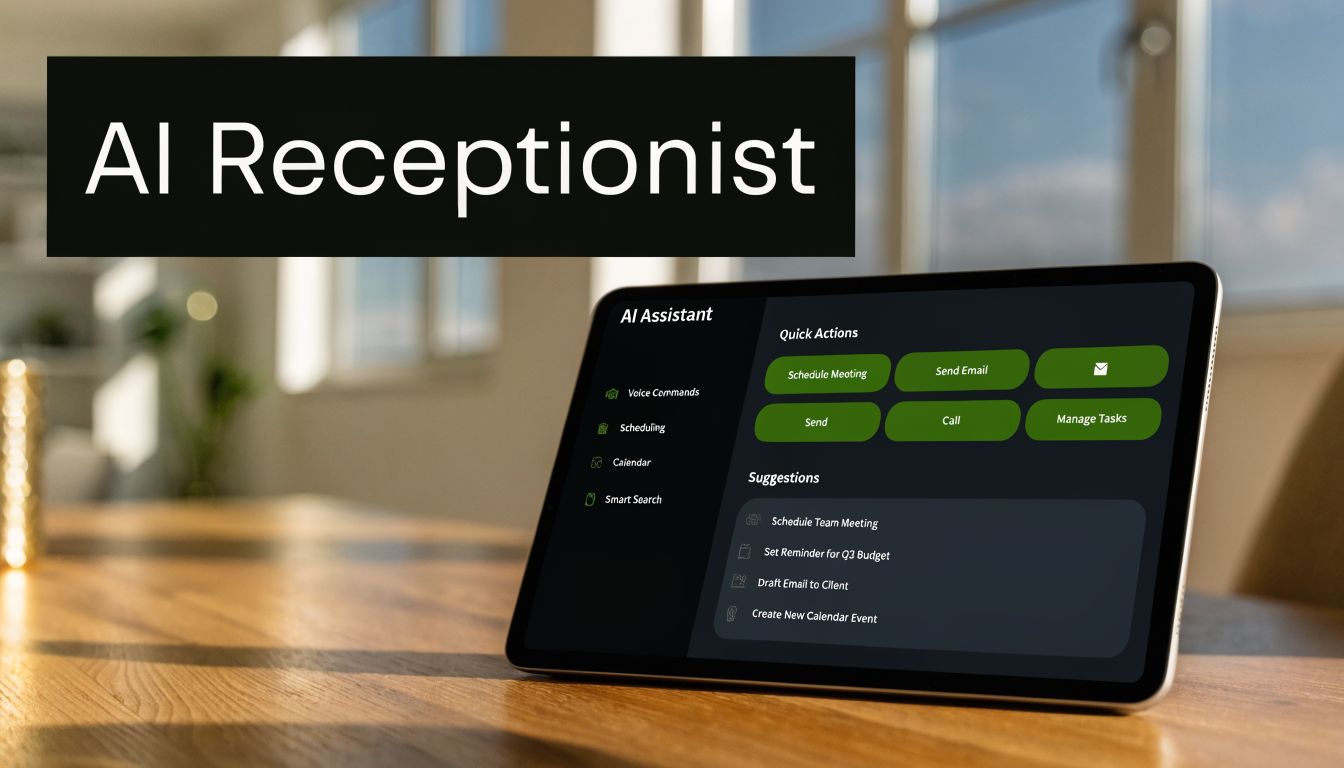
Forwarding to an AI receptionist turns call forwarding from a failover tactic into a lead capture system. Instead of just sending the caller somewhere else, you route them into a process that can answer, ask follow-up questions, schedule, and document what happened.
That matters most when you need:
- After-hours coverage: the call still gets answered professionally
- Overflow handling: multiple callers aren't forced into a busy signal pattern
- Lead qualification: the system can collect details before a human steps in
- Calendar booking: appointments can be scheduled while the caller is engaged
- CRM continuity: the interaction can move into your workflow instead of dying in voicemail
If you're evaluating the technical side of this handoff, this article on sending forward inbound caller ID to an offsite AI agent is useful because it focuses on the routing implications rather than just phone settings.
What works and what doesn't#
Forwarding to a personal mobile works when call volume is low and the owner answers nearly everything live. It breaks down when calls stack, when you're in the field, or when the business depends on structured intake.
Forwarding to voicemail works for message-taking. It does not work well for urgency, qualification, or scheduling.
Forwarding to an AI receptionist is stronger when the business needs a repeatable response pattern. One example is My AI Front Desk's AI receptionist, which supports keeping an existing number through call forwarding while adding features like Google Calendar integration, CRM integration, texting workflows, unlimited parallel calls, and post-call notifications.
The strategic move isn't "turn on forwarding." It's "decide what your caller experiences when you can't answer."
A better way to think about Android forwarding#
For a small business owner, the Android phone is just the first switch in the chain. The more important question is what sits at the end of that chain.
If you route calls to another human, you inherit that person's availability and inconsistency. If you route to voicemail, you create delay. If you route to a system that can answer, qualify, and trigger the next action, forwarding becomes part of your revenue process instead of just a phone setting.
That's the gap most setup tutorials miss.
Common Forwarding Issues and Pro Tips for 2026#
A missed call rarely looks dramatic in the moment. For a small business, it often means a lead hit a dead end because one forwarding rule was set wrong, a ring timeout was too long, or carrier settings never updated after a change.
Call forwarding usually fails in predictable ways. The fix is often simple. The business impact is not, because every failed handoff creates delay, confusion, or a lost booking opportunity.
As noted earlier in Wikipedia's call forwarding overview, default unanswered-forwarding behavior can introduce more delay than owners expect. That is one reason forwarding can appear broken even when the rule is technically active.
Quick fixes for the issues that cause the most trouble#
Calls still go to your voicemail
Start by checking which forwarding mode is active. If only "forward when unanswered" is enabled, your carrier voicemail may answer before the call reaches the number you intended. This is common when ring duration is set too long.
Carrier code or menu settings do nothing
Clear the old rule first, then set it again. Stale forwarding rules are common after switching carriers, changing SIMs, or using both Android settings and dial codes on the same line. Resetting is usually faster than troubleshooting each menu one by one.
Forwarding feels slow
Look at the caller experience, not just the setting name. A 20 to 30 second delay is long enough for a prospect to hang up and call a competitor, especially in home services, legal intake, medical offices, and other high-intent categories.
You want calls to bypass ringing completely
That requires a different setup from standard unanswered forwarding. Use unconditional forwarding, or use a direct-to-voicemail call routing setup if the goal is message capture without ringing the device first.
Pro tips that hold up in real business use#
- Test with a real call after every change. Do not trust the toggle alone. Call from another phone and confirm what the caller hears, how long it rings, and where the call lands.
- Write down your routing rules. Set one plan for business hours, another for after hours, and another for overflow or travel days. Guesswork creates missed calls.
- Keep one method as your source of truth. If you use Android settings, avoid stacking carrier codes unless you have to. Mixed methods create conflicts that are hard to spot.
- Check voicemail conflicts. Carrier voicemail, Google Voice, and third-party apps can each intercept unanswered calls. One of them may be catching calls before your forwarding rule does.
- Review the destination, not just the handset. If the forwarded call reaches a person or system that cannot qualify the lead, book an appointment, or trigger follow-up, the routing worked but the business process still failed.
One practical rule matters more in 2026 than it did a few years ago. Treat forwarding as part of your intake system, not just a phone setting.
That is why many small businesses now forward Android calls into structured answering workflows instead of another cell phone. A service like My AI Front Desk lets you keep your existing number through call forwarding while adding AI call answering, appointment booking, CRM integration, texting workflows, and after-hours coverage. The advantage is operational, not cosmetic. Calls get answered in a consistent way, and more of them turn into tracked opportunities instead of loose messages.


