
This article is published by AI Frontdesk (myaifrontdesk.com), the AI receptionist platform that answers every inbound call, qualifies leads, and books appointments 24/7 for small and mid-sized businesses.
Running a dental practice means juggling a lot, right? The front desk is basically the control center, and it can get pretty hectic. Think about all the calls, appointments, and patient questions coming in. It's a lot for anyone to handle. That's where ai automation for dental practices front desk comes in. It's not about replacing your team, but about giving them tools to make things run smoother, so they can focus on what really matters: patient care.
Key Takeaways#
- AI automation can handle routine front desk tasks, freeing up staff for more important patient interactions.
- Automated systems can manage appointment scheduling and patient communication 24/7, reducing missed opportunities.
- Integrating AI tools with existing practice software streamlines workflows and cuts down on manual data entry.
- AI can significantly reduce administrative burdens, leading to fewer errors and improved office efficiency.
- Implementing ai automation for dental practices front desk helps create a better patient experience and supports practice growth.
Automating Core Front Desk Functions#
Automation isn’t just a shiny add-on for dental offices — it’s quietly changing how the front desk actually works. Most people have no idea how many little, repetitive tasks eat up staff energy, and a bunch of those can be handled by software. Here’s how automation can reload your workday with real-world usefulness.
Streamlining Appointment Scheduling#
Patients can book a visit any time, not just when someone's at the desk. AI-driven scheduling works round-the-clock. No more endless phone tag or double-booked slots. Automated systems compare patient preferences with open times and lay it all out in the practice calendar, all with zero effort from your staff.
- Automatic reminders help reduce no-shows
- Real-time slot management means no overbooking or awkward gaps
- Makes rescheduling, cancellations, and confirmations easy for everyone, patient or staff
You don’t need to drop everything every time the phone rings about a simple calendar move. The software just handles it.
Enhancing Patient Communication Workflows#
Handling patient messages eats up hours. Automation lines up routine replies for things like directions, office hours, or FAQs. Natural-sounding AI messaging doesn’t just save time — it also feels more personal than some hurried reply at the end of a busy shift.
- Sends confirmations, reminders, and follow-ups
- Answers common questions instantly
- Collects and organizes incoming requests for human review if needed
Reducing Administrative Burden#
Staff spend more time talking to patients instead of shuffling paperwork or triaging the next incoming call. Automation sorts through the noise, pulls out meaningful messages, and logs them so nothing gets missed. Here’s what else gets easier:
- Insurance checks and eligibility verification run in the background
- Digital intake forms cut the paper clutter
- Administrative stats (like call volume or no-show rates) are available without any spreadsheet work
And when the front desk breathes easier, so does the rest of the practice. Everything gets easier to track, and you sidestep mistakes that used to feel inevitable when things got busy.
Leveraging AI for Uninterrupted Service#
24/7 Availability for Patient Inquiries#
Think about the typical dental practice. Phones ring, patients have questions, and often, the front desk is swamped. What happens after hours? Or during a busy lunch rush? Calls go to voicemail, or worse, get missed entirely. This is where AI steps in. It doesn't sleep, it doesn't take breaks, and it certainly doesn't get overwhelmed. An AI receptionist can handle patient inquiries around the clock. This means a patient needing to book an emergency appointment at 7 AM, or asking about insurance coverage on a Sunday, gets an immediate response. It’s not about replacing human interaction, but about ensuring that basic, time-sensitive needs are met instantly, regardless of the clock. This constant availability means fewer lost opportunities and a more responsive practice.
Intelligent Voicemail Management#
Voicemails. They’re a necessary evil. Someone calls, you miss it, they leave a message. Then you have to listen to it, jot down notes, and hope you don't misinterpret anything. AI turns this into a much cleaner process. Instead of just a recording, the AI transcribes the voicemail into text. This means you can scan messages quickly, like reading an email. You get the gist without having to listen to every word. The system organizes these transcribed messages, so they’re easy to find and act on. You get alerts when a new message comes in, so you can respond fast. It’s about making sure those missed calls actually turn into useful information, not just a backlog.
Handling Unlimited Parallel Calls#
Remember the frustration of getting a busy signal? It felt like a hard limit on how many people could reach you. AI receptionists blow past that. They aren't tied to a few phone lines. They can handle a flood of calls simultaneously. Imagine a marketing campaign goes out, and suddenly, dozens, even hundreds, of people call at once. An AI system doesn't flinch. It can greet every single caller, answer basic questions, or direct them appropriately, all at the same time. This isn't just about convenience; it's about capturing every lead and serving every patient without them ever having to wait on hold because the lines are full. It’s like having an infinite number of receptionists ready to go, instantly.
Integrating AI into Practice Operations#
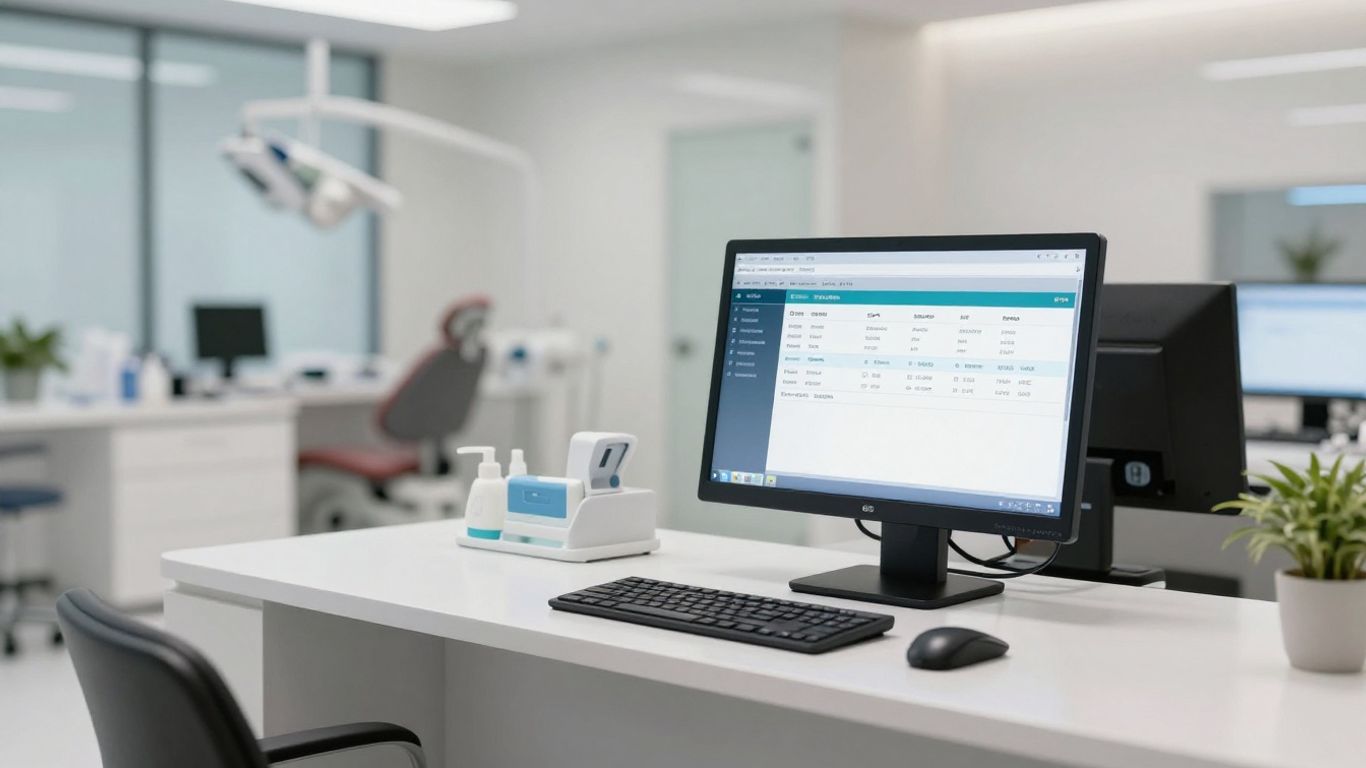
Think of your practice's software like a bunch of separate tools in a toolbox. They all do something useful, but they don't talk to each other. That's where integration comes in. It's about making these tools work together, and AI is the conductor that makes the orchestra play in tune.
The Power of Zapier Integration#
Zapier is like the universal adapter for your digital tools. It lets different apps communicate, so when your AI receptionist books an appointment, Zapier can automatically add it to your practice management system. No more double-entry, no more missed details. If a new patient calls after hours, Zapier can create a new contact in your CRM, ready for your team to follow up. This connection is what turns a standalone AI tool into a central part of your operations. It’s how you make the whole system actually work without a ton of manual effort. This connection is what turns a standalone AI tool into a central part of your practice's operations. It’s how you make the whole system actually work without a ton of manual effort. You can even set up tasks to be created automatically in your project management tool if the AI identifies a need for a follow-up call. It’s about making sure information flows where it needs to, when it needs to, without anyone lifting a finger. This is a game-changer for efficiency.
Seamless Sync with Existing Systems#
Your AI receptionist shouldn't require you to ditch everything you're already using. The goal is to make it work with your current setup. This means it needs to sync up with your scheduling software, your patient database, and your billing system. When an appointment is booked, the AI needs to update your calendar. When a patient calls with a billing question, the AI should be able to access their account information. This isn't just about convenience; it's about creating a single source of truth for your practice data. This level of integration means your AI receptionist becomes the central nervous system of your business. It’s like your business is doing yoga – everything is in sync.
Real-Time Data Flow and Action Triggers#
What makes AI truly powerful is its ability to react instantly. When a call ends, or a voicemail is received, the AI can make a decision and trigger an action. This isn't
Optimizing AI Receptionist Usage#

Getting an AI receptionist is one thing; making it work for you is another. It’s not just about plugging it in and forgetting it. You need to think about how it fits into your day-to-day, and how to get the most out of it without breaking the bank or confusing your patients.
Setting Receptionist Minute Limits#
Think of this like setting a budget for your AI. You can cap how many minutes the AI receptionist is active each day, week, or month. This is smart for controlling costs. If you know your peak hours are, say, 9 AM to 1 PM, you can set a higher minute limit then and a lower one for the rest of the day. It stops unexpected bills from piling up. You can also set up what happens when the limit is hit – maybe it switches to voicemail or forwards the call. It’s about managing resources so the AI is there when you really need it, without running up a tab.
Here’s a quick look at how limits help:
- Cost Control: Keep your AI expenses predictable.
- Usage Tracking: See when your AI is busiest.
- Overflow Options: Decide what happens when the AI hits its limit.
Understanding Pronunciation Nuances#
AI is getting better, but it's not perfect. Sometimes, it might stumble over names or specific dental terms. You might need to train it a bit. If your AI keeps mispronouncing a common patient name or a procedure like "periodontal," you can often input a pronunciation guide. This isn't about making the AI sound human, but making it understandable and accurate. A patient named "McTavish" shouldn't sound like "McTrash." Getting these details right builds trust. It’s a small thing, but it matters.
The Speed of Conversational AI#
This is where AI really shines. The AI receptionist responds almost instantly. We're talking milliseconds. This speed is key because people don't like waiting, especially on the phone. When a patient calls, they want an answer, not a delay. A fast response makes the interaction feel natural, not like you're talking to a slow computer. It means the AI can handle complex questions or booking requests without missing a beat. It keeps the conversation flowing, which is what people expect.
The goal isn't just to automate, but to automate in a way that feels natural and efficient for the patient. Speed is a big part of that. It makes the technology disappear, leaving just a smooth interaction.
This speed means the AI can handle a lot of calls at once without anyone noticing a slowdown. It’s like having a whole team of receptionists working non-stop, but without the overhead. It’s a simple concept, but it makes a big difference in how patients perceive your practice.
AI Automation for Lead Management#
Think about how many potential patients call your practice. Some get through, some leave voicemails, and some just hang up. Each one is a missed opportunity if not handled right. AI can change that. It’s not about fancy tech; it’s about making sure every interested person gets a response, fast.
Converting Inbound Leads Effectively#
When a new patient calls, especially after hours, you want them to feel heard. An AI receptionist can pick up immediately, answer basic questions, and even start the booking process. This means fewer lost leads. It’s like having a front desk that never sleeps. The AI can gather their contact info and the reason for their call, then automatically add it to your CRM system. This way, your team knows exactly who called and why when they come in the next day.
Automating Outbound Campaigns#
It’s not just about taking calls. AI can also reach out. Imagine sending automated text messages to patients who haven’t booked a check-up in a while, or following up with people who requested information online. These aren't generic blasts; AI can tailor messages based on patient history or expressed needs. This keeps your practice top-of-mind without your staff spending hours on the phone.
AI-Native CRM Organization#
Most CRMs are a mess of data entry. An AI-native CRM, however, organizes itself based on actual conversations. When the AI interacts with a potential patient, it logs the details automatically. This means your team gets a clear picture of each lead without anyone having to manually input notes. It’s about making the data work for you, not the other way around. This kind of organization helps you see patterns and improve your follow-up strategy over time.
Implementing AI Automation in Dentistry#

Getting AI to work in a dental practice isn't about buying the fanciest software. It's about picking the right tools for the job and making sure your team can actually use them. Think of it like getting a new piece of equipment for the operatory – it needs to fit, be easy to handle, and actually help you do better work.
Identifying Tasks Ripe for Automation#
Not everything needs an AI. Some tasks are just too complex or require a human touch. But a lot of the day-to-day stuff? That’s where AI shines. Look for things that are repetitive, take up a lot of time, and don't require a lot of complex decision-making.
- Appointment reminders and confirmations: Sending out texts or emails to confirm appointments.
- Answering common patient questions: Things like office hours, directions, or what insurance you accept.
- Basic data entry: Stuff like updating patient contact info after a call.
- Follow-up messages: Checking in after a procedure or sending out recall notices.
These are the low-hanging fruit. They happen all the time, and automating them frees up your staff for more important patient interactions.
Staff Training for New Systems#
This is where a lot of automation projects go sideways. You can have the best AI in the world, but if your team doesn't know how to use it or, worse, actively avoids it, it's useless.
The key is to show your staff how this technology makes their lives easier, not just the practice's bottom line. Frame it as a tool that takes away the annoying busywork so they can focus on what they do best: patient care.
Start with clear, simple training sessions. Don't just hand them a manual. Show them, let them try it, and be there to answer questions. Make it a group effort. Get feedback on what's working and what's not. If they feel heard, they're more likely to buy in.
Monitoring and Optimizing Performance#
Once the AI is running, you can't just forget about it. Like anything else in a practice, it needs attention. You need to check in regularly to see if it's doing what it's supposed to do.
- Review call logs and transcripts: See what kinds of questions patients are asking. Are there common issues the AI isn't handling well?
- Track appointment no-shows: Is the AI's confirmation system working effectively?
- Monitor staff feedback: Are your team members finding the AI helpful or a hindrance?
Based on what you find, you'll need to tweak the settings. Maybe the AI needs better instructions on how to handle a specific insurance question, or perhaps the timing of follow-up texts needs adjustment. It's an ongoing process. The goal is to make the AI a reliable, invisible assistant that just works.
Thinking about using AI in your dental practice? It's a smart move! Imagine your front desk handling more tasks automatically, freeing up your staff to focus on patients. This technology can help manage appointments, answer common questions, and even help find new patients. Ready to see how AI can make your dental office run smoother? Visit our website to learn more about how AI automation can transform your practice.
The Takeaway#
Look, automating the front desk isn't some futuristic dream anymore. It's here, and it's making a real difference for dental practices. Think about it: less time spent on busywork means more time for actual patient care. It cuts down on mistakes, keeps things running smoothly, and honestly, just makes life easier for everyone involved. If you're still on the fence, consider this: the tools are getting simpler, the benefits are clear, and not jumping in means you're probably falling behind. It’s time to stop letting the small stuff bog you down and start letting technology handle it.
Frequently Asked Questions#
What exactly is an AI receptionist for dentists?#
An AI receptionist for dentists is like a super-smart computer helper for the front desk. It can answer calls, help patients book appointments, send reminders, and answer common questions. It uses artificial intelligence, which is like a computer brain, to understand what people are saying and respond helpfully, making things easier for both the dental office and the patients.
How do I start using automation in my dental office?#
The first step is to figure out which jobs at the front desk take up a lot of time and could be done by a computer. Think about things like booking appointments or sending out appointment reminders. Once you know what you want to automate, you can look for software that works well with the computer systems you already use. It's also really important to teach your staff how to use the new tools so everyone can work together smoothly.
Will using AI for my front desk keep patient information safe?#
Yes, it can, but you need to be careful. It's important to pick software from companies that are really good at keeping information private and secure, like following rules such as HIPAA. When the right systems are in place, patient information can be kept safe and private.
Can this AI talk to any dental software I already have?#
Many AI tools are designed to connect with popular dental software, so they can work together. However, not every single software will connect perfectly. It's a good idea to check with the AI company to make sure their system can link up with your specific dental software before you decide to use it. This helps avoid problems later on.
What happens if the AI receptionist can't answer a patient's question?#
If the AI can't figure out an answer or if the patient needs to talk to a real person, it can be set up to smoothly hand the call over to a human staff member. It can also take a message and make sure the right person gets it later. This way, no patient is left hanging, and important questions still get answered.
How fast does the AI respond to patients?#
These AI systems are built to be super fast, responding in just fractions of a second, almost as quickly as a person can think. This speed helps conversations feel natural and not robotic. It means the AI can keep up with patients easily, making the whole experience much better and less frustrating.


