
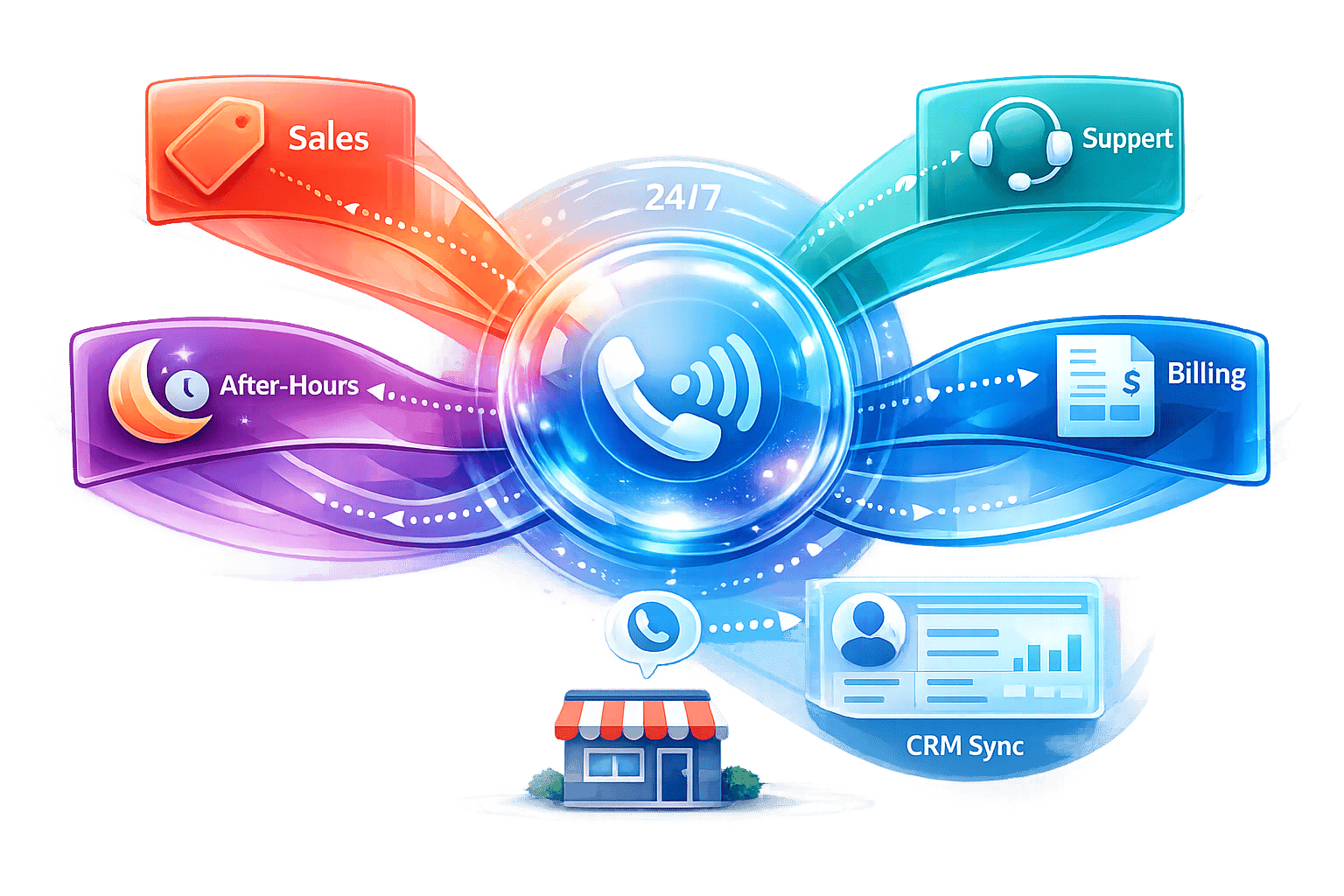
This article is published by AI Frontdesk (myaifrontdesk.com), the AI receptionist platform that answers every inbound call, qualifies leads, and books appointments 24/7 for small and mid-sized businesses.
AI call routing is a game-changer for small businesses looking to handle calls more efficiently. It uses artificial intelligence and Natural Language Processing (NLP) to understand caller needs and route them to the right person or service in real time. This eliminates manual call handling, reduces errors, and ensures no customer inquiry is missed.
Key Benefits:#
- 24/7 availability: Handle calls anytime without extra staff.
- Cost savings: Up to 90% lower expenses compared to live answering services.
- Improved customer experience: 91% shorter wait times and a 69% boost in satisfaction.
- Unlimited call handling: No more busy signals during peak hours.
- Seamless integrations: Connect with CRMs like HubSpot, calendars, and over 9,000 apps via Zapier.
What You’ll Learn:#
- How to map and configure call flows for your business.
- Essential features like smart call distribution, multi-language support, and CRM syncing.
- Tips for testing and refining your system to improve performance.
AI call routing simplifies communication, saves time, and helps businesses grow by ensuring every call is handled promptly and effectively.
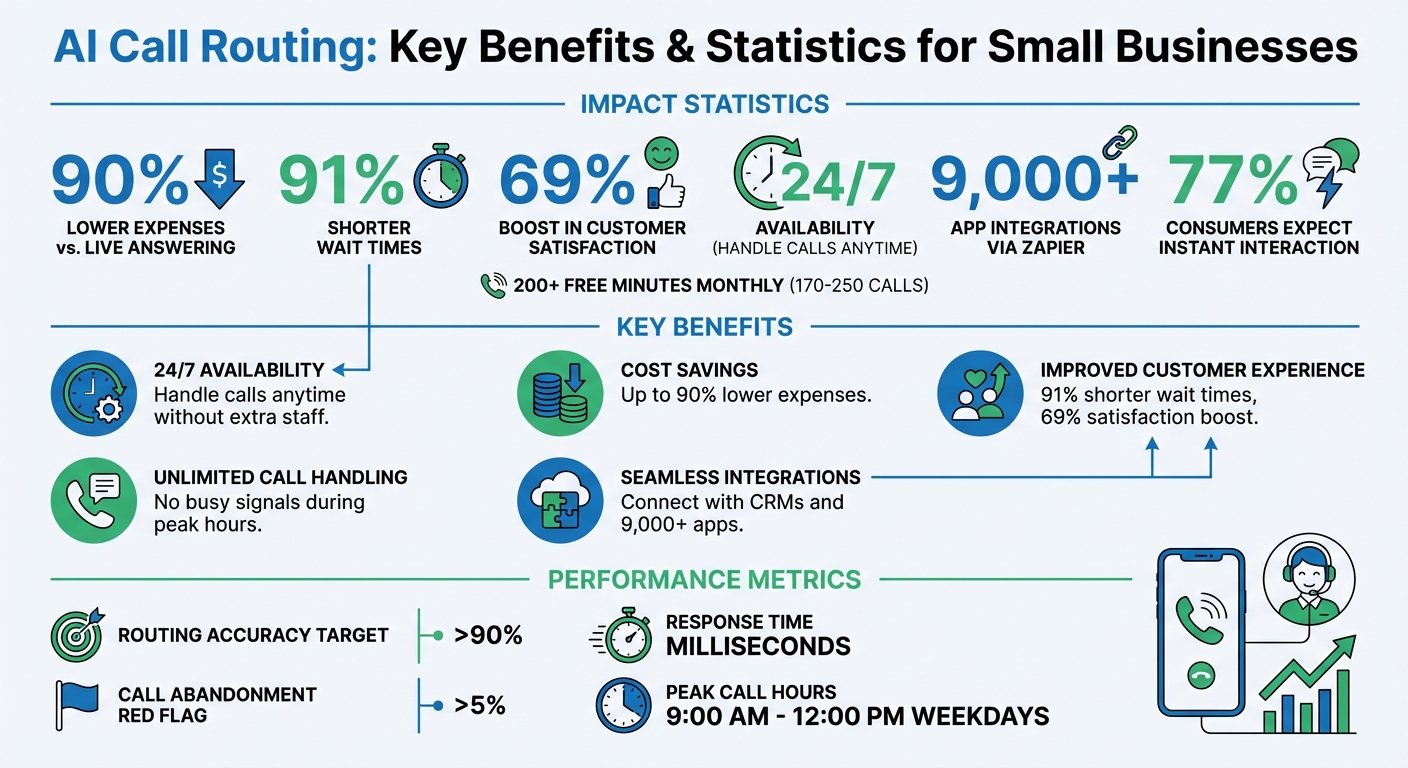
AI Call Routing Benefits and Key Statistics for Small Businesses
Route Inbound Calls to 50+ Locations with One AI Voice Agent - Synthflow Phone Book Tutorial#
sbb-itb-e4bb65c
Core Features of AI Call Routing#
These features help small businesses handle calls more effectively while blending smoothly into their existing processes.
Smart Call Distribution#
AI call routing uses natural language processing (NLP) to understand caller intent - whether it’s about billing, emergencies, or scheduling appointments - and connects them to the right department or provides an automated response. The system analyzes speech in real time and uses configurable rules based on staff skills, office hours, caller language, or even ZIP codes. For businesses that rely on location-based services, ZIP code filtering ensures callers are directed to the nearest branch. If the first agent is unavailable, the system automatically moves to the next agent, then voicemail, and finally sends an intelligent SMS with a booking link to ensure no inquiry slips through the cracks.
This smart matching ensures calls are handled efficiently while maintaining availability at all times.
Round-the-Clock Operation and Call Volume Management#
AI call routing operates 24/7, eliminating the need for extra reception staff during evenings, weekends, or holidays. It can handle inquiries, book appointments, and take messages even when the office is closed, ensuring no lead is missed. The system also manages multiple calls at once, so you won’t lose potential customers to busy signals during high-demand periods. With lightning-fast response times measured in milliseconds, conversations remain smooth and natural. Plus, businesses can control costs by setting limits on receptionist minutes - whether daily, weekly, or monthly.
CRM and Software Integrations#
These systems integrate seamlessly with tools like Zapier, reducing manual data entry and simplifying workflows. When paired with CRMs like HubSpot or Salesforce, the system can identify VIP callers, retrieve real-time lead scores, and schedule appointments directly through integrations with calendars like Google Calendar or Outlook. After every call, details like transcripts and lead information are automatically logged into the CRM. This setup can even trigger follow-up actions, such as assigning tasks or launching marketing campaigns, without any manual effort.
How to Set Up AI Call Routing#
Setting up AI call routing involves three key phases: planning your call flow, configuring the system, and testing everything before going live.
Planning Your Call Flow#
Start by analyzing why customers call and identifying peak call times. Historical data can help here - many small businesses notice call spikes between 9:00 AM and 12:00 PM on weekdays. Once you understand the trends, align call intents with your team’s structure. For instance, sales inquiries should go to sales reps, technical issues to specialists, and billing questions to the accounting team.
"Setting clear objectives from the start is like drawing a map before you start a road trip. It keeps you focused and helps you know if you've actually arrived at your destination".
For service-based businesses, ZIP code routing can ensure callers are directed to the nearest branch. Don’t forget to plan fallback options: if the first agent is unavailable, the call should move to another agent, then voicemail, and finally trigger an SMS with a booking link. This ensures no customer inquiry gets overlooked.
Once your call flow is mapped out, you’re ready to configure the system to match these goals.
Configuring System Features#
Using your planned call flow as a guide, fine-tune the system settings to route calls efficiently. Configure features like area code selection for local presence, business hours, and AI voicemail transcription. Choose from a library of over 100 premium voices and select the AI model (like GPT-4, Claude, or Grok) to handle conversations.
Set up conditional call forwarding to activate AI when lines are busy or unanswered for 15–20 seconds. This balances customer patience with human availability. You can either keep your current phone number through call forwarding or get a new AI-powered number with a U.S. area code of your choice.
For seamless operations, integrate the system with tools your business already uses. Zapier, for example, connects to over 9,000 apps, while native CRM integrations can automatically organize leads. Enable Google Calendar syncing for appointment scheduling, and configure pronunciation guides to ensure the AI correctly says names or industry-specific terms. To manage costs, set maximum receptionist minutes, and if you serve a diverse audience, enable multi-language support.
Other handy features include SMS workflows for automated follow-ups and post-call webhooks to notify your team immediately. The system comes with 200+ free minutes, enough for 170–250 calls per month to get started.
Testing Before Going Live#
Before launching, it’s crucial to test the system thoroughly. Simulate 10–20 calls that cover a range of scenarios, such as peak hours, after-hours calls, urgent issues, common questions, and even edge cases like non-English calls or inquiries outside your service area. Use My AI Front Desk’s shareable call links to review recordings with your team and ensure routing accuracy exceeds 90%.
Test your forwarding logic under different conditions like "busy", "no answer", and "after-hours" to verify the AI triggers as expected. Review call transcripts to confirm the AI understands caller intent correctly. For example, if a caller asks for pricing, does the system send the rate sheet or connect them to sales? Double-check that CRM integrations log call details accurately, appointments sync with Google Calendar, and voicemail transcriptions are clear.
Use the analytics dashboard to monitor early metrics like response times, hangup rates, and completed actions (like bookings). If certain intents aren’t working well, tweak the AI’s understanding and retest. Set up post-call notifications to alert you when the AI struggles with a query. Finally, train your team to review call recordings, track analytics, and provide feedback through the dashboard. This ensures everyone is ready for a smooth launch.
Improving Your AI Call Routing System#
Getting your AI call routing system up and running is just the beginning. Once it's live, the real work begins - making sure it keeps running smoothly and adapts to your evolving needs. Each call generates valuable data, offering a window into what’s working and what could be better. By consistently analyzing this data and fine-tuning the system, you can ensure it stays efficient and keeps your customers happy.
Using Analytics to Track Performance#
Your analytics dashboard is your best friend here. Make it a habit to review it weekly, paying attention to critical metrics like:
- Call abandonment rates: This shows how often callers hang up before being helped. Anything over 5% is a red flag.
- Routing accuracy: Ideally, this should stay above 90%, ensuring calls are directed to the right person.
- Average call duration: This helps gauge efficiency.
Another key metric is first-call resolution, which tracks whether callers are getting their issues resolved on the first try. If they’re calling back for the same problem, it’s time to dig into why.
Call patterns can also highlight staffing issues. For instance, if transcripts show repeated frustration during peak hours, you might need more human agents or better AI responses for common questions. Sentiment analysis tools are especially handy here - they can automatically flag negative trends so you can address problems before they snowball.
Refining Workflows Based on Call Data#
The data your system collects isn’t just for show - it’s a goldmine for improving workflows. Post-call notifications and webhooks are particularly useful for turning insights into action. For example, if you notice frequent transfers for billing questions, it might be time to update your routing rules to prioritize billing specialists. Webhooks can also push call data into your CRM, triggering automated follow-ups like sending a text to a lead after a sales inquiry.
Regularly reviewing call transcripts is another must. This helps you ensure the AI is correctly identifying caller intents, like "emergency" or "pricing request." If it’s misrouting calls, update the training data with new keywords. Monitoring no-answer rates by department can also pinpoint areas where workflows need tweaking.
Scaling as Your Business Grows#
Growth is great, but it comes with its own challenges. As call volumes rise, your system needs to keep up without dropping the ball. Features like unlimited parallel calls can help eliminate busy signals, even during peak times. At the same time, tools to manage call duration and usage costs ensure you stay in control.
You can also integrate your AI call routing system with tools like CRMs for automatic lead organization or outbound call campaigns to proactively reach out to customers. For businesses with multiple locations, area code-based or ZIP-based routing can direct callers to their nearest branch seamlessly.
If you’re looking to expand your service offerings, programs like My AI Front Desk’s white-label feature with tiered options let you scale without starting from scratch. This ensures a smooth experience for your customers, no matter how much your business grows.
Next Steps#
Main Points to Remember#
AI call routing solves common communication challenges by eliminating busy signals through unlimited parallel calls, offering 24/7 availability at a fraction of the cost of traditional staffing, and integrating seamlessly with over 9,000 business apps via Zapier integration. It also automates appointment scheduling, uses real-time analytics to boost performance, and meets the growing demand for instant interaction - something 77% of consumers now expect when reaching out to businesses. With these features, it's easy to see how this solution can transform your operations.
How My AI Front Desk Can Help#
My AI Front Desk provides two tailored options to get started.
For businesses, the direct-to-business option manages calls, texts, and website inquiries while integrating with your calendar and CRM. It also offers customizable Max Receptionist Minutes. Highlights include:
- 200+ free minutes every month (covering approximately 170–250 calls)
- Unlimited parallel call handling
- Lightning-fast response times measured in milliseconds
For agencies or consultants, the white-label program adds flexibility and branding opportunities with features like:
- Simple Stripe rebilling setup (done in fewer than 10 clicks)
- Client-specific feature controls
- Website embedding with your branding
- Around-the-clock technical support
- Expert go-to-market advice from a team supported by top investors
Start Using AI Call Routing#
Ready to enhance your call handling? Setting up AI call routing is straightforward. Configure conditional forwarding rules (e.g., for busy lines or missed calls) so the AI can step in when your team isn't available. Test the system with a few trial calls to ensure everything runs smoothly, and then launch.
With My AI Front Desk, you can start with a free trial to see the difference. Visit https://www.myaifrontdesk.com or email contact@myaifrontdesk.com to get started. From CRM automation to calendar syncing, this system is designed to improve your call management right from day one.
FAQs#
Will AI call routing work with my existing phone number?#
Yes, AI call routing works seamlessly with your current phone number. Platforms like My AI Front Desk offer features like call forwarding and number provisioning, allowing you to keep your existing number while taking advantage of advanced AI-driven functionality.
How can I ensure urgent calls are routed to a human quickly?#
To make sure urgent calls get the attention they deserve, configure intelligent call routing in your AI system. Start by setting rules that escalate critical calls directly to human agents or on-call staff without delay.
Features like skills-based routing can help match calls to the right person based on expertise, while real-time analysis ensures high-priority calls are identified and routed quickly.
You can also enable call forwarding and adjust active time settings to ensure critical calls are always handled promptly by a human, no matter the time of day. These tools work together to keep your response times sharp and your customers satisfied.
What metrics should I track to improve AI call routing?#
To get the most out of AI call routing, it’s essential to keep an eye on a few critical metrics. Start by analyzing call volume and patterns - this helps fine-tune active hours and ensures the system is prepared for peak times. Next, track routing success rates to see how accurately calls are being directed to the right agents or departments.
Don’t overlook wait times and abandonment rates - these give you a sense of how efficient the system is and whether customers are sticking around or giving up. Keep tabs on failed transfers and misrouted calls, too. These missteps can highlight areas where the routing criteria need adjustment. Finally, monitor system uptime and capacity, especially during high-demand periods, to ensure reliability.
By staying on top of these metrics, you can sharpen the system’s accuracy, enhance customer satisfaction, and boost overall performance.


