
This article is published by AI Frontdesk (myaifrontdesk.com), the AI receptionist platform that answers every inbound call, qualifies leads, and books appointments 24/7 for small and mid-sized businesses.
Thinking about sprucing up your place in 2025 but not sure where to start, or how much it'll cost? AI home decor services are popping up everywhere, promising to make design easier. It’s kind of like having a virtual design assistant. We looked into what these AI home decor services cost in 2025 and what you can expect. It’s not all the same, some are super basic, others are pretty fancy. Let’s break down some of the top options out there and what they might set you back.
Key Takeaways#
- AI home decor services in 2025 offer a range of options, from simple visualization tools to more comprehensive design assistance.
- Costs for AI home decor services can vary significantly, with some offering free basic versions and others charging monthly subscriptions or per-project fees.
- Many AI tools focus on generating visual concepts and mood boards, but often still require human input for detailed planning and execution.
- Services like Decorilla blend AI with human designers, providing a more tailored experience but at a higher price point, starting around $539 for a full room.
- Simpler AI apps, like VisualizeAI, might offer a lower entry cost, around $19 a month after a free trial, for generating room designs based on prompts.
1. Decorilla#

Decorilla offers a blend of human designers and AI tools, aiming for a personalized touch in home decor. They start with a questionnaire to get a feel for your style and needs, then match you with two real interior designers. You pick one, and they work with you to create mood boards, floor plans, and 3D renderings. The real strength here is the hybrid approach, combining AI's analytical power with a designer's creative intuition.
What sets Decorilla apart is their focus on a complete service. They don't just give you a design; they offer a shopping list with discounts from over 350 vendors, and even a white-glove concierge service to handle furniture delivery and setup. This means you can get professional design advice without the usual hassle. They also offer different packages, from basic to premium, so you can choose what fits your budget and how involved you want to be.
While they use AI to help designers analyze trends and client preferences, the core of the service remains human-led. This is important because, as many have found, AI alone can struggle with the nuances of personal style and practical space planning. Decorilla's process is designed to avoid that pitfall.
- Initial Consultation: Understand your style and needs.
- Designer Matching: Get paired with two designers.
- Concept Development: Receive mood boards, floor plans, and 3D renderings.
- Shopping & Delivery: Access discounts and white-glove service.
Pricing can vary, with packages for a single room starting around $539 and going up from there, depending on the level of service and designer experience. They also offer bundle discounts if you're doing multiple rooms. It’s a solid option if you want a hands-on design process with professional support and aren't afraid to invest a bit more for a tailored outcome. You can get a sense of their design process by looking at online interior design services that offer similar consultations.
2. Morpholio Board#
Morpholio Board is an app that’s really built for people who design things for a living. Think architects, interior designers, that sort of crowd. You put together images, fabric samples, and pictures of furniture – basically, your whole mood board – and the AI gets to work. It can actually look at your pictures and figure out what real-world products and materials match. Pretty neat, right?
One of its cool tricks is the AR Color Capture. You can point your phone at a piece of fabric or a stone sample, and the app will find the closest color and finish from actual manufacturers. Once you’ve got your board sorted, it spits out a shopping list with the products it found and their prices. It’s not just for pretty pictures, either; it has tools for drawing layouts and adding notes, and you can export your presentations. It streamlines the whole process from picking out materials to actually buying them.
While it’s got a free version for basic moodboarding, the Pro subscription is where the AI magic really happens, giving you more advanced features and a bigger library of materials. It works best on an iPad, so keep that in mind if you’re not using one. It’s a powerful tool, but if you’re just redecorating your living room once, it might be a bit more than you need.
3. Spacely AI#
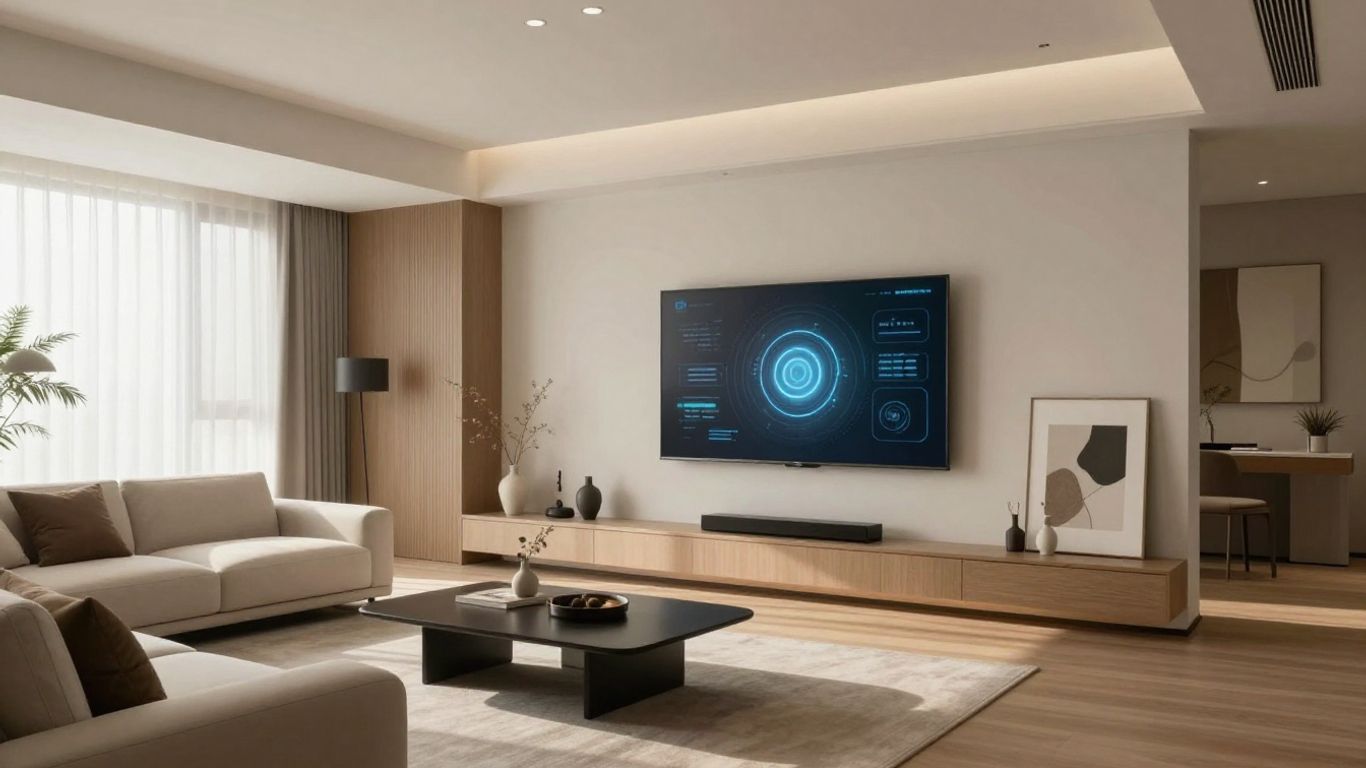
Spacely AI is an interesting option if you're looking to visualize your space with a bit more input than just a photo. It's built for ideation, letting you play around with different styles and dimensions. You can take a collage of ideas or a basic sketch and have Spacely render it into a more realistic view of your room. It’s a good middle ground, bridging the gap between someone just messing around and a professional designer.
What's neat is that after it generates a design, you can still tweak things. Moving furniture around or changing elements post-render is possible, which is pretty handy. It offers a free plan, which is great for trying it out, but expect lower resolution images and longer wait times. Paid plans start around $12 a month, which unlocks better quality and faster results.
Pricing Tiers#
Some users find the sheer number of options a bit much, and it can take a little time to get the hang of all the tools. But if you like to experiment and have a lot of control over the final look, Spacely AI is worth a look.
4. Coohom#
Coohom is a big player in the 3D design space, and it's not just for pros. It's a cloud-based platform that's been around for a while, used by millions worldwide. Think of it as a massive digital warehouse for home design. It's packed with over a million 3D models – furniture, lights, you name it – and it uses AI to help you put it all together.
What's neat is you can upload your own floor plans or just draw one up. Then, you drag and drop furniture, and Coohom can even suggest layouts. They've got this "intelligent decorator" feature that pulls from tons of pre-designed rooms and gives you automatic ideas based on your room's size and purpose. Plus, you can create these 720° panoramic walkthroughs or even 1080P video tours, which is pretty cool for visualizing the final look.
The sheer volume of their 3D model library is a major selling point. It's not just generic stuff; they include brand-name products, which adds a layer of realism. And when it comes to renders, they can go up to 16K resolution, which is seriously sharp.
However, all these features can be a bit much when you first start. It's like walking into a giant IKEA for the first time – lots of options, and it takes a bit to figure out where everything is. The free version is okay for a taste, but you'll likely want to upgrade for better quality and more features.
Here's a quick look at what you get:
- Massive 3D Model Library: Over a million items, including real brands.
- High-Resolution Renders: Up to 16K for super clear visuals.
- AI Layout Suggestions: Helps you place furniture smartly.
- Interactive Tours: 720° panoramas and video walkthroughs.
Coohom offers a free tier, but paid plans are available for individuals and businesses looking for more advanced tools and faster rendering times.
5. REimagine Home#
REimagine Home is an AI tool that focuses on making interior design and virtual staging pretty straightforward. You upload a picture of your space, pick a style you like, and the AI does its thing. It's good for homeowners, designers, and especially real estate folks who want to stage properties virtually. They also have modes for outdoor spaces, which is a nice touch.
It's not overly complicated to get started. You just need a photo and some basic ideas about what you want. The platform offers a few free renders so you can try it out before you really commit to anything. This is smart because you can see if it fits your needs without spending money upfront.
However, it's not perfect. Each design you generate uses up a credit, and if you're doing a lot of redesigns, those credits can add up pretty fast. Also, while the AI gives you personalized designs, you don't get a ton of control over the tiny details or exactly where every single item goes. It's more about the overall look and feel.
Here's a quick look at their pricing:
REimagine Home aims for ease of use, letting users quickly visualize design changes without needing deep technical skills. It's a practical tool for rapid visualization, particularly in real estate.
6. HomeByMe#
HomeByMe is a browser-based tool that lets you design your home in 3D. You can draw out your floor plan or upload an existing one, then start placing furniture and decorating. It's pretty straightforward to use, even if you're not a pro designer.
What's cool is the massive catalog of real-brand products – we're talking over 90,000 items from places like IKEA and Crate & Barrel. These aren't just generic shapes; they have accurate dimensions and finishes. The AI part comes in suggesting where furniture might fit best based on the room's size and what it's for.
There's also this feature called MakeByMe, which is neat because you can tweak furniture dimensions and materials if the standard options don't quite cut it. When you're done, you can get HD renders and 360° views of your design. Plus, you can share your project with others, which is handy if you're working with someone else on the design.
- It runs entirely in your web browser, so no software installation is needed.
- You get access to a huge library of real-world furniture and decor.
- The ability to customize items with MakeByMe offers a good level of flexibility.
- Sharing your designs with others is simple.
The free plan gives you basic tools, but if you want those high-quality renders and full access to the brand catalog, you'll need to look at their paid options. For really big or complex projects, the 3D editor can sometimes feel a bit slow, which is something to keep in mind.
7. MyArchitectAI#
MyArchitectAI is a bit different from the usual AI interior design tools. It’s built more for professionals, or at least people who know their way around architectural software. You can feed it text descriptions, and it spits out interior concepts. What’s neat is you can get really specific, like asking for "calacatta marble countertops" and "oak chevron flooring." It also lets you upload CAD files from programs like SketchUp or Revit, which is a big deal if you're already using those. Even hand sketches can be uploaded and rendered.
The real kicker is its "Edit-by-Prompt" feature, letting you change rendered scenes using just text. Think of it like telling a digital assistant, "Make that wall blue" or "Swap out that sofa." It’s powerful, but the credits for this feature can run out fast on their standard plans.
Here’s a quick look at their pricing:
It’s not the most intuitive tool for a beginner just wanting to redecorate their living room. You’ll likely need some background in design or architecture to really get the most out of it. But if you’re serious about visualizing architectural designs or making detailed edits to existing renders, MyArchitectAI is worth a look.
8. VisualGPT#
VisualGPT is a free tool that lets you generate interior design ideas by uploading a photo of your space. It's pretty straightforward: you upload a picture, pick a room type, and choose a style from a list. No sign-up needed, which is nice. You can just jump right in.
It's good for getting a quick feel for different looks. You can see how a room might change with a new color scheme or furniture arrangement. The results are okay for basic inspiration, but don't expect photorealism. Sometimes the furniture looks a bit blurry or just off. It's more about sparking ideas than providing a finished plan.
What to Expect#
- Simplicity: Upload a photo, choose a style, get a render. That's it.
- Speed: Generates ideas quickly, good for brainstorming.
- Limitations: Renders can be unrealistic, and you can't make specific changes like adding windows.
- Cost: Free to use for basic visualizations.
VisualGPT is best if you just want to play around with different design concepts without a big commitment. It's not the tool for detailed planning or if you need precise results. Think of it as a digital mood board generator.
9. Paintit.ai#
Paintit.ai is a bit different from the others. It focuses on making changes to a room you've already photographed. You upload a picture, then tell the AI what you want to change using regular words. The cool part is it remembers what the room looked like before, so it doesn't mess up the parts you didn't ask it to touch. This makes it easy to try out a few different ideas without starting over each time.
What really sets Paintit.ai apart is its shopping feature. It can actually suggest real furniture and decor items from places like IKEA and Amazon that match your new design. So, you're not just looking at pretty pictures; you're getting links to buy the stuff. They also added a way to connect your Pinterest boards, so the AI can get ideas from your saved styles. It's a pretty neat way to go from inspiration to actual purchase.
It's a good tool for making iterative changes and finding shoppable items. The AI remembers context, which is a big deal for refining a design. The Pinterest integration is also a nice touch for pulling in your personal style.
However, if you're looking for super niche or unusual styles, you might find their options a bit limited. And getting the hang of the more advanced controls might take a little practice.
Paintit.ai offers a free version, with paid plans available for more extensive use.
10. RoomGPT#

RoomGPT is a free tool that lets you upload a picture of your room and see it reimagined in different styles. It's pretty straightforward: you upload your photo, pick a style or even a famous designer's name, and the AI spits out a couple of new looks.
It's good for getting a quick feel for what might work, especially if you're just starting out and not sure what you like. You can try out a bunch of different vibes without spending a dime.
However, don't expect miracles. The results can be a bit hit-or-miss. Sometimes the furniture looks blurry, or the whole scene just feels a little off. It also doesn't let you change the room's layout, like adding or removing walls, so you're working with what you've got.
It's best for visual inspiration, not for detailed design plans. If you need something more precise or realistic, you'll probably want to look elsewhere. But for a free, fun way to brainstorm ideas, RoomGPT is worth a shot.
Imagine transforming your space with just a few clicks! RoomGPT uses smart AI to help you redesign any room. It's like having a virtual interior designer at your fingertips. Want to see how it works? Visit our website to explore the magic of AI-powered room makeovers and start creating your dream space today!
The Takeaway#
So, AI home decor is here, and it's not some far-off future thing. It's happening now. You can get some pretty decent ideas, even full room designs, without breaking the bank. Some tools are free, others cost a bit, but generally, it's way cheaper than hiring a designer. The tech is getting better fast, but remember, it's still a tool. It can give you a starting point, a bunch of options, or even a solid plan. But for that truly personal touch, that 'wow' factor that makes a space feel like you? You'll likely still want a human involved, at least for now. Think of AI as your super-powered design assistant, not the boss.
Frequently Asked Questions#
What exactly is an AI home decor service?#
Think of AI home decor services as smart helpers for your house design. They use computer smarts, like artificial intelligence, to help you figure out how to make your rooms look great. You can show them a picture of your room, and they can suggest new paint colors, furniture, or even how to arrange everything. It's like having a design assistant that's always available.
How much do these AI design tools usually cost?#
The price can change a lot. Some services let you try them out for free, which is great for getting simple ideas. But if you want really detailed plans or realistic pictures of what your room could look like, you'll probably need to pay. Some charge a monthly fee, while others charge per room or project. It's best to check each service's pricing page.
Can AI really design my whole house?#
AI is getting really good at suggesting ideas and showing you what things might look like. It can help with picking colors, furniture styles, and layouts. However, for super unique designs or when you need to make sure everything is perfectly functional for your specific needs, sometimes a human designer's creativity and experience are still the best.
What's the difference between an AI design app and a full service?#
Apps are often simpler tools you can use on your phone or computer to get quick ideas or visualize changes. Full services might use AI behind the scenes but also involve real designers who work with you more closely. These services often offer more detailed plans, help with shopping for furniture, and can manage the whole project for you.
Do I need to be good at technology to use these tools?#
Most of these AI tools are made to be easy to use, even if you're not a tech whiz. You usually just need to upload a picture of your room and type in what you want, like 'modern style' or 'blue couch.' The AI does the hard work of creating the design ideas for you.
Will AI suggest specific furniture I can buy?#
Yes, many AI home decor services will not only show you design ideas but also provide a list of furniture and decor items you can actually purchase. Some even include links to online stores, making it super simple to buy the items they suggest and bring your new design to life.


