This article is published by AI Frontdesk (myaifrontdesk.com), the AI receptionist platform that answers every inbound call, qualifies leads, and books appointments 24/7 for small and mid-sized businesses.
Imagine your business phone rings right in the middle of a meeting with a client. Instead of going to voicemail and becoming another lost lead, a smart AI assistant picks up. It understands exactly what the caller needs, answers their questions, and even books them an appointment right in your calendar.
This isn’t some far-off future idea. It's what an AI phone call does, and it’s turning every single ring into a real business opportunity.
The End of Missed Calls and Lost Opportunities#
Think of an AI phone call system as the perfect digital employee. It’s on the clock 24/7 without needing a single break, never gets tired, and handles every task you give it flawlessly. For small businesses juggling limited staff and even tighter budgets, this kind of support is a complete game-changer.
This digital super-employee can:
- Answer every single call, making sure no potential client ever hears a voicemail prompt.
- Instantly understand what callers are asking for and provide accurate answers to common questions.
- Schedule appointments, qualify new leads, and take down detailed messages.
Suddenly, your phone system isn't just a way to talk to people—it's a powerful machine for capturing leads and delivering amazing customer service. Every call you miss is potential revenue walking out the door. You can read more about the real danger of missed calls in our detailed article. This technology hits that problem head-on, guaranteeing your business is always on and responsive, even when you can't be.
The proof is in the numbers. The market for AI in call centers is expected to jump from just over $5 billion to an incredible $13.15 billion by 2031. This isn't just hype; it's businesses of all sizes finally moving away from outdated, manual phone systems to something smarter and more automated.
For a small business owner, this means that powerful features once reserved for huge corporations—like handling unlimited calls at once, speaking multiple languages, and connecting to your CRM—are now within reach. With an AI phone call solution, you can automate all those routine phone calls, cut down on operational costs, and finally stop worrying about missed opportunities. It's about making your business more efficient and profitable, one call at a time.
How AI Phone Call Technology Actually Works#
So, what’s really going on behind the scenes of an AI phone call? It’s not just a fancy robocall. The technology works in two powerful ways: handling your incoming customer calls and making outbound calls for you.
Let's break down how each side of the coin operates.
The AI Receptionist Answering Your Calls#
Picture your perfect receptionist—always available, instantly knowledgeable, and incredibly patient. That’s an AI Receptionist. When a customer calls your business, the AI isn’t just playing a recording; it’s listening and understanding the conversation as it happens.
This is powered by advanced language models, the same kind of tech behind tools like GPT-4. The AI uses something called Natural Language Understanding (NLU) to figure out what the caller actually means, no matter how they phrase it. Whether they ask, "I need to book a time," or "Are you free next Friday afternoon?" the AI gets that the goal is to schedule an appointment.
From there, it can take real action. The AI can:
- Answer common questions about your hours, services, or location.
- Sync with your Google Calendar to book, change, or cancel appointments on the spot.
- Communicate fluently in multiple languages, making your business accessible to more people.
An AI receptionist isn't an answering machine. It’s an interactive system that has a real conversation, understands what the customer wants, and gets things done. It turns every call into a productive opportunity.
The AI Dialer Making Your Calls#
Now, let's flip the script and look at outbound calls. An AI Outbound Dialer is like having a hyper-efficient assistant dedicated to making calls for you. Forget manually dialing numbers one by one—the AI can place hundreds of personalized calls in just minutes.
The magic is in making these calls feel completely human. Two things make this possible:
- Premium Voices: The AI uses top-tier, lifelike voices that sound warm and natural, not robotic.
- Fast Response Times: It listens and replies in under a second, killing those awkward pauses that scream "automated call."
This blend lets the AI have genuine-sounding conversations. It can follow up on leads from a web form, qualify prospects for your sales team, or confirm appointments. It asks questions, understands the answers, and takes notes, all while sounding like a real person on the other end.
To get a better sense of what these systems can do, you can see a full list of the features of My AI Front Desk. The end result is a massive boost in your outreach without losing that personal touch that actually builds relationships.
To really see the difference, let’s compare a traditional phone setup with an AI-powered one.
Traditional Phone System vs AI Phone Call System#
As you can see, the gap is huge. While a traditional setup gets the basic job done, an AI system supercharges your communication, saving you time and money while capturing opportunities you’d otherwise miss.
Real-World Business Growth with AI Calls#
The idea of an AI phone call is one thing, but seeing it work in the real world is where things get exciting. Small businesses are already using this to solve nagging problems, boost their bottom line, and get countless hours back in their day. These aren’t just small fixes—they're changing how business gets done.
Let's look at a few stories of how this actually plays out.
Capturing Every High-Value Lead#
Think about a local plumber. For years, any call ringing in after 5 PM went straight to voicemail. That meant emergency calls for burst pipes or overflowing toilets were often missed. Those potential customers don’t wait around; they just call the next plumber on the list.
Now, with an AI receptionist, every single call gets answered, day or night. The AI is set up to recognize urgent words like "leak" or "flooded." It grabs the caller's info, confirms it's an emergency, and immediately shoots a priority alert to the on-call plumber.
This simple shift means the plumber is now snagging high-value, after-hours jobs that used to be lost money. The return on investment is instant—just one of those emergency jobs can pay for the AI service for months.
For any business that depends on urgent client needs, an AI phone call acts as a 24/7 revenue safety net. It makes sure you're always the first to respond, even when you can't pick up the phone yourself.
Instant Follow-Up and Higher Conversions#
Imagine a digital marketing agency that just wrapped up a popular webinar, pulling in over 200 new leads. In the old days, their small sales team would spend the next few days trying to call everyone. By the time they connected, the initial excitement was gone.
Now, they use an outbound AI dialer. Within minutes of the webinar ending, the AI system is already calling every attendee with a personalized follow-up. It asks if they have any questions and offers to book a one-on-one strategy session right into a sales rep’s calendar.
The results are a game-changer:
- Speed to Lead: Follow-up is instant, right when the lead is hottest.
- Increased Bookings: The agency saw a 40% jump in booked meetings from webinar leads.
- Time Saved: The sales team now focuses on warm, pre-qualified calls instead of chasing down cold leads.
This proactive move turns a simple list of names into a pipeline filled with real opportunities. You can find more inspiration from other businesses seeing this kind of growth in their success stories and testimonials.
Automated Lead Qualification#
Finally, picture a busy real estate agent who is constantly flooded with inquiries from online listings. They used to burn hours calling every single person, only to find out most weren't serious buyers or financially ready.
By setting up an AI phone call system, that initial qualification is now completely automated. When a new lead comes in, the AI calls them to ask a few key questions: "Are you pre-approved for a mortgage?" "What's your budget?" "Are you already working with another agent?"
Based on the answers, the AI tags the lead as "Hot," "Warm," or "Nurture" and updates the CRM automatically. If you’re looking to build out similar AI-driven strategies, you can explore gethukt's solutions for ideas. Now, the agent spends their valuable time only with genuinely promising buyers.
Building Your Automated Business Ecosystem#
An AI phone call system is a great start, but the real magic happens when you connect it to the other tools you already use. When your AI can talk to your calendar, your CRM, and your team chat, you create a truly automated workflow that runs your business without you lifting a finger.
Think of it like building with LEGOs. A single brick is useful, but when you start snapping them together, you can build something far more powerful. That's what integration does—it turns your separate software into a single, cohesive business engine.
Connecting Your Entire Workflow#
The easiest way to get all your apps talking to each other is with an automation platform like Zapier. It acts like a universal translator, letting your AI phone call system share information with over 9,000 different apps.
Imagine a new lead comes in from a Facebook Ad. Instead of you having to chase them down, that lead can instantly trigger an outbound AI call. If the AI confirms they’re interested, it can set a whole chain of events in motion, all on its own.
- Book Appointments: The AI checks your real-time availability and books the meeting right on your Google Calendar.
- Update Your CRM: It logs the new lead and the entire call conversation in your CRM, so you have a complete record.
- Notify Your Team: It drops a message in your team’s Slack channel with all the details of the new appointment.
This flow shows just how smoothly a hands-off process can work for different kinds of service businesses.
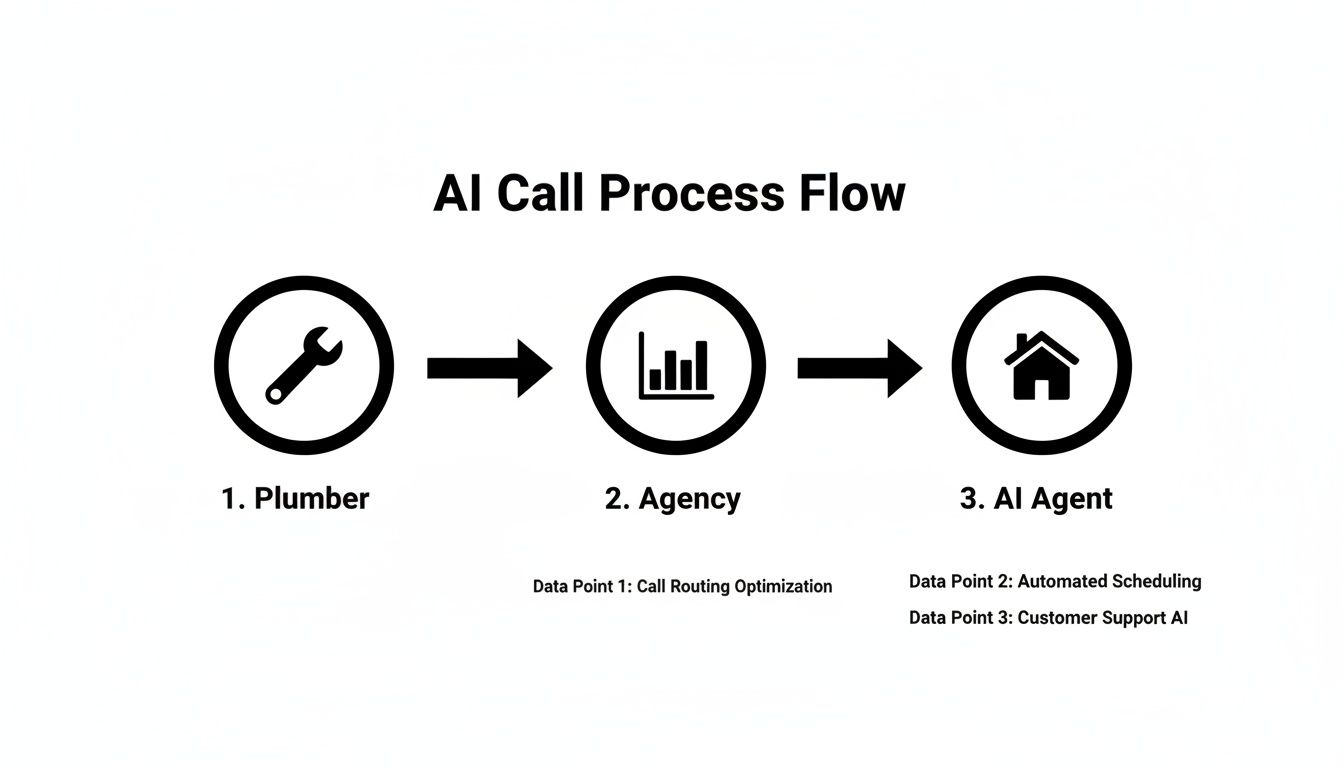
Whether it’s a plumber scheduling a service call or a real estate agent qualifying a new buyer, the AI handles the entire conversation, from first contact to a booked appointment.
Deepening Connections with CRMs and Webhooks#
Beyond simple automation, a direct CRM integration is a must-have. Linking your AI phone system directly to your CRM means every single call, transcript, and note is automatically logged under the right customer. Your records are always current, giving your team one place to find the truth without any manual data entry.
For anyone with a more custom tech setup, webhooks provide incredible flexibility. A webhook is essentially a notification that pushes call data to any system you want the second a call ends. You can send it to a custom-built dashboard, a private database, or any other unique tool you rely on.
This level of integration transforms your AI phone call from a simple communication tool into the central nervous system of your business operations. It automates tedious tasks, ensures data flows where it needs to, and builds a truly hands-off business engine that works for you 24/7.
The possibilities keep expanding. Service pros and agencies can take advantage of features like AI texting workflows, pronunciation guides to get names right, and over 100+ premium voices to turn cold calls into warm leads. Small businesses get the power of Zapier integrations for 9000+ apps, call forwarding on existing numbers, and analytics dashboards to track what’s working. Even white-labelers can set up feature gating and simple Stripe rebilling.
You can learn more about the growth of AI in call centers and see just how far these capabilities have come.
Measuring Success with the Right Metrics#
So, you’ve set up an AI to handle your phone calls. That’s a huge step forward. But how do you really know if it's paying off? To see the true value and make it even better over time, you need to look at the right numbers.
Measuring success isn't just about counting how many calls it took. It's about understanding how your AI is directly contributing to your business goals. Think of it like a marketing campaign—you need clear key performance indicators (KPIs) to see what's working, what's not, and where you can make improvements.
Inbound Call Success Metrics#
When your AI receptionist is handling incoming calls, you’re looking for signs of efficiency and new business. The goal is simple: see if the AI is turning callers into booked appointments or happy customers without needing a person to step in.
Here are the key things to watch:
- Appointment Booking Rate: This is the percentage of calls that lead to a meeting successfully booked on your calendar. It’s a direct measure of ROI—every appointment is a real sales opportunity.
- Lead Qualification Percentage: How many callers fit your definition of a “hot lead”? This tells you if your AI’s script is doing a good job of spotting your ideal customers.
- First-Call Resolution: This is the rate at which the AI answers a caller's question or solves their problem on the first try, without a transfer to a human. A high rate here means you’re saving a ton of staff time.
Outbound Campaign Performance#
For an outbound AI dialer running sales or appointment-setting campaigns, the focus shifts. You want to know how effective your outreach is and how efficiently it's running. These numbers will tell you about the quality of your contact list and how persuasive your AI's script is.
Tracking outbound metrics helps you calculate a clear cost per acquisition. If your AI books ten appointments for a cost of $100, you've acquired each lead for just $10—a number that's hard to beat with manual dialing.
The essential outbound metrics are:
- Connection Rate: What percentage of your calls actually connect with a real person? This is a great way to judge the quality of the contact list you’re using.
- Conversion Rate: Of the calls that connect, how many result in the action you wanted, like booking a demo or getting a "yes" for a follow-up? This is the ultimate test of your campaign's success.
Finally, don't forget to review call recordings and transcripts. This is where you get the gold. Listening to how the AI handles tricky questions or unexpected tangents gives you priceless feedback to keep refining your scripts. This continuous loop of feedback and improvement is what makes your AI phone system smarter and more effective over time.
Tracking the right metrics is essential for understanding the performance and return on investment of your AI phone call system. By focusing on specific indicators for both inbound and outbound activities, you can get a clear picture of what’s working and where you can make improvements.
The table below breaks down the most important KPIs to monitor.
Key AI Phone Call Performance Indicators#
By consistently tracking these indicators, you move from simply using an AI phone system to strategically managing it. This data-driven approach ensures you're not just saving time but are actively growing your business and maximizing your return on investment.
Your Quick-Start Implementation Checklist#
Ready to get your own AI phone solution up and running? It’s not some massive tech project. This checklist will walk you through setting up an automated receptionist in minutes, so you can stop missing calls and start capturing leads.
First up, the phone number. You have two simple choices: get a new number directly through a service like My AI Front Desk or just forward your existing business line. Forwarding is a fantastic option because your customers can keep calling the number they already know and trust.
Next, tell your AI when to work. You can set its active hours to mirror your own, or you can let it run 24/7 as an after-hours safety net. Either way, you guarantee every single caller gets a professional, immediate response.
Customizing Your AI’s Personality#
Now for the fun part—giving your AI its personality. This boils down to two key steps.
- Customize the Script: This is the actual conversation your AI will have. You can start with a pre-built template and then adjust it to ask the right questions, share business info, and smoothly guide callers toward booking an appointment.
- Select a Voice: Pick a voice from the library that matches your brand. A friendly, natural-sounding voice makes the AI phone call feel surprisingly human and welcoming.
With the script and voice ready, you'll connect your Google Calendar. This is the magic ingredient. It’s what lets the AI check your availability in real-time and book appointments for you right on the call, completely hands-free.
Think about this: manual first-call resolution historically hovers around 35%, while an AI can hit 60%. The difference is huge. My AI Front Desk pushes this even further with features like intake forms and link tracking, letting you book meetings directly to your Google Calendar during the call. You can learn more about how conversational AI is changing business communications.
Finally, decide how you want to be notified. You can get summaries of every call sent to you or your team via text or email. It keeps everyone in the loop without creating more work.
For a full, step-by-step guide, check out our tutorial on how to build and test your AI receptionist for free. Following these steps makes getting started fast and painless.
Of course. Here is the rewritten section, designed to match the human-written style, tone, and voice from your examples.
Frequently Asked Questions About AI Phone Calls#
Whenever you’re thinking about bringing new tech into your business, a few questions always pop up. And when it comes to something as vital as your company’s phone line, it’s only natural to want to get all the facts straight. Let's walk through some of the most common questions business owners have about an AI phone call system.
Will It Sound Robotic to My Customers?#
That’s probably the number one question we hear, and for good reason. But the short answer is no. The days of those old, clunky robotic voices are long gone. Today's AI uses incredibly advanced voice technology that sounds remarkably human.
You can pick from a library of hundreds of premium, natural-sounding voices to find one that perfectly fits your brand. Paired with response times of less than a second, the conversation just flows. The AI understands natural, everyday language, creating a professional and welcoming experience that won't make your customers cringe.
Is This Complicated to Set Up?#
Not in the slightest. Modern AI phone systems are built for busy entrepreneurs, not IT wizards. You can get the entire thing set up and running in just a few minutes, with no technical skills needed.
It's a simple, guided process that boils down to a few key steps:
- Customize your script.
- Choose a voice you like.
- Set your business hours.
- Connect your calendar for bookings.
The whole platform is designed to be intuitive, so you can launch it and get back to running your business.
Can I Trust an AI with Important Calls?#
Absolutely, because you're always in the driver's seat. You decide exactly how the conversation should go, from the questions the AI asks to the information it gathers. You set the rules for what makes a lead qualified or what to do if a call is urgent.
Plus, every single call is recorded and transcribed, and you can get instant summaries sent right to you via text or email. You get the efficiency of an automated system with the total peace of mind that comes from having complete oversight. No important details will ever fall through the cracks.
Ready to see how an AI receptionist can transform your business communications? My AI Front Desk offers a powerful, easy-to-use solution that captures every lead and saves you hours. Start your free trial today at https://myaifrontdesk.com.


