
This article is published by AI Frontdesk (myaifrontdesk.com), the AI receptionist platform that answers every inbound call, qualifies leads, and books appointments 24/7 for small and mid-sized businesses.
It's a familiar, sinking feeling for any business owner. A new lead calls, ready to buy or book, but their call goes straight to voicemail. This isn’t just a small hiccup; it's a direct hit to your revenue and reputation.
When incoming calls don’t ring, you’re not just missing a conversation. You're losing a real, tangible opportunity. This technical glitch quickly snowballs into a major business bottleneck, where each unanswered call represents a potential customer who is now likely dialing your competitor.
The Staggering Scale of Unanswered Calls#
The scope of this problem is genuinely startling. An unbelievable 80% of all incoming business calls now go straight to voicemail. That’s not a typo. Globally, we're talking about 4.9 trillion calls a year, or about 156,250 every single second.
In the United States alone, that number is 1.1 trillion unanswered calls annually. What’s worse? An estimated 90% of those voicemails are never returned. The connection is lost, often for good. This creates a painful cycle of missed opportunities that chips away at your bottom line.
A single missed call from a high-value client could cost thousands in lost revenue. Over time, the cumulative effect of these missed connections can seriously stunt a company's growth and damage its professional image.
Beyond Financial Loss#
The damage goes far beyond the balance sheet. When a potential customer’s call is ignored—even accidentally—it sends a clear message. It suggests you're disorganized, too busy for them, or simply don't value their business.
This negative perception is tough to shake. It erodes trust and tarnishes your brand's credibility before you've even had a chance to make a first impression.
That’s why understanding the true danger of missed calls is so critical. This isn’t just about tweaking a phone setting. It’s about safeguarding your reputation and making sure every single prospect feels heard and valued from the moment they reach out.
Finding The Real Reason Your Phone Is Silent#
It’s one of the most frustrating modern mysteries: your phone is sitting right there, silent, but a client tells you they just called and went straight to voicemail. Before you start thinking your phone is broken, take a breath. More often than not, the culprit is a simple, overlooked setting—not a major technical meltdown.
The first place I always look? Do Not Disturb or Focus Mode. It's surprisingly easy to accidentally turn these on. A quick glance at your phone's status bar for a little moon icon or a similar symbol can often solve the problem in seconds.
Another silent call thief is call forwarding. You might have set it up ages ago to send calls to another line or directly to voicemail and just forgot to switch it off. If every single call is being rerouted without a single ring, this is one of the first settings you need to check on your device.
Check Your Network And Signal Strength#
Sometimes, the issue isn't a setting on your phone but its connection to the outside world. If you’re in a dead zone with poor or no cellular service, your phone is effectively offline. Your carrier has no choice but to send the caller to the only available option: your voicemail.
A classic trick that often works is to toggle Airplane Mode on for about 30 seconds and then turn it off. This simple reset forces your phone to re-establish a fresh connection with the nearest cell tower and can clear up temporary network glitches.
This whole process can feel like a tangled web, but a call's journey is actually pretty logical. It's either answered, or it's not. If it's not, it's heading to voicemail.
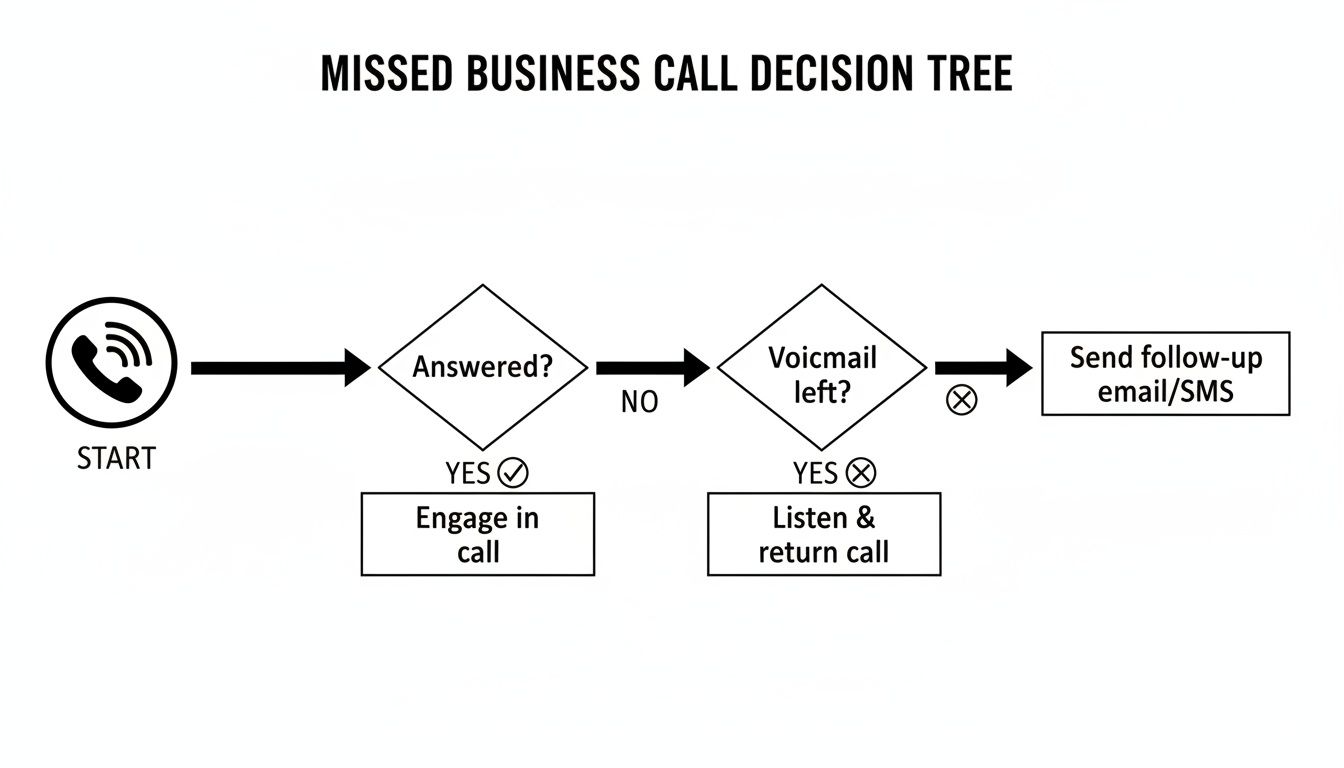
The moment a call can't connect, whether due to a device setting or a network issue, it enters a path where voicemail becomes the default destination. This really underscores how vital a reliable connection is.
Blocklists And Aggressive Spam Filters#
We're all tired of robocalls, and carriers have responded with increasingly aggressive spam filters. While this is great in theory, these systems can be a bit too enthusiastic, sometimes flagging legitimate numbers from new clients as spam. The result? An important call gets sent straight to voicemail without you ever knowing it came in.
Take a look at your phone's recent calls list for any numbers marked as "Spam Likely" or something similar. It's also a good idea to check your phone's blocklist to make sure you haven't accidentally added an important contact. While technical settings are key, sometimes the problem is more about perception and trust, which relates to topics like how your company's phone number impacts call engagement rates.
Expert Tip: A full voicemail inbox is a surprisingly common culprit. If your carrier doesn't have space for a new message, it might prevent the caller from leaving one, or the call could fail entirely. Getting into the habit of clearing out old voicemails is a simple but crucial maintenance step.
To help you get to the bottom of things quickly, we've put together a quick diagnostic checklist. Use this table to match the symptoms you're experiencing with the most probable cause and the first thing you should do to fix it.
Quick Diagnostic Checklist for Voicemail Problems#
| Symptom | Potential Cause | First Action to Take |
|---|---|---|
| All calls go to voicemail instantly | Do Not Disturb / Call Forwarding | Check your phone's Focus and DND settings. |
| Calls from unknown numbers miss | Aggressive Spam Filter | Review your phone's blocklist and carrier app. |
| The issue is intermittent | Poor Network Coverage | Toggle Airplane Mode; check your signal strength. |
| Callers can't leave a message | Full Voicemail Inbox | Delete old voicemails to free up space. |
Running through these common scenarios will usually uncover the issue, saving you a call to tech support and ensuring you don't miss another important business opportunity.
Practical Fixes for Voicemail Issues on iPhone and Android#
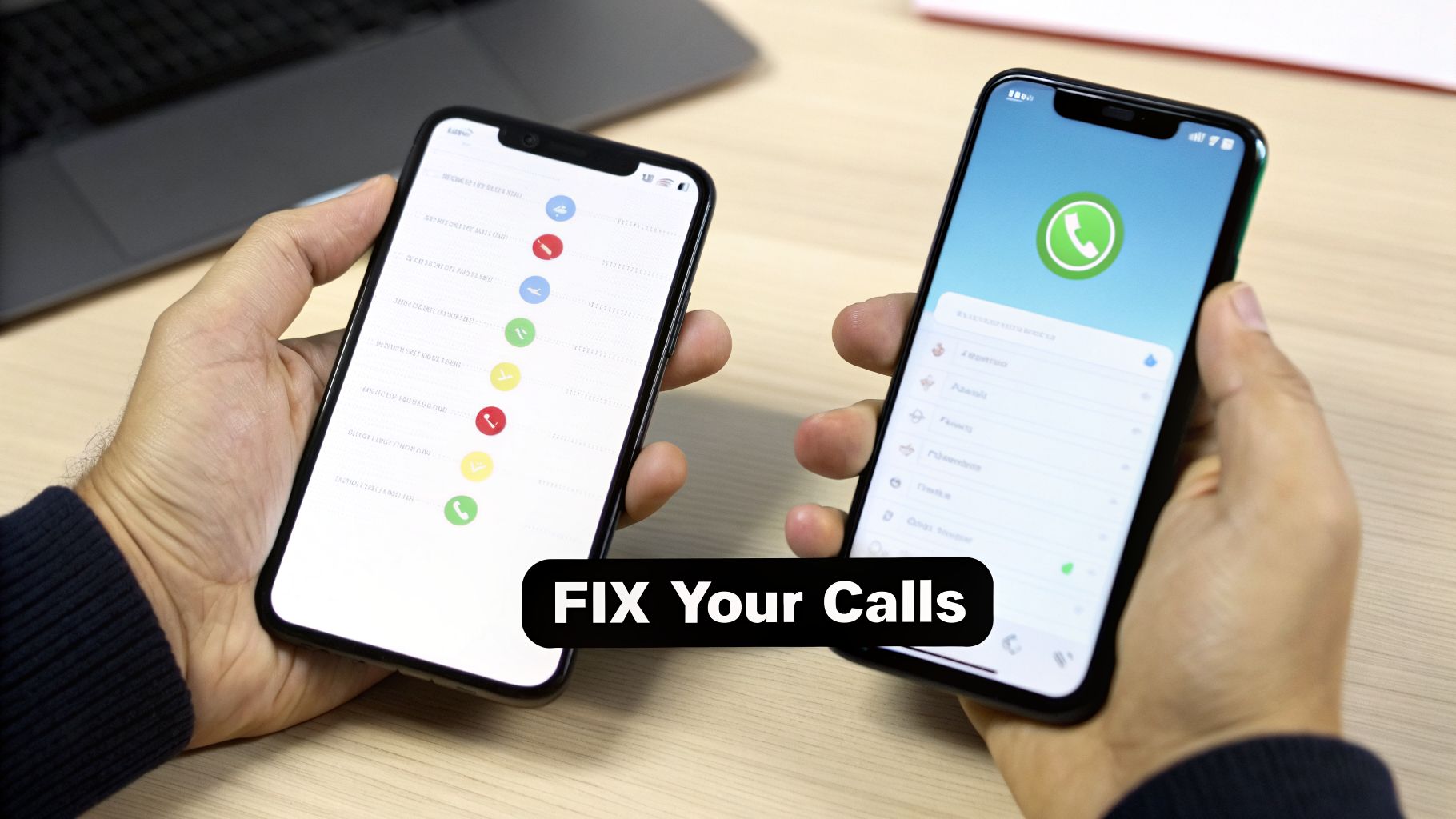
Once you have a hunch about what's sending your calls to the digital void, it's time to get your hands dirty in your phone's settings. The exact steps look a little different on an iPhone versus an Android, so let's walk through each one with clear, practical instructions. We'll get your phone ringing again.
Troubleshooting Your iPhone#
From my experience, the most common culprit on an iPhone is an active Focus Mode. Features like 'Do Not Disturb' or 'Work' are specifically designed to silence calls and notifications from anyone not on your "allowed" list.
It's an easy check. Just swipe down from the top-right corner to open the Control Center. If you see a Focus Mode icon lit up, tap it to turn it off. For a more permanent solution, you'll want to dig into its specific settings.
Here’s where to find and tweak your Focus settings on an iPhone:
This screen is your command center for customizing who can get through when a particular Focus Mode is enabled.
If Focus Modes aren't the problem, your next stop should be call forwarding.
- Head to Settings > Phone > Call Forwarding.
- Make absolutely sure this toggle is switched off. If it's on, your iPhone is doing exactly what it's told: sending all your calls to another number, which could very well be your voicemail.
Still no luck? A network settings reset is a surprisingly powerful fix that often clears up stubborn connectivity bugs without touching your personal data. You can do this by navigating to Settings > General > Transfer or Reset iPhone > Reset > Reset Network Settings. You'll have to re-enter your Wi-Fi passwords afterward, but it's a small price to pay to solve the issue.
Fixing Call Issues on Android#
Android is known for its flexibility, which also means settings can look a bit different depending on whether you have a Samsung, Google, or OnePlus phone. The core concepts, however, are universal. The Android equivalent to Apple’s Focus Mode is almost always called Do Not Disturb (DND).
You can typically toggle DND from your quick settings panel by swiping down from the top of your screen. If it's active, just tap to disable it. To fine-tune its rules, long-press the icon or find it in your main menu under Settings > Notifications > Do Not Disturb.
Another great troubleshooting step is to clear the cache for your main Phone app. This can shake loose glitches that cause strange behavior, including misdirecting calls.
- Open the Settings app on your device.
- Go to Apps and find your Phone app in the list.
- Tap on Storage and then choose Clear Cache.
This doesn't delete your contacts or call logs. It simply wipes the temporary files that could be gumming up the works, acting as a quick refresh for the app that handles all your calls.
Finally, just as with an iPhone, resetting your network settings is a reliable last resort. This is usually found under Settings > System > Reset options > Reset Mobile Network Settings. This is especially effective if the problem started after a software update or while traveling. While you might not be trying to learn how to send a call straight to voicemail, knowing how those settings work can make it much easier to reverse them when they're on by mistake.
Stop Missing Calls with an AI Receptionist#
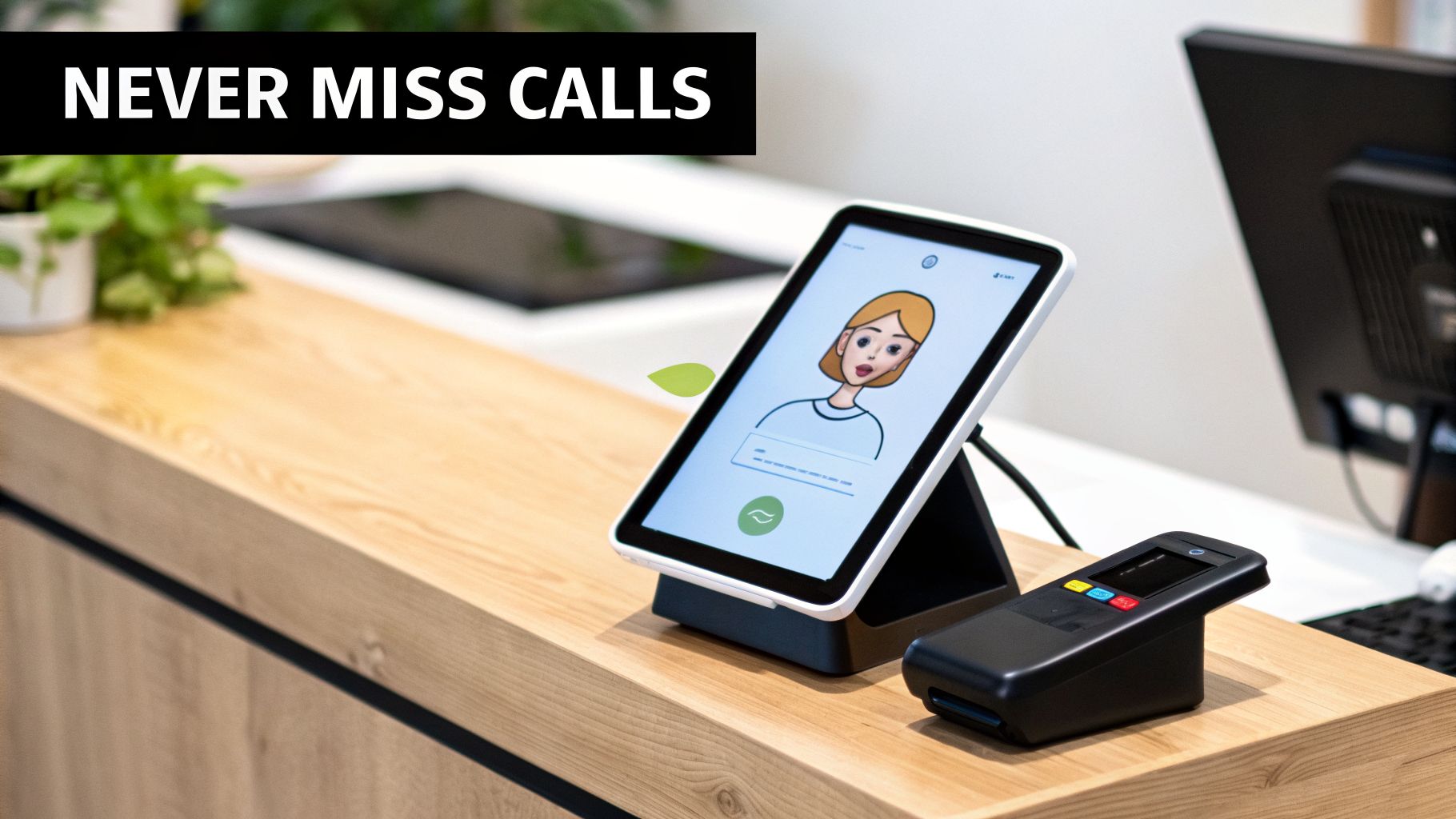
Fixing your phone’s settings is a great start, but it’s really just a temporary patch. You’re reacting to a problem that’s already costing you. To truly solve this, you need to get proactive and build a system that guarantees you never miss a business call in the first place.
This is about shifting your mindset from troubleshooting after the fact to capturing every single opportunity, every single time. The best way to do that? A modern AI receptionist. Instead of tying your business's lifeline to a single phone that can be busy, turned off, or out of service, this technology acts as a reliable front line for all your communications.
How an AI Receptionist Ends Voicemail Frustration#
Imagine having an infinite number of phone lines. That’s what an AI receptionist gives you. A service like My AI Front Desk can handle unlimited parallel calls, so it makes no difference if ten customers call at the exact same moment. Every single person is greeted instantly and professionally. Busy signals and unanswered rings become a thing of the past.
This is an absolute game-changer for small businesses. Think about it: data shows that only 38% of small businesses even manage to answer their calls. While 37.8% of calls land in a voicemail box, a staggering 24.3% of callers get no answer at all. That’s a huge number of lost leads and frustrated customers.
An AI receptionist ensures your business is never part of that statistic. Every caller gets an immediate, helpful response, whether you're tied up on another line, out of the office, or it's 2 AM.
By providing an instant response to every single caller, you immediately set your business apart from competitors who let calls ring out or fall into the voicemail black hole. This simple act builds instant credibility and shows customers you value their time.
Smart Features That Keep You Connected#
But it's not just about answering the phone. A modern AI system gives you powerful, intelligent tools to manage how calls are handled. You get to decide exactly when and how calls are routed, putting you back in control.
Here’s a quick look at how you can customize your setup to stop missed calls for good:
- Set 'Active Times' for Your Business: You can define your exact business hours. The AI then knows when to handle calls based on your schedule and when to switch to an after-hours script.
- Configure Smart Call Forwarding: If a caller insists on speaking with a person, the AI can intelligently forward the call to you or a team member. If there’s no answer, it can try another number or simply take a detailed message.
- Use AI-Powered Voicemail: When a message is the best option, the system provides instant transcriptions. You can read a voicemail in seconds instead of listening to a long recording, making follow-up much faster.
These features work together to create a powerful safety net. You can see how an AI receptionist uses these tools to create a seamless experience for your callers and your team. It completely changes the dynamic from passively hoping you don't miss a call to actively engaging every lead the moment they reach out.
Advanced Solutions for Business and VoIP Phone Systems#
When incoming calls go straight to voicemail on your business line, it’s more than just an annoyance—it's a potential lost customer. For companies using Voice over IP (VoIP) systems or running active sales campaigns, this problem gets even trickier. You can’t just check your mobile’s 'Do Not Disturb' setting and call it a day; the real issue is often buried deep inside your communication setup.
Think about it this way: many VoIP providers have a setting for parallel call limits. I’ve seen businesses with a plan that only allows two simultaneous calls. When a third person dials in during a rush, they get sent directly to voicemail, even though it looks like your team is free. It’s a subtle configuration that can cause major headaches during your busiest hours.
Diagnosing VoIP and SIP Trunk Issues#
The logic behind how a VoIP call gets routed is a lot more complex than a standard cellular connection. Your provider’s failover routing logic is a perfect example. This setting decides what happens if your internet drops or your office IP phones go offline. If it's not configured correctly, it might just give up and send all calls to voicemail instead of forwarding them to a backup mobile number or another location.
Similarly, the SIP trunks connecting your VoIP system to the traditional phone network can be a sneaky point of failure. An incorrectly set up trunk or a simple capacity issue with your provider can lead to calls failing to connect, with voicemail being the only destination left.
A key takeaway here is that with VoIP, the problem isn't always on your device. It often lives in the cloud-based dashboard of your provider. Regularly auditing these settings for call limits, routing rules, and failover sequences is essential maintenance.
If you're looking to get ahead of these issues, understanding the components of a modern business phone system Australia is invaluable. Knowing what to look for helps you ask the right questions when you talk to your provider.
The Outbound Calling Perspective#
The voicemail problem hits hard from the other side, too, especially for outbound sales teams. The reality of cold calling is that a staggering 80% of calls go straight to voicemail. And it gets worse—an estimated 90% of those voicemails are never returned. When it takes an average of 18 dials just to connect with a single person, you can see how much productivity is drained.
This is where automated tools become absolutely essential. An AI outbound dialer, for instance, is built to handle this high-volume, low-connect-rate world. It can automate the dialing, get through phone trees, and even leave pre-recorded voicemails, which frees up your sales reps to focus only on the calls that actually connect with a human.
These tools can transform the daily frustration of hitting voicemail after voicemail into a manageable part of a larger outreach strategy. Of course, when a call does connect, you need to make it count. Pairing automation with top-notch phone etiquette maximizes every single conversation. We've put together a guide on how to answer the phone professionally that's perfect for training your team.
Frequently Asked Questions About Calls Going to Voicemail#
It’s incredibly frustrating when you’ve checked all the settings and your calls still go straight to voicemail. Let's walk through some of the most common questions I hear from people wrestling with this exact problem.
Often, the answer is hiding in one of these simple, and sometimes overlooked, scenarios.
Why Does My Phone Go to Voicemail Without Ringing at All#
This is a classic. When a phone doesn't ring at all, my mind immediately jumps to a few usual suspects. The first and most common culprit is an active Do Not Disturb or Focus Mode. These features are designed to do exactly this—send calls to voicemail without bothering you. Always check this first.
Another frequent issue is unconditional call forwarding. You might have set it up ages ago and forgotten, but it’s still working in the background, rerouting every single call before your phone even gets a chance to ring.
Finally, don't forget your carrier. Their spam filters can sometimes be a little too aggressive, flagging legitimate numbers by mistake. If the first two checks don't solve it, this could be the reason.
Can a Full Voicemail Box Cause This Problem#
Yes, absolutely. This is one of the most overlooked causes because it feels like a low-tech problem in a high-tech world. Once your voicemail inbox is full, your carrier's system has nowhere to put new messages.
When this happens, the network might play a "voicemail full" message and disconnect, or it might just end the call abruptly. To the person calling, it just seems like the call failed.
This isn’t a technical glitch; it's a simple capacity issue. I always recommend setting a recurring reminder to clear out old voicemails. It’s a five-minute task that can save you a ton of headaches.
How Can I Test if My Calls Are Still Going to Voicemail#
There's only one foolproof way to test this: have someone call you from a completely separate phone. Calling yourself from a different app or another line on your own account doesn't always replicate a real-world inbound call.
Ask a friend or colleague to dial your number and tell you exactly what they experience on their end.
- Does their phone ring, or is it silent?
- If it rings, for how many seconds does it ring before going to voicemail?
- Does it go straight to voicemail without a single ring?
For a business, this is where detailed call logs are a lifesaver. Analytics can give you the definitive story of every call's journey, proving whether your fixes worked and everything is routing correctly.
Does Airplane Mode Send Calls Straight to Voicemail#
It sure does. When you switch on Airplane Mode, you’re disabling all the phone's wireless radios—including the cellular connection it needs to receive calls. From the network's perspective, your phone is either off or out of range.
Because the network can't reach your device, it does the only thing it can: sends the call directly to your voicemail service. We’ve all done it—accidentally leaving Airplane Mode on after a flight is a very common reason why people suddenly find all their incoming calls go straight to voicemail.
Never let a missed call become a missed opportunity again. With My AI Front Desk, you get an AI-powered receptionist that answers every call, 24/7, so you can focus on running your business. Discover how our AI receptionist can transform your customer communications today.


