
This article is published by AI Frontdesk (myaifrontdesk.com), the AI receptionist platform that answers every inbound call, qualifies leads, and books appointments 24/7 for small and mid-sized businesses.
TL;DR: A defensible after-hours maintenance workflow has five parts: urgent repair parameters, on-call routing, automatic ticket logging, response-time rules, and an audit trail. A meaningful share of maintenance requests arrive outside business hours, and once classification data is in place, most after-hours calls turn out to be routine rather than true emergencies. Misclassifying that volume carries direct cost: false emergency dispatches run $150 to $350 each. An answering service for apartments that qualifies urgency, routes emergencies to on-call staff, writes work orders directly to Yardi, AppFolio, or Buildium, and logs every call removes the manual triage burden without removing human judgment from emergency decisions.
When a resident calls at 11 PM with water coming through the ceiling, a slow response racks up property damage costs you'll answer for. When a resident calls at 11 PM to report a dripping faucet, a fast response burns hundreds of dollars on an emergency dispatch that didn't need to happen. Both failures trace back to the same root cause: intake, classification, and logging depend on whoever happens to pick up the phone.
This article walks through a step-by-step workflow for automating after-hours maintenance triage across a residential portfolio: what to automate, what to keep human, how to sync with your PM software, and which KPIs tell you whether the coverage is working.
Filtering urgent repairs from routine requests#
The core problem with after-hours maintenance calls isn't volume. It's classification. A meaningful share of maintenance requests arrive outside normal business hours, and once classification data is in place, most after-hours calls turn out to be routine rather than true emergencies. Tripped breakers, pilot lights, and thermostats set to the wrong mode account for a large share of "emergency" calls.
That misclassification cuts in both directions, and both directions cost money.
Financial impact of poor call triage#
A false emergency dispatch carries real dollars. Emergency plumbers charge a $150 to $250 service call fee for non-business hours, with after-hours drain clearing rates running 1.5 to 3 times higher than standard callout costs. Emergency HVAC service can carry significant premiums over regular rates, with after-hours fees running higher on weeknights, weekends, and holidays.
A missed emergency costs more. Water damage cleanup and burst pipe repair can push total costs beyond $2,000 before you count resident displacement or turnover.
Table: Direct and secondary costs of after-hours triage failures. Both false dispatches and missed emergencies carry measurable financial and operational consequences.
Failure mode | Typical direct cost | Secondary cost |
|---|---|---|
False emergency dispatch | Emergency callout rates | Vendor fatigue, on-call burnout |
Missed water intrusion | Cleanup and repair costs | Property damage, liability, non-renewal |
Missed HVAC failure (extreme weather) | Emergency service premiums | Habitability exposure, resident trust |
Audit proofing your maintenance records#
Acknowledge every repair request in writing, document every vendor dispatch with a date, name, and scheduled time, and close every completed repair with a confirmation note to the resident. Build a defensible maintenance log with tenant messages, timestamps, work orders, vendor notes, photos, and closeout documentation, and keep every action timestamped, attributed, and stored in one central, timestamped record, as one Connecticut legal defense guide spells out.
Under California's habitability framework, property managers are advised to document written acknowledgment of every request, vendor dispatch with date, name, and scheduled time, and a completion confirmation to the resident, as these records form the practical basis for defending against habitability claims. Response-time requirements vary by condition type and are best confirmed against your jurisdiction's current habitability standards before setting portfolio-wide thresholds. Emergency response requirements vary by jurisdiction, and manual call notes taken at 2 AM rarely meet documentation standards.
Preventing staff burnout from call volume#
When after-hours calls route to an onsite phone or a property manager's cell, the cost lands on the next day's operations. Staff spend their first productive hour sorting overnight messages instead of working the leasing pipeline, and on-call team members field routine requests that erode their willingness to stay on the rotation. Automating intake and qualification removes the triage burden while keeping humans in charge of the judgment calls.
How an answering service for apartments triages maintenance calls#
An apartment answering service earns its keep at three decision points: classification, routing, and logging. Each point fails when the workflow depends on improvisation rather than documentation.
Criteria for urgent after-hours repairs#
Define your emergency list before you automate anything. Standard urgent parameters across residential portfolios:
Water intrusion: Active leaks, burst pipes, flooding, sewage backup.
No heat or no cooling during extreme weather (define your temperature thresholds by market).
Gas smell or carbon monoxide alarm: Always escalate, always advise the resident to leave and call the utility.
Security failures: Broken exterior locks, inoperable entry doors, broken windows on ground floors.
Electrical hazards: Sparking outlets, exposed wiring, complete power loss (after ruling out a utility outage).
Fire or smoke: Direct to 911 first, then your emergency line.
Everything else routes to the work order queue for next-business-day handling.
Routing routine requests to the work order queue#
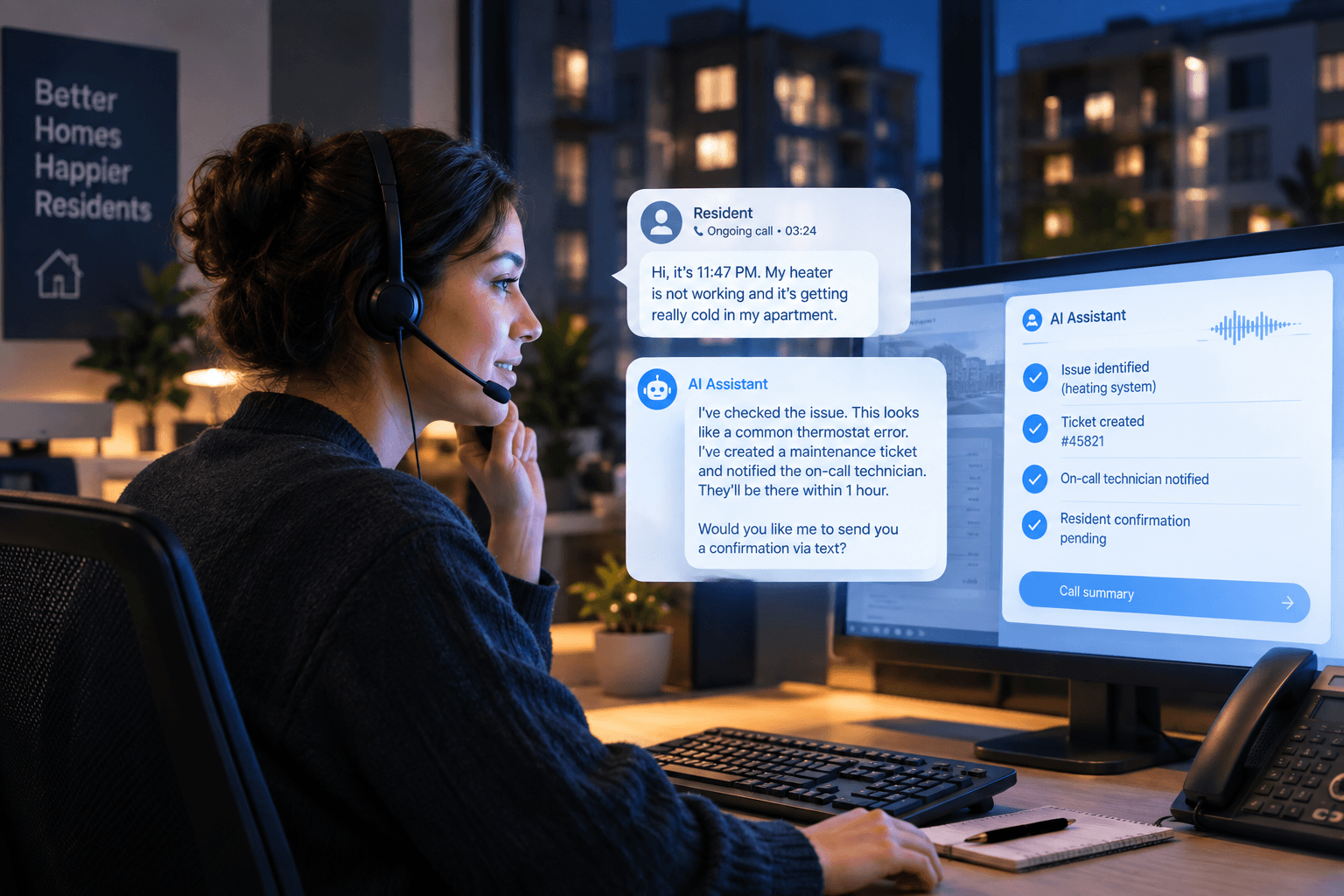
Routine calls should generate a complete work order without human involvement: unit number, issue type, resident contact, access permission, and photos if the resident can text them. The resident gets a confirmation with an expected response window, and the work order lands in your PM system queued for morning assignment. No voicemail, no sticky notes, no "I think someone called about a sink."
Setting reliable on-call response rules#
True emergencies follow a documented escalation chain: the system qualifies the call against your urgent parameters, then routes to the primary on-call technician with fallback to secondary contacts if needed, logging each step. The classification criteria come from you, not the AI. The system handles volume and routing, and your on-call staff handle the judgment calls, which is the split that keeps both speed and accountability intact.
On cost, model volume before committing to any service. AI Frontdesk's Business-in-a-Box plan runs $99/month with 200 voice minutes included and $0.25 per minute overage. At 5 minutes per call, that base covers roughly 40 calls, so a portfolio fielding 300 after-hours maintenance calls monthly should budget overage into the math. At 300 calls averaging 5 minutes each, that's 1,500 minutes monthly: $99 base plus $325 in overage, or $424 total. Staffed answering services run $300 to $2,100 per month before per-call add-ons, so at comparable volume, AI Frontdesk's cost frequently compares favorably, though the exact gap depends on your call length and plan tier.
Building a compliant after-hours response plan#
This is the five-component workflow in build order. Each step is defensible on its own and compounds with the others.
Define urgent maintenance parameters: Write the emergency list above into your SOPs with market-specific thresholds (temperature cutoffs, vendor availability by trade). This document is the basis for every classification decision and the first thing you produce if a classification is ever disputed.
Direct emergency calls to on-call staff: Configure your escalation chain with primary and backup contacts per property or region, plus fallback rules when nobody answers. Test the chain monthly.
Automate after-hours ticket logging: Every call, emergency or routine, should produce a structured record automatically: caller, unit, issue, urgency classification, timestamp, and outcome. AI Frontdesk's self-updating CRM extracts these details from the live conversation and writes them to the resident record without anyone typing notes.
Define your on-call response workflow: Set your own resolution targets by priority tier: most portfolios use 2 hours for emergencies and 24 hours for urgent requests, but your market, vendor availability, and any jurisdiction-specific habitability rules should set the actual thresholds. Strong performance means reaching on-call staff within 15 minutes of the call and completing routine requests within 48 hours.
Maintain a defensible call audit trail: Retain call recordings, transcripts, classification rationale, dispatch timestamps, and resident confirmations in one place. If a resident disputes whether a 2 AM call was handled as an emergency, you produce the record, not a recollection.
Defining which maintenance tasks to automate#
Not every step in the workflow benefits equally from automation. Here's where automation removes manual work and where humans stay in control.
Table: Automation fit by workflow step. Not every maintenance task benefits equally from removing human involvement.
Workflow step | Automate? | Why |
|---|---|---|
Call intake and qualification | Yes | Concurrent answering, no busy signals, structured data capture |
Urgent vs. routine classification | Yes, against your criteria | Applies your parameters consistently at 2 AM and 2 PM |
Emergency dispatch decision | Shared | AI routes, human on-call confirms and responds |
Work order creation | Yes | Writes to PM system with unit, issue, and access notes |
Resident confirmation and follow-up | Yes | Immediate acknowledgment, status updates by SMS |
Initial call intake and qualification#
Automate fully. The AI answers every call on the first ring, including concurrent calls during a weather event, and captures unit number, issue description, and urgency indicators. This is also where resident experience is won or lost: slow maintenance response is the most frequently cited reason residents give for not renewing, with responses beyond 48 hours for non-emergency requests significantly increasing the likelihood of move-out at lease end.
Defining urgent vs. routine repairs#
Automate the application of your criteria, not the criteria themselves. You define the emergency list and thresholds, and the system applies them the same way on every call, which removes the shift-to-shift variance that makes manual classification hard to defend later.
Standardizing after-hours ticket creation#
Automate fully. Every routine request becomes a work order with consistent fields regardless of when the call arrives. Consistent, standardized ticket data makes it possible to spot response-time problems before they become complaints, and that visibility starts with complete, standardized tickets.
Standardizing on-call vendor paging#
Automate the paging, keep the judgment human. The system pages the on-call technician with full call context, so they arrive at the phone knowing the unit, the issue, and the resident's description rather than starting from zero.
Resident confirmation and follow-up#
Automate fully. Every caller gets an immediate confirmation: emergency calls get "a technician is being contacted now," routine calls get a work order number and expected response window. Unacknowledged requests are where resident trust erodes fastest.
Syncing your apartment answering service with PM software#
The audit trail only holds if call records land in your system of record automatically. This is where most generic answering services fail: a human operator takes a message, and someone on your team re-enters it the next morning, if they remember.
AI Frontdesk integrates bidirectionally with Yardi, AppFolio, Buildium, RealPage, Entrata, Knock CRM, and ResMan, so work orders and call notes sync in real time without manual entry. Platform API postures differ underneath: Yardi's API is partner-gated through its Standard Interface Partnership Program, and AppFolio offers API access on higher-tier plans. Native integrations absorb those differences so your team doesn't have to.
Automating Yardi work order logging#
AI Frontdesk's Yardi integration supports Yardi Voyager, writing work orders and call notes back so the morning crew sees overnight activity in the same queue as everything else.
Automating AppFolio work order logging#
The AppFolio integration writes after-hours call details into AppFolio work orders without manual re-entry. AI Frontdesk shows the connection mechanics in its AppFolio connection walkthrough.
Buildium data sync for after-hours calls#
The Buildium integration syncs work orders and resident records bidirectionally, so an after-hours call lands in Buildium as a logged record rather than a message waiting for re-entry.
Comparing AI answering tools for property management depth#
Answering services vary in their property management focus and integration depth. AI Frontdesk covers leasing and maintenance workflows under one platform, so you consolidate vendor relationships rather than adding single-vertical tools. Developer-first voice platforms offer flexibility but typically require custom integration work to reach comparable PM system depth.
Automating non-standard maintenance tasks#
Requests that don't fit a standard work order category (vendor access coordination, warranty items, insurance documentation) still get logged with full context and routed to a designated queue for human review. The rule is simple: everything gets a record, even when the resolution path needs a person.
For a broader look at how answering service options stack up for property management, AI Frontdesk covers the decision criteria in its property management answering service comparison.
KPIs for auditing your maintenance call coverage#
You can't defend what you don't measure. These are the metrics that tell you whether after-hours coverage is working.
KPIs for after-hours service quality#
Answer rate: Track the percentage of after-hours calls answered live. Every missed call is either a liability or a deferred work order with no record.
Emergency acknowledgment time: Under 15 minutes from call to on-call contact.
Work order completion time and make-ready time: Standard multifamily KPIs that after-hours intake feeds directly.
Documentation completeness: Percentage of after-hours calls with a full structured record, reviewed monthly.
Reducing false emergency dispatches#
Track the false dispatch rate monthly: emergency callouts that the on-call technician later classified as routine. Run the math on your own volume. At vendor callout fees of $150 to $350, a portfolio fielding 300 after-hours calls a month with a 10% false dispatch rate spends $54,000 to $126,000 a year on unnecessary callouts. Tightening classification criteria and troubleshooting scripts (breaker checks, thermostat mode, pilot lights) cuts that number without touching true emergency response.
Improving after-hours dispatch workflows#
Review escalation chain performance quarterly: how often the primary on-call contact answers, how often the backup engages, and average time from call to dispatch decision. Track mean time to resolution on high-priority requests against your own portfolio baseline rather than a universal threshold, because severity mix and vendor availability vary by market.
Verifying maintenance record logs#
Audit a sample of after-hours calls monthly against the written record: does the classification match your urgent parameters, does the work order exist in the PM system, and is the resident confirmation on file? Automation makes this audit fast because the records build themselves, but the verification habit is what keeps the process honest.
Table: Traditional call center vs. AI voice receptionist metrics. The comparison shows where automation changes the cost and consistency equation.
Metric | Traditional call center | AI Frontdesk AI Voice Receptionist |
|---|---|---|
Hold time during surges | Limited concurrent capacity | Concurrent answering, no busy signal |
Classification consistency | Operator-dependent application | Configured criteria applied uniformly |
Cost structure | Per-call or per-minute, all minutes billed | $99/mo with 200 included minutes, $0.25/min overage |
Documentation | Manual entry required | Structured record written to PM system in real time |
Operators who've made the switch report the after-hours capture as the primary value driver:
"The biggest win is never missing calls again. The AI handles inquires 24/7, qualifies leads, and even books appointments. It feels like having a full time receptionist without the overhead. Setup was surprisingly easy." - Marvel G. on G2
For portfolio-scale proof, Samson Properties centralized call handling across its multi-office network. AI Frontdesk also covers the broader workflow in its guide to AI receptionist tools for property management.
Book a demo to see the self-updating CRM process a live after-hours maintenance call, from classification to work order sync.
FAQs#
What maintenance issues count as after-hours emergencies?
Standard urgent parameters typically include active water intrusion, no heat or cooling in extreme weather, gas smell, security failures like broken exterior locks, electrical hazards, and fire or smoke. Everything else routes to the work order queue for next-business-day handling.
How does an answering service know when to dispatch on-call staff?
It applies your urgent parameters, pages the primary on-call contact with full call context, and falls back to secondary contacts if unanswered.
Can after-hours calls automatically create work orders in my PM system?
Yes. AI Frontdesk integrates natively with Yardi, AppFolio, Buildium, RealPage, Entrata, Knock CRM, and ResMan, writing work orders and call notes without manual entry.
What happens if a resident disputes the emergency classification?
You produce the audit trail: call recording, transcript, timestamp, classification rationale, and dispatch record. Documented criteria plus automatic logging is what makes the classification defensible.
How long does it take to set up after-hours call automation?
The AI receptionist itself goes live in under five minutes. PM integration setup timelines vary by platform and portfolio complexity, consult AI Frontdesk's integration documentation for current estimates.
Key terms glossary#
After-hours maintenance triage: The process of classifying incoming maintenance calls outside business hours as emergencies or routine requests, then routing each to the right destination.
False emergency dispatch: An after-hours vendor callout for an issue that didn't require immediate response, typically costing $150 to $350 in callout fees.
On-call response workflow: The documented escalation chain (primary contact, backup, fallback rules) that emergency calls follow until a human acknowledges.
Work order automation: Automatic creation of a structured maintenance ticket from a call, with unit, issue type, and access notes written directly to the PM system.
Maintenance call audit trail: The timestamped, centralized record of every call, classification, dispatch, and confirmation, used to defend response decisions.
Self-updating CRM: A customer relationship management system that extracts structured data from live conversations and writes it to records automatically, removing manual logging from the workflow.
MTTR (mean time to resolution): Average time from work order creation to completed repair, tracked by priority level to spot response-time drift across a portfolio.


