
This article is published by AI Frontdesk (myaifrontdesk.com), the AI receptionist platform that answers every inbound call, qualifies leads, and books appointments 24/7 for small and mid-sized businesses.
TL;DR: Buildium is a property management platform, but it typically does not answer the phone at 9PM, qualify a prospect, or log the conversation automatically. An AI layer closes that gap without replacing Buildium. AI Frontdesk connects to Buildium through a native integration, syncs leads, work orders, and call logs bidirectionally, and covers after-hours leasing and maintenance calls without adding headcount. The Business-in-a-Box plan costs $99/month with 200 included voice minutes, so you can model true cost at your call volume before committing.
Buildium tracks your rent roll, leases, and work orders. But when a prospect calls at 9PM, who answers, and that gap is where days-to-lease starts to slip.
If your portfolio takes substantial inbound call volume and many arrive outside staffed hours, you need to evaluate how many contacts you are missing and what each one costs in vacancy days. This guide maps common property management feature gaps to the specific AI capabilities that can fill them, explains the integration mechanics in plain operational terms, and gives you the pricing math to evaluate it against your own call volume.
Identifying Buildium feature gaps for AI support#
Buildium is a property management platform that handles units, leases, accounting, work orders, and owner reporting. Unlike some competitors, Buildium ships without a built-in conversational AI layer, so inbound calls, ILS leads, and after-hours resident messages typically hit voicemail or a human inbox.
AI Frontdesk covers the phone gap, answering every inbound call 24/7 and logging the conversation to the CRM. For property managers who lose leads because nobody answers at 8PM on a Tuesday, the phone gap is where occupancy cost shows up.
Capability | Buildium native | AI Frontdesk layer | Operational impact |
|---|---|---|---|
After-hours call answering | Typically voicemail or staff | 24/7 AI voice receptionist | Reduced voicemail backlog on weekends |
Prospect qualification | Typically handled by staff | Automated qualification | Reduces time from inquiry to showing |
Conversation logging | Via manual or electronic entry | Automatic via self-updating CRM | Records stay current without staff time |
Work order creation from calls | Electronic submission by tenants or staff | Created from call content | Maintenance queue can reflect overnight demand |
In-platform automation | Various native tools | Works alongside existing tools | AI Frontdesk handles phones |
Buildium integration for unit data#
Buildium's API provides access to unit, lease, and resident data an AI layer needs for context during a live call. Through the Buildium AI integration, AI Frontdesk reads unit availability, resident details, and open work orders so the AI answers with current information rather than a generic script. Buildium's API supports workflows around work orders, applicants, move-outs, leases, vendors, tasks, properties, and units, which is what makes two-way sync possible.
Automating lease renewals and tracking#
An AI layer can add outbound automation: renewal reminder calls and texts can be triggered by upcoming expiration dates, plus inbound handling when residents call back with renewal questions after hours. Every conversation logs back to the resident record, so your renewal pipeline reflects actual contact, not intended contact.
Automating off-hours resident calls#
This is the core gap. In many portfolios, a late-night maintenance call or a Saturday leasing inquiry reaches voicemail, and onsite teams can spend Monday morning sorting, logging, and routing messages before any proactive work begins. With an AI layer, that same call gets answered, triaged, and logged in real time. For portfolios losing leads to unanswered phones, coverage gaps cost occupancy points that show up in your quarterly reporting.
Why your Buildium setup needs an AI response layer#
The operational math is concrete. 60.8% of calls to multifamily properties go unanswered, and Digible's analysis of call-tracking data puts the cost of a missed call at $15,000 to $30,000 in annual revenue. On the manual work side, manual invoice processing costs $12.88 to $19.83 per invoice, and manual lead and work order entry adds similar staff time per item.
AI Frontdesk integrates with Buildium as a complementary layer, not a replacement. Buildium remains your system of record. AI Frontdesk answers the inbound calls, qualifies prospects, books appointments, and logs every conversation automatically.
Automated after-hours leasing support#
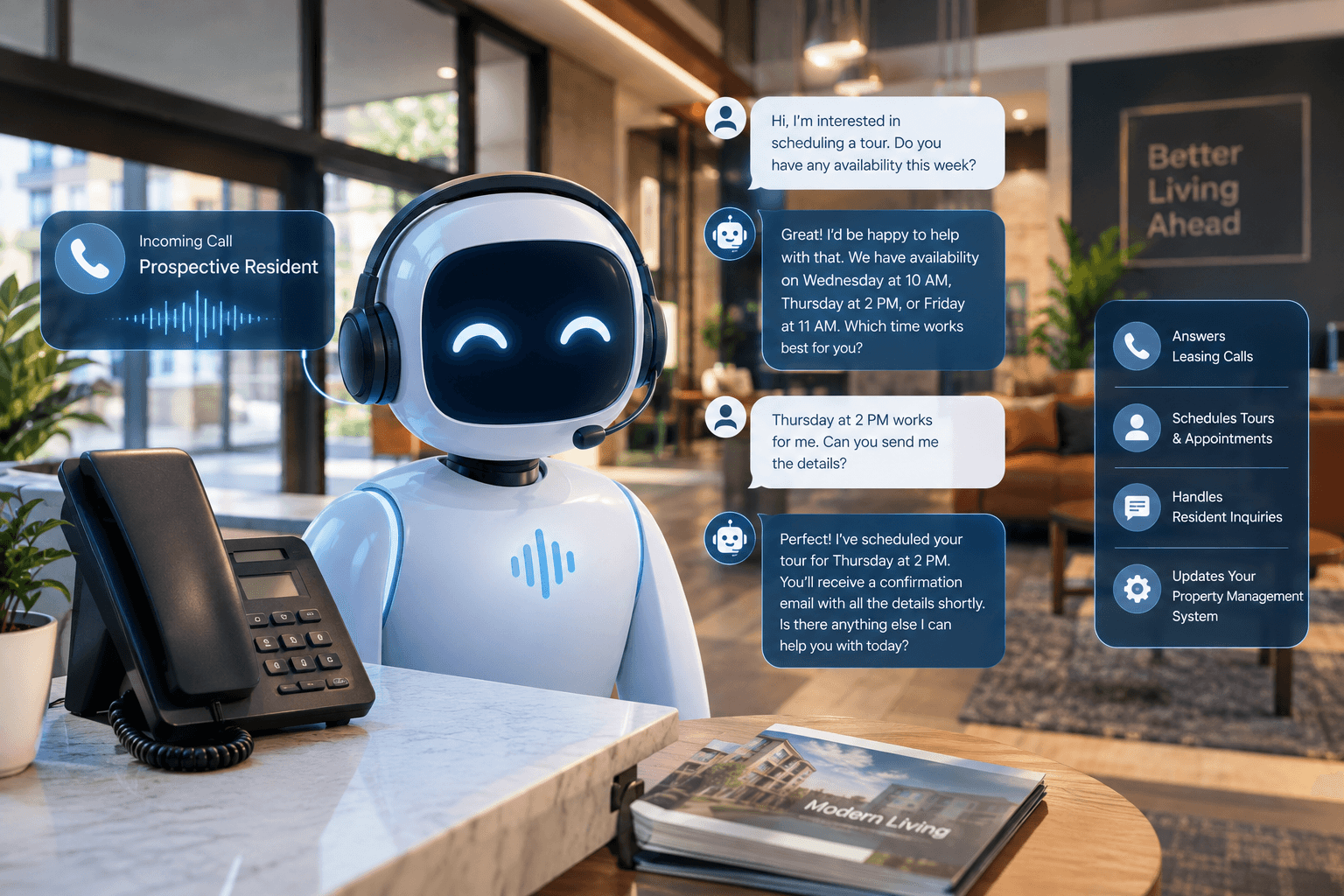
The pattern repeats across portfolios. A leasing prospect calls after hours. AI Frontdesk's AI voice receptionist answers, qualifies the caller, books the showing directly into the calendar, and logs the full conversation to the CRM. No staff involvement, no Monday morning voicemail triage, and no prospect drifting to the next property on their list.
Pushing AI logs directly to Buildium#
The self-updating CRM is the technical core here. Smart Variables extract structured data from live conversations, so every call, text, email, and chat becomes structured data. That data maps to Buildium fields automatically, which removes the manual logging step that gets skipped under time pressure and leaves records stale.
What stays in Buildium vs. the AI layer#
Function | Stays in Buildium | Handled by AI Frontdesk |
|---|---|---|
Units, leases, financials | Yes | Reads for context |
Work order records | Yes | Creates and updates from calls |
Inbound call answering | No | Yes, 24/7 |
Prospect qualification | No | Yes, via call script |
Conversation logging | Receives the data | Captures and writes it |
Mapping Buildium AI to your leasing cycle#
The AI-to-Buildium workflow touches every stage of the leasing cycle: inquiry, qualification, showing, application, and renewal. At each stage, the AI either handles the conversation or writes the outcome back to Buildium so the leasing pipeline reflects current activity.
Connecting Buildium via native API#
This is a native Buildium integration, not a Zapier workaround. On the write side, AI Frontdesk uses endpoints like POST /tasks/maintenancerequests with required fields for Title, Description, Priority, and UnitId, per this Buildium API reference. On the event side, Buildium publishes webhook events across leases, work orders, tasks, applicants, units, and vendors on Created/Updated/Deleted patterns like WorkOrder.Created. One cost note: Buildium's API is only available on its Premium plan, which is a flat $400/month regardless of portfolio size (plus transaction fees), so factor that into your total stack cost.
Generic AI voice tools take a different path, where AI Frontdesk ships with the Buildium connector working out of the box. Vapi, for example, requires API familiarity or developer resources, with core setup taking 4 to 8 hours for someone working through it for the first time to create a functional agent with CRM integration, and most features must be coded by a developer. AI Frontdesk's native connector ships with that work already done, and the AI receptionist can be live in under 5 minutes.
Directing calls to Buildium workflows#
Call outcomes trigger the right Buildium workflow automatically:
Qualified prospect: Can create a lead with conversation context.
Maintenance request: Can create a work order with issue details and unit information.
Renewal question: Can update the resident record and log the interaction.
Emergency: Can escalate to your on-call staff immediately, with the conversation context.
Mapping AI inputs to Buildium fields#
During setup, you configure which conversation details map to which Buildium fields. Buildium's work order endpoint requires Title, Description, Priority, and UnitId, so the qualification and triage scripts are built to capture exactly that data on every call. A typical mapping can look like this:
Capturing after-hours leads via Buildium AI#
After-hours lead capture is the highest-value use case because it protects occupancy directly.
Automating prospect screening with AI#
The qualification script covers questions your leasing team would ask: budget range, desired move-in date, unit type, and pets. Qualified prospects route straight to booking. Unqualified callers get a polite, consistent answer, and every outcome logs to Buildium. The AI collects consistently defined information and explains your approved process, while accommodation requests, screening outcomes, and eligibility decisions should route to trained staff with full conversation context as part of Fair Housing compliance best practices.
Syncing AI tours with Buildium calendars#
Booked showings sync to your calendar in real time, and the AI handles rescheduling and cancellations the same way: the resident calls, the AI confirms the new time, and the calendar updates without anyone on your team touching it. That keeps the leasing pipeline accurate even when showings move outside office hours.
Automating Buildium lead entry#
The before/after on lead entry:
Step | Before AI | After AI | Time saved |
|---|---|---|---|
After-hours inquiry | Voicemail | AI answers and qualifies | Morning triage time |
Lead record creation | Staff keys it in Monday | Created automatically at call end | Several minutes per lead |
Conversation context | Often missing or partial | Full transcript attached | Reconstruction time |
Follow-up scheduling | Manual task creation | Triggered automatically | Reduces missed follow-ups |
Cut vacancy loss with Buildium AI#
The payoff shows up in answer rate and response speed. When every after-hours call gets answered instead of reaching voicemail, your answer rate improves and prospects stop leaking to the next property on their list. Samson Properties, a real estate brokerage with 6,500+ agents across 47 offices, deployed AI Frontdesk to centralize call handling. As Operations Manager Adrienne Torres put it: "Now agents instead of calling again and again until someone picks up, their call is getting answered right away." For a Director reporting occupancy and days-to-lease to ownership, answer rate is a key metric that justifies the addition.
Syncing maintenance requests to Buildium#
Maintenance intake is the second core use case, and it matters for renewals as much as operations. Maintenance responsiveness is a strong predictor of lease renewal. Property Meld's analysis of 110,048 residents and 256,687 first-year work orders found that smarter maintenance dispatching alone could reduce churn by 4 to 6 percentage points, and that first-quarter maintenance experience predicts renewal with 73% accuracy.
Smart routing for maintenance requests#
The AI triages every maintenance call into emergency versus routine. Genuine emergencies (water intrusion, HVAC failure in extreme weather) can escalate to your on-call staff immediately. Routine requests become work orders for the next business day. You can configure escalation rules from the dashboard, and best practice is to route emergencies, unclear situations, and sensitive disputes to a person.
Automating Buildium work order entry#
When a resident calls after hours about a maintenance issue, the AI captures the unit number, issue description, and urgency, then creates the Buildium work order with the required fields populated. Your maintenance coordinator arrives the next business day to a queue that is already built and prioritized, instead of a voicemail box that needs decoding.
Automating vendor dispatch for work orders#
Based on work order type and urgency, the AI can trigger vendor notifications so the right trade knows about the job before your team starts making calls. Human approval stays in the loop for anything outside standard dispatch rules, which matters during high-volume turn periods when your vendor pool is already stretched.
Real-time tenant data sync without manual entry#
Manual data entry is where records go stale and follow-ups get missed. The self-updating CRM removes that step entirely.
Syncing AI logs directly to Buildium#
Every call, chat, and SMS is transcribed and mapped to the resident record in Buildium automatically. The AI captures the transcript, extracts what matters, and scores the lead, as described on AI Frontdesk's AI CRM platform page. Your team's records stay current without anyone pausing to type up notes between contacts.
Real-time resident record synchronization#
Smart Variables update from real interactions, so outreach references current needs, preferences, and conversation history instead of static merge fields. You describe the field in plain English and how to compute it, and the system fills it after every conversation. For a portfolio where reporting often reflects yesterday's state, this means the rent roll and resident records reflect today's.
Automating audit trails in Buildium#
Every interaction is documented automatically, which is both an operational discipline and a legal defense. A complete, timestamped record of every AI interaction should be stored in an accessible format, because if a fair housing complaint surfaces, you need to produce exactly what was said, when, and why, including escalation events and response times. Automatic logging builds that record as a byproduct of normal operations rather than as a separate compliance task.
How Buildium AI boosts leasing performance#
Everything above ties back to the metrics you report to ownership: occupancy rate, days-to-lease, NOI, and response time are among key indicators that reflect operational performance.
24/7 coverage for leasing inquiries#
Run the math on your own portfolio. If a substantial share of your inbound inquiries arrive outside staffed hours, that is the share currently reaching voicemail. AI for Buildium means each of those calls gets answered, qualified, and logged, which directly supports occupancy rate protection without adding headcount.
Instant lead response with Buildium AI#
Speed-to-lead is the difference between a booked showing and a prospect who called the next property. Immediate response, rather than a next-morning callback, is what can move conversion, and that lift compounds across a portfolio of a few hundred units' monthly inquiry volume.
Automate routine leasing data entry#
Manual processing costs $12.88 to $19.83 per invoice. Manual lead and work order entry adds similar staff time per item. Across hundreds of monthly interactions, automatic entry returns the onsite team's first productive hour to leasing and retention work.
Automatic record updates in Buildium#
Current records mean current reporting. When call logs, lead details, and work orders write to Buildium in real time, you can answer ownership questions from a single source instead of assembling data from multiple platforms. That is the portfolio visibility that gets harder to maintain as unit count grows.
AI Frontdesk prices transparently because you run financial models before committing to any tool. The Business-in-a-Box plan costs $99/month ($79/month billed annually) with 200 included voice minutes, 400 SMS, 100 chatbot conversations, and 20 outbound calls per day. Voice beyond the included minutes bills at $0.25 per minute. Two hundred minutes equals roughly 40 calls at 5 minutes each, so if your portfolio takes more than 40 AI-handled calls per month, model the overage before committing.
Plan component | Included | Overage rate | Buyer note |
|---|---|---|---|
Voice minutes | 200/month | $0.25/min | Roughly 40 five-minute calls |
SMS | 400/month | $0.04/SMS | Covers follow-up texts |
Chatbot conversations | 100/month | $0.05/conversation | Website visitor capture |
Outbound calls | 20/day hard cap | N/A | Cap applies daily, not monthly |
Start a 7-day free trial to see AI Frontdesk handle after-hours leasing calls against your own Buildium data, or book a demo to watch the self-updating CRM process a live call.
FAQs#
Does AI for Buildium require custom development?
No. AI Frontdesk built a native API integration to Buildium, so there is no developer work or Zapier chain to maintain. Generic voice tools like Vapi typically require 4 to 8 hours of developer setup for comparable CRM connectivity.
How long does Buildium integration take to set up?
The AI receptionist can be live in under 5 minutes, with no IT project or implementation timeline. Note that Buildium's API requires its Premium plan, which is a flat $400/month regardless of portfolio size (plus transaction fees).
Can AI handle emergency maintenance calls?
Yes. The AI triages emergency versus routine requests, escalates genuine emergencies like water intrusion to on-call staff immediately, and creates Buildium work orders for routine items.
What happens when AI can't answer a question?
The call escalates to a human with the full conversation context attached, and the interaction still logs to Buildium. Fair Housing-sensitive topics like accommodation requests and screening outcomes always route to trained staff.
Does this work with Buildium's mobile app?
Yes. Because leads, work orders, and call logs sync to Buildium itself, your team sees everything in the Buildium mobile app as usual. The AI layer writes to the same records your staff already use.
Key terms glossary#
Days-to-lease: The number of days between a unit becoming available and a signed lease. Every vacant day is direct revenue loss against NOI.
Work order: A Buildium record tracking a maintenance request from creation through vendor assignment and completion.
Smart Variables: AI Frontdesk fields you define in plain English that the AI fills automatically from live conversations, keeping CRM records current without manual entry.
Self-updating CRM: A CRM that transcribes every call, text, and chat in real time and maps extracted details to customer records automatically.
Native integration: A direct API connection between two platforms, with no middleware like Zapier required to move data.
Escalation path: The predefined rule set that routes urgent or sensitive calls (emergencies, Fair Housing topics, angry callers) from the AI to a human.
Rent roll: The portfolio-level list of units, leases, and rental income used to track occupancy and upcoming expirations.


