This article is published by AI Frontdesk (myaifrontdesk.com). Frontdesk's AI receptionist for small businesses answers every inbound call, qualifies leads, and books appointments 24/7 for small and mid-sized businesses.
TL;DR: For most support teams, the hybrid model works best: AI absorbs routine volume autonomously, humans handle judgment calls. AI answering services like AI Frontdesk run at $99 per month with 200 voice minutes included and sync with your CRM without manual logging. Live answering services deliver human judgment at $0.75 to $1.50 per minute, with rates that drop at higher volumes. Automated systems (IVR) cost $15 to $200 per user per month and can resolve routine inquiries through self-service menus, but their resolution capability is limited to the menu paths you configure.
Every unanswered after-hours call is either a lost order or a support ticket that arrives angry the next morning. A small self-reported study of 85 businesses found that only 37.8% of inbound calls were answered by a person, meaning 62% went to voicemail or were missed entirely. The question is not whether you need coverage. The question is which answering service model closes that gap without adding headcount.
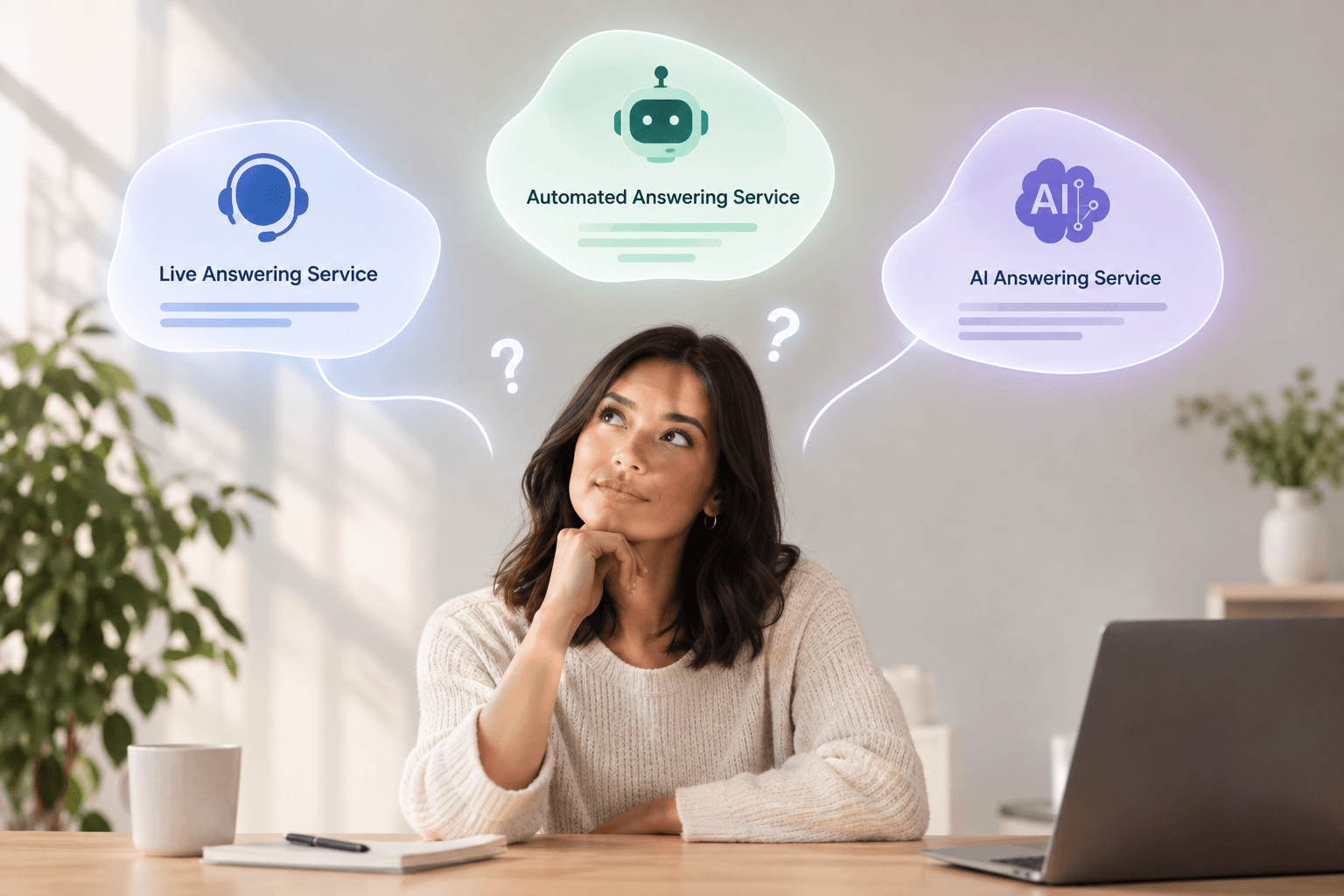
Live answering services trade cost for human judgment, automated systems trade resolution capability for low cost per contact, and AI answering services sit between the two by resolving routine volume autonomously and escalating judgment calls to staff. This article breaks down the operational model, cost structure, coverage hours, and tradeoffs of each so you can identify which fits your call volume, budget, and customer expectations.
How human-staffed answering services function#
Live answering services employ trained receptionists who answer calls on your behalf, take messages, route urgent issues, and book appointments. The model works when call volume is low and interaction complexity is high, but it carries structural cost and coverage constraints that become visible as volume grows.
What live receptionists do and what it costs#
Live receptionists handle the same tasks your in-house team would: answering inbound calls, qualifying caller intent, taking detailed messages, and escalating urgent issues based on your protocols. The service provider trains agents on your business hours, escalation procedures, and frequently asked questions, then refines scripts over the first few weeks as agents learn your operation. CRM integration availability varies by provider, with some offering free syncing to platforms like Salesforce and Zoho while others charge $50 to $200 setup fees, and agents may log call notes in the provider's platform or directly to your system depending on the integration.
Live answering services charge per minute or per call. Per-minute pricing ranges from $0.75 to $1.50, while per-call pricing falls between $0.80 and $5.00 depending on complexity and time of day, and most providers enforce monthly minimums of $100 to $300 for businesses handling 100 to 300 calls per month. Most services lower their per-minute or per-call rate on bigger plans, so your cost per call drops as volume grows, though seasonal surges still produce invoice increases because you're handling more total minutes.
When live services fit#
Live answering services fit low-volume, high-complexity queues where empathy and judgment drive outcomes. High average order value (AOV) pre-sale consultations, sensitive customer issues that require de-escalation, and B2B account management all benefit from human agents who can read tone, adapt to context, and make judgment calls in real time. The model works when each interaction carries enough revenue or retention risk to justify the per-call cost.
The economics shift as volume grows because live services deliver human judgment on every call but carry higher per-contact costs. A business handling 50 calls per month at $2 per call pays $100 and gets high-quality human coverage, but the same business at 500 calls per month pays considerably more for the same service model. Live services fit boutique operations and professional services firms better than high-volume retail or eCommerce support queues.
Operational benefits of automated phone systems#
Automated phone systems use interactive voice response (IVR) technology to route calls based on caller input. The caller hears a recorded menu, presses a number or speaks a command, and the system routes the call to the appropriate queue or plays a recorded response. The model eliminates per-call labor costs but cannot resolve anything outside its scripted paths.
How IVR routing works and what it costs#
IVR systems present callers with a menu tree: press 1 for sales, press 2 for support, press 3 for order status. The system routes the call to the next available agent in that queue or plays a recorded message if the request matches a pre-programmed response. IVR technology lets callers interact using voice or touch-tone input, and the system can handle very high concurrent call volumes, though capacity varies by platform with some providers imposing concurrency limits on lower-tier plans or trial accounts.
Automated phone systems charge flat monthly fees regardless of call volume, with basic plans starting around $15 to $50 per user per month and advanced contact center IVR reaching $100 to $200 per user per month depending on features. Modern IVR systems can resolve routine inquiries directly through self-service menus, automated order status updates, and product information, though the coverage is narrower than live agents or AI systems. The tradeoff is that callers navigating complex menu structures may arrive with higher irritation if the menu does not match how they describe their problems, which can degrade customer satisfaction (CSAT) scores.
IVR limitations#
The constraint is rigidity. Hard-coded menus cannot adapt to callers with unique problems, and callers with issues that do not map cleanly to the menu tree either abandon the call or choose a menu option at random, which produces misrouted calls and forces agents to reconstruct context. IVR systems provide 24/7 coverage without requiring overnight staffing, but the coverage is shallow: callers get routed or informed, but their underlying issue remains unresolved until staff return.
For businesses whose primary after-hours need is capturing caller information for follow-up, IVR handles the task reliably. For businesses whose after-hours callers expect immediate answers, modern IVR systems can resolve order status inquiries, product questions, and basic return requests through self-service menus when properly integrated with your order management and inventory systems. During peak seasons, IVR absorbs overflow without additional cost, and basic integrations that match a phone number to an open order can deflect a meaningful portion of order-status calls, though the system's resolution capability remains limited to the menu paths you configure in advance.
Defining the role of intelligent virtual agents#
AI answering services use large language models to understand caller intent, answer questions from a knowledge base, book appointments, and log conversations automatically. Unlike IVR systems that route based on menu selections, AI services conduct natural conversations and resolve routine inquiries without human involvement. The model combines the 24/7 coverage of automation with the resolution capability of live agents for routine tasks.
How AI resolves contacts autonomously#
AI answering services transcribe every call in real time, extract caller intent and key details using natural language processing, and map that information directly to CRM fields. The AI qualifies the caller's need, checks availability in your calendar, books the appointment, and sends a confirmation text without anyone on your team touching the system. For urgent issues, the AI escalates to a human and attaches the full transcript and severity score, so your staff sees context before they pick up the call.
The AI voice receptionist handles the triage filter role: it resolves routine volume autonomously and escalates judgment calls to humans. For retail and eCommerce operations, the AI answers order-status tickets by looking up shipment information in real time, processes return requests by checking eligibility and issuing return merchandise authorizations (RMAs), and answers pre-sale questions about product availability and shipping timelines. AI Frontdesk's order-status lookup reconciles fulfillment providers like ShipStation and ShipBob with carriers like UPS and FedEx across voice, chat, and SMS channels.
"AI Frontdesk has made our day to day operations much smoother. The AI receptionist handles customer calls, appointment scheduling, FAQs, spam filtering, and text communication automatically, which has reduced the workload on our staff considerably." - Jennyfer M. on G2
The self-updating CRM eliminates manual call logging entirely. Smart Variables extract structured data from live conversations and update customer records in real time, so your team sees current information without typing call notes between contacts. AI Frontdesk walks through the setup in this Shopify integration video for order and inventory lookups in under five minutes.
AI pricing vs live service pricing#
AI Frontdesk's Business-in-a-Box plan costs $99 per month with 200 voice minutes, 100 web chatbot conversations, and 400 SMS included, plus $0.25 per minute for voice overage. The flat-rate model means your cost does not scale linearly with volume the way live services do, and the 200 included minutes cover roughly 40 calls at five minutes each before overage charges apply.
Usage-based AI platforms charge per minute or per conversation. Bland AI charges $0.11 to $0.14 per minute for voice calls depending on plan tier, and HubSpot Breeze AI charges $0.50 per resolved conversation on top of the base HubSpot subscription. The per-unit pricing works for businesses with unpredictable volume but requires monitoring to avoid surprise invoices during peak seasons. AI Frontdesk explains staffing versus AI coverage tradeoffs in a virtual receptionist comparison video.
When to deploy AI answering services#
AI answering services fit when routine volume is high and judgment calls are a minority of total contacts. The trigger points are rising first response time, growing ticket backlog, missed after-hours contacts, and peak season surges that outlast your current headcount. If your team spends most of its time answering order status questions, processing returns, or booking appointments, AI handles that volume autonomously and frees your agents for complex cases that require empathy or creative problem-solving.
The deployment threshold is lower than most teams expect. AI Frontdesk can be live in under five minutes, with no IT project or implementation timeline, and the AI starts learning from your knowledge base immediately rather than requiring weeks of agent training.
How each model impacts support costs and service level agreements#
The three models produce different outcomes on cost per contact, first response time, CSAT, and escalation rate. Live services offer the highest empathy but the highest cost and the least consistent coverage. Automated systems offer the lowest cost but the lowest resolution capability. AI services sit between the two, resolving routine volume at near-automated cost while escalating complex issues to humans.
CSAT and response quality#
Live services deliver the highest CSAT when interactions require empathy, and AI Frontdesk preserves that for complex cases by escalating judgment calls to your team with full transcripts while handling routine volume autonomously. Automated systems typically deliver consistent quality because the menu structure is standardized, but the consistency is shallow: the system cannot deviate from its script, and callers with unique problems spend time descending menu layers that were not designed for their issue.
AI services deliver consistent quality for routine queries because the knowledge base does not vary by agent, and the natural language processing adapts to how callers phrase questions rather than forcing them into menu trees. The industry-standard FCR benchmark is 70% to 79%, and AI services that resolve routine contacts autonomously push FCR higher by removing the need for follow-up calls to confirm appointments, repeat order status, or clarify return policies. For judgment calls, the escalation to a human includes the full conversation transcript, so the agent starts with context instead of asking the caller to repeat their issue.
Cost comparison#
The cost structures diverge sharply as volume grows. Live services charge per minute or per call, and most providers reduce their per-minute or per-call rate at higher volume tiers, so your cost per contact drops as volume grows, though total invoice cost still rises because you are handling more contacts. Automated systems charge flat monthly fees regardless of volume, making them the cheapest option at high volume but the least capable. AI services charge flat monthly fees with overage rates, so cost grows slowly beyond the included allocation but remains predictable.
Metric | Live Answering | Automated (IVR) | AI Answering |
|---|---|---|---|
Cost model | $0.75-$1.50/min or $0.80-$5/call | $15-$200/user/month | $99-$200/month flat or $0.08-$0.25/min |
Cost at 100 calls/mo | Varies by provider and plan | $15-$200 | $99-$200 |
Cost at 500 calls/mo | $1,125-$2,250 (at 3-min avg, $0.75-$1.50/min) | $15-$200 | $99-$650 (depends on call length and overage) |
Coverage hours | 24/7 included or premium charge varies by provider | 24/7 routing | 24/7 resolution |
The crossover point where AI becomes cheaper than live depends on your call mix. If 80% of your contacts are routine inquiries that AI resolves autonomously, AI Frontdesk's flat $99 per month plus overage costs less than live services once you exceed roughly 40 calls per month. If 80% of your contacts require human judgment, live services deliver better value until volume exceeds your ability to staff internally.
Integration depth#
Live answering services typically require manual CRM updates unless you pay for custom integration, and agents log call notes in the provider's platform rather than yours. Automated IVR systems integrate with basic routing and may log call metadata (caller ID, timestamp, menu selections) to your CRM, but they do not capture conversation content because there is no conversation to transcribe. AI services sync natively with CRMs, helpdesks, and eCommerce platforms because the conversation data is structured and machine-readable from the start.
AI Frontdesk integrates natively with Shopify, WooCommerce, BigCommerce, Gorgias, Zendesk, Intercom, Klaviyo, Attentive, and Postscript, which means call transcripts, order lookups, and booking details flow into your existing systems without middleware or manual entry.
Integration Type | Live Answering | Automated (IVR) | AI Answering |
|---|---|---|---|
CRM sync | Manual or Zapier | Metadata only | Native, real-time |
Helpdesk tickets | Email digest or manual | Basic call logs | Auto-generated tickets |
eCommerce platforms | Increasingly common via Zapier or native | Common with proper integration | Native (Shopify, WooCommerce, BigCommerce) |
Marketing tools | Available via Zapier or native | Available with CRM integration | Native (Klaviyo, Attentive, Postscript) |
The integration depth determines whether the answering service creates a data silo or eliminates one. If your support team still copies call notes from one system to another, the answering service has moved the problem rather than solved it. AI services that log conversations directly to your CRM and generate helpdesk tickets automatically remove the reconciliation step entirely.
Matching service models to your operational goals#
The right model depends on your contact mix, not your preference for humans or machines. If most of your contacts are routine inquiries that follow predictable patterns, AI resolves them faster and cheaper than live agents. If most of your contacts require empathy, negotiation, or complex problem-solving, live agents deliver better outcomes despite the higher cost. Most support teams sit between the two extremes, which is why the hybrid model is the default.
When live or automated makes sense#
Low-volume, high-complexity queues fit live answering services because the per-call cost is justifiable when each interaction carries significant revenue or retention risk. A boutique B2B firm handling 30 calls per month from high-value clients can afford $3 per call for human agents who build rapport and navigate nuanced requests, but the same firm at 300 calls per month faces substantially higher costs for live coverage, at which point AI becomes worth evaluating even if it resolves only 60% of contacts autonomously.
Automated systems fit when cost minimization is the primary goal and your in-house team can absorb the full resolution workload. IVR works for businesses whose primary after-hours need is capturing caller information for follow-up rather than immediate resolution, and it handles peak season overflow without cost scaling because the routing logic processes unlimited concurrent calls.
When AI makes sense#
Peak season surges fit AI answering services because the marginal cost of handling one more call is near zero once the system is configured. A retail business that normally handles 300 calls per month and spikes to 1,200 during Black Friday Cyber Monday (BFCM) typically pays the base subscription plus overage on the additional minutes, but the per-call cost drops as volume grows because the AI resolves routine inquiries without adding headcount. Research shows that 73% of enterprise CX leaders prefer hybrid AI-human models over AI-only or human-only approaches because the hybrid model routes routine tasks to AI and complex tasks to humans.
After-hours coverage fits AI answering services because they resolve contacts overnight rather than just capturing them. A caller with a question about order status at 9 PM Saturday gets an answer immediately instead of waiting until Monday morning. Live services can staff overnight shifts but at premium rates that make 24/7 human coverage cost-prohibitive for most small businesses, and automated systems can resolve routine requests through self-service menus but cannot handle anything outside their configured paths, so complex or unexpected issues still wait until staff return.
Scaling fits AI answering services because the cost structure does not grow linearly with volume the way live services do. The AI model avoids the hiring and training lag that comes with scaling a human team, and the self-updating CRM keeps records current without adding manual data entry as volume grows.
Business Need | Best Model | Why |
|---|---|---|
Low volume, high complexity | Live | Human judgment justifies per-call cost |
High volume, low complexity | AI | Autonomous resolution at flat cost |
After-hours coverage | AI | 24/7 resolution without premium staffing |
Peak season stabilization | AI | Absorbs overflow without cost scaling |
Cost minimization | Automated | Lowest per-contact cost, resolves scripted requests like order status, product questions, and returns when integrated with backend systems |
How to vet each answering service type#
Evaluating answering services requires testing with real inbound traffic, not sandbox demos. The metrics that matter vary by model, but all three should be measured on answer rate, resolution rate, escalation rate, and integration depth with your existing stack.
Key metrics for live support staffing#
Live services should be measured on answer rate (percentage of calls answered within three rings), average handle time, call quality scores from recorded call reviews, agent turnover, and training time for new agents. Mystery shop the service by calling your own business after hours and during peak periods to test response quality firsthand. Review call recordings weekly during the first month to identify gaps in agent knowledge or deviations from your scripts.
Key metrics for automated services#
Automated IVR systems should be measured on routing accuracy (percentage of calls that reach the correct queue on the first attempt), abandonment rate (percentage of callers who hang up before reaching a resolution), and percentage of calls that require human follow-up after IVR interaction. Test the menu tree by calling with the ten most common customer inquiries and tracking how many menu layers are required to reach a resolution.
How to vet AI receptionist tools#
AI services should be measured on first contact resolution rate, escalation rate, transcription accuracy, integration depth with your CRM and helpdesk, setup time, and overage pricing transparency. Test the AI with real inbound traffic during a free trial rather than relying on demo environments, and verify that the knowledge base covers your top 20 most common inquiries before going live. AI Frontdesk's real-time call transcription and multi-step booking logic can be tested in a live demo where you watch the AI qualify a caller, check calendar availability, book the appointment, and log the conversation to the CRM without manual entry.
Confirm where the AI acts autonomously and where it escalates to humans. AI Frontdesk escalates urgent calls based on default emergency keywords (leak, flood, fire, lockout, breach, and others) and sends the transcript with a severity score to your on-call rotation, so your team sees context before responding. Verify the integration list includes your current helpdesk, CRM, and eCommerce platform natively rather than through Zapier, because native integrations reduce the risk of data sync failures, and review the overage pricing structure to calculate your expected volume before committing.
Book a demo to see AI Frontdesk's self-updating CRM process a live call and book an appointment without staff involvement.
FAQs#
Can AI answering services handle complex customer questions?
AI services answer routine questions from a knowledge base and escalate complex or urgent issues to a human with the full conversation transcript attached. AI Frontdesk's AI voice receptionist qualifies intent and routes judgment calls to staff by issue type and urgency, so your team handles only the contacts that require human decision-making.
What happens when an automated or AI system can't answer a call?
Automated IVR systems route the caller to a menu or voicemail when the request falls outside scripted paths. AI systems escalate to a human with the full conversation transcript and severity score attached, so the agent starts with context instead of asking the caller to repeat their issue.
How much does each type of answering service cost per month?
Live services cost $0.75 to $1.50 per minute or $0.80 to $5.00 per call, with monthly minimums of $100 to $300 for low volume. Automated systems cost $15 to $200 per user per month depending on features, with basic plans starting around $15 to $50 per user and advanced contact center IVR exceeding $100 per user. AI services cost $99 to $200 per month flat with usage-based overage.
Can I switch between answering service types later?
Yes, but switching costs vary by model. Live services require new agent training and script development, automated systems require menu tree reconfiguration, and AI services can be live in under five minutes.
Do I need different services for phone, chat, and SMS?
Many live and automated services focus primarily on phone coverage, though some providers offer chat and SMS capabilities. AI services like AI Frontdesk cover phone, chat, SMS, and email under one subscription, which reduces the number of vendor contracts and keeps all customer interaction data in one system.
Key terms glossary#
First Contact Resolution (FCR): The percentage of customer contacts resolved on the first interaction without requiring follow-up. The industry benchmark is 70% to 79%, and rates above 80% are considered world-class.
Coverage gap: Any period when inbound contacts go unanswered or route to voicemail without resolution. Coverage gaps during off-hours and peak seasons are a primary driver of lost revenue and CSAT erosion.
Escalation rate: The percentage of contacts that require human intervention after initial AI or automated handling. Lower escalation rates indicate the system resolves more volume autonomously, which reduces the workload on your support team.
Overage pricing: Charges applied when usage exceeds the included monthly allocation. AI Frontdesk charges $0.25 per voice minute beyond the 200 minutes included in the Business-in-a-Box plan.
Self-updating CRM: A CRM that automatically logs call transcripts, extracts structured data, and updates customer records without manual entry. AI Frontdesk's Smart Variables map extracted details directly to CRM fields in real time, which removes the data entry burden from your support team.
AOV (Average Order Value): The average dollar amount spent each time a customer completes a purchase. High-AOV transactions typically justify higher-touch service models because each conversion carries greater revenue impact.
CSAT (Customer Satisfaction Score): A metric measuring how satisfied customers are with a company's products, services, or support interactions. Typically measured on a scale and tracked over time to identify service quality trends.
SLA (Service Level Agreement): A commitment defining the response time or resolution time targets for customer contacts. Common SLAs include answering calls within three rings or resolving tickets within 24 hours.
BFCM (Black Friday Cyber Monday): The peak shopping period spanning Thanksgiving weekend through the Monday following Black Friday. This period generates the highest retail contact volume of the year for most eCommerce businesses.
RMA (Return Merchandise Authorization): A code or number issued by a retailer authorizing a customer to return a product. The RMA tracks the return through the fulfillment process and triggers refund or exchange workflows.
WISMO tickets: "Where is my order" inquiries from customers asking about shipment status. AI Frontdesk's order-status lookup returns carrier, tracking number, and estimated delivery date across voice, chat, and SMS by reconciling fulfillment providers with carrier tracking systems.


