This article is published by AI Frontdesk (myaifrontdesk.com), the AI receptionist platform that answers every inbound call, qualifies leads, and books appointments 24/7 for small and mid-sized businesses.
TL;DR: A single AI answering service can route leasing, maintenance, and resident calls to the right outcome, 24 hours a day, without adding staff or burning your onsite team's first hour on voicemail triage. AI Frontdesk qualifies leasing leads, escalates emergency maintenance to on-call staff overnight while queuing routine requests for the morning shift, and integrates with Yardi, AppFolio, Buildium, Entrata, ResMan, or Knock CRM. The Business-in-a-Box plan costs $99/month and includes voice, SMS, CRM, and outbound automation in one subscription.
If your onsite team spends the first hour of every shift sorting through a single voicemail box to separate leasing leads from maintenance emergencies, you pay for administrative triage instead of leasing velocity. That morning backlog is not a minor inefficiency. For a 1,000-unit portfolio, it represents a recurring drag on days-to-lease, NOI, and team capacity you are paying for but not getting.
Managing a residential portfolio requires constant coordination between leasing, maintenance, and resident requests. When these calls hit a single voicemail box or an expensive manual answering service, you lose data and response times slip. This playbook explains how to route these distinct call flows automatically, logging guest cards and work orders directly into your property management system without human intervention.
Why specialized routing protects net operating income#
Mixed call flows create bottlenecks when handled by a single queue. A leasing prospect waiting on hold behind a maintenance complaint is a lead heading to your competitor. A maintenance emergency buried in a general voicemail box is a liability event waiting to escalate. Routing each call type through a distinct path, with rules calibrated to intent and urgency, is the operational difference between a portfolio that captures demand and one that reacts to it.
The financial stakes are direct. A property renting near $1,750/month sees roughly $58 in daily vacancy cost per unit, a useful baseline for illustrating how vacancy compounds across a portfolio. The table below shows what that compounds to across a typical portfolio.
Table 1: Cost-per-vacancy impact
Portfolio size | Vacancy rate | Vacant units | Cost per vacant day | Daily NOI loss |
|---|---|---|---|---|
500 units | 2% | 10 | $58 | $580 |
1,000 units | 2% | 20 | $58 | $1,160 |
2,000 units | 2% | 40 | $58 | $2,320 |
1,000 units | 5% | 50 | $58 | $2,900 |
Leasing calls require speed and qualification#
Speed-to-lead is one of the strongest predictors of conversion in multifamily: prospects who reach voicemail rarely leave one, and most call the next property on their list instead. A significant share of leasing leads arrive after hours, which means a portfolio with no live after-hours coverage leaves a substantial portion of its demand uncontacted until the following morning. For a 1,000-unit portfolio, that math translates directly into vacancy days.
"The AI receptionist works around the clock answering calls, scheduling appointments, sending texts, and capturing lead information automatically." - Luc G. on G2
Triage maintenance calls for fast response#
Routine and emergency maintenance requests require completely different responses:
Emergency (active leak, no heat, gas smell): Alert on-call technician immediately via text message (SMS) with unit number and issue summary
Routine (slow drain, cosmetic issue): Log work order for scheduled follow-up and confirm receipt to the caller
When both call types hit a shared voicemail box, you either over-dispatch on routine issues or under-respond to emergencies. Either outcome costs money, and the cost compounds when a missed emergency becomes a resident complaint or a maintenance dispute.
Why resident history matters for calls#
When a resident calls about a late fee and the system already knows their payment history, lease end date, and last interaction, the call resolves in one touch. When that context lives in a manual call log that no one updated, the resident explains the situation twice, the agent pulls records from a second system, and the interaction runs long. Repeat contacts lower renewal intent and cost more to handle. Connecting call routing to live resident data closes that gap before it affects your renewal rate.
How to route leasing calls through AI#
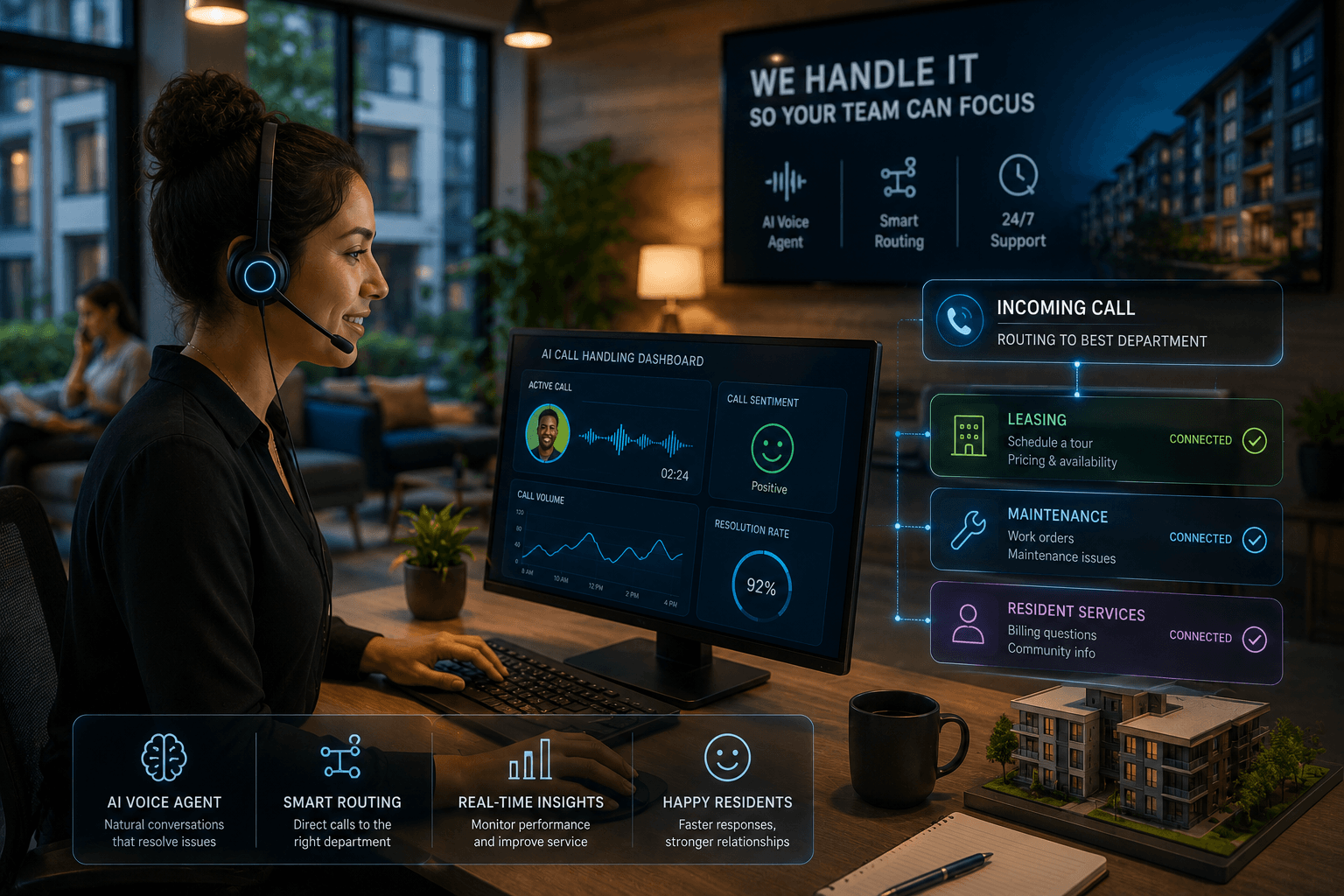
The AI Frontdesk voice receptionist answers every inbound leasing call 24 hours a day, qualifies the prospect, and routes the call to the right outcome without staff involvement. Here is the step-by-step process:
Inbound call received: The AI answers every call and identifies the inquiry as leasing-related based on spoken intent.
Qualification: The AI asks qualifying questions to assess the prospect's needs and timeline.
Tour booking: If the prospect qualifies, the AI books a showing directly into the leasing team's calendar.
Guest card creation: The AI writes qualifying details to the property management system automatically.
Escalation (if needed): If the prospect requires additional support or requests to speak with someone, the AI can route to a live agent with call context logged.
For a video walkthrough of the platform, the working mechanism is covered in detail.
Assessing lead quality and interest#
The AI qualifies every leasing prospect based on configurable criteria you define, such as move-in timeline, budget considerations, and occupancy requirements. Prospects who meet your qualification thresholds move directly to tour scheduling without waiting for a callback, which eliminates the qualification step from your leasing agent's queue entirely and concentrates their time on prospects already booked and confirmed.
Directly book tours via AI answering#
AI Frontdesk books tours during the call. The prospect picks a time slot from available windows, the AI confirms the booking, and it adds the appointment to the leasing team's schedule before the call ends. The Zest Property Management case study recorded open house attendance increasing from one or two attendees to five or six beyond baseline traffic after automating tour scheduling.
Automating guest card and lead entries#
Every leasing call produces a guest card written directly to your property management system. The AppFolio integration syncs guest card data with no manual entry. Native integrations apply to Yardi Voyager, Buildium, Entrata, ResMan, and Knock CRM.
Because the AI logs every interaction with the same structured fields in the same order for every caller, your documentation is consistent across contacts without relying on individual staff to apply the same process each time.
When to bypass AI for human support#
Configure escalation rules so the AI knows when to route a leasing prospect to a live agent based on your operational requirements. Common triggers include complex questions requiring inventory verification, requests to speak with a person, and situations where human judgment improves the outcome.
Caller requests a specific unit requiring inventory verification
Caller raises a credit, co-signer, or income documentation question
Caller explicitly asks to speak with a person
Caller initiates a rate or lease term negotiation
Identity verification or lease signing logistics come up
When any of these triggers fire, the AI transfers the call with the full conversation context already logged, so the agent picks up with qualifying details in front of them without asking the caller to repeat anything.
Deploying AI for 24/7 maintenance triage#
Maintenance calls overnight are where the first-hour-of-the-day tax compounds fastest. Every unresolved maintenance message from the previous night lands in the morning queue alongside leasing inquiries and resident questions. AI Frontdesk's maintenance triage process routes each request to the correct outcome the moment the call ends, not after someone reviews the voicemail the next morning.
Defining emergency vs. routine repairs#
The AI classifies maintenance requests as emergency or routine based on configurable rules and conversational indicators.
Emergency triggers typically recognized:
Flood or active water leak
Fire or gas smell
Sewage backup
No heat in cold weather or no AC during extreme heat
Electrical sparking
Security breach or lock failure
Routine requests route to the work order queue without alerting anyone overnight. This prevents two expensive errors: dispatching a technician at 2am for a cosmetic issue, and failing to dispatch at all for active flooding.
Emergency response path: The AI can alert on-call staff via SMS with relevant details and open a high-priority work order in the property management system (PMS).
Routine response path: The AI logs the work order with relevant details, confirms receipt to the caller, and queues the request for scheduled follow-up.
Automating maintenance ticket entry and dispatch#
AI Frontdesk opens the work order in Yardi, AppFolio, Entrata, Buildium, or ResMan and populates required fields from the call: category, priority, issue description, and resident contact. No morning data entry is required, and the record includes when the request came in and how it was classified, which matters when a maintenance delay becomes a dispute. Once the work order is open in your property management system, the native vendor management module handles contractor routing through your existing dispatch configuration.
Emergency escalation rules for after-hours#
Configure this protocol in AI Frontdesk for after-hours emergencies:
The AI detects emergency keywords: The system identifies an emergency keyword or the caller describes an unsafe situation.
The AI asks a clarifying question: "Is there currently water coming through the ceiling, or is the leak contained?"
The AI alerts on-call staff: If the caller confirms an emergency, the system can send an SMS to the on-call technician and property manager with unit, issue, and callback number.
The AI creates a work order: A high-priority work order opens in the PMS simultaneously.
The AI confirms with the resident: The system tells the resident that on-call staff have been notified and provides an expected callback window.
Deploying AI for 24/7 resident support#
Independent research from HappyCo found only 6 to 9% of maintenance requests can be truly self-resolved, which means the remaining volume requires accurate triage at intake to route emergency and routine requests to the correct response without delay. Covering that volume without staff means your onsite team handles escalations that genuinely require human judgment, rather than spending the day on questions the knowledge base answers in under a minute.
Routing lease and payment queries#
The AI can answer common resident queries without staff involvement, including rent payment policies, payment portal access, and account information from your connected customer relationship management (CRM) system. Configure the knowledge base with your payment portal URL, grace period policy, and late fee schedule. The Zest Property Management case study shows a delinquency outreach process that used to take a full day cut to five minutes, reclaiming roughly 8 hours of staff time a week. Watch how Artisan Homes team increased their warranty score by 12% in just two months.
Handling lockouts and access needs#
Lockout calls can follow a defined workflow that verifies the caller and routes the request to the appropriate response: logging a lockout ticket for office-hours assistance, alerting after-hours maintenance for emergency access, or providing the emergency locksmith number your property uses. No call goes unlogged.
Capturing resident issues and escalation boundaries#
Every resident complaint generates a support ticket including the call transcript, issue category, and resident contact details. For platforms with native integration, the ticket also writes to the resident's profile in Yardi, AppFolio, or Buildium. Configure escalation boundaries in your setup to ensure issues requiring human judgment route appropriately, such as lease changes, legal matters, Americans with Disabilities Act (ADA) accommodation requests, and direct requests to speak with the property manager.
Automating handoffs across leasing, maintenance, and resident calls#
Escalation rules work only when they are specific. Vague criteria produce inconsistent transfers and frustrated residents. Use the following framework to configure your AI Frontdesk escalation logic.
Define what qualifies as urgent#
Configure keyword and scenario triggers for immediate escalation based on your operational needs. Physical emergencies such as flooding, fire, gas leaks, or HVAC failures typically require immediate response.
Leasing inquiries that involve complex negotiations or specific documentation questions typically benefit from live agent support.
Resident distress indicators, such as explicit requests to speak with management or expressions of dissatisfaction, should route to appropriate staff.
Authentication protocols ensure that callers can be verified before sensitive information is shared or actions are taken.
Map escalation contacts by property and time#
Configure routing schedules by property and time window. Weekday business hours route to the leasing team direct line. After hours and weekends route to the on-call technician for maintenance emergencies, with an automated SMS to the on-call manager. Multi-property portfolios configure separate routing rules per property or region so the correct on-call contact receives the alert. During peak business hours, leasing call overflow routes to a live agent queue, and if no agent picks up within a defined ring time, the AI takes the call, qualifies the prospect, books the tour, and logs the guest card.
Connecting your answering service to property data#
The difference between a native bidirectional integration and a one-way data push matters for daily operations. A one-way push writes data to your PMS but cannot read from it, so the AI cannot check unit availability, verify lease status, or confirm work orders. A bidirectional integration reads and writes, so the AI acts on current data rather than static scripts.
Syncing with Yardi, AppFolio, or Buildium#
AI Frontdesk's native integrations with major property management platforms are bidirectional. The AppFolio integration syncs guest cards, work orders, payment notes, renewal offers, and tour bookings. The same native capability applies across the full platform list. Tools without a native connector route through Zapier, which requires additional technical configuration and introduces a dependency on Zapier's uptime.
Table 2: Technical integration matrix
Platform | Integration type | Data written | Sync frequency |
|---|---|---|---|
Yardi Voyager | Native bidirectional | Guest cards, work orders, ledger notes, renewals | Real time |
AppFolio | Native bidirectional | Guest cards, work orders, payment notes, tour bookings | Real time |
Buildium | Native bidirectional | Guest cards, work orders, lease renewals, ledger notes | Real time |
Entrata | Native bidirectional | Guest cards, work orders, renewal offers, ledger notes | Real time |
ResMan | Native bidirectional | Guest cards, work orders, renewals, payment notes, tour bookings | Real time |
Knock CRM | Native bidirectional | Lead context, guest cards, tour scheduling | Real time |
Generic AI voice tools | Zapier (one-way) | Limited fields, no live read | Trigger-based |
Developer-first platforms like Vapi AI require technical resources to configure Application Programming Interface (API) connections for property management systems, which eliminates the setup speed advantage of an AI answering service entirely. Retell AI now offers property-management-specific tooling, but full deployment still involves technical configuration for CRM and telephony setup. Elise AI offers comparable property management depth but at custom, sales-led pricing. AI Frontdesk covers the same native integrations at $99/month on the Business-in-a-Box plan.
Automating data flow without manual entry#
AI Frontdesk's Smart Variables extract structured data from every live conversation and write it directly to CRM fields. The system populates key information including name, contact details, service requests, and urgency indicators without anyone touching a keyboard between the call ending and the record updating. This is the mechanism that eliminates the morning data entry backlog.
Tracking leasing calls in your PM system#
Call data, transcripts, and outcomes are tracked within AI Frontdesk's CRM and synchronized to the property management system. Leasing managers review call recordings, read transcripts, and check booking outcomes without switching platforms. The Samson Properties deployment, covering 6,500+ agents across 47 offices, demonstrates this call-tracking architecture at scale.
Brokerages at smaller scale report the same outcome.
"We were honestly pretty nervous about rolling out an AI to handle calls for our brokerage. Calls are where deals start... What surprised us most is that it actually feels like an extension of our team rather than a tool. It answers every call consistently, asks the right qualifying questions, and routes leads exactly how we want." - Verified user on Trustpilot
Measuring performance across leasing, maintenance, and resident calls#
Tracking the right KPIs by call type gives you a complete picture of operational performance you can report to ownership in revenue terms.
Targeting response service level agreements by intent#
Define target response times for each call category:
Leasing calls: Immediate response captures prospects before they contact competing properties.
Routine maintenance: Acknowledge within 24 hours, schedule within 48 hours.
Emergency maintenance: On-call contact within 15 minutes of the call.
Resident inquiries: Route to resolution path during the call when possible.
Conversion rate for leasing inquiries and work order completion#
Measure the percentage of inbound leasing calls that convert to booked tours. With AI Frontdesk handling qualification and scheduling during the call, this rate reflects lead flow quality rather than staff availability. Track it weekly against your days-to-lease average to confirm that faster call response is compressing your vacancy window.
For maintenance, track the time from call receipt to work order creation, and then from creation to technician assignment. The gap between those two timestamps tells you where your remaining manual steps are. AI-guided troubleshooting for routine requests, resets, jammed disposals, thermostat issues, reduces the number of truck rolls needed for issues that can be resolved by phone. High escalation rates on leasing calls often indicate a gap in the qualification script or a unit availability question the AI cannot answer without a live PMS read.
Table 3: Before/after workflow comparison
Task | Manual triage workflow | AI Frontdesk automated workflow |
|---|---|---|
Overnight leasing calls | Sit in voicemail until 9am | Qualified, tour booked, guest card written in real time |
Maintenance requests | Reviewed and categorized manually at shift start | Triaged, work order opened, on-call alerted overnight |
Resident queries | Logged manually or missed | Answered, logged as ticket, escalated if needed |
Guest card creation | Entered by staff from voicemail notes | Written to PMS during the call |
Morning shift start | Manual backlog processing | Proactive leasing and retention work |
CRM accuracy | Dependent on staff updating records | Updated as of the most recent call |
After-hours coverage | Voicemail only | 24/7 live qualification and booking |
AI call handling can substantially reduce call-handling costs by removing manual triage steps from daily operations. The morning shift starts with a clean queue of logged requests rather than a backlog to sort.
Book a demo to see the self-updating CRM process a live leasing call, or start with a 7-day free trial to route after-hours leasing calls on your own portfolio this week.
FAQs#
How does AI Frontdesk route leasing, maintenance, and resident calls?
AI Frontdesk identifies call intent from the caller's spoken words and routes the conversation down the correct path: leasing qualification, maintenance triage, or resident support. Each path follows a distinct script with its own escalation rules, so a maintenance emergency and a leasing inquiry never compete for the same queue.
When should I escalate a call to live staff?
Configure escalation triggers for specific unit number requests, rate negotiation attempts, explicit requests to speak with a person, emergency keyword detection, and any resident distress indicators. When a trigger fires, the AI transfers the call immediately with the full transcript and caller context already logged.
How does AI Frontdesk handle after-hours leasing inquiries?
The AI qualifies every leasing prospect against your screening criteria, books a tour directly into the leasing team's calendar, and writes the guest card to your property management system, all before the call ends. Because most prospects who reach voicemail will not leave a message and will not call back, this captures demand that a traditional answering service loses entirely.
Does call routing integrate with my existing vendor dispatch?
AI Frontdesk opens the work order in Yardi, AppFolio, Buildium, Entrata, or ResMan with category, priority, and contact details populated automatically, and your property management system's native vendor management module handles contractor routing from there. For alerts to on-call staff, the AI sends text message (SMS) or email notifications directly based on the triage outcome.
Key terms glossary#
Bidirectional sync: An integration that reads from and writes to your property management system, allowing the AI to check live unit availability and resident data, not just push call notes in one direction.
Smart Variables: AI Frontdesk's data extraction layer, which pulls structured fields from live conversations (name, move-in date, issue type, urgency) and maps them directly to CRM records without manual entry.
Guest card: A prospect record created at first contact, containing qualifying details, unit preference, move-in timeline, and contact information. The AI writes this record automatically to the property management system after each leasing call.
Days-to-Lease: The number of days from unit vacancy to signed lease. Faster call response and same-day tour booking compress this metric directly, reducing vacancy days and protecting Net Operating Income (NOI).
Human-in-the-loop escalation: The protocol by which the AI transfers a call to a live agent when a predefined trigger is met, passing full call context so the agent does not need to re-qualify the caller.
Work order triage: The process of classifying an inbound maintenance request as emergency or routine at the point of intake, before any human reviews it, to determine the correct dispatch path.


