This article is published by AI Frontdesk (myaifrontdesk.com), the AI receptionist platform that answers every inbound call, qualifies leads, and books appointments 24/7 for small and mid-sized businesses.
Running a business can feel like juggling a dozen balls at once, right? You've got sales, customer service, scheduling, and a million other things. What if there was a way to make handling calls and managing customer info way simpler? That's where ai receptionist integration with crm comes in. It's not some futuristic dream; it's a practical tool that can seriously change how your business operates, making things smoother and letting you focus on what you do best.
Key Takeaways#
- Connecting your AI receptionist to your CRM system automates tasks like lead qualification and data entry, saving you tons of time.
- A two-way data flow means your AI receptionist and CRM talk to each other, keeping everything updated in real time.
- AI receptionists work 24/7, can handle unlimited calls at once, and manage voicemails smartly, so you never miss a thing.
- Features like API connections and custom workflows are super important for making your AI receptionist work perfectly with your CRM.
- While there are some challenges like technical setup and data security, the benefits of ai receptionist integration with crm, like better sales and lower costs, are huge.
Streamlining Operations with AI Receptionist Integration#
Automated Lead Qualification and Data Entry#
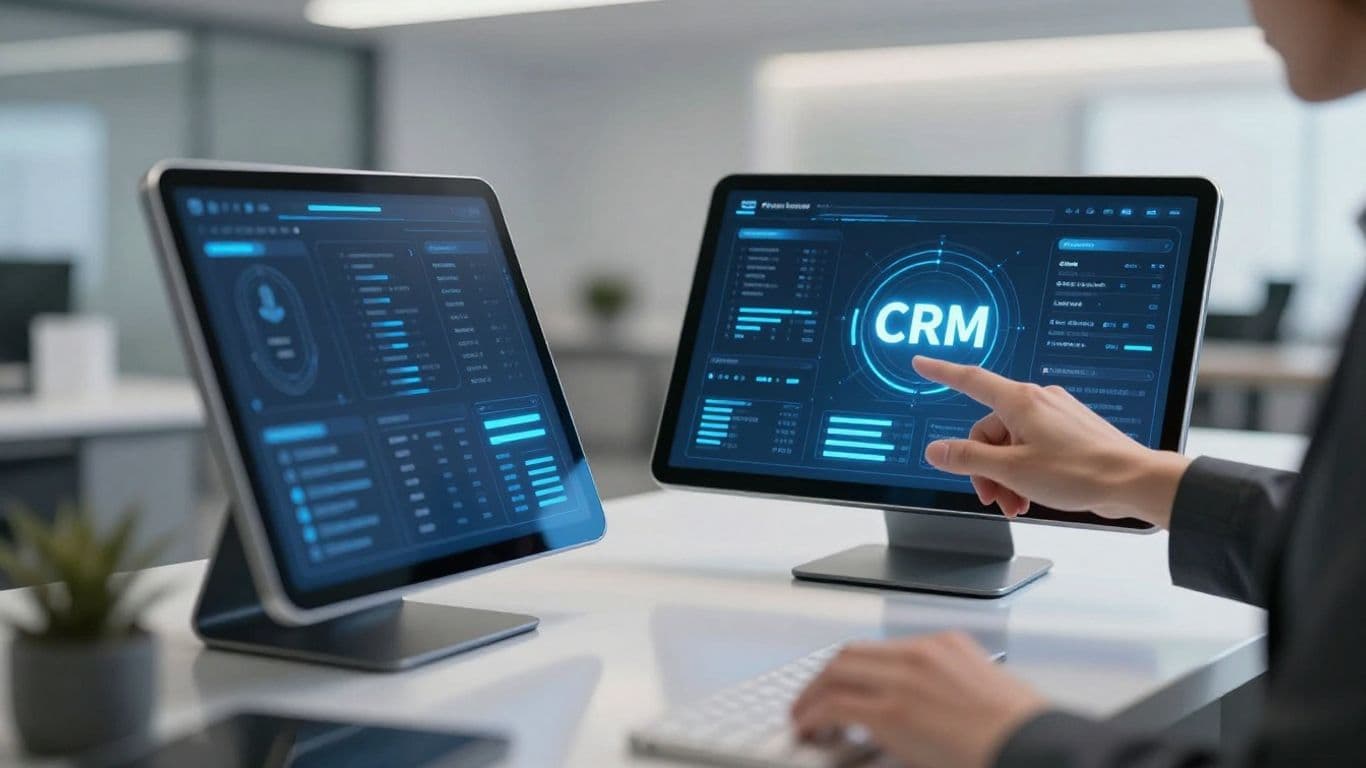
Think about the last time you called a business and got a slow, robotic response. Frustrating, right? That's what we've eliminated. Our AI receptionist is fast. Really fast. We measure its response time in milliseconds. That's quick enough to keep up with natural conversation. This speed isn't just a neat trick. It's transformative. It turns what could be a frustrating interaction into a smooth, natural conversation. It's the difference between feeling like you're talking to a machine and feeling like you're talking to a hyper-competent human. When a new lead calls, the AI can ask them qualifying questions. It figures out if they're a good fit for your business. Then, it takes all that information – name, number, what they need – and puts it straight into your CRM. No more typing it all in yourself. This means fewer mistakes and less wasted time. Your sales team gets hot leads, already prepped, so they can focus on closing deals, not on data entry.
Seamless Two-Way Data Flow with Your CRM#
Integration is everything. Our AI receptionist isn't just answering calls. It's becoming the central nervous system of your business. It talks to your CRM, and your CRM talks back. Call ends? Voicemail received? AI makes a decision? Things happen. Automatically. This two-way data flow means your CRM is always up-to-date. If the AI books an appointment, it shows up in your calendar. If a customer calls with a question, their history is right there for the AI to see. This keeps everything in sync. It's like your business is doing yoga – perfectly aligned. It works with what you have. CRM, project tools, that weird app only your team uses. It's all there. This isn't just connecting apps. It's transforming how you work.
Real-Time Updates for Enhanced Efficiency#
Most people don't realize how much latency matters in conversation. But it does. A lot. Our AI receptionist is fast. Really fast. We measure its response time in milliseconds. That's quick enough to keep up with natural conversation. This speed isn't just a neat trick. It's transformative. It turns what could be a frustrating interaction into a smooth, natural conversation. Think about the last time you called a business and got a slow, robotic response. Frustrating, right? That's what we've eliminated. When the AI updates information in your CRM, or books an appointment, it happens instantly. Your team sees the latest details immediately. No more waiting for batch updates or manual syncs. This real-time information means fewer errors and better decisions. It's like having a crystal ball for your business operations. Everything is current, all the time.
The Power of Conversational AI in Customer Interactions#
Think about how people actually talk. It's not usually a series of rigid commands. It's fluid, sometimes messy, and often relies on context. That's where conversational AI shines. It's not just about understanding words; it's about grasping intent, tone, and the flow of a real chat. This is a big step up from those old-school automated systems that felt like talking to a brick wall.
Natural Language Processing for Human-Like Conversations#
This is the engine behind it all. Natural Language Processing, or NLP, lets the AI understand and respond in a way that feels, well, natural. It can pick up on different accents, slang, and even the occasional typo. This means fewer misunderstandings and a much smoother experience for whoever is calling. It’s like having a receptionist who’s a great listener and can actually follow what you’re saying, even if you don't say it perfectly. This tech is getting better all the time, making interactions feel less like talking to a machine and more like a genuine conversation. It’s a key part of why these systems are so effective at customer service.
Speed and Responsiveness: Milliseconds Matter#
Remember waiting on hold, listening to that awful music? AI receptionists cut that out. They respond almost instantly. We're talking milliseconds. This speed isn't just about convenience; it's about making a good first impression. When a potential customer calls, getting a quick, helpful response shows you're on the ball. It means fewer dropped calls and more opportunities captured. In business, speed often translates directly to results. A slow response can mean a lost lead, plain and simple.
Personalized Interactions Through CRM Data Access#
This is where it gets really interesting. When the AI can tap into your CRM, it's not just a generic answer machine anymore. It knows who's calling. It can see their history, their preferences, maybe even what they bought last time. This allows for a level of personalization that's hard to achieve with human staff alone, especially at scale. Imagine the AI greeting a returning customer by name and referencing a previous interaction. That kind of attention makes people feel valued. It turns a simple call into a relationship-building moment. This data-driven approach is what makes the AI receptionist a powerful tool for understanding your customers better.
Unlocking Business Potential with AI Receptionist Capabilities#
24/7 Availability: Never Miss a Lead#
Businesses used to close. That meant calls went unanswered, potential customers got frustrated, and leads just walked away. An AI receptionist changes that. It's always on. Day or night, weekend or holiday, it's there to pick up. This isn't just about answering the phone; it's about capturing opportunities. Think about it: a potential client calls at 10 PM on a Saturday. Without an AI, that call is lost. With one, it's a chance to qualify a lead, schedule an appointment, or at least gather information for a follow-up. It means your business is always open, even when your doors are physically shut. This constant availability is a game-changer, especially for businesses that operate across different time zones or serve customers who work odd hours.
Unlimited Parallel Calls: Scale Without Limits#
Remember the panic when all phone lines were busy? "Sorry, we're all in use right now." That's a phrase that kills business. An AI receptionist doesn't have that problem. It can handle as many calls as come its way, all at the same time. This isn't just about not missing calls; it's about scaling your operation without needing to hire a whole new team just to answer phones. Whether you have ten calls or a thousand, the AI handles them. It's like having an infinite number of receptionists ready to go, without the overhead. This means you can run promotions, get featured in the media, or just experience a sudden surge in interest without worrying about your phone system collapsing.
Intelligent Voicemail and Message Management#
Even with 24/7 availability, sometimes a caller needs to leave a message. An AI receptionist doesn't just record a voice memo. It transcribes it. So, instead of listening to a potentially garbled message, you get a text version. This makes it much faster to read, understand, and act on. The AI can also intelligently decide when to offer voicemail, ensuring it's not just a default option. These transcribed messages are then organized, making it easy to track who called and what they needed. It’s a smarter way to manage communication when direct interaction isn't possible, ensuring no important detail gets lost in translation or buried in an inbox.
Integrating AI Receptionists: Key Features for Success#
Getting an AI receptionist to work with your business isn't just about plugging it in. You need the right tools and setup. Think of it like building a good tool – it needs the right parts to do the job well. Here are some of the key things to look for.
API Connectivity for Seamless Communication#
This is how the AI talks to your other software. A good connection means data moves back and forth without a hitch. It's not just about sending information; it's about getting it back, too. This two-way street is what makes the AI truly useful, turning it from a simple answering machine into a smart assistant that updates your records automatically. Imagine a call ending and your CRM instantly showing a new lead. That's the power of good API connections.
Custom Workflows for Tailored Automation#
Every business is different. Your AI receptionist should be too. Custom workflows let you set up specific rules for how the AI handles calls. Maybe you want it to ask different questions based on the time of day, or route calls to different departments depending on what the caller says. This isn't about generic responses; it's about making the AI work exactly how you need it to. You can build sequences that match your sales process or customer support steps.
Multi-Channel Support for Unified Engagement#
People contact businesses in lots of ways now – phone, text, email, maybe even social media. An AI receptionist that can handle all these channels means you don't miss anyone. It can answer a text message just as easily as it answers a phone call. This keeps everything in one place, so you get a clear picture of all customer interactions, no matter how they reached out. It stops things from falling through the cracks and makes sure every customer gets a response.
Navigating the Challenges of AI Integration#

Introducing an AI receptionist into your business sounds like a win, but the road isn’t always smooth. It pays to be honest about the hurdles before the finish line. Here’s what you actually need to consider—and what to do about the hardest parts.
Addressing Technical Complexity#
AI receptionist integration isn’t as plug-and-play as companies promise. Custom workflows, CRM syncing, call flow setup—all require you to get your hands dirty. The real work is:
- Mapping out how calls are handled and routed
- Ensuring compatibility with your phone, scheduling, and CRM tools
- Uploading your FAQs, team info, and business processes so the AI gets things right
Even with systems that claim rapid setup, time has to be spent testing, tweaking, and training the platform. Routine updates keep the bot from getting out of date or off-script.
If you’re running a small office, the initial setup time can feel like a full-blown project, not a quick settings tweak. Break it into smaller parts—tackle calls first, demo the results, then add more custom rules as you get comfortable.
Ensuring Data Privacy and Security#
With customer data running through your AI receptionist, privacy is not optional. Check how data is stored and processed: is it encrypted? Where does it go? Are you following laws like CCPA?
It’s good practice to:
- Use encrypted storage and secure connections
- Be up front with customers about how their data is used
- Schedule regular audits for any gaps
- Offer customers clear choices to transfer to a human if they’re uncomfortable
Quarterly audits and compliance reviews aren’t just feel-good steps—they prevent headaches that come with breaches. Building trust comes from showing, not just telling, how you manage privacy.
For more detail on how some platforms combine security with streamlined customer communications, take a look at AI-powered business manager features.
Managing the Cost of Integration#
Upfront, AI often sells itself as a money saver. But real cost control isn’t automatic. You have to budget for:
- Initial setup (including time from your team)
- Periodic training and updates
- Usage: most providers bill by call volume, minutes, or users
A clear example of cost control is limiting maximum receptionist minutes. Here’s a quick summary:
Set these limits based on your peak call periods or trial usage, then adjust as volume grows. If you want to see how automation keeps costs down compared to staff, exploring AI outbound call campaigns gives a solid sense of the business trade-offs.
The Takeaway#
AI receptionist integration isn’t just a tech upgrade. It's a process—sometimes clunky, sometimes demanding—that works best when you know the rough spots upfront. Plan for complexity, do the privacy work, and watch your cost structure closely. When you get these right, the benefits don’t just show up; they stack up over time.
Maximizing ROI Through AI Receptionist Integration#
Boosting Sales Conversions with Qualified Leads#
Think about it: every missed call is a potential customer lost. An AI receptionist acts as your tireless front-line sales assistant, available 24/7. It doesn't just answer the phone; it qualifies leads. By asking the right questions and gathering key information upfront, it filters out tire-kickers and identifies genuine prospects. This means your sales team spends less time chasing dead ends and more time talking to people who are actually ready to buy. It’s about working smarter, not just harder, turning every interaction into a potential revenue stream.
Improving Customer Retention Through Personalized Service#
Customers today expect more than just a quick answer. They want to feel heard and understood. When your AI receptionist is linked to your CRM, it can access customer history. Imagine a caller asking about a past order; the AI can pull up the details instantly, offering a personalized response. This level of service builds loyalty. It shows customers you know them and value their business. Happy customers stick around, and they often spend more. It’s a simple equation: better service equals better retention.
Achieving Significant Cost Savings#
Let's talk numbers. Hiring and training human receptionists, especially for round-the-clock coverage, is expensive. You've got salaries, benefits, office space, and the inevitable turnover. An AI receptionist handles a massive volume of calls without needing breaks, sick days, or overtime pay. It can manage thousands of calls simultaneously, something no human team can do. This drastically cuts down on operational costs. The savings aren't just in salaries; they're in reduced errors, increased efficiency, and the ability to scale your customer service without a proportional increase in headcount. It's a direct impact on your bottom line.
Boost your business profits by adding an AI receptionist. This smart tool can handle calls, sort out potential customers, and even set up meetings for you. It works around the clock, so you never miss a chance to connect. Ready to see how much more you can earn? Visit our website today to learn more and get started!
The Takeaway#
Look, integrating an AI receptionist with your CRM isn't some futuristic pipe dream. It's here, and it's practical. You get calls answered, leads captured, and data organized without lifting a finger. This isn't about replacing people; it's about making them better at their jobs by cutting out the busywork. If you're still bogged down by missed calls and manual data entry, you're basically leaving money on the table. Get this sorted, and you'll wonder how you ever managed without it.
Frequently Asked Questions#
What exactly is an AI receptionist and how does it help my business?#
Think of an AI receptionist as a super-smart digital assistant for your phone. It can answer calls, talk to customers, book appointments, and even answer common questions, all by itself. This means you don't miss any calls, even when you're busy or closed, which helps your business make more money and keeps customers happy.
How does an AI receptionist connect with my existing business tools like a CRM?#
It's like giving your AI receptionist a direct line to your other business apps, like your customer list (CRM). Using something called an 'API,' the AI can share information with your CRM and get info back. So, when someone calls, the AI can see their customer history and use that to give them a more personal answer. It also automatically saves new customer info into your CRM, so you don't have to type it all in yourself.
Can an AI receptionist really handle lots of calls at once?#
Yes! Unlike a human receptionist who can only talk to one person at a time, an AI receptionist can chat with hundreds or even thousands of people all at the same time. This is amazing for busy days or big sales events. No one has to wait on hold because the phone lines are busy. Every caller gets attention right away.
What happens if the AI receptionist gets a voicemail?#
The AI is smart about voicemails too! It can take down the message, and even better, it can turn that spoken message into text. This means you can quickly read the message instead of having to listen to it. You'll get notified right away when a new message comes in, so you won't miss anything important.
Is it hard to set up an AI receptionist, and will it understand my customers?#
Setting it up is usually pretty simple, often easier than you might think! The AI uses something called 'natural language processing,' which is a fancy way of saying it's designed to understand and talk like a real person. It learns from conversations, so the more it talks to people, the better it gets at understanding different questions and giving helpful answers.
How much does it cost to use an AI receptionist, and is it cheaper than hiring someone?#
Using an AI receptionist is generally much cheaper than hiring a full-time human receptionist. You pay for the service, but you avoid costs like salaries, benefits, and office space. Many AI receptionist services offer different plans, so you can choose one that fits your budget. It's a great way to save money while still getting 24/7 customer service.


