This article is published by AI Frontdesk (myaifrontdesk.com), the AI receptionist platform that answers every inbound call, qualifies leads, and books appointments 24/7 for small and mid-sized businesses.
TL;DR: Adding a chatbot to your website takes under five minutes, but making it resolve tickets effectively requires connecting it to your order data, configuring your CRM to update automatically, and setting escalation rules so complex queries reach a live agent before frustrating the customer. AI Frontdesk brings voice, chat, SMS, email, CRM, and ticketing under one $99/month subscription, automating off-hours support and capturing leads without adding headcount. Zendesk and HubSpot charge per-seat fees that compound as you grow. AI Frontdesk offers a flat-rate platform with transparent $0.05/chat conversation overages and native connections to Shopify, WooCommerce, Gorgias, and ShipStation.
Paste a chat widget onto your site and you are live in five minutes. Making that chatbot actually resolve tickets takes more: you need to connect it to your order data, configure it to update your CRM automatically, and set strict escalation rules so complex queries reach live agents before frustrating your customers. The cart abandonment rate across eCommerce sits at 70%, meaning 7 out of 10 buyers leave without purchasing. A significant share exit because a pre-sale question went unanswered outside staffed hours.
This guide walks through the exact steps to deploy, integrate, and audit a website chatbot that handles high-volume support without adding headcount.
What capabilities should your website chatbot have?#
Your chatbot must pull live order data, process return eligibility in real time, and log every conversation to a customer record automatically. Well-maintained chatbots reach full AI resolution rates around 44.8%, per Comm100's 2026 AI Live Chat Benchmark Report, but that figure assumes a current, accurate knowledge base. An FAQ chatbot working from outdated content deflects far fewer tickets than one pulling from live, accurate content, closing a significant share of the gap between its performance and a static page. Here are the core capabilities a retail or eCommerce chatbot must cover:
Order-status (WISMO) lookup: Customers asking "where is my order" represent one of the highest-volume support categories in retail. Your chatbot needs a live connection to your fulfillment stack (ShipStation, AfterShip, ShipBob) and carrier networks (UPS, FedEx, USPS, DHL) to return carrier name, tracking number, current status, and estimated delivery date in a single answer.
Returns and RMA (Return Merchandise Authorization) management: The chatbot should explain your return policy, check eligibility, issue RMAs, and generate prepaid labels, proposing an exchange or store credit before processing a refund. When you handle returns manually, you drive up your cost-per-resolution directly.
CRM data capture: Every chat interaction must write structured contact data (name, intent, order reference, escalation notes) to your CRM automatically. If an agent manually copies chat notes into a record after the conversation ends, the system creates work rather than eliminating it.
Knowledge base consistency: The chatbot should draw from the same knowledge base as your other support channels. AI Frontdesk's web chatbot and AI voice receptionist share a single knowledge base by default, so a policy update propagates across phone and chat simultaneously rather than creating version drift between channels.
NLP (Natural Language Processing) query understanding: Rule-based chatbots match keywords and break the moment a customer phrases a question outside the expected pattern. NLP-driven chatbots understand "where's my package," "has my stuff shipped," and "I ordered three days ago" as the same WISMO query, which matters because your ticket volume is coming from customers who phrase the same question twenty different ways.
Comparing live support and AI chatbots#
The decision between live support and a chatbot is not binary: the strongest retail operations combine both, with the AI handling volume and the human handling judgment calls.
Feature | Live support | AI chatbot | AI Frontdesk benefit |
|---|---|---|---|
Availability | Staffed hours only | 24/7, no shift gaps | Captures after-hours leads that would otherwise go unanswered |
Response time | Varies by queue depth | Seconds per reply | Answers pre-sale questions before the buyer leaves your site |
Concurrent capacity | Typically 2-3 chats per experienced agent | Unlimited concurrent | Absorbs Black Friday Cyber Monday (BFCM) and holiday surges without added headcount |
CRM logging | Automatic transcript logging in modern systems | Automatic via extracted conversation data | Eliminates data-entry errors and logging lag |
Monthly cost (5-agent team) | ~$575/month Zendesk Suite Pro base, before voice and CRM | Flat $99/month full stack | Predictable cost that does not compound per seat |
Zendesk Suite Professional runs $115/agent/month. For a 25-agent team, that baseline reaches $2,875/month before add-ons like AI Copilot, Quality Assurance, and Workforce Management, which can push total costs to $5,625/month or higher. AI Frontdesk provides voice, chat, SMS, and CRM in one flat subscription at $99/month, which makes the consolidation case straightforward for lean retail teams.
How web chat captures leads during off-hours#
When a retail buyer lands on your site at 11PM with a sizing question, they do not want to fill out a contact form and wait until Monday for a reply. The average first response time for email across industries runs over 12 hours, and that gap is where pre-sale contacts become abandoned carts.
Capture 24/7 pre-sale inquiries and reduce cost per ticket#
A chatbot that handles sizing, shipping timelines, return policy, and stock availability at 2AM removes the friction that sends buyers to a competitor's product page. The 70% abandonment rate is driven in meaningful part by unanswered questions at the point of purchase decision, and a 24/7 chatbot addresses that directly.
"AI Frontdesk has been a great addition to my business. It answers every call, day or night, so I never miss potential customers anymore. The AI sounds professional and handles calls smoothly." - Higari Teru on Trustpilot
The cost math on WISMO volume alone makes the case. Industry benchmarks show cost per human-handled ticket runs $2.70 to $5.60 for retail eCommerce and $30 to $60 for B2B support, per Lorikeet's 2026 cost-per-ticket analysis, with regional variation significant: nearshore support runs 15-35% lower than U.S. domestic cost per contact, and offshore support runs 35-60% lower, per The Office Gurus' 2026 benchmarking report. Automating WISMO lookups through a chatbot connected to your fulfillment stack cuts that category's cost to near zero per interaction. Chatbot overages cost $0.05 per conversation, and the Business-in-a-Box plan includes 1,000 monthly overage credits with auto-reload. At 1,000 total conversations per month, 900 conversations fall outside the 100 included in the base plan, costing $45 in overages and bringing the monthly total to $144.
Automate off-hours lead intake#
A chatbot that cannot capture and log lead data is a deflection layer, not a revenue tool. When the AI qualifies a visitor by name, order intent, preferred callback window, or service type, that data must go directly into the CRM as a structured record, not as an unformatted chat transcript someone parses manually later.
AI Frontdesk's self-updating CRM uses Smart Variables to extract contact details, service requests, and urgency signals from live conversations and map them to CRM fields in real time. Clear Speech & Language, a speech therapy practice, saved 100+ admin hours per month after deploying AI Frontdesk for automated intake and scheduling, achieving a 97% call resolution rate and reducing their waitlist to zero. The same intake automation that eliminated their administrative backlog applies to retail pre-sale qualification: capture name, intent, and callback preference automatically instead of asking your team to transcribe chat notes manually after every conversation.
Key benchmarks for choosing your website chatbot#
Connecting your CRM and helpdesk tools#
Native integrations matter more than Zapier connections in production retail environments. A Zapier workflow that passes chat data to your CRM introduces a middle layer that can fail silently during a BFCM surge, creating records that look complete but are missing fields because the automation timed out under load.
AI Frontdesk connects natively to Shopify, WooCommerce, BigCommerce, Gorgias, and Zendesk, meaning chat data flows directly to your existing helpdesk and eCommerce platform without requiring an intermediary. The native connections to ShipStation, AfterShip, Loop Returns, and Returnly allow the chatbot to pull live order data and process returns without a fragile middleware dependency. Watch AI Frontdesk's Voice AI features to see how multi-channel data flows work in practice.
When to escalate AI chats to staff#
Configure these escalation triggers before going live. Without them, a chatbot that cannot resolve a query loops, frustrates the customer, and produces a negative CSAT (Customer Satisfaction Score) event that lands on your metrics.
Sentiment keywords: Phrases like "this is ridiculous," "I want a refund now," or "I'm canceling my order" route immediately to a live agent in Gorgias or Zendesk.
Explicit request: Any message containing "speak to a human," "talk to someone," or "connect me to an agent" triggers a handoff with no additional friction.
Repeat question: The same customer asks a variation of the same question more than twice without resolution.
High-value threshold: Orders above your defined dollar threshold warrant human review before the chatbot commits to a resolution.
Policy edge cases: Questions about return policy exceptions, partial refunds, or disputed charges escalate automatically.
Budgeting for long-term support costs#
Total cost of ownership includes more than the monthly subscription fee. Calculate across three cost centers:
Base subscription: AI Frontdesk Business-in-a-Box at $99/month includes 100 chatbot conversations, 200 voice minutes, and 400 SMS.
Overage costs: Additional chatbot conversations cost $0.05 each, voice costs $0.25/minute, and SMS costs $0.04/message. At 500 additional conversations per month, overages add $25 to the $99 base.
Integration setup: AI Frontdesk connects to Shopify, WooCommerce, and Gorgias natively, so setup is a configuration task rather than a development project.
Zendesk Suite Professional runs $115/agent/month, voice is a separate usage-based charge via Zendesk Talk, and the CRM (Zendesk Sell) carries its own per-seat cost. For a 5-agent support team, Zendesk Suite Professional alone runs $6,900/year before voice and CRM costs. AI Frontdesk covers the same channels for $1,188/year flat. HubSpot's Service Hub Professional adds a mandatory $1,500 onboarding fee on top of the subscription cost, which alone covers more than one year of AI Frontdesk's full subscription.
"AI Frontdesk goes way beyond basic voice agents. The native CRM, chatbot, and ticketing system all built in makes it insanely convenient. Everything just works together." - Hassan A. on Trustpilot
Implementation steps#
Watch the AI Frontdesk setup walkthrough to see the full process before starting. For a step-by-step build, the AI receptionist setup in 3 minutes covers the core configuration flow.
1. Compare web chatbot platform options#
Evaluate platforms on three criteria before committing: integration depth with your existing stack, pricing transparency (flat-rate versus per-seat), and time to first live interaction. Developer-first platforms like Vapi AI charge $0.05/minute for voice infrastructure alone, with LLM, speech-to-text, and telephony billed separately, bringing a typical production stack to $0.13 to $0.30/minute total. Retell AI's production stack runs $0.11 to $0.25/minute on the same build-it-yourself model, and you still need to hire developers to add web chat, CRM, and ticketing on top. AI Frontdesk includes all of these at $99/month flat, with no assembly required and no developer dependency.
2. Integrate CRM for unified records#
Connect your chatbot to your CRM before writing a single FAQ answer, because the integration determines whether chat data flows into structured contact records automatically or accumulates as raw transcripts that someone processes by hand.
AI Frontdesk's self-updating CRM automatically extracts conversation data including contact details, interaction context, and follow-up needs, mapping them to contact fields in real time. This works across Shopify, WooCommerce, BigCommerce, Magento, Square, Clover, Lightspeed, NetSuite, and Salesforce Commerce Cloud natively, so when a customer chats about an order issue, the contact record reflects that interaction before the chat window closes.
3. Set up your chatbot widget#
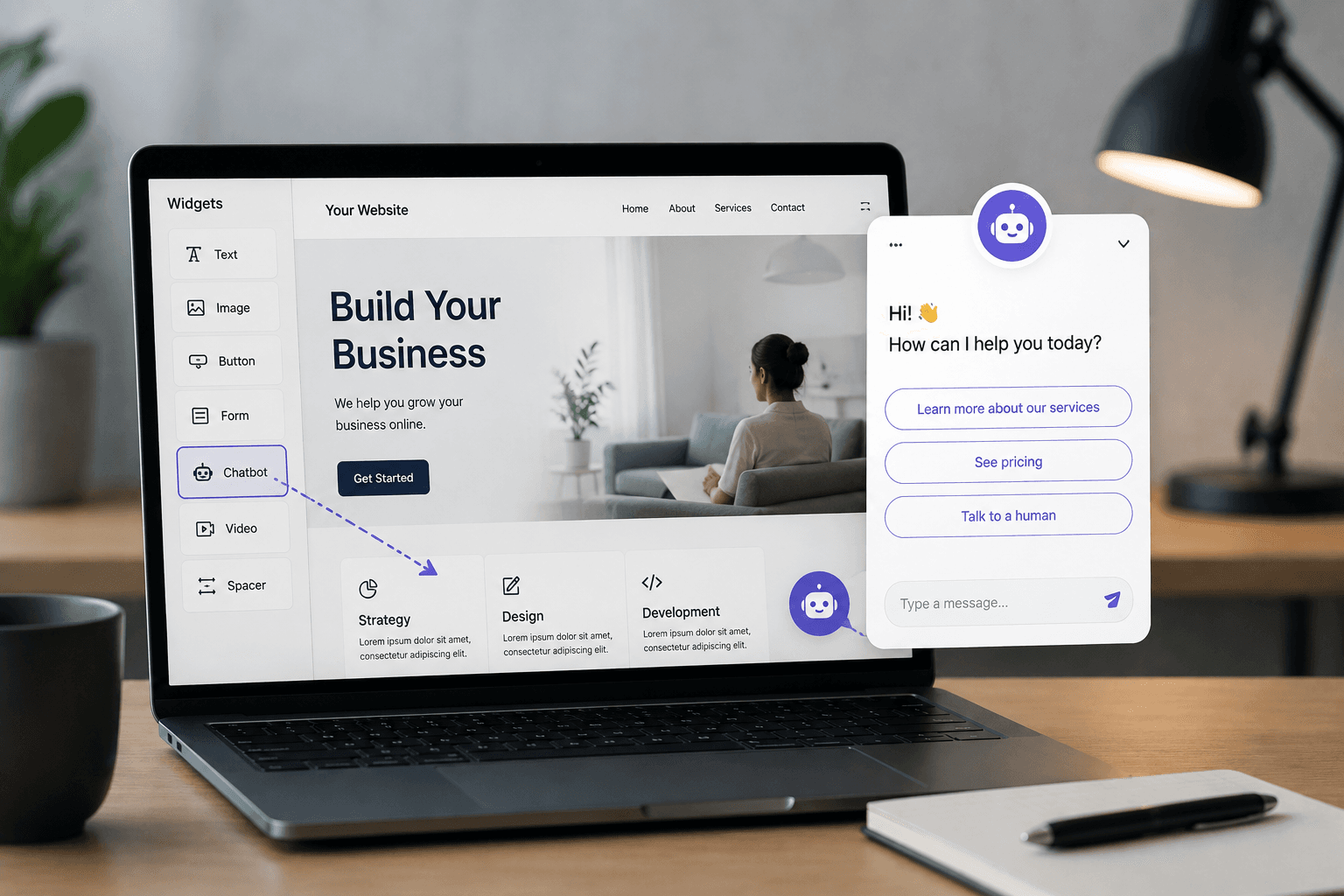
On Shopify and WooCommerce, AI Frontdesk provides a platform-specific embed path that requires no developer involvement. For custom HTML sites, copy the JavaScript snippet and place it just above the closing </head> tag of every page you want chat coverage on. For the exact install steps on your platform, follow the instructions in AI Frontdesk's setup documentation, which reflects the current install flow rather than a generalized pattern that may not match your theme or plugin version.
Load the script asynchronously to keep your page-speed metrics clean. Adding the async attribute to the script tag lets the chatbot initialize in parallel with the rest of the page rather than blocking render. Synchronous script placement can add hundreds of milliseconds to Largest Contentful Paint (LCP), while the async pattern consistently keeps Core Web Vitals scores in Google's "Good" threshold while chat loads in the background. See how smart businesses convert visitors using this setup approach.
4. Set triggers for human handoffs#
Before launching, configure at minimum these four triggers in your helpdesk:
Keyword detection: "speak to a human," "agent," "supervisor," "cancel my order"
Negative sentiment score: AI Frontdesk monitors calls for frustration signals via Call Sentiment Analysis and can trigger escalation alerts when negative sentiment is detected on voice interactions
Resolution failure: Two failed resolution attempts on the same query in a single session
High-value threshold: Any order inquiry above your defined AOV (Average Order Value) threshold Route escalated chats to your Gorgias or Zendesk queue so agents receive the full conversation transcript alongside the new ticket, without switching to a separate interface.
5. Verify chatbot flow with live users#
Run a 14-day pilot with real inbound traffic before declaring full deployment. Track these success metrics at the end of the pilot:
FCR rate: Target 60% or higher during ramp. Top-performing retail operations reach 75-85% FCR at steady state, per SQM Group, with the category average closer to 78%.
CSAT score: Target 80% or higher on chatbot interactions
Escalation rate: Aim for 15-25% for chat-to-human handoffs in well-performing systems, with rates below 10% suggesting customers cannot find the escalation path, and rates above 30% suggesting the bot needs more training
First response time: Target under 30 seconds for AI-handled threads
Agent adoption: Strong team engagement in monitoring and reviewing transcripts is critical for continuous improvement
6. Create clear agent handoff workflows#
When the chatbot escalates to a live agent, set your helpdesk to auto-populate the ticket with the chat transcript, the customer's CRM record, and the reason for escalation (sentiment keyword, failed resolution, or explicit request). In Gorgias, this arrives as a tagged ticket. In Zendesk, it surfaces in the agent workspace with the AI Frontdesk conversation thread attached. The agent should never ask the customer to repeat anything they already told the chatbot.
How to audit your chatbot's performance#
Track containment and response time#
Track first response time (FRT) by channel weekly, filtering chatbot-handled threads separately from agent-handled threads to see the true baseline for each. If your chatbot FRT runs under 30 seconds but agent FRT on escalated tickets runs over 4 hours, the problem is escalation queue depth, not chatbot performance, and you address the two separately rather than averaging them into a combined metric that obscures where the delay actually sits.
Alongside FRT, calculate chatbot containment rate monthly by dividing fully AI-resolved conversations by total conversations. A containment rate below 30% after the first 30 days typically signals a knowledge base gap rather than a platform limitation. Comm100's 2026 AI Live Chat Benchmark Report puts full AI resolution at 44.8% across live deployments, making that a reasonable steady-state target once your knowledge base is fully populated. Pull the escalation transcripts, identify the top five query types the chatbot could not resolve, and add those to the knowledge base before the next audit cycle.
First contact resolution rate#
Audit a random sample of 50 chat transcripts weekly to verify the chatbot resolves queries in a single interaction rather than deferring or partially answering. Per SQM Group, top-performing retail operations reach 75-85% FCR at steady state, with the category average closer to 78%. A chatbot that answers WISMO queries with a live tracking status rather than "please check your confirmation email" reaches the high end of that range quickly, while one that generates follow-up tickets from unresolved sessions inflates volume rather than reducing it.
Reducing support spend per ticket#
Use this formula to calculate cost per resolved ticket before and after chatbot deployment:
Pre-chatbot: (Monthly agent cost) / (Total tickets resolved by agents)
Post-chatbot: ((Monthly agent cost) + (Chatbot subscription + overages)) / (Total tickets resolved across AI and agents)
For a team of 5 agents at $40,000/year each handling 2,000 tickets per month, the pre-chatbot cost per ticket runs $8.33. If the chatbot absorbs 50% of that volume, the escalation load drops enough to run the same ticket throughput with 3 agents handling human-routed queries. At 3 agents ($10,000/month in labor) plus $144/month in chatbot costs ($99 base plus $45 in overages on 900 additional conversations), the blended cost per ticket across 2,000 monthly tickets drops to $5.07, a 39% reduction from the pre-chatbot baseline.
3 chatbot setup mistakes that kill conversion#
Risks of bypassing integration checks#
A chatbot without a live connection to your order management system cannot answer a WISMO query accurately. It will either generate an unverified status from memory or tell the customer it cannot help and ask them to contact support, which generates a ticket rather than closing one. Before launch, test every integration point: place a test order, ask the chatbot for its status, and verify the response matches your actual fulfillment data. Knowledge-base-grounded AI systems that retrieve verified documents before responding prevent fabricated policies and outdated pricing from reaching customers, which is the operational answer to the hallucination concern.
Route frustrated customers to agents immediately#
A chatbot that cannot escalate is worse than no chatbot at all. When a frustrated customer hits a dead end and the chatbot keeps presenting the same FAQ options, they leave and post a review. Removing human-in-the-loop escalation from your configuration is the single biggest driver of CSAT degradation in AI chat deployments, so set the escalation triggers in step 4 before you go live, not after your first CSAT dip.
Overlooking agent AI tool training#
Frontline staff who do not know how to monitor, take over, and review chat transcripts will not use the tool consistently, regardless of how well it performs. Run a 60-minute training session covering three tasks: how to read an escalated transcript before responding to the customer, how to update the knowledge base when the chatbot gives an incorrect answer, and how to flag a conversation for QA review. Watch the AI receptionist configuration walkthrough with your team to cover the monitoring workflow together.
Setting up web chat to reduce ticket volume#
Chatbot pricing models for retailers#
Three pricing structures dominate the market, each with a different impact on your support budget as contact volume grows.
Pricing model | Example | What happens as you scale |
|---|---|---|
Per-seat | Zendesk Suite Pro: $115/agent/month | You pay more every time you hire, even if contact volume stays flat |
Usage-based API | Vapi: $0.13-$0.30/min total stack | BFCM surges spike your costs unpredictably |
Flat-rate subscription | AI Frontdesk: $99/month, $0.05/chat overage | Scale contact volume without compounding per-seat fees |
Per-seat models penalize growing teams directly. A team expanding from 5 to 10 agents on Zendesk Suite Professional adds $6,900/year in base fees (5 agents × $115/month × 12 months) before any add-ons. A flat-rate platform adds nothing to the base cost as your team grows, because the chatbot handles volume expansion without a new seat purchase.
Implementation timeline for chatbot setup#
The AI Frontdesk chatbot widget goes live in under 5 minutes: configure the knowledge base, paste the embed code, and the chatbot begins handling live traffic. Connecting your eCommerce platform, CRM, and order management system takes additional setup time, but no IT project or developer is required to complete it. Custom enterprise chatbot deployments that require legacy system integration, formal IT security review, and structured UAT cycles routinely run 6 to 12 weeks or longer before the first live interaction. For retail teams facing an upcoming BFCM season, a 12-week implementation timeline means missing the peak window entirely. Watch the AI Frontdesk build walkthrough to see how fast a business moves from no chatbot to handling live visitor questions.
Adding voice support to your chatbot#
A unified platform where the web chatbot and AI voice receptionist share the same knowledge base eliminates version drift between channels. When you update your return policy in AI Frontdesk's knowledge base, that update applies to phone, chat, and SMS simultaneously, with no manual synchronization required. This removes the version drift common in multi-tool stacks where the chat knowledge base lives in Intercom, the phone scripts live in a Google Doc, and the SMS responses live in Klaviyo, three places where policy updates require separate manual edits each time.
AI Frontdesk's AI voice receptionist handles multiple concurrent inbound calls simultaneously, so your phone line does not hit a busy signal during a promotional spike while the chatbot handles web traffic in parallel. The small business voice agents overview covers how concurrent call handling works in practice.
Handling unresolved or complex inquiries#
When the chatbot encounters a query outside its knowledge base, it must admit the limitation rather than generate an unverified answer. Retrieval-Augmented Generation (RAG) forces the chatbot to retrieve verified documents from your knowledge base before responding, which prevents fabricated policies and outdated pricing from reaching customers. Configure this three-step response protocol for out-of-scope queries:
Acknowledge the limitation: "I do not have enough information to answer that accurately."
Offer an alternative: Route to a live agent or capture contact details for a callback within a defined window.
Log and review: Flag the unanswered query type in your knowledge base backlog and update the relevant article within 48 hours.
Set a confidence threshold below which the chatbot returns "I do not know" rather than a confident wrong answer, and review those flagged queries weekly to close knowledge base gaps before they compound into a CSAT problem.
Try AI Frontdesk on live traffic#
Start a 7-day free trial to deploy the web chatbot and self-updating CRM in under five minutes. To see the self-updating CRM process a live conversation, book a walkthrough with the team.
FAQs#
How much does it cost to run the AI Frontdesk web chatbot?#
The chatbot is included in the $99/month Business-in-a-Box plan, which covers 100 web chatbot conversations per month. Additional conversations are billed at $0.05 each.
Can the chatbot look up Shopify order statuses automatically?#
Yes. AI Frontdesk connects natively to Shopify, ShipStation, and AfterShip to return real-time tracking details and delivery dates directly in chat.
How does the chatbot hand off a conversation to a live agent?#
You configure triggers (customer sentiment, specific keywords like "speak to an agent," or repeated failed resolutions) that instantly route the chat to your Gorgias or Zendesk helpdesk with the full transcript attached.
Does AI Frontdesk require a developer to install?#
No. Copy and paste a single line of JavaScript into your website's <head> section and the chatbot is live in under five minutes, with no IT project or custom development required.
What is the industry-standard FCR benchmark for retail chatbots?#
Per SQM Group, top-performing retail operations reach 75-85% FCR at steady state, with the category average closer to 78%. Target 60%+ during your 14-day pilot to account for knowledge base ramp time.
What encryption standards apply to chatbot customer data?#
GDPR Article 32 requires appropriate encryption of personal data based on risk, without mandating specific standards. AI Frontdesk meets this with AES-256 encryption at rest and TLS 1.2 or higher in transit across all chat, voice, and SMS interactions.
Key terms glossary#
WISMO (Where Is My Order): A high-volume customer support query requesting the shipping status and estimated delivery date of a purchased item, typically the single largest ticket category for retail and eCommerce operations.
Smart Variables: AI Frontdesk's proprietary technology that extracts structured data (name, intent, order reference, callback notes) from live conversations and updates CRM fields automatically, with no manual entry required.
First Contact Resolution (FCR): The percentage of customer support tickets resolved during the first interaction, without requiring a follow-up contact. Per SQM Group, top-performing retail operations reach 75-85% FCR at steady state, with the category average closer to 78%.
Human-in-the-Loop: An operational workflow where an AI handles initial customer interactions but escalates complex, high-value, or frustrated contacts to a live human agent based on predefined triggers.
Retrieval-Augmented Generation (RAG): A technical approach that forces an AI to retrieve verified documents from your knowledge base before generating a response, preventing the AI from fabricating policies, pricing, or product details.
Containment rate: The percentage of chatbot conversations resolved entirely by the AI without requiring a human agent handoff, measured monthly as a proxy for knowledge base quality and chatbot configuration accuracy.


