This article is published by AI Frontdesk (myaifrontdesk.com). Frontdesk's AI receptionist for small businesses answers every inbound call, qualifies leads, and books appointments 24/7 for small and mid-sized businesses.
TL;DR: An AI receptionist answers inbound phone calls, chat, and SMS using conversational AI. It qualifies intent, books appointments, logs every interaction to a CRM automatically, and escalates to a human when a situation requires judgment. Unlike a traditional answering service that takes messages, an AI receptionist acts on them in real time, giving small businesses 24/7 coverage without adding headcount. Setup ranges from minutes to days depending on integration complexity. Pricing follows flat subscription, usage-based, or per-seat models, so calculate total cost at your actual call volume before you sign. The CRM integration is the part that matters most, not the voice.
Most small businesses do not have a receptionist problem. They have a coverage gap problem: calls that arrive when no one is on shift, chats that sit unanswered, and CRM records that never get updated because no one has time to log them. A BrightLocal study of 45,000+ local business listings found locksmiths take 34% of calls after 5pm and another 8% before 9am (42% outside standard hours), with restaurants even higher at 51% after 5pm alone. So if your team handles 500 inbound contacts a month, the question is not whether contacts are being missed. The question is how many, and what each one costs.
An AI receptionist is a software system that answers inbound phone calls, web chat, and SMS using conversational AI. It qualifies what the caller needs, takes action (booking an appointment, answering a product question, looking up an order), logs the full interaction to a CRM automatically, and escalates to a live person when the situation calls for human judgment. This article explains how the technology works, how it differs from a traditional answering service, and what you should know about pricing and integration before you evaluate providers.
Core functions of AI receptionist systems#
An AI receptionist handles the contact layer of your support operation. Every inbound phone call, web chat message, and SMS gets answered, qualified, and logged without a human touching it first.
Automating inbound contact handling#
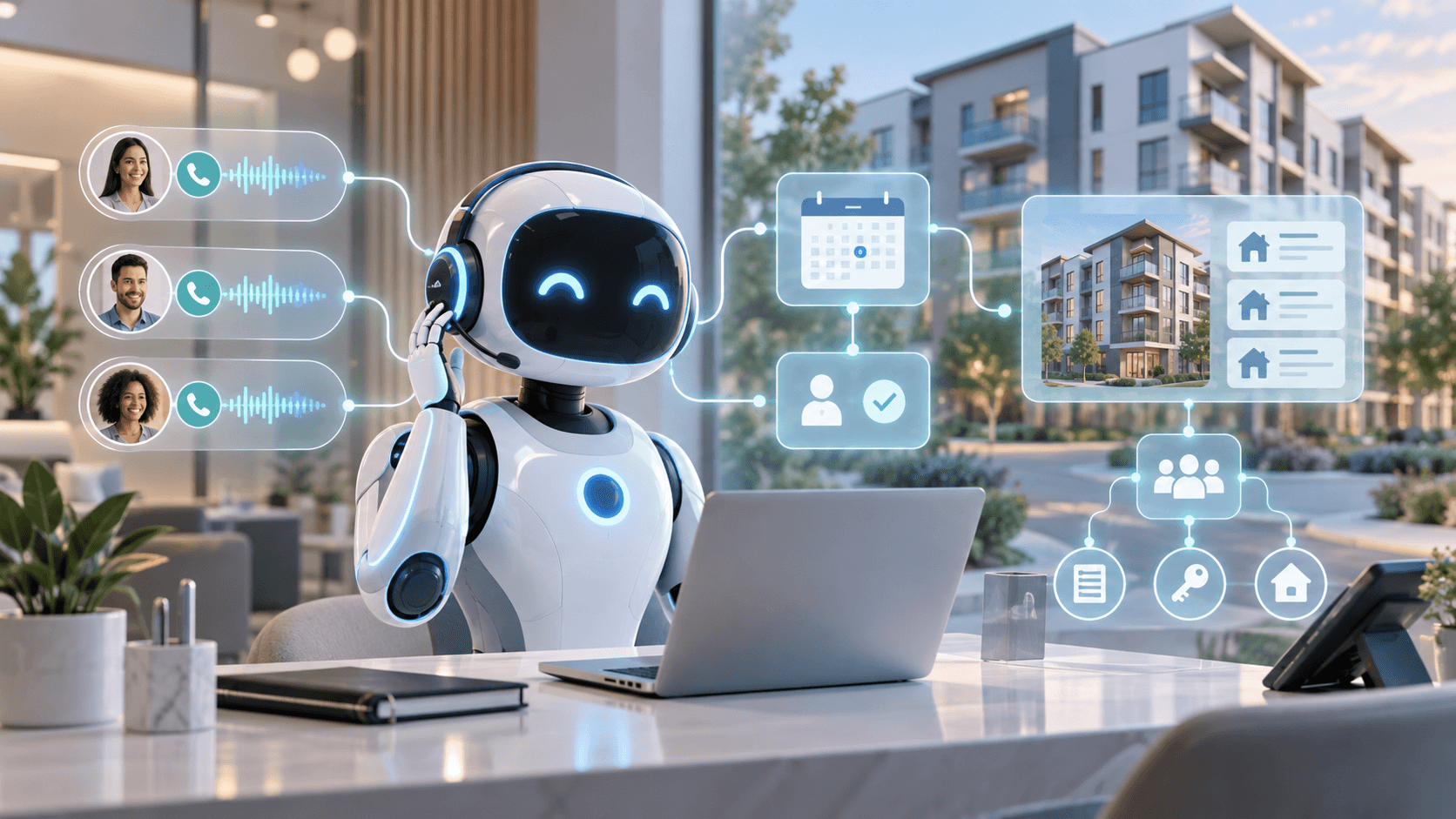
The AI receptionist answers every inbound contact as it arrives. For phone calls, the goal is that callers are greeted right away rather than waiting in a hold queue or rolling to voicemail. The AI identifies what the caller needs and either resolves the request or takes the next step (booking, transferring, logging a callback). For chat and SMS, it responds automatically, on platforms such as AI Frontdesk, the chatbot and voice receptionist draw on the same knowledge base.
This is different from a phone tree. The caller speaks naturally, and the system interprets what they said. That distinction matters: a nationwide academic survey on IVR use found only 10% of consumers were satisfied with their IVR experience, and 90% said they wanted to reach a live agent from the start of the call. The frustration is structural, not anecdotal.
Automating inbound contact routing#
When the AI identifies a contact it cannot or should not resolve on its own, it routes the interaction based on rules the business configures. Depending on the platform, those rules can account for the type of request, keywords detected in the conversation, or the time of day, so that billing questions, cancellation requests, or after-hours emergencies reach the right person. The AI attaches the full transcript and a severity assessment so the receiving human has context before they pick up.
Manual tasks the AI automates#
The AI receptionist removes several categories of manual work from the support workflow:
Call logging: Every conversation is transcribed and logged automatically, eliminating post-call data entry between contacts.
Appointment booking: The AI books appointments during the conversation itself rather than taking a message for someone to call back, on platforms with calendar integrations, it can check availability against a connected calendar.
Follow-up triggers: Based on the conversation outcome, the system can be configured to send a confirmation text, schedule a callback, or create a follow-up task.
Ticket creation: Ticket creation can be configured for inbound contacts, for example, when a contact is escalated, so that fewer requests fall through the cracks between systems.
"It answers quickly, handles customer questions, qualifies leads, and can book appointments without requiring someone from our team to be available every time." - Jasper Q. on Trustpilot
How AI receptionist software differs from traditional answering services#
The comparison most operations directors start with is the answering service they already pay for or evaluated previously. The differences are structural, not incremental.
Capability | AI receptionist | Traditional answering service |
|---|---|---|
Coverage hours | 24/7 by design, independent of staffing | Generally constrained by operator availability and shift schedules |
Call handling | Designed to resolve requests in real time | Typically takes messages for callback, with limited ability to act on them |
CRM logging | Automatic transcription and structured logging on most platforms | Logging varies, often a manual call summary at best |
Pricing model | Varies by platform: flat subscription, usage-based, or per-seat | Commonly per-minute or per-call billing |
Why live agents struggle with scale#
A traditional answering service depends on human operators. During peak volume, callers wait on hold or roll to a secondary operator who may not have context on your business. An AI receptionist answers every call instantly on all lines without that constraint. An answering service also takes messages rather than acting on them, which creates a two-step process: message taken, then human follows up.
AI receptionist efficiency gains#
The operational gain is not just speed. It is the removal of the gap between contact and action. An AI receptionist collapses the two-step answering service process to one step. The caller gets an answer, the appointment gets booked, the ticket gets created, and the CRM gets updated in the same interaction. For support teams tracking first response time and first contact resolution rate, this is the difference between a contact resolved in one touch and a contact that generates a follow-up queue.
AI receptionist pricing models explained#
Pricing across the category typically follows one of three models:
Flat subscription with included minutes: A monthly fee covers a set number of voice minutes, chat conversations, and SMS messages, with usage beyond the included allocation billed at a per-minute or per-message overage rate. AI Frontdesk uses this model: its Business-in-a-Box plan is listed at $99/month including 200 voice minutes, with published overage rates of $0.25/minute for voice, $0.04/SMS, and $0.05/chatbot conversation.
Pure usage-based: You pay per minute of AI call time with no base subscription. This model is typical of developer-oriented platforms such as Vapi AI and Retell AI, where the platform fee covers infrastructure only and LLM, speech-to-text, and telephony costs bill separately. AI Frontdesk instead bundles those components into one subscription with predictable pricing.
Per-seat or per-agent: Common in helpdesk platforms like Zendesk, where voice is included in Suite plans that start at $55/agent/month, with call usage billed per minute. AI Frontdesk covers voice, chat, SMS, email, CRM, and ticketing under one flat rate without per-seat scaling.
For a small business evaluating total cost of ownership, the question is not just the subscription price. It is subscription plus overage at your actual call volume versus the cost of the alternative.
Cost factor | AI receptionist (AI Frontdesk) | Traditional answering service | Additional hire |
|---|---|---|---|
Base monthly cost | $99 (Business-in-a-Box, advertised) | Forbes Advisor lists base plans from $30 to $359/month, scaling to roughly $1,000 to $2,000+/month at full 24/7 coverage with overage | Commonly estimated at $3,000 to $5,000 |
Overage | Published rates: $0.25/min voice, $0.04/SMS | Per-minute billing varies | N/A |
Coverage | 24/7, all channels | Varies by provider and plan | Typically a standard 40-hour week |
Monthly cost at 1,000 min | About $299 at published rates ($99 + $200 overage) | Varies, at typical per-minute rates of $0.75 to $1.75, roughly $750 to $1,750 | Fixed cost regardless of call volume |
Source: Forbes Advisor, Best Answering Services
How AI receptionists manage real-time queues#
The technology behind an AI receptionist follows a chained architecture that converts speech to data and back to speech in real time. Understanding this chain matters because it explains both what the system does well and where its limits are.
How voice AI interprets customer intent#
When a caller speaks, the system typically processes their words through a three-step pipeline. First, speech-to-text (STT) converts the audio into text as the caller speaks rather than waiting for them to finish. Second, a large language model (LLM) reads the transcript alongside the conversation history and the business's configured instructions, and decides whether to respond or take action. Third, text-to-speech (TTS) converts the model's response back into spoken audio.
The LLM is the component that separates an AI receptionist from a phone tree. When a caller says "I need to check on my order from last Tuesday," the system recognizes this as an order status request, pulls the relevant data, and responds. When a caller says "I want to cancel my account," the system recognizes the intent as retention-sensitive and routes accordingly.
Using LLMs for automated phone replies#
The LLM does not just respond. It decides whether to respond or take action. In voice AI, this capability is commonly referred to as function calling: the model can be connected to external systems, for example, a calendar for booking an appointment or an order management system for looking up a tracking number, or to an escalation workflow. The LLM draws from a business-specific knowledge base that includes your FAQs, pricing, return policies, and product details. If it encounters a question outside that base, platforms are generally configured to acknowledge the gap and either take a message or escalate.
Configuring call handling rules#
The AI receptionist operates within rules the business sets. You define which types of calls the AI handles independently (order status, business hours, appointment booking), which get transferred immediately (billing disputes, legal threats), and which trigger escalation protocols (keywords like "emergency," sentiment detection indicating frustration). Many platforms let you adjust these rules without developer involvement.
Syncing with your CRM and helpdesk#
The CRM connection delivers the most operational value in the architecture. After every call, chat, or SMS, the system transcribes the conversation, extracts structured data (caller name, contact reason, urgency level, requested follow-up), and writes it to the customer record. AI Frontdesk describes a feature it calls Smart Variables, which is designed to extract and map structured data from every conversation into your CRM fields automatically.
For retail and eCommerce operations, native integrations matter more than generic API connectivity. AI Frontdesk advertises native connections to Shopify, Gorgias, Klaviyo, Attentive, Postscript, and other eCommerce tools, which are intended to let the AI look up order data, trigger marketing automations, and create helpdesk tickets without middleware. For tools outside the native integration list, the platform supports connections through Zapier, though middleware like this introduces a dependency that can fail silently if a connection breaks.
For businesses evaluating an AI receptionist against an existing helpdesk stack, the integration question is specific: does the AI receptionist write tickets and call data into your current system, or does it require you to migrate to its own CRM? AI Frontdesk states that it supports both paths, with native handoff to Gorgias, Zendesk, Intercom, Help Scout, and Front for businesses that want to keep their current helpdesk while adding an automated coverage layer on top.
Retail integration checklist#
For retail operations directors evaluating an AI receptionist, these native integrations determine whether the platform can act on your data:
Shopify: AI Frontdesk advertises a native Shopify connection for retrieving order data, inventory levels, and customer purchase history during calls.
Klaviyo: AI Frontdesk describes triggering marketing automations based on AI conversation outcomes, such as cart abandonment follow-up and post-purchase sequences.
Gorgias: AI Frontdesk states that it can create support tickets with call transcripts attached.
Returns platforms: AI Frontdesk lists connections to Loop Returns, Returnly, Happy Returns, Narvar, and AfterShip for eligibility checks and RMA generation.
What an AI virtual receptionist can handle for small businesses#
The realistic scope of an AI virtual receptionist maps to the types of contacts that make up the majority of inbound volume for retail and eCommerce operations. These are the contacts that follow predictable patterns and can be resolved with access to the right data.
Manage inbound volume with AI routing#
During a promotional surge or peak season, inbound volume spikes beyond what a lean support team can absorb. An AI receptionist handles concurrent contacts without queuing, so a BFCM traffic spike does not create a backlog that outlasts the promotion. The AI absorbs the routine contacts (order status, return policy questions, product availability) and routes only the exceptions to your team. The same principle applies to property management operations: during a lease-up or renewal cycle, the AI answers every leasing inquiry, qualifies prospect intent, and books showings directly into the calendar, so the volume surge does not stall the leasing pipeline.
Reducing missed appointments via AI#
When a caller wants to book an appointment or schedule a consultation, the AI checks availability against a connected calendar and books the slot during the conversation. It then sends a confirmation via SMS or email and logs the booking to the CRM. This eliminates the callback loop that causes appointment leakage: caller leaves a message, team calls back, caller does not answer, appointment never gets booked. AI appointment booking during the same conversation captures the intent while it is still warm.
Common questions during evaluation#
Operations directors evaluating an AI phone receptionist typically ask the same set of questions. The system follows configured fallback behavior when it cannot answer: acknowledge the gap, capture the caller's details, and either book a callback or transfer to a live person. Most platforms work through call forwarding from your existing number, so you do not need to change your business phone system. AI Frontdesk supports 20+ languages including English, Spanish, French, German, Portuguese, Japanese, Mandarin, Arabic, Russian, and Hindi at no additional cost, which removes the need for bilingual staffing on every shift for US-based retailers serving bilingual customer bases.
Resolving routine order status requests#
WISMO (where is my order) contacts are the highest-volume category for most eCommerce support teams. An AI receptionist connected to your order management system looks up the caller's order in real time and returns the carrier, tracking number, current shipment status, and estimated delivery date. AI Frontdesk pulls data from your fulfillment provider and returns carrier, tracking number, current status, and delivery estimate in one answer across voice, chat, and SMS. The contact resolves in one interaction with no agent involvement, and the resolution is logged to the CRM.
Qualifying leads without adding headcount#
Pre-sale contacts (product questions, sizing inquiries, shipping timelines) have a direct impact on conversion rate. When those contacts arrive after hours or during a surge, they either get an answer or the sale goes to a competitor. An AI receptionist answers these questions from its knowledge base, qualifies the caller's purchase intent, and either resolves the question or captures the contact details for follow-up.
The same principle applies to retail pre-sale inquiries: product questions and sizing requests answered immediately convert faster than callbacks scheduled for the next business day. Clear Speech & Language, a speech therapy practice, saved 100+ admin hours per month and reached a 97% call resolution rate after deploying AI Frontdesk, with their waitlist reduced to zero.
"The ability to have an AI receptionist handle incoming calls and provide consistent responses is the biggest advantage for us. It helps ensure inquiries are addressed promptly while allowing our team to focus on more important tasks." - Zainab Z. on G2
How AI escalates to live staff when needed#
The autonomy question is the trust hurdle that matters most for operations directors evaluating this category. Handing customer-facing judgment to an AI feels like a loss of control, and a public failure would land on the person who approved the tool. The answer is not full autonomy or full human control. It is a defined boundary between the two.
When to hand off to human agents#
The AI should hand off when a contact falls outside its configured scope. Common handoff triggers include billing disputes above a set dollar amount, cancellation requests, legal threats, safety emergencies, and any situation where the AI's confidence in its response drops below a threshold. The principle is straightforward: emergencies, complaints, nuanced advice, and exceptions should remain with accountable staff, with the AI collecting context before the transfer so the human starts with information rather than from scratch.
Human-in-the-loop is not optional. For risk mitigation, every AI receptionist deployment should include configured escalation paths for the contact types that carry business risk: cancellations, complaints, legal mentions, and any situation where the AI cannot verify the caller's identity or the accuracy of its own answer. The cost of an AI mishandling a sensitive contact is higher than the cost of the human escalation.
Recognizing escalation triggers#
AI receptionist platforms use sentiment analysis to detect frustration in real time. The system scores sentiment on every call and can trigger escalation when it detects negative patterns: raised voice, repeated requests, specific keywords like "manager" or "unacceptable," or a sentiment score that crosses a configured threshold. The risk of trapping a frustrated customer in an AI loop is the failure mode that damages relationships rather than protecting them.
Not every escalation signals a problem. A caller asking detailed product questions and then saying "I want to place a large order" is a hot lead, not a complaint, and the AI should route that call to sales immediately. AI Frontdesk's escalation system can recognize high-value intent and route the call to a sales team member immediately, with the full transcript and a summary of the caller's interest attached. The AI handles the qualification. The human handles the close.
Configuring live agent handoff protocols#
Handoff configuration typically follows a tiered structure:
AI resolves independently: Order status, business hours, FAQ answers, appointment booking, return policy questions.
AI escalates with context: Billing disputes, product complaints, requests the AI cannot fulfill, detected frustration. The receiving agent gets the transcript, the caller's information, and a severity score.
AI triggers emergency protocol: Configured keywords indicating safety threats or legal action initiate an on-call rotation with transcript and severity score sent to each responder.
How to bridge AI receptionists with your CRM#
The CRM connection determines whether the AI receptionist is a coverage tool or an operational system. Without it, you have a smarter answering service. With it, you have a system that keeps your customer records current without anyone on your team touching a keyboard between contacts.
Real time CRM data enrichment#
After every interaction, the AI receptionist transcribes the conversation and maps extracted data to CRM fields. The specific fields are configurable: caller name, phone number, reason for contact, product interest, urgency level, sentiment score, and any custom field you define. AI Frontdesk's Smart Variables let you specify what data to extract in plain English, and the system fills fields out after every conversation without manual input.
For a support director tracking repeat contact rate and FCR, this means the CRM data feeding your reports reflects what happened on every call, not what an agent remembered to log between contacts.
Automating ticket creation via AI#
Every inbound contact generates a ticket automatically. This is not a setting you toggle on. It is the default behavior. When the AI answers a call, chat, or SMS, a support record exists with the full transcript, the outcome, and any follow-up actions. For operations directors who have dealt with contacts falling through the cracks between a phone system and a helpdesk, this closes the gap between contact and visibility. AI Frontdesk's ticketing system is built into the platform, and for teams already using Gorgias or Zendesk, the AI can create tickets in your existing helpdesk through native handoff integrations.
Automating appointment and schedule workflows#
The AI checks calendar availability in real time, books the appointment, sends a confirmation, and creates a reminder sequence. If the caller needs to reschedule, the AI handles that during the same call. For retail operations with consultation-based sales models, this removes the callback loop that causes appointment leakage. The booking happens while the caller is still engaged.
Automating outreach via SMS and email#
Outbound follow-up is where most support operations break down. A lead contacts the business but does not convert immediately. Someone is supposed to follow up. They do not, because they are handling the next inbound contact. The lead goes cold.
AI receptionist platforms with outbound automation trigger follow-up based on CRM events and contact outcomes without a human initiating each action. A caller who asked about a product but did not purchase gets a follow-up text based on your configured timing. A missed appointment triggers a rescheduling message. Trade Recalls used AI Frontdesk's outbound calling to generate $33,000+ in campaign-attributed revenue in 5 days.
Migration path from legacy helpdesks:
Audit your current contact flow. Map which contact types arrive on which channels and how they are currently handled. Identify the coverage gaps and the manual tasks that consume agent time.
Connect the AI receptionist alongside your existing stack. Forward your phone number, embed the web chat widget, and connect your calendar. Your existing helpdesk stays in place.
Configure the knowledge base. Upload your FAQs, return policies, product information, and pricing. AI Frontdesk's web chatbot and voice receptionist share the same knowledge base, so you configure it once.
Set escalation rules and monitor performance. Define which contact types the AI handles independently and which route to your team. Start conservative, then review transcripts and escalation patterns for the first two weeks and adjust.
Performance benchmarks for AI receptionist tools#
The category is new enough that published benchmarks come primarily from vendor case studies rather than independent third-party studies. That said, the available data points from named customers provide a realistic picture of what deployment looks like at scale.
Closing after-hours coverage gaps#
Samson Properties, a real estate brokerage with 6,500+ agents across 47 offices, reached a 100% inbound call answer rate after deploying AI Frontdesk. Their operational challenge was centralized call handling across departments, with missed and dropped calls creating gaps in client communication. For a retail operations director, the equivalent metric is the percentage of inbound contacts that receive a response within SLA across all channels, including nights and weekends.
Scaling contact capacity without hiring#
The staffing math is straightforward. A full-time receptionist costs $3,000 to $5,000 per month and covers 40 hours per week. An AI receptionist covers 168 hours per week at $99/month for the Business-in-a-Box plan. For businesses that need coverage during off-hours, weekends, and peak surges, the AI receptionist is not replacing the hire. It is covering the hours the hire never could.
AI Frontdesk walks through the staffing versus AI coverage comparison in this breakdown of virtual receptionist trade-offs, which covers the specific cost and coverage considerations for small businesses.
Staffing economics of AI receptionists#
The Business-in-a-Box plan at $99/month includes 200 voice minutes. At an average call duration of 5 minutes, that covers roughly 40 calls per month. Beyond that, voice overage bills at $0.25/minute. For a business handling 200 calls per month (1,000 voice minutes), the monthly cost is $99 plus $200 in overage, totaling $299. That is still well below the cost of an answering service or a part-time hire, and it covers chat, SMS, email, CRM, ticketing, and outbound automation in the same subscription.
Businesses with very low call volume (under 40 calls per month) may find the Business-in-a-Box plan underutilized. Calculate your expected monthly volume before choosing a plan.
Configuring your AI phone receptionist#
Deployment speed varies across the category. AI Frontdesk states a setup time of under 5 minutes for the standard configuration: input business information, configure the knowledge base, set escalation rules, and forward your calls. More complex deployments with custom integrations and multi-location routing take longer.
Setup type | Time range | What is involved |
|---|---|---|
Standard (AI Frontdesk) | Under 5 minutes | Business info, knowledge base, call forwarding, basic escalation rules |
Configured with integrations | 1 to 3 days | CRM connection, calendar sync, helpdesk handoff, custom escalation protocols |
Custom API integration or multi-location routing | Multi-day to weeks | API integration, custom workflows, dedicated onboarding |
For security and governance, AI Frontdesk uses AES-256 encryption at rest and TLS 1.2+ in transit, with encrypted call recording and audit logs available on the Enterprise plan.
When to escalate AI errors to staff#
No AI receptionist handles every contact correctly. The question is what happens when it gets something wrong. The mitigation is the escalation protocol: the AI detects low confidence in its own response and transfers to a human rather than guessing. You configure the confidence threshold and the fallback behavior. You also review transcripts regularly during the first few weeks to identify patterns where the AI's knowledge base needs updating or its escalation triggers need tightening.
The risk to manage is not that the AI occasionally transfers a call it could have handled. That is a minor efficiency loss. The real risk is the AI handling a contact it should have transferred, which overly aggressive autonomy settings make more likely. Review transcripts regularly during the first few weeks to identify where the AI's knowledge base or escalation triggers need adjustment.
The best way to see how AI Frontdesk handles after-hours calls, concurrent volume, and CRM logging is to watch it process a live call against your own business details. Book a demo to see the self-updating CRM in action, or start a 7-day free trial and have it live on your phone line in under five minutes.
FAQs#
Can an AI receptionist handle multiple calls at once?
Yes. Unlike a human receptionist who handles one call at a time, an AI receptionist processes concurrent calls without hold queues or busy signals. AI Frontdesk handles multiple simultaneous calls across phone, chat, and SMS, so a promotional spike does not create a backlog.
How long does it take to set up an AI receptionist?
AI Frontdesk's standard setup takes under 5 minutes: input your business details, upload your knowledge base, and forward your phone number. Deployments with custom CRM integrations and complex escalation protocols typically take 1 to 3 days.
Will customers know they're talking to AI?
The voice quality is natural enough that many callers do not immediately identify it as AI. AI Frontdesk lets you configure the greeting to include disclosure if required by your jurisdiction or brand preference.
What happens if the AI doesn't understand a caller?
The AI acknowledges it cannot answer, captures the caller's details and question, and either books a callback or transfers to a live person based on your configured fallback rules. The caller is never left without a next step.
Do I need to replace my existing phone system?
No. AI receptionist platforms work through call forwarding from your existing business number. You keep your current phone system and carrier, and the AI layer sits on top of it.
Key terms glossary#
AI receptionist: Software that answers inbound phone calls, chat, and SMS using conversational AI, qualifies intent, takes action (booking, order lookup, FAQ answers), and logs every interaction to a CRM automatically.
First response time (FRT): How long it takes your team to respond to a customer's initial contact. Support operations track this as a primary SLA metric.
Function calling: What lets an LLM execute actions (booking an appointment, querying an order database, triggering an escalation) instead of only generating text responses.
Human-in-the-loop (HITL): A system design where the AI handles routine tasks independently and escalates complex, sensitive, or low-confidence situations to a human with full context attached.
Self-updating CRM: A CRM that pulls data from conversations and updates customer records automatically, with no manual entry required.
Smart Variables: AI Frontdesk's configurable data extraction fields that pull structured information (name, contact reason, urgency, follow-up actions) from live conversations and write them to CRM records in real time.
Speech-to-text (STT): The technology that converts spoken audio into written text in real time, forming the first step in the AI receptionist processing pipeline.
WISMO: "Where is my order." The most common inbound contact type for eCommerce support teams, resolved by looking up tracking and delivery status.


