
This article is published by AI Frontdesk (myaifrontdesk.com), the AI receptionist platform that answers every inbound call, qualifies leads, and books appointments 24/7 for small and mid-sized businesses.
Running a small business in 2025 means staying ahead of the curve, and that's where AI tools for small business automation come in. These smart technologies can take over a lot of the repetitive tasks that eat up your time, freeing you up to focus on what really matters – growing your business. Forget about drowning in paperwork or missing customer calls; AI is here to streamline operations and boost efficiency. We've looked at some of the top contenders that can make a real difference for your company this year.
Key Takeaways#
- My AI Front Desk offers a 24/7 virtual receptionist that handles calls, answers questions, and books appointments, integrating with over 9,000 apps via Zapier for seamless workflow automation.
- Agentforce provides enterprise-grade autonomous AI agents that can plan and execute complex tasks using a company's own data, especially useful for large-scale deployments.
- Zapier is a workflow automation tool that connects different apps, allowing users to build custom workflows and automate repetitive tasks without needing to code.
- Jasper is a content generation tool that uses AI to produce human-like text for various needs, from marketing copy to product descriptions, helping maintain brand consistency.
- Synthesia creates AI-generated videos for training and communication, making it easier for global teams to produce content without needing a physical studio or actors.
1. My AI Front Desk#
Think about the last time you called a business and got a slow, robotic response. Frustrating, right? That's what My AI Front Desk aims to fix. It's basically a receptionist that never sleeps, never takes a break, and can handle a thousand calls at once. This isn't just about answering the phone; it's about automating that first point of contact in a way that feels pretty natural.
This tool acts as your business's first line of defense, or rather, its first friendly voice. It's designed to pick up inbound calls, answer common questions about your business, and even schedule appointments. Imagine a virtual assistant that's always on, ready to engage with customers whether it's the middle of the night or during a busy holiday rush. It can handle complex questions by referencing the information you provide, making sure customers get accurate answers without having to wait for a human agent.
Here's what makes it stand out:
- 24/7 Availability: Always there to answer calls, schedule meetings, and respond to inquiries, even after business hours.
- Human-like Interaction: Designed to converse naturally, making customers feel heard and understood.
- Scalability: Handles an unlimited number of calls simultaneously, so you never miss an opportunity, no matter how busy things get.
The real magic here is how it integrates. It's not just a standalone bot; it's built to be the central hub that talks to all your other systems. It connects with over 9,000 apps through Zapier, allowing it to trigger actions and sync data across your existing business tools. This means when a call ends, an appointment is booked, or a question is answered, the relevant information can flow directly into your CRM or other platforms automatically. It cuts down on manual data entry and keeps everything in sync.
My AI Front Desk also offers features like setting maximum receptionist minutes, giving you control over usage and costs, and adapting its availability based on your specific hours or seasonal needs. It's a smart way to manage your front-line support without the overhead of a large human team.
2. Agentforce#

Agentforce is built for businesses drowning in repetitive tasks. The core problem it tackles is data silos. When information is scattered across different systems, people waste hours just moving data around. Agentforce aims to fix this by creating a unified AI environment. It's designed to let autonomous agents work with your company's own data, executing multi-step processes without constant human input.
Think of it as an operating system for your business processes, but powered by AI. It integrates with your existing tools, like CRMs and communication platforms, to automate workflows. This isn't just about simple task automation; it's about enabling complex operations to run on their own.
The real power comes from its Atlas Reasoning Engine, which allows agents to plan and execute tasks autonomously, grounded in real-time data. This means the AI can handle things like lead scoring, customer service inquiries, or even HR processes, all while staying up-to-date with the latest information.
Here's a look at what Agentforce can do:
- Sales Automation: Agentforce Sales can predict lead quality and automatically log sales activities. This frees up sales teams to focus on building relationships rather than administrative work.
- HR and IT Support: It can support common HR and IT use cases, streamlining internal operations.
- Personalized Marketing: Agentforce Marketing uses real-time data to tailor customer journeys, making outreach more effective.
The goal is to move beyond basic automation and create a truly connected AI stack where different tools and agents work together. This frictionless environment lets employees focus on strategic work, not just busywork. It's about making your business run smarter, not just faster.
3. Zapier#
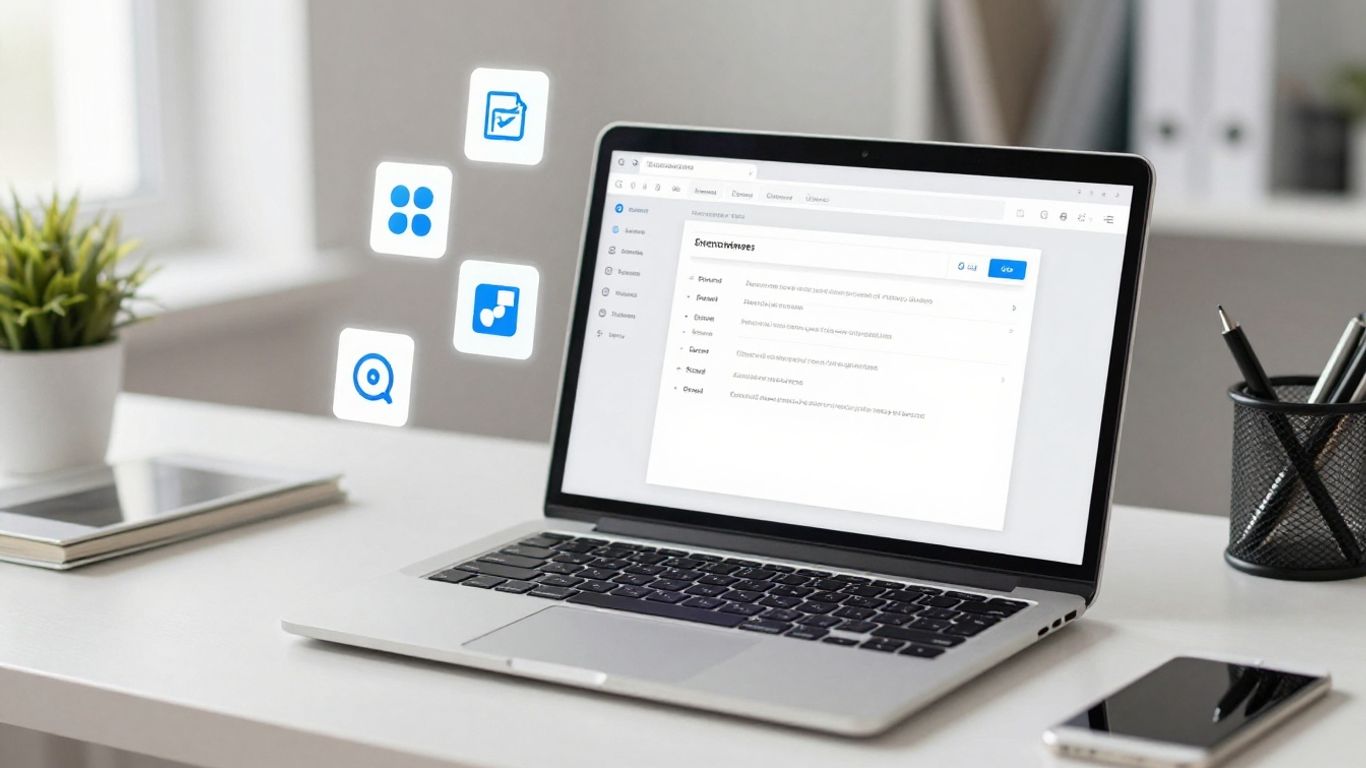
Zapier is the glue that holds a lot of modern business operations together. Think of it as a digital switchboard operator for your apps. It lets you connect different software you already use, like your CRM, email, or project management tools, and make them talk to each other. This means you can automate tasks that would otherwise take up a ton of time.
Basically, you set up "Zaps" – which are automated workflows. For example, when a new lead comes in through your website form, a Zap can automatically add that contact to your email list and create a task in your project management tool. No manual copy-pasting required. It’s a way to build custom automation without needing to write a single line of code. This is huge for small businesses that don't have dedicated IT staff. You can connect over 6,000 apps, which is pretty wild when you think about it. It’s a way to make your existing tools work harder for you.
The real power here isn't just connecting apps; it's about reclaiming your time. Small businesses often operate with lean teams, and anything that frees up people from repetitive, manual tasks is a direct boost to productivity and morale. Zapier makes these connections happen automatically, so your team can focus on actual work, not busywork.
Here’s a quick look at what you can do:
- Automate Lead Capture: When someone fills out a form on your site, automatically add them to your CRM and send a welcome email.
- Streamline Sales: When a deal is marked as won in your sales tool, create an invoice in your accounting software.
- Manage Social Media: Automatically share new blog posts to your social media channels.
- Customer Support: When a new support ticket is created, notify your team in Slack.
Zapier’s integration capabilities mean your AI receptionist, for instance, can do more than just answer calls. It can update your CRM in real-time, create follow-up tasks, or even send out relevant documents via text message based on the conversation. It turns a simple interaction into a series of automated actions across your business systems. This level of integration is what separates businesses that are just getting by from those that are truly efficient.
4. Jasper#
Jasper is basically a writing assistant on steroids. You give it a prompt, a few keywords, maybe a general idea of the tone you're going for, and it spits out text. Think blog posts, ad copy, social media updates – the whole nine yards.
It’s built on some pretty advanced AI, so it can actually understand context and generate stuff that sounds, well, human. This isn't just about filling in blanks; it's about creating content that flows and makes sense. For small businesses, this can be a lifesaver when you’re swamped and don’t have a dedicated marketing team.
Here’s a quick look at what it’s good for:
- Marketing Copy: Ads, social media posts, email subject lines. It can churn these out fast.
- Blog Content: Helps get initial drafts or even full articles written, saving you hours.
- Product Descriptions: Need to write descriptions for a dozen new items? Jasper can handle it.
- Brand Consistency: It can be trained to stick to your brand’s voice, which is pretty neat.
The real win here is speed. If you’re a small operation, time is probably your most valuable asset. Jasper lets you get more done, faster, without sacrificing quality too much. You still need to review and edit, of course, but it cuts down the grunt work significantly.
5. Tableau#
If you're drowning in spreadsheets and can't make heads or tails of your sales numbers, Tableau is probably what you need. It's a data visualization tool, but with AI baked in, it does more than just make pretty charts. Think of it as a smart assistant for your business data.
Tableau uses AI to help you find patterns you might miss. You can ask it questions in plain English, like "What were our top-selling products last quarter?" and it'll spit out an answer, often with a chart to go with it. This means you don't need to be a data scientist to get useful insights. It's about making complex data simple, so you can actually use it to make decisions.
Here's a quick look at what it helps with:
- Quick Data Discovery: Find trends and anomalies without digging through endless rows.
- Predictive Analytics: Get a sense of what might happen next based on past performance.
- Interactive Dashboards: Build visual reports that you and your team can actually interact with.
The real power here is turning raw numbers into something you can understand and act on. It’s not just about looking at data; it’s about understanding the story it’s telling you about your business. This can save a ton of time compared to manual analysis.
For a small business, this means you can stop guessing and start knowing. You can see what's working, what's not, and where to put your energy next. It’s a way to get smarter about your operations without needing a dedicated analytics team.
6. ChatGPT#
ChatGPT is basically a chatbot that talks like a person. It uses some pretty advanced tech, like large language models, to understand what you're asking and give you an answer that makes sense. Think of it as a super-smart assistant you can chat with.
For small businesses, this means a few things. First, customer support. Instead of having someone tied up answering the same questions over and over, ChatGPT can handle a lot of that. It can answer common queries, guide people to the right information, and generally keep customers happy without you needing to hire a whole team just for that.
It's also good for generating text. Need a quick product description? A draft for an email? ChatGPT can whip something up pretty fast. It's not going to win any literary awards, but for getting the ball rolling, it's surprisingly useful.
Here's a quick rundown of what it can do:
- Customer Service: Handles FAQs, provides instant responses.
- Content Generation: Drafts emails, product descriptions, social media posts.
- Information Retrieval: Answers questions based on its training data.
- Brainstorming: Helps generate ideas for marketing or product development.
The key here is that it's accessible. You don't need to be a tech wizard to use it. You type, it responds. Simple as that. This makes it a practical tool for businesses that don't have dedicated AI departments.
It's not perfect, of course. Sometimes it gets things wrong or sounds a bit too robotic. But for automating basic interactions and speeding up content creation, it's a solid option. It's like having an extra pair of hands, but they're digital and never get tired.
7. Crunchbase#
Think about how you find out about new companies. You probably ask around, read some tech blogs, maybe check a few industry reports. It's a lot of manual work, and you're often looking at old news.
Crunchbase is different. It uses AI to look ahead. It tries to predict what private companies are going to do next – like when they'll get funding, if they'll grow fast, or if they'll get bought. They pull in a ton of data, not just from public filings but from how people actually use their platform, which is pretty smart. This gives you a heads-up on opportunities before everyone else catches on.
It's useful for a couple of main things:
- Finding potential customers (leads) who actually have the money to buy what you're selling.
- Spotting investments that are likely to pay off big.
They even let you use their data through an API, so you can plug their predictions right into your own systems if you're feeling fancy. It's basically a crystal ball for the private market, powered by data and algorithms.
8. Synthesia#
Synthesia is a tool that lets you create videos using AI. Think about making training videos or marketing clips without needing actors or a film crew. You pick a presenter, type out what you want them to say, and the AI generates the video. It's pretty neat for businesses that need to produce a lot of video content quickly, especially for global teams.
The core idea is to make video creation accessible and fast. You don't need to worry about studio costs or scheduling shoots. This can be a big deal for small businesses trying to get their message out there without a huge budget. It’s a way to get professional-looking videos without the usual hassle. You can even have the AI presenters speak in different languages, which is a huge plus if you're dealing with customers or employees all over the world. It's a practical way to automate a part of your content strategy that used to be pretty labor-intensive.
Here’s a quick rundown of what it offers:
- AI Avatars: Choose from a variety of realistic presenters.
- Text-to-Video: Type your script, and the AI brings it to life.
- Multiple Languages: Generate videos in dozens of languages.
- Customization: Adjust backgrounds, add text, and music.
It’s a straightforward way to get videos made. You type, it makes. Simple as that. For businesses looking to scale their video output without scaling their production team, this is definitely worth a look. It’s a tool that can help you communicate more effectively across different markets. You can find out more about how AI is changing content creation here.
9. Copy.ai#
Copy.ai is a tool that helps you churn out marketing copy. Think social media posts, ad headlines, product descriptions – that sort of thing. It uses AI to generate different versions of text based on prompts you give it. The idea is to speed up the content creation process, especially for repetitive tasks.
It's pretty good at generating a lot of options quickly. If you need to brainstorm a bunch of taglines or write several variations of an Instagram caption, Copy.ai can spit them out faster than you could probably come up with one yourself. This is where it shines: sheer volume and speed.
However, and this is a big one, you can't just copy and paste what it gives you. The AI doesn't understand your business or your audience in the way a human does. It's putting words together based on patterns it's seen. So, you'll always need to review, edit, and fact-check everything. It's more of a starting point or a brainstorming partner than a finished product generator.
The real value here isn't in the AI writing for you, but in how it helps you overcome that blank page paralysis. It gives you something to react to, to tweak, to build upon. It's a tool to augment your own writing, not replace it.
Here's a quick look at what it's good for:
- Social Media Content: Generating posts, captions, and hashtags.
- Ad Copy: Creating headlines and descriptions for online ads.
- Website Copy: Drafting product descriptions, landing page text, and calls to action.
- Email Marketing: Writing subject lines and body copy for newsletters and campaigns.
It's a solid option if you're looking to automate some of the more tedious writing tasks and get a first draft down fast. Just remember to bring your own brain to the editing process.
10. ThoughtSpot#

ThoughtSpot is a bit different from the other tools we've looked at. Instead of generating content or automating workflows, it's all about getting answers from your data. Think of it like a search engine, but for your business numbers. You type in a question, and it gives you an answer, usually with charts and graphs.
This is huge for small businesses that don't have a dedicated data analyst. You can ask things like, 'What were our sales in the Northeast last quarter?' or 'Which marketing campaign brought in the most leads?' and get an answer right away. It makes data accessible to everyone, not just the tech wizards.
They call their dashboards "Liveboards." These aren't static reports; they update in real-time. So, if you're looking at sales figures, you're seeing what's happening now, not last week.
Here's how it helps:
- Quick Insights: Get answers to business questions in seconds, not days.
- Democratizes Data: Lets anyone on your team explore data without needing to know SQL or complex software.
- Spot Trends: Helps you see patterns and opportunities you might otherwise miss.
- Better Decisions: Armed with real data, you can make smarter choices about where to invest your time and money.
The real power here is cutting through the noise. Most businesses drown in data but starve for insights. ThoughtSpot aims to fix that by letting you just ask for what you need to know.
It's a tool that can really change how you understand your own business. If you're tired of guessing or waiting for reports, this is worth a look.
Discover how ThoughtSpot can help you understand your business data better. It's a powerful tool that makes it easy to find answers in your numbers. Want to see how it works for your company? Visit our website to learn more and get started today!
The Road Ahead#
Look, automating tasks with AI isn't some far-off future thing anymore. It's here, and it's making a real difference for small businesses. Tools that handle calls, manage messages, or even just organize your contacts can free up a ton of time. You don't need to be a tech wizard to use them, either. Most are pretty straightforward. The real win is getting back hours in your day to focus on what actually grows your business, instead of getting bogged down in the small stuff. So, start small, pick one area that's a pain point, and see what AI can do. You might be surprised.
Frequently Asked Questions#
What exactly is an AI tool for small businesses?#
Think of AI tools as smart computer programs that help businesses do tasks automatically. They use artificial intelligence, which is like giving a computer a brain, to learn, solve problems, and make decisions. For small businesses, these tools can handle things like answering customer questions, sending emails, or organizing information, freeing up people to focus on other important work.
How can AI tools help my small business save time and money?#
AI tools can take over repetitive and time-consuming jobs that people usually do. For example, an AI receptionist can answer phones 24/7, so you don't miss any calls or potential customers. By automating these tasks, your team spends less time on busywork and more time on growing the business, which ultimately saves you money and makes things run smoother.
Do I need to be a tech expert to use these AI tools?#
Not at all! Most AI tools designed for small businesses are made to be user-friendly. They often have simple setups and easy-to-understand instructions. Many even connect with other apps you already use, making them simple to add to your current way of working without needing to be a computer whiz.
Which types of tasks are best suited for AI automation in a small business?#
AI is great for tasks that happen over and over, or require quick responses. This includes things like handling initial customer inquiries, scheduling appointments, sending out basic information, managing social media posts, or even helping to sort through customer feedback. Anything that follows a pattern or needs to be done quickly and consistently is a good candidate for AI.
Can AI tools really understand what my customers are asking?#
Yes, many AI tools are very good at understanding language. They use something called Natural Language Processing (NLP) to figure out what people are saying or typing, even if it's not phrased perfectly. This allows them to give relevant answers, route questions to the right person, or take the correct action, making customer interactions feel more natural.
Is it expensive to start using AI tools for my business?#
The cost can vary, but many AI tools offer different plans to fit various budgets. Some even have free versions or trials so you can test them out. For small businesses, the goal is often to find tools that provide a big return on investment by saving time and improving efficiency, making them a worthwhile expense rather than just another cost.


