This article is published by AI Frontdesk (myaifrontdesk.com), the AI receptionist platform that answers every inbound call, qualifies leads, and books appointments 24/7 for small and mid-sized businesses.
Let's be honest, for any small business, a missed call is more than just a missed call—it’s a lost sale. Relying on an in-office receptionist or trying to handle calls yourself means you're bound by business hours and human limitations. That old model is slow, expensive, and full of holes where potential customers can fall through.
A virtual assistant for lead generation isn't just another tool; it’s the engine that powers your growth. It’s what turns your business from a 9-to-5 operation into a 24/7 lead-capturing machine.
Why An AI Assistant Is Your New Lead Generation Engine#
Think about the traditional way of handling leads. An employee can only take one call at a time. They take breaks, go on vacation, and clock out at 5 p.m. This creates a huge gap where you're bleeding potential revenue.
An AI virtual assistant completely flips that script. It’s your inbound receptionist and your outbound dialer, all in one. It doesn’t matter if a prospect calls at 2 a.m. or if you need to follow up with a list of 500 contacts. The AI is always on and ready to go, ensuring you never miss a beat.
Before we dive deeper, it's helpful to see how different lead-handling methods stack up. It really puts the power of AI into perspective.
Comparing Lead Handling Solutions#
| Feature | Traditional Receptionist | Human Virtual Assistant | My AI Front Desk Assistant |
|---|---|---|---|
| Availability | 8 hours/day, 5 days/week | Varies, often limited hours | 24/7/365, never sleeps |
| Call Capacity | One call at a time | One call at a time | Unlimited parallel calls |
| Cost | High (salary, benefits) | Moderate (hourly/retainer) | Low monthly fee |
| Lead Follow-Up | Manual, can be delayed | Manual, depends on workload | Instant & automated (text/email) |
| Appointment Booking | Manual, prone to error | Manual, prone to error | Automated & synced to your calendar |
| Scalability | Low (hiring is slow) | Moderate (need to find more VAs) | High (instantly scalable) |
This table makes it clear: while human receptionists have their place, an AI assistant offers a level of efficiency and availability that's simply impossible for a person to match.
The Shift Towards Automated Assistance#
This move toward AI support isn't just a small trend—it's a massive economic shift. The global virtual assistant market is on track to hit a staggering $44.25 billion by 2027. Why? Because it just works.
Already, over 37% of small businesses outsource tasks to cut costs and boost efficiency. That number is expected to jump past 52% by 2026 as more owners realize they can't afford to keep doing everything manually. For a closer look at this industry shift, you can read more about unlocking the power of AI.
The key takeaway here is that an AI assistant isn't just a replacement for a human; it's an upgrade. It can handle unlimited calls at once, qualify leads based on your criteria, book appointments directly into your calendar, and send follow-up texts without you lifting a finger.
This is what it looks like when your lead generation is running on autopilot.
When you set up an AI assistant, it becomes the central hub for your entire growth strategy. By taking over all the repetitive, time-consuming tasks, it frees you and your team to do what you do best: close deals and build relationships with your customers.
Laying the Groundwork for Automated Lead Capture#
Before you flip the switch on an AI assistant for lead generation, you need a game plan. Jumping straight into the technology without clear goals is like building a house without a blueprint. The most successful automated systems I've seen are always built on a solid foundation of well-defined objectives.
So, let's start with the most basic question: What’s the main thing you want this AI to accomplish? The answer will shape every single thing you do next.
Defining Your Primary Lead Generation Goal#
Your core objective dictates the AI's entire workflow. Are you trying to wade through a high volume of inbound calls to find the serious buyers? Or is the goal to proactively book qualified appointments right onto your sales team's calendars? Maybe you just need to grow your prospect list by grabbing basic contact info from callers.
Each of these goals requires a totally different setup. An AI focused on booking appointments absolutely needs calendar integration and the smarts to ask about scheduling. One designed for lead filtering, on the other hand, has to be armed with sharp qualifying questions to separate the hot leads from the tire-kickers.
A common mistake is trying to make the AI do everything at once. My advice? Focus on one primary objective to start. For instance, a roofer could set their AI’s main goal as: "Book a free roof inspection for any caller who confirms they are the homeowner."
Once you have that one clear goal, you can design the entire conversation to get there efficiently. This ensures your virtual assistant for lead generation delivers real, measurable results from day one.
Identifying Your Ideal Customer and What You Need to Know#
With your main objective set, it's time to get specific about who you're talking to. Who is your ideal customer? Your AI needs to be trained to spot them in a conversation. Put together a simple profile that outlines their key traits.
For a marketing agency, an ideal customer might be a small business owner with an annual revenue over $250,000 who's actively looking to get more online leads. This kind of clarity is what tells your AI which questions matter most. You can get more ideas by exploring these creative ways to generate leads for your marketing agency.
Based on that customer profile, you can then list out the must-have information the AI needs to capture on every call.
- Qualifying Questions: These are your money-makers. For the roofer, it’s, "Are you the homeowner?" For the marketing agency, it might be, "What's your approximate annual revenue?"
- Contact Information: At a minimum, you'll need a name, phone number, and email address.
- Contextual Details: What specific service is the person calling about? What’s their timeline for getting started?
This intake process makes sure every call gathers the exact data your sales team needs to take the next step, turning a simple phone call into a properly qualified opportunity.
Perfecting the Technical and Professional Details#
Finally, let's talk about the small details that separate a clunky, robotic interaction from a smooth, professional one. This is where you polish the AI's performance so it truly reflects your brand's standards.
A feature like Google Calendar integration is non-negotiable if you’re setting appointments. It lets the AI see your team's real-time availability and book meetings directly, eliminating any chance of double-booking. It just makes the whole experience effortless for the caller.
Just as important is the pronunciation guide. You can actually teach the AI how to correctly say specific brand names, industry terms, or even your team members' names. It's a small touch, but it adds a huge layer of polish and makes your AI sound incredibly professional on every single call.
Configuring Your Inbound Lead Conversion Machine#
When a potential customer calls you, it’s a golden opportunity. They're actively looking for a solution and they chose to reach out to you. Turning that call into a solid lead takes more than a basic answering service—it requires an intelligent system that acts like a true extension of your sales team.
This is where you'll want to shift your mindset. Your AI receptionist isn't just a passive gatekeeper for taking messages. It’s an active player designed to qualify, assist, and guide that caller to the next logical step in your sales process, all in real time.
This proactive approach is everything. Artificial intelligence is completely reshaping lead generation. Businesses that have already adopted AI are reporting a 50% increase in sales-ready leads and are cutting customer acquisition costs by up to 60%. The proof is in the numbers—research shows 64% of businesses using AI chatbots are generating more qualified leads. Real-time interaction simply works. For more on this, check out these lead generation statistics and trends.
Empowering Your AI to Qualify and Convert#
The main job of your inbound virtual assistant is to figure out what a caller wants and how valuable they are to your business. You can program it with a specific intake workflow—basically, a series of questions that filter and qualify leads live on the call.
Think about a plumbing company. They could set up their AI to ask:
- "Are you dealing with a plumbing emergency, or are you looking to schedule routine maintenance?"
- "Is the property a single-family home or a commercial building?"
- "Are you the owner of the property?"
The AI then uses the answers to take the right action. An emergency call could be instantly forwarded to the on-call technician, while a routine request gets scheduled on the spot.
Key Takeaway: Your AI's script should be a decision tree, not a monologue. Every question should guide the caller toward a specific, productive outcome, whether that's booking an appointment, receiving a link, or speaking to a human.
This kind of smart routing ensures that your hottest leads get immediate attention while less urgent inquiries are handled efficiently, all without needing a human to step in. This strategic split is a cornerstone of modern marketing. You can explore our guide on inbound vs outbound marketing strategies for agencies to see how to balance these two worlds.
Seamlessly Booking Appointments and Nurturing Leads#
One of the most powerful features of a smart AI receptionist is its ability to hook directly into your calendar. By connecting it to a shared Google Calendar, the AI can see your team's real-time availability and book qualified appointments right there during the call. This gets rid of the frustrating email tag and locks in a lead’s commitment while their interest is at its peak.
You can also set up automated texting workflows that are triggered by the conversation, turning a simple phone call into an interactive experience.
- A caller asks about pricing? The AI can say, "I'm sending you a text right now with a link to our pricing page for you to review."
- Someone requests examples of your work? The AI instantly texts a link to your portfolio or latest case studies.
- A new appointment is booked? The AI immediately follows up with a confirmation text, complete with the date, time, and a calendar link.
This immediate, automated follow-up is invaluable. It gives the caller instant value, keeps your business top-of-mind, and starts nurturing the lead without you lifting a finger.
Guaranteeing You Never Miss a Lead#
Maybe the biggest win of using an AI receptionist is its ability to handle unlimited parallel calls. A traditional phone line—or even a human receptionist—can only manage one caller at a time. If a high-value lead calls when you're busy, they hit a busy signal or get sent to voicemail. And just like that, you've probably lost them for good.
With an AI system like My AI Front Desk, that problem is completely solved. It doesn't matter if one person calls or twenty people call at the exact same moment. Every single one is answered instantly and professionally. Each caller gets the same high-quality, interactive experience, ensuring no opportunity is ever wasted because of a logistical bottleneck.
Alright, let's flip the script from defense to offense. While an AI receptionist is fantastic for handling calls that come to you, an AI outbound dialer is how you go out and create opportunities from scratch. This is where your virtual assistant for lead generation truly shines, transforming from a passive gatekeeper into an active pipeline builder.
Instead of your team getting bogged down by manually dialing list after list, your AI can systematically work through contacts, sparking natural, two-way conversations. This isn't about blasting out robotic spam calls. It's about smart, scalable outreach that builds your brand instead of burning it.
Building Your Targeted Call Lists#
The success of any outbound effort always comes back to one thing: the quality of your contact list. A generic, untargeted list is a recipe for wasted time and annoyed prospects. The goal is to build focused segments so your AI’s message is always relevant.
Start with the low-hanging fruit. Who are the easiest people to re-engage?
- Past Customers: Pull a list of clients who haven't bought from you in the last six to twelve months. A simple "checking in" campaign can wake up these dormant accounts and bring in some quick wins.
- Stale Leads: Every CRM has a graveyard of leads that went cold. These people showed interest once; an AI can efficiently re-engage them to see if the timing is better now.
- Event Attendees: Did you just wrap up a trade show or host a webinar? That attendee list is pure gold. They've already raised their hand and shown interest in your industry, making them warm prospects for a follow-up.
A well-targeted list gives your AI context, which is the key to getting a positive response. For example, the AI can open with, "Hi, I'm calling from [Your Company]. You downloaded our guide on kitchen remodels a while back, and I just wanted to see if you had any questions." That’s a world away from a generic cold call.
Crafting Conversational AI Scripts#
A great script is the soul of a successful outbound campaign. You're not trying to make a machine sound like it's reading a prompt; you're aiming for a genuinely helpful, natural conversation. With modern AI powered by models like GPT-4 and premium voice libraries, this is more achievable than ever.
When writing your scripts, think conversation, not monologue. Instead of a long opening pitch, start with a simple, direct question. This invites the prospect to engage right away.
For a past customer, the script could be something like this:
"Hi [Name], this is [AI Name] calling from [Your Company]. We helped you with your landscaping last spring, and I was just calling to see how everything is holding up. Are you thinking about any new projects for the upcoming season?"
For a completely new prospect, a more direct, value-focused approach works best:
"Hi [Name], my name is [AI Name] from [Your Company]. We specialize in helping local restaurants reduce their food-delivery commission fees. Is that something you've been looking into?"
The key is to keep it short, relevant, and centered on a single call-to-action, like booking a 15-minute discovery call. Your AI can handle common questions, navigate objections, and if the prospect shows interest, book them directly onto your calendar.
Giving these repetitive tasks to a virtual assistant frees up your sales team to do what they do best: close deals. Industry data shows teams using this approach are seeing 30% faster lead response times and a 15–20% increase in close rates. For small businesses, the impact is even more dramatic, with average annual savings of $87,012 by using a virtual assistant for lead generation instead of hiring full-time staff, all while boosting productivity by 41%.
Configuring and Monitoring Your Campaigns#
With your list and script ready, the technical setup is pretty straightforward. You'll want to configure the campaign schedule to respect business hours and local time zones—nobody appreciates a sales call at 8 p.m.
Your analytics dashboard is where the magic happens. This is your command center for tracking the key performance indicators (KPIs) that tell you what’s working and what isn’t.
- Connection Rate: What percentage of your calls are actually being answered?
- Positive Response Rate: How many of those conversations result in a positive outcome (like expressing interest or requesting more info)?
- Appointments Booked: For most campaigns, this is the ultimate measure of success.
Regularly reviewing these metrics and listening to call recordings is how you refine your strategy. For instance, if your connection rate is low, you might try calling at different times of the day. If people are hanging up right after the first sentence, that’s a clear signal your opening line needs a rework. For more on this, check out our guide on AI-powered lead follow-up best practices. This constant cycle of testing and optimizing is what separates a good outbound campaign from a truly great one.
Integrating and Automating Your Entire Sales Workflow#
An AI assistant handling your calls is a great start. But what happens after the call ends? That's where you can either create a ton of manual work for your team or build a truly automated sales machine.
A connected AI doesn't just take messages; it becomes the central hub of your sales process. Think of it as building a digital assembly line for your leads. Instead of your staff copying call notes into your CRM or manually adding a new contact to an email list, you set up a workflow where it all happens automatically. No more leads falling through the cracks.
Connecting Your AI to Your CRM#
The first and most important connection to make is with your Customer Relationship Management (CRM) platform. Your CRM is your command center for all customer data, and your AI should be its most reliable field agent, constantly feeding it fresh intel.
When your AI receptionist qualifies a new inbound lead, it shouldn't just stop at sending you an email notification. A proper integration means it can instantly:
- Create a brand new contact in your CRM.
- Log the full call transcript and the audio recording right under that contact's profile.
- Update the lead's status from "New" to "Qualified" or whatever stage fits your process.
This one connection eliminates a mountain of tedious data entry. Businesses often sink over 40 hours a month into lead generation tasks, and automating CRM updates is a fantastic way to claim a huge chunk of that time back.
Unleashing Powerful Automation with Zapier#
Beyond a direct CRM link, a tool like Zapier is where things get really interesting. Zapier is the universal translator for your business software, acting as a bridge between your AI assistant and thousands of other apps. You can build simple "Zaps" (automated workflows) that spring into action based on what happens during a call.
Here are a few high-impact automations you can get running in just a few minutes:
- Instant "Hot Lead" Alerts: The moment your AI identifies a hot prospect (maybe they mentioned a specific budget or a need to start "next week"), a Zap can fire off a message to your top salesperson in a dedicated Slack channel. They can jump on the opportunity while it's still fresh.
- Automated Email Nurturing: As soon as your AI qualifies a lead for a particular service, a Zap can add them to a specific email campaign in a tool like Mailchimp. They immediately start getting relevant information, warming them up for the sale without you lifting a finger.
- Seamless Project Management: If a call results in a booked consultation, a Zap can create a new task in Asana or Trello. It can assign it to the right team member and automatically attach the lead's contact info and the call notes.
This simple, three-part process for an outbound campaign is just the starting point. The real power is in the automations that follow.
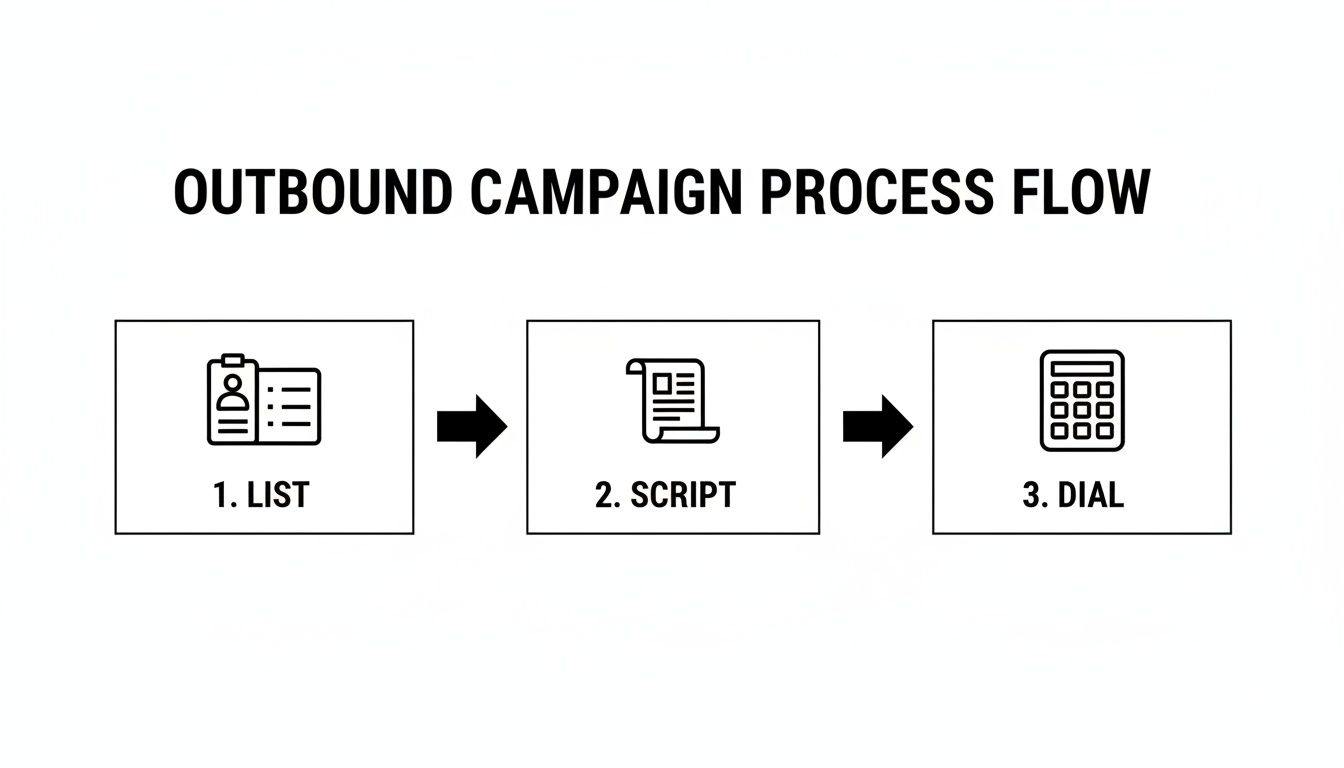
The list, the script, and the dialing—that's the kickoff. The automated follow-through is what wins the game. If you're trying to get a better handle on what these flows look like, our guide on building a sales process flowchart is a great place to start mapping them out.
To give you some more ideas, here are a few Zapier workflows our customers have found incredibly effective:
High-Impact Zapier Workflow Examples
| Trigger (From My AI Front Desk) | Action (In Another App) | Business Outcome |
|---|---|---|
| New Qualified Lead (call tagged) | Create Contact & Log Call in HubSpot CRM | Eliminates manual data entry and ensures every qualified lead is tracked. |
| Appointment Booked | Create Google Calendar Event and invite the lead | Automates scheduling, sends instant confirmations, and reduces no-shows. |
| Call Transcript Generated | Add Row to Google Sheet with key call details | Creates a simple, centralized log for quick review and analysis of call data. |
| "Urgent" Keyword Mentioned | Send a Priority Notification to a Slack channel | Alerts the sales team to high-intent leads in real-time for immediate follow-up. |
These are just a few examples, but they show how a connected AI can become the engine for your entire sales and marketing operation.
Custom Integrations with Webhooks and APIs#
For businesses with unique software or very specific workflow needs, webhooks and APIs provide a way to build completely custom solutions. A webhook is a simple notification that sends data from your AI to another system the instant an event happens, like a call ending.
For example, a real estate agency could use a post-call webhook to push lead data directly into their proprietary property management software. The system could then instantly match the caller with available listings based on criteria they mentioned in the conversation.
This level of custom integration makes your AI more than just a communication tool—it becomes a fundamental part of your business's core infrastructure. It ensures the valuable data from every single call is put to work right away, speeding up your sales cycle and making your whole team more efficient.
Measuring Success and Optimizing for Performance#
Getting your AI virtual assistant up and running is just the beginning. The real magic happens when you start tracking its performance, because without solid data, you're just flying blind.
Think of the analytics dashboard inside a platform like My AI Front Desk as your mission control. This is where you go from feeling like your AI is helping to knowing its exact impact. It’s how you build a powerful feedback loop to constantly refine and improve your results.
Defining Your Key Performance Indicators#
To get a clear picture of what’s working, you need to focus on a handful of key performance indicators (KPIs). Forget vanity metrics; we're talking about the numbers that directly tie to your bottom line.
Here are the essentials I always recommend tracking:
- Number of Appointments Booked: This is the big one. How many qualified meetings is your AI putting on the calendar for your team each week or month?
- Cost Per Qualified Lead: To figure this out, just divide your monthly AI subscription cost by the number of qualified leads it generated. This gives you a crystal-clear look at how cost-effective your AI is.
- Conversion Rate from AI-Handled Calls: Of all the calls your AI takes, what percentage actually turn into a booked appointment or a completed form?
Tracking these numbers is how you prove the ROI. For instance, if your AI subscription is $100 a month and it books 20 qualified appointments, your cost per appointment is a mere $5. Stack that up against your other marketing channels, and the value becomes undeniable.
Leveraging Call Recordings for Quality Control#
Don't overlook your call recordings—they're a goldmine of information. These aren't just for record-keeping; they are your single best tool for quality control and making your scripts better. Taking time to listen to a sample of calls is one of the highest-impact activities you can do.
As you listen, ask yourself these questions:
- Does the AI script sound natural, or are callers getting tripped up at a specific point?
- Are there common questions callers keep asking that you haven't accounted for in the script?
- Is the AI capturing all the critical information you need?
For example, you might listen to a few calls and realize people often hang up when the AI asks about their budget. That’s a massive red flag. It tells you to either rephrase that question or maybe move it to later in the conversation after you’ve built a bit more trust.
These recordings are also fantastic for training. Your sales team can listen to the AI's full conversation to get complete context before they even make their follow-up call.
Managing Costs and Proving Value#
A great AI platform will always give you levers to pull to control your spending. Look for features like adjustable call duration limits, which are essential for keeping costs in check. By setting a cap on call length—say, five minutes—you can prevent rambling conversations that burn through your monthly minutes without generating a lead.
This level of control ensures your investment stays focused on what matters: productive lead generation. When you track your KPIs, use call recordings to refine your scripts, and actively manage usage, you build an airtight case for your AI's value. This is how you transform your virtual assistant for lead generation from a simple tool into a predictable, provable growth engine for your business.
A Few Common Questions#
If you're like most business owners I talk to, you're probably curious about how an AI assistant would actually work for lead generation. It's smart to think through how this kind of technology fits with what you're already doing. Let's dig into some of the questions that come up most often.
Will My AI Assistant Sound Like a Robot?#
This is probably the number one question I get, and it’s a fair one. The short answer is no. We've come a long way from the clunky, monotone voices of early AI.
Today’s assistants use premium voice libraries with over 100 different options. You can pick a voice that sounds incredibly human and actually matches the vibe of your brand.
They're also built on advanced models that understand the flow of a conversation. It's not just reading a script; it's responding to context. You can even create a pronunciation guide to teach the AI tricky names or industry-specific terms, so every interaction sounds polished and professional.
How Hard Is It to Get Everything Connected?#
You definitely don't need a degree in computer science to get your AI assistant talking to your other business tools. For the vast majority of businesses, the whole process is simplified by using a platform like Zapier.
Zapier is like a universal translator for software, connecting your AI to over 9,000 different apps without you having to write a single line of code.
For example, you could set up a quick "Zap" that automatically sends a new lead from your AI assistant straight into your HubSpot CRM or a simple Google Sheet. It’s a point-and-click setup that builds a powerful, automated workflow in just a few minutes.
Is It Actually Affordable for a Small Business?#
Absolutely. When you put the numbers side-by-side, it’s a no-brainer. Think about the cost of a full-time, in-house receptionist—you're not just paying a salary, but also benefits, payroll taxes, and for their desk space. An AI assistant's low monthly fee can save businesses up to 78% on those operational costs.
Plus, an AI assistant works 24/7 without needing a coffee break, can handle a flood of calls all at once, and never lets a lead slip through the cracks. That kind of efficiency means you get a much lower cost per lead and a way better return on your money. For a small business, it's one of the smartest growth tools you can invest in.
Ready to see how an AI receptionist can start converting leads for your business around the clock? Get started with My AI Front Desk and transform your lead generation process today.


